Azure
How Cloudairy Cloudchart Simplifies Architecture Design For Azure DevOps Pipeline


Get your team started in minutes
Sign up with your work email for seamless collaboration.
Azure Pipelines is a key player in the modern software development process which provides an integrated approach to smooth and optimize the development lifecycle. It automates tasks, implements transparent workflows, improves code quality through thorough testing, and allows fast deliveries of software products of high quality and trustworthiness. The mentioned product stands out with its intuitive UI, ability to integrate seamlessly with testing frameworks, and provision for continuous deployment approaches which are prerequisites for shorter time-to-market and better overall agility, productivity and success in the current highly dynamic software landscape.
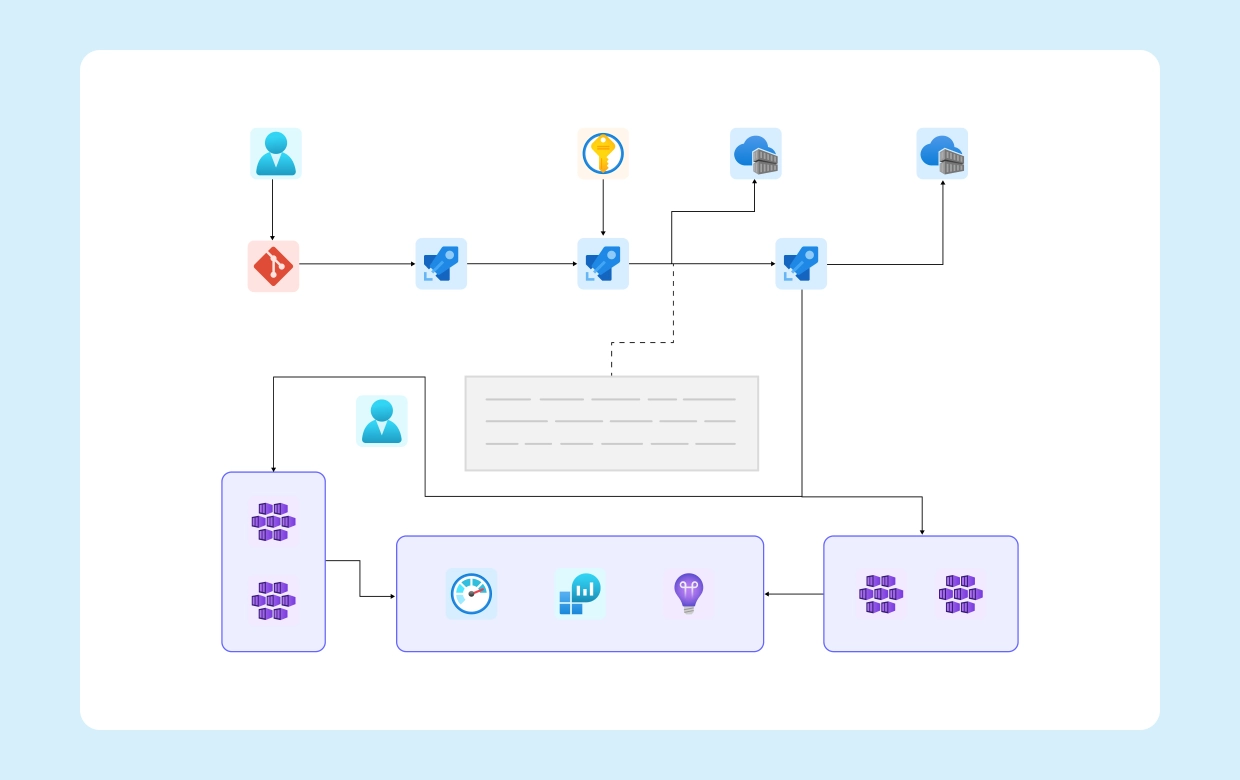
Azure Pipelines offers a comprehensive set of stages that work together to ensure a smooth and efficient software delivery process. Each stage serves a specific purpose, contributing to the overall quality and reliability of your application.
Pull Request (PR) Pipeline: The First Line of Defense
The PR pipeline is your initial quality checkpoint. It performs fast quality checks, linting, building, and unit tests to ensure code integrity before merging into the main branch. This stage acts as a gatekeeper, preventing the introduction of defects and maintaining code quality throughout the development lifecycle.
Continuous Integration (CI) Pipeline: Leveling Up Quality
After a successful PR merge, the CI pipeline takes over. It not only maintains quality but also enhances it by running integration tests, fetching secrets from Azure Key Vault, and creating container images. This stage ensures that the merged code works seamlessly with other components and that the application is packaged and ready for deployment.
Continuous Deployment (CD) Pipeline: Delivering to Staging
The CD pipeline is responsible for deploying the application to the staging AKS environment. It automates the deployment process, validates the deployment with acceptance tests, and even allows for manual validation if required. This stage ensures that the application is ready for production and that any issues are identified and addressed before the final deployment.
Promotion to Production: The Final Step
When all the necessary checks and validations are complete, the CD pipeline promotes the container image from the non-production to the production registry. This stage ensures that the application is ready for production use and that the deployment process is secure and reliable.
Observability and Insights: Monitoring and Analyzing Application Health
Azure Monitor plays a crucial role in providing observability and insights into the application's performance and health. Container Insights forwards performance metrics, inventory data, and health information to Azure Monitor, where Log Analytics and Application Insights gather and analyze the data. This stage enables you to monitor the application's behaviour, identify issues, and optimize its performance.
Security First: Integrating Security into the Pipeline
Defender for DevOps adds an extra layer of security to your pipelines by performing static analysis and helping you maintain a strong security posture across your development process. This stage ensures that security is not an afterthought but an integral part of your software delivery lifecycle.
By using Azure Pipelines, organizations can unlock several benefits that contribute to their overall development efficiency and product quality:
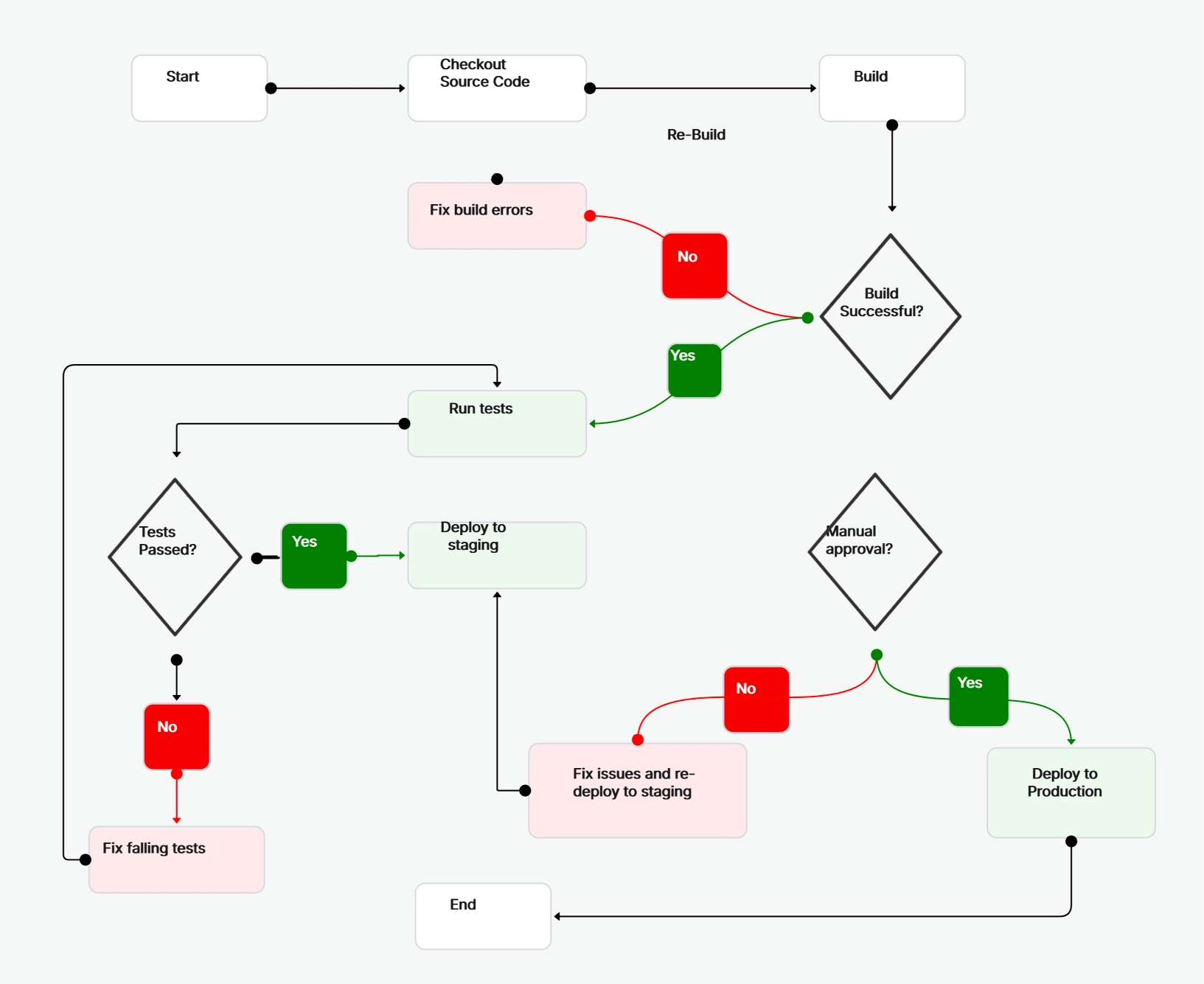
Azure Pipelines offers a comprehensive approach to software delivery, enabling organizations to accelerate their development process while maintaining high standards of quality and reliability. By leveraging Azure Pipelines, teams can:
By adopting a comprehensive approach to software delivery with Azure Pipelines, organizations can accelerate their software development process, improve code quality, and deliver high-quality software more efficiently and reliably.
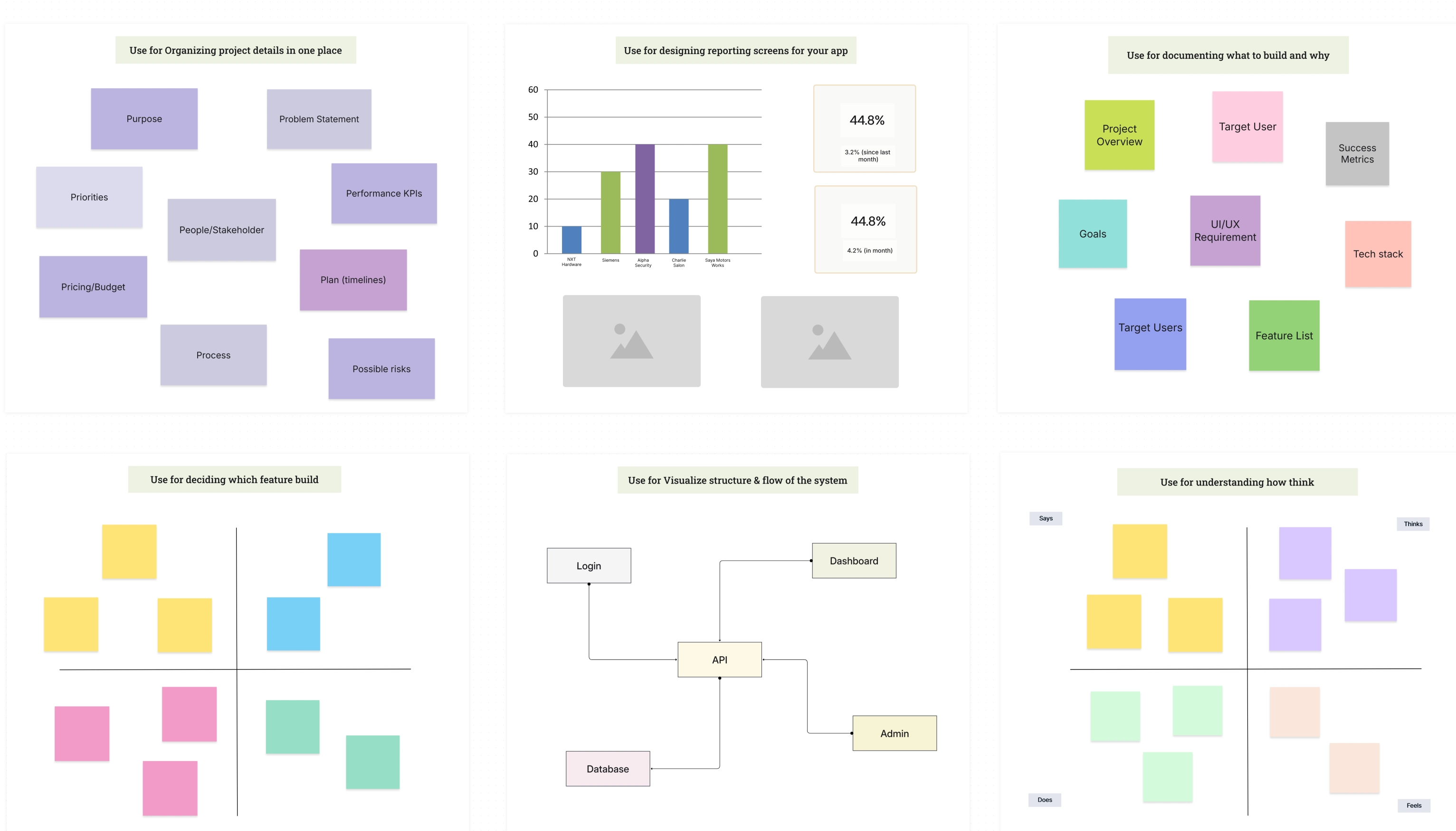
Cloudairy Cloudchart helps you design and optimize Azure DevOps Pipelines. It offers features like mindmaps, flowcharts, and diagramming tools to visually represent your pipeline. You can also collaborate with your team in real time and get started with pre-built templates.
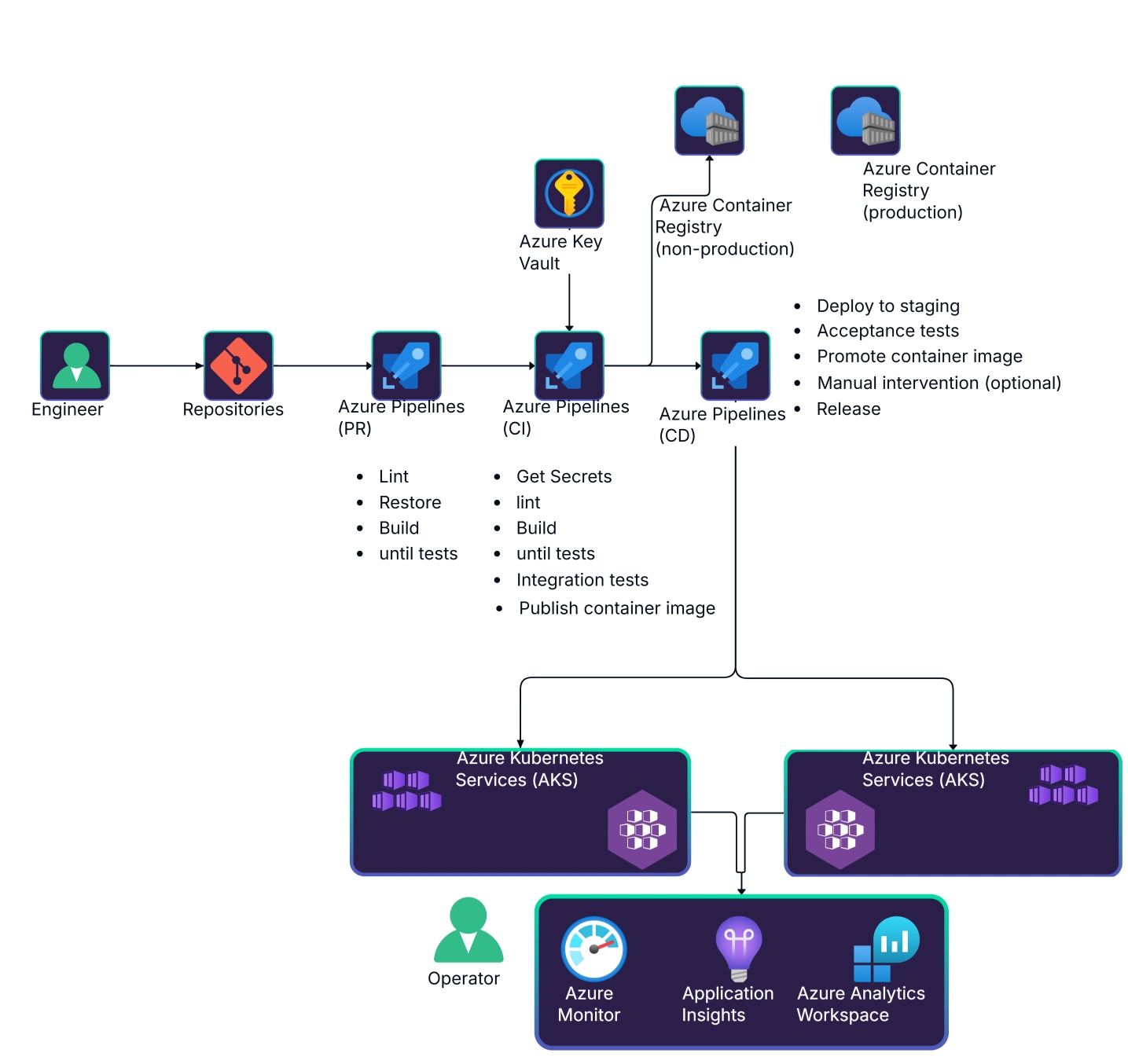
Azure Pipelines offers a powerful and flexible solution for streamlining software development and delivery. By automating tasks, creating a clear workflow, improving code quality with tests, and enabling faster deployments, Azure Pipelines helps organizations deliver high-quality software efficiently and reliably. As organizations continue to embrace DevOps practices, Azure Pipelines stands out as a robust and comprehensive solution for managing the software delivery lifecycle.
Start using Cloudairy to design diagrams, documents, and workflows instantly. Harness AI to brainstorm, plan, and build—all in one platform.
Table of Contents

Introduction
 Manage all your work in one placeCollaborate with your teamUse Cloudairy for FREE—forever


 Related Articles