Get your team started in minutes

Sign up with your work email for seamless collaboration.

Your AI ER Diagram Generator

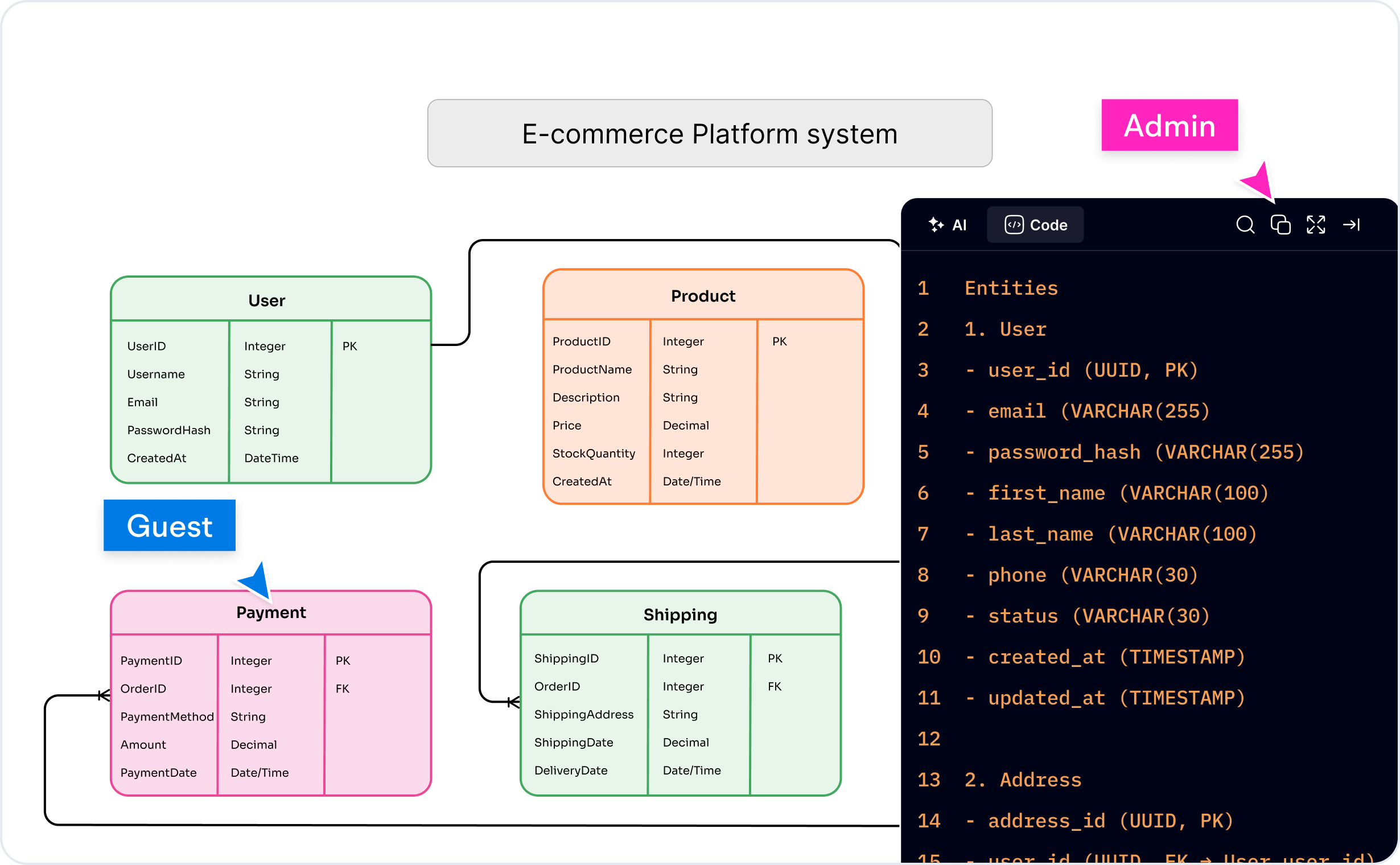
Build Smarter Database Designs with Cloudairy AI ER Diagram Generator

Generate professional ER diagrams in seconds using AI. Cloudairy automatically visualizes relationships, constraints, and schema layouts to simplify database planning and documentation.

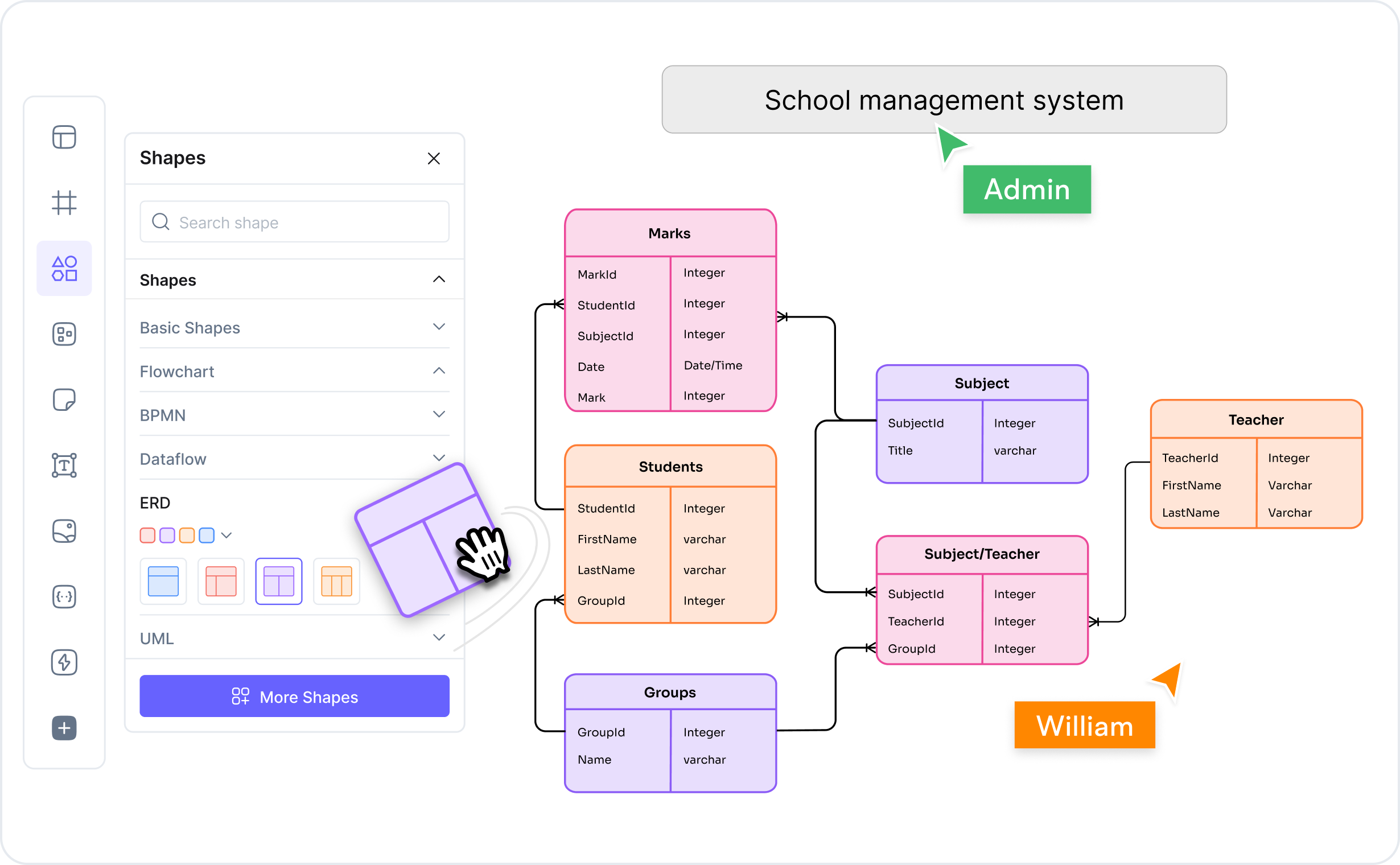
Hospital Management Database
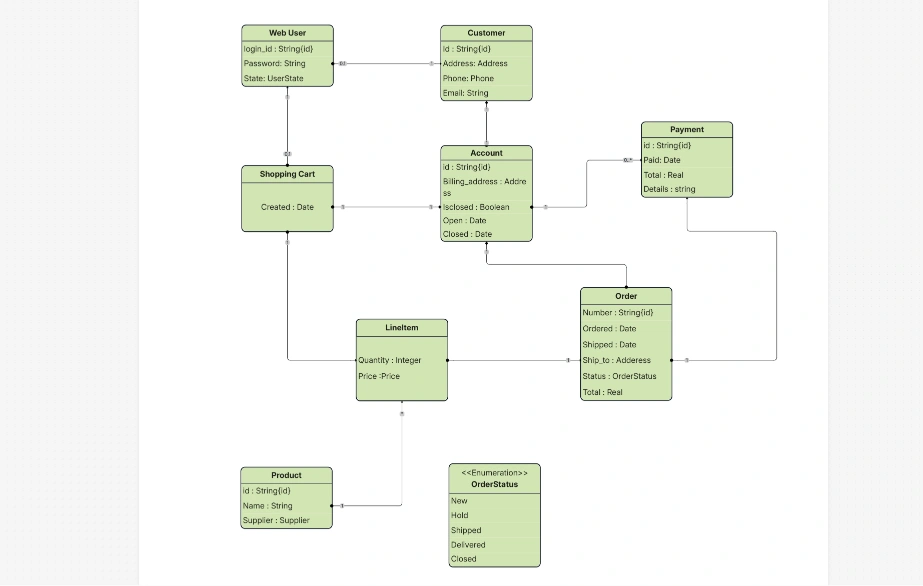
E-Commerce Store Database
Student Enrollment System

Watch Cloudairy Generate an ER Diagram Instantly

See how Cloudairy AI ER diagram generator converts your prompt into a structured ER model for fast, accurate database design.

Generate ER Diagrams Instantly with Cloudairy AI ER Diagram Generator

Explore ready-to-use prompts that help you design database structures for any use case.

Explain the benefits of using microservices in startups arrow
Summarize the advantages of serverless computing for developers arrow
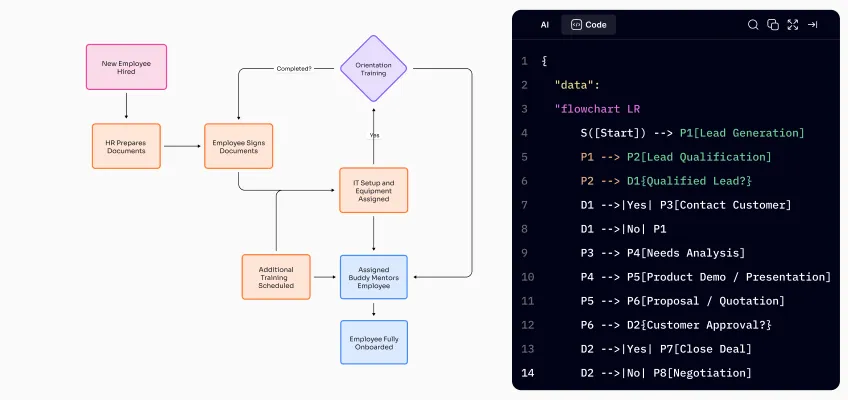
Create a flowchart for online food ordering system arrow
Design a flowchart for user registration and login process arrow
Build a flowchart showing CI/CD pipeline using Jenkins arrow
Generate a flowchart for employee onboarding workflow automation arrow
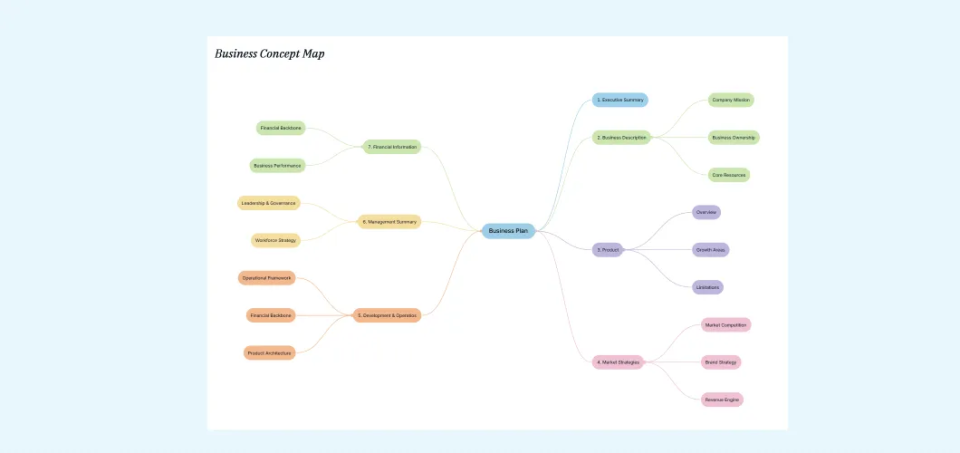
Create a mind map for product launch planning strategy arrow
Explain the benefits of using microservices in startups arrow
Summarize the advantages of serverless computing for developers arrow
Create a flowchart for online food ordering system arrow
Design a flowchart for user registration and login process arrow
Build a flowchart showing CI/CD pipeline using Jenkins arrow
Generate a flowchart for employee onboarding workflow automation arrow
Create a mind map for product launch planning strategy arrow
Generate a mind map of cloud computing core concepts arrow
Design a mind map for agile sprint retrospective ideas arrow
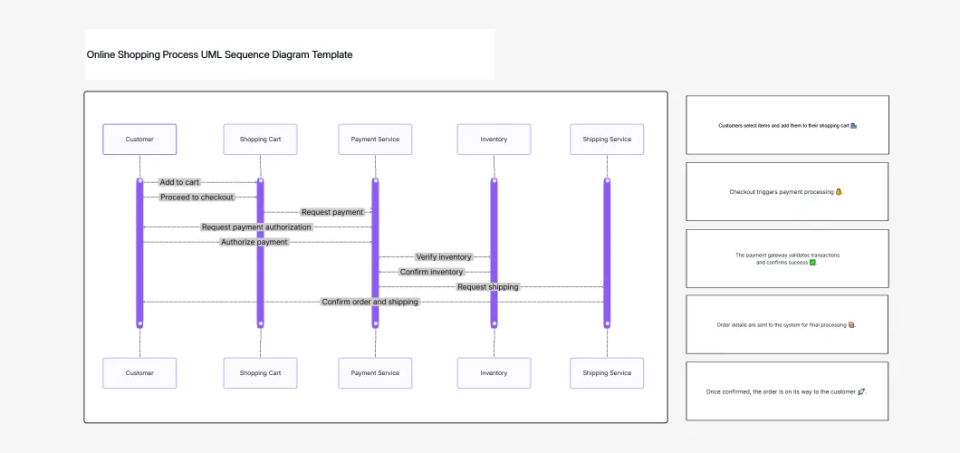
Generate a sequence diagram for hotel booking system interactions arrow
Create a sequence diagram for payment gateway transaction process arrow
Build a UML diagram for library management system design arrow
Create a UML diagram for e-commerce shopping cart operations arrow
Generate an AI image of futuristic smart workspace design arrow
Create an AI image showing teamwork collaboration in office arrow
Generate a mind map of cloud computing core concepts arrow
Design a mind map for agile sprint retrospective ideas arrow
Generate a sequence diagram for hotel booking system interactions arrow
Create a sequence diagram for payment gateway transaction process arrow
Build a UML diagram for library management system design arrow
Create a UML diagram for e-commerce shopping cart operations arrow
Generate an AI image of futuristic smart workspace design arrow
Create an AI image showing teamwork collaboration in office arrow
Create an ER diagram for university course registration system arrow
Generate an ER diagram for hospital patient management database arrow
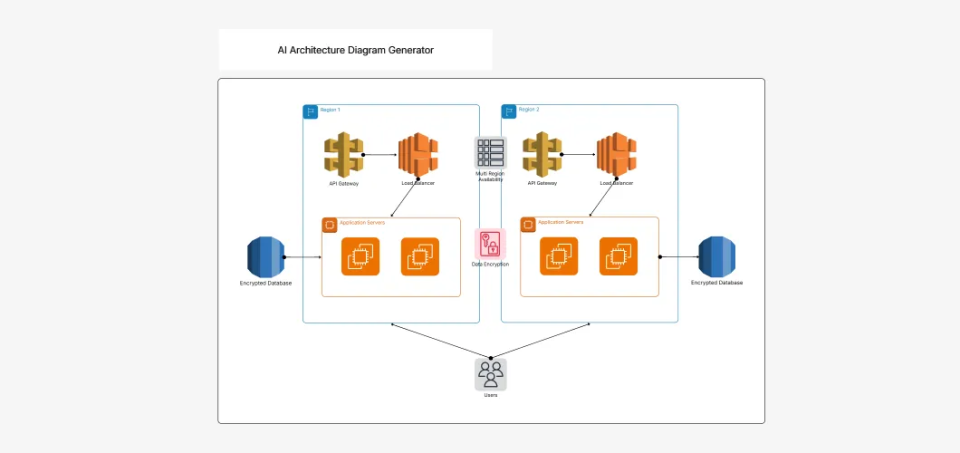
Design a cloud architecture for scalable e-commerce web application arrow
Generate a cloud architecture for real-time data analytics pipeline arrow
Create an AWS cloud architecture for AI-powered chatbot solution arrow
Write a Python script to automate daily report generation arrow
Generate optimized JavaScript code for dynamic form validation arrow
Create an ER diagram for university course registration system arrow
Generate an ER diagram for hospital patient management database arrow
Design a cloud architecture for scalable e-commerce web application arrow
Generate a cloud architecture for real-time data analytics pipeline arrow
Create an AWS cloud architecture for AI-powered chatbot solution arrow
Write a Python script to automate daily report generation arrow
Generate optimized JavaScript code for dynamic form validation arrow

Why Teams Switch to Cloudairy for ER Diagrams

Compare the limitations of traditional tools with Cloudairy's integrated approach

With typical ER diagram tools:

  • Start from a blank canvas, dragging shapes manually.
  • Requires multiple tools for generation, editing, and sharing.
  • Diagrams live separately from the rest of your project workflow.
  • Locked into rigid formats, hard to edit later.

With Cloudairy AI ER Diagram Generator:

  • AI-generated structure in seconds – No blank canvas anxiety.
  • 100% manual control – Edit entities, attributes, and relationships anytime.
  • All-in-one platform – Generate, edit, collaborate, and share without switching apps.
  • Seamless project integration – Keep ER diagrams connected to your docs, architecture diagrams, and boards.

Result

Faster, more accurate database design that lives where your team works—not buried in a separate modeling tool.

An AI ER Diagram Generator helps you create clear pictures of database models by turning text prompts into entity-relationship diagrams.

You do not need to draw boxes or lines by yourself. The AI ER diagram generator reads your text and creates an ER diagram model that you can change later.

With tools like ER diagram generator AI and text to ER diagram AI, you can see how data is connected in apps, websites, and systems. You can create ER diagram using AI or from SQL. This AI ERD generator gives clear and correct diagram results.

What Is an ER Diagram?

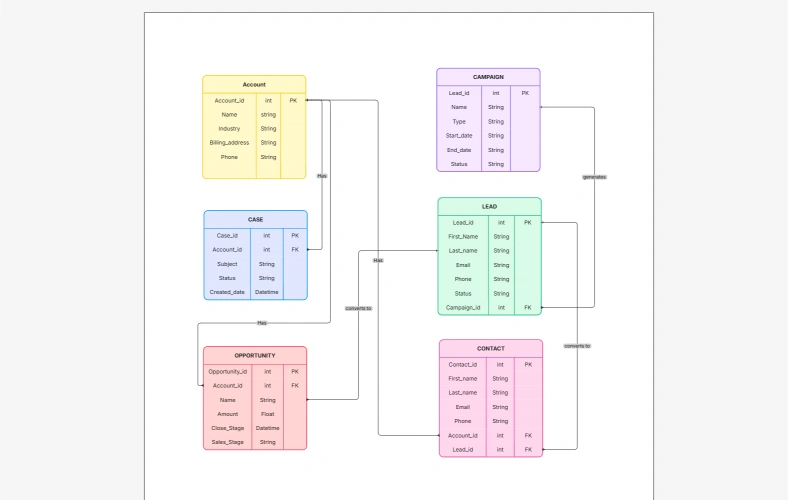
An ER (Entity Relationship) diagram is a picture that shows database parts and how they connect. It displays entities, attributes, and relationships.

Developers, analysts, and designers use ER diagrams to understand data structure. With an ERD AI generator, people can create database designs that support teamwork and application development.

Entity Relationship Diagram (ERD) Symbols

ER diagram symbols help explain how data is organized. Each shape and line shows a specific meaning.

Entity Relationship Diagram (ERD) Symbols

Entity

An entity is a main object in a system, such as a user, product, or order. It is shown using a rectangle with the entity name.

Relationship

A relationship shows how two entities are connected. It explains how data links between objects.

Weak Relationship

A weak relationship shows an entity that depends on another entity. It is shown with double lines.

Attribute

An attribute shows details about an entity, like name, ID, or price. It describes what data is stored.

Weak Entity

A weak entity depends on another entity to exist. It is shown using a double-bordered rectangle.

Connecting Lines

Connecting lines link entities and relationships. They show how data moves in the database.

Cardinality

Cardinality shows how many items connect, such as one-to-one, one-to-many, or many-to-many.

How to Generate an AI ERD (Entity Relationship Diagram) Using Cloudairy?

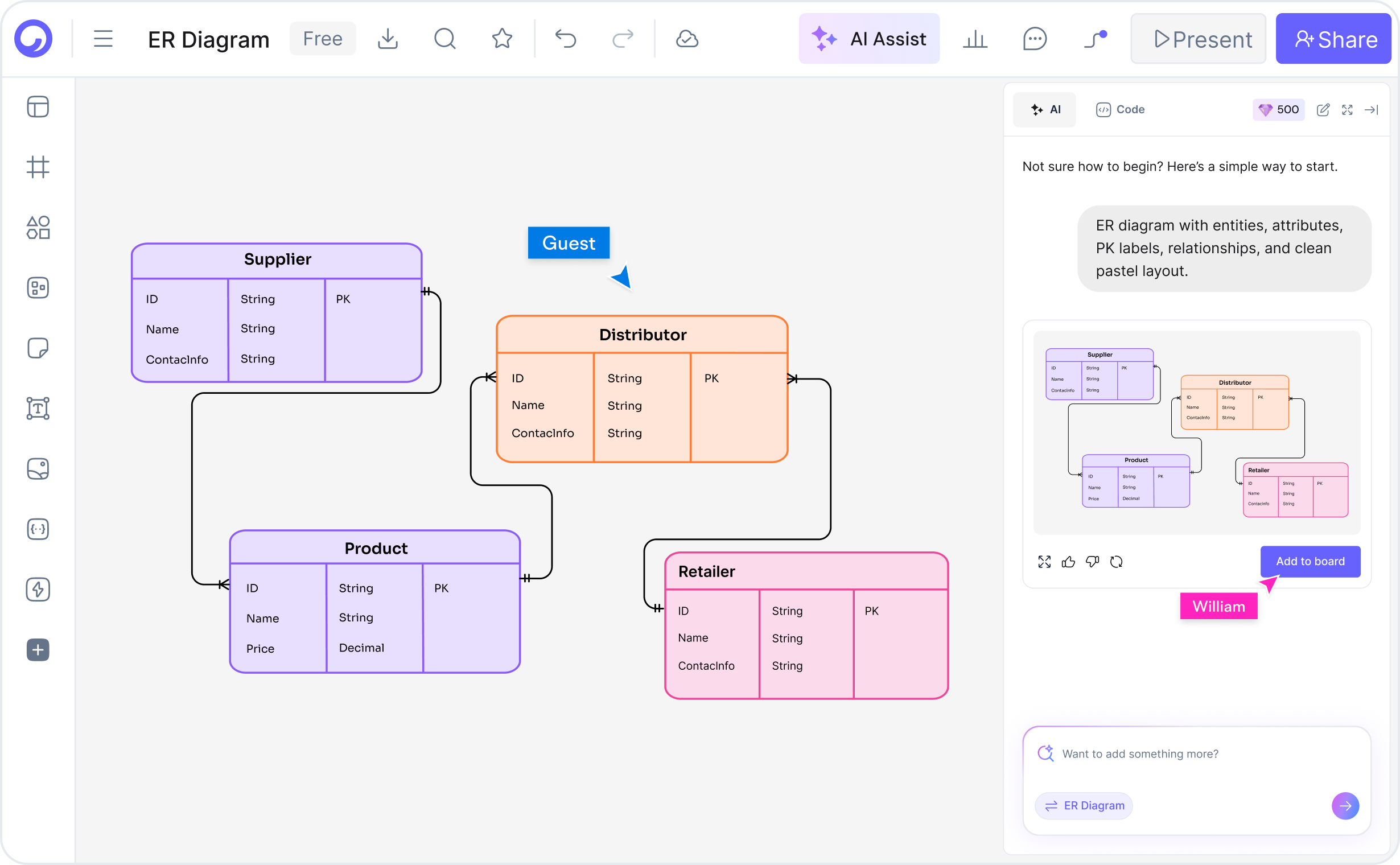
You can create an AI ERD using Cloudairy’s AI ER diagram generator. Write a prompt in plain language, and the AI ER diagram tool creates entities and relationships. The tool gives you an ER model AI that you can change and edit.

Step-By-Step Guide on Generating an ERD Using ER Diagram Maker AI

  1. Open Cloudairy’s AI ER Diagram Generator

Open the AI ER diagram generator online free to start creating ER diagrams using AI.

  1. Enter Your Prompt

Write your database details. The ER diagram generator AI from text creates entities, attributes, and relationships.

  1. Modify AI-Generated ERD

Change names, move items, and update relationships using the ER diagram maker AI tool.

  1. Share or Export Your ER Diagram

Download or share diagrams as PNG, SVG, PDF, or JSON for teamwork and documentation.

Why Choose Cloudairy’s Free AI ER Diagram Generator Tool?

Cloudairy’s free AI ER diagram generator helps users create database diagrams with automation and editing options.

  • AI-Powered Instant Generation

The ER diagram maker AI reads your prompt and builds diagrams without manual drawing.

  • Free to Start & Use

Cloudairy provides a paid and free ER diagram generator AI tool.

  • Fully Editable Diagrams

Edit entities, attributes, and relationships using ER diagram maker AI free tool.

  • Real-Time Team Collaboration

Teams can work together on the same ER diagram.

  • Up-To-Date Data

The tool follows modern data modeling standards.

  • Easy Sharing and Export Options

Export diagrams in PNG, SVG, PDF, and JSON formats.

  • Drag-and-Drop Layout

Move diagram parts using drag-and-drop.

  • Color Coding

Use colors to group entities and relationships.

  • Version History

View past changes and restore earlier versions.

AI ER Diagram Maker Features

Cloudairy's AI ER diagram maker online free tool supports diagram creation and editing.

  • Entity name suggestions during ER diagram creation

  • Error detection for missing attributes or links

  • Templates for e-commerce, CRM, finance, and more

  • Auto-alignment for organized layouts

  • Live preview updates while editing

  • Attribute grouping for complex entities

  • Dark and light theme options

  • Diagram improvement suggestions

Who can use the AI ER Diagram Generator?

  • For Developers

Developers use ER diagram generator AI online tool for database planning.

  • For Data Analysts

Analysts use an entity relationship diagram generator AI to map data connections.

  • For Product Teams

Product teams use the ERD AI maker tool for planning system structure.

  • For Educators & Students

Students use the AI ER diagram maker free tool to learn database concepts.

  • For E-Commerce

Businesses use an ER model generator AI for product and order data.

  • For Healthcare

Healthcare teams use an AI ER model generator for patient data systems.

  • For Finance

Finance teams use the ER AI generator tool for transaction data.

  • For Education

Schools use an AI ER diagram creation tool for training and systems.

  • For Manufacturing

Manufacturing teams use AI for making ER diagram tool for inventory and supply chains.

Try Cloudairy’s free AI ER Diagram Generator and create clear ER diagrams today.

Frequently Asked Questions

Everything you need to know about AI ER Diagram Generation

The tool supports text prompts and SQL using ER diagram generator from SQL.

Yes, the ERD generator AI can read multiple inputs together.

It reads your instructions and creates diagrams using the AI entity relationship diagram generator

It works well for learning, planning, documentation, and system design.

Yes, Cloudairy provides a free AI ERD diagram generator.

Yes, diagrams from the ER diagram AI generator can be edited fully.

It supports one-to-one, one-to-many, and many-to-many relationships.

Cloudairy offers diagram creation, editing, and teamwork features in one tool.

From concept to fully editable ER diagram—only in Cloudairy

Generate, refine, and share your database designs without leaving your workspace.

Contact Sales

Try Cloudairy AI Free Today

No credit card required • Start creating in seconds