Cloudairy is an AI-powered diagramming platform that generates flowcharts, ER diagrams, UML diagrams, and cloud architecture diagrams from a plain-text prompt. draw.io (diagrams.net) is a genuinely free, open-source editor - excellent for solo work - but every box, arrow, and label is drawn by hand, and that manual effort multiplies across a team.

As a draw.io alternative, Cloudairy keeps what teams like - browser-based editing, a free tier, no heavyweight install - and adds what the free tool leaves out: AI generation, real-time collaboration that needs no Google Drive or Confluence setup, and a workspace where diagrams live next to docs and tasks.

Concept Map Generator From Text

Cloudairy vs draw.io: Feature Comparison at a Glance

Verdict: The free, open-source tool wins on price, offline desktop use, self-hosting, and privacy - no spin about that. Cloudairy wins on AI generation, real-time collaboration that works out of the box, an all-in-one workspace with docs and tasks, and supported enterprise rollouts. For teams whose hours are worth more than license savings, Cloudairy is the stronger draw.io alternative.

See Cloudairy in Action

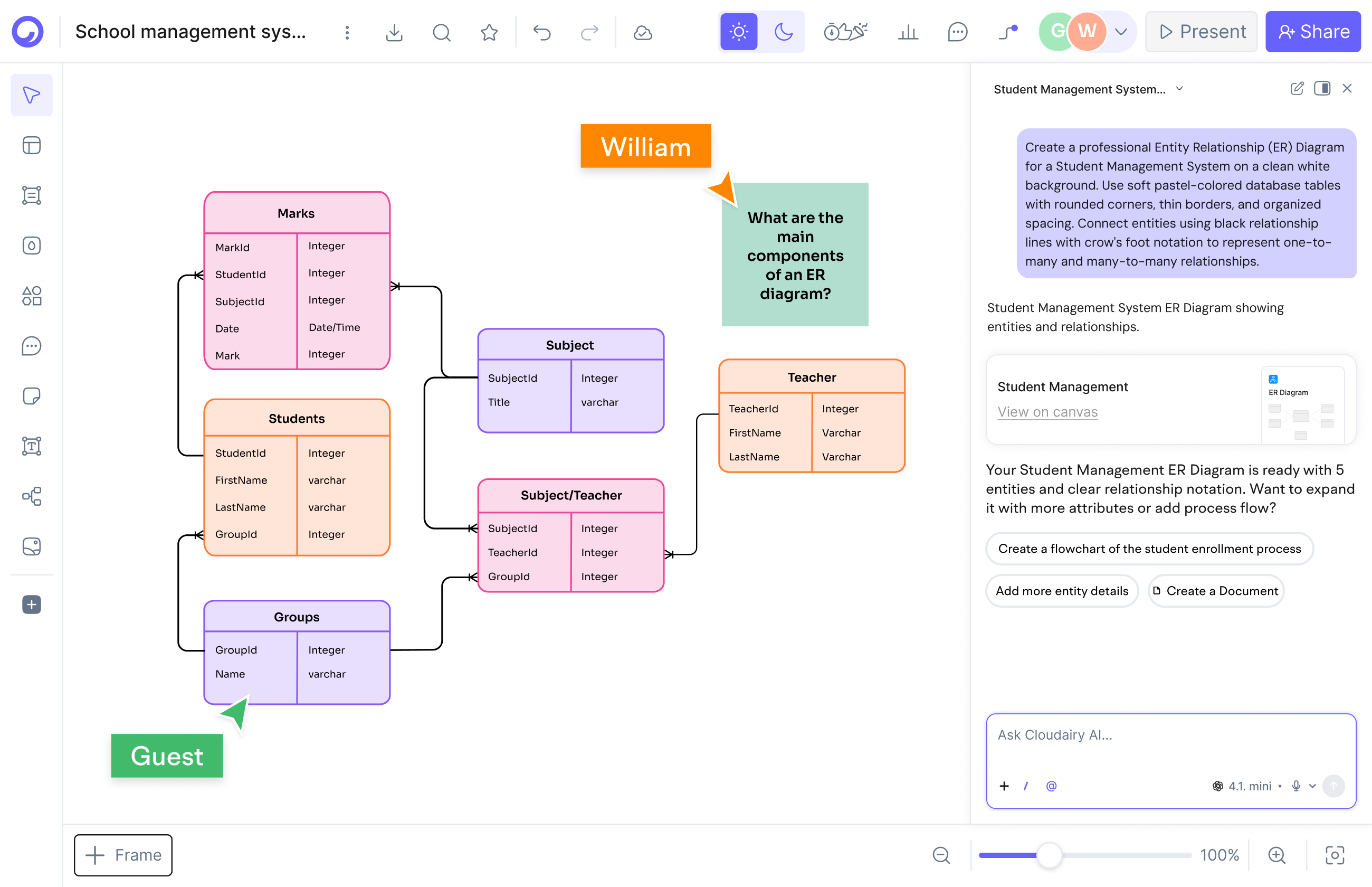
AI Diagram Generation

AI Diagram Generation

Describe your diagram in plain text. AI generates it instantly.

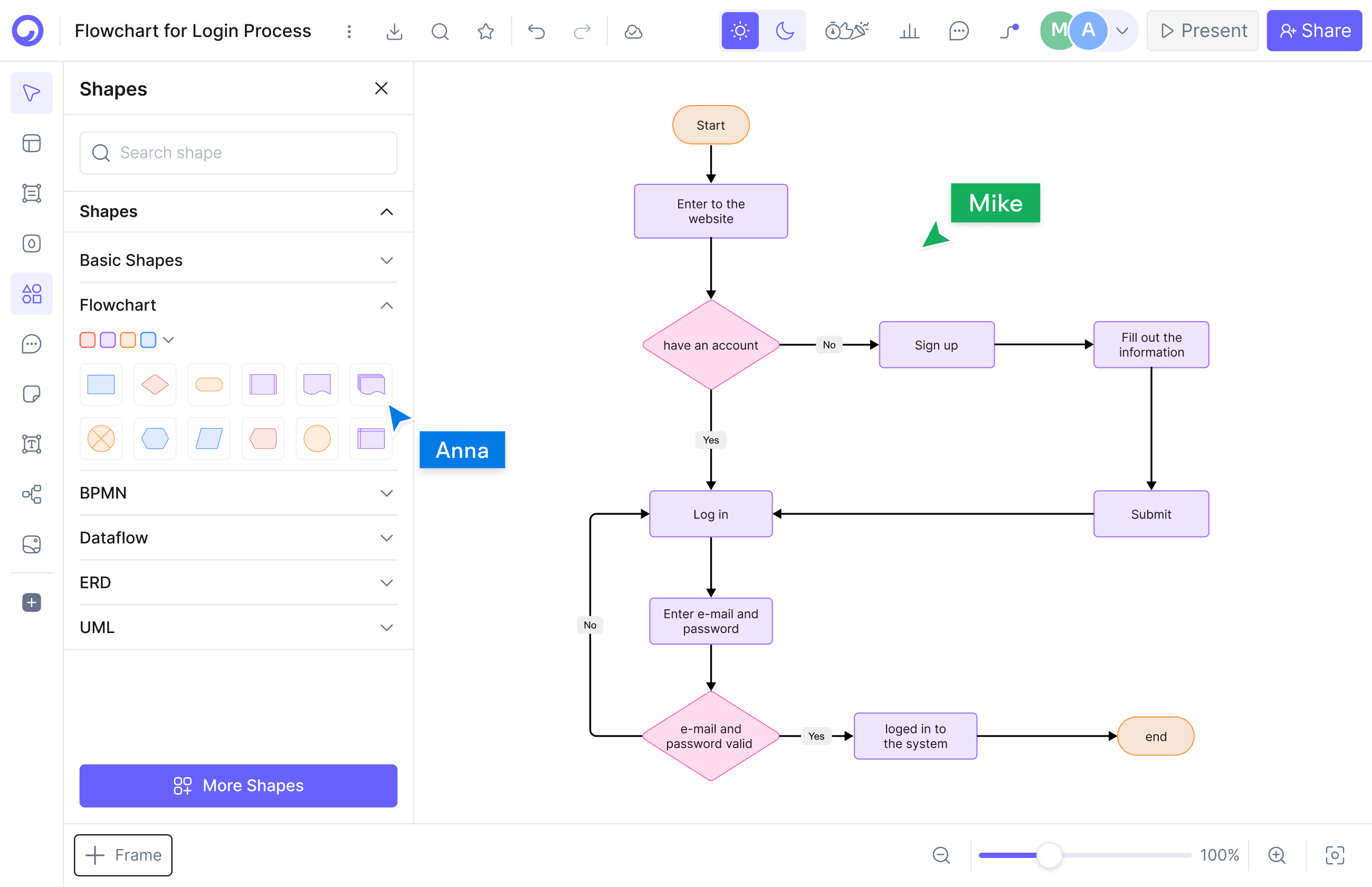
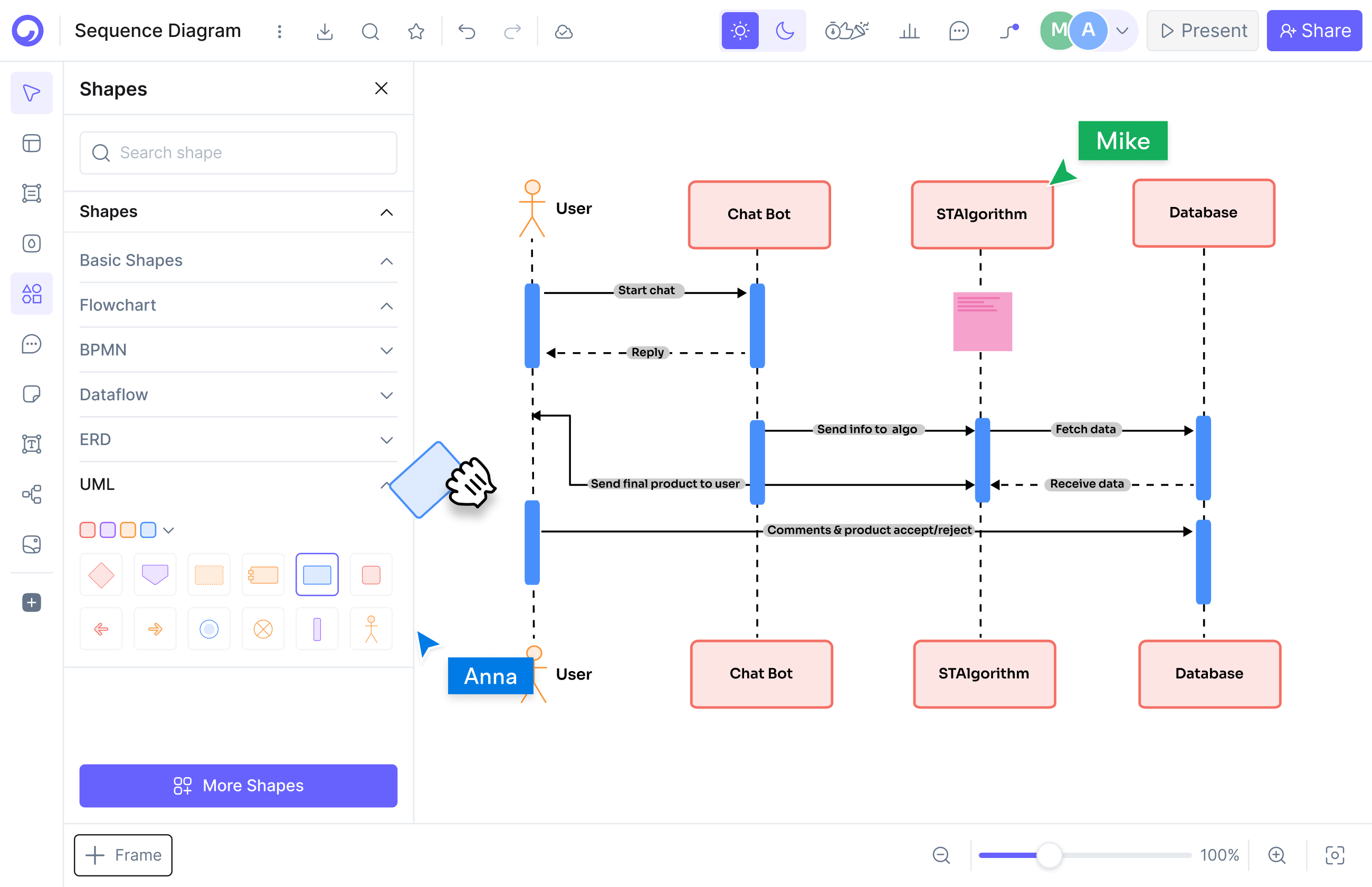
Visual Drag-and-Drop Editor

Visual Drag-and-Drop Editor

Edit any diagram visually. No code syntax required.

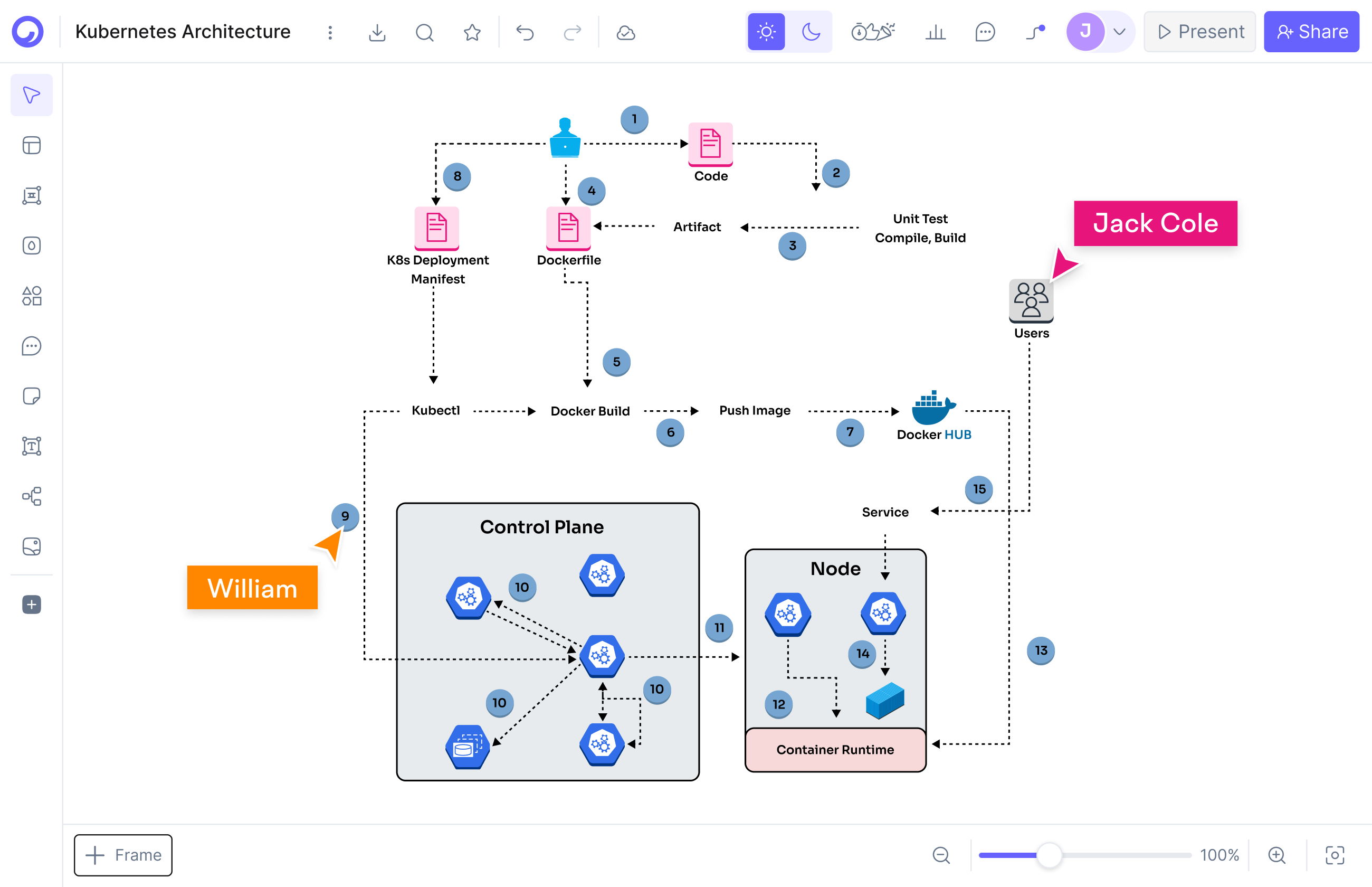
Cloud Architecture Diagrams

Cloud Architecture Diagrams

12,000+ icons including AWS, Azure, GCP, and Kubernetes.

Why choose Cloudairy over draw.io?

Why choose Cloudairy over draw.io?

Respect where it is due: draw.io is one of the best zero-cost tools ever shipped - free, open source, and private. The trade-off is time. Every box, arrow, and label is placed by hand, and in a team that manual effort repeats across every engineer who creates or maintains a diagram.

Cloudairy removes that manual step. Its AI understands natural language like "Create a flowchart showing user login with email verification and 2FA" and instantly generates a fully formatted, editable diagram in the browser - so product managers, designers, and executives contribute too, not just the person who enjoys arranging shapes.

And because Cloudairy is free to start with unlimited members, the team can test it without a procurement conversation. Resize, recolor, reposition, add icons - all visually, together, in real time, with docs and tasks in the same workspace instead of scattered across separate tools.

Does Cloudairy make cloud architecture diagrams easier than draw.io?

Yes - Cloudairy includes 12,000+ native shapes and icons, including up-to-date AWS, Azure, GCP, and Kubernetes icons, and its AI can generate a full architecture diagram from a text prompt. The free tool ships solid AWS, Azure, and GCP shape libraries too - the difference is that you assemble every diagram by hand.

Solutions architects and DevOps engineers need AWS VPC diagrams, Azure deployment architectures, GCP infrastructure layouts, and Kubernetes cluster topologies. With Cloudairy you describe the architecture in plain text and the AI generates a professional diagram with the correct, up-to-date cloud provider icons - instead of dragging each service shape into place and wiring the connections manually.

The result: professional cloud architecture diagrams in minutes, in the browser, that your whole team can edit together - and update just as fast when the architecture changes.

Does Cloudairy make cloud architecture diagrams easier than draw.io?
How do I move from draw.io to Cloudairy?

How do I move from draw.io to Cloudairy?

Moving over is quick: recreate a diagram in seconds by describing it to Cloudairy's AI, or start from Cloudairy's template library. Because Cloudairy runs in the browser, there is nothing to install and your team can start immediately.

You keep working the way you like: build flowcharts, sequence diagrams, class diagrams, and ER diagrams visually, then enhance them with Cloudairy's AI capabilities and cloud architecture icons - all with real-time collaboration built in.

Cloudairy also imports from Visio, Lucidchart, Miro, and Mermaid, making it a central hub for teams consolidating from multiple diagramming tools at once.

Does Cloudairy support real-time collaboration out of the box?

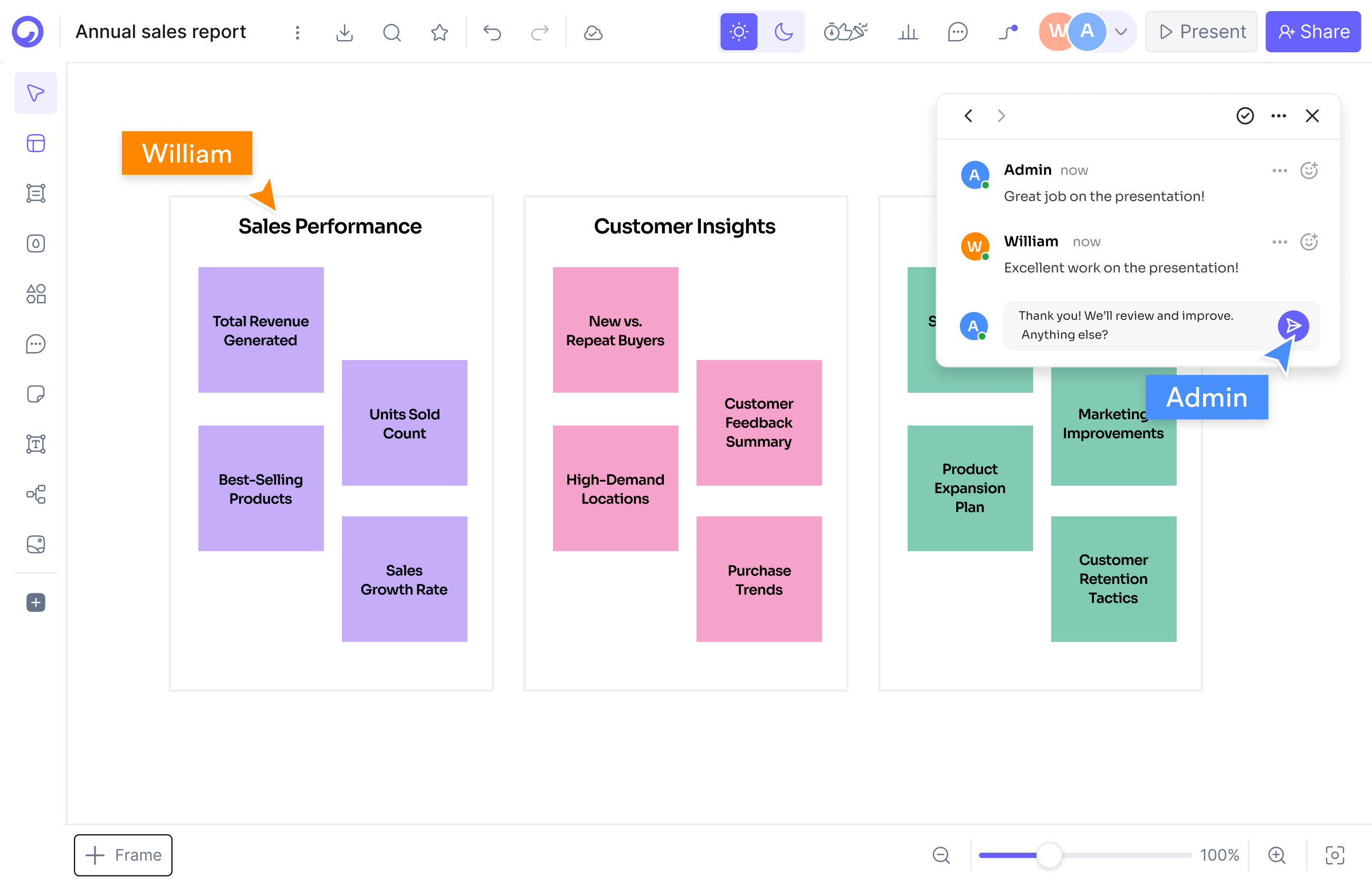
Yes — Cloudairy offers real-time collaboration with live cursors, comments, reactions, and built-in video recording. Multiple team members can edit the same diagram simultaneously.

In draw.io, live co-editing is not built into the core editor - it depends on where files are stored, typically a Google Drive setup or a Confluence integration. Cloudairy is collaborative by default: multiple people edit the same board live, on every plan including Free, from any browser - no storage-backend decisions first.

Does Cloudairy support real-time collaboration like Google Docs?

Pro tip: Many developers keep draw.io installed for quick solo or offline sketches while their team standardizes on Cloudairy as its drawio alternative for shared work - AI generation, live collaboration, and diagrams that live next to the docs and tasks they feed.

Switch from draw.io to Cloudairy in 3 Steps

1

Sign up for Cloudairy (free)

Create a free Cloudairy account at cloudairy.com. No credit card required. The free tier includes 3 editable boards and 25 AI credits per month — enough to rebuild your key diagrams and try it with your team. Your $0 habit stays intact while you decide.

rotate arrow

Import diagrams or recreate them with AI

Bring diagrams across on your terms: import from Visio, Lucidchart, Miro, or Mermaid, or simply describe any diagram in plain text and Cloudairy's AI produces a fully editable version in seconds - flowcharts, network diagrams, architecture, org charts, and more.

2
rotate-arrow
3

Enhance with AI and visual editing

Once imported, use Cloudairy's AI to expand your diagrams — describe new sections in plain text and the AI adds them. Use the visual editor to customize layouts, colors, and icons. Add cloud architecture components (AWS, Azure, GCP) and share with your team for real-time collaboration - all in the browser.

Your work stays portable: Cloudairy imports from Visio, Lucidchart, Miro, and more, and exports to PNG, SVG, PDF, and PPTX - so you are never locked in, in either direction, and your whole team can contribute.

draw.io Is Free - Here's What $8 Buys Your Team

No spin: draw.io is genuinely free - open source, no seat licenses, no premium tier hiding behind a popup. Cloudairy's free plan lets you test the difference with 3 editable boards, 25 monthly AI credits, and unlimited team members; paid plans are $8/member (Pro) or $16/member (Business) per month. What the paid plans buy is time: AI drafts the diagram, collaboration works without a storage setup, and diagrams live beside the docs and tasks they belong to.

More Comparisons

Frequently Asked Questions

Yes - genuinely. draw.io (diagrams.net) is free and open source: no seat licenses, no feature paywall, no trial countdown. Any comparison page that pretends otherwise is spinning you. The real question is whether manual drawing, DIY collaboration setups, and community-only support cost your team more time than a paid tool would.

Stay if you mostly diagram solo, need fully offline or air-gapped editing, must self-host, or have a hard $0 budget - the free tool is excellent at all of those. Consider switching when several people edit the same diagrams, you want AI to draft them, or wiring collaboration through Google Drive or Confluence is wearing thin.

Yes - teams are the specific case where paying beats free. Cloudairy adds AI diagram generation, real-time collaboration on every plan including Free, and one workspace where diagrams sit next to docs and tasks. A solo diagrammer happy with manual drawing loses little by staying; a team gains the most by switching.

No - there is no native AI generation: diagrams are drawn by hand (community plugins and Mermaid syntax rendering exist, but nothing like prompt-to-diagram). Cloudairy generates flowcharts, ER diagrams, UML, and cloud architecture diagrams from a plain-text description in seconds, with 25 free AI credits per month to try it.

Only through integrations - live co-editing depends on hosting files in a Google Drive setup or embedding diagrams in Confluence; it is not built into the core editor. Cloudairy includes live cursors, comments, and simultaneous editing on every plan, including Free, with no storage-backend configuration.

The fastest route is AI recreation: describe the diagram in plain English and Cloudairy generates a fully editable version in seconds - most teams move their key diagrams in an afternoon. Cloudairy also imports from Visio, Lucidchart, Miro, and Mermaid if you are consolidating several tools at once.

Yes. Cloudairy includes 12,000+ shapes and icons, including native AWS, Azure, GCP, and Kubernetes icons. Describe your cloud architecture in plain text and Cloudairy's AI generates a professional diagram with the correct cloud provider icons - no dragging every service shape into place by hand.

Yes. Cloudairy is certified for SOC 2 Type II, ISO 27001, GDPR, and PCI DSS. Enterprise features include SAML SSO (via Okta, OneLogin, Auth0), SCIM provisioning, audit logs, custom data residency (US or EU), and a 99.9% uptime SLA.

The comparison is honest: $0 versus paid. Cloudairy has a free-forever plan (3 boards, 25 AI credits per month, unlimited members), then $8/member/month for Pro and $16/member/month for Business. The paid plans buy AI generation at team scale, out-of-the-box collaboration, priority support, and enterprise controls - the things a free tool asks you to assemble yourself.

Ready to Switch from draw.io?

Keep the $0 habit - start free, and see what AI drafting and out-of-the-box collaboration give your team on Cloudairy.

No credit card required · Free plan: 3 boards + 25 AI credits/month · SOC 2 Type II & GDPR compliant