
Record the walkthrough instead of scheduling the meeting
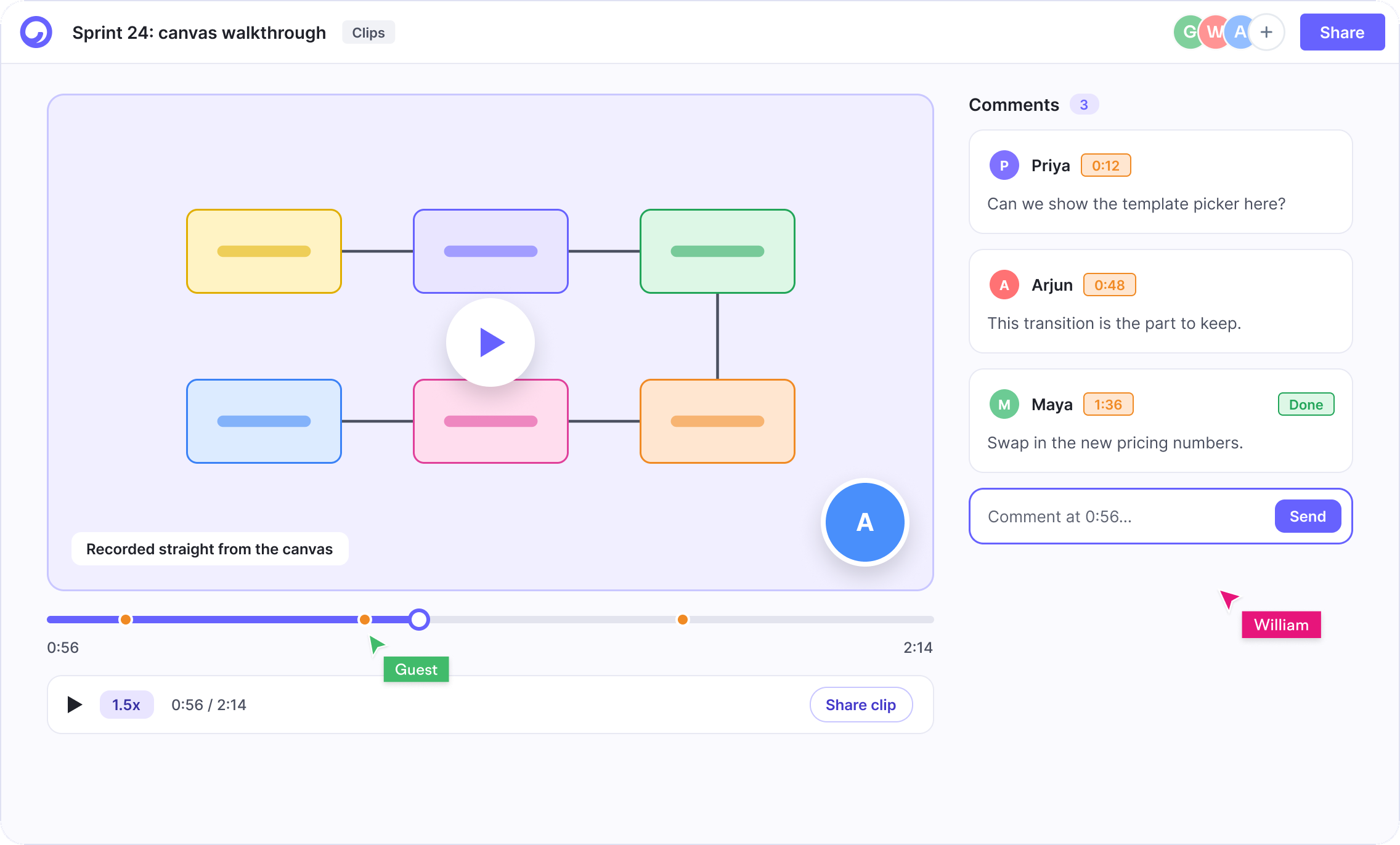
Capture your screen and camera together and share the clip right where the work is: on the board, in the doc or on the task it explains. Reviewers in other time zones watch it in context.
Free plan · No credit card · SOC 2 Type II
What you can do with Clips
One of six tools in a single Cloudairy workspace.
Screen and camera together
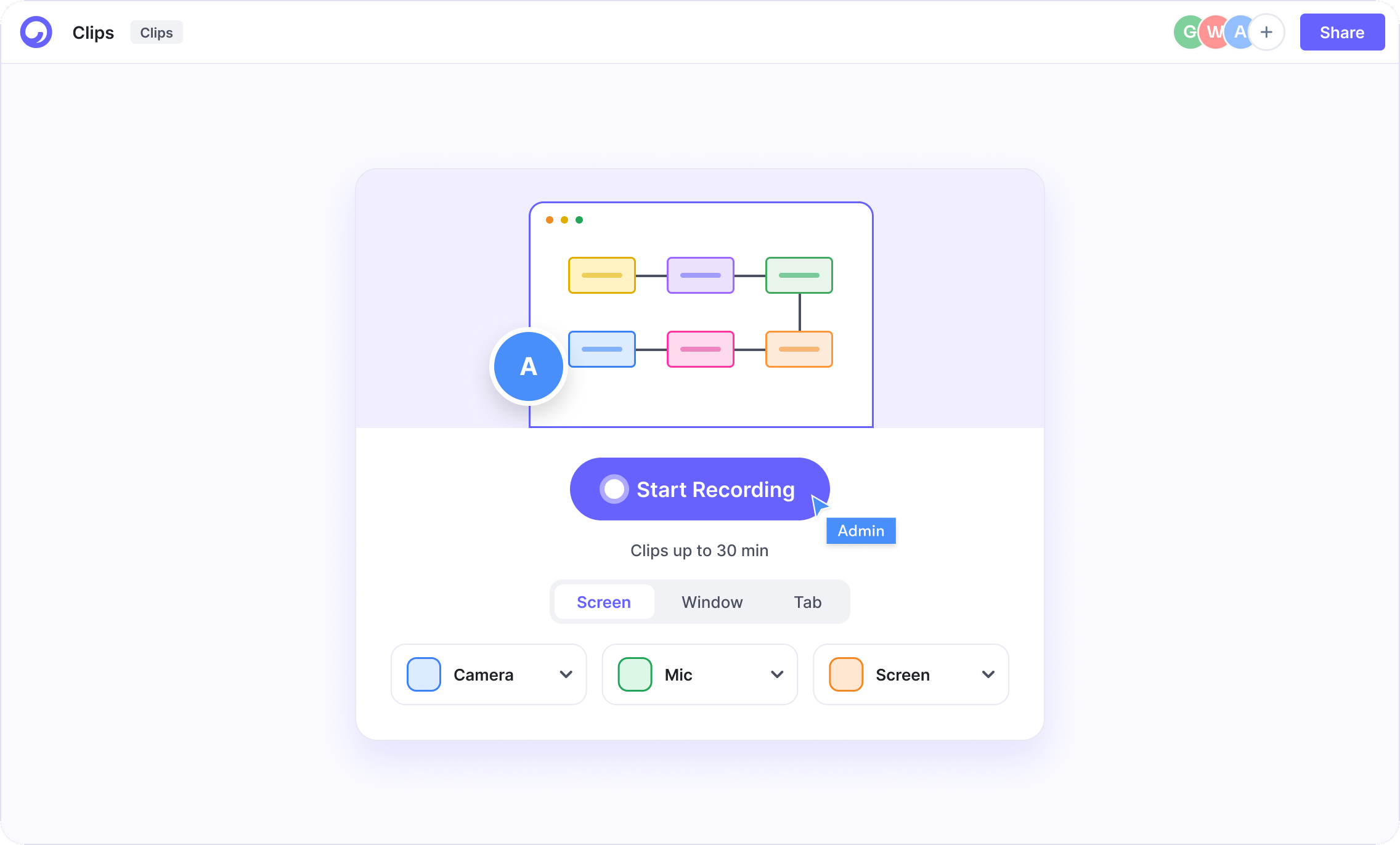
Record a screen, window or tab with a round camera bubble; recording starts as soon as you pick what to share.
Pick your devices
Choose the camera, microphone and screen before you start.
Record from a board
Start a recording from inside Canvas with Record, so the clip is born next to the work.
Share in context
Share the clip on the board, in a doc or on a task instead of hunting a chat thread for a link.
HD with voice-over
Unlimited HD clips with voice-over and per-viewer analytics on Starter.
For the whole team
Advanced clip analytics and a team clip library on Business; unlimited recording length on Enterprise.
One click to start recording
Pick a screen, window or tab, choose your camera and mic, and start. Clips go up to 30 minutes, and the recording stays in the same workspace as the work it explains.
Six tools, one workspace
Clips shares the same work with every other Cloudairy tool, so nothing is copied between apps.
Rolling Clips out to the whole company?
SSO and SAML, SCIM provisioning, audit logs and DPA support on Enterprise, plus a dedicated customer success manager.
Related features
Go deeper on what Clips can do.
Trust is the foundation
Secure, compliant, and enterprise-ready.
Cloudairy safeguards your work with enterprise-grade security, compliance, and access controls — so your teams can create, collaborate, and scale with confidence.
Visit the Trust CenterEncryption at rest and in transit
Every board, doc and file is encrypted with AES-256 at rest and TLS 1.2+ in transit.
Role-based access control
Workspace, team and guest roles so the right people see the right work, with SSO and SCIM on Enterprise.
Your data, your control
Export or delete your content whenever you want — your work is never used to train models.
SOC 2 Type II · GDPR · ISO 27001 · Penetration tested annually
Frequently asked questions
What is Cloudairy Clips?
Clips is Cloudairy's built-in screen and camera recorder. You record a screen, window or tab with a camera bubble and share the clip on the board, doc or task it explains.
Can I record from inside a board?
Yes. Canvas has a Record button, so you can start a clip without leaving the board.
Is screen recording included in the free plan?
Yes. Free includes screen and webcam recording, auto transcripts and shareable clip links. Starter adds unlimited HD clips with voice-over.
How long can a clip be?
Recording length depends on your plan; Enterprise includes unlimited recording length.