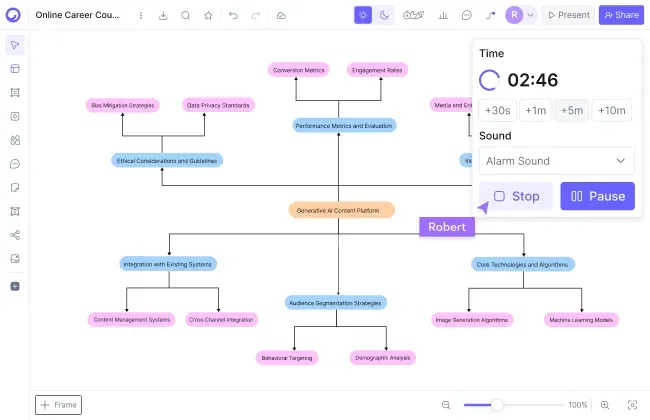
Cloudairy is an AI-powered workspace that combines a freeform whiteboard - freehand drawing, sticky notes, voting, timers - with real technical diagramming: flowcharts, UML, ER diagrams, and cloud architecture, all on one canvas. Describe what you need in plain English and the AI generates an editable, presentation-ready version in seconds.

Excalidraw is wonderful for napkin-style thinking - free, open-source, and instant. Cloudairy is the Excalidraw alternative for the moment the sketch has to grow up: 3 boards, 25 monthly AI credits, and unlimited members on the free plan, then Pro at $8/member and Business at $16/member as you grow.

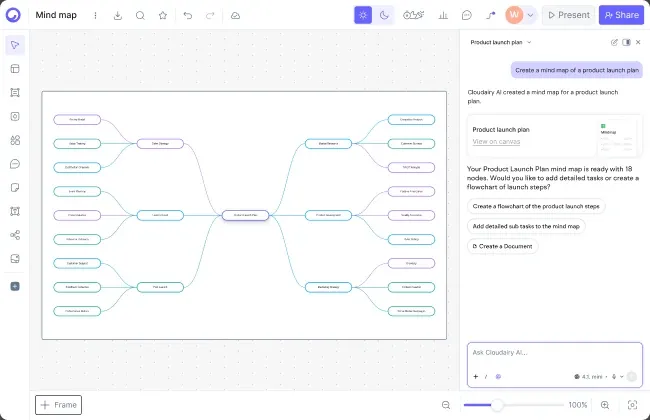
Concept Map Generator From Text

Cloudairy vs Excalidraw: Feature Comparison at a Glance

Verdict: Excalidraw wins on price (free, open-source), instant simplicity, and its beloved hand-drawn aesthetic - for quick sketches it is genuinely hard to beat. Cloudairy wins on AI diagram generation, native AWS/Azure/GCP/UML icon sets, docs and tasks in one workspace, and enterprise controls. When the sketch has to become the diagram stakeholders actually see, Cloudairy is the stronger Excalidraw alternative.

See Cloudairy in Action

AI Diagram Generation

AI Diagram Generation

Describe your diagram in plain text. AI generates it instantly.

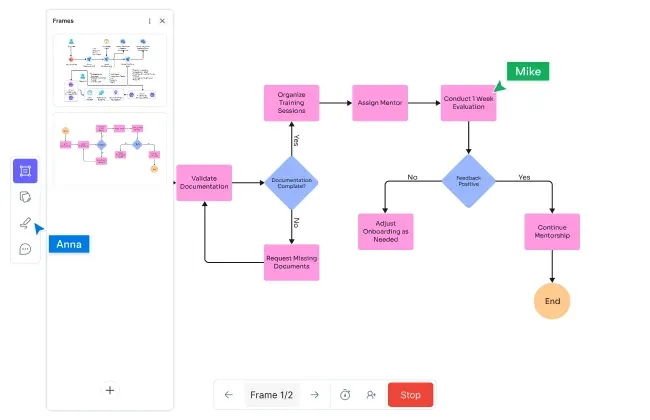
Visual Drag-and-Drop Editor

Visual Drag-and-Drop Editor

Edit any diagram visually. No code syntax required.

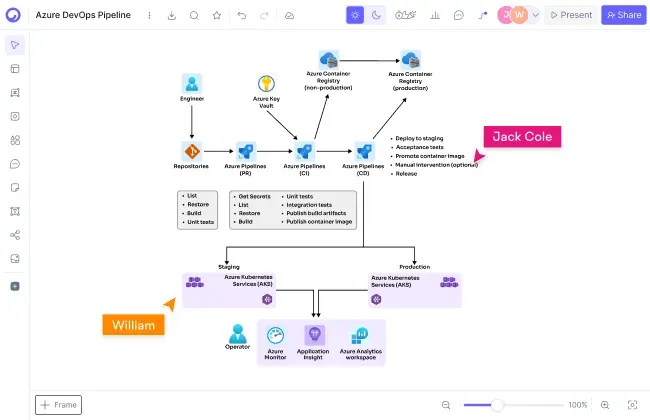
Cloud Architecture Diagrams

Cloud Architecture Diagrams

12,000+ icons including AWS, Azure, GCP, and Kubernetes.

Why choose Cloudairy over Excalidraw?

Why choose Cloudairy over Excalidraw?

Choose Cloudairy when your sketches need a next step: polished output, native technical icon sets, and a workspace around the canvas. The free tier includes 25 AI credits per month, 3 boards, and unlimited members, so your whole team can go from rough idea to presentation-ready diagram before anyone pays for a seat.

On price, honesty first: the free tool is genuinely free, and its hosted plan undercuts Cloudairy Pro. You don't switch to save money - you switch because the sketch is no longer the deliverable. When diagrams go into design docs, client decks, and compliance reviews, the polish and the icon sets earn the difference.

And the AI does real work: type "AWS architecture for a three-tier web app" and Cloudairy generates an editable diagram with the right icons in seconds. Sticky notes, voting, docs, and tasks live in the same workspace, so brainstorming flows straight into build-ready diagrams and plans.

Is Cloudairy better than Excalidraw for technical diagrams?

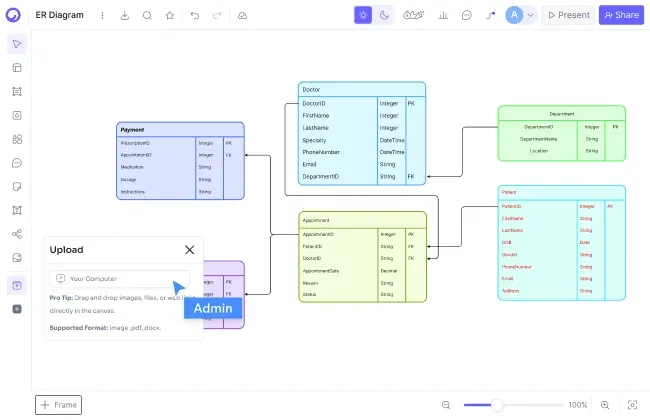
For diagrams that leave the room, yes. UML, ER, network, and cloud architecture diagrams - with 12,000+ up-to-date AWS, Azure, GCP, and Kubernetes icons - are native in Cloudairy, while Excalidraw covers that ground with community shape libraries that keep the sketch look.

Solutions architects and DevOps engineers describe AWS VPC diagrams, Azure deployment architectures, GCP infrastructure layouts, or Kubernetes cluster topologies in plain text, and Cloudairy's AI generates a professional diagram with the correct, up-to-date cloud provider icons - fully editable and ready for review.

To be fair: for a system design interview or a five-minute sketch, the hand-drawn style is often exactly right. The difference shows when that sketch becomes the architecture diagram in the design doc, the client deck, or the compliance review.

Is Cloudairy better than Excalidraw for technical diagrams?
How do I move from Excalidraw to Cloudairy?

How do I move from Excalidraw to Cloudairy?

Moving over is quick: keep your existing files - export scenes as PNG or SVG whenever you need them - and recreate the boards that matter in seconds by describing them to Cloudairy's AI in plain English. Because Cloudairy runs in the browser, there is nothing to install and your team can start the same day.

You keep working the way you like: run brainstorms with sticky notes, voting, and timers, then build flowcharts, UML, ER, and architecture diagrams on the same canvas - all with real-time collaboration built in.

Cloudairy also imports from Lucidchart, Mermaid, and other diagramming tools, making it a central hub for teams consolidating their whiteboards and diagrams in one place.

Can Cloudairy replace Excalidraw for quick sketches and brainstorming?

Yes - Cloudairy covers the full workshop toolkit: an online whiteboard with sticky notes, voting, timers, comments, reactions, and live cursors. Multiple people edit the same board simultaneously on every plan, including Free.

For a private napkin sketch you'll throw away in an hour, honestly, either tool works - plenty of people keep both. The switch pays off the moment a sketch survives the meeting: on the same board it becomes a real diagram, a doc, and a set of tasks, without being re-drawn somewhere else.

Can Cloudairy replace Excalidraw for quick sketches and brainstorming?

Pro tip: Many teams use both - keep the open-source canvas for personal scratch thinking, run team work in Cloudairy, and let the free plan's 25 monthly AI credits rebuild the sketches that matter, so no big-bang migration is required.

Switch from Excalidraw to Cloudairy in 3 Steps

1

Sign up for Cloudairy (free)

Create a free Cloudairy account at cloudairy.com. No credit card required. The free tier includes 3 editable boards, 25 AI credits per month, and unlimited members - enough to rebuild your key sketches and try it with your whole team.

rotate arrow

AI-recreate your best sketches

Export your existing scenes as PNG or SVG for reference, then open a new board and describe what you need in plain English - the AI produces a fully editable version in seconds: whiteboards, flowcharts, UML, architecture diagrams, and more.

2
rotate-arrow
3

Collaborate with your whole team

Invite unlimited members on the free plan and work together in real time - sticky notes, voting, timers, comments, and live cursors, plus docs and tasks in the same workspace. Everything runs in the browser, so there is nothing to install.

Your original files stay yours - export them any time - and everything in Cloudairy runs in the browser, so you are never locked in and your whole team can contribute.

A Free Excalidraw Alternative With Polished Output Built In

Cloudairy is a free Excalidraw alternative in the most literal sense: the free plan costs nothing, runs entirely online on Windows, Mac, Linux, or Chromebook, and includes 3 editable boards, 25 monthly AI credits, and unlimited team members; paid plans are $8/member (Pro) or $16/member (Business) per month. But let's be honest - the tool it replaces is free too. You don't switch to save money; you switch when sketches need to become deliverables.

More Comparisons

Frequently Asked Questions

Yes. Cloudairy offers a free-forever tier with 3 editable boards, 25 AI credits per month, and unlimited team members - no credit card required. Price isn't the reason to switch, though: the free plan earns its keep by adding AI diagram generation, 12,000+ technical icons, docs, and tasks.

No - and we won't pretend otherwise. Excalidraw is free and open-source, and its hosted Plus plan is about $6/user/month against $8 for Cloudairy Pro. You choose Cloudairy for what the seat buys: AI generation, native cloud icon sets, presentation-ready output, and docs and tasks in one workspace.

When speed and simplicity are the whole job: napkin-style thinking, system design interviews, quick sketches you'll throw away, or when you want an open-source tool you can self-host. If a sketch never needs to become a polished deliverable, it is genuinely hard to beat - keep using it.

Yes - export your scenes as PNG, SVG, or .excalidraw files (they're yours forever), then rebuild the ones that matter with AI: describe the sketch in plain English and get a fully editable, polished version in seconds. Most teams recreate their key boards in an afternoon.

Yes - it's a favorite for interviews, and for good reason: it loads instantly, costs nothing, and the hand-drawn style keeps the focus on your thinking. Cloudairy picks up afterwards, when the interview-style sketch has to become real architecture documentation with correct AWS, Azure, or GCP icons.

For polished technical diagrams, yes. Cloudairy includes UML, ER, network, and cloud architecture diagramming with 12,000+ native, up-to-date icons for AWS, Azure, GCP, and Kubernetes. The sketch-first approach covers these through community shape libraries and keeps the hand-drawn look - charming, but rarely what stakeholders expect in an architecture review.

Cloudairy's whiteboard covers freehand drawing, sticky notes, voting, and timers for fast, informal thinking. If the hand-drawn aesthetic itself is the point, Excalidraw does it best - Cloudairy's strength is letting the same rough idea become a clean, presentation-ready diagram without switching tools.

Yes. Cloudairy is certified for SOC 2 Type II, ISO 27001, GDPR, and PCI DSS. Enterprise features include SAML SSO (via Okta, OneLogin, Auth0), SCIM provisioning, audit logs, custom data residency (US or EU), and a 99.9% uptime SLA.

Yes. Cloudairy generates complete diagrams from a plain-English prompt - flowcharts, UML, and cloud architecture - and can create AI images and docs on the same canvas. The free plan includes 25 AI credits every month, with more on Pro and Business plans.

Ready to Switch from Excalidraw?

Keep sketching fast: brainstorm on the whiteboard, generate presentation-ready diagrams from a prompt, and share docs and tasks with your team on Cloudairy.

No credit card required · Free plan: 3 boards + 25 AI credits/month · SOC 2 Type II & GDPR compliant