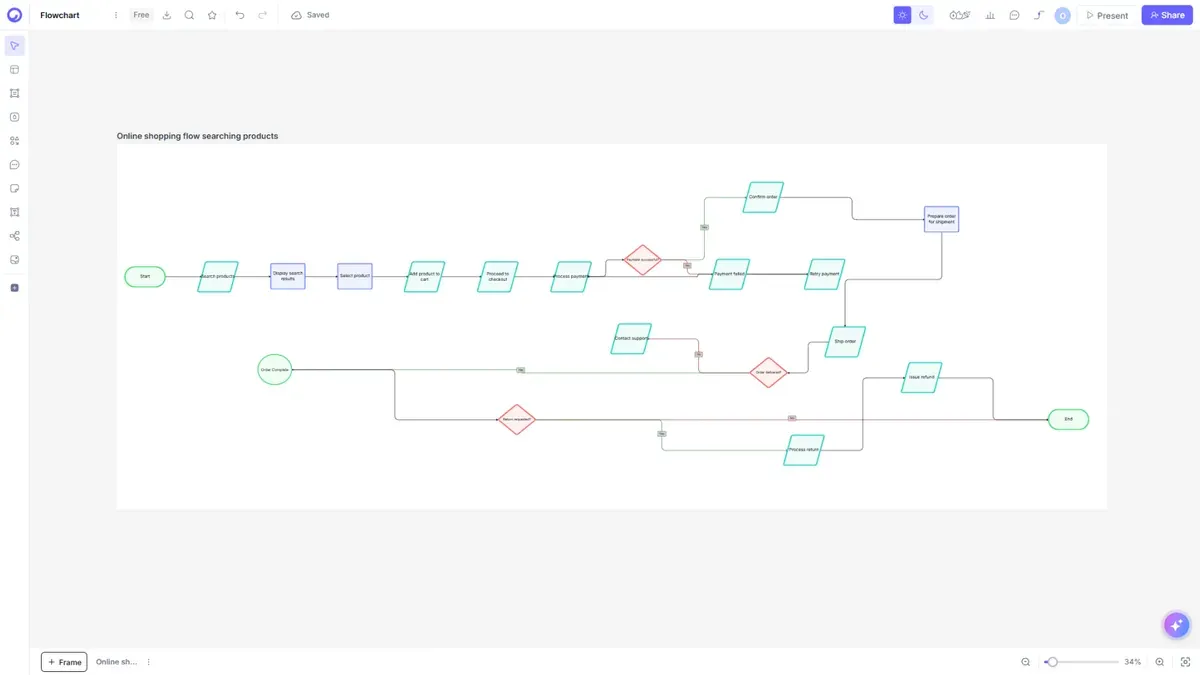
Cloudairy is an AI-powered diagramming platform that generates flowcharts, ER diagrams, UML diagrams, and cloud architecture diagrams from a plain-text prompt. Unlike Microsoft Visio - a Windows-first desktop app you install and draw in by hand - Cloudairy runs in any browser and turns natural language into editable, visual diagrams instantly.

With native AWS, Azure, and GCP icon libraries, real-time team collaboration, and a free-forever tier, Cloudairy delivers the visual diagramming Visio is known for - plus AI generation and cross-platform browser access that the Windows-only Visio desktop app cannot match.

Concept Map Generator From Text

Visio for Mac Workarounds vs Cloudairy: Comparison at a Glance

Verdict: There is no native Visio for Mac, so the real comparison is Visio workarounds - the limited web app or a Windows VM - versus a browser-native tool. Cloudairy gives Mac users the full editor, AI generation, real-time collaboration, and a free plan in Safari or Chrome, with no Windows license and no VM. Stick with the workarounds only if you must keep full .vsdx fidelity inside Microsoft's own Windows desktop app.

See Cloudairy in Action

AI Diagram Generation

AI Diagram Generation

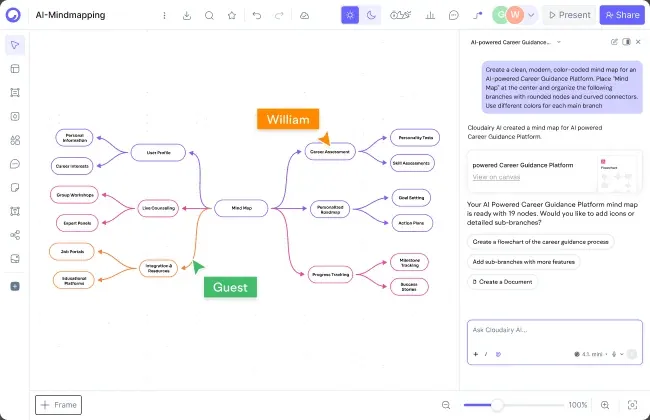
Describe your diagram in plain text. AI generates it instantly.

Visual Drag-and-Drop Editor

Visual Drag-and-Drop Editor

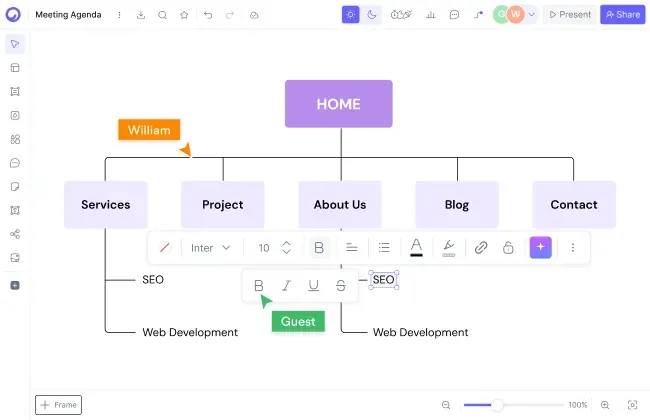
Edit any diagram visually. No code syntax required.

Cloud Architecture Diagrams

Cloud Architecture Diagrams

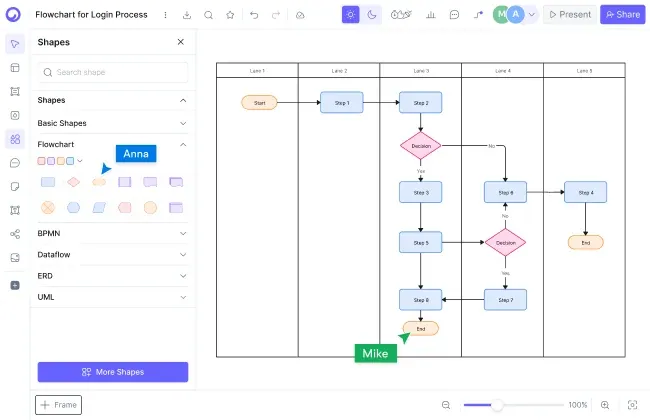
12,000+ icons including AWS, Azure, GCP, and Kubernetes.

Is there a native Visio for Mac?

Is there a native Visio for Mac?

No. Microsoft has never released a native Visio app for macOS. Visio's desktop editions run only on Windows, and Mac users get the limited web version at best. That is why most Mac teams pick a browser-based Visio alternative for Mac such as Cloudairy, which runs fully in Safari or Chrome.

This is not a temporary gap. Visio has always been a Windows-first product, and Microsoft's official answer for Mac users is Visio for the web - basic editing in the browser, not the full application. If your work depends on rich diagrams, waiting for a native macOS release is not a plan.

Cloudairy takes the opposite approach: it was built for the browser from day one, so macOS is a first-class platform. The full editor, AI diagram generation, and real-time collaboration all run in Safari or Chrome on your Mac - no Windows license, no virtual machine, nothing to install.

What are the limits of Visio for the web on a Mac?

Visio for the web does run in a Mac browser, but it is the limited edition: it covers basic editing while the full feature set stays in the Windows-only desktop app, and it offers only limited AI add-ins rather than built-in text-to-diagram generation.

For a Mac user that means hitting walls: diagrams that open but cannot be fully edited, features that exist only in the Windows app, and a paid per-user license the moment you outgrow basic editing. Serious diagram work keeps pointing you back to a Windows machine you do not have.

Cloudairy removes that ceiling: the browser version is the whole product. AI text-to-diagram, 12,000+ shapes and icons, import from Visio, and real-time collaboration are all there on macOS - the same experience your Windows teammates get.

What are the limits of Visio for the web on a Mac?
Do I need a Windows VM to run Visio on a Mac?

Do I need a Windows VM to run Visio on a Mac?

Only if you insist on the full desktop app. The classic workaround is running Windows Visio inside a virtual machine such as Parallels - or, in the Intel-Mac era, Boot Camp. It works, but it is clunky: you maintain an entire Windows installation on your Mac just to edit diagrams.

The VM route also multiplies costs - a Windows license, a Visio license, and the VM software itself - and it eats disk space, memory, and battery. For most Mac users that is a lot of overhead to carry for one diagramming tool.

With Cloudairy there is no VM to babysit. Open your Mac browser, import the Visio file or describe the diagram to the AI, and keep working - your boards live in the cloud and stay in sync across every device.

Cloudairy: the browser-native Visio for Mac replacement

Cloudairy runs fully in Safari, Chrome, or any modern browser on macOS - the complete editor, not a cut-down web tier. Describe a flowchart, network diagram, or cloud architecture in plain text and the AI generates it as an editable board in seconds.

It is also collaborative by default: live cursors, comments, and simultaneous editing are included on every plan, including Free. Mac users work side by side with teammates on Windows, Linux, or Chromebook - no one needs a special license or a particular operating system to contribute.

Cloudairy: the browser-native Visio for Mac replacement

Pro tip: Many teams keep Visio for a few legacy or CAD-heavy files while moving day-to-day diagramming to Cloudairy for AI generation, real-time collaboration, and browser access - so the whole team can contribute, not just Visio license holders.

Get Visio-Style Diagrams on Your Mac in 3 Steps

1

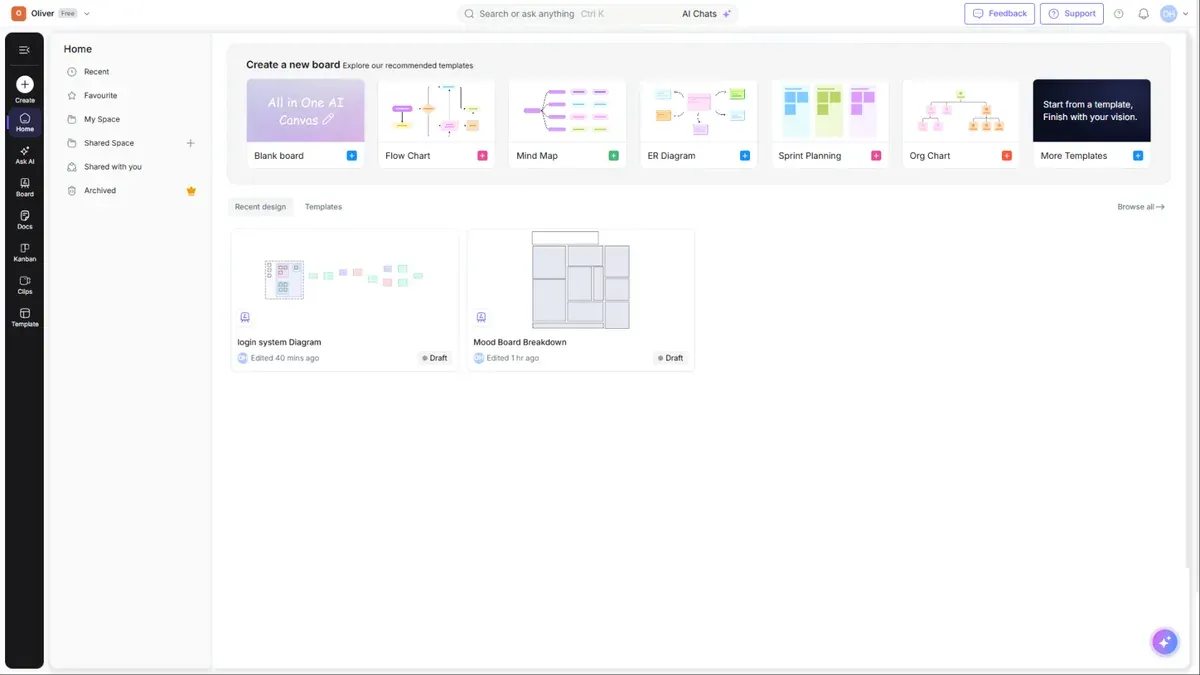
Open Cloudairy in your Mac browser (free)

Create a free Cloudairy account at cloudairy.com - it works in Safari, Chrome, Edge, or Firefox on macOS, and no credit card is required. The free tier includes 3 editable boards and 25 AI credits per month - enough to bring your key Visio diagrams over and try it with your team.

rotate arrow

Import your Visio files or recreate them with AI

Import from Visio, or open a new board and describe the diagram you need in plain text. Cloudairy's AI produces a fully editable visual diagram in seconds - flowcharts, network diagrams, cloud architecture, org charts, and more.

2
rotate-arrow
3

Edit, collaborate, and share - right on macOS

Use the visual editor to customize layouts, colors, and icons, and add cloud architecture components (AWS, Azure, GCP). Then share the board and collaborate in real time with teammates on any operating system - all in the browser, with nothing installed on your Mac.

Cloudairy imports from Visio, Lucidchart, Miro, and more, and everything runs in the browser - so your Mac needs no Windows license, no virtual machine, and no installs, and your whole team can contribute.

The Practical Visio for Mac in 2026

Every search for Visio for Mac ends the same way: there is no native app to download. The practical answer in 2026 is a browser-based tool. Cloudairy runs the full diagramming experience - AI text-to-diagram, Visio import, real-time collaboration - in Safari or Chrome on macOS. The free plan includes 3 editable boards, 25 monthly AI credits, and unlimited team members; paid plans are $8/member (Pro) or $16/member (Business) per month.

More Comparisons

Frequently Asked Questions

No. Microsoft has never shipped a native Visio app for macOS - Visio's desktop editions are Windows-only, and Mac users are limited to the restricted Visio web version. That gap is why Mac teams use a browser-based Visio alternative for Mac like Cloudairy, which runs fully in Safari or Chrome.

The classic workarounds are Visio for the web, which only covers limited editing, or running Windows Visio inside a virtual machine like Parallels - which needs both a Windows license and a Visio license. With Cloudairy, you import the Visio file in your Mac browser instead, or describe the diagram and let AI recreate it as an editable board.

Yes. Cloudairy supports importing from Visio, and anything that does not transfer cleanly can be recreated with AI in seconds: describe the diagram in plain English and get a fully editable version - all in your Mac browser, no Windows required.

Yes. Cloudairy's free plan works on any Mac and includes 3 editable boards, 25 AI credits per month, and unlimited team members - no credit card required. When you need more boards and AI credits, paid plans start at $8/month per member.

Yes. Cloudairy runs in any modern browser on macOS - Safari, Chrome, Edge, or Firefox. There is nothing to install and no Windows license or virtual machine needed: sign in from your Mac and your boards are there.

Yes. Cloudairy includes 12,000+ shapes and icons with native AWS, Azure, GCP, and Kubernetes sets. Describe your cloud architecture in plain text and Cloudairy's AI generates a professional diagram with the correct provider icons - right in your Mac browser.

Yes. Real-time collaboration - live cursors, comments, and simultaneous editing - is included on every plan, including Free. Because Cloudairy is browser-based, Mac users collaborate seamlessly with teammates on Windows, Linux, or Chromebook.

Yes. Cloudairy is certified for SOC 2 Type II, ISO 27001, GDPR, and PCI DSS. Enterprise features include SAML SSO (via Okta, OneLogin, Auth0), SCIM provisioning, audit logs, custom data residency (US or EU), and a 99.9% uptime SLA.

Cloudairy Pro is $8 per member per month and Business is $16 per member per month - both include AI diagram generation and real-time collaboration. The free plan (3 boards, 25 AI credits per month, unlimited members) stays free forever.

Stop Fighting Visio on Your Mac

No native Visio app needed: generate diagrams from a prompt and edit them visually with your team, right in your Mac browser.

No credit card required · Free plan: 3 boards + 25 AI credits/month · SOC 2 Type II & GDPR compliant