
Sketch it, diagram it and plan it on one infinite canvas
Brainstorm with sticky notes, draw flowcharts and cloud architecture, or describe what you need and let AI draw it. Everyone works on the same board, live, and any box can become a task in Projects.
Free plan · No credit card · SOC 2 Type II
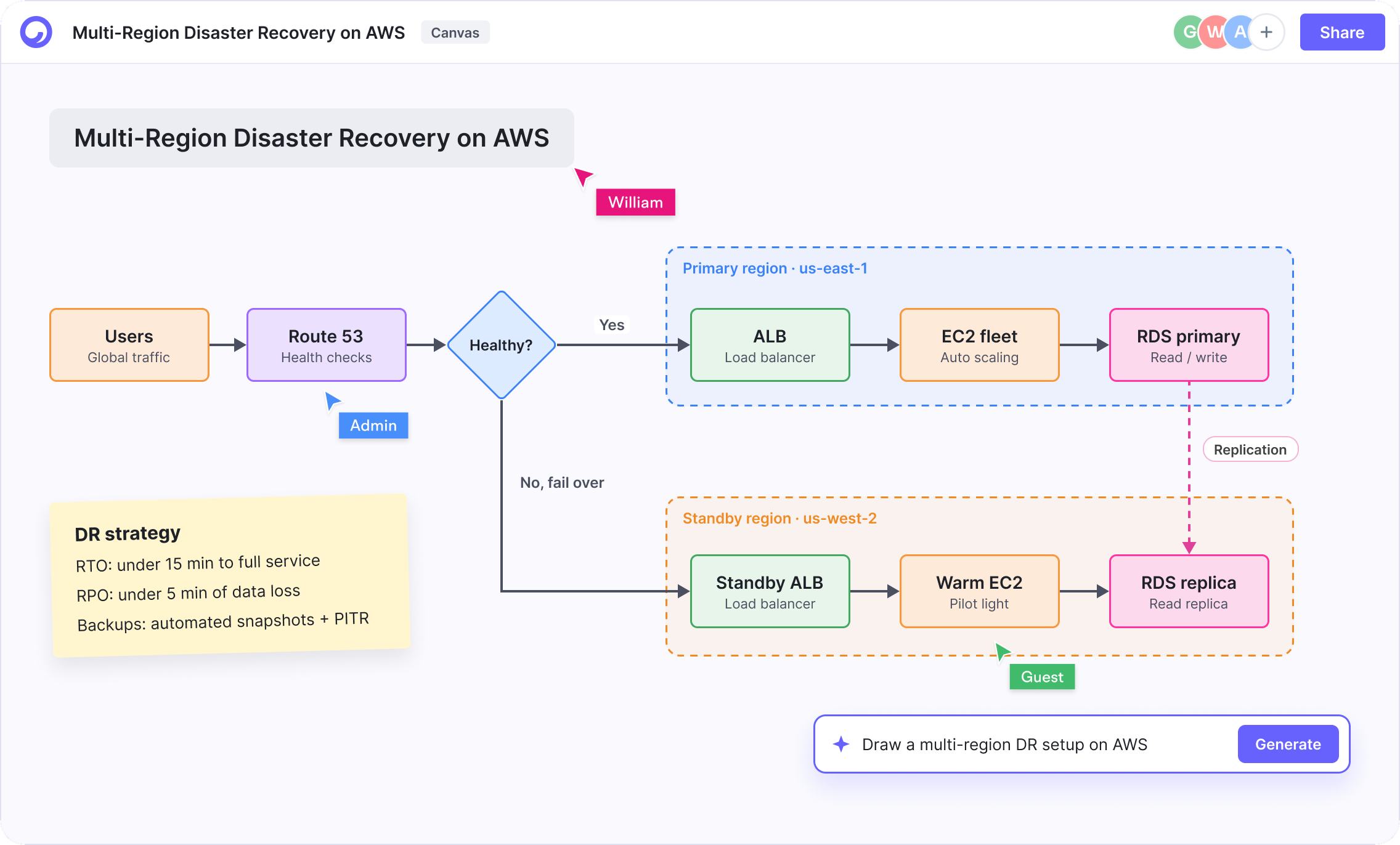
What you can do with Canvas
One of six tools in a single Cloudairy workspace.
Infinite whiteboard
Sticky notes, freehand pen, text, frames, connectors and a mind-map tool on a canvas that never runs out of space.
Diagrams with real libraries
Basic shapes plus extended flowchart, UML and cloud-provider libraries, with 50,000+ icons including AWS, Azure and GCP.
AI on the canvas
Describe a diagram and Ask AI draws it, for example a correctly grouped AWS architecture with official service icons.
Run the session in place
Timer, voting and reactions for workshops, plus Present mode so you never switch to slides.
Collaborate live
Share with a link, see who is on the board, and comment on the exact shape you mean.
History and export
Version history (30 days on Starter) and export to PNG and JPG, plus SVG, PDF, Google Drive and OneDrive on Starter.
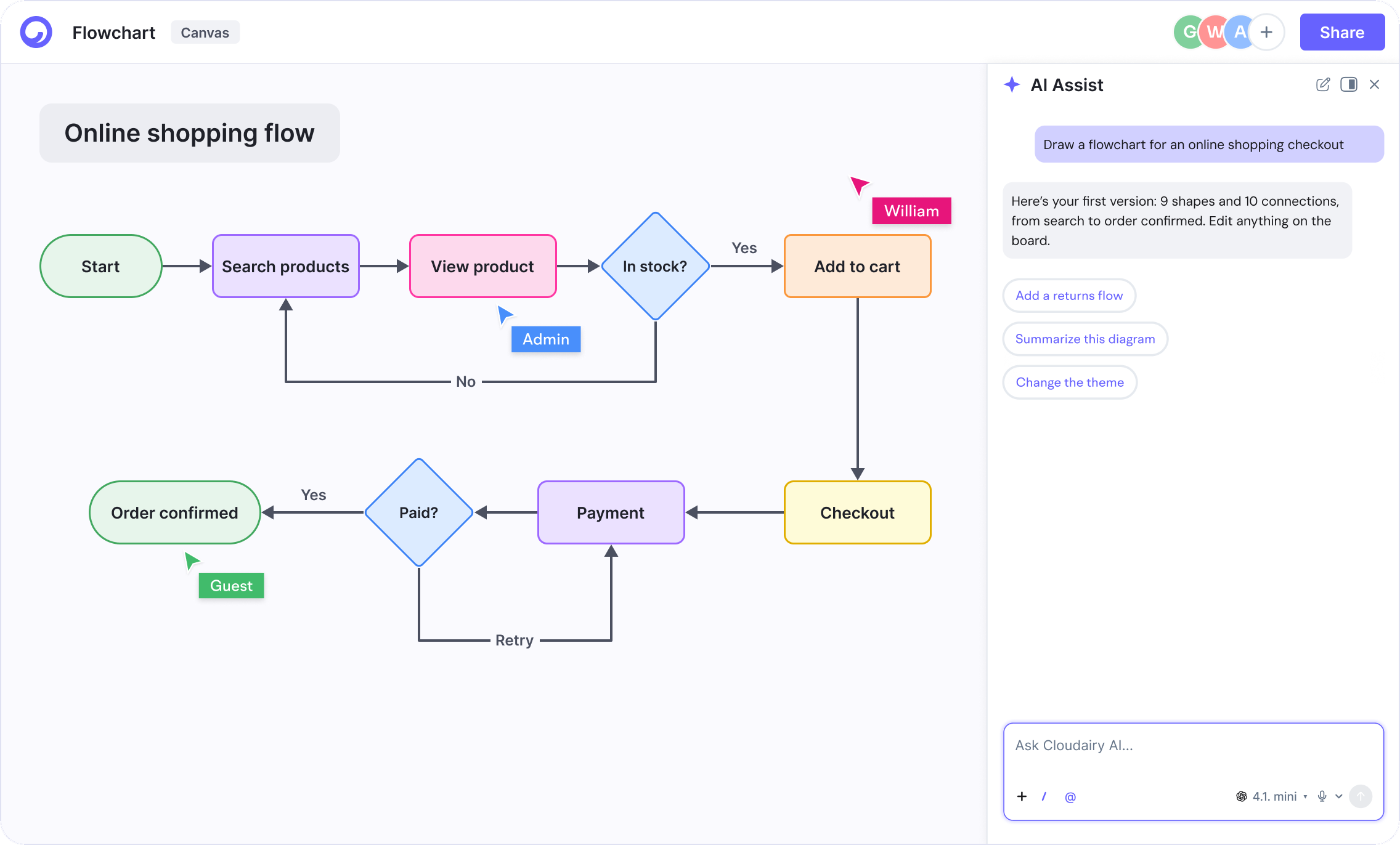
Describe it, and AI draws the first version
Start from a sentence instead of a blank page. AI lays out the shapes and connections; you refine them with the full toolset.
Six tools, one workspace
Canvas shares the same work with every other Cloudairy tool, so nothing is copied between apps.
Rolling Canvas out to the whole company?
SSO and SAML, SCIM provisioning, audit logs and DPA support on Enterprise, plus a dedicated customer success manager.
Related features
Go deeper on what Canvas can do.
Trust is the foundation
Secure, compliant, and enterprise-ready.
Cloudairy safeguards your work with enterprise-grade security, compliance, and access controls — so your teams can create, collaborate, and scale with confidence.
Visit the Trust CenterEncryption at rest and in transit
Every board, doc and file is encrypted with AES-256 at rest and TLS 1.2+ in transit.
Role-based access control
Workspace, team and guest roles so the right people see the right work, with SSO and SCIM on Enterprise.
Your data, your control
Export or delete your content whenever you want — your work is never used to train models.
SOC 2 Type II · GDPR · ISO 27001 · Penetration tested annually
Frequently asked questions
What is Cloudairy Canvas?
Canvas is Cloudairy's infinite board for whiteboarding and diagramming. It covers sticky-note brainstorming, flowcharts, UML and cloud architecture diagrams, with AI that can draw a diagram from a description.
Does Canvas include AWS, Azure and GCP icons?
Yes. Canvas has cloud-provider shape libraries with official service icons, as part of a library of 50,000+ icons.
Can my team edit a board at the same time?
Yes. Boards are real-time: you see who is on the board, comment on specific shapes and share a link with the right permissions.
Is Canvas free?
Yes. The Free plan includes 3 editable items across boards, docs and projects and unlimited members. Starter removes the cap.