Cloudairy is an AI-powered diagramming platform that generates flowcharts, ER diagrams, UML diagrams, and cloud architecture diagrams from a plain-text prompt. Unlike Microsoft Visio - a Windows-first desktop app you install and draw in by hand - Cloudairy runs in any browser and turns natural language into editable, visual diagrams instantly.

With native AWS, Azure, and GCP icon libraries, real-time team collaboration, and a free-forever tier, Cloudairy delivers the visual diagramming Visio is known for - plus AI generation and cross-platform browser access that the Windows-only Visio desktop app cannot match.

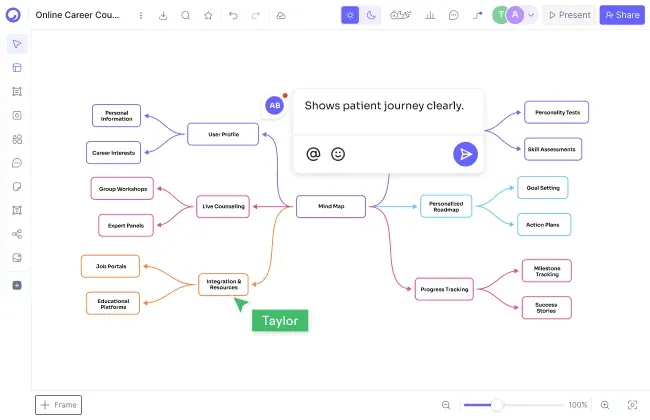
Concept Map Generator From Text

Cloudairy vs Microsoft Visio: Feature Comparison at a Glance

Verdict: Cloudairy wins on AI generation, browser and cross-platform access, real-time collaboration, an all-in-one canvas, and a free plan. Microsoft Visio wins on offline Windows desktop use, deep Microsoft 365 integration, and specialist CAD / engineering stencils. If you want AI-powered diagramming your whole team can use in the browser - free to start - Cloudairy is the stronger choice.

See Cloudairy in Action

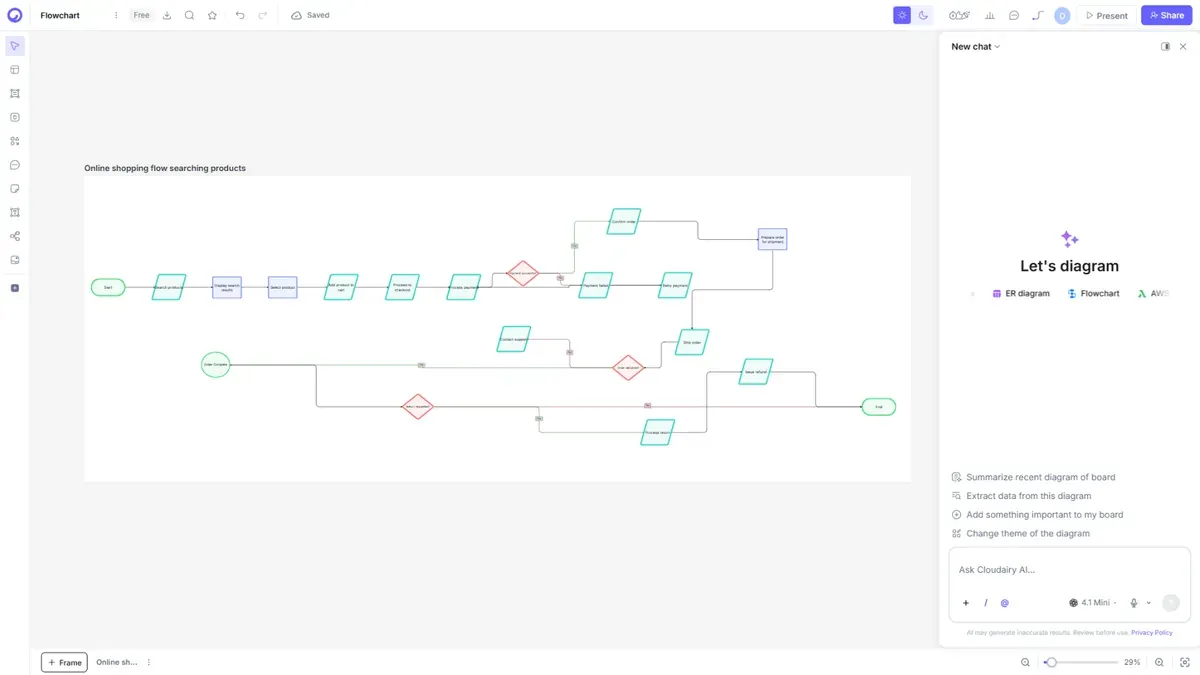
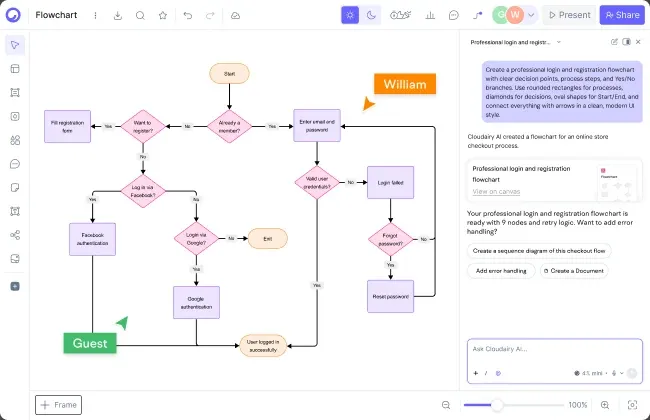
AI Diagram Generation

AI Diagram Generation

Describe your diagram in plain text. AI generates it instantly.

Visual Drag-and-Drop Editor

Visual Drag-and-Drop Editor

Edit any diagram visually. No code syntax required.

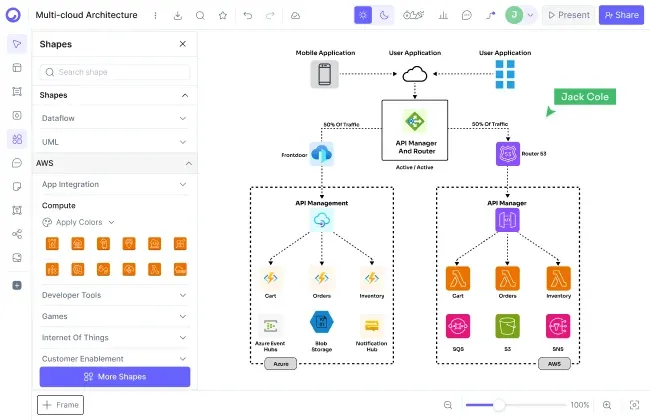
Cloud Architecture Diagrams

Cloud Architecture Diagrams

12,000+ icons including AWS, Azure, GCP, and Kubernetes.

Why choose Cloudairy over Microsoft Visio?

Why choose Cloudairy over Microsoft Visio?

Cloudairy generates diagrams from plain-text descriptions using AI, so no one has to master Visio's stencils and desktop UI. Anyone on a team - product managers, designers, executives - can create professional diagrams in seconds by describing what they need, from any device with a browser.

Microsoft Visio is a paid, Windows-only desktop app, which locks out Mac and Chromebook users and makes real-time teamwork hard. Cloudairy's AI understands natural language like "Create a flowchart showing user login with email verification and 2FA" and instantly generates a fully formatted, editable diagram in the browser.

And because Cloudairy is free to start with unlimited members, your whole team can jump in without procuring per-seat Visio licenses first. Resize, recolor, reposition, add icons - all visually, together, in real time.

Does Cloudairy make cloud architecture diagrams easier than Visio?

Yes - Cloudairy includes 12,000+ native shapes and icons, including up-to-date AWS, Azure, GCP, and Kubernetes icons, and its AI can generate a full architecture diagram from a text prompt. In Visio you assemble cloud diagrams manually from stencils that often need updating.

Solutions architects and DevOps engineers need AWS VPC diagrams, Azure deployment architectures, GCP infrastructure layouts, and Kubernetes cluster topologies. With Cloudairy you describe the architecture in plain text and the AI generates a professional diagram with the correct, up-to-date cloud provider icons - while in Visio you assemble them by hand from stencils that often lag behind the newest cloud services.

The result: professional cloud architecture diagrams in minutes, in the browser, that your whole team can edit together - without a Windows desktop install.

Does Cloudairy make cloud architecture diagrams easier than Visio?
How do I move from Microsoft Visio to Cloudairy?

How do I move from Microsoft Visio to Cloudairy?

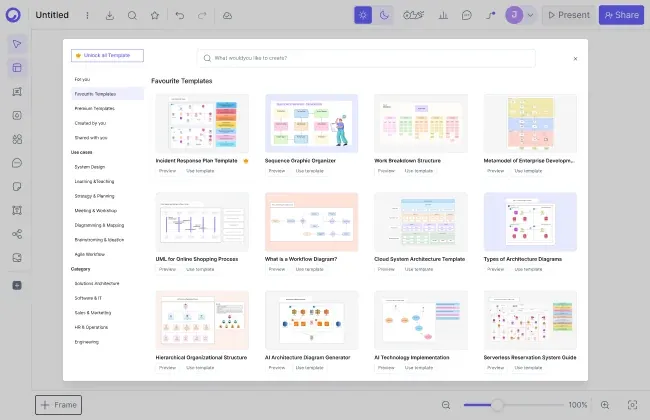
Moving over is quick: recreate a diagram in seconds by describing it to Cloudairy's AI, or start from Cloudairy's template library. Because Cloudairy runs in the browser, there is nothing to install and your team can start immediately.

You keep working the way you like: build flowcharts, sequence diagrams, class diagrams, and ER diagrams visually, then enhance them with Cloudairy's AI capabilities and cloud architecture icons - all with real-time collaboration built in.

Cloudairy also imports from Visio, Lucidchart, and Miro, making it a central hub for teams consolidating from multiple diagramming tools.

Does Cloudairy support real-time collaboration like Google Docs?

Yes — Cloudairy offers real-time collaboration with live cursors, comments, reactions, and built-in video recording. Multiple team members can edit the same diagram simultaneously.

Microsoft Visio's real-time co-authoring is limited and tied to Microsoft 365 and the Visio web app. Cloudairy is collaborative by default: multiple people edit the same board live, on every plan including Free, from any browser - so developers, designers, and stakeholders all work together in one place.

Does Cloudairy support real-time collaboration like Google Docs?

Pro tip: Many teams keep Visio for a few legacy or CAD-heavy files while moving day-to-day diagramming to Cloudairy for AI generation, real-time collaboration, and browser access - so the whole team can contribute, not just Visio license holders.

Switch from Microsoft Visio to Cloudairy in 3 Steps

1

Sign up for Cloudairy (free)

Create a free Cloudairy account at cloudairy.com. No credit card required. The free tier includes 3 editable boards and 25 AI credits per month — enough to rebuild your key Visio diagrams and try it with your team.

rotate arrow

Recreate diagrams with AI

Open a new board and describe the diagram you need in plain text, or start from a template. Cloudairy's AI produces a fully editable visual diagram in seconds - flowcharts, network diagrams, architecture, org charts, and more.

2
rotate-arrow
3

Enhance with AI and visual editing

Once imported, use Cloudairy's AI to expand your diagrams — describe new sections in plain text and the AI adds them. Use the visual editor to customize layouts, colors, and icons. Add cloud architecture components (AWS, Azure, GCP) and share with your team for real-time collaboration - all in the browser.

Cloudairy imports from Visio, Lucidchart, Miro, and more, and everything runs in the browser - so you are never locked in and your whole team can contribute.

Frequently Asked Questions

Yes. Cloudairy offers a free-forever tier with 3 editable boards, 25 AI credits per month, and unlimited team members - no credit card required. Microsoft Visio has no free plan (trial only) and is sold per user. For teams that need more boards and AI credits, Cloudairy's paid plans start at $8/month per member.

Yes. Cloudairy runs entirely in the browser on Windows, Mac, Linux, and ChromeOS - there is nothing to install. The Microsoft Visio desktop app is Windows-only, so Mac and Chromebook users are limited to Visio's restricted web experience.

Yes. Describe the diagram to Cloudairy's AI in plain English and it generates a fully editable version in seconds, or start from Cloudairy's template library. Most teams rebuild their key Visio diagrams in minutes rather than migrating file by file.

Cloudairy generates diagrams from a text prompt with AI, runs in any browser (no Windows required), and includes real-time collaboration on every plan plus an all-in-one canvas for whiteboards, mind maps, and docs. It supports 25+ diagram types including cloud architecture with native AWS/Azure/GCP/Kubernetes icons - and it is free to start.

Yes. Cloudairy includes 12,000+ shapes and icons, including native AWS, Azure, GCP, and Kubernetes icons. Describe your cloud architecture in plain text and Cloudairy's AI generates a professional diagram with the correct cloud provider icons - no manual stencil hunting as in Visio.

Yes. Cloudairy is certified for SOC 2 Type II, ISO 27001, GDPR, and PCI DSS. Enterprise features include SAML SSO (via Okta, OneLogin, Auth0), SCIM provisioning, audit logs, custom data residency (US or EU), and a 99.9% uptime SLA.

Ready to Switch from Microsoft Visio?

No credit card required • Free plan includes 3 boards + 25 AI credits/month

Diagram faster than Visio - free

Skip the syntax: generate diagrams from a prompt and edit them visually with your team on Cloudairy.

Sign up free

No credit card required  ·  SOC 2 Type II & GDPR compliant