Cloudairy is an AI-powered diagramming platform that generates flowcharts, ER diagrams, UML diagrams, and cloud architecture diagrams from plain text descriptions. Unlike Mermaid, which requires learning a specific code syntax, Cloudairy uses AI to understand natural language and produces editable, visual diagrams instantly.

Cloudairy also supports Mermaid syntax import and export, so existing Mermaid users can migrate seamlessly. With native AWS, Azure, and GCP icon libraries, real-time collaboration, and a free tier — Cloudairy offers everything Mermaid does, plus AI generation, a visual editor, and cloud architecture support that Mermaid lacks.

Concept Map Generator From Text

Cloudairy vs Mermaid Feature Comparison at a Glance

Verdict: Cloudairy wins on AI generation, visual editing, cloud architecture, collaboration, and enterprise features. Mermaid wins on open source, Git-native workflow, and offline usage. If you need AI-powered diagramming with a visual editor and cloud architecture support, Cloudairy is the stronger choice. If you need a free, open-source, code-first tool for Git repos, Mermaid is solid — but Cloudairy can import your Mermaid code when you need more.

See Cloudairy in Action

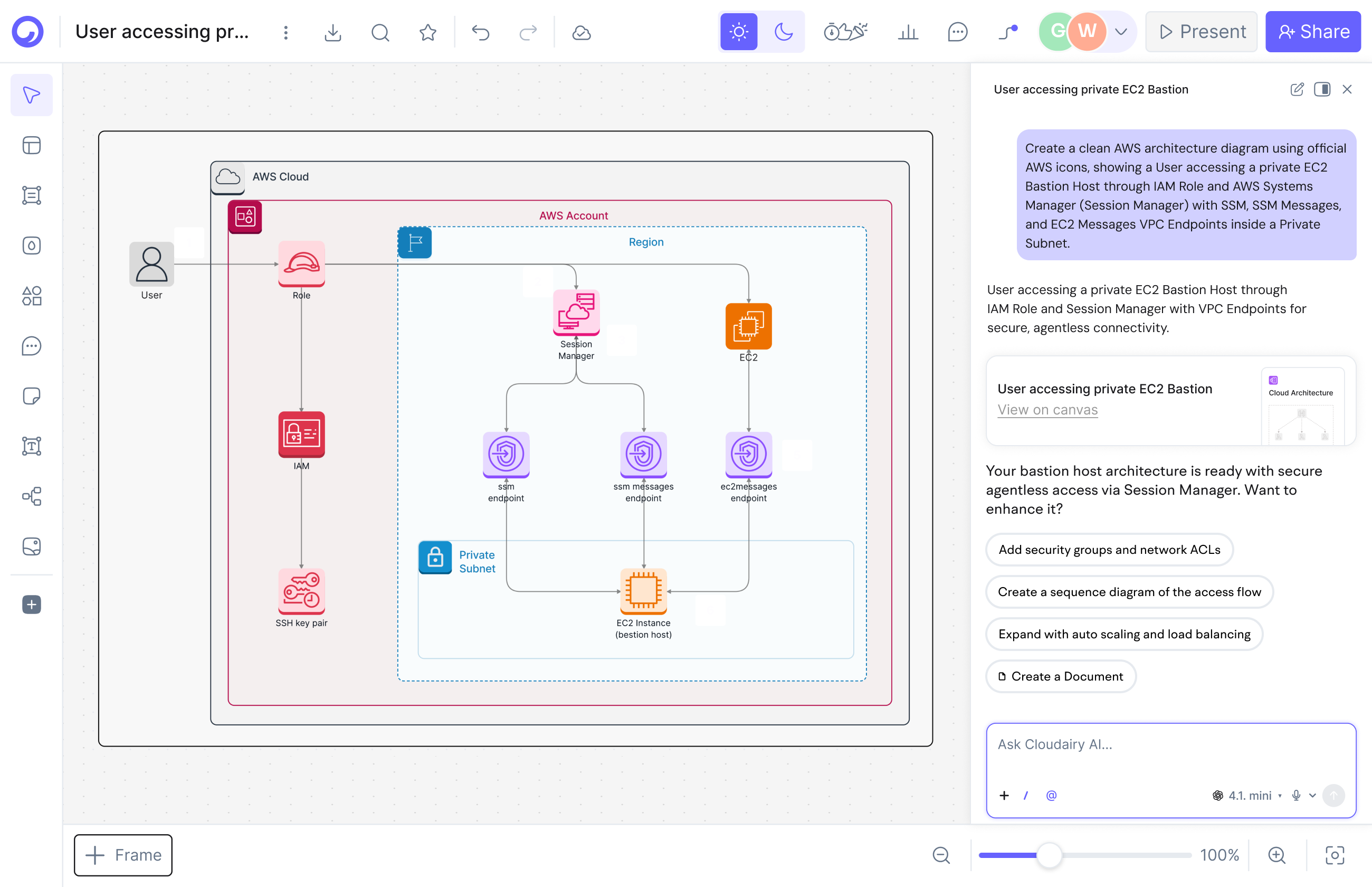
AI Diagram Generation

AI Diagram Generation

Describe your diagram in plain text. AI generates it instantly.

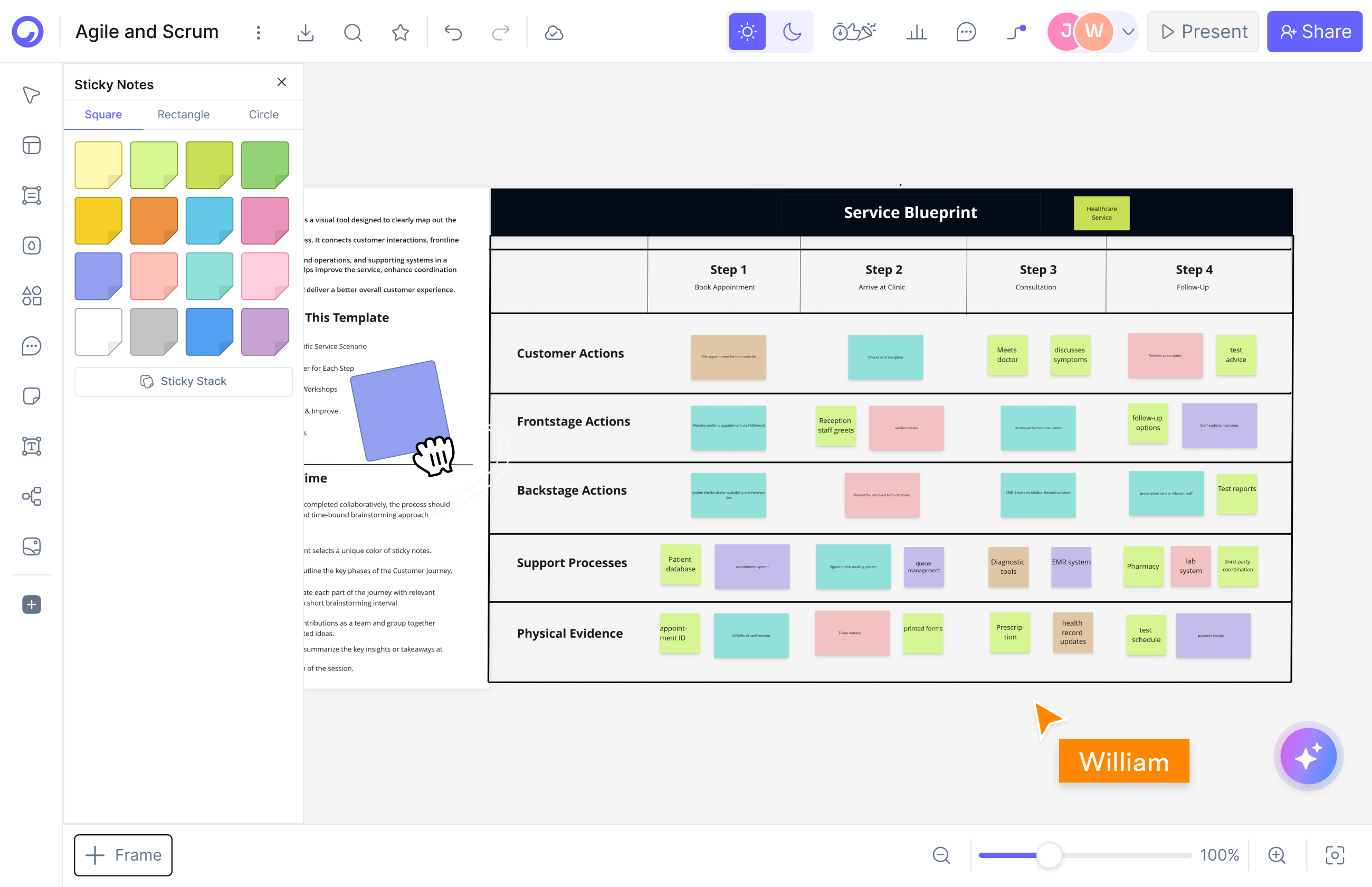
Visual Drag-and-Drop Editor

Visual Drag-and-Drop Editor

Edit any diagram visually. No code syntax required.

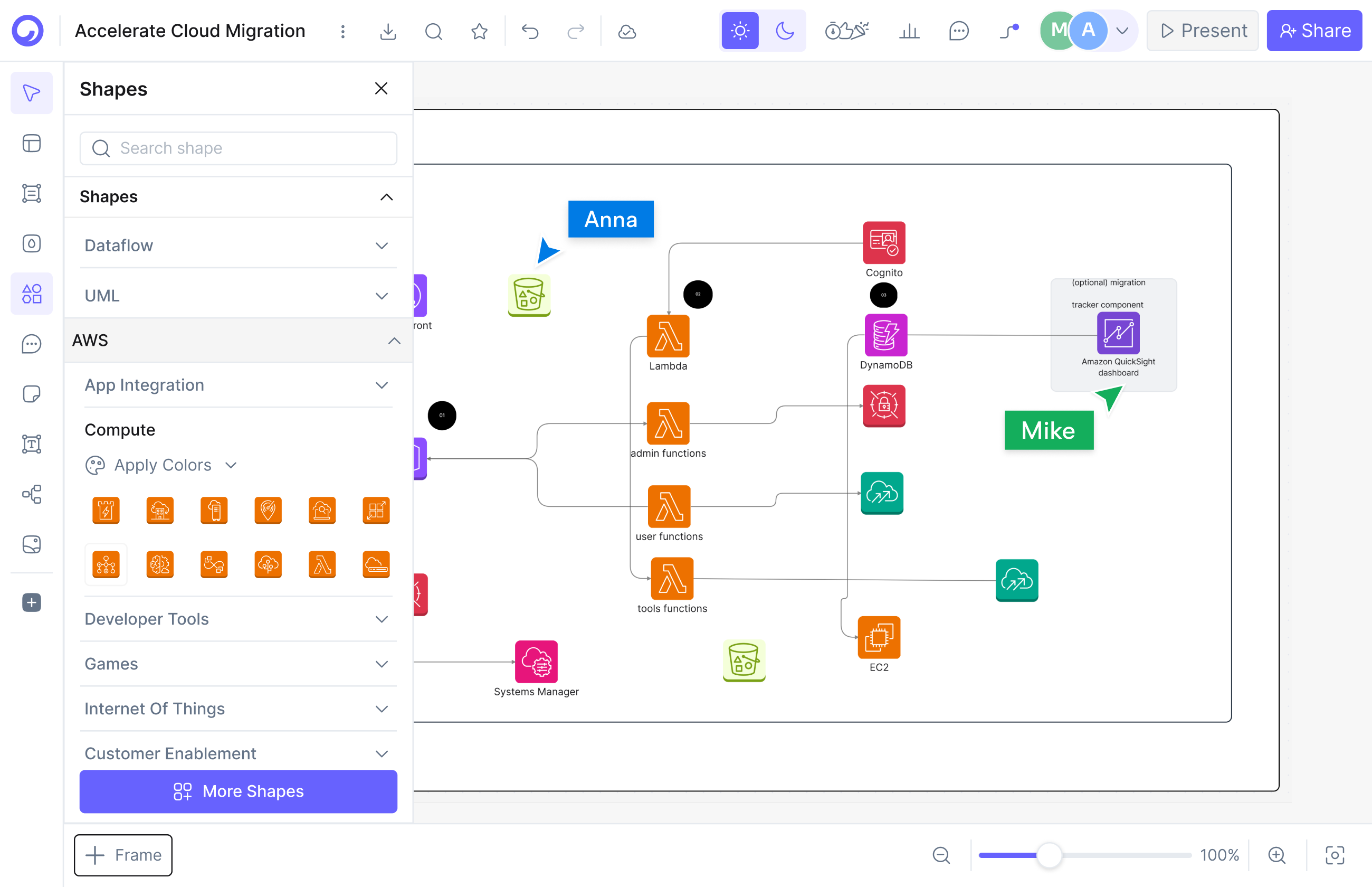
Cloud Architecture Diagrams

Cloud Architecture Diagrams

12,000+ icons including AWS, Azure, GCP, and Kubernetes.

Why is Cloudairy better than Mermaid for non-developers?

Why is Cloudairy better than Mermaid for non-developers?

Cloudairy generates diagrams from plain text descriptions using AI, eliminating the need to learn Mermaid's code syntax. Anyone on a team — product managers, designers, executives — can create professional diagrams in seconds by simply describing what they need.

Mermaid requires every user to learn and write diagram syntax. While developers may be comfortable with this, cross-functional teams struggle. Cloudairy's AI understands natural language like “Create a flowchart showing user login with email verification and 2FA” and instantly generates a fully-formatted, editable diagram.

Additionally, Cloudairy's visual drag-and-drop editor means you can customize any AI-generated diagram without touching code. Resize, recolor, reposition, add icons — all visually. Mermaid offers no visual editing at all.

Can Cloudairy handle cloud architecture diagrams that Mermaid can't?

Yes — Cloudairy includes 12,000+ native diagramming shapes and icons including AWS, Azure, GCP, and Kubernetes icons, purpose-built for cloud architecture diagrams. Mermaid has no cloud provider icon support.

Solutions architects and DevOps engineers need to create AWS VPC diagrams, Azure deployment architectures, GCP infrastructure layouts, and Kubernetes cluster topologies. With Cloudairy, you describe your architecture in plain text and the AI generates a professional diagram with the correct cloud provider icons. Mermaid's basic shapes cannot represent cloud-specific components like EC2 instances, Lambda functions, S3 buckets, or Azure App Services.

This makes Cloudairy the only tool that combines diagram-as-code simplicity (via Mermaid import) with professional cloud architecture diagramming — a gap no other tool fills.

Can Cloudairy handle cloud architecture diagrams that Mermaid can't?
Can I import my existing Mermaid diagrams into Cloudairy?

Can I import my existing Mermaid diagrams into Cloudairy?

Yes — Cloudairy supports full Mermaid syntax import and export. Paste your existing Mermaid code and Cloudairy renders it as an editable visual diagram. You can also export back to Mermaid syntax at any time.

This means switching from Mermaid to Cloudairy is seamless. You don't lose any existing work. Import your Mermaid flowcharts, sequence diagrams, class diagrams, and ER diagrams — then enhance them with Cloudairy's visual editor, AI capabilities, and cloud architecture icons.

Cloudairy also imports from Visio, Lucidchart, and Miro, making it a central hub for teams consolidating from multiple diagramming tools.

Does Cloudairy support real-time collaboration like Google Docs?

Yes — Cloudairy offers real-time collaboration with live cursors, comments, reactions, and built-in video recording. Multiple team members can edit the same diagram simultaneously.

Mermaid is a rendering library, not a collaboration platform. To collaborate on Mermaid diagrams, teams typically share text files via Git — which works for developers but excludes non-technical stakeholders. Cloudairy bridges this gap by supporting both code-based workflows (via Mermaid import/export) and visual collaboration (via real-time editing).

Does Cloudairy support real-time collaboration like Google Docs?

Diagramming Capabilities

25+ diagram types — every type supports AI generation, visual editing, and diagram-as-code

Pricing Comparison

Same price, more features. See how Cloudairy delivers more value at every tier.

Key point: At the same price points ($8/mo and $16/mo), Cloudairy includes AI diagram generation, visual editing, cloud architecture icons, and import from Visio/Lucidchart/Miro — features that Mermaid Chart does not offer. View full Cloudairy pricing →

Pro tip: Many teams use BOTH. Mermaid for documentation in Git repos, Cloudairy for architecture diagrams, team collaboration, and AI-generated diagrams. Cloudairy's Mermaid import/export makes this workflow seamless.

Migrate from Mermaid to Cloudairy in 3 Steps

1

Sign up for Cloudairy (free)

Create a free Cloudairy account at cloudairy.com. No credit card required. The free tier includes 3 editable boards and 25 AI credits per month — enough to evaluate the platform with your existing Mermaid diagrams.

rotate arrow

Import your Mermaid code

Open a new board in Cloudairy and use the import feature. Paste your existing Mermaid syntax directly — Cloudairy renders it as a fully editable visual diagram. Your flowcharts, sequence diagrams, class diagrams, and ER diagrams all import cleanly.

2
rotate-arrow
3

Enhance with AI and visual editing

Once imported, use Cloudairy's AI to expand your diagrams — describe new sections in plain text and the AI adds them. Use the visual editor to customize layouts, colors, and icons. Add cloud architecture components (AWS, Azure, GCP) that aren't possible in Mermaid. Share with your team for real-time collaboration.

You can always export back to Mermaid syntax if needed. Cloudairy doesn't lock you in — it gives you more options.

Frequently Asked Questions

Yes. Cloudairy offers a free tier with 3 editable boards, 25 AI credits per month, and unlimited team members. While Mermaid's open-source library is completely free, Cloudairy's free tier gives you AI diagram generation and a visual editor at no cost. For teams that need more boards and AI credits, paid plans start at $8/month per member.

Yes. Cloudairy supports full Mermaid syntax import and export. You can paste existing Mermaid code into Cloudairy and it renders as an editable visual diagram. You can also export any Cloudairy diagram back to Mermaid syntax for use in documentation, READMEs, or Git repositories.

Cloudairy takes a different approach. Instead of requiring you to learn a specific syntax, Cloudairy's AI generates diagrams from natural language descriptions. You describe what you need in plain English, and the AI creates the diagram. For users who prefer code, Cloudairy imports Mermaid syntax directly, giving you the best of both worlds.

Cloudairy supports 25+ diagram types compared to Mermaid's ~10. Exclusive to Cloudairy: cloud architecture diagrams with native AWS/Azure/GCP/Kubernetes icons, network diagrams, circuit diagrams, wiring diagrams, Venn diagrams, tree diagrams, storyboards, and vision boards. Cloudairy also supports all diagram types Mermaid offers — flowcharts, sequence diagrams, class diagrams, ER diagrams, mind maps, and state diagrams.

Yes. Cloudairy includes 12,000+ diagramming shapes and icons including native AWS, Azure, GCP, and Kubernetes icons. You can describe your cloud architecture in plain text and Cloudairy's AI generates a professional diagram with the correct cloud provider icons. This is a key advantage over Mermaid, which has no cloud provider icon support.

Yes. Cloudairy is certified for SOC 2 Type Ⅱ, ISO 27001, GDPR, and PCI DSS. Enterprise features include SAML SSO (via Okta, OneLogin, Auth0), SCIM provisioning, audit logs, custom data residency (US or EU), and 99.9% uptime SLA. Mermaid's open-source library has no enterprise features; Mermaid Chart offers limited enterprise features.

Ready to Upgrade from Mermaid?

No credit card required • Free plan includes 3 boards + 25 AI credits/month