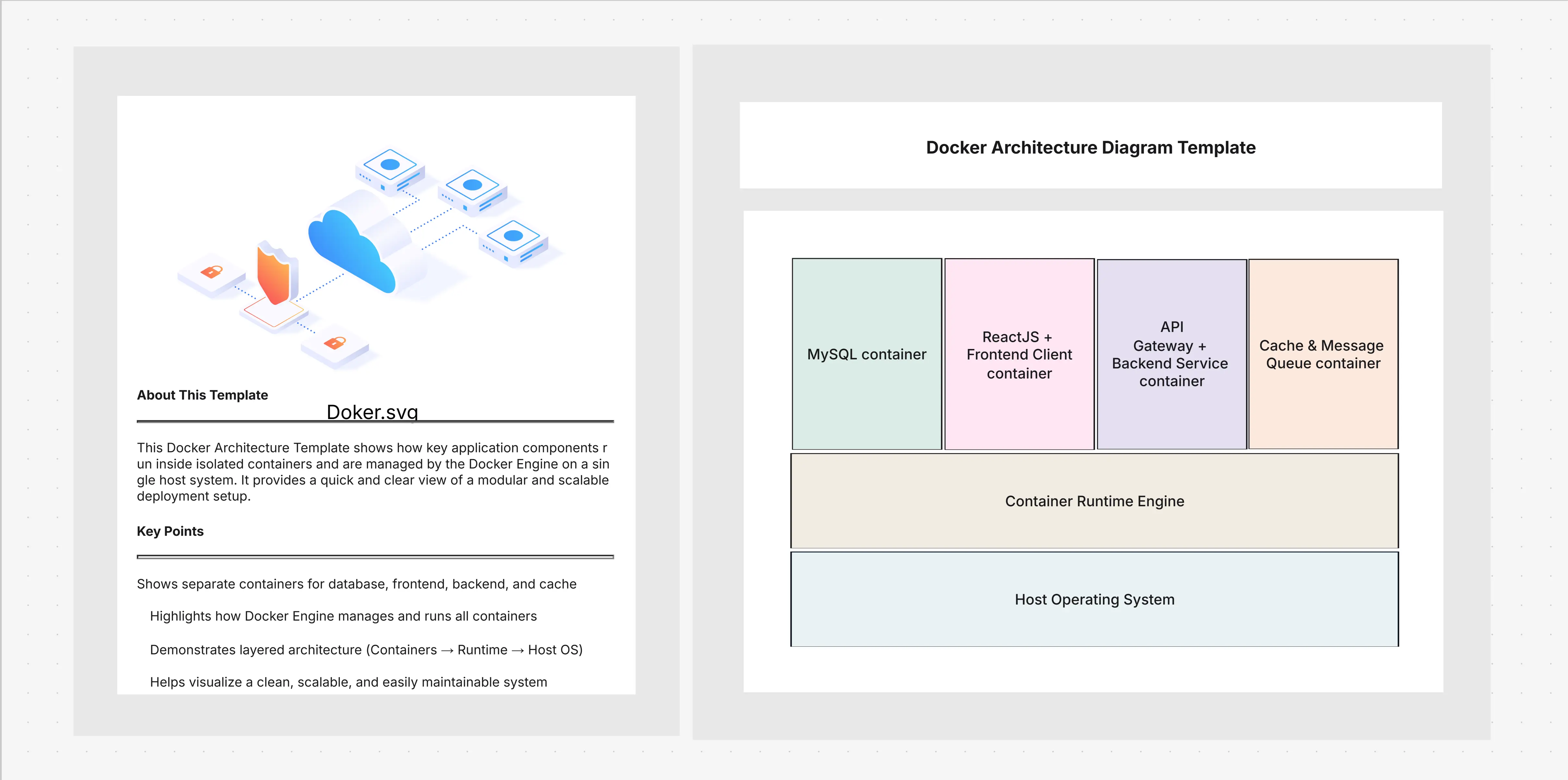
Docker Architecture Diagram Template

Cloudairy
 Copy link

Get your team started in minutes
Sign up with your work email for seamless collaboration.
Whiteboard
Copy link

Design scalable cloud-native systems with our editable Docker architecture diagram template. Easily visualize containers, images, networks, and orchestration to plan, customize, and share clear Docker-based architectures.
Design scalable cloud-native systems with our editable Docker architecture diagram template. Easily visualize containers, images, networks, and orchestration to plan, customize, and share clear Docker-based architectures.
The Docker architecture diagram clarifies the process of application containerization and distribution over different platforms. The interconnections among the four elements: images, containers, registries, and orchestration layers are drawn out in the diagram. This template portrays Docker as the primary player in the cloud native architecture where microservices and containers are the main parts used for building aypthegroundable, portable and resilient applications. The team can now create and describe cloud-native architectures which can run without any interruptions on both on-premises and cloud platforms using this template.
This template is meant for the cloud-native system architecture along with Docker-specific elements. It provides teams with structured components that capture their local Dev environments to enterprise-scale deployments. The template guarantees that the models of both independent setups and integrated cloud native architectures would be clear, as it unites the core docker building blocks with the cloud-native extensions.
Docker diagrams come in very handy when teams think or communicate about systems based on containers and cloud-native applications. They facilitate handling complexity by showing workloads, integrations, and deployment strategies in a straightforward and standardized manner. The diagram template is quite helpful for activities related to development pipelines, migration, and operations assessments where containerization is the main factor for obtaining scalability and efficiency.
The model is not strict, giving you the opportunity to modify it according to your surroundings and container strategy. You have the option to modify diagrams in such a way that they represent local development clusters, enterprise cloud deployments or multi-cloud container ecosystems. By customizing the elements of orchestration, networking, and governance, teams can make Docker diagrams that are in line with their particular workflows and cloud-native architecture goals.
Docker is such a popular technology for the cloud-native workloads that the template can be considered as a cross-industry tool. Containerized microservices visualization, DevOps workflow mapping, and compliance strategy alignment are the main areas where the teams are getting support from this template. It is helpful right from the startups that are building SaaS platforms to the enterprises that are managing workloads requiring heavy regulation, this template gives a visual framework for documenting and scaling Docker-driven cloud-native architectures efficiently.
This section clarifies Docker’s role in cloud-native design.
1 How does Docker support cloud native architecture?
Docker provides the containerization layer that powers cloud-native architectures, enabling microservices, portability, and rapid scaling.
2 Can this template be used alongside Kubernetes?
Yes. The template supports Kubernetes integration, allowing you to design end-to-end cloud native architectures.
3 Does this template support multi-cloud strategies?
Absolutely. You can model Docker deployments across AWS, Azure, and GCP for hybrid or multi-cloud environments.
Loading subcategories...
 Manage all your work in one place
Collaborate with your team
Use Cloudairy for FREE—forever
Explore More