Fishbone Diagram Template

Cloudairy
 Copy link

Get your team started in minutes
Sign up with your work email for seamless collaboration.
Whiteboard
Copy link

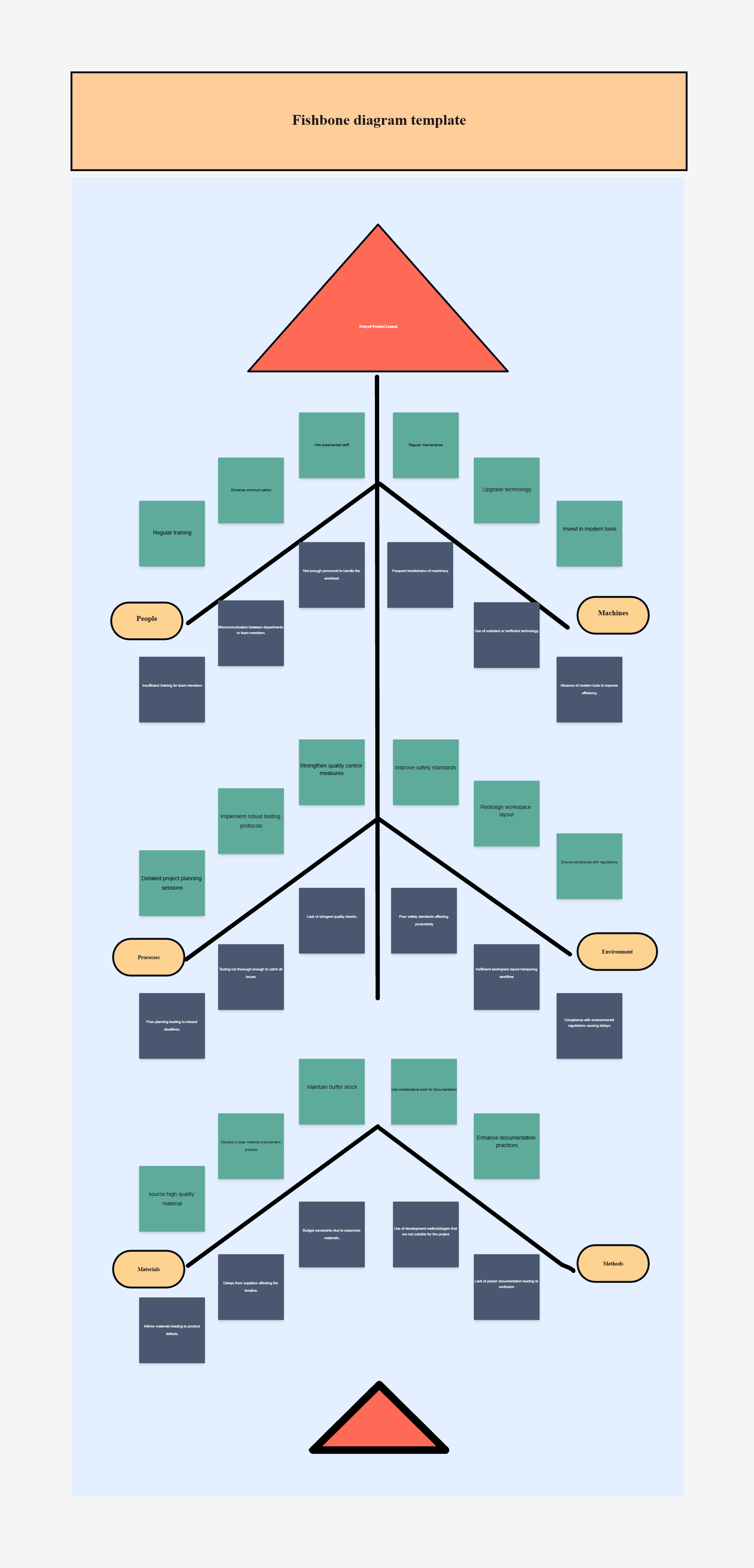
A Fishbone Diagram Template helps teams identify root causes of problems by visually organizing contributing factors. Also known as an Ishikawa or cause-and-effect diagram, it simplifies analysis, improves collaboration, and supports effective problem-solving.
A Fishbone Diagram Template helps teams identify root causes of problems by visually organizing contributing factors. Also known as an Ishikawa or cause-and-effect diagram, it simplifies analysis, improves collaboration, and supports effective problem-solving.
The Fishbone Diagram Template assists groups in visually determining and examining the possible reasons for a certain issue. It is also referred to as the Ishikawa or cause-and-effect diagram and it divides the contributing factors into branches logically, thus enabling the identification of patterns and main problems.
This diagram is a common tool in quality management, product development, and operations where it helps to make decisions based on analysis rather than assumptions. It turns problem-solving into a systematic and visual process.
This template includes all the foundational elements for running a root cause analysis effectively.
Use this template when you need to analyze recurring problems, identify bottlenecks, or prevent future failures. It’s perfect for quality assurance teams, project managers, and operations leads Whoever is in charge of uncovering it will use the Fishbone diagram which is less likely to result in the identification of surface causes only and will therefore not be limited to the symptoms. Instead, it will open the doors to a more in-depth causative analysis and ultimately the complexity of the systems.
Adjust the Fishbone Diagram to fit your organization’s process, problem type, or investigation depth.
This template is versatile across industries and functions where understanding the “why” behind a problem is crucial.
Uncover hidden inefficiencies and solve problems visually with the Workflow & Process Diagram Maker. Build clear, data-backed Fishbone Diagrams that empower your team to act on root causes — not symptoms.
Explore related resources:
1: What industries commonly use Fishbone Diagrams?
The fishbone diagram is a tool that is widely used across multiple industries such as manufacturing, healthcare, IT, and service. The fishbone diagram is a popular choice in various improvement programs like Six Sigma, Lean, and Kaizen for the purpose of recognizing and solving process-related problems.
2: How detailed should each branch be?
Begin with a wide scope and eventually get to the specifics. First, categorize at the top level and then during collaboration meetings, add to each level with data, examples, or sub-causes.
Loading subcategories...
 Manage all your work in one place
Collaborate with your team
Use Cloudairy for FREE—forever
Explore More