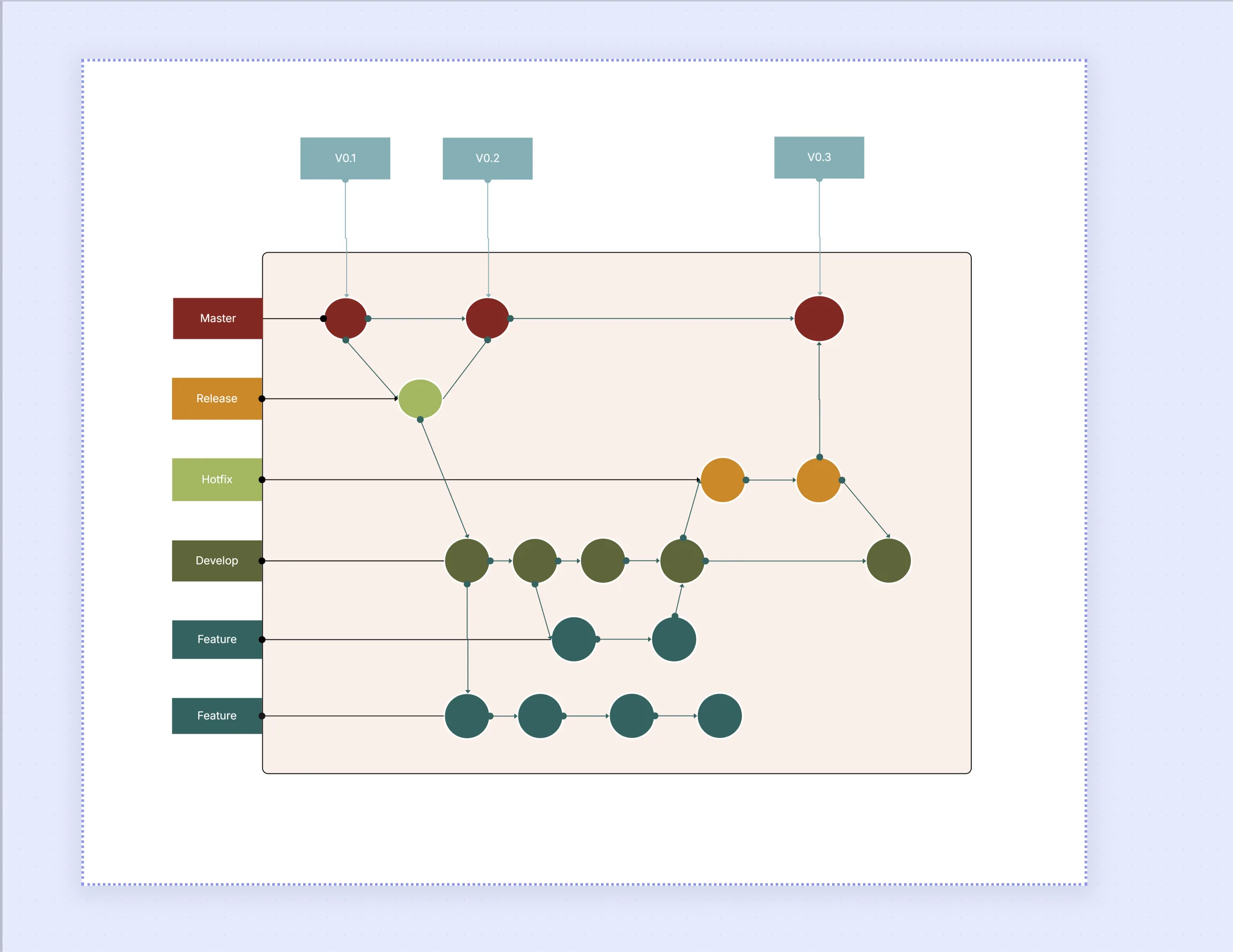
Git Workflow Diagram Template

Cloudairy
 Copy link

Get your team started in minutes
Sign up with your work email for seamless collaboration.
Whiteboard
Copy link

A Git Workflow Diagram Template helps teams visualize branching strategies, commits, merges, and releases. It simplifies collaboration, improves version control clarity, and ensures a consistent development process across teams and projects.
A Git Workflow Diagram Template helps teams visualize branching strategies, commits, merges, and releases. It simplifies collaboration, improves version control clarity, and ensures a consistent development process across teams and projects.
The Git Workflow Diagram Template delivers a clear visual map of how code moves over branches, merges, and releases. It makes development simple by showing how teams contribute updates, track changes, and conduct deployments.
By showing branching certainty, this template guidance developers follow a dependable workflow. It reduces merge conflicts and corrects teamwork, making it excellent for DevOps pipelines with many contributors.
This ready-made diagram gives your team a clear base for version control and process improvement.
Use this template when you want to see or advance how your team works closely with Git. It’s very advantageous for software teams conducting big projects, DevOps engineers planning renovations, and team leads managing dissimilar branches of a project.
The Git Workflow Diagram supports teams staying organized as they grow, making sure everyone learns where their code belongs in the release process.
You can switch the diagram to match your project’s divided plan and deployment setup using easy editing options.
The Git Workflow Diagram Template can help different teams and businesses plan and manage their work in many ways.
Design your branching strategy and manage code deployments visually with the Workflow & Process Diagram Maker. It’s the fastest way to create professional Git workflows, integrate CI/CD logic, and standardize your development process.
Explore related resources:
Q1: Can I integrate this with GitHub or GitLab?
Yes. You can export your visual diagram and concur it with GitHub Actions, GitLab CI/CD, or Bitbucket workflows. It’s excellent for teams that need ocular process documentation fixed to automation tools.
Q2: Is this suitable for non-technical teams?
While designed for developers and DevOps teams, product managers and QA leads can also use it to understand discharge dependencies and anticipate delivery schedules.
Loading subcategories...
 Manage all your work in one place
Collaborate with your team
Use Cloudairy for FREE—forever
Explore More