Overview
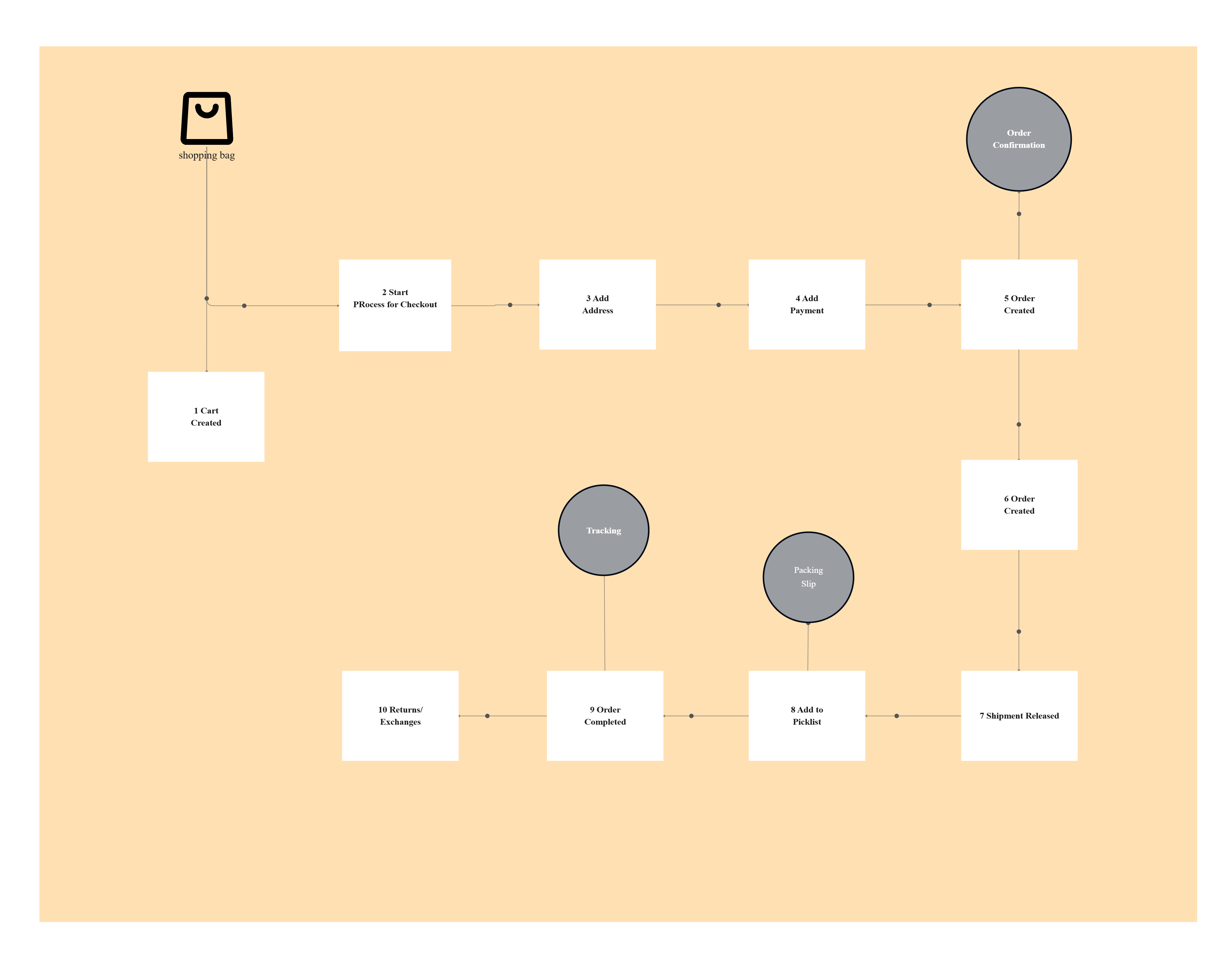
I have always found that a block diagram template offers a clean and straightforward method for illustrating complex systems, workflows, or processes. By using clearly labeled blocks and connecting arrows, it removes the excess details that can distract from understanding and keeps the focus on how each part of a modern system connects and interacts.This makes it an ideal and useful tool especially for early-stage design sessions, executive presentations, and explaining complex concepts to non-technical audiences smoothly.
See below for what is included in this practical block diagram template at Cloudairy.
What’s Included in a Block Diagram Template
A block diagram typically uses simple geometric blocks and neat directional arrows to clearly illustrate how different processes or system components relate to each other in real-life practice. This particular template comes with thoughtfully predesigned blocks, connectors, and rich detailed annotations that you can easily customize for almost any professional context or personal project.
See below for the key elements included in this block diagram template.
- Functional blocks – These represent important processes, subsystems, or modules using simple labeled rectangles. This approach effectively removes unnecessary technical complexity while maintaining clarity of the overall big picture.
- Connectors – Use arrows and clean lines to demonstrate exactly how blocks exchange data or interact. Directional connectors make these relationships easy to follow, significantly reducing potential confusion.
- Hierarchical organization – Arrange blocks into structured layered formats that reflect logical dependencies. This organization ensures readers clearly understand the flow of control or information across various levels.
- Annotations – Add practical and useful explanatory notes, clear labels, or callouts that specifically help highlight key assumptions. These detailed annotations greatly assist stakeholders in better understanding the important decisions and reasoning behind the overall system design.
- Customizable styling – Easily adjust colors, shapes, and formatting options thoughtfully to fit your organizational or unique project branding requirements. This greatly enhances readability and ensures the diagrams are fully presentation-ready and polished.
To simplify system planning and visualization, use this AI block diagram generator to instantly create clear and structured block diagrams from your ideas.
When to Use a Block Diagram Template
This template is ideally applied when a high-level conceptual view of a system is truly needed, rather than any deep technical detail. It works especially well for early planning, effective alignment, and clear communication across diverse teams with varying levels of expertise.
See below, when to use this block diagram template.
- Early-stage design – Use block diagrams during brainstorming sessions to quickly sketch out processes. This helps teams align before investing in deeper technical documentation.
- Education and training – Apply block diagrams thoughtfully to teach new employees or students about key workflows. Simplified visuals naturally help learners grasp important concepts faster.
- Executive presentations – Provide leaders with a simplified visual that captures the essence of the system. This avoids overwhelming them with unnecessary complexity.
- Cross-functional alignment – Cross-functional alignment is absolutely essential – it involves distributing block diagrams thoughtfully to both business and technical stakeholders for building common ground intentionally. This shared awareness clearly minimizes costly misinterpretations and naturally fosters much better collaboration across teams.
How to Customize a Block Diagram Template in Cloudchart
Cloudchart makes it easy to build block diagrams that remain simple while capturing important relationships. The template provides the flexibility to adapt to different industries and use cases.
Here are the steps to customize this block diagram template.
- Open the template in Cloudchart – Begin with a prebuilt diagram that already includes blocks and connectors. This jumpstarts your design process with a clear starting point.
- Replace placeholder blocks – Insert your own system modules, business functions, or process steps. This ensures the diagram accurately reflects your environment.
- Define relationships – Connect the blocks with arrows that show dependencies or flows. This makes it clear how processes or systems interact.
- Add context-rich notes – Insert annotations that explain why certain elements are included or point out assumptions you’ve made. This way, everyone reviewing the diagram can see the intent and meaning clearly.
- Collaborate without friction – Give your team access to edit diagrams live alongside you, keeping everyone on the same page. After the finishing touches are added, you can export to PDF or PNG for tidy, professional reports.
Example Use Cases for Block Diagrams
Block Diagrams offer broad versatility and find use across different fields like engineering, IT, and business processes. They serve as an excellent tool whenever simplifying complicated systems into understandable visuals becomes necessary. For physics and mechanical system analysis, you can also use a free body diagram template to visualize forces and interactions between system components.
See below the examples of how this block diagram template can be used.
- Electronics design – Use block diagrams to show signal flows between components. This allows engineers to communicate core design ideas without technical schematics.
- Business workflows – Map out high-level organizational processes such as order management. This helps leadership see how operations connect across departments.
- Software modules – Represent application modules or subsystems in a conceptual layout. This ensures development teams understand interdependencies early in planning.
- System overviews – Provide stakeholders with a simple system-level snapshot. This builds alignment before diving into detailed architecture diagrams.
FAQs for Block Diagram Template
- What Exactly is a Block Diagram?
It is a straightforward and simplified diagram that uses labeled blocks along with connectors to clearly show the functional relationships between various system components or individual processes.
- In What Ways Does a Block Diagram Differ From a Typical Flowchart?
A block diagram focuses on illustrating system components and their direct interactions, whereas a flowchart details the sequence of procedural steps and decision points involved in a workflow.
- Why is Cloudchart Recommended for Block Diagram Creation?
Cloudchart provides professional templates, intelligent AI-assisted layout capabilities, and strong collaboration tools that make block diagramming quicker and easier.

 Copy link


 Manage all your work in one place