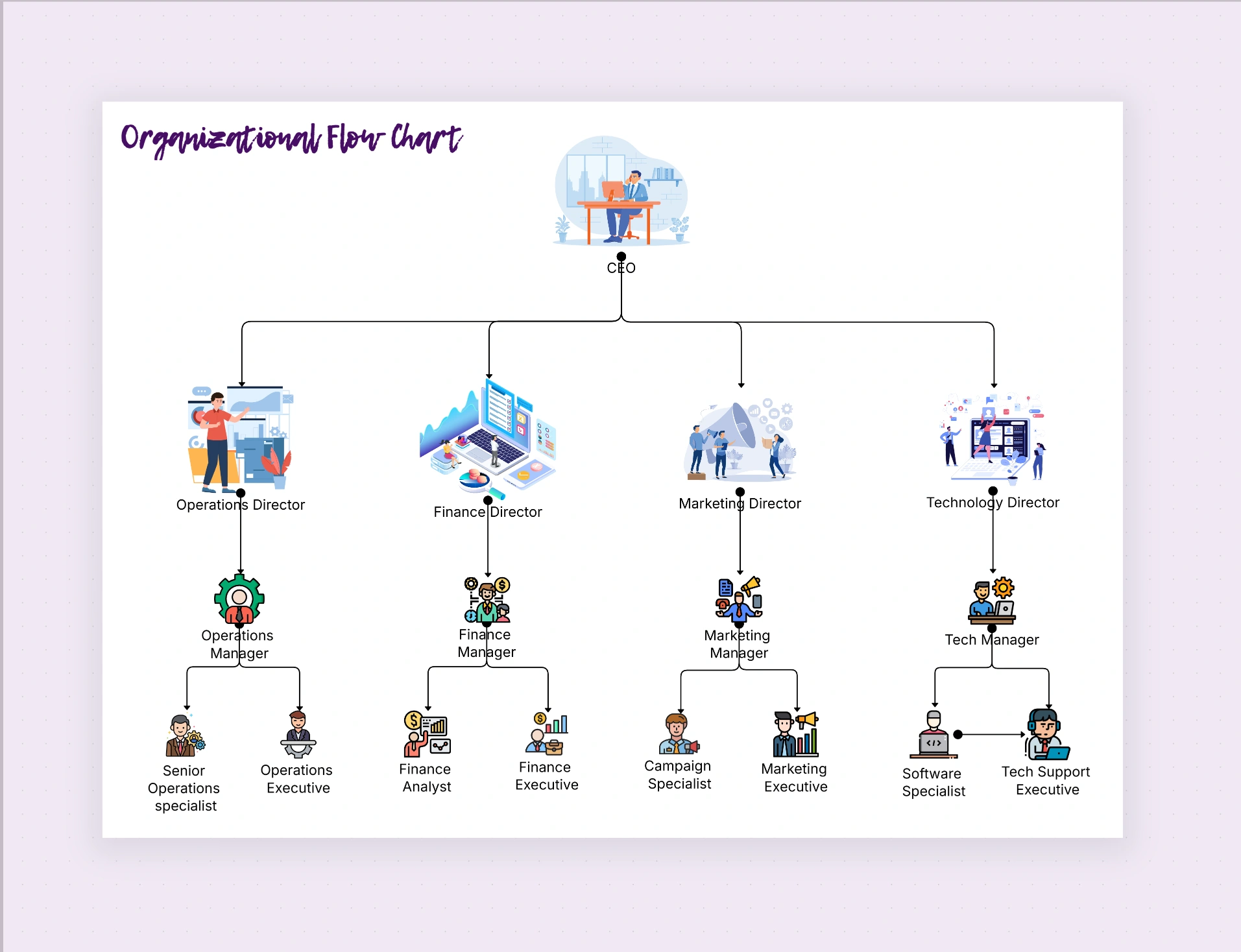
Organizational Flow Chart Template

Cloudairy
 Copy link

Get your team started in minutes
Sign up with your work email for seamless collaboration.
Whiteboard
Copy link

Visualize how work flows across your organization with Cloudairy’s editable Organizational Flow Chart Template. Clearly map processes, decisions, communication paths, and team collaboration to improve clarity and efficiency.
Visualize how work flows across your organization with Cloudairy’s editable Organizational Flow Chart Template. Clearly map processes, decisions, communication paths, and team collaboration to improve clarity and efficiency.
Visualize effortlessly how work actually moves through your organization for better understanding.While a standard org chart simply defines who reports to whom, an organizational flow chart shows how work truly flows between people, teams, and departments. Cloudairy’s thoughtful Organizational Flow Chart Template helps you easily capture your company’s real operations - ranging from communication pathways to process sequences - all in one clear, editable visual. Whether you are mapping team collaboration, approvals, or critical business processes, this template will transform complex workflows into organized, easy-to-understand flow diagrams that anyone in your organization can follow without difficulty.
Traditional org charts show hierarchy - but do not explain how tasks smoothly move across the organization. A useful flow chart fills that gap by revealing operational efficiency, communication dependencies, and potential bottlenecks in daily workflows. By visualizing these real interactions, leaders can better identify opportunities to streamline decision-making, improve accountability, and strengthen collaboration between different departments.
Step 1: Define Your Process
Start by listing the key steps in your process - from intuitive initiation to final completion. Identify every person or department involved specifically.
Step 2: Add Roles and Actions
Use Cloudairy’s shapes and connectors to represent who genuinely performs each task and when.
Step 3: Connect the Flow
Draw directional lines to show exactly how information or responsibilities pass between nodes.
Step 4: Review Collaboratively
Invite team leads to carefully review the process for accuracy and add helpful notes or clarifications directly within Cloudairy.
Step 5: Finalize and Share
Once your chart is complete, export it as a high-quality visual file or embed it in internal wikis, accessible training modules, or project documentation.
By combining process visualization with Cloudairy’s collaborative environment, your team can:
For a complete organizational overview, pair this template with the Organizational Chart Layout Template or explore more examples available in the Organizational Chart Examples & Design pillar page.
These design principles ensure your flow chart remains a reliable map of your real operations.
An organizational flow chart bridges the essential gap between people and processes in your business. With Cloudairy’s Organizational Flow Chart Template, you’ll be able to map your workflows clearly, collaborate seamlessly, and communicate how work truly happens inside your organization.
Create your first interactive flow chart today and bring transparency to every process - from daily operations to more strategic decision-making.
Start mapping your workflows now - Try Cloudairy Free
Loading subcategories...
 Manage all your work in one place
Collaborate with your team
Use Cloudairy for FREE—forever
Explore More