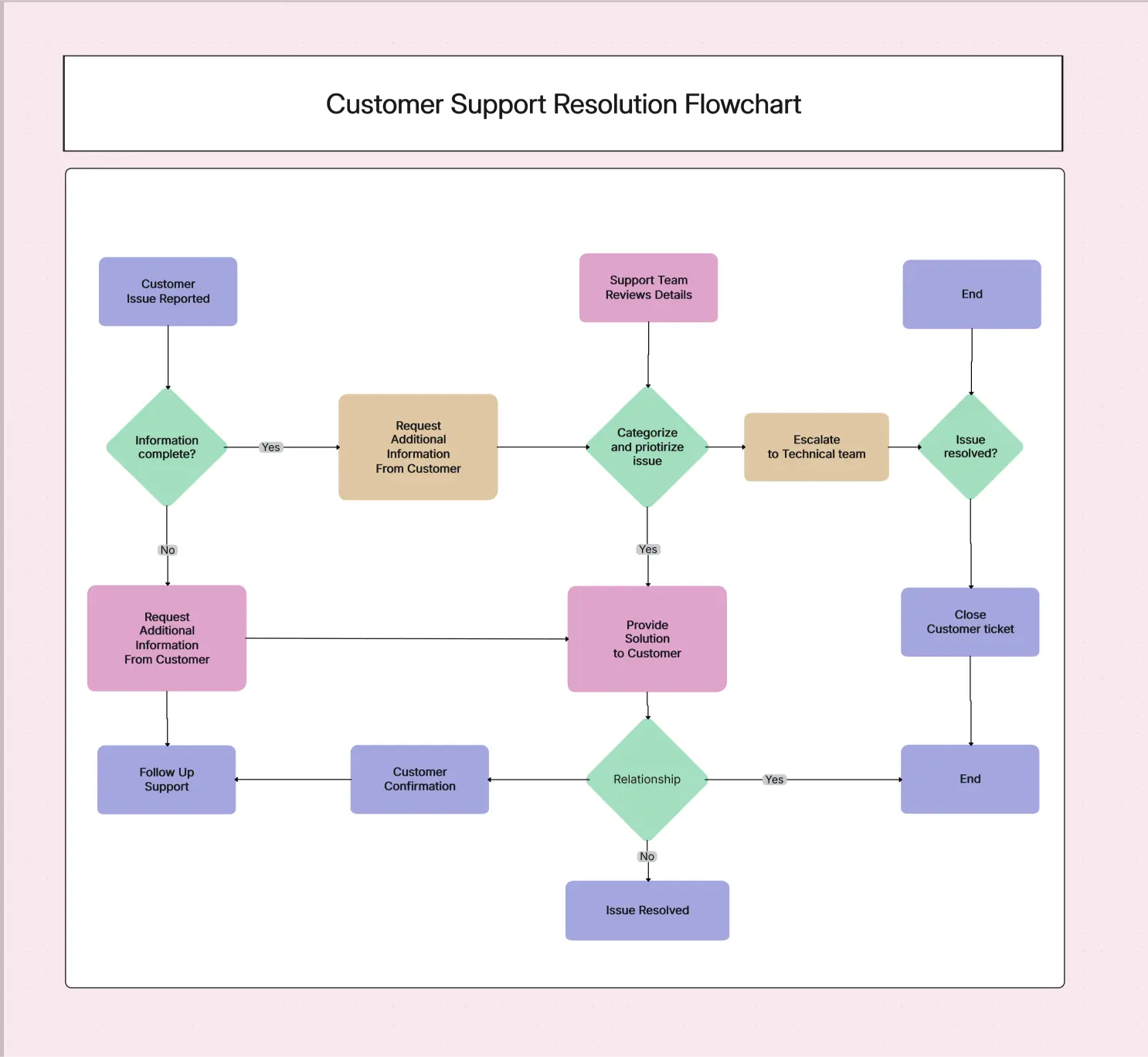
Customer Support Resolution Flowchart Template

Cloudairy
 Copy link

Get your team started in minutes
Sign up with your work email for seamless collaboration.
Whiteboard
Copy link

The Customer Support Resolution Flowchart Template helps support teams handle issues faster and more consistently. Visualize every step, define escalation paths, reduce agent errors, and deliver smoother customer service with this ready-to-use, fully editable workflow template from Cloudairy.
The Customer Support Resolution Flowchart Template helps support teams handle issues faster and more consistently. Visualize every step, define escalation paths, reduce agent errors, and deliver smoother customer service with this ready-to-use, fully editable workflow template from Cloudairy.
A customer support resolution flowchart template is a simple picture that shows how to fix customer problems from the first question to the final answer. In busy support teams, people need clear steps. This flowchart shows what to do, who should help, and when to move forward. It makes work faster and keeps everything easy to understand.
Support teams sometimes forget steps, repeat questions, or get confused. A flowchart, like a customer support resolution flowchart template PDF or an editable one helps everyone follow the same clean path. It works for calls, chats, emails, or tickets.
Cloudairy’s template makes this even easier with ready shapes, simple paths, and quick editing. Whether you use a free template, a download, or an AI-made flowchart, the aim is always the same: faster answers, better quality, and happy customers. Track goals and feedback in one-on-one meetings Template.
Cloudairy’s customer support resolution flowchart template simplifies this process by offering pre-built symbols, ready-made pathways, and easy customization. Whether you choose a customer support resolution template free, a downloadable version, or an AI-generated flowchart, the goal remains the same: faster response, better resolution quality, and improved customer satisfaction.
A customer support resolution flowchart template free download makes the whole support process easier to understand. It shows every step in a simple way, helping teams work faster and make fewer mistakes. all can follow the flow, even if they are new to the job.
Using a customer support resolution flowchart template free or a downloadable version from Cloudairy helps you easily show your whole support process. The template already has simple symbols and clear branches, so teams can build or improve their workflows without any design difficulty.
Here is the simple step-by-step way to use your flowchart template:
A customer support resolution flowchart is helpful anytime your team needs an easy way to fix customer problems the same way every time. You can use it when teaching new support agents, making old steps better, starting new ways to talk to customers, handling lots of tickets, or changing the rules for asking for help.
It is also very useful for showing steps during checks, training, or performance reviews. If you see agents giving different answers, missing steps, or asking for extra help too much, the flowchart gives a clear picture that helps fix these problems fast. Explore how Ecomap Template helps identify strengths, gaps, and external factors.
Whenever your support process has many steps, feels confusing, or needs help from different teams, a customer support resolution flowchart template PDF makes sure every task is done correctly, smoothly, and on time.
A clear and neat flowchart helps agents fix problems faster and makes customers happier. Whether you use free flowchart templates or Cloudairy’s editor, these tips will make your chart easier to use:
A good flowchart helps make customer service better. It helps the people who answer questions work faster and makes customers happy. Using a customer support resolution flowchart template free helps teams get these good things quickly.
A clear support flowchart helps teams handle customer issues faster and with less confusion. It gives agents a simple path to follow, reduces mistakes, and keeps the support experience consistent across all channel. With Cloudairy’s ready-made template, teams can work more smoothly, train new agents easily, and deliver quicker, more reliable help to every customer.
Visit this Customer Experience Design guide to understand touchpoints, empathy, and usability.
1. What is a customer support resolution flowchart template?
It’s a pre-designed diagram that outlines the steps agents follow to resolve customer issues, helping teams deliver quick, consistent, and structured support.
2. Is there a customer support resolution flowchart template free download available?
Yes, many platforms-including Cloudairy-offer a customer support resolution flowchart template free download for immediate use.
3. How does a customer service call flow template help support teams?
A customer service call flow template guides agents through greetings, verification, troubleshooting, and resolution steps, ensuring smooth call handling.
4.What is the difference between a call flow chart customer service and a full support flowchart?
A call flow chart customer service focuses mainly on phone call interactions, while a complete resolution flowchart includes all support channels and escalation paths.
5. Can I get the customer support resolution template PDF for offline use?
Yes, Cloudairy provides a customer support resolution template PDF so teams can print or share the flowchart for training, workshops, or offline reference.
Loading subcategories...
 Manage all your work in one place
Collaborate with your team
Use Cloudairy for FREE—forever
Explore More