Multi-Cloud Architecture Diagram Template

Cloudairy
 Copy link

AI Workspace for Diagrams & Collaboration
Get your team started in minutes
Sign up with your work email for seamless collaboration.
Whiteboard
Copy link
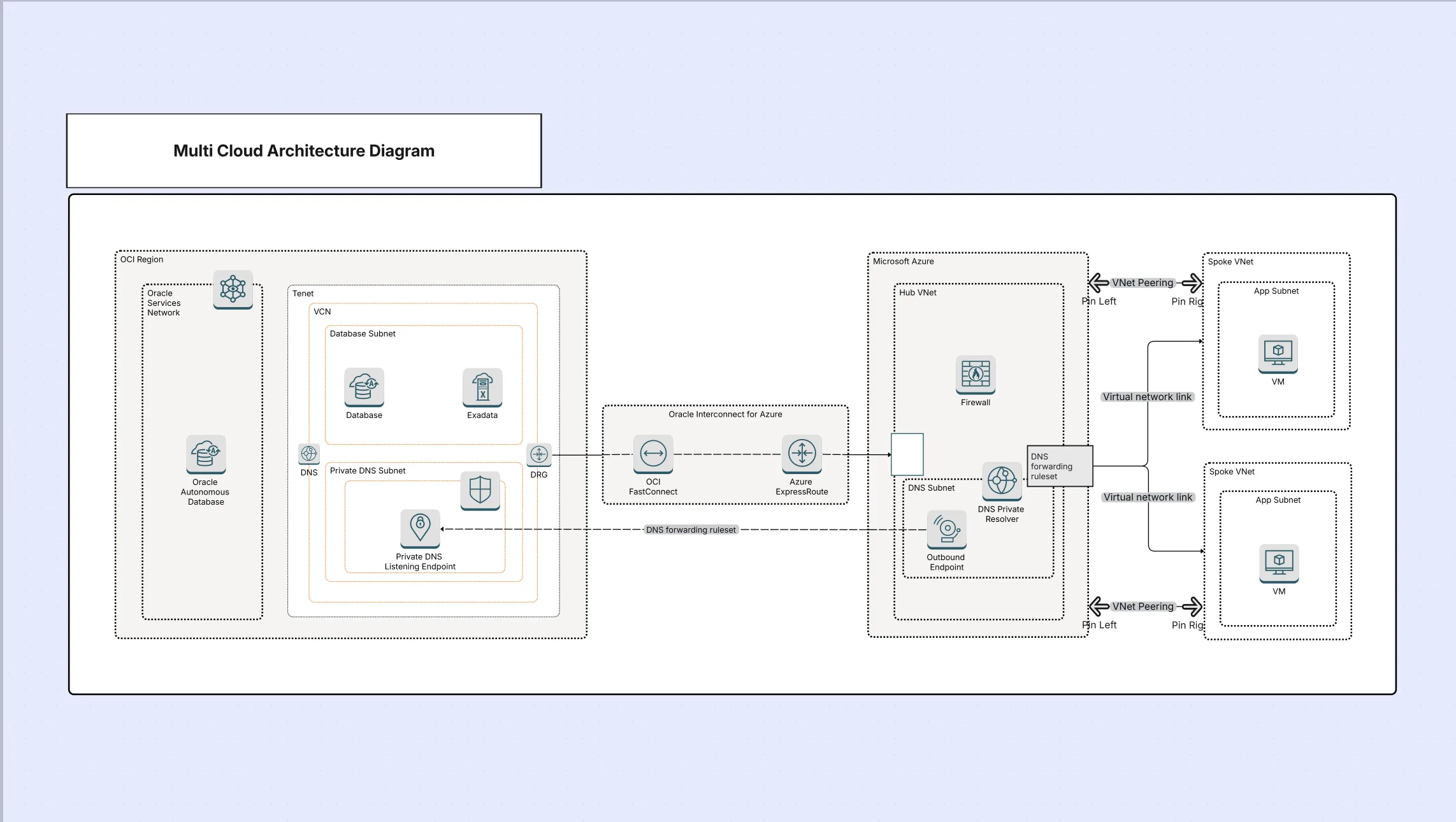
A multi-cloud architecture diagram serves as a visual representation of the practice of organizations that use different cloud providers like AWS, Azure, and GCP to share their workloads. In contrast to hybrid cloud, where on-premises and cloud resources are combined, multi-cloud is all about running services on different clouds for resilience, cost savings, and improved performance. Using this template, you can make vendor-neutral designs, workload balancing, and no-lock-in scenarios by illustrating the participation of every provider in the entire system without compromising on interoperability and security.
The very first template item establishes everything that the visual elements deserve to clarify the multi-cloud systems. The different groups can depict the complicated, cross-cloud topologies in a standardized manner and thus it will be simpler to get the technical designs across to the involved parties. Not only the compute and storage elements but also the IAM layers and observability components will be visually represented as the very foundation of a multi-cloud strategy.
This template is made for companies running workloads over several providers. It is particularly helpful when the teams aim at increasing system uptime, spreading infrastructure investments or complying with worldwide regulations. By utilizing this template, firms can assess and design robust strategies that satisfy both the technical and business sides.
The template is fully editable in Cloudairy Cloudchart, allowing you to adapt it to your organization’s specific use case. With flexibility for mixed vendors, workload partitioning, and cross-cloud integrations, you can illustrate everything from simple dual-cloud setups to advanced, multi-provider ecosystems. This customization makes it suitable for technical design workshops, migration roadmaps, and governance reviews alike.
Design robust, vendor-agnostic architectures today using Cloudairy Cloudchart. Build diagrams that span AWS, Azure, and GCP with drag-and-drop simplicity, ensuring resilience and performance across providers. To maintain scalable and reliable cloud systems, teams can implement a quota monitor for AWS template to track service limits and receive alerts before capacity thresholds are reached.
1. How is multi-cloud different from hybrid cloud?
Hybrid cloud unites the local data center resource with the public cloud, or clouds, whereas multi-cloud is a term that means using different cloud providers at the same time for either resilience or specialization.
2. What are the biggest challenges in multi-cloud design?
A: Security consistency, networking complexity, and interoperability between providers are typical challenges, which this template helps visualize clearly.
3. Does this template support cloud-native and third-party integrations?
Yes, you can add native cloud icons and third-party tools like Kubernetes, HashiCorp Vault, or Datadog.
Loading subcategories...
 Manage all your work in one place
Collaborate with your team
Use Cloudairy for FREE—forever
Explore More