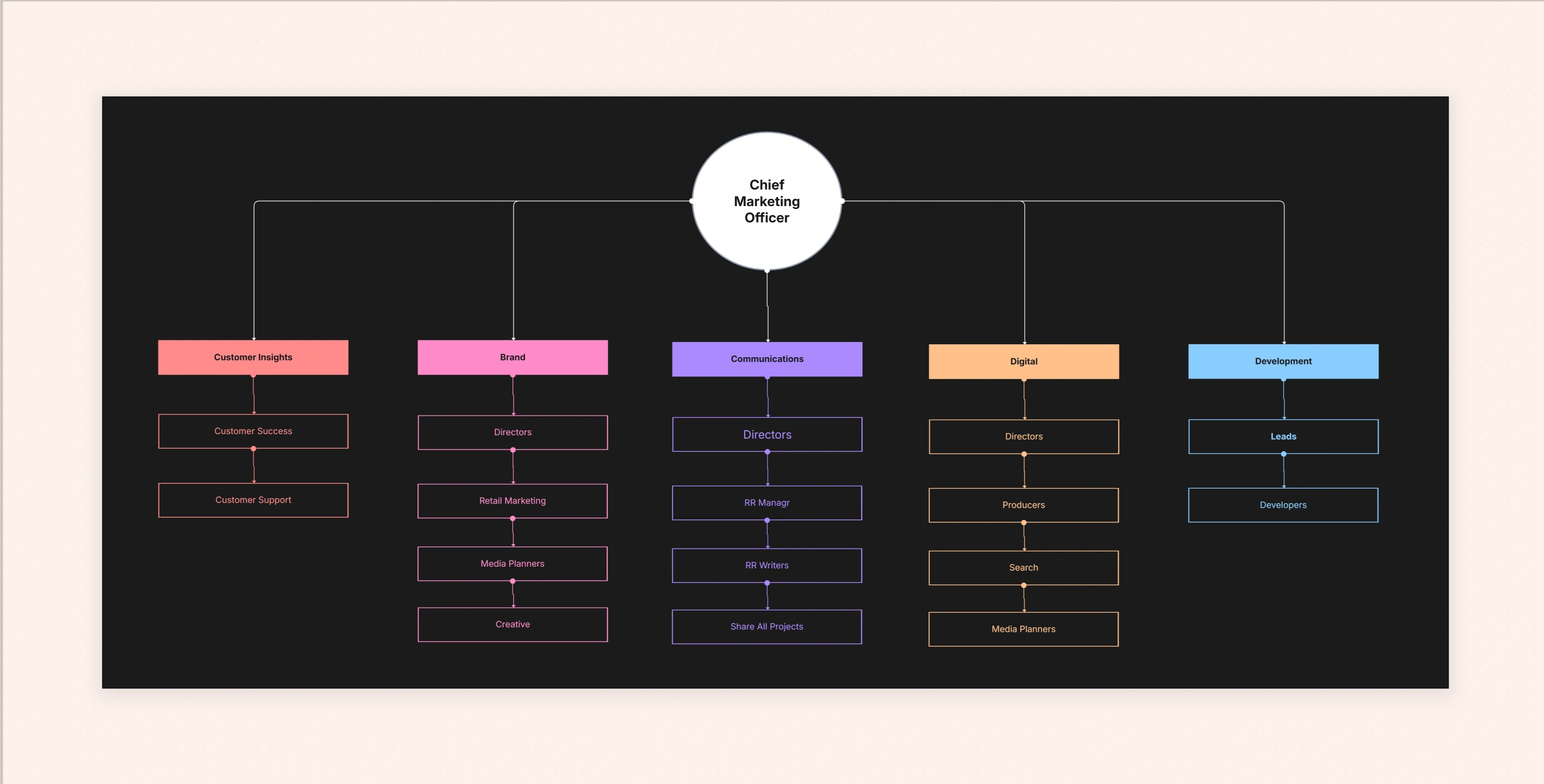
Remote Team Organizational Chart Template

Cloudairy
 Copy link

Get your team started in minutes
Sign up with your work email for seamless collaboration.
Whiteboard
Copy link

A remote team organizational chart template visualizes roles,responsibilities, and reporting lines for distributed teams. It improves clarity,communication,and collaboration across locations and time zones.
A remote team organizational chart template visualizes roles,responsibilities, and reporting lines for distributed teams. It improves clarity,communication,and collaboration across locations and time zones.
A remote team organizational chart template model provides an easy-to-understand, mutual view for distributed enterprises regarding how people cooperate across different places and time zones. This template is not just a static diagram indicating reporting lines, but it also brings to the fore the geographical locations, working hours, communication standards, and the inter-departmental connections that ensure smooth remote work. Consequently, it turns out to be an active map that makes transitions easier, minimizes obstacles, and allows quick locating of the correct person for assistance-regardless of their location or online time.
Visibility is the culture in hybrid and fully remote environments. This chart through mapping leadership, pods, and support functions establishes the responsibilities clearly and eliminates the guesswork in the daily collaboration. It is easy to show the changes in roles, add contractors, and mark the time-zone overlaps in the chart created using Cloudairy’s Org Chart Maker, so as the teams grow and change your chart will be accurate.
In the absence of a physical office setting, remote groups depend on a very clear organization to substitute in-person talks and spontaneous introductions. A specially designed diagram shortens the time lost by showing clearly who reports to whom, who the decision makers are, and where collaborations take place. The chart is also of great importance in the process of onboarding, where the only thing a newcomer needs to know is not just what the different roles are but also when the colleagues are available and how the work flows between different locations. The transparency provided by the chart to the managers results in more effective scheduling, better coverage windows and less escalated issues being stuck in the wrong communication channel.
An organization chart that is remote-based also facilitates inclusion. It not only depicts the different physical locations but also the languages spoken and the various working shifts of the employees which leads to respectful scheduling and, thus, healthier coordination habits. Teams do not have to spend time looking for answers anymore, as communication is directed to the right place by the organization's structure; they can dedicate all their time to the delivery of work.
Opt for the chart when your team is distantly located or when hybrid working has resulted in several small offices. It is particularly beneficial during periods of rapid growth when the rate of onboarding is fast and the organizational structure is changing every quarter. It is also very effective in situations involving support, SRE, or customer success and where the coverage provided by time is as important as the hierarchy. If your existing chart does not indicate the online hours of the employees, or the manner in which the teams are divided among the departments, then this template will help unveil that operational reality.
Step 1: Choose a Base Layout
First visual leadership from a top-down perspective to ensure clarity and then adding regional swimlanes or grids to group the teams according to their time zones. The layout of pods for product squads or service lines keeps the cross-functional collaboration at the center of attention.
Step 2: Add Roles, Regions, and Hours
Step 3: Apply Remote-Friendly Styling
Step 4: Share, Embed, Update
Insert a live link in your manual or internal network, making the chart the only truthful source.Use PDF/PNG format for investor presentations or customer inspections, and modify nodes when the employment and coverage periods change.
Organization Chart Templates & Tools
Report: Organizational Chart Tools & Trends
Online Org Chart Maker vs Manual Templates
A remote team org chart template provides big clarity to far-off teams. It simply shows the hierarchy, the collaboration, and the coverage windows in one modern layout, effectively turning the time zones into a planning advantage instead of a hurdle. With Cloudairy, you can customize the chart according to your structure, share it live with the whole company, and keep it updated as teams expand. In a dispersed world, this I'm not just a diagram-it's the common map that keeps your organization aligned, responsive, and humane. Visit now to apply the Data Science Process for real-world analytics success.
Loading subcategories...
 Manage all your work in one place
Collaborate with your team
Use Cloudairy for FREE—forever
Explore More