50,000 + Trusted Users with
star star star star star

Trusted by Professionals at Leading Companies

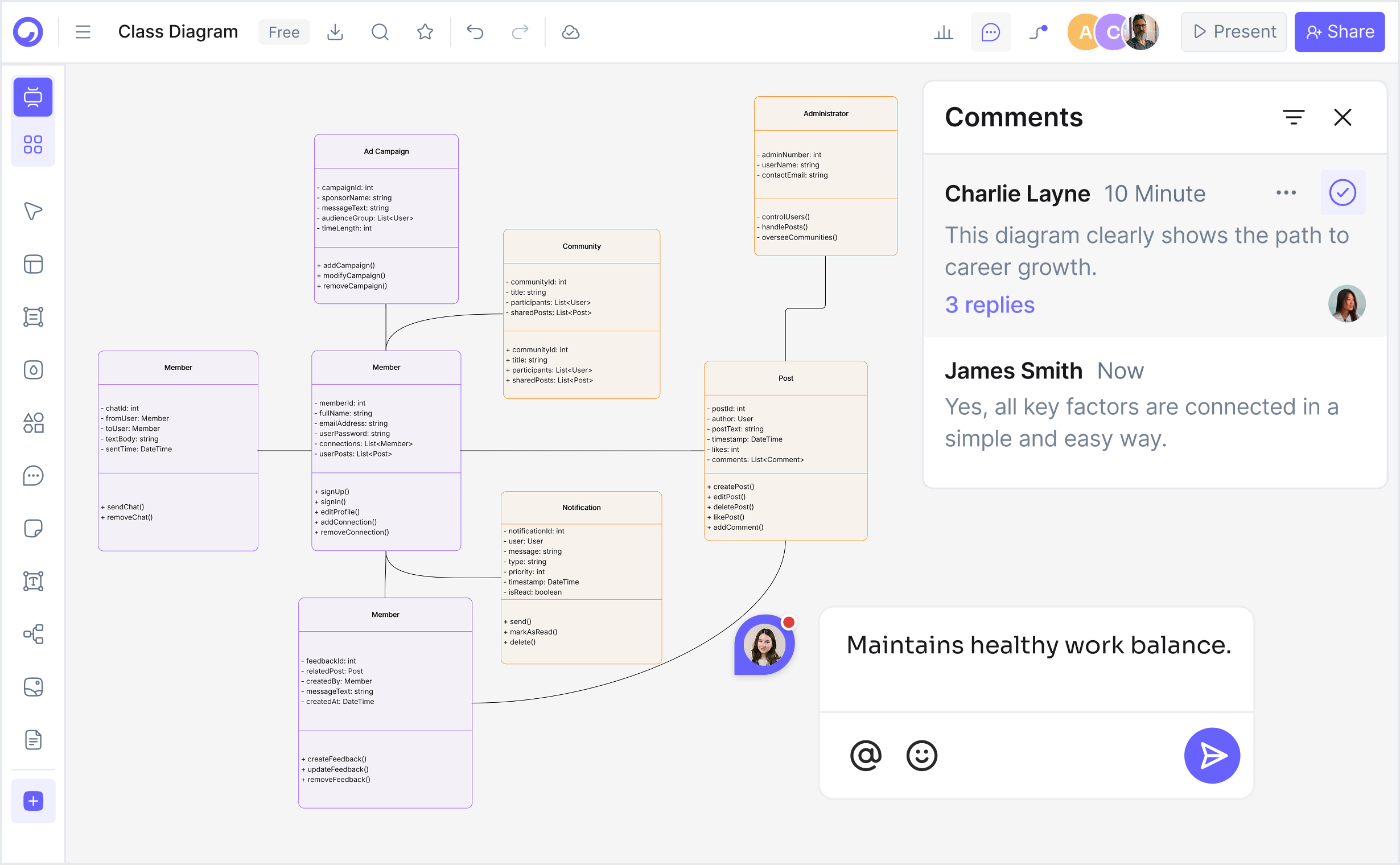
What is a class diagram — example showing UML 2.5 notation with classes, attributes, methods, inheritance, and associations

What Is a Class Diagram (UML)?

A class diagram is a type of Unified Modeling Language (UML) diagram that visualizes the object-oriented structure of a system, showing classes, attributes, methods, and relationships (inheritance, association, aggregation, composition). Following the UML 2.5 standard (ISO/IEC 19501), class diagrams use a specific notation: classes are represented as rectangles divided into three compartments (class name, attributes, methods), attributes are listed with visibility modifiers (+public, -private, #protected, ~package), and methods display signatures with return types and parameters. Relationships are denoted by directional arrows—inheritance arrows point to parent classes, association lines show object connections, aggregation and composition indicate part-whole relationships with specific symbols.

Class diagrams model object-oriented programming (OOP) concepts by translating OOP principles into visual notation. Classes represent blueprints for creating objects, attributes define the state (data/properties), and methods define the behavior (operations/functions). Inheritance relationships (shown as IS-A arrows) model polymorphism and code reuse by establishing parent-child class hierarchies—a derived class inherits attributes and methods from a base class while potentially adding specialization.

Class diagrams are the foundational artifact in object-oriented design, used across software engineering, computer science education, and system architecture for design documentation, code generation, reverse engineering, and design pattern education. They enable developers to explore design alternatives before coding, facilitate communication with non-technical stakeholders, validate system design against requirements, and serve as reference documentation for maintenance teams. UML class diagrams are essential for teaching object-oriented programming fundamentals, demonstrating design patterns (MVC, Observer, Factory, Singleton, Strategy, Adapter), and establishing coding standards and conventions within development teams.

How to Create a Class Diagram with AI (4 Steps)

Go from system description to professional UML 2.5-compliant class diagram in four steps — no manual drawing, no expensive modeling tool, no technical expertise required.

1

Describe your system or paste code

Type a plain-English description of your system. For example: "E-commerce system with products, orders, customers, and payments" or "Library management system with books, members, and loans". Or paste existing Java, Python, or C++ code, and the AI will reverse-engineer the class structure. Choose from example prompt chips — E-commerce Product, Employee Management, Library System, Banking Account, Game Character, University Course, Hospital Patient, Social Network User.

2

AI identifies classes, attributes, and relationships

Cloudairy's AI instantly analyzes your description or code and generates a complete UML 2.5-compliant class diagram. Classes are properly structured with attributes and methods, inheritance relationships are identified, associations and aggregations are recognized, and UML notation is applied correctly — all automatically.

3

Review and refine with the editor

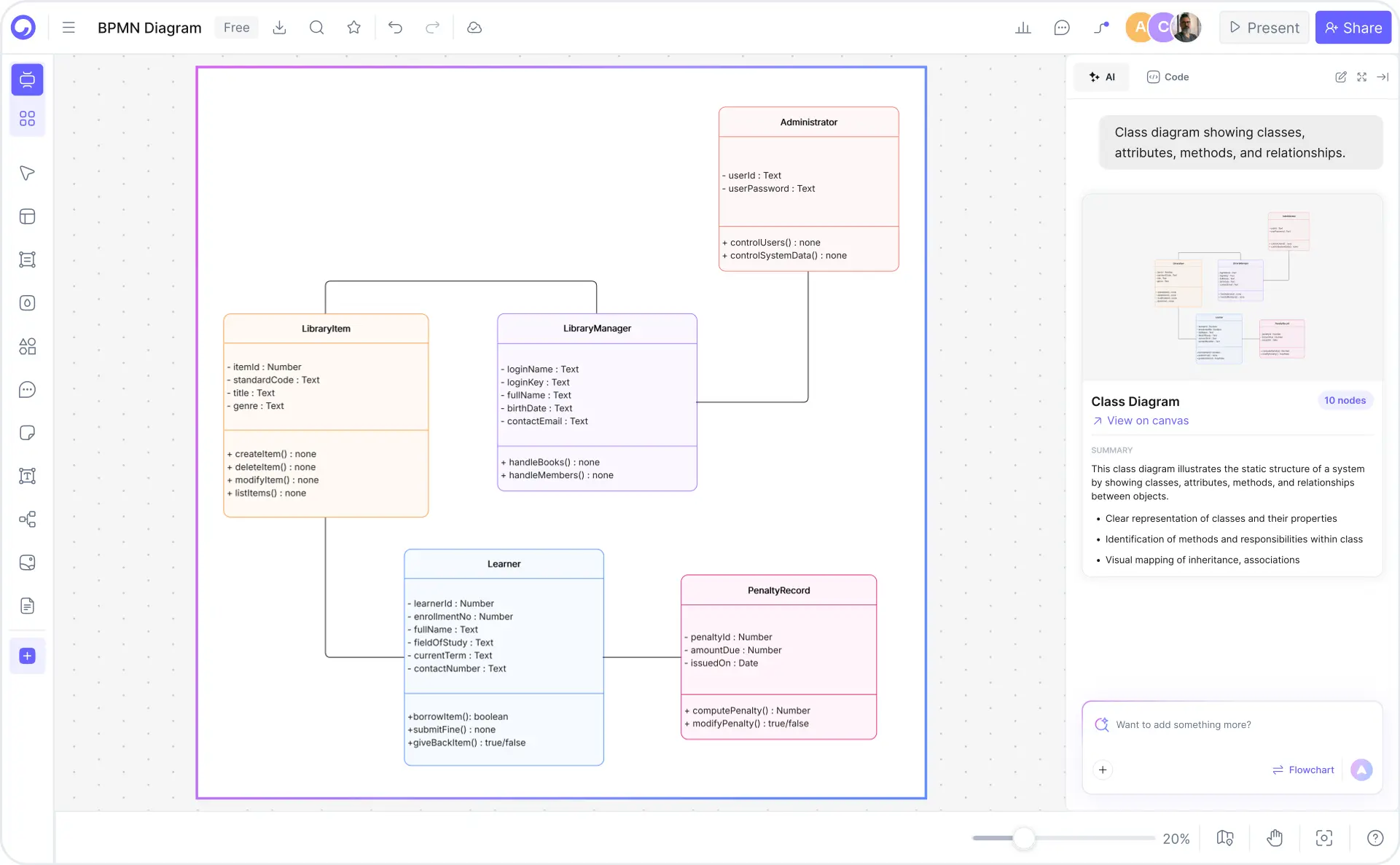
Review the auto-generated diagram in Cloudairy's visual editor. Add more classes or relationships, modify attributes and methods, adjust inheritance hierarchies, refine associations, or reorganize the layout. The editor provides drag-and-drop functionality, real-time validation, and UML 2.5 compliance checking.

4

Export to your preferred format

Export to Visio VSD for enterprise documentation, draw.io XML for team collaboration, Mermaid or PlantUML for developers, PDF for presentations, PowerPoint for design reviews, or PNG/SVG for web. Generate code stubs (Java, Python, C++) directly from the diagram for immediate development workflow integration.

How to create a class diagram with Cloudairy — four steps from prompt to export

Start Creating Your Class Diagram Free

Join software engineers, CS students, system architects, and technical leads worldwide who use Cloudairy to create UML 2.5-compliant class diagrams in seconds. AI generation. Professional UML notation. Code generation. Multi-format export.

No credit card required • Start creating in seconds

Why Use Cloudairy as Your Class Diagram Tool

Cloudairy is the only AI class diagram maker that combines AI text-to-UML-diagram generation with UML 2.5 compliance, code generation, multi-format export, and real-time collaboration — all on a single platform.

AI Prompt-to-Class Diagram

AI Prompt-to-Class Diagram

Describe your object structure or paste code in plain English and get a complete, UML 2.5-compliant class diagram in seconds. No manual drawing, no expensive modeling tools. The AI understands classes, attributes, methods, inheritance, polymorphism, and design patterns.

UML 2.5 Notation

UML 2.5 Notation & Standards Compliance

Generate class diagrams with strict UML 2.5 standard notation. Full support for classes, attributes, methods, visibility modifiers (+/-/#/~), relationships (inheritance, association, aggregation, composition), abstract classes, interfaces, and multiplicity annotations. ISO/IEC 19501 compliant.

Code Generation

Code Generation & Reverse Engineering

Generate Java, Python, and C++ class stubs directly from your class diagram. Reverse engineer existing code to automatically create class diagrams. Bidirectional transformation keeps code and diagrams synchronized. Perfect for design-driven development workflows.

Multi-Format Export

Multi-Format Export

Export to Visio for enterprise documentation, draw.io for collaboration, Mermaid and PlantUML for developer workflows, or PDF and PowerPoint for presentations. Your class diagrams stay portable across tools and integrate seamlessly with your design documentation pipeline.

OOP Templates & Design Patterns

Professional OOP Templates & Design Patterns

Access pre-built templates for E-commerce, Library Management, Employee Directory, Banking, Hospital, University, and Game systems. Design pattern examples (MVC, Observer, Factory, Singleton) with complete class hierarchies and relationship structures ready to customize.

Real-Time Collaboration

Real-Time Collaboration & Version History

Collaborate with team members in real-time or asynchronously. Track every change with full version history and branching. Share diagrams via edit links or view-only versions. Perfect for design reviews, team coordination, and architecture documentation.

Class Diagram Templates

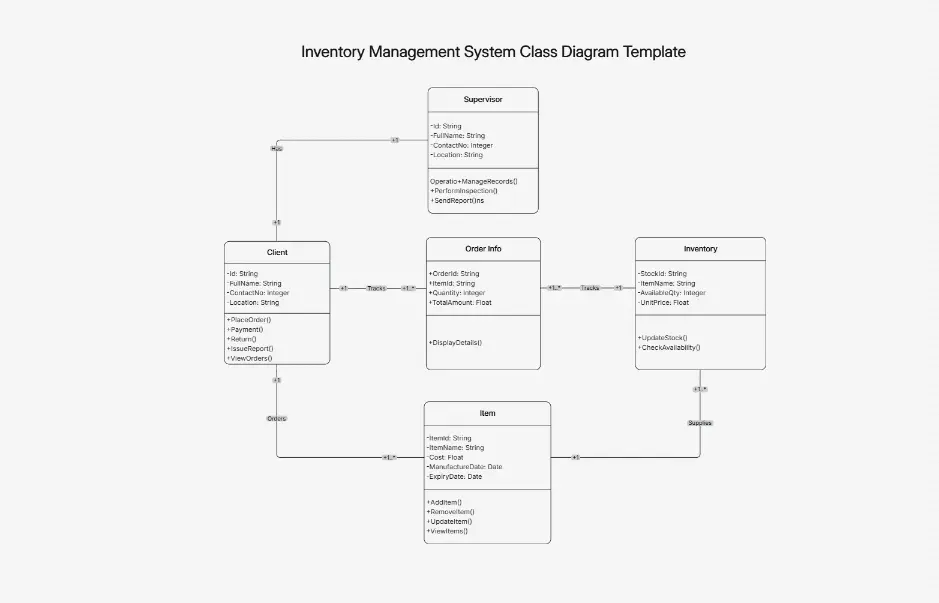
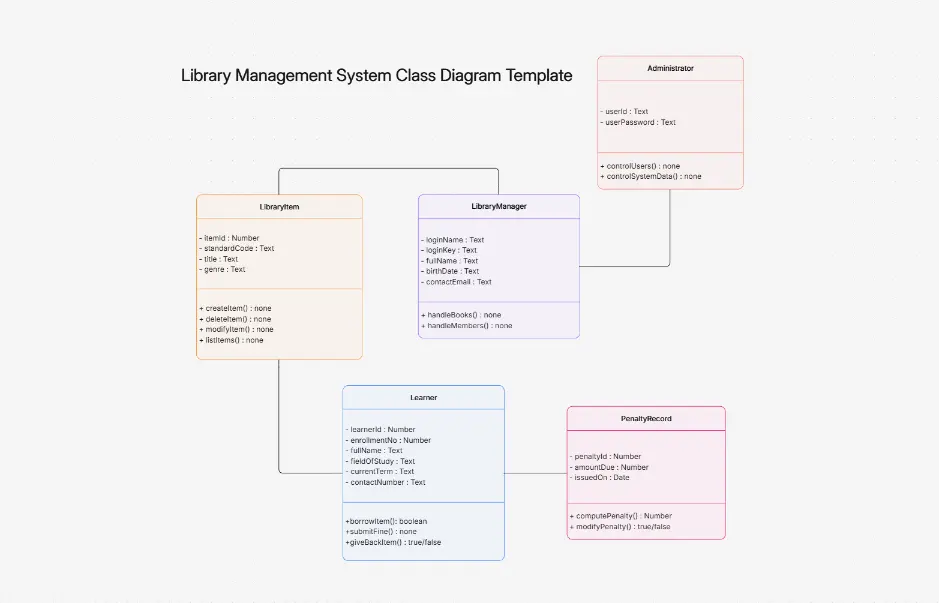
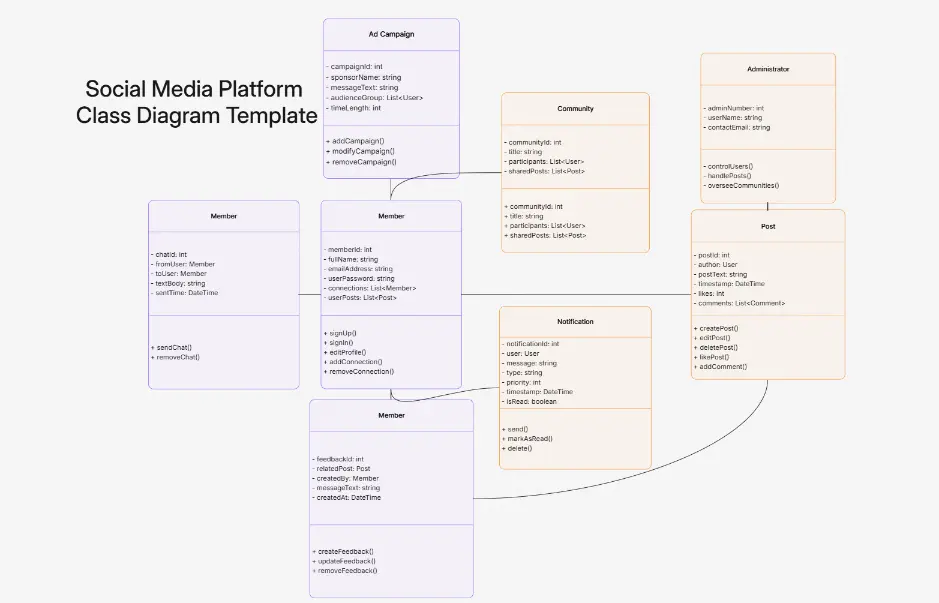
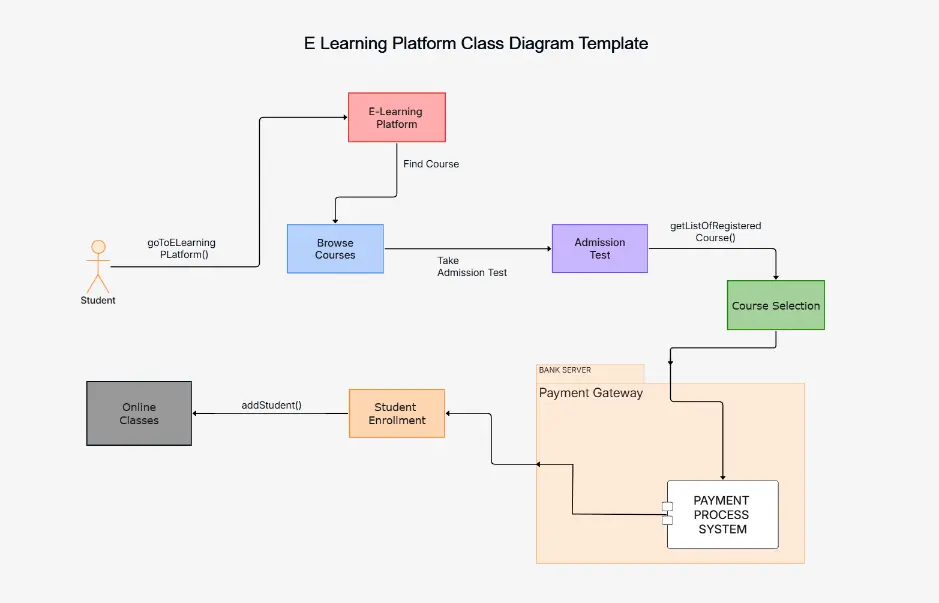
Download ready-to-use class diagram templates for common systems, each demonstrating real-world object-oriented design and OOP best practices. Every template includes pre-built classes with attributes, methods, visibility modifiers, and relationships—fully editable and ready to customize for your project. Use these as starting points for design documentation, code generation, or learning inheritance hierarchies and design patterns.

Cloudairy vs Competitors — Class Diagram Makers Compared

See how Cloudairy's AI class diagram maker compares to Visual Paradigm, draw.io, Lucidchart, Miro, and other leading UML diagramming platforms.

Feature Cloudairy Visual Paradigm draw.io Lucidchart Miro Eraser
AI Generation from Text Yes No No Limited No Yes
UML 2.5 Notation Yes Yes Yes Yes Limited Yes
Code Generation (Java/Python/C++) Yes Yes No Limited No No
Real-Time Collaboration Yes Yes Yes Yes Yes Yes
Multi-Format Export (Visio, PDF, PNG) Yes Yes Yes Yes Yes Yes
Free Tier Yes Yes Yes Limited Limited Yes
Learning Curve Low Medium Low Medium Low Low

Who Needs Class Diagrams?

Software Engineers

Design object-oriented architectures and model class relationships before coding. Generate class diagrams from object structure descriptions and reverse-engineer existing codebases to visualize system design and improve maintainability.

CS Students & Graduates

Learn UML 2.5 notation and object-oriented design principles through hands-on diagramming. Create class diagrams from software requirements and practice design patterns with pre-built templates for common OOP scenarios.

System Architects

Model complex system architectures and component interactions. Generate class diagrams that drive code generation and communicate design decisions to development teams with professional notation and multi-format export.

University Professors & Instructors

Teach object-oriented programming and software design methodologies. Generate class diagrams instantly from requirements and create assignment templates for students to practice UML modeling and design pattern implementation.

Technical Leads & Architects

Document system design, facilitate technical discussions, and coordinate across teams. Create class diagrams collaboratively in real-time, generate code stubs for developers, and maintain design documentation with version history and branching.

Software engineers, CS students, system architects, and technical leads using Cloudairy for class diagrams

Frequently Asked Questions

A class diagram shows the blueprint or template for objects in a system—the classes with their attributes, methods, and relationships. An object diagram shows instances of those classes with actual values at a specific point in time. Class diagrams are used for design and code generation, while object diagrams illustrate concrete examples and runtime states. Both follow UML 2.5 standards.

UML class diagrams are essential for object-oriented design. They help you visualize object relationships, plan inheritance hierarchies, define interfaces, and document system architecture before writing code. Class diagrams serve as a bridge between business requirements and implementation, improve team communication, support code generation, and enable better design decisions early in development.

In UML class diagrams, inheritance is shown with a solid line with a hollow triangle (arrowhead) pointing from the child class to the parent class. For example, "Employee" (child) inherits from "Person" (parent). The inheritance arrow indicates an "is-a" relationship. Cloudairy's AI-powered diagrams automatically generate correct inheritance notation following UML 2.5 standards when you describe class hierarchies in plain English.

Aggregation represents a "has-a" relationship where a part can exist independently (hollow diamond at the aggregating class). Composition represents a stronger "part-of" relationship where parts cannot exist without the whole (filled diamond at the containing class). For example, a Department (whole) can contain Employees (parts) in aggregation, but an Employee cannot exist without a Company (composition). Both are properly notated in Cloudairy's class diagrams.

Yes. Cloudairy supports reverse engineering Java, Python, and C++ source code into UML class diagrams. Upload your code files or paste code snippets, and Cloudairy's AI analyzes classes, attributes, methods, and relationships to generate accurate diagrams. This feature is perfect for documenting legacy code, understanding existing architectures, or creating visual documentation from production systems.

Cloudairy exports class diagrams to multiple formats: PNG, SVG, PDF, JPEG for sharing and documentation; Visio (.vsdx) for Microsoft Office workflows; draw.io (.xml) for collaboration and further editing; Mermaid for documentation repositories; PlantUML for CI/CD integration; and PowerPoint for presentations. You can also export code directly in Java, Python, or C++ from your diagrams.

Yes. Cloudairy's real-time collaboration features allow multiple team members to work on the same class diagram simultaneously. See live cursor positions, leave comments on specific elements, mention teammates, track version history, and maintain design consistency across teams. This is ideal for architecture review sessions, design workshops, and distributed teams working across time zones.

Yes. Cloudairy generates production-ready code directly from your UML class diagrams in Java, Python, or C++. Configure class properties, method signatures, access modifiers, and relationships in your diagram, then export complete code with proper structure, inheritance, and associations. Code generation accelerates development, reduces errors, and keeps documentation in sync with implementation.

Yes. Cloudairy's free tier includes unlimited class diagram generation with UML 2.5 notation, AI text-to-diagram conversion, and PDF export. Premium plans unlock advanced features like code generation and import, multi-format export (Visio, Mermaid, PlantUML), unlimited team collaboration, version control, and priority support for enterprises.

Success Stories from Our Community

See how cloud architects, solutions engineers, and DevOps teams use Cloudairy to create Azure architecture diagrams faster and with better results.

As a cloud architect, I need precision and speed. Cloudairy helps me design complex Azure architectures in minutes without losing detail or accuracy. The official Azure icons save me hours every week.

Cloudairy makes Azure solution design so simple. I can create client-ready architecture diagrams instantly and focus on delivering value instead of spending hours formatting Visio files.

I'm studying for AZ-305 and Cloudairy helps me visualize Azure reference architectures instantly. I can generate a landing zone diagram from a single sentence and use it as a study aid.

I use Cloudairy to teach Azure architecture in my courses. The AI generator lets students produce real-world diagrams on the first day instead of spending weeks learning Visio.

Our team uses Cloudairy to document every Azure deployment. The Visio export means our diagrams drop straight into client deliverables without any reformatting. Huge time saver.

Secure, compliant, and enterprise-ready

Cloudairy safeguards your work with enterprise-grade security, compliance, and access controls — so your teams can create, collaborate, and scale with confidence.

SOC 2 Type II
SOC 2 Type Ⅱ

Cloudairy is SOC 2 Type Ⅱ certified and penetration tested annually, ensuring your architecture diagrams and data meet the highest standards for security and reliability.

GDPR
GDPR

We comply with the European Union General Data Protection Regulation (GDPR) and extend it to all our customers even those outside of the EU.

ISO 27001
ISO 27001

Our Information Security Management System is ISO 27001 certified — the leading global standard for information security.

Flexible Pricing for Every Team

Free

Discover what Cloudairy can do for you. Start for free

$0

for unlimited members
Try for free

Upgrade now

Show key features

up-arrow

Includes:

Starter

Unlock unlimited and private boards with important features

$4

per member / month

billed annually

monthly

Show key features

up-arrow

Includes everything in Free, plus:

money-back

Business

MOST POPULAR

Ideal for agencies or growing businesses managing multiple projects.

$5

per member / month
billed annually

Show key features

up-arrow

Includes everything in starter, plus:

Enterprise Plan

For large organizations needing scalability, control, and security.

contact-pricing
Contact for pricing
Contact us

Upgrade now

Show key features

up-arrow

Includes everything in Business, plus: