50,000 + Trusted Users with
star star star star star

Trusted by Professionals at Leading Companies

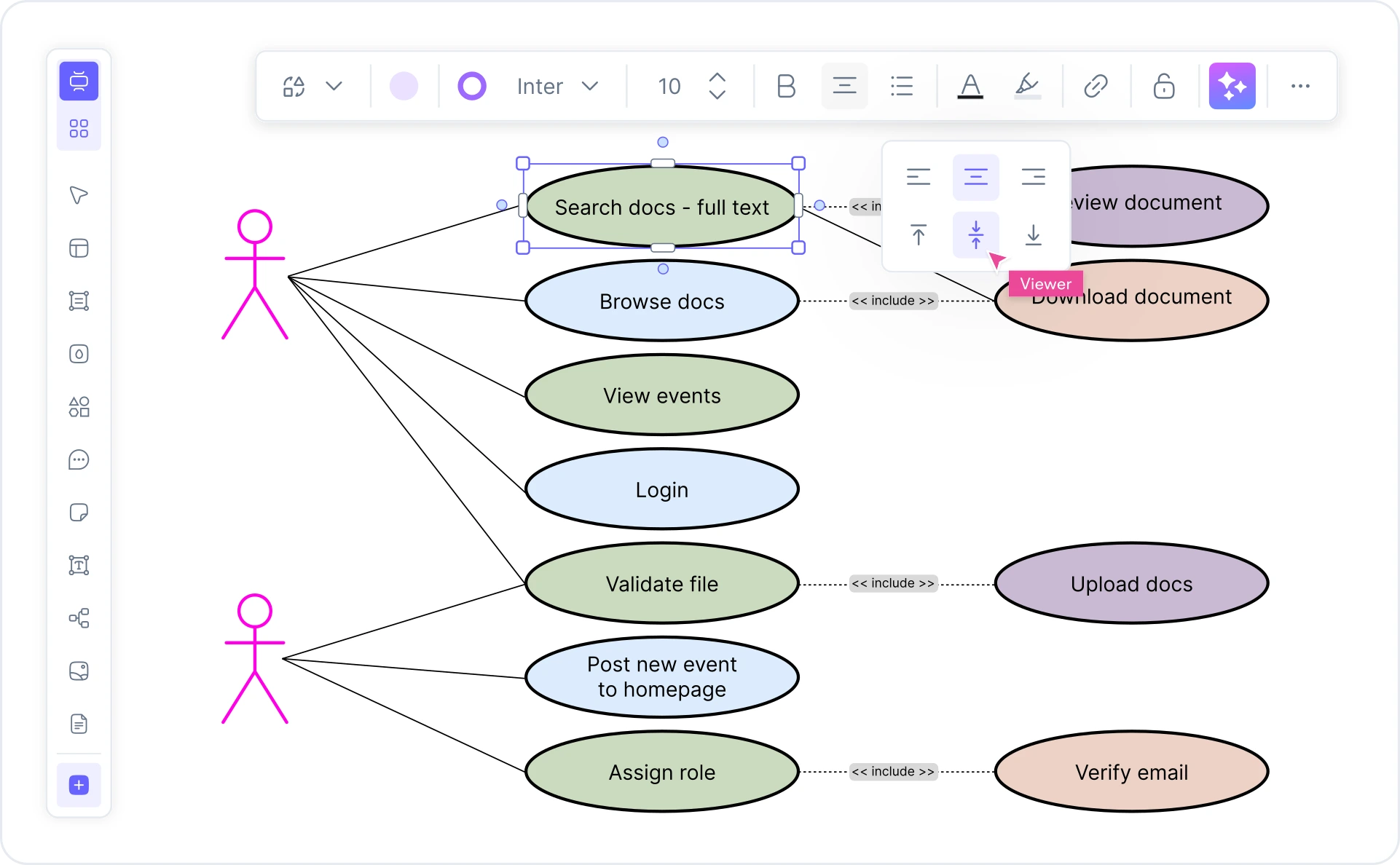
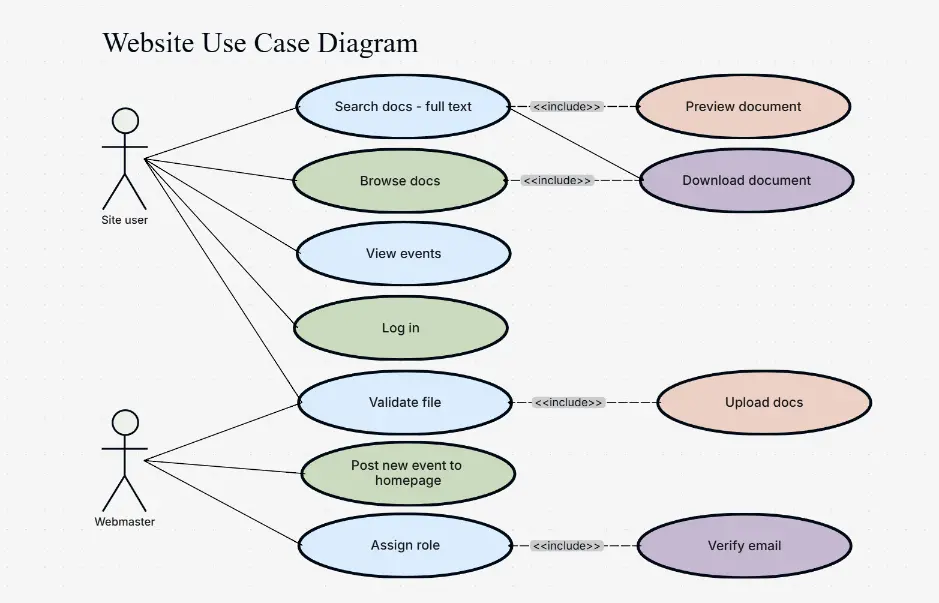
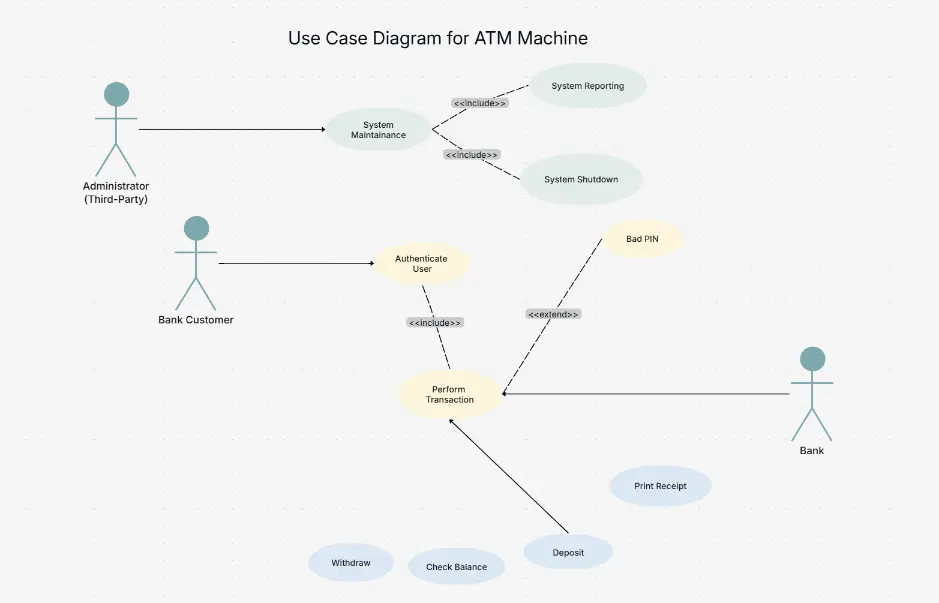
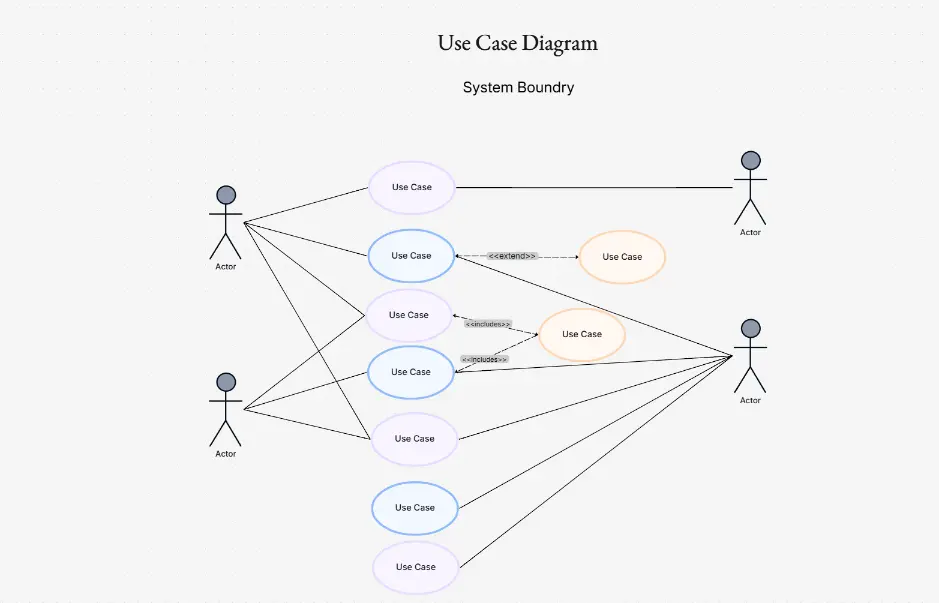
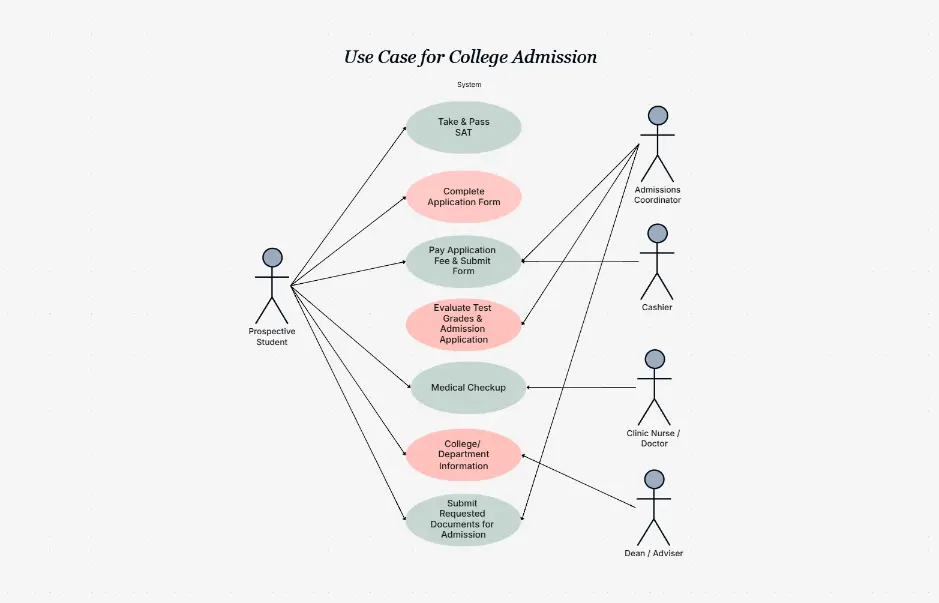
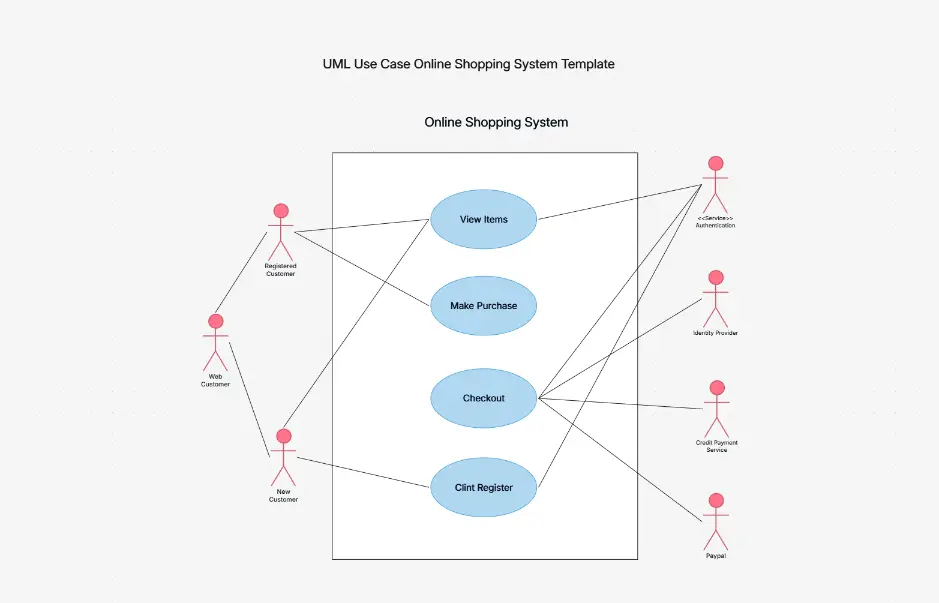
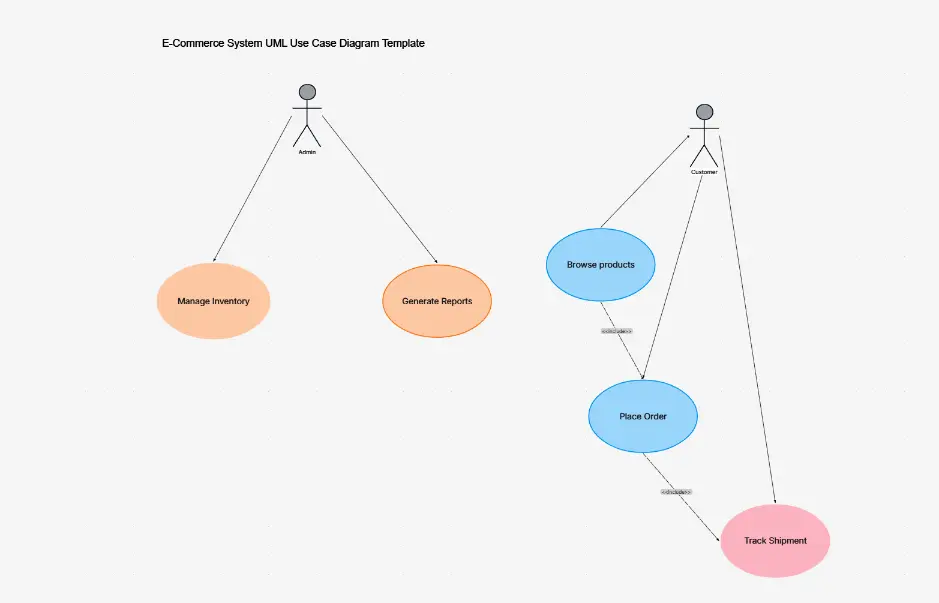
What is a use case diagram — example showing actors, use cases, include and extend relationships inside a system boundary

What Is a Use Case Diagram?

A use case diagram is a UML (Unified Modeling Language) diagram that captures the functional requirements of a system from the user's perspective. It shows how actors — people or external systems — interact with a system to accomplish specific goals called use cases. Each use case represents a distinct piece of functionality the system provides.

A well-formed use case diagram contains four core elements: actors (stick figures for humans, rectangles for external systems), use cases (ovals), a system boundary (a labeled rectangle enclosing all use cases), and relationships — association lines, <<include>> dependencies, <<extend>> conditionals, and generalization arrows. UML 2.5 defines the precise notation for each element.

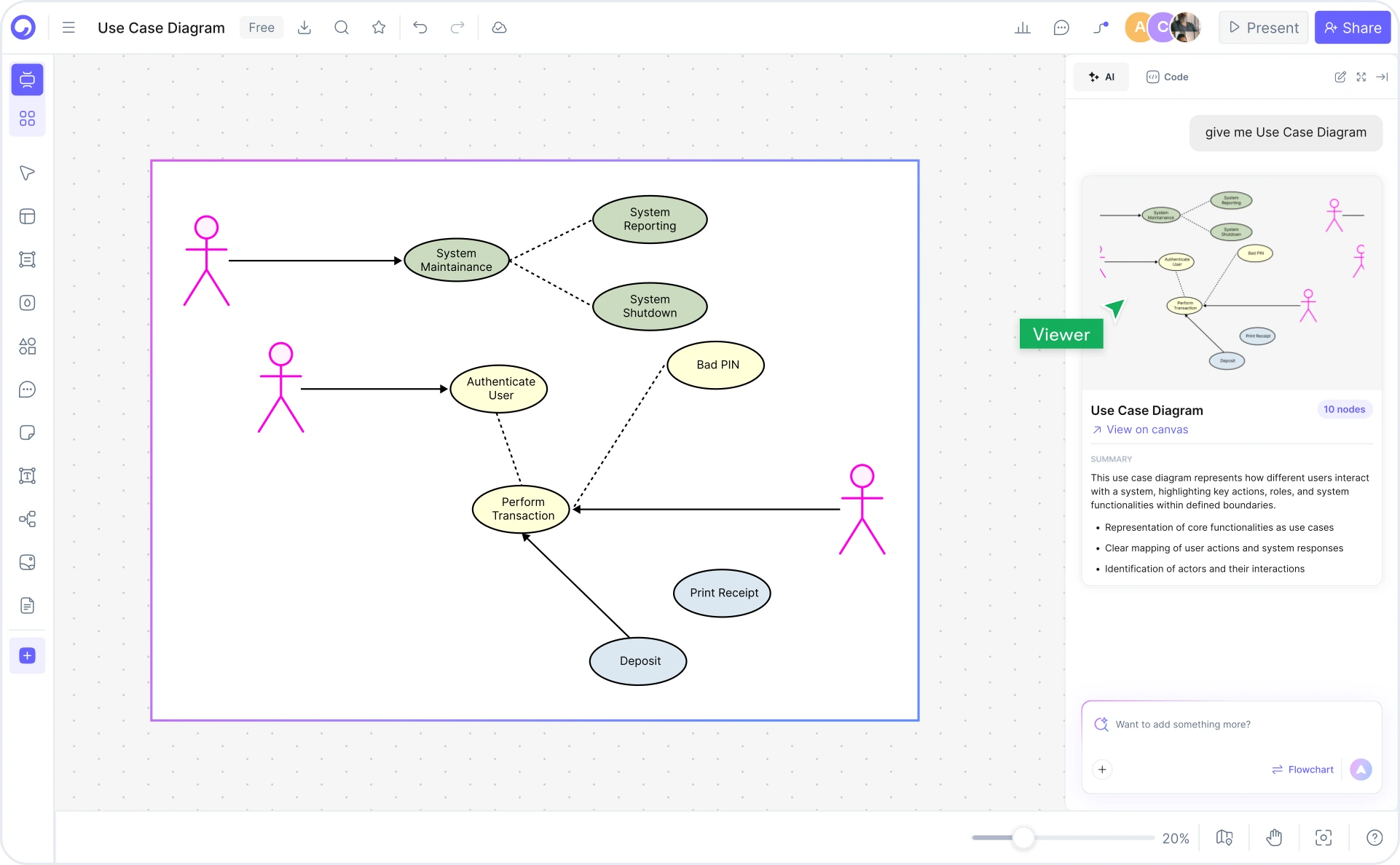
Cloudairy's AI Use Case Diagram Maker goes beyond static templates. Describe your system in plain English — "Online banking system with customer and admin actors, supporting login, account management, fund transfer, and statement generation" — and the AI produces a complete, editable UML use case diagram instantly. The AI auto-detects actors, use cases, include/extend relationships, and draws the system boundary without manual effort. Pair your use case diagrams with an AI UML diagram generator for class and sequence diagrams, or explore the ER diagram generator for database design.

How to Create a Use Case Diagram with Cloudairy

Go from idea to professional UML use case diagram in four steps — no Visio license, no manual drawing, and no UML expertise required.

1

Describe your system in plain English

Type a plain-English description in the AI prompt box. For example: "Hospital appointment booking system where patients can schedule appointments, doctors can manage availability, and receptionists can handle check-ins." Or choose one of the example prompt chips — online banking, e-commerce checkout, library management, hospital booking, student registration.

2

Click Generate

Cloudairy's AI instantly builds the diagram. It auto-detects primary and secondary actors, identifies use cases from your description, draws association lines, applies <<include>> and <<extend>> stereotypes where appropriate, and wraps everything inside the system boundary using strict UML 2.5 notation.

3

Customize — edit actors, use cases, and relationships

Refine the AI-generated diagram in Cloudairy's editor. Add or rename actors, create new use cases, adjust include/extend relationships, modify the system boundary label, and apply generalization arrows between actor hierarchies or related use cases.

4

Export or share

Export to Visio (.vsdx), draw.io (.drawio), PlantUML syntax, Mermaid syntax, PNG, SVG, or PDF. Or copy a shareable live link for collaborative editing — no account required for viewers.

How to create a use case diagram with Cloudairy — four steps from prompt to export

Start Building Your Use Case Diagram Free

Join thousands of CS students, business analysts, software architects, and product managers who use Cloudairy to create UML use case diagrams in seconds. AI generation. UML 2.5 notation. Export anywhere.

No credit card required • Start creating in seconds

Why Use Cloudairy as Your Use Case Diagram Tool

Cloudairy is the only AI-first use case diagram maker that auto-detects actors, include/extend relationships, and system boundaries from plain English — with UML 2.5 compliance and Visio export on the free tier.

AI Prompt-to-Diagram

AI Prompt-to-Diagram

Describe your system in natural language and get a complete UML use case diagram in seconds. No shapes to draw, no relationships to connect manually. The AI understands actor roles, functional goals, and use case dependencies from your description.

UML 2.5 Strict Notation

UML 2.5 Strict Notation

Every diagram Cloudairy generates conforms to UML 2.5 notation: stick-figure actors, oval use cases, labeled system boundary, association lines, <<include>> and <<extend>> stereotypes, and generalization arrows. Accepted for academic and enterprise documentation.

Include/Extend Auto-Detection

Include/Extend Auto-Detection

Cloudairy's AI automatically identifies <<include>> relationships (mandatory dependencies) and <<extend>> relationships (conditional extensions) from your plain-English description. This capability is unique — no other top-ranked use case tool does this automatically.

System Boundary Auto-Grouping

System Boundary Auto-Grouping

The AI automatically identifies which actors and use cases belong inside the system boundary and which are external. For multi-system architectures, Cloudairy can draw multiple labeled system boundaries in a single diagram — no manual boundary drawing required.

Export to Visio, PlantUML, draw.io

Export to Visio, PlantUML & draw.io

Export finished use case diagrams to Visio (.vsdx), draw.io (.drawio), PlantUML syntax, Mermaid for GitHub and Confluence, or PNG/SVG/PDF for sharing. No lock-in — your diagrams stay portable across every tool your team uses.

Template Gallery

Template Gallery (15+ Templates)

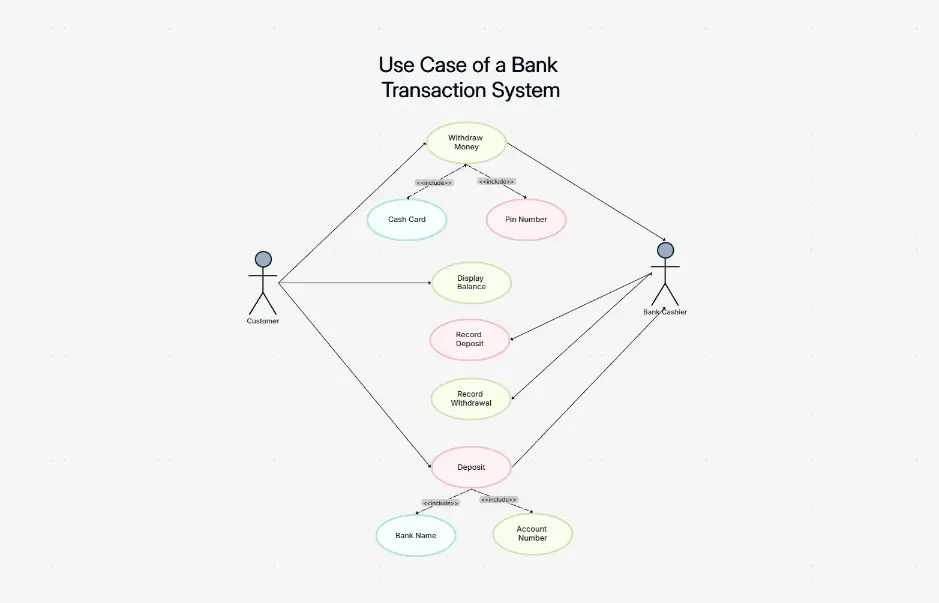
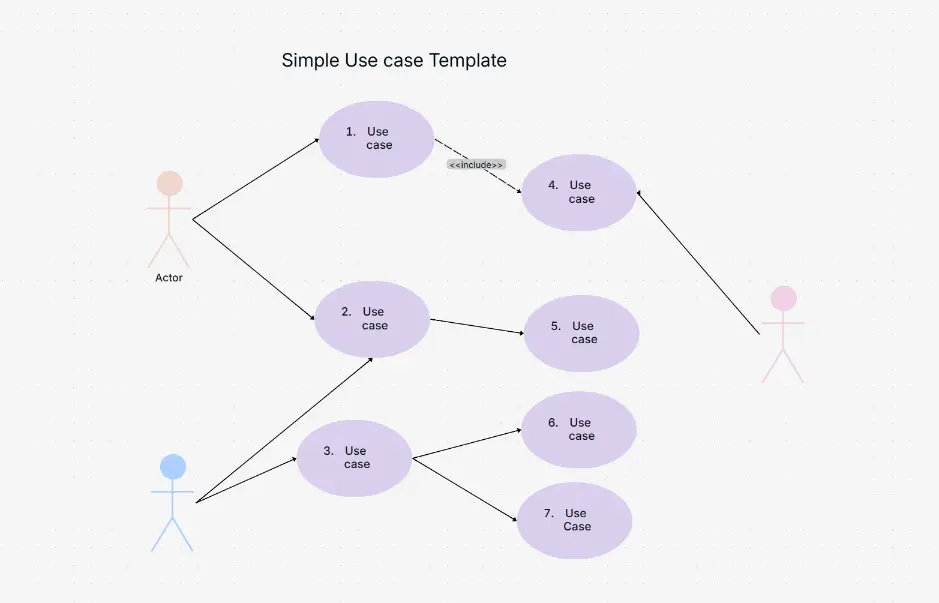
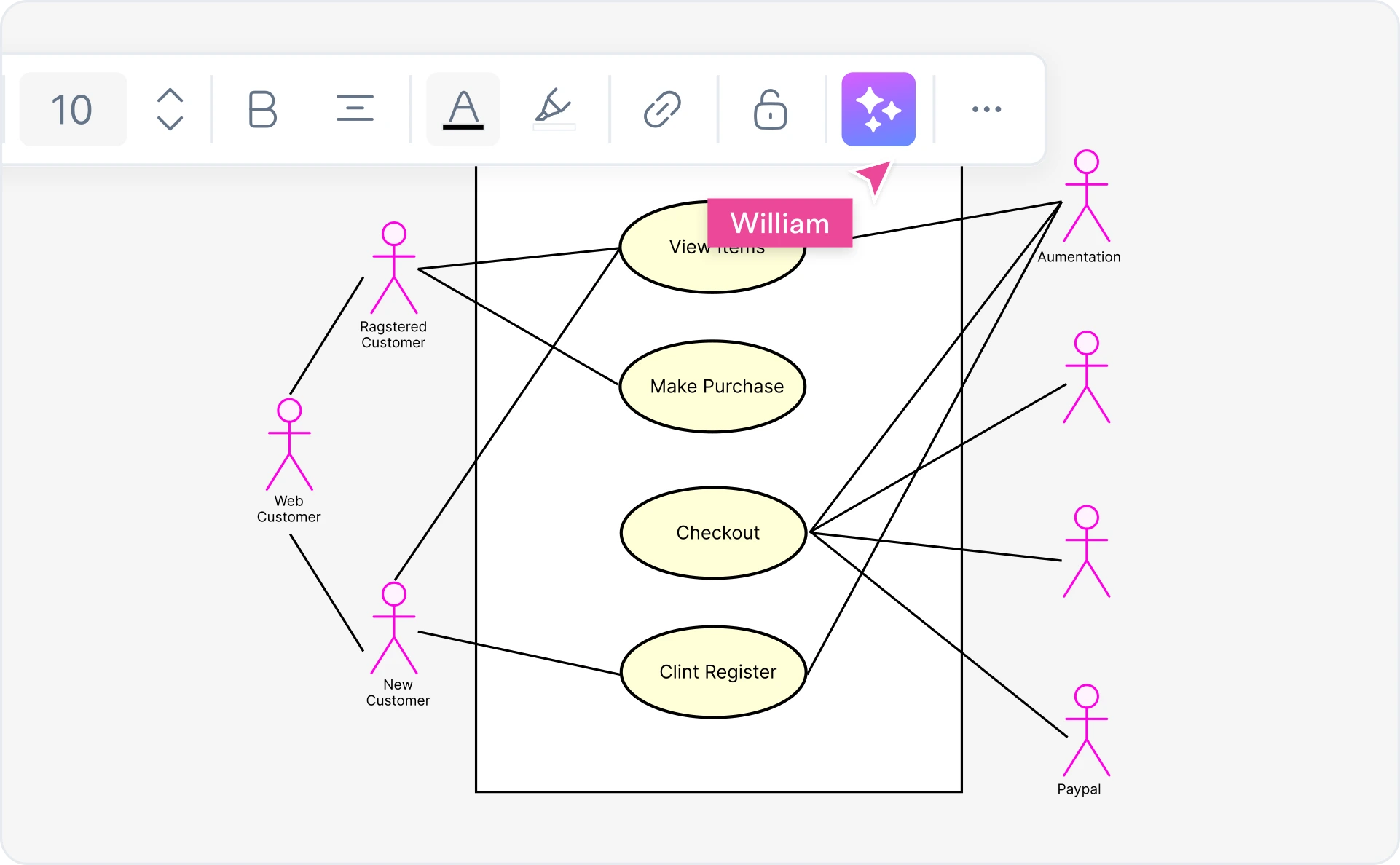
Start from pre-built use case diagram templates for the most common systems: library management, ATM, online shopping, hospital booking, student registration, e-commerce, banking, hotel booking, and more. Each template is fully editable and AI-extendable.

Cloudairy vs. Other Use Case Diagram Tools

See how Cloudairy compares to the tools currently ranking for use case diagram maker.

Capability Cloudairy Eraser.io Visual Paradigm SmartDraw Creately Lucidchart
AI prompt → diagram Yes Yes No No No No
UML 2.5 strict notation Yes Partial Yes Yes Yes Yes
Include/extend auto-detect Yes (AI) No Manual Manual Manual Manual
System boundary auto-grouping Yes (AI) No Manual Manual Manual Manual
Visio export (.vsdx) Yes No Yes No No Yes
Free tier (no signup wall) Yes Limited No No Limited Limited
Real-time collaboration Yes Yes No No Yes Yes

Who Uses Cloudairy for Use Case Diagrams?

CS Students

Create use case diagrams for coursework, capstone projects, and software engineering assignments. Generate library management, ATM, online shopping, and hospital system diagrams from a single sentence — no UML expertise required.

Business Analysts

Document functional requirements for stakeholder reviews and sprint planning. Use Cloudairy to generate use case diagrams from user story descriptions and export to Visio for formal requirements documents.

Software Architects

Design system boundaries and actor interactions at the requirements phase. Cloudairy's AI identifies include/extend dependencies automatically — giving architects a complete functional view before detailed design begins.

Product Managers

Scope features visually by mapping use cases to actor groups. Use Cloudairy to generate a use case diagram from a product brief and share a live link with engineering and design teams — no Visio license needed.

QA Engineers

Derive test cases from use case diagrams. Each use case becomes a test scenario; each include/extend relationship becomes a test path. Cloudairy's diagrams give QA teams a structured, visual map of all system behaviors to cover.

CS students, business analysts, software architects, and product managers using Cloudairy for use case diagrams

Frequently Asked Questions

Cloudairy is the best free AI-powered use case diagram maker. It combines an AI prompt-to-diagram experience with UML 2.5 strict notation, auto-detection of actors, include/extend relationships, and system boundaries — plus frictionless export to Visio, draw.io, PlantUML, and Mermaid. No other top-ranked tool offers all these capabilities together on a free tier.

With Cloudairy: (1) Describe your system in plain English — for example, "Online banking system with customer login, account management, and fund transfer." (2) Click Generate — Cloudairy's AI auto-detects actors, use cases, include/extend relationships, and draws the system boundary. (3) Edit and refine using the visual editor. (4) Export to Visio, draw.io, PlantUML, Mermaid, SVG, or PNG.

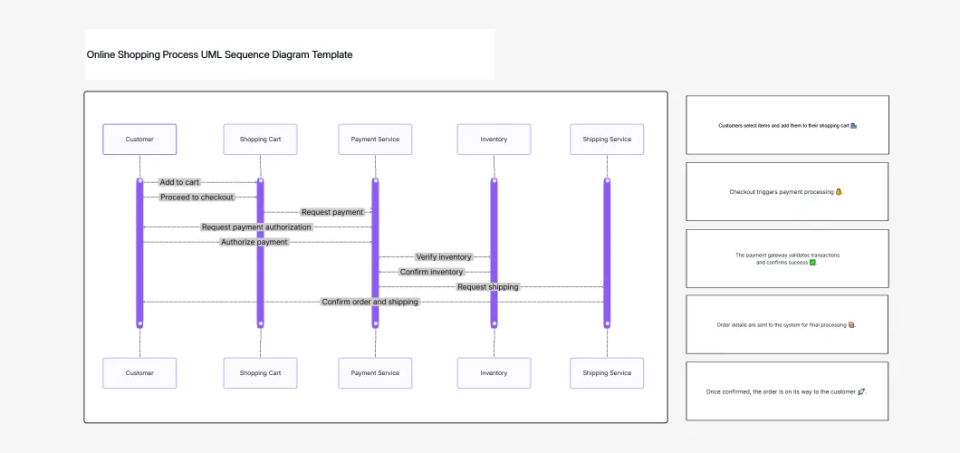
A use case diagram shows WHAT a system does — it maps actors to use cases and captures include/extend relationships. An activity diagram shows HOW a process flows — it models step-by-step sequences of actions and decisions within a single use case. Use case diagrams capture functional requirements; activity diagrams model implementation logic. Cloudairy generates both from plain-English prompts.

Actors are entities that interact with your system — typically stick figures for human users or rectangles for external systems. Primary actors initiate use cases; secondary actors respond to them. Use cases are the functional goals the system fulfills, drawn as ovals inside the system boundary. Associations (lines) connect actors to the use cases they participate in. Cloudairy's AI auto-identifies actors and use cases from your plain-English system description.

Yes. Cloudairy's AI generates complete UML use case diagrams from plain-English descriptions. Describe your system and Cloudairy auto-detects actors, use cases, include relationships, extend relationships, and draws the system boundary automatically. This capability is unique to Cloudairy — no other top-ranked use case diagram tool currently offers AI-based include/extend auto-detection.

In UML use case diagrams, <<include>> means a use case always invokes another — for example, "Transfer Funds" always includes "Authenticate User." <<extend>> means a use case conditionally extends another — for example, "Apply Overdraft Fee" extends "Process Transaction" only when the balance is insufficient. Cloudairy's AI auto-detects both relationship types from your system description, saving significant modeling time.

The system boundary is the rectangle that encloses all the use cases your system handles. Actors are placed outside the boundary; use cases are inside. It visually separates what your system does from what is external to it. In Cloudairy, the AI automatically groups use cases inside the system boundary based on your description — you don't need to draw it manually. For multi-system diagrams, Cloudairy draws multiple labeled boundaries.

In Cloudairy, click Export → Visio (.vsdx) to download your use case diagram as a fully editable Visio file. Cloudairy also supports export to draw.io (.drawio), PlantUML syntax, Mermaid syntax, PNG, SVG, and PDF. Two-way Visio import is supported — you can import an existing Visio use case diagram into Cloudairy for AI-powered editing and refinement.

Success Stories from Our Community

See how CS students, business analysts, software architects, and product managers use Cloudairy to create use case diagrams faster and with better results.

Creating use case diagrams for my software engineering project used to take hours. With Cloudairy, I describe the system in one sentence and get a complete UML diagram with actors, include/extend relationships, and system boundary. It saved my capstone submission.

I generate use case diagrams for every requirements gathering session. Cloudairy's AI automatically identifies actors and dependencies I would have missed in manual modeling. It's become an essential part of my BA toolkit.

I used to spend 2-3 hours on every use case diagram for client proposals. Now I describe the system in plain English, Cloudairy generates the full UML diagram in seconds, and I export directly to Visio for the client. Game changer.

I teach UML modeling in my software engineering course. Cloudairy lets students produce proper use case diagrams from day one — with correct include/extend stereotypes — instead of spending two weeks learning Visio.

Our QA team uses Cloudairy use case diagrams to map test coverage. Every use case becomes a test scenario, every extend relationship becomes an edge case. It's the clearest way to ensure complete test coverage I've found.

Secure, compliant, and enterprise-ready

Cloudairy safeguards your work with enterprise-grade security, compliance, and access controls — so your teams can create, collaborate, and scale with confidence.

SOC 2 Type II
SOC 2 Type Ⅱ

Cloudairy is SOC 2 Type Ⅱ certified and penetration tested annually, ensuring your architecture diagrams and data meet the highest standards for security and reliability.

GDPR
GDPR

We comply with the European Union General Data Protection Regulation (GDPR) and extend it to all our customers even those outside of the EU.

ISO 27001
ISO 27001

Our Information Security Management System is ISO 27001 certified — the leading global standard for information security.

Flexible Pricing for Every Team

Free

Discover what Cloudairy can do for you. Start for free

$0

for unlimited members
Try for free

Upgrade now

Show key features

up-arrow

Includes:

Starter

Unlock unlimited and private boards with important features

$4

per member / month

billed annually

monthly

Show key features

up-arrow

Includes everything in Free, plus:

money-back

Business

MOST POPULAR

Ideal for agencies or growing businesses managing multiple projects.

$5

per member / month
billed annually

Show key features

up-arrow

Includes everything in starter, plus:

Enterprise Plan

For large organizations needing scalability, control, and security.

contact-pricing
Contact for pricing
Contact us

Upgrade now

Show key features

up-arrow

Includes everything in Business, plus: