hero-bg-pricing

Get your team started in minutes

Sign up with your work email for seamless collaboration.

system design diagram
Technical Diagramming

System Design Diagrams for Modern Web Apps
Author
Cloudairy
By Cloudairy Team
December 29, 2025
10 min read

System design diagrams are a must-have whenever you have to create, scale, or take care of modern web applications. An intelligently prepared system design diagram will not only make the understanding of the application's flow easier, but also point out the key components and show the interrelationships, thus becoming an essential aid for both tech and non-tech people. As the use of cloud, APIs, and microservices gets more widespread, visualization that is understandable comes to be very important in bringing together people from different departments, speeding up the development cycle, and getting systems that can evolve and endure. Besides that, these diagrams help to keep the documentation up to date and the onboarding process easier, hence contributing to the project's transparency and efficiency.

What Makes a Good System Design Diagram for Web Apps?

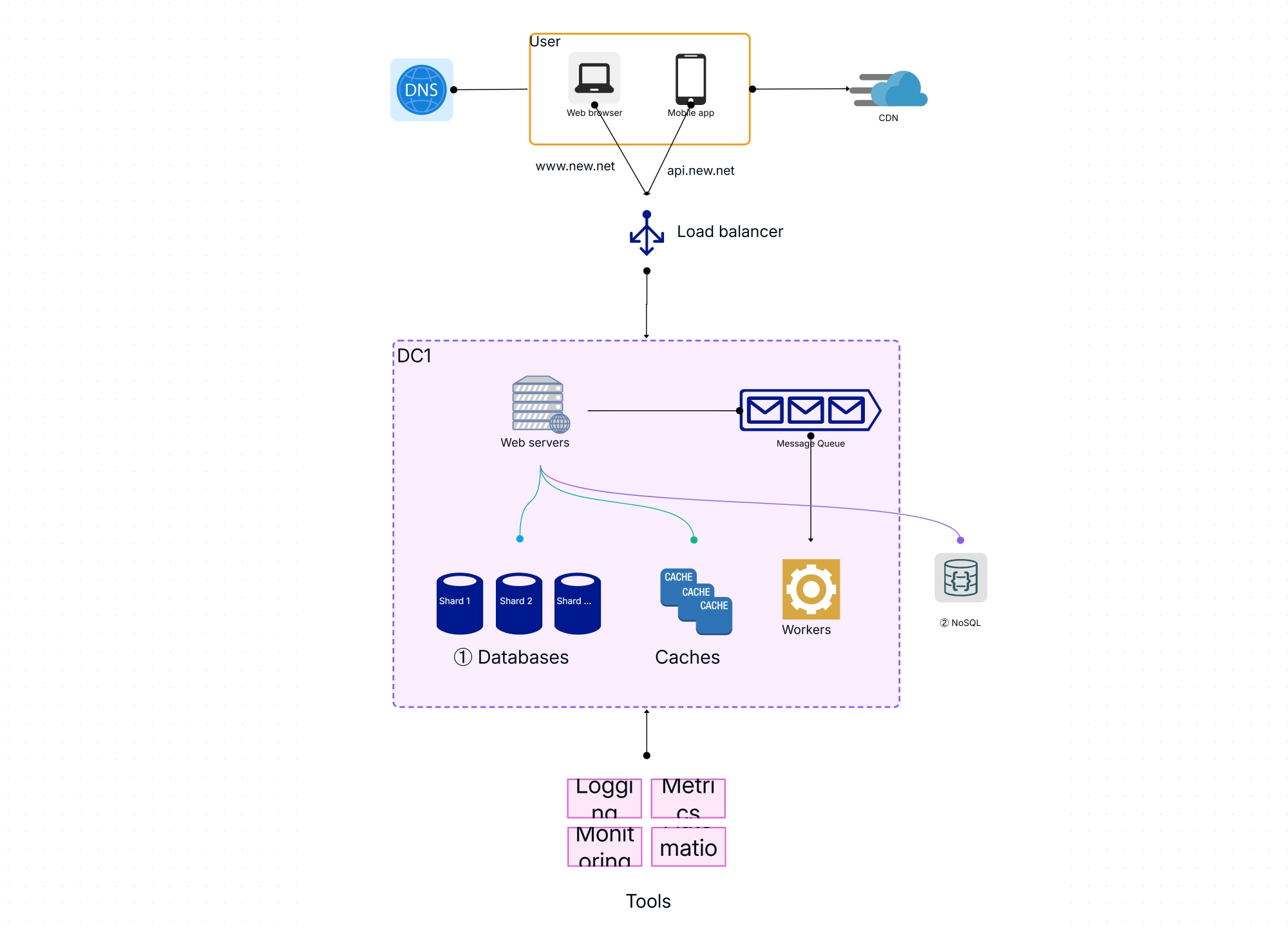
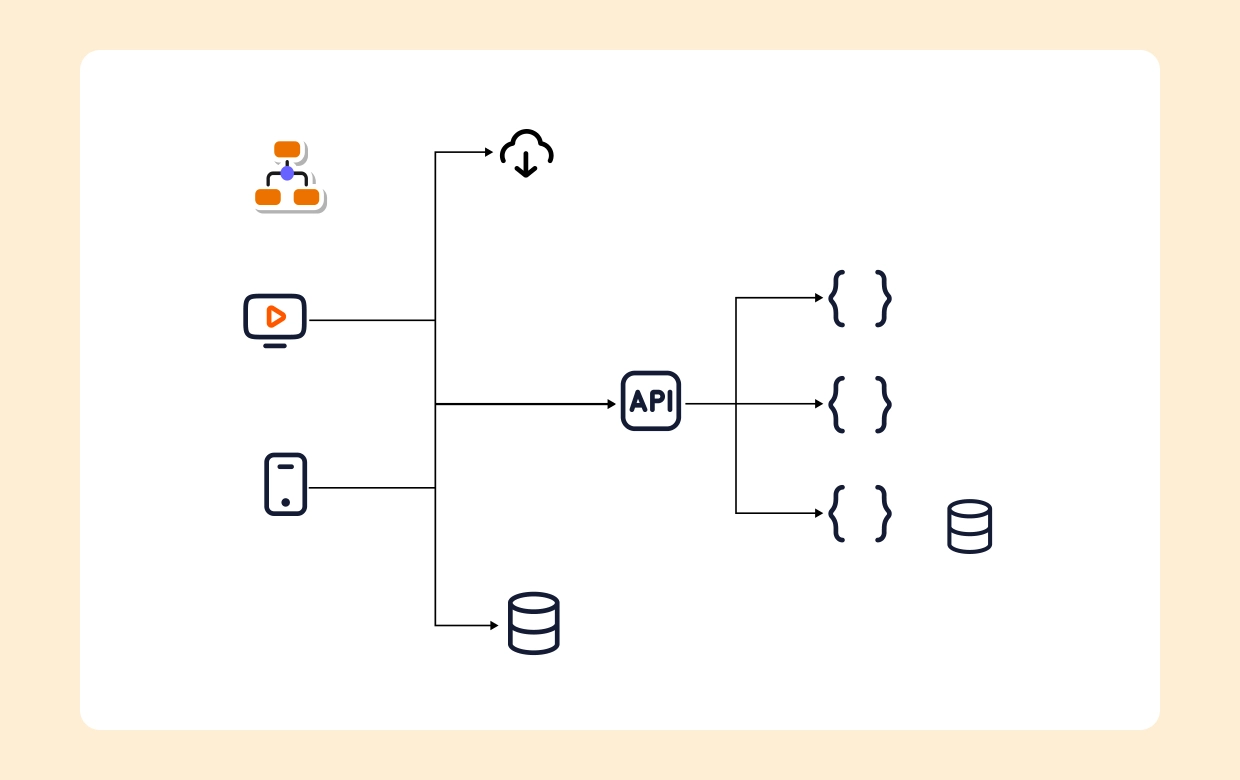
An effective web application architecture diagram is a visual representation that presents all the necessary components like clients, servers, APIs, middleware, databases, integrations, and cloud infrastructure. The diagrams that are good are clear, contextual, and easily updated, thus being documents and communication tools at the same time. They create a common understanding among the product, engineering, and operations teams by mapping the interactions between the various components in the ecosystem which leads to better planning and troubleshooting.
Common Patterns and Core Components

  • Presentation Layer:
    The user interface is made up of browsers, mobile applications, and other clients where system users interact. This layer manages the display of content and the reception of user inputs that start the backend
  • Business Logic Layer:
    The application of business rules and policies is accurately done with the middle layer which is responsible for managing the core application logic, processing workflows, and making decisions.
  • Data Access & Persistence:
    The data related to the application is managed through databases, storage services, and caching layers. These layers are rarely without the ORM tools or DAOs which enable the interaction with the data effortlessly and securely.
  • API/Middleware:
    The middleware performs the function of a bridge connecting front-end clients and back-end services, taking care of functionalities like authentication, session state, routing, and message queuing.
  • External Services & Integrations:
    Third-party APIs, cloud services, payment gateways, and analytics providers provide for extending functionality and require different kinds of use cases.
  • Infrastructure Components:
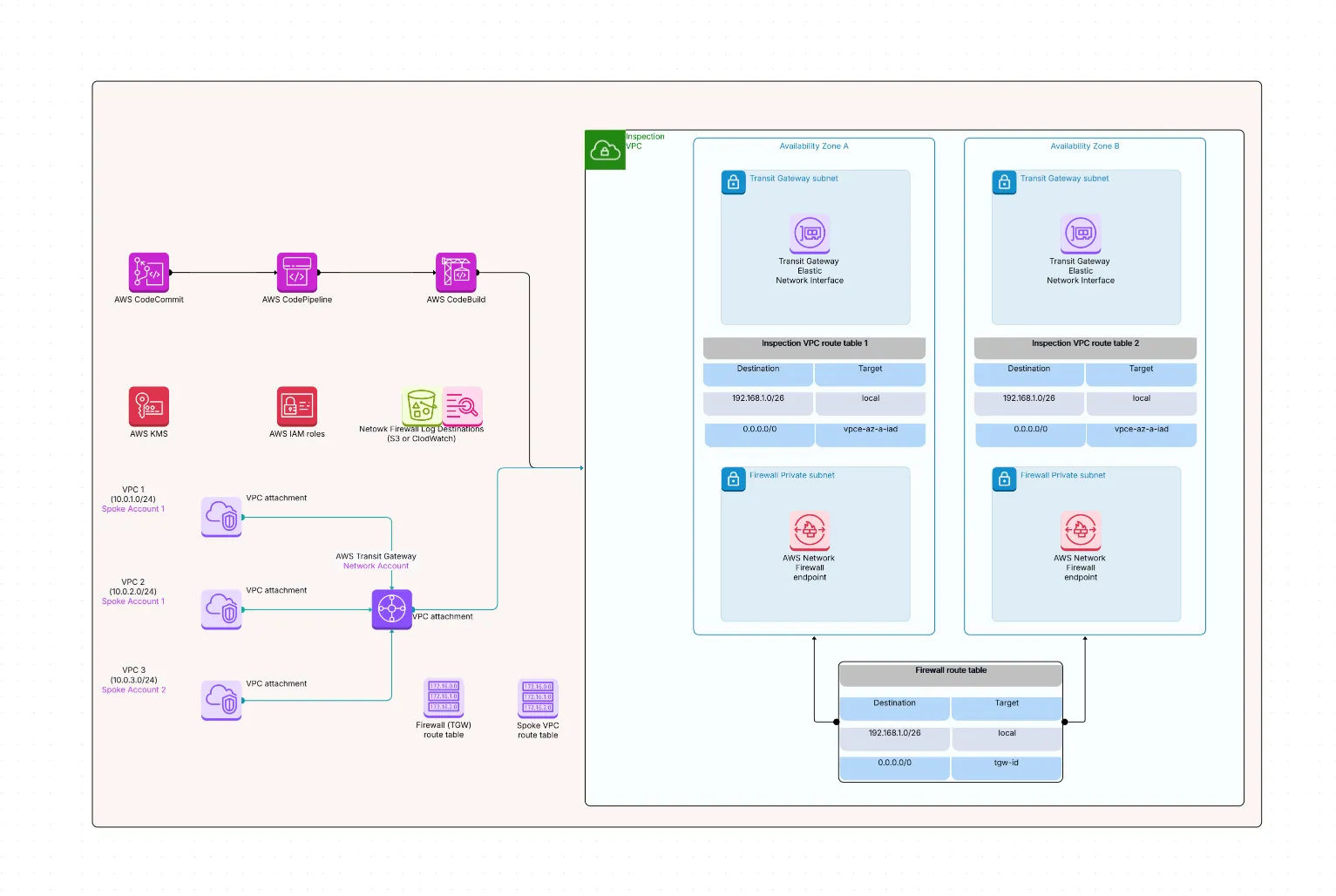
    Load balancers, Content Delivery Networks (CDNs), firewalls, and cloud resources are put in place to ensure scalability, security, and high availability.

Layering, Grouping, and Visual Conventions

Segmentizing components to logical groups and employing various visual conventions can greatly enhance the readability and usabilty of system design diagrams.

  • Layer Organization:
    Usually the layers of a diagram are: presentation, application logic, data management, and infrastructure. They are organized in a way that not only their roles but also their dependencies are depicted clearly.
  • Distinct Visual Cues:
    Present systems of icons, colors, and labels for systematic characterization, which streamlines the probabilistic approaches a person takes to our products.
  • Logical and Physical Grouping:
    Group related components under boundaries. For example, modules, subsystems, or physical hosts to explain ownership and deployment.

Mapping Flows: User Requests, Data, and Integrations

A good flow map would describe the way queries move through the system and how they are dealt with by different components.

  • User Actions Through Layers:
    Create events in the UI that guide the user into the mechanism of the business logic to trigger data manipulation and integration.
  • API Calls & Data Flows:
    In the figures, demonstrate clear images of synchronous and asynchronous API calls, data transfers, and error handling.
  • Async & Event Flows:
    Picture message queues, background jobs, and streams of events to form essentials of scalable and resilient web architectures.

Real-World Diagram Examples for Modern Web Apps

Practical examples help contextualize diagram usage in common scenarios.

  • Multi-tier E-commerce Platform:
    The picture shows the user interface (UI) interacting with the API gateways, the microservices that are responsible for business logic, and the database clusters that are used for storage.
  • SaaS Dashboard:
    The diagram represents the communication of the frontend of a single-page application with REST APIs, which is supported by cloud processing, caching layers, and messaging queues.
  • Enterprise Portal:
    Explains configuration involving self-evidence with mail service, SSO systems, and restricted groups.

Best Practices for System Design Diagrams

Adopting best practices ensures diagrams stay relevant and useful.

  • Maintain High-level Views:
    Start with simple overviews and create detailed sub-diagrams for critical components or workflows as needed.
  • Keep Diagrams Up-to-date:
    Update diagrams promptly following infrastructure or logic changes to avoid documentation drift.
  • Use Standard Templates:
    Employ consistent templates and involve all relevant stakeholders for reviews and validation to improve accuracy.

Tools and Templates for Modern Web Application Diagrams

Choosing the right tools expedites diagram creation and sharing.

  • Specialized Diagramming Tools:
    Platforms like Cloudairy, Lucidchart, and Draw.io enable easy creation of detailed, shareable diagrams.
  • Prebuilt Templates:
    Use templates tailored to web application architecture diagrams to jumpstart your projects.
  • Integration with Workflows:
    Embed diagrams within documentation systems, wikis, or DevOps pipelines for seamless access and version control.

Conclusion: Clarity and Collaboration for Modern Web App Success

System design diagrams constitute a modern web application victory's mainstay, providing insight into complex interactions and facilitating better integration. The application of best practices alongside suitable visualization tools helps teams to manage complexity, bring new developers up to speed quickly, and confidently build systems that are scalable, maintainable, and flexible to the changing business needs.


FAQs

1.What is a system design diagram for web apps?

A diagram that visually maps the components of a web app, showing how they interact and manage data flows.

2. What should a web application architecture diagram include?

Components like presentation layers, business logic, databases, infrastructure, APIs, and integrations with external services.

3.How to decide between high-level or detailed diagrams?

Use high-level overviews for planning and stakeholder communication; detailed diagrams for development and troubleshooting.

4.Are there templates available for modern web app architecture diagrams?

Yes, many diagramming tools provide customizable templates for common web application architectures.

5.How often should system design diagrams be updated?

Update whenever there are architecture changes to maintain accurate, reliable documentation.

Ready to create smarter with AI?

Start using Cloudairy to design diagrams, documents, and workflows instantly. Harness AI to brainstorm, plan, and build—all in one platform.

Recommended for you
C4 Diagrams for Software Engineering
Technical Diagramming