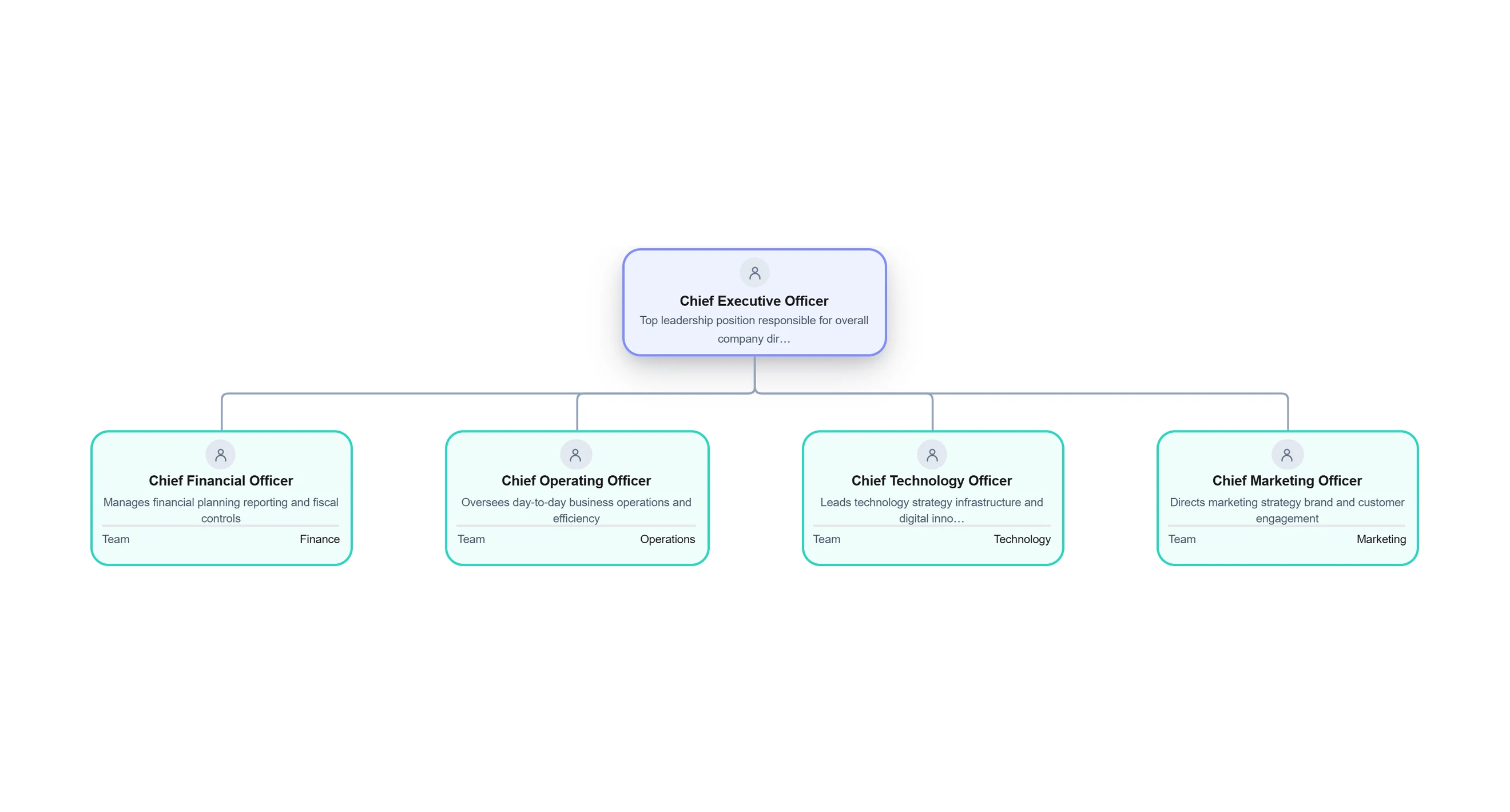
What is an Organizational Chart?


Get your team started in minutes
Sign up with your work email for seamless collaboration.
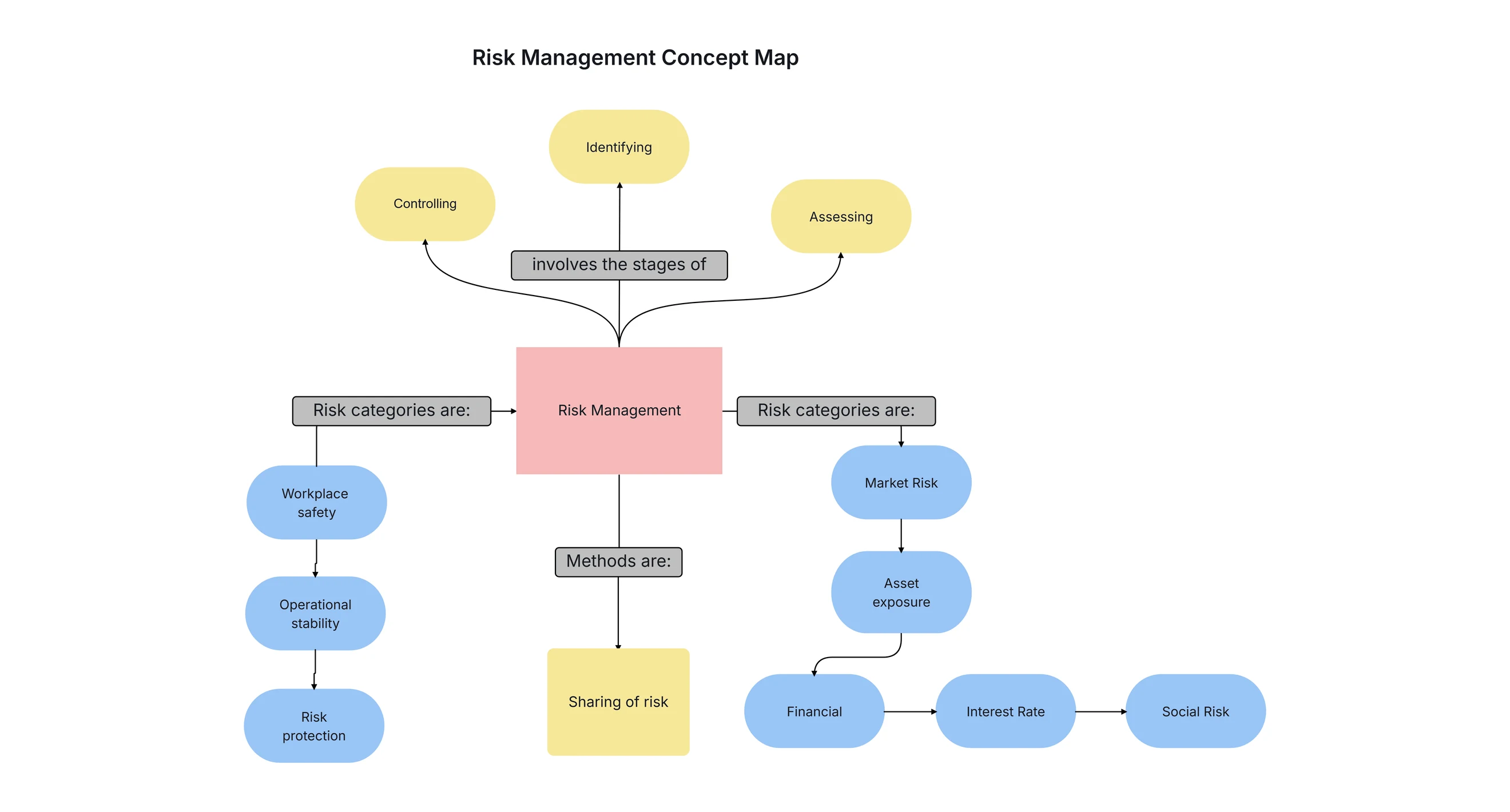
A concept map is a super helpful picture tool. It shows what we know. It makes hard topics easy. It links ideas in a neat way. As info gets big and connected, folks in school, study, work, health care, and plans use it to get ideas straight. A concept map splits big topics into small parts that mean something. It builds a picture web of what we know. Are you a kid learning a lesson? A teacher making class plans? A work person drawing up ideas? Or a thinker spotting patterns? Concept maps make it all simple.
Concept mapping got way better with computer tools and smart AI help. Now you can make a concept map quick, smart, and pretty. With ready templates, web tools, and AI makers for concept maps, anyone can draw clear pictures that share thoughts fast. In this guide, we look at what concept maps are, the kinds they come in, main parts, steps to make one, and how new tools like AI concept map makers, AI map makers, and concept map AI tools change how we see and share knowledge.
A concept map is a neat picture diagram. It shows how ideas link up. It has dots for ideas and lines or arrows that tell how they connect. When folks ask what a concept map is, here's the easy answer: it puts knowledge in a picture to show links, levels, and patterns in any topic.
The job of a concept map is to make tough info simple and clear. People use it in class, work plans, study, doctor work, selling stuff, building things, and more. Think of a picture where the big idea like "Marketing Plan" joins to parts like who to talk to, what to make, money needs, and check results. These split into smaller bits to show the whole story.
Unlike straight-line notes, a concept map shows twisty links. That makes it great for new ideas, big plans, and fixing problems. It helps you remember better too, since our brains love pictures and links more than just words.
New computer tools like concept map makers, creators, and smart AI generators make it even easier. No matter if you learn, teach, check facts, or explain, a concept map is one of the top picture ways to get ideas across.
Concept maps bring clear thinking, good order, and real know-how about info. In school, they help kids learn quick and hold on tight because concept mapping turns long word blocks into picture webs. At work spots, concept maps back up plans, idea building, worker training, know-how sharing, and fresh thoughts.
One top win of concept maps is showing tough links in a brain-easy picture way. Say you got a big job with lots of tasks, people in charge, and must-do orders a concept map straightens the mess so teams spot the full view. This speeds up pick-your-path choices and cuts mix-ups.
Concept maps work great as talk tools too. Skip long papers to spell out hard stuff one concept map picture shares the whole idea in minutes. That's why groups use them for new worker starts, ad runs, stuff sorting, fact digs, and plan draws.
In online spots, free concept map makers, no-cost creators, or smart AI map builders open it up for all no art skills needed. They hand over set templates and AI smarts that auto-make neat maps. For self-study or big work plans, concept maps boost clear sight and fast get-it.
Concept maps come in many shapes. Each one shows info in its own way, based on what you need it for. Knowing the types helps pick the best for study, plans, teach, digs, or fix probs. Here are top kinds, each with its own job in picture mapping.
Spider concept maps put the main idea smack in the middle. Related bits spread out like spider legs. This kind shines for brain pops, sorting big topics, and poke at top ideas. Like for a sell plan, stick "Marketing" in core and link arms to social spots, stuff to share, search tricks, paid shouts, and check numbers.
Spider maps show ties in a plain, bendy setup. Perfect for start of plans when you just spark thoughts, not rank or line them up. Kids use spider concept maps to grind lessons, split book parts, or gear essays.
This mapping way fits create jobs where wild think rules. All hooks right to heart, so grow thoughts free, no walls. Makes spider maps ace kick-off before tweak to tight maps.
.webp)
Flowchart concept maps mix flowchart setup with concept map goals. They show steps, orders, or time lines with pointy arrows. In this map, ideas flow from one part to next, painting a work path or choice road.
Folks use flowchart concept maps a lot in job leading, user path draws, buyer trip plans, and biz step checks. Picture a hire flow: job post → apps come in → pick who fits → chat time → pick one → welcome aboard. Each bit turns into an idea linked by arrows.
This kind of concept map picture fits best for show cause-effect ties, how setups run, or step lists. They bring clear sight and cut fog, top pick for note work flows.
Online tools and smart AI concept map makers make these flow maps simple to build. They auto-join ideas and spit out neat setups fast. For any step-by-step picture need, this type rocks.
.webp)
Hierarchy concept maps show ideas in steps from big to small. The main idea sits up top. Branches drop down into groups and mini-groups.
This setup fits great for group setups, sort systems, name lists, school stuff, and idea frames. Like "Marketing" splits to "Research," "Content," "Branding," and "Analytics." Each one breaks into tinier bits.
Folks use hierarchy maps lots in school to spell out stacked info. Biz teams grab them for plan charts, choice trees, worker ranks, and task splits.
These maps stay super neat. Perfect to show teams or clients. They make clear how big topics link to small parts. Spot roles, steps, or bins quick.
.webp)
System concept maps show how parts of a setup talk and work together. They paint inputs, outputs, steps, back-and-forth loops, and ties in tough setups.
These maps get big use in science, build work, tech setups, health care, and biz runs. Picture a hospital system map: it links sick folks, rooms, work flows, worker jobs, info moves, and pick paths.
System maps pack lots of tie kinds like straight, side, if-then, and circle links. Perfect for spot probs, fix work paths, and make runs better.
Smart AI concept map tools make tough system maps simple. AI spots how bits join and pumps out ready looks fast.
.webp)
A multidimensional concept map goes past flat, two-way setups. It skips plain branches. This map packs layers of ties like groups, sub-groups, links, time lines, and steps all in one picture.
This kind fits best for stuff needing many views, like dig projects, make-new-product work, setup draws, or data checks. Picture a buyer ways map that shows habits over time, people types, and pick steps all at once.
These maps dig deep sights and spot hid links that straight pics miss. They boss tough info, so thinkers and checkers love them.
Smart AI tools like concept map generator AI or AI concept map makers ease the build. No hand work needed they spot ties and roll out full maps quick.
.webp)
Concept mapping uses main parts that team up to share info clear. These bits keep the picture neat, pretty to eye, and easy get. Below sit must-have pieces for any map maker, drawer, or school kid with a tool or ready shape.
Making a concept map online beats old ways with web tools, ready shapes, and smart AI boosts. Pick a no-cost map maker or AI one—the steps stay plain. Here's a neat step list to whip one up easy.
A concept map maker is a web tool built to let folks whip up picture diagrams fast. These show how ideas link up. Use it for school study, work plans, big think checks, or fact hunts a map maker makes the whole job simple.
It packs drag-drop easy moves, ready map shapes, auto-link bits, and tweak choices. New online helpers add concept map maker AI, smart concept map AI, and auto-build features. Just type a topic or drop notes, and it spits out maps quick. These cut busy work and speed things up.
Some come free as concept map maker free or no-cost versions with base tricks. Others bring top AI like frame maker AI or AI concept map generator power. Map makers help kids see lessons clear, work pros share thoughts neat, and diggers probe ties deep.
Cloudairy stands as a strong online spot built for easy, spot-on concept map making. It packs AI help tricks, drag-drop tools, and tweak-ready templates to craft pro diagrams fast. Works great for plan charts, school digs, or biz frames—Cloudairy smooths every mapping step.
Cloudairy brings top gear like AI concept map maker, concept map AI generator, and AI map generator. These auto-spit neat diagrams from plain words. Perfect for folks chasing speed, true hits, and sharp picture setups. Plus, it backs live team work so groups tweak the same map at once.
With tons of template stacks and a crisp screen, Cloudairy turns mapping quick and fun for newbies and pros both.
Editable concept map templates let folks jump in fast. No need to build from zero. They give shape, clear looks, and same-style flow. Makes mapping smooth for biz, health, sell plans, school, and digs.
Concept maps pack big wins that make them hot picks everywhere. They boost clear sight, tame tough ideas, and sharpen talk flow.
Cloudairy packs all you need to craft pro concept maps fast and sharp. Its smart AI tricks let you spit out full maps in a snap—top for brain pops, plans, and digs. Template, live team tweaks, and easy screen smooth mapping for new hands and old pros.
As a concept map maker, Cloudairy hands drag-drop builds, auto-shape sorts, color picks, and quick save-outs. The spot adds concept map generator AI, frame maker AI, and AI map generator power. These chew your words and pump maps with true links and steps.
Cloudairy’s web home keeps diagram always there, tweak-ready, set for show or share.
Even though concept mapping looks easy, lots of folks trip on same slip-ups that blur clear sight and cut power. Spot these goofs to skip mess and lift your pics. Here sit top repeat mistakes in maps and fixes to dodge them.
Smart AI concept map tools let you make maps in a flash with one quick note. Tools like concept map generator AI, AI concept map maker, or AI map generator chew key words or stuff and auto-build the map with ties, stacks, and sub-parts.
AI cuts time on hand-place dots and keeps maps eye-neat. Folks tweak, grow, or shift the AI maps easy. Perfect for school kids, diggers, plan bosses, and biz spots chasing fast true pics.
AI mapping opens doors wide new hands craft pro concept maps with zero draw know-how.
AI tech will mold concept mapping in huge ways ahead. Smarter AI means maps build super fast, hit true notes, and unpack deep smarts every time. Here's a peek at main shifts coming soon.
What is a concept map used for?
How do I create a concept map?
What is the best concept map maker?
Is there a free concept map maker?
What is a concept map example?
How does a concept map generator AI work?
What is a conceptual framework maker AI?
Is AI concept mapping the future?
Start using Cloudairy to design diagrams, documents, and workflows instantly. Harness AI to brainstorm, plan, and build—all in one platform.
Table of Contents

Introduction
 Manage all your work in one placeCollaborate with your teamUse Cloudairy for FREE—forever