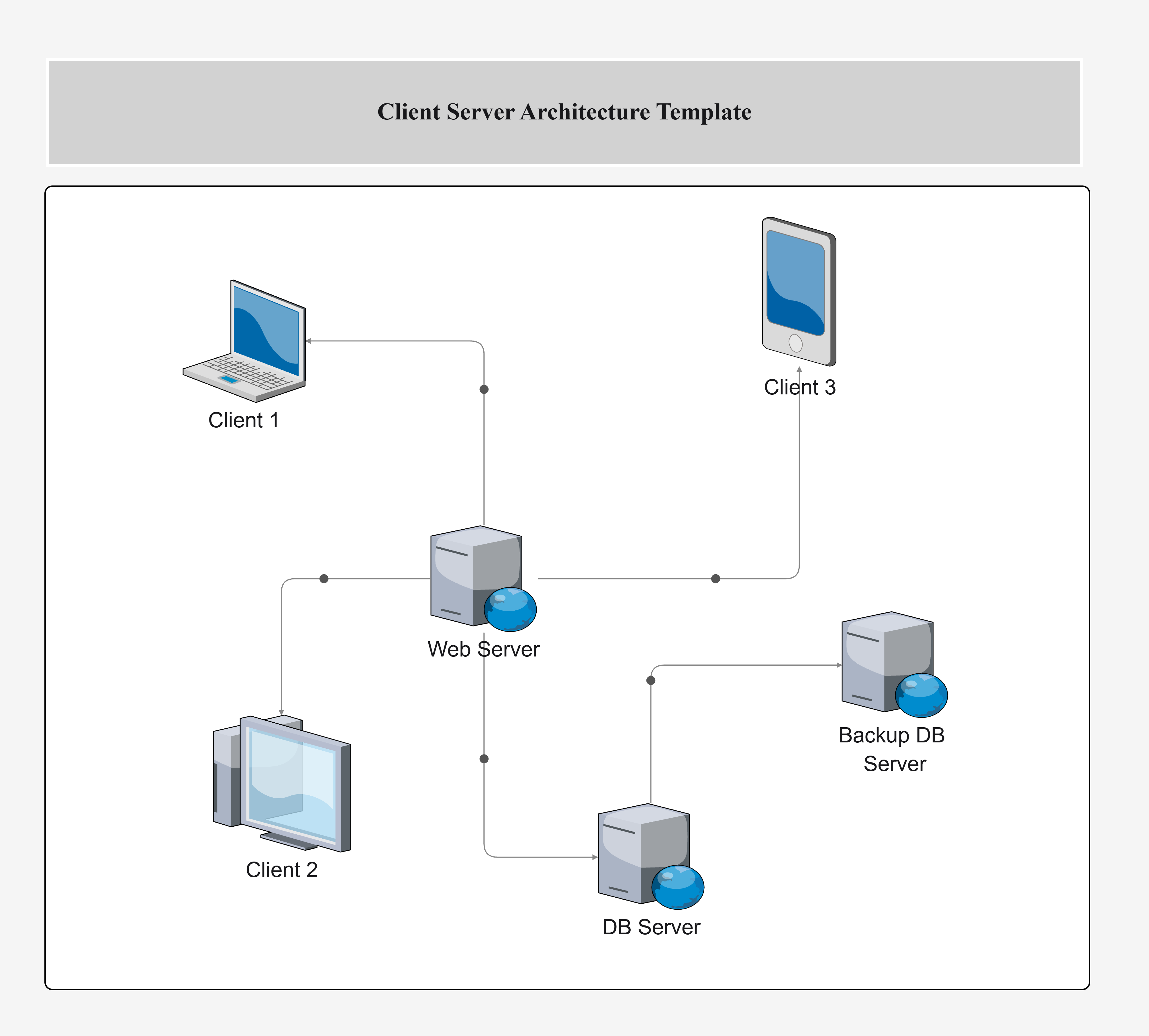
Client-Server Architecture Template

Cloudairy
 Copy link

Get your team started in minutes
Sign up with your work email for seamless collaboration.
Whiteboard
Copy link

Visualize client-server architecture with this editable template. Design scalable, reliable applications by clearly separating front-end clients from back-end servers, services, APIs, and data layers.
Visualize client-server architecture with this editable template. Design scalable, reliable applications by clearly separating front-end clients from back-end servers, services, APIs, and data layers.
The architecture template of client-server is one of the most popular and widely used system architecture patterns. It clearly shows the separation of front-end clients and back-end servers, making it easy to understand how requests are sent and replies are received. Such diagrams of software architecture are very often used in web, enterprise, and SaaS systems as they help to provide clear understanding, scalability, and efficient communication between components.
The template covers all major layers in the client-server system architecture diagram.
Client Layer
The client layer represents the front-end interfaces where users interact with the application.
Server Layer
The server layer contains the back-end services that process client requests.
Database Layer
The database layer provides persistent data storage, ensuring system reliability.
Network Connections
This layer explains how communication happens between clients, servers, and databases.
This client-server system architecture diagram is ideal in many contexts.
The template can be easily adapted to reflect real-world implementations.
This software architecture diagram is applied across industries.
The client-server architecture template serves as a base system architecture diagram for modern applications. It allows groups to see the communication between clients, servers, and databases and at the same time, it guarantees the required properties of scalability and maintainability. Use a diagram of the Von Neumann architecture to understand how instructions and data share the same memory space.
Loading subcategories...
 Manage all your work in one place
Collaborate with your team
Use Cloudairy for FREE—forever
Explore More