Technical Diagramming
Software Architecture Diagrams: Types and Examples


Get your team started in minutes
Sign up with your work email for seamless collaboration.
A software architecture diagram is a visual map of a software system: the components it is built from, such as services, databases, and APIs, and how they connect. Teams use software architecture diagrams to plan new builds, document existing systems, and explain technical decisions. This guide covers the main types and shows when to reach for each one.
Architecture diagrams are often the plans of modern technology today. They clearly demonstrate how various systems, applications, and data honestly interact, making the invisible visible for everyone. Whether you are designing a cloud relocation, planning a data platform, or documenting security limits accurately, these diagrams help teams align quickly and move faster together.
But here is the real challenge there is not just one single type of architecture diagram.There are many distinct varieties to choose from, each intentionally built for a particular purpose, intended audience, or preferred level of complexity.
In this write up, we highlight the most essential types of architecture diagrams, explain their primary uses, and point to clear real world examples that show you when to apply them.
If you feel ready to create, check out our trusted Architecture Diagram Maker Tool for a smooth start, or let the AI cloud architecture generator turn a written prompt into a first draft.
.webp)
Architectural diagramming, based on my true-to-life engineering experiences, is the very practical process of sketching out a system so that everyone, from developers to decision-makers, clearly sees how the entire structure fits and runs in the real working environment. Whenever I have tackled intricate problems or collaborated with diverse and enthusiastic colleagues, these diagrams have turned into my trusted anchor, helping both technical and business minds sync effortlessly using visuals that speak louder than lengthy documentation.
Each time I confront uncertainty within a project, I naturally fall back on visual mapping because it cuts through confusion faster than any text ever could. A strong architectural diagram captures the essential dynamics what every infrastructure component performs, how the information flows organically, and where crucial interactions physically occur within daily operations. This approach helps teams fix issues quickly, design new systems confidently, and make onboarding much smoother for every new member who joins.
In day-to-day work, I have seen diagrams range widely from illustrations showing software structure and teamwork patterns to layouts describing hybrid multi-cloud architectures. The right diagram for a project really depends on what you are trying to achieve, the unique set of challenges your team is facing, and how closely everyone is working together.
When it comes to architectural diagrams, options range from detailed software system schematics to complex multi-cloud architecture layouts, and the ideal choice will match your exact project needs.
Think of architecture diagrams much like maps. Sometimes, you need a world map to understand continents (enterprise view). Other times, you want a street map to find the coffee shop next door (solution/system view).
Different types of diagrams exist because:
Choosing the right diagram helps ensure you are telling the right story clearly to the right group of people involved.
These are the five types of architecture diagrams you will encounter during practice: system/software, cloud, data, AI/ML, and security diagrams. These have different functions depending on whether you are developing applications, infrastructure, analytics systems, or secure environments. It is this understanding of differences that enables you to know how to apply the appropriate model to your project.
These are 5 types of architecture diagrams explained in detail.
System and software architecture diagrams demonstrate how an application is carefully assembled and how its components interact in day-to-day operations. These diagrams are still vital in real-world software engineering because they preserve design details, let teams exchange ideas easily, and help map out strategies for scaling the system over time.These diagrams can be as high as they are low.These are four different types of system and software architecture diagrams.
Architectural diagramming, based on my true-to-life engineering experiences, is the very practical process of sketching out a system so that everyone, from developers to decision-makers, clearly sees how the entire structure fits and runs in the real working environment. Whenever I have tackled intricate problems or collaborated with diverse and enthusiastic colleagues, these diagrams have turned into my trusted anchor, helping both technical and business minds sync effortlessly using visuals that speak louder than lengthy documentation. Each time I confront uncertainty within a project, I naturally fall back on visual mapping because it cuts through confusion faster than any text ever could. A strong architectural diagram captures the essential dynamics what every infrastructure component performs, how the information flows organically, and where crucial interactions physically occur within daily operations.
Today, UML is widely known as the standard modeling language used around the world for software design projects and complex system visualizations. It has a number of important diagram types, such as class diagrams, sequence flows, activity charts, and deploying maps. Each one shows how systems work and connect in a different way. UML is great for getting different teams in big companies to work together because of its clear rules and norms for costumes.
You can start using the UML Software Diagram Template if you want to make your design process easier.
Best for: Documentation that is clear and consistent across teams all over the world.
Stacked architecture diagrams break up complicate applications into several important layers, such as presentation (UI), business logic, domain, and data/infrastructure segments. This separation of concerns helps project teams carefully handle complexity while keeping modularity at all levels. It works especially well for keeping or scaling big business apps running smoothly.
Use the Layered Architecture Diagram Template below to help you. Best for: Big, complicated uses where it's important to keep things separate.
The main point of clean architecture, as I have personally understood it, is to keep frameworks, user interfaces, and databases clearly separate from one another. This approach genuinely makes maintaining and testing the code much easier for any developer involved. It helps create software systems that stand the test of time and can adapt comfortably without requiring endless rewrites. It also helps slowly lower overall technical debt by using strict, clear rules.
Use the Clean Architecture Diagram Template to make one quickly.
Best for: Systems that are meant to last a long time and be easy to keep up.
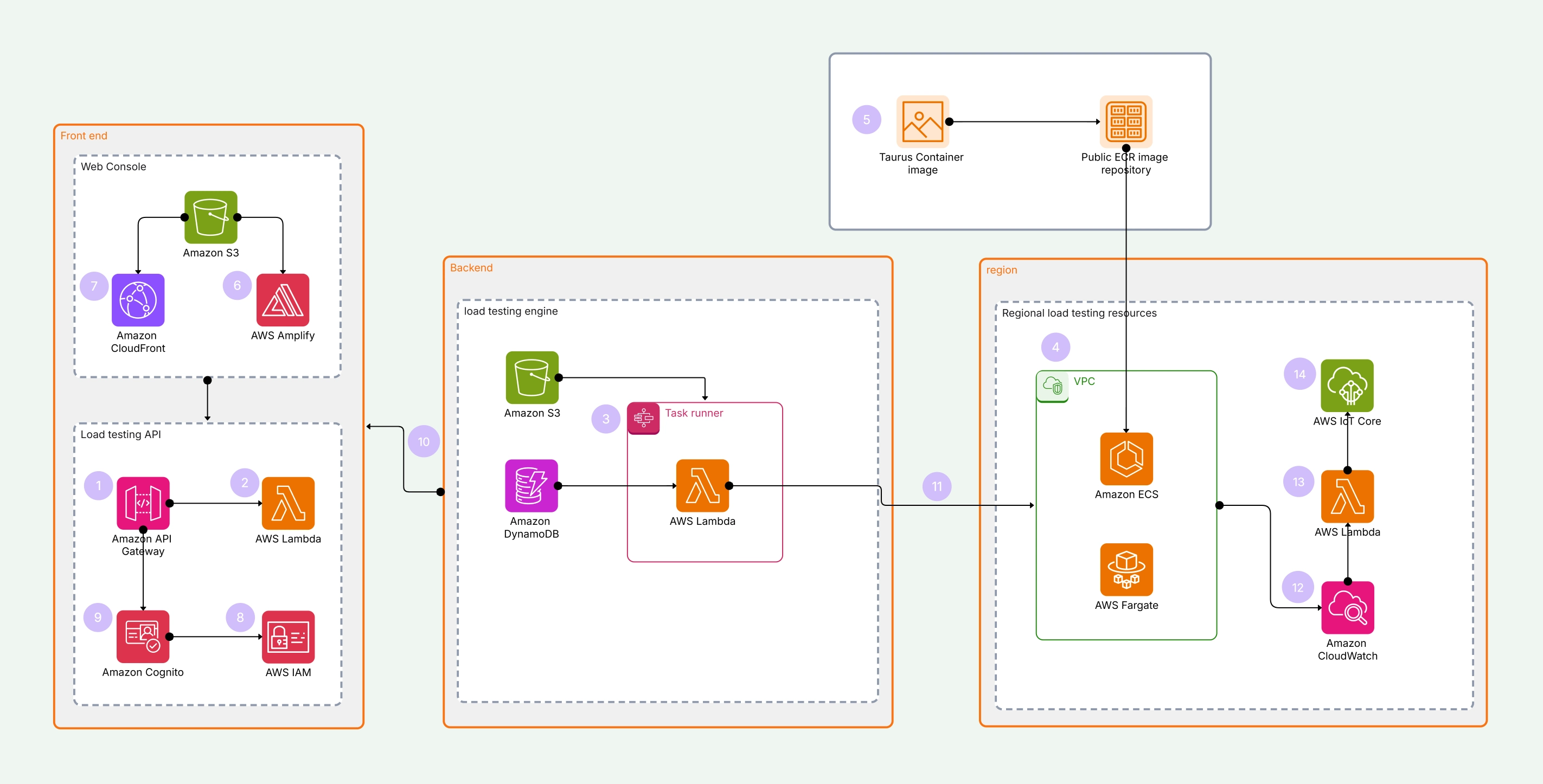
For me, cloud architecture diagrams clearly show how various cloud services and infrastructure elements interact and connect together. They really help our IT teams build scalable, dependable, and secure environments by applying standard icons from AWS, Azure, or GCP.Nowadays, as cloud adoption continues to rapidly grow across many industries, these detailed diagrams have become an absolute core necessity for planning smooth migrations, hybrid frameworks, and flexible multi-cloud strategies that actually work in practice.
Here are four practical types of cloud architecture diagrams that I personally end up referring to quite often during my typical daily technical tasks.
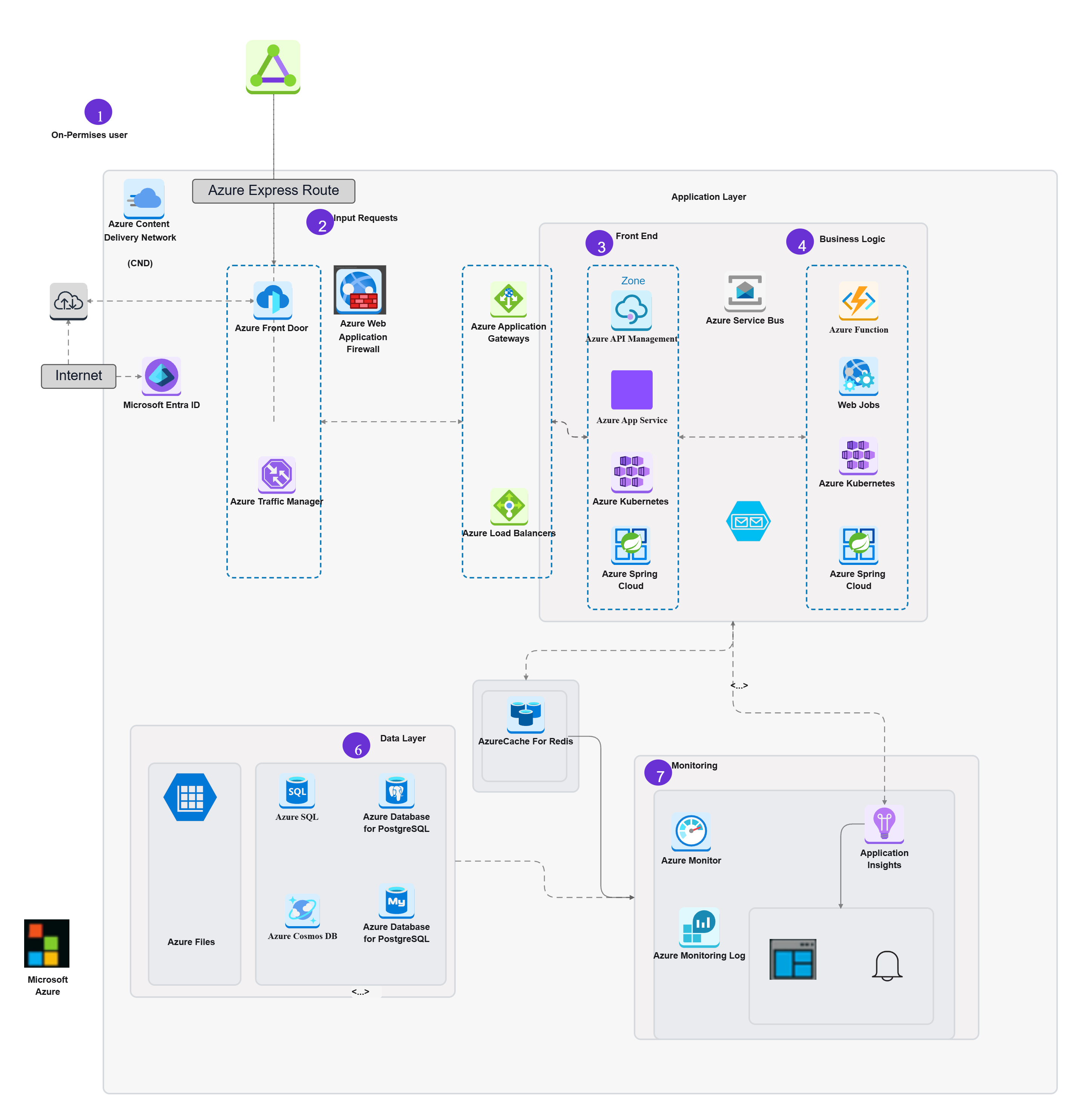
These useful diagrams show cloud resources like compute, storage, and networking by using official provider icons to show them accurately. They make sure that the design is correct and follows all of the best practices for cloud-native design that are in place today. Experts use these diagrams a lot to make sure that documentation is clear and that compliance reviews go smoothly.
Use the AWS Architecture Diagram Template or the Azure Architecture Diagram Template to get started quickly.
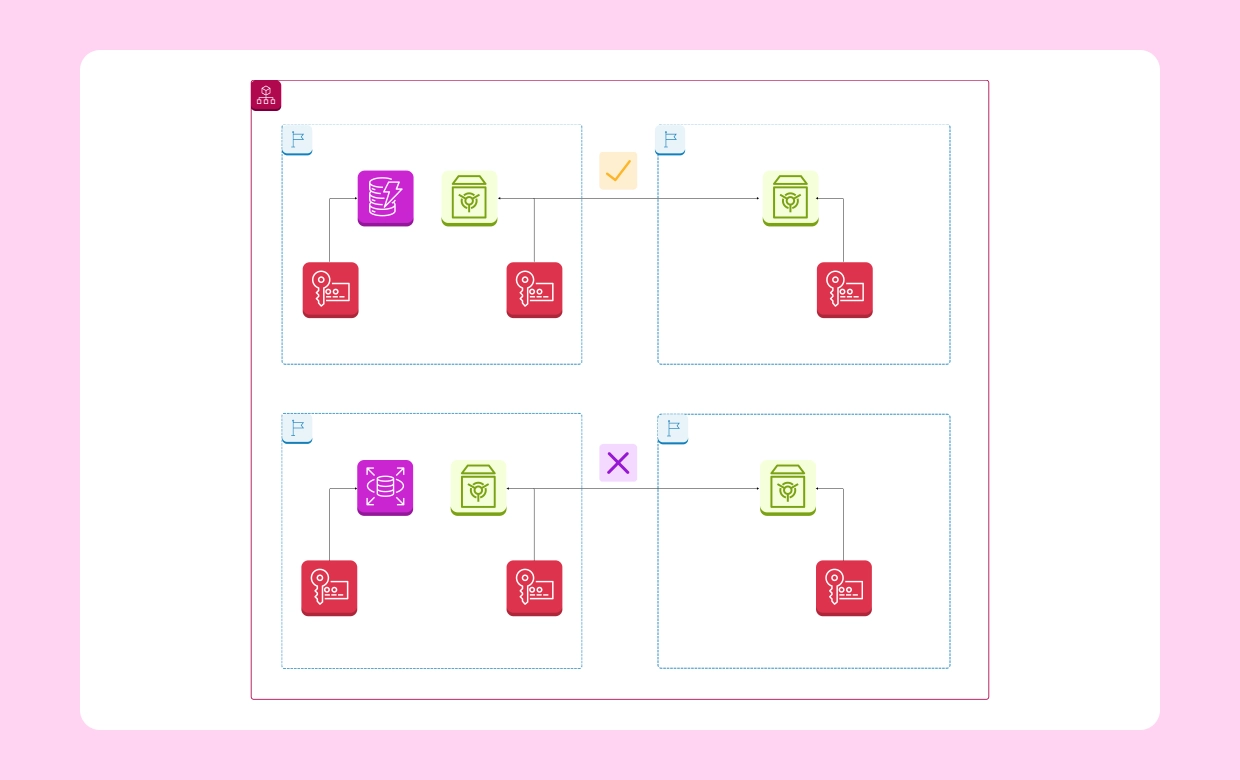
Hybrid cloud diagrams often do a wonderful job of illustrating how your own on‑premises infrastructure interacts with familiar public cloud services. They allow businesses like ours to clearly understand where various environments come together, how important data moves between them, and exactly where the essential security boundaries are placed.This helpful model is very common in businesses that are working to modernize their old systems right now.
You can easily change the design with the Hybrid Cloud Architecture Diagram Template.
From my experience, hybrid cloud diagrams are fantastic at showing how a company’s on‑premises setup works alongside trusted public cloud services. They help organizations such as mine visualize precisely where systems connect, how their vital data travels from one environment to another, and where the protective security limits exist.
Check out the Multi-Cloud Architecture Template.
Cloud security diagrams do a great job of clearly showing how important security controls like IAM, encryption, and trust limitations fit into cloud system designs. As a key part of overall system design, these diagrams make sure that teams are aware of compliance
needs, data protection policies, and secure case rules. To get started, use the Cloud Security Architecture Template.
Data architecture diagrams show how different systems store, process, and use data. They make complicated places like warehouses, pipelines, and even distributed data platforms easier to understand and use for both technical and business users. These diagrams are very important for making plans and designs for good analytics and AI platforms.
Check out the most common types of data architecture diagrams below:
These AI and ML architectural diagrams practically demonstrate how models, data pipelines, and their supporting infrastructure all connect and function together in a realistic way for everyday teams. Skilled engineers and insightful business leaders must really learn how to collaborate with advanced systems such as LLMs and CNNs. These kinds of visualizations are getting more valuable as many innovative companies continue adopting AI applications.
Here are three types of diagrams that illustrate how AI and machine learning naturally complement one another.
Security architecture diagrams primarily focus on effectively securing systems and sensitive data by clearly visualizing defenses, boundaries, and security policies. They help teams ensure compliance, identify risks, and maintain robust protection across environments.
Here are 3 types of security architecture diagrams.
Carefully use a decision matrix to pick the ideal architecture diagram for your audience, the scope of your project, and the goal of your project. For example, executives normally desire high-level views of the system, while engineers need more detailed diagrams of the cloud or data level to completely understand the infrastructure. Want a helpful tutorial that breaks things down step by step? Get our free guide to producing architecture diagrams to learn how to do it.
Looking for a practical step-by-step method? Download our Free Guide to Designing Architecture Diagrams for clear directions.
Architecture diagrams are not just theoretical constructs they actively drive suggestive results around business environments. Many companies rely on them to modernize technology, innovate efficiently, and meet regulatory compliance requirements all while maintaining clear communication between diverse teams.
See below some real-world examples demonstrating effective architecture diagram usage
When clarity is given the right amount of importance, architecture diagrams can only do their job. Keep diagrams simple, use standard notations with confidence, and make sure that all teams are using the same ones. Always carefully adjust the level of detail to fit your audience, and be sure to keep your diagrams up to date as your systems alter and grow. Check out the whole Architecture Templates Library for well-made templates that follow these critical best practices.
For well-crafted templates that follow these important best practices, explore the full Architecture templates Library.
Architecture diagrams are the real universal language for all fields of system, cloud, data, AI, and security design. When teams choose the right sort of diagram, they lower project risks, speed up delivery times, and keep everyone on the same page. Diagrams like this make systems that would otherwise seem complicated much easier to understand. They range from basic UML models to more complex multi-cloud designs. Using a high-level architecture diagram template makes guarantee that this clarity stays available throughout the project's life cycle. Start with the basics then add more detail as your project grows.
In short, using the right architectural diagrams examples ensures better communication, reduced technical debt, and smarter decisions.
Start creating your architecture diagram today with the Architecture Diagram Maker.
1.What are the main kinds of architecture diagrams?
2.Why are architectural diagrams so vital for big projects?
3.What type of architecture diagram should I normally begin with?
4.Is it possible to use more than one architecture diagram for a single large project?
5.What are the best tools for swiftly making building plans?
Start using Cloudairy to design diagrams, documents, and workflows instantly. Harness AI to brainstorm, plan, and build—all in one platform.
Table of Contents

Introduction
 Manage all your work in one placeCollaborate with your teamUse Cloudairy for FREE—forever


 Related Articles
.webp)