Technical Diagramming
Solution Architecture vs Enterprise Architecture Diagrams: Key Differences
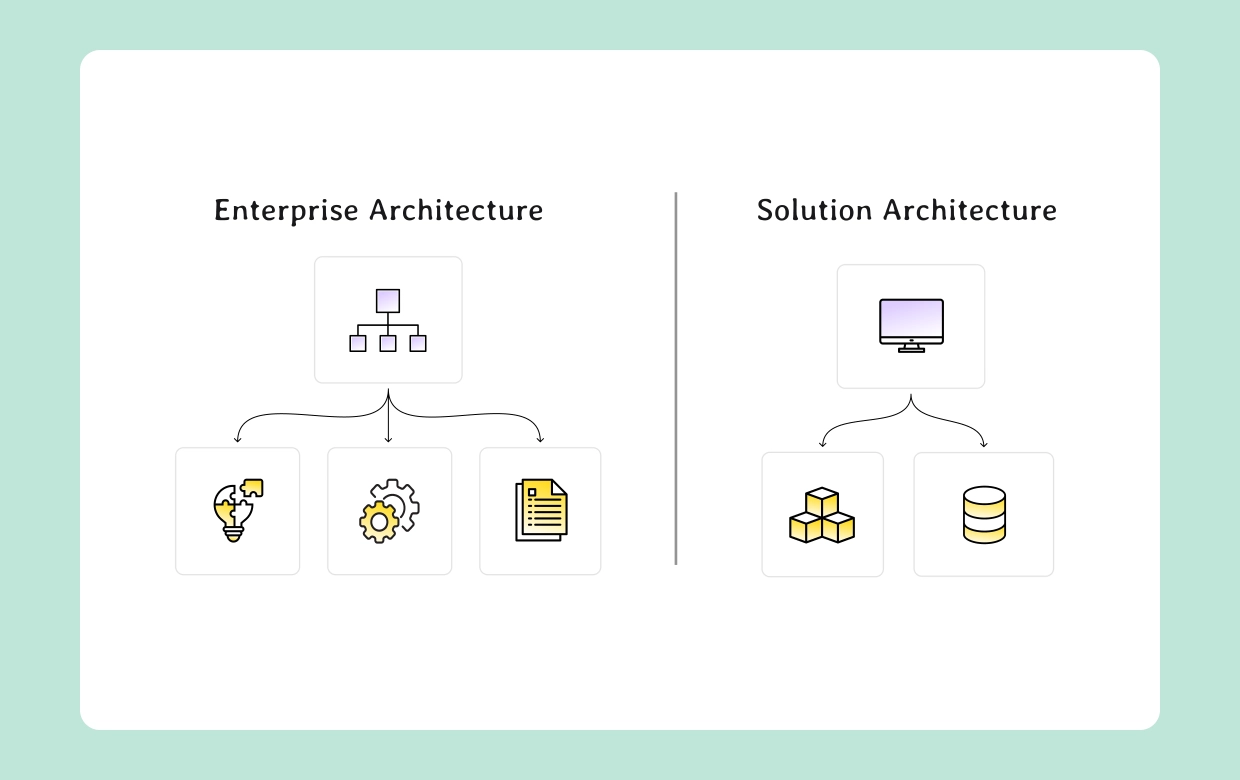


Get your team started in minutes
Sign up with your work email for seamless collaboration.
Then, it can easily lead to misaligned strategy, wasted collaborative effort, or even solutions that fail to match long-term business goals. In this hands-on guide, we’ll carefully outline the real differences, highlight how both connect, and explain how to apply them effectively in your own team environment.
Hey, do you also want to build both diagrams quickly and efficiently without wasting extra time? Try the Architecture Diagram Maker with enterprise and solution templates, or begin with a high-level architecture diagram template.
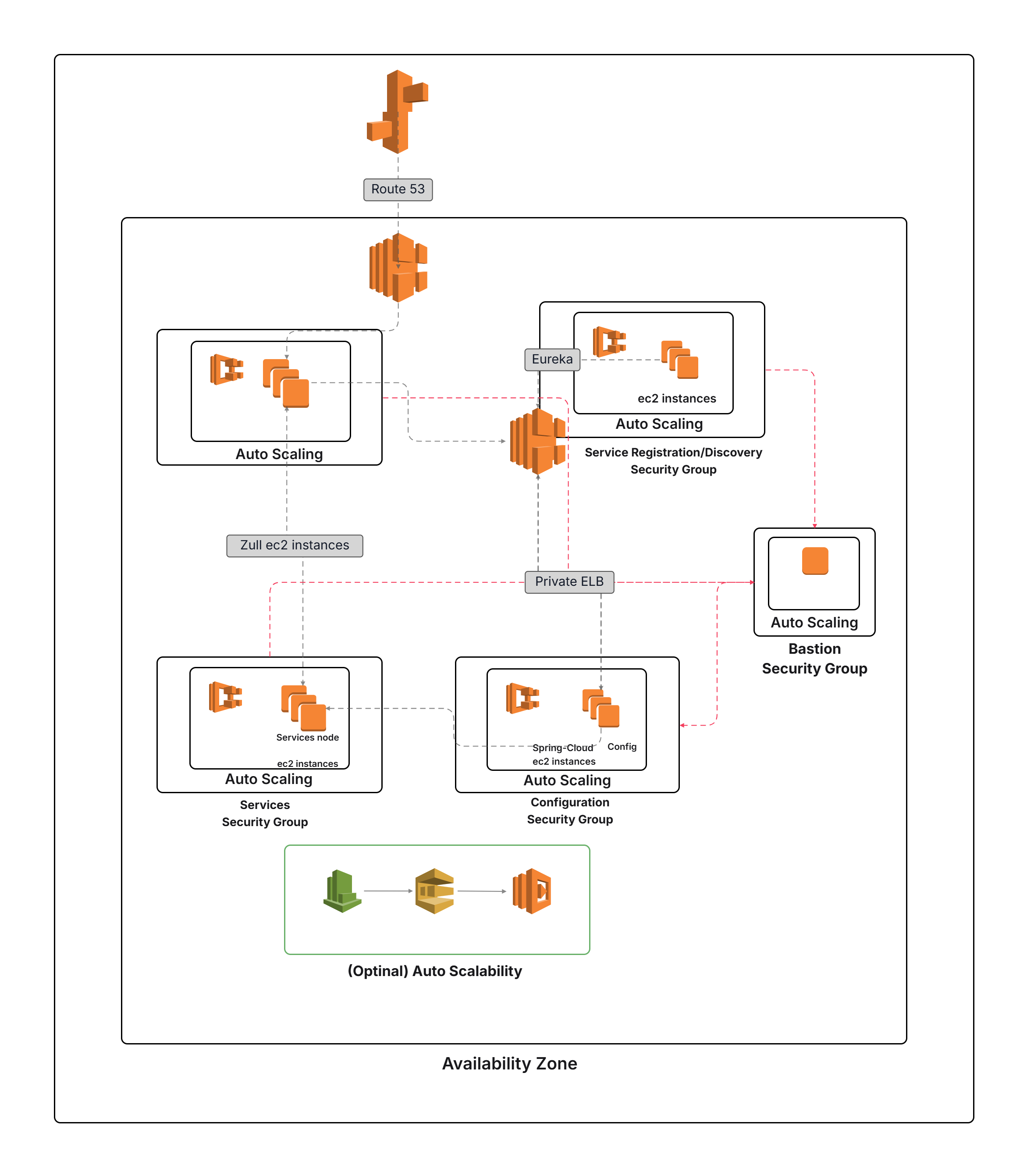
In simple terms, an enterprise architecture diagram works like a practical high-level business blueprint, bringing together IT systems, daily operational processes, and unique business capabilities to align directly with a company’s long term vision. Rather than overwhelming busy stakeholders with too much technical depth, it highlights the bigger picture making sure technology strategies remain supportive of steady business growth.Diagrams usually outline fundamental applications, key shared resources, and significant data domains that shape multiple parts of the organization. With these insights, executives and analysts can design roadmaps with much greater confidence. Many teams choose to begin with a generic architecture model template to speed up the creation of these structured visuals.
Start working with the Enterprise
Architecture Diagram Template.
Audience: Executives,
senior enterprise architects, and practical business analysts.
Goal: Properly align IT
investments with the long-term, evolving business strategy.
A solution architecture diagram is basically a visual map that zooms in on a particular project or key initiative. Think of it as a bridge between detailed project requirements and the actual technical design it shows how different applications, APIs, and important integrations fit together to create real business value. Unlike enterprise diagrams that highlight a broad strategy at the organization level, solution diagrams go into the nuts and bolts. They carefully address hidden dependencies, potential risks, and crucial non-functional requirements that can ultimately make or break an important project.
The purpose is to give everyone including project teams, engineers, and even close technology partners a clear and reliable blueprint they can confidently follow before the first meaningful line of code is written. Most professionals don’t start from scratch either. A common approach is to take a high-level architecture template and adapt it to build the solution diagram that best fits their project’s unique needs.
Try the Solution Architecture Diagram
Template or first draft with a high level architecture diagram
template.
Audience: Project teams, engineers,
vendors.
Goal: Ensure a solution is designed to meet project requirements and constraints.
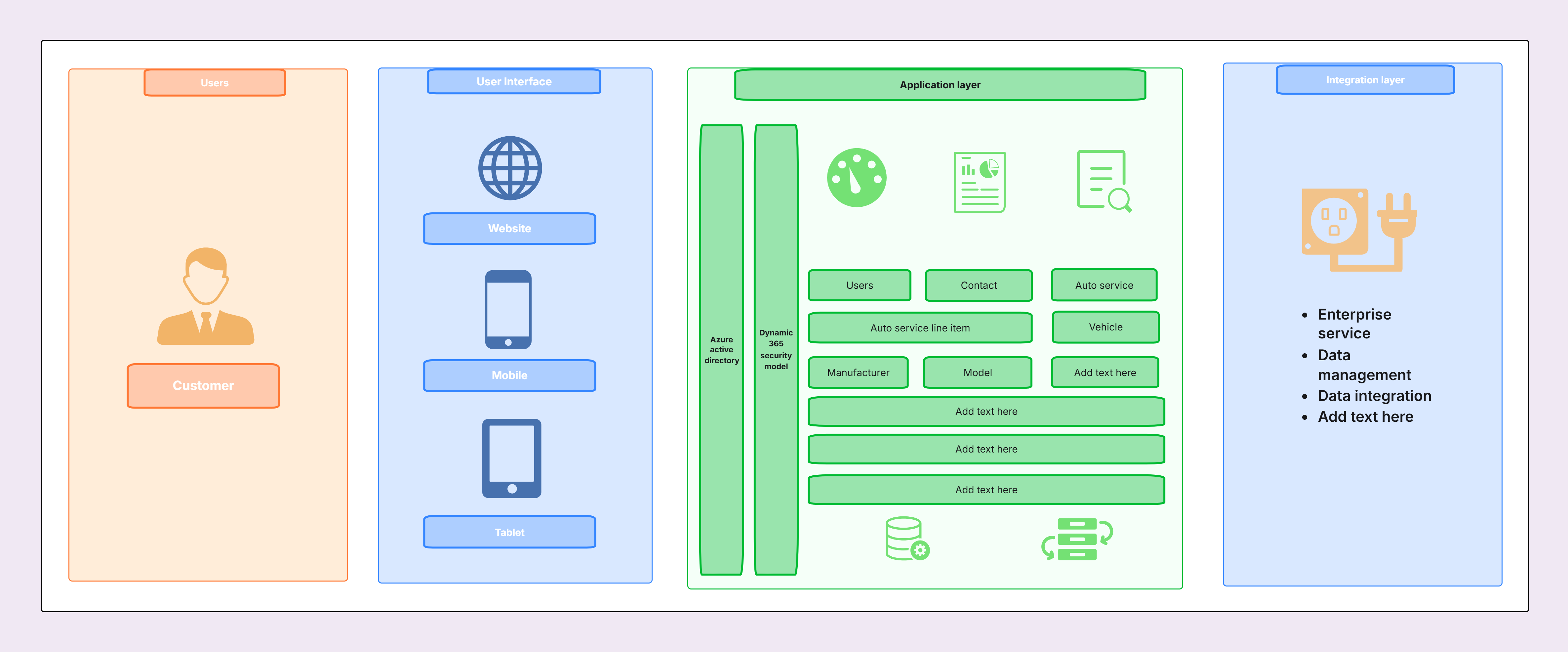
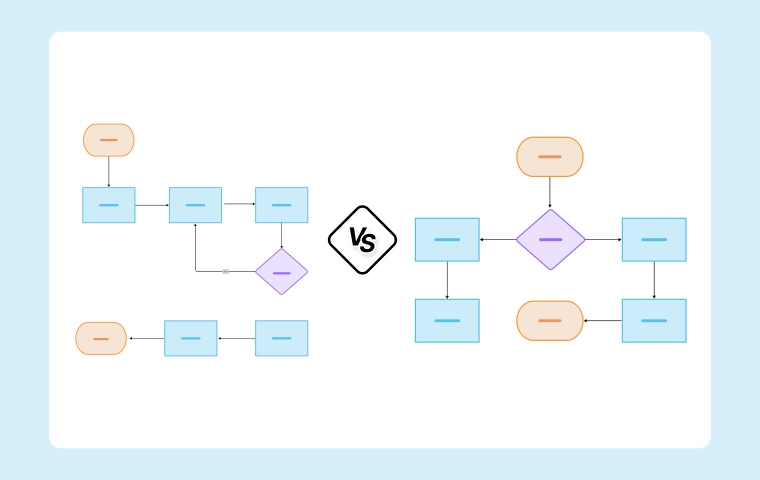
Enterprise and solution architecture diagrams differ in purpose, scope, and depth. One defines the “big picture,” while the other zooms into project-level execution.
|
Aspect |
Enterprise Architecture |
Solution Architecture |
|
Scope |
Organization-wide |
Project-specific |
|
Audience |
Executives, architects, leaders |
Project teams, engineers, vendors |
|
Detail level |
High-level (capabilities, systems) |
More detailed (services, APIs, risks) |
|
Time horizon |
Long-term (3–5 years) |
Short/medium-term (project lifecycle) |
|
Goal |
Strategic alignment |
Successful project delivery |
Enterprise architecture sets the strategic direction, while solution architecture ensures projects fully fit that direction. One without the other creates risk: enterprise diagrams without solution follow-through remain theoretical, while solution diagrams without enterprise alignment lead to fragmented, siloed systems.
This relationship keeps project execution tied to enterprise goals and prevents siloed investments.
Organizations often stumble when they blur the line between solution architecture vs enterprise architecture. Some typical mistakes include:
Learn more about scope alignment in How to Design a High Level System Architecture Diagram, or adapt a high level architecture diagram template.
These cases demonstrate how both diagram types naturally complement one another, providing clearer guidance for strategy and for actual project delivery.
Adopting enterprise and solution architecture together requires discipline. To maximize effectiveness:
For governance models, see Clean Architecture vs Layered Architecture in Modern Software.
Using templates and the right supporting tools accelerates design while ensuring consistency across teams.
For more detailed side by side comparisons, you can always check the Best Tools to Create Architecture Diagrams.
Enterprise and solution architecture diagrams are not direct competitors they are actually fully complementary. Enterprise architecture diagrams capture the much bigger picture, aligning IT with the organization’s long-term business strategy. Meanwhile, solution architecture diagrams zoom deeply into project scope, ensuring delivery meets real requirements and integrates seamlessly with the broader enterprise context. For greater consistency, many teams use a high-level architecture diagram template as a starting point before refining either enterprise or solution diagrams.
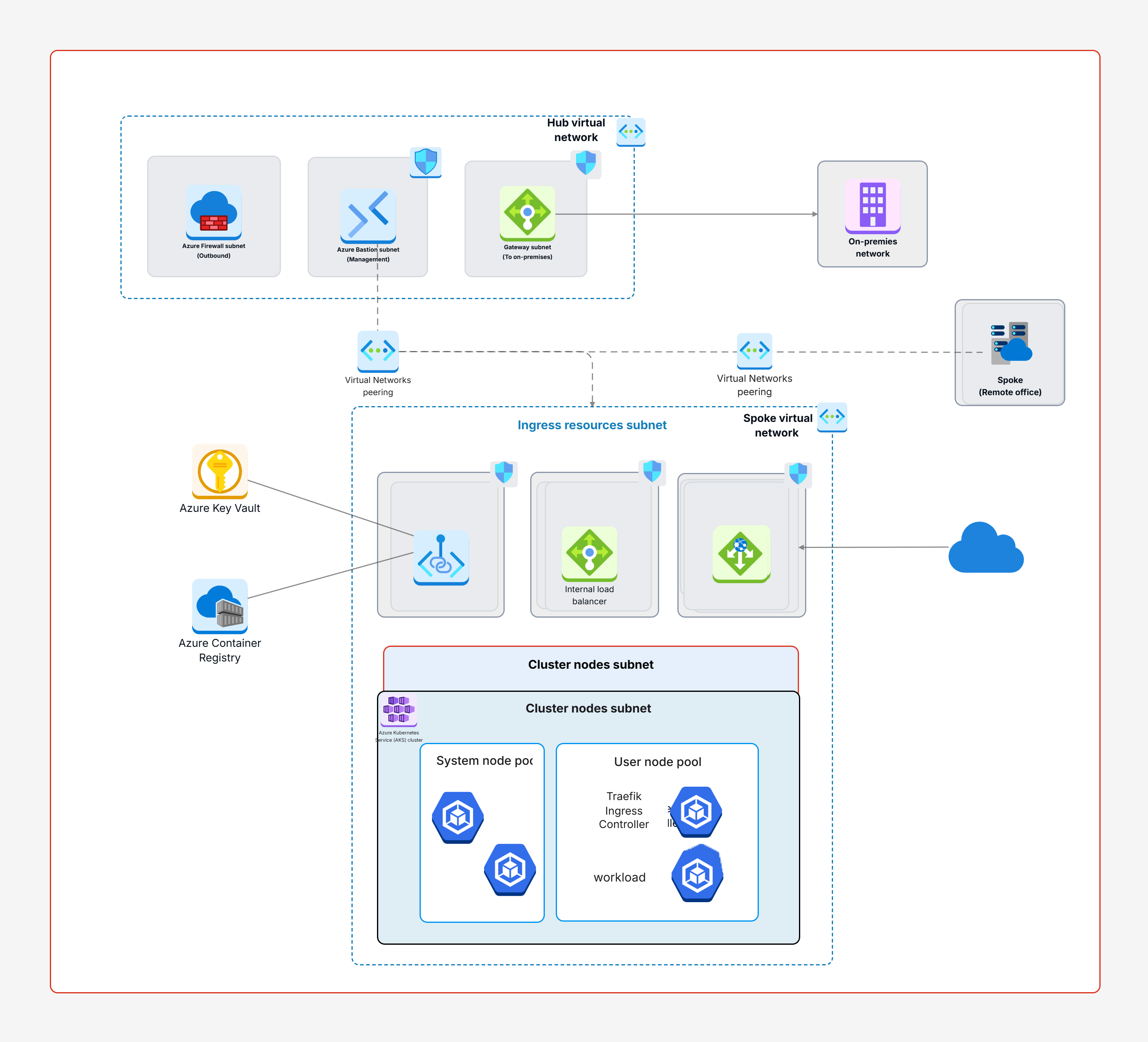
By using both together, organizations gain a clear line of sight from strategic goals down to detailed implementation. This prevents silos, reduces duplication, and accelerates real delivery. The combination of both perspectives ensures that strategy isn’t just documented it is executed effectively.
1.What’s the main difference between enterprise and solution architecture diagrams?
2. Who uses enterprise vs solution architecture diagrams?
3.Can a project skip enterprise architecture and only use solution diagrams?
4. How do enterprise and solution diagrams connect?
5. What tools help create enterprise and solution architecture diagrams?
Start using Cloudairy to design diagrams, documents, and workflows instantly. Harness AI to brainstorm, plan, and build—all in one platform.
Table of Contents

Introduction
 Manage all your work in one placeCollaborate with your teamUse Cloudairy for FREE—forever


 Related Articles
.webp)