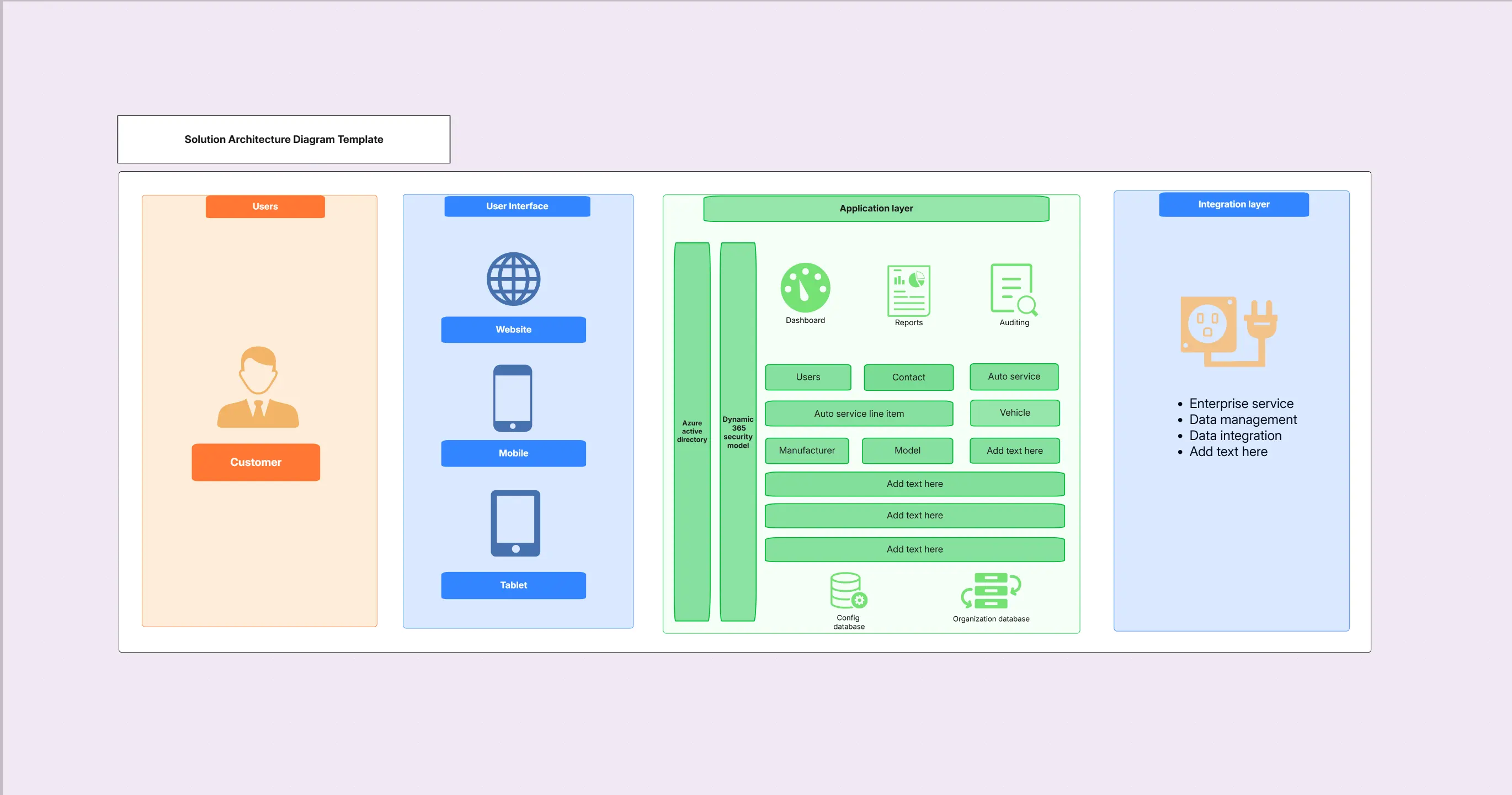
Solution Architecture Diagram Template

Cloudairy
 Copy link

Get your team started in minutes
Sign up with your work email for seamless collaboration.
Whiteboard
Copy link

Create a solution architecture diagram to map applications, services, integrations, and infrastructure. Use this editable template to design and present solutions with Cloudchart.
Create a solution architecture diagram to map applications, services, integrations, and infrastructure. Use this editable template to design and present solutions with Cloudchart.
The solution architecture diagram template actually offers teams a highly practical view of how a unique business solution personally comes together, by blending different applications, services, integrations, and critical infrastructure. Rather than using broad enterprise or high-level diagrams found in documentation, this practical solution architecture diagram template focuses intently on the granular details of a specific project or product. By choosing this personalized template, distributed teams can confidently drive alignment across clients and stakeholders, anticipate and minimize likely risks, and deliver a clear, actionable blueprint ready for step-by-step implementation.
Take a look below at what’s actually included inside this tailored solution architecture diagram template for both small and large projects.
Design structured architecture visuals easily with Cloudairy diagram tools
A solution architecture diagram clearly highlights both the technical infrastructure and crucial business components that are necessary to successfully deliver your chosen solution within any organization. This template includes structured placeholders to ensure complete and consistent documentation.
See below for the main elements included in this solution architecture diagram template.
This template is best applied during the planning and implementation of specific business solutions. It helps teams align on requirements, technical design, and integration details before development begins.
See below, when to use this solution architecture diagram template.
Cloudchart makes it easy to tailor solution architecture diagrams for specific business needs. The template allows for quick adjustments while ensuring diagrams remain professional and clear.
Here are the steps to customize this solution architecture diagram template.
Solution architecture diagrams are versatile and apply across industries and solution types. They bridge the gap between business requirements and technical implementation.
See below the examples of how this solution architecture diagram template can be used.
1. What Makes a Solution Architecture Diagram Unique for Your Project?
This diagram thoughtfully maps out the design of a specific solution by illustrating, in practical terms, how your applications, different integrations, and core infrastructure all work together to support an outcome.
2. How Is Solution Architecture Genuinely Different From Enterprise Architecture in Real-World Scenarios?
Enterprise architecture takes into account an organization-wide perspective for long-term goals, while solution architecture focuses just on designing a single project’s or product’s structure, tailored to specific needs.
3. Does This Solution Architecture Diagram Template Offer True Flexibility for Cloud and Hybrid Deployments?
Definitely, you can easily personalize this template to match cloud-native, on-premises, and hybrid solution requirements, fitting your actual deployment scenarios.
4. Why Should You Trust Cloudchart for Developing Solution Architecture Diagrams?
Cloudchart gives you convenient ready-made templates, helpful AI-powered guidance, and collaborative features that make creating your diagrams both faster and uniquely effective for teams.
Loading subcategories...
 Manage all your work in one place
Collaborate with your team
Use Cloudairy for FREE—forever
Explore More