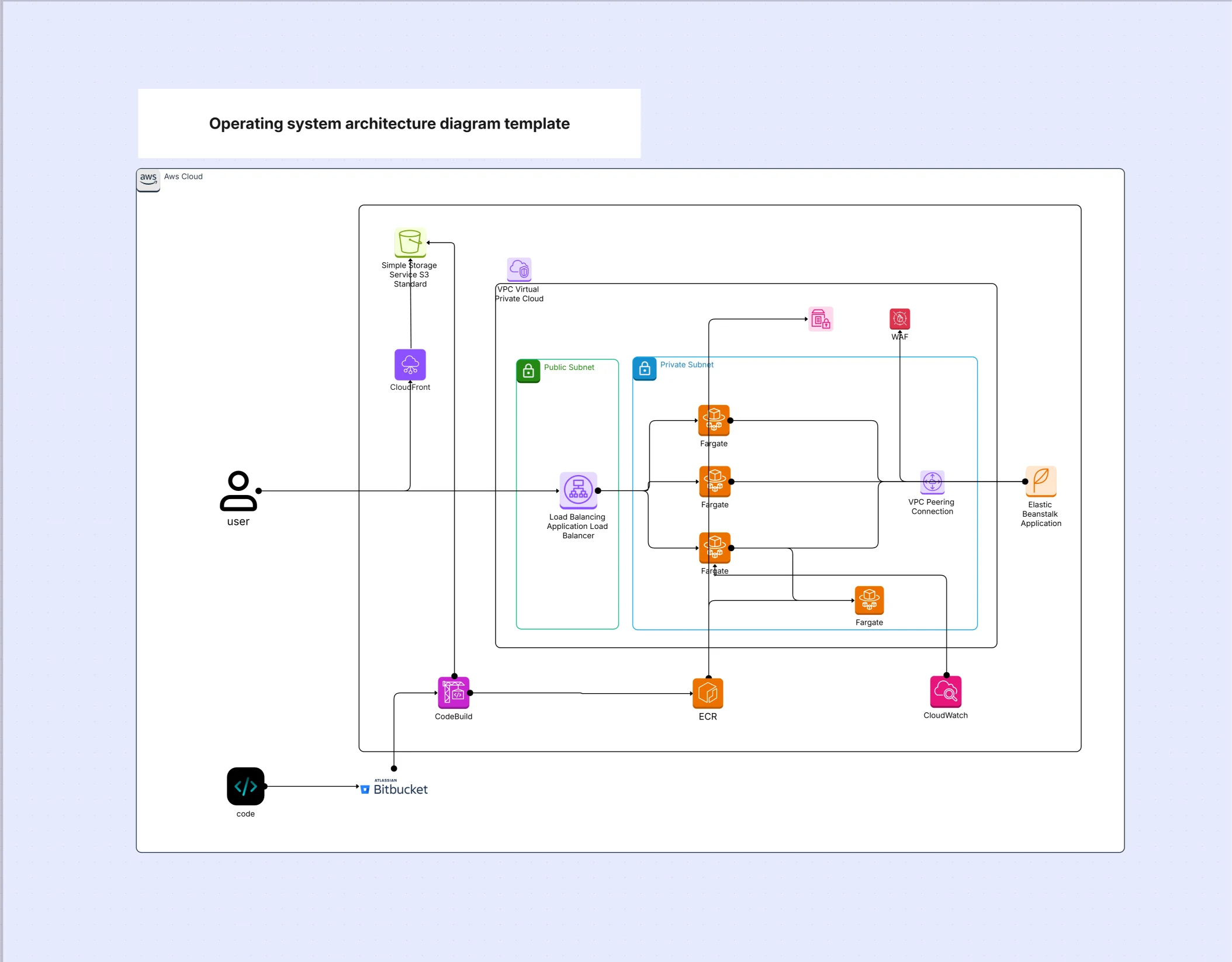
Operating system architecture diagram template

Cloudairy
 Copy link

Get your team started in minutes
Sign up with your work email for seamless collaboration.
Whiteboard
Copy link

Operating system architecture diagram template showing hardware, kernel, system calls, device drivers, and user space layers, helping learners and teams visualize OS components and their interactions.
Operating system architecture diagram template showing hardware, kernel, system calls, device drivers, and user space layers, helping learners and teams visualize OS components and their interactions.
The operating system architecture diagram template explains how kernel subsystems, system calls, user space, and hardware interact to manage processes, memory, files, and devices. Unlike application-level software architecture diagrams, this system architecture diagram focuses on the OS control plane that schedules work, isolates resources, and secures boundaries. It’s ideal for education, performance analysis, systems programming, and platform engineering documentation.
This section structures your operating system architecture diagram into layers that make internal OS behavior understandable. By modeling kernel services, system call interfaces, user space, and hardware, the system architecture diagram clarifies responsibilities and data paths so students and engineers can reason about scheduling, paging, and I/O without guesswork.
The kernel is the core of the operating system architecture diagram, orchestrating processes, memory, files, and devices. Modeling kernel modules and execution paths helps readers grasp preemption, interrupts, and driver boundaries. This H3 ensures the system architecture diagram surfaces the mechanisms behind reliability and isolation.
The syscall layer is how user programs access kernel services. By documenting ABI, permissions, and error handling, the operating system architecture diagram clarifies privilege transitions and audit points. This H3 makes the system architecture diagram useful for developers and security teams.
User space hosts apps, shells, and libraries. Modeling this layer in the operating system architecture diagram shows how runtimes, loaders, and package managers participate in execution, making the system architecture diagram actionable for performance tuning and debugging.
Hardware grounds the operating system architecture diagram with CPUs, memory, and devices. Describing instruction sets and buses gives context for scheduling and I/O. This H3 keeps the system architecture diagram faithful to physical constraints.
Choose this operating system architecture diagram template when explaining internals, planning OS features, or debugging low-level behavior. Because the system architecture diagram makes control paths explicit, it accelerates learning, incident triage, and platform decisions.
Adapt the operating system architecture diagram template to Linux, Windows, or macOS specifics. By annotating distro or release differences, the system architecture diagram remains a reliable reference during upgrades and benchmarking.
The operating system architecture diagram supports education and engineering alike. These examples show how the system architecture diagram becomes a durable learning and planning tool.
An operating system architecture diagram reveals the mechanisms that make computers reliable and secure. With layered views of kernel, syscalls, user space, and hardware, this template turns OS internals into teachable, operable knowledge. Explore how Microservice Architecture improves deployment speed and system reliability.
Loading subcategories...
 Manage all your work in one place
Collaborate with your team
Use Cloudairy for FREE—forever
Explore More