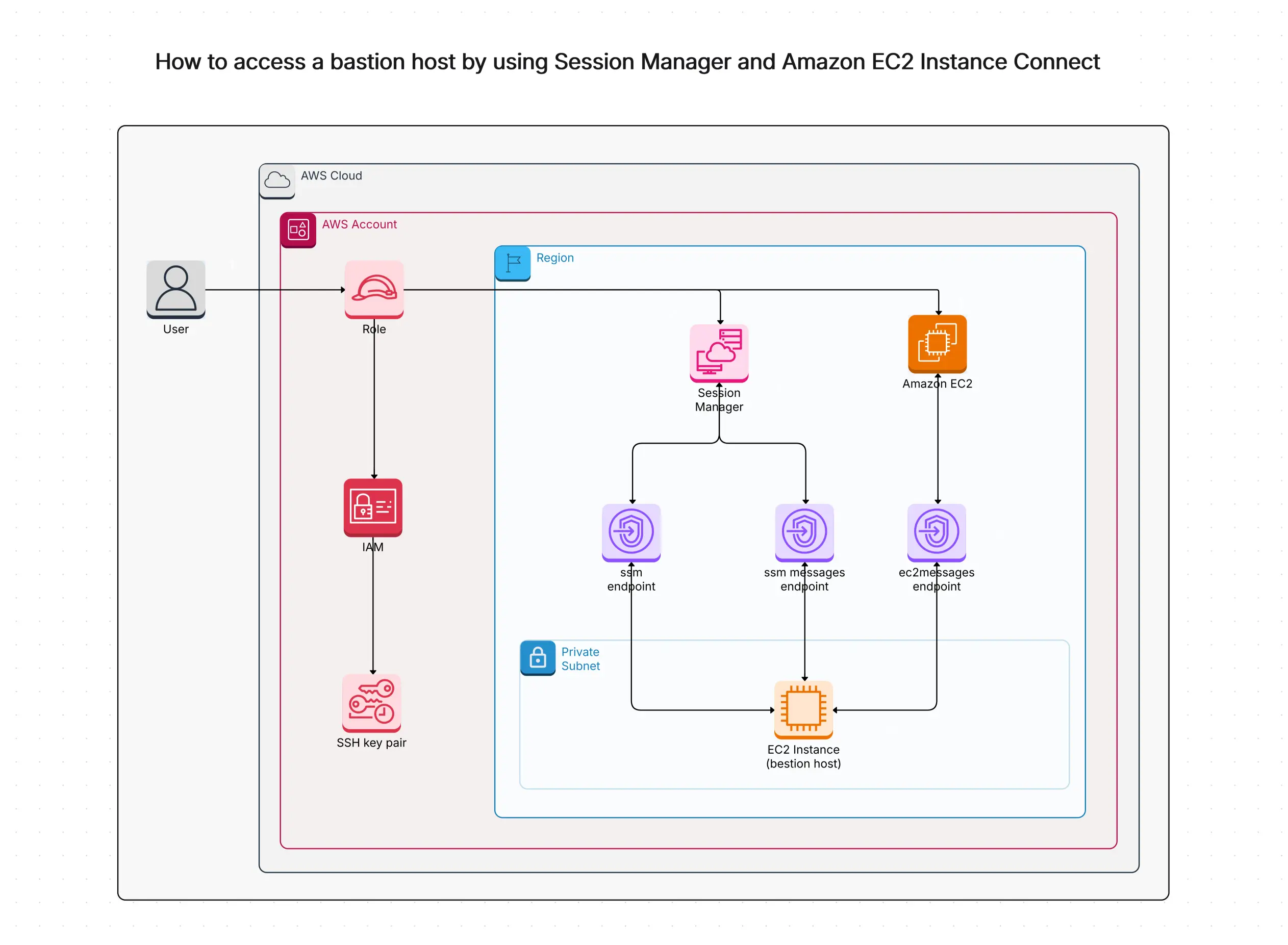
Access AWS via Bastion Host Template

Cloudairy
 Copy link

Get your team started in minutes
Sign up with your work email for seamless collaboration.
Whiteboard
Copy link

Use the Access AWS via Bastion Host template to enable secure, controlled entry to your AWS infrastructure. Simplify your architecture and strengthen overall security.
Use the Access AWS via Bastion Host template to enable secure, controlled entry to your AWS infrastructure. Simplify your architecture and strengthen overall security.
The Access AWS via Bastion Host template helps you safely enter your AWS cloud without opening SSH to the whole internet. Cloudairy’s Bastion Host works like a safe door that only the right people can use. Instead of old-style SSH keys, you can use AWS tools like Session Manager and EC2 Instance Connect, which let you log in from your browser without needing passwords or keys.
This template is made for cloud architects, DevOps teams, and security experts who want a simple and safe way to manage access using IAM, Systems Manager, and CloudTrail.
This design makes your system much safer by removing the need for SSH (Port 22), which is risky to leave open. The template gives you a secure and easy-to-manage workflow that:
This template is great for anyone who wants to keep important information safe. It’s perfect for:
Use this template when:
This template shows you how to use a bastion host the safe, modern way by helping you:
Cloudairy makes it easy with simple steps:
Cloudairy’s Access AWS via Bastion Host Template helps you create a safe and secure way to reach private AWS resources. It uses a bastion host and Session Manager so you can enter your VPC without exposing SSH. CloudTrail records every user step to help with audits.
With Cloudairy’s easy visual tools, you can design, understand, and manage your cloud network with confidence. This template protects your AWS access, reduces outside risks, and keeps everything controlled and monitored.
Teams like DevOps, IT administrators, and cloud architects can use this setup to make AWS access simple, safe, and fully visible whether for production or staging environments.
Loading subcategories...
 Manage all your work in one place
Collaborate with your team
Use Cloudairy for FREE—forever
Explore More