50,000 + Trusted Users with
star star star star star

Trusted by Professionals at Leading Companies

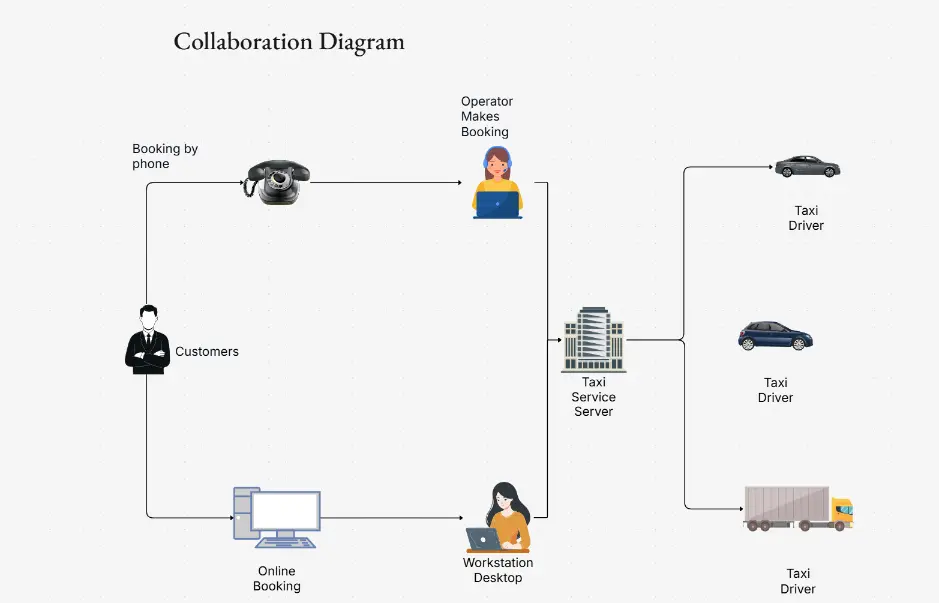
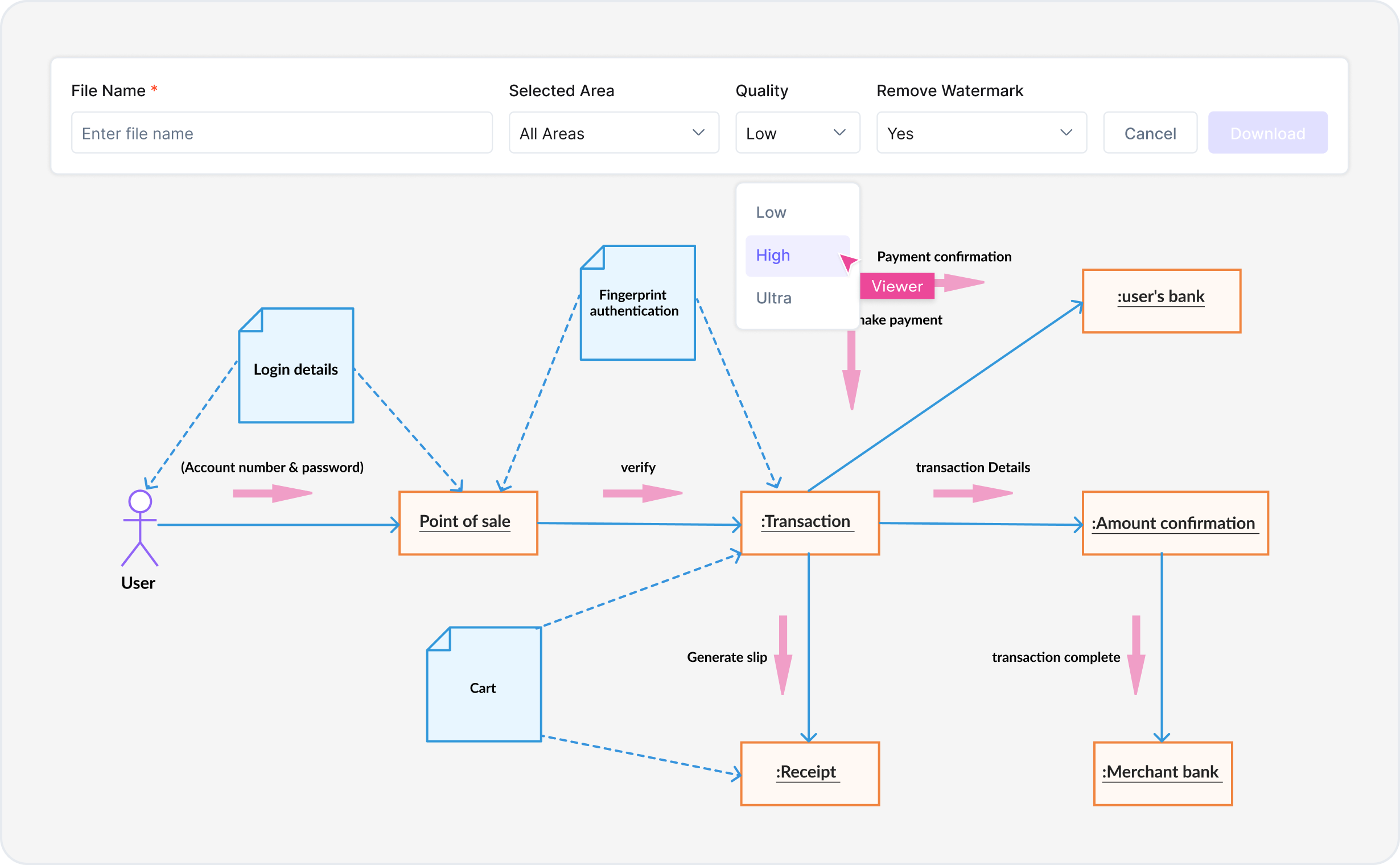
What is a collaboration diagram — example showing UML objects, messages, and associations in UML 2.5 notation

What Is a Collaboration Diagram?

A collaboration diagram (also known as a communication diagram in UML 2.x) is a type of interaction diagram that shows how objects or components interact and collaborate to achieve a common goal. Unlike sequence diagrams, which emphasize the order of messages over time, collaboration diagrams emphasize the relationships and structure between objects. They display objects as nodes, messages as edges, and the sequence of message passing, making them ideal for showing architectural patterns and component interactions in software systems.

Collaboration diagrams are essential for system architecture, microservices design, and enterprise integration documentation. They use standard UML 2.5 notation recognized across software engineering teams worldwide. Collaboration diagrams are crucial for API design, service mesh architecture, distributed system integration, microservices communication patterns, cloud-native architecture, enterprise service buses, and complex object interaction workflows.

Cloudairy's AI Collaboration Diagram Maker eliminates manual drawing and steep UML learning curves. Describe your system architecture in plain English — "ATM system with card reader, bank server, and customer interactions" — and the AI generates a complete, UML 2.5 compliant collaboration diagram instantly. Export to Visio for enterprise documentation, PowerPoint for presentations, draw.io for open-source collaboration, PNG or PDF for printing. Perfect for software architects, system designers, microservices engineers, and enterprise architects.

How to Create a Collaboration Diagram with AI (5 Steps)

Go from system architecture idea to professional UML collaboration diagram in five steps — no manual drawing, no expensive licensing, no UML expertise required.

1

Define your system objects

Describe the objects, components, or actors in your system in plain English. For example: "ATM with card reader, bank server, and customer" or "Payment system with customer, payment processor, and bank API" or "E-commerce platform with user, shopping cart, inventory system, and payment gateway". Or choose from example prompt chips — ATM system, Online banking, Payment processing, E-commerce checkout, Microservices architecture, Mobile app backend, API integration.

2

AI sequences the messages

Cloudairy's AI instantly analyzes your system description and generates a complete UML 2.5 collaboration diagram. Objects are positioned logically, message flows are numbered sequentially, associations are drawn correctly, and interaction patterns follow UML standards — all automatically. The diagram captures both the structure of your system and the message flow between components.

3

Apply UML notation and refine

Refine the diagram in Cloudairy's visual editor. Add or remove objects, adjust message numbers, update guard conditions, add notes and constraints, switch between object styles, or apply UML 2.5 notation variants. Cloudairy's editor understands UML semantics — add stereotypes, mark messages as return values, or specify message parameters. The diagram stays semantically valid as you edit.

4

Organize layout and structure

Cloudairy's layout engine automatically positions objects and routes messages to minimize crossing and improve readability. Fine-tune the layout by dragging objects, adjusting message paths, or grouping related objects into zones. Use swimlanes to separate object groups or apply grid alignment to enforce consistency. The layout canvas adjusts automatically as you edit—add an object and the diagram reflows.

5

Export to your preferred format

Export to Visio for enterprise documentation and integration with Office workflows, PowerPoint for presentation slides, draw.io for open-source collaboration, or PNG/SVG/PDF for printing and embedding in documents. Import the Visio file into any enterprise tool or use the draw.io version for real-time team collaboration. Each export preserves UML semantics and styling.

How to create a collaboration diagram with Cloudairy — five steps from system definition to export

Start Creating Your Collaboration Diagram Free

Join software architects, system designers, and microservices engineers worldwide who use Cloudairy to create professional collaboration diagrams in seconds. AI generation from English descriptions. Complete UML 2.5 notation. Real-time team collaboration. Multi-format export.

No credit card required • Start creating in seconds

Why Use Cloudairy as Your Collaboration Diagram Tool

Cloudairy is the only AI collaboration diagram maker that combines AI text-to-diagram generation with complete UML 2.5 notation, real-time team collaboration, intelligent layout, and multi-format export — all on a single platform designed for modern software architecture.

AI Prompt-to-Diagram

AI Prompt-to-Diagram

Describe your system architecture in plain English and get a complete UML collaboration diagram in seconds. Define objects, message flows, and interactions without manual drawing or UML expertise. The AI understands microservices, APIs, databases, message queues, and distributed system patterns.

Complete UML 2.5 Library

Complete UML 2.5 Notation Library

Generate collaboration diagrams with strict UML 2.5 standard notation. Full library of objects, actors, lifelines, messages, guard conditions, sequence numbers, and interaction reference frames. Support for synchronous calls, asynchronous messages, return values, and self-calls. Semantically correct for any system architecture.

Integrations & Visio Import

Integrations & Visio File Import

Import existing Visio, draw.io, and Lucidchart diagrams to extend with AI. Integrate with your favorite development and documentation tools. Share diagrams with Slack, Confluence, GitHub, and Azure DevOps. Collaborate with your team across any platform and keep architecture documentation synchronized.

Multi-Format Export

Multi-Format Export

Export collaboration diagrams to Visio VSDX for Microsoft Office, PowerPoint PPTX for presentations, draw.io XML for collaboration, or PNG/SVG/PDF for documentation and printing. Your diagrams stay portable across enterprise tools and easy to share with stakeholders.

Pre-built Templates

Pre-built Architecture Templates

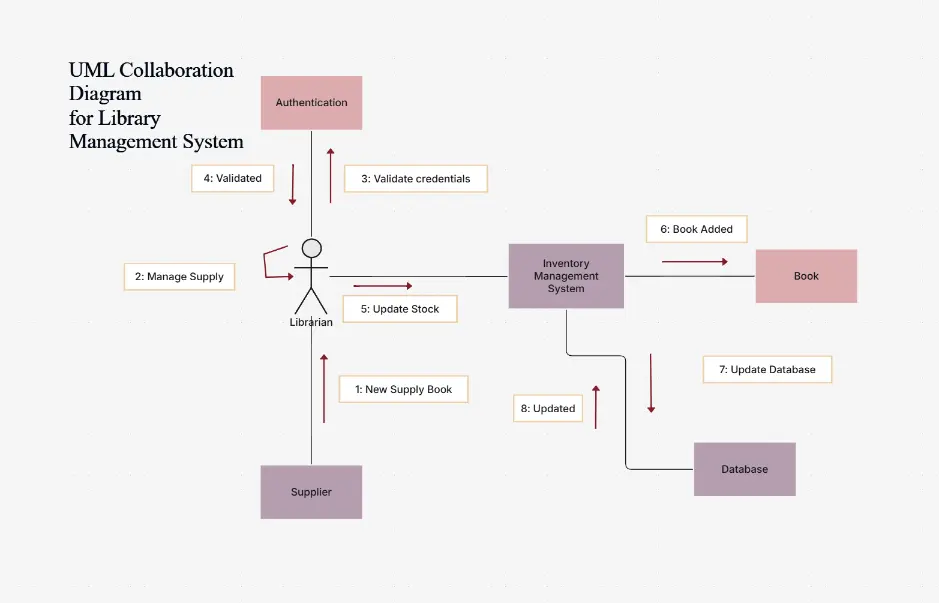
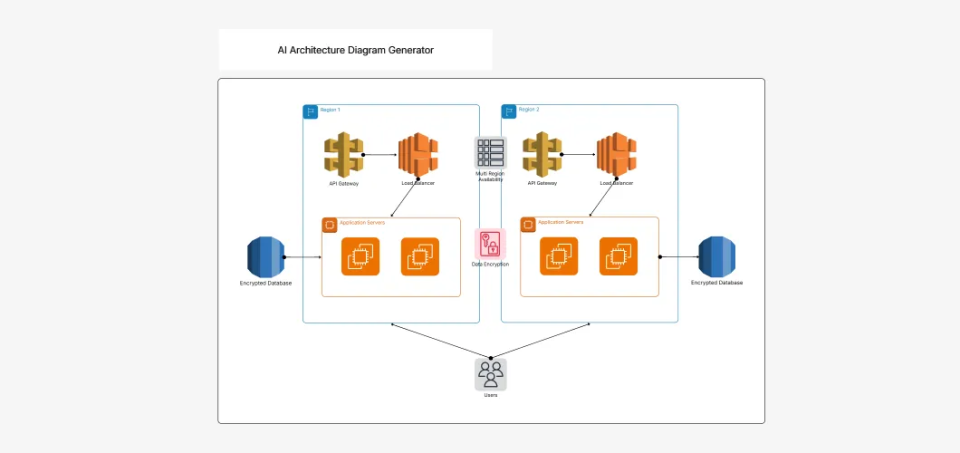
Start from professionally designed templates for common system architectures: microservices platforms, payment processing, e-commerce, banking systems, library management, and more. Every template is fully editable and AI-extendable. Save time and follow industry best practices for system design.

Real-time Team Collaboration

Real-time Team Collaboration

Collaborate with your team in real-time or asynchronously on shared diagrams. See live cursors, add comments, and discuss architecture decisions without leaving the canvas. Track full version history with change visibility. Share via edit links for team work or view-only links for stakeholder reviews and design approvals.

Collaboration Diagram Templates — Real-World System Examples

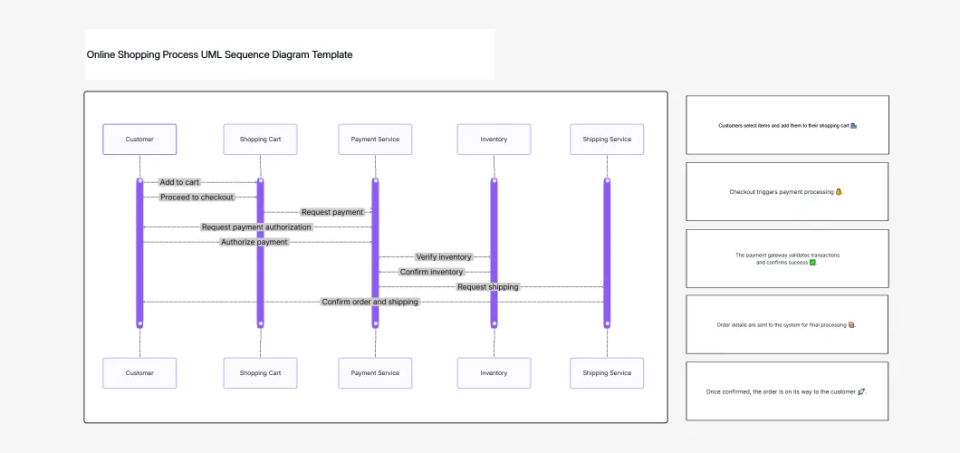
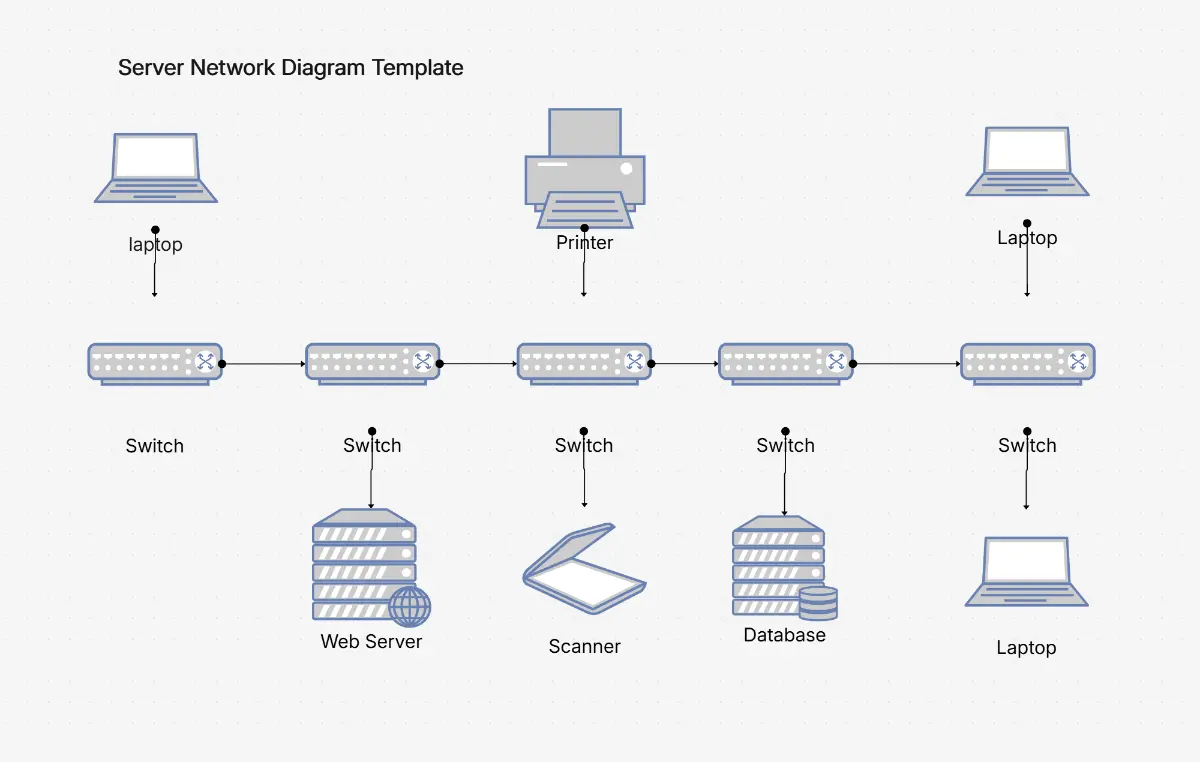
Explore professionally designed collaboration diagram templates for common system architectures. Each example uses proper UML 2.5 notation, is fully editable, AI-extendable, and ready to adapt for your project.

Cloudairy vs Competitors — Collaboration Diagram Tools Compared

See how Cloudairy's AI collaboration diagram maker compares to industry-leading diagramming platforms like Lucidchart, Draw.io, Creately, Visio, and Miro.

Feature Cloudairy Lucidchart Draw.io Creately Visio Miro
AI Prompt-to-Diagram Yes No No No No No
UML Shape Library Full 2.5 Full 2.5 Full 2.5 Partial Full 2.5 Limited
Free Tier Unlimited diagrams & export 5 diagrams Unlimited 5 diagrams 30-day trial 1 unlimited board
Real-time Collaboration Yes (comments, presence) Yes (enterprise) Yes (beta) Yes (freemium) Yes (Office 365) Yes (native)
Export Formats PNG, SVG, PDF, Visio, PowerPoint, draw.io PDF, PNG, Visio, PowerPoint PNG, SVG, PDF, XML PNG, PDF, SVG, Visio Visio, PDF, PNG Image, PDF
Pre-built Templates 80+ UML diagrams 100+ (all types) 50+ (all types) 100+ (all types) 60+ (all types) 200+ (non-technical)
Import Visio Files Yes (.vsdx) Yes Yes Yes Native Via upload

Who Uses Collaboration Diagrams?

Software Architects

Design system interactions and component relationships. Generate collaboration diagrams from high-level descriptions to document architectural patterns, service dependencies, and object interactions for enterprise systems.

System Designers

Document complex system interactions and message flows. Create collaboration diagrams to visualize how distributed components collaborate, reducing design complexity and facilitating cross-team communication during architecture reviews.

Microservices Engineers

Design service interactions and event-driven architectures. Generate collaboration diagrams to map microservice communication patterns, API contracts, and asynchronous message flows for cloud-native applications.

Enterprise Architects

Document system integration and organizational structure. Use collaboration diagrams to communicate how business systems, third-party platforms, and internal services interact for stakeholders and governance teams.

API Designers

Design API contracts and service communication. Create collaboration diagrams to visualize request/response flows, data transformations, and integration points between client applications and backend services.

Software architects, system designers, and microservices engineers using Cloudairy for collaboration diagrams

Frequently Asked Questions

A collaboration diagram (also known as a communication diagram in UML 2.x) is a type of interaction diagram that shows how objects or components interact and collaborate to achieve a common goal. Unlike sequence diagrams, which emphasize the order of messages over time, collaboration diagrams emphasize the relationships and structure between objects. They display objects as nodes, messages as edges, and the sequence of message passing, making them ideal for showing architectural patterns and component interactions.

Use a collaboration diagram when you want to emphasize the relationships between components, show how objects are organized structurally, or illustrate complex interdependencies in a system architecture. Use a sequence diagram when you need to show the temporal sequence of interactions, message ordering, or the flow of control over time. In practice, collaboration diagrams are often used for system design and architecture documentation, while sequence diagrams are used for detailed behavior specification.

To create a collaboration diagram: (1) Identify all participating objects, components, or actors in your system; (2) Represent each as a box or node; (3) Draw lines (associations) between objects that interact; (4) Label each message with a sequence number, method name, and parameters; (5) Organize the layout to show structure and relationships; (6) Use stereotypes for different object types. With Cloudairy, describe your system in English, and the AI generates the diagram automatically, handling all notation and layout.

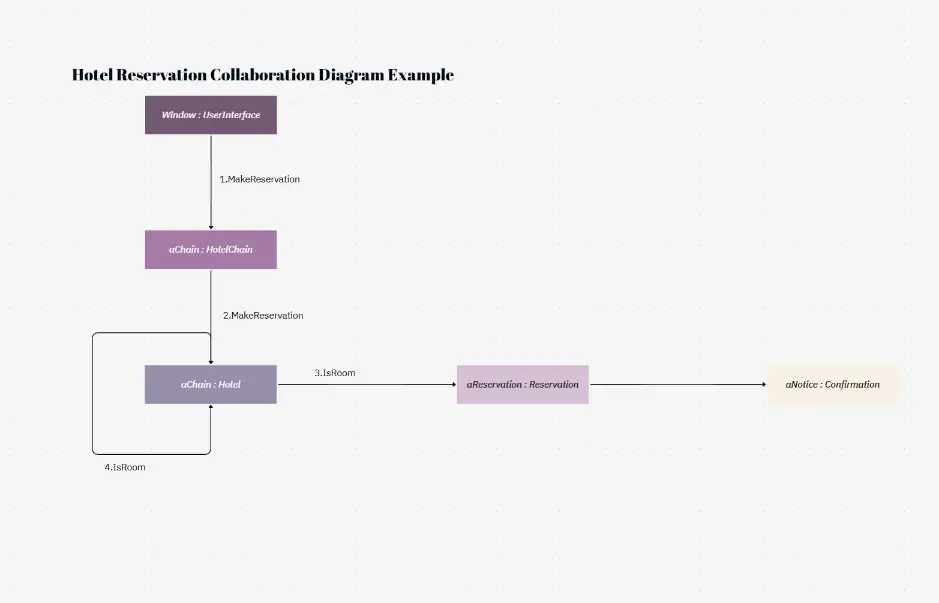
UML collaboration diagrams use standard notation: Objects are drawn as rectangles with 'Object:Class' labels. Associations (links) are solid lines connecting interacting objects. Messages are labeled on the associations with sequence numbers (1, 2, 3...), method names, and parameters. Return values are shown with dashed arrows. Object multiplicity, conditional execution, and guard conditions can be annotated. The notation follows UML 2.x specifications, which are standardized by the Object Management Group (OMG).

Yes. Cloudairy supports export to Microsoft Visio (.vsdx), PowerPoint (.pptx), as well as PNG, SVG, and PDF formats. You can also export as draw.io format for further editing in draw.io, or share directly via URL. This flexibility lets you integrate diagrams into enterprise documentation, presentations, architecture decision records (ADRs), and design systems.

In UML 1.x, the term was 'collaboration diagram.' In UML 2.x, this was renamed to 'communication diagram' to better reflect its purpose. The semantics are identical—both show object interactions and message flow in a spatial/structural context. Today, the terms are used interchangeably, though 'communication diagram' is the official UML 2.x terminology. Cloudairy supports both terms and generates diagrams compliant with UML 2.5 standards.

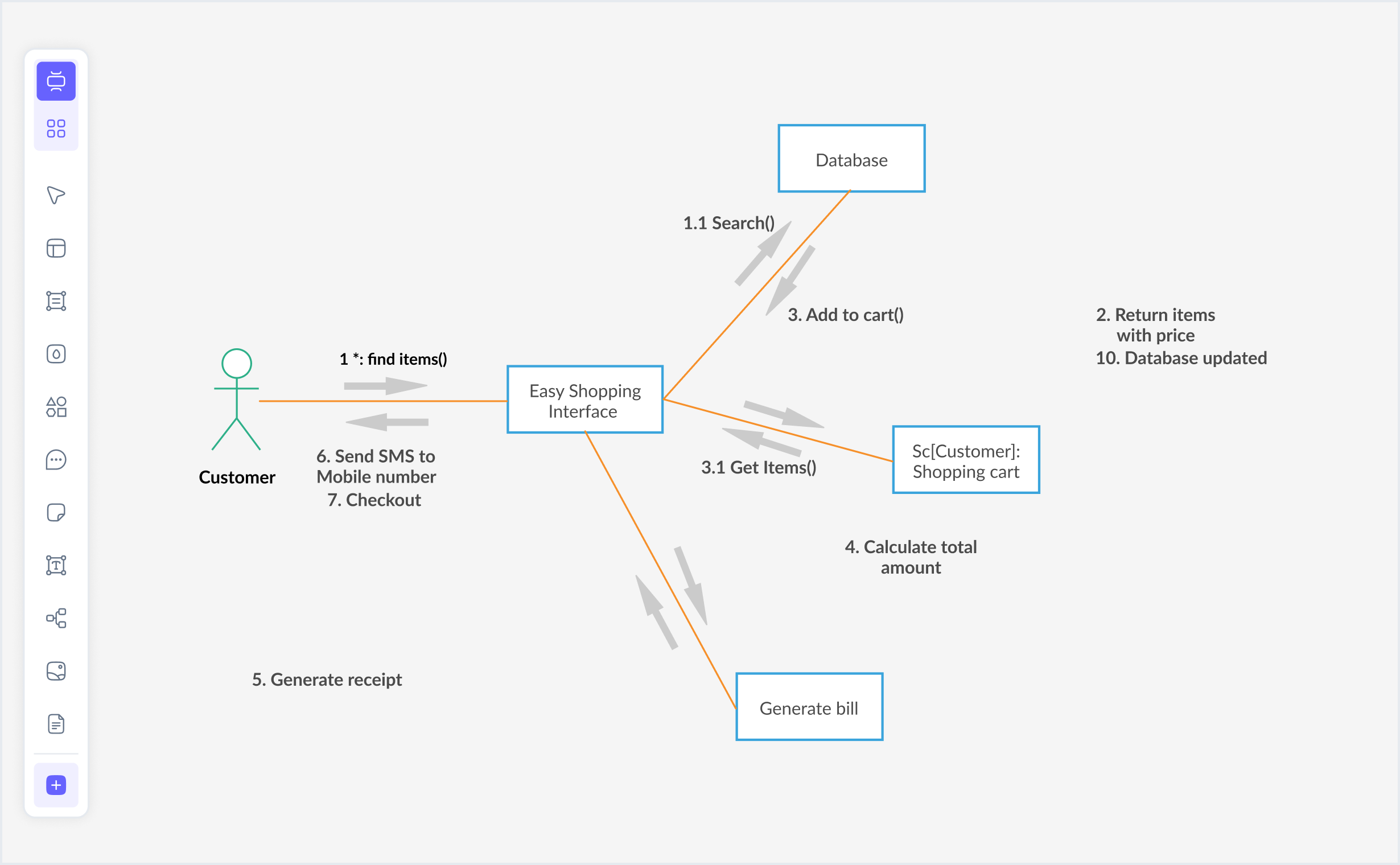
Common examples include: (1) ATM withdrawal system—showing ATM, Card Reader, Bank Server, and Customer interactions; (2) E-commerce order processing—showing Customer, Web Browser, Order Service, Payment Service, Inventory Service collaborations; (3) Microservices architecture—showing how API Gateway, Auth Service, Business Logic Services, and Databases interact; (4) Banking system—showing teller, account system, and ledger interactions. Cloudairy provides templates for all these use cases.

Yes, extensively. Enterprise architects use collaboration diagrams to document system integration patterns, service dependencies, and component interactions in large-scale systems. They are especially valuable in microservices-based architectures, cloud-native design, and SOA (Service-Oriented Architecture) documentation. Collaboration diagrams help teams understand architectural decisions, identify potential integration bottlenecks, and communicate design rationale to stakeholders.

Yes. Cloudairy supports real-time collaboration with team members. You can invite collaborators, assign edit/view/comment permissions, and see live updates as others work on the diagram. Comments and threads allow team discussion directly on the diagram, making it ideal for distributed design reviews and architectural discussions.

No. You can start creating collaboration diagrams immediately without signing up. Just visit the tool, describe your diagram in natural language, and the AI generates it. If you want to save your work, collaborate with others, or access advanced features, you can create a free account. There are no hidden paywalls—the free tier includes unlimited diagrams, exports, and templates.

Success Stories from Our Community

See how cloud architects, solutions engineers, and DevOps teams use Cloudairy to create Azure architecture diagrams faster and with better results.

As a cloud architect, I need precision and speed. Cloudairy helps me design complex Azure architectures in minutes without losing detail or accuracy. The official Azure icons save me hours every week.

Cloudairy makes Azure solution design so simple. I can create client-ready architecture diagrams instantly and focus on delivering value instead of spending hours formatting Visio files.

I'm studying for AZ-305 and Cloudairy helps me visualize Azure reference architectures instantly. I can generate a landing zone diagram from a single sentence and use it as a study aid.

I use Cloudairy to teach Azure architecture in my courses. The AI generator lets students produce real-world diagrams on the first day instead of spending weeks learning Visio.

Our team uses Cloudairy to document every Azure deployment. The Visio export means our diagrams drop straight into client deliverables without any reformatting. Huge time saver.

Secure, compliant, and enterprise-ready

Cloudairy safeguards your work with enterprise-grade security, compliance, and access controls — so your teams can create, collaborate, and scale with confidence.

SOC 2 Type II
SOC 2 Type Ⅱ

Cloudairy is SOC 2 Type Ⅱ certified and penetration tested annually, ensuring your architecture diagrams and data meet the highest standards for security and reliability.

GDPR
GDPR

We comply with the European Union General Data Protection Regulation (GDPR) and extend it to all our customers even those outside of the EU.

ISO 27001
ISO 27001

Our Information Security Management System is ISO 27001 certified — the leading global standard for information security.

Flexible Pricing for Every Team

Free

Discover what Cloudairy can do for you. Start for free

$0

for unlimited members
Try for free

Upgrade now

Show key features

up-arrow

Includes:

Starter

Unlock unlimited and private boards with important features

$4

per member / month

billed annually

monthly

Show key features

up-arrow

Includes everything in Free, plus:

money-back

Business

MOST POPULAR

Ideal for agencies or growing businesses managing multiple projects.

$5

per member / month
billed annually

Show key features

up-arrow

Includes everything in starter, plus:

Enterprise Plan

For large organizations needing scalability, control, and security.

contact-pricing
Contact for pricing
Contact us

Upgrade now

Show key features

up-arrow

Includes everything in Business, plus: