50,000 + Trusted Users with
star star star star star

Trusted by Professionals at Leading Companies

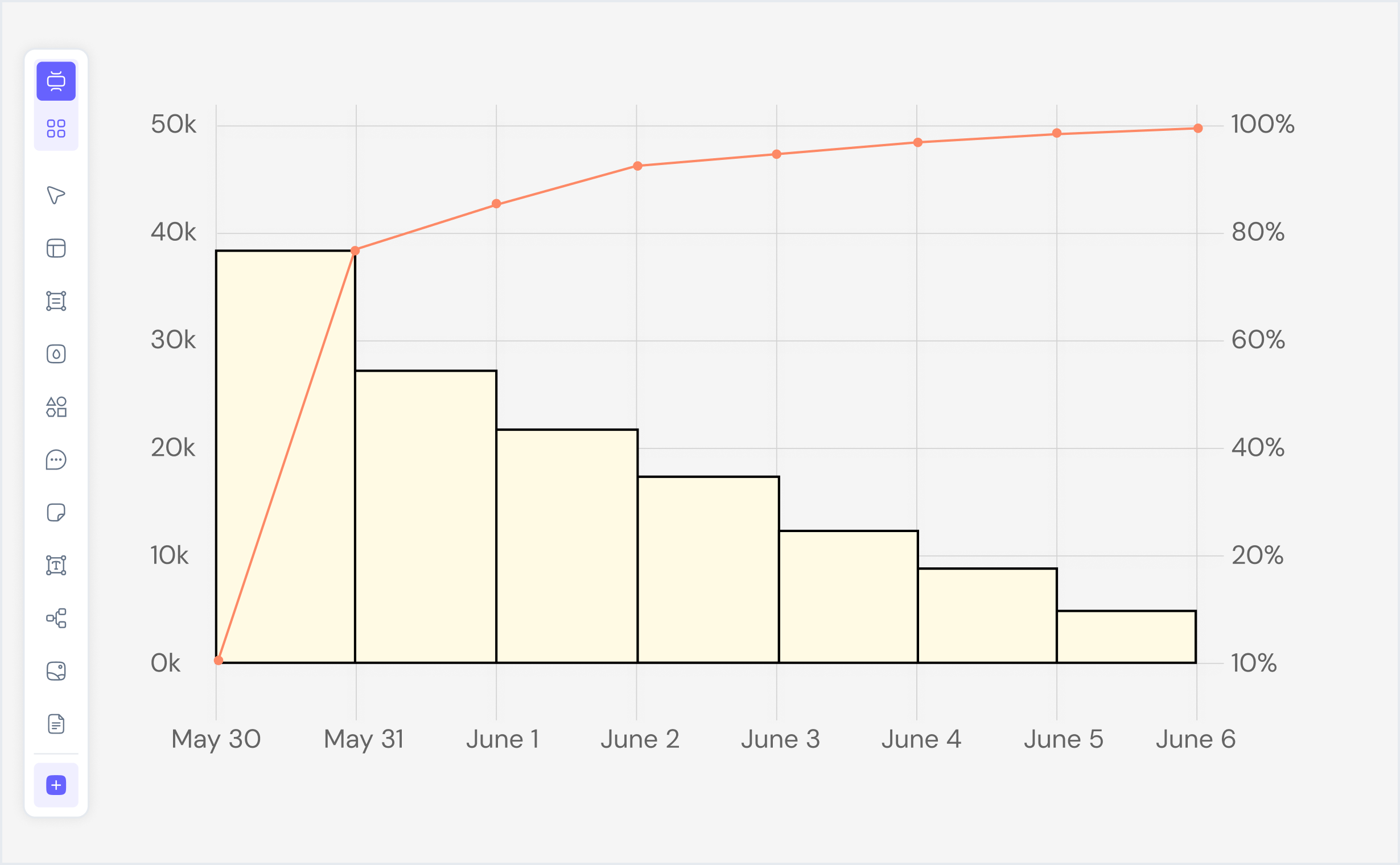
What is a Pareto chart — example showing bars, cumulative line, and 80/20 vital few highlighting

What Is a Pareto Chart?

A Pareto chart is a visual analysis tool combining a bar chart and cumulative line graph. Based on the Pareto principle (80/20 rule discovered by economist Vilfredo Pareto), Pareto charts help identify the vital few problems that cause most impact. Bars show individual frequencies sorted by descending order, while a cumulative line reveals the percentage contribution of each category. This enables quality engineers, project managers, and operations leaders to prioritize improvements by focusing resources on the vital few issues that drive 80% of results.

Pareto charting is standard practice in quality management, Six Sigma, process improvement, operational analysis, supply chain management, risk management, and project management. It's used by Six Sigma black belts for root cause analysis, quality engineers for defect prioritization, operations managers for process bottleneck identification, supply chain managers for ABC inventory analysis, customer service leaders for complaint reason clustering, and data analysts for distribution visualization. The Pareto principle shows that in most situations, 80% of effects come from 20% of causes — so identifying and addressing the vital few yields maximum impact.

Cloudairy's AI Pareto Chart Maker eliminates manual spreadsheet work and complex charting tools. Describe your problem data in plain English — "Manufacturing defects: paint scratches 45, assembly misalignment 32, component failure 18, packaging damage 12" — and the AI generates a professional Pareto chart with automatic 80/20 analysis in seconds. Identify vital few problems instantly. Export to PNG for reports, SVG for editing, Visio for enterprise documentation, or PowerPoint for presentations. Perfect for quality professionals, Six Sigma practitioners, operational improvement teams, and business analysts.

How to Create a Pareto Chart with AI (4 Steps)

Go from problem data to professional Pareto chart with 80/20 analysis in four steps — no manual spreadsheet work, no expensive software license, no charting skills required.

1

Describe your problem data

Type a plain-English description of your problem data, defects, complaints, or improvement areas. For example: "Manufacturing defects in Q1: paint scratches 45, assembly misalignment 32, component failure 18, packaging damage 12" or "Customer complaint categories: shipping delays 120, wrong items 85, damaged goods 42". Or choose from example prompt chips — Manufacturing defects, Customer complaints, Process errors, Supply chain issues, Inventory costs.

2

AI generates Pareto chart

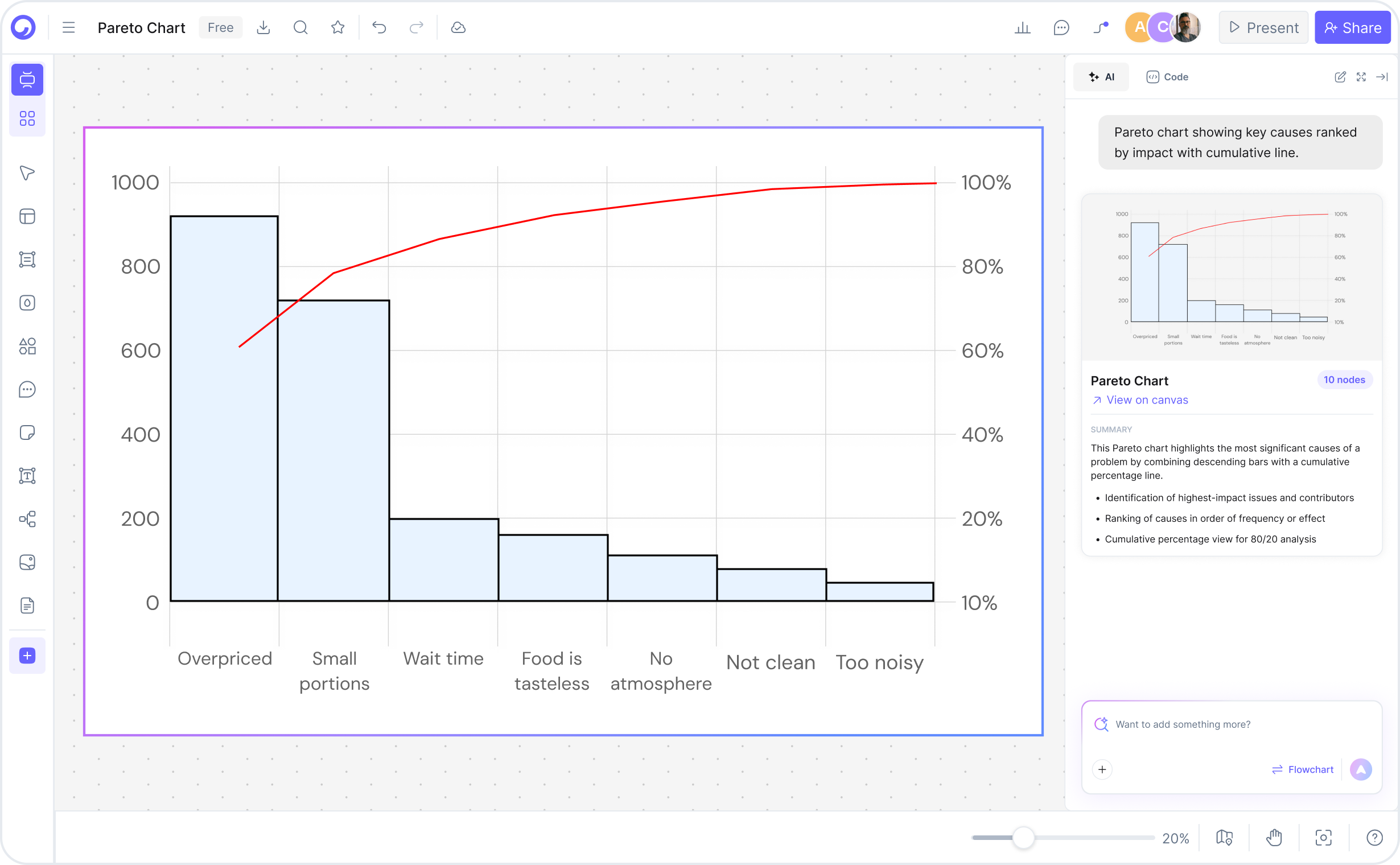
Cloudairy's AI analyzes the data instantly, sorts by frequency, calculates cumulative percentages, and generates a professional Pareto chart with 80/20 split clearly highlighted. Bars, cumulative line, vital few threshold, and labels are placed perfectly — all automatically.

3

Review and refine

Refine the chart in Cloudairy's visual editor. Reorganize categories, adjust colors, add titles and labels, highlight the vital few (80%), set target thresholds, or adjust the cumulative split percentage. Collaborate with team members in real-time and get instant feedback.

4

Export and share

Download as PNG for reports and presentations, SVG for further editing in design tools, Visio for enterprise integration with process documentation, or PowerPoint for direct slide insertion. All formats preserve the bar chart, cumulative line, 80% threshold, colors, and labels.

How to create a Pareto chart with Cloudairy — four steps from problem data to export

Start Creating Your Pareto Chart Free

Join quality professionals, Six Sigma practitioners, and operations managers worldwide who use Cloudairy to create professional Pareto charts in seconds. AI generation. 80/20 analysis. Vital few highlighting. Multi-format export.

No credit card required • Start creating in seconds

Why Use Cloudairy as Your Pareto Chart Tool

Cloudairy is the only AI Pareto chart maker that combines AI text-to-chart generation with 80/20 analysis, vital few highlighting, ABC analysis templates, real-time collaboration, and multi-format export (PNG, SVG, Visio, PowerPoint) — all on a single platform.

AI Prompt-to-Chart

AI Prompt-to-Chart Generation

Describe your problem data in plain English and get a complete Pareto chart with automatic 80/20 analysis in seconds. No manual data entry, no spreadsheet required, no charting skills. The AI understands quality context, defect frequencies, complaint categories, and distribution analysis.

80/20 Analysis

80/20 Analysis & Vital Few Highlighting

Cloudairy automatically identifies the vital few problems that account for 80% of impact. The cumulative 80% threshold is highlighted clearly on the chart. Users can adjust the split (70%, 85%, 90%) and see analysis adjust in real-time. Perfect for Six Sigma, quality improvement, and operational analysis.

ABC Analysis Templates

ABC Analysis & Pareto Principle Templates

Pre-built templates for ABC inventory analysis, customer segmentation, effort-impact prioritization, defect analysis, customer complaint categorization, and risk frequency analysis. Each template includes example categories, labeling conventions, and improvement context for quality management and operations.

Multi-Format Export

Multi-Format Export (PNG, SVG, Visio, PowerPoint)

Export to PNG for reports and presentations, SVG for further editing in design tools, Visio for enterprise integration with process documentation, or PowerPoint for direct slide insertion. Your Pareto charts stay portable across tools and ready for any use case.

Cumulative Distribution Visualization

Cumulative Distribution Visualization

Pareto charts display both bar chart (individual frequencies) and cumulative line (running total percentage) automatically. Cloudairy renders both elements with clear visual distinction. The cumulative line makes it easy to identify the 80% threshold and understand concentration patterns in your data.

Real-Time Collaboration

Real-Time Collaboration

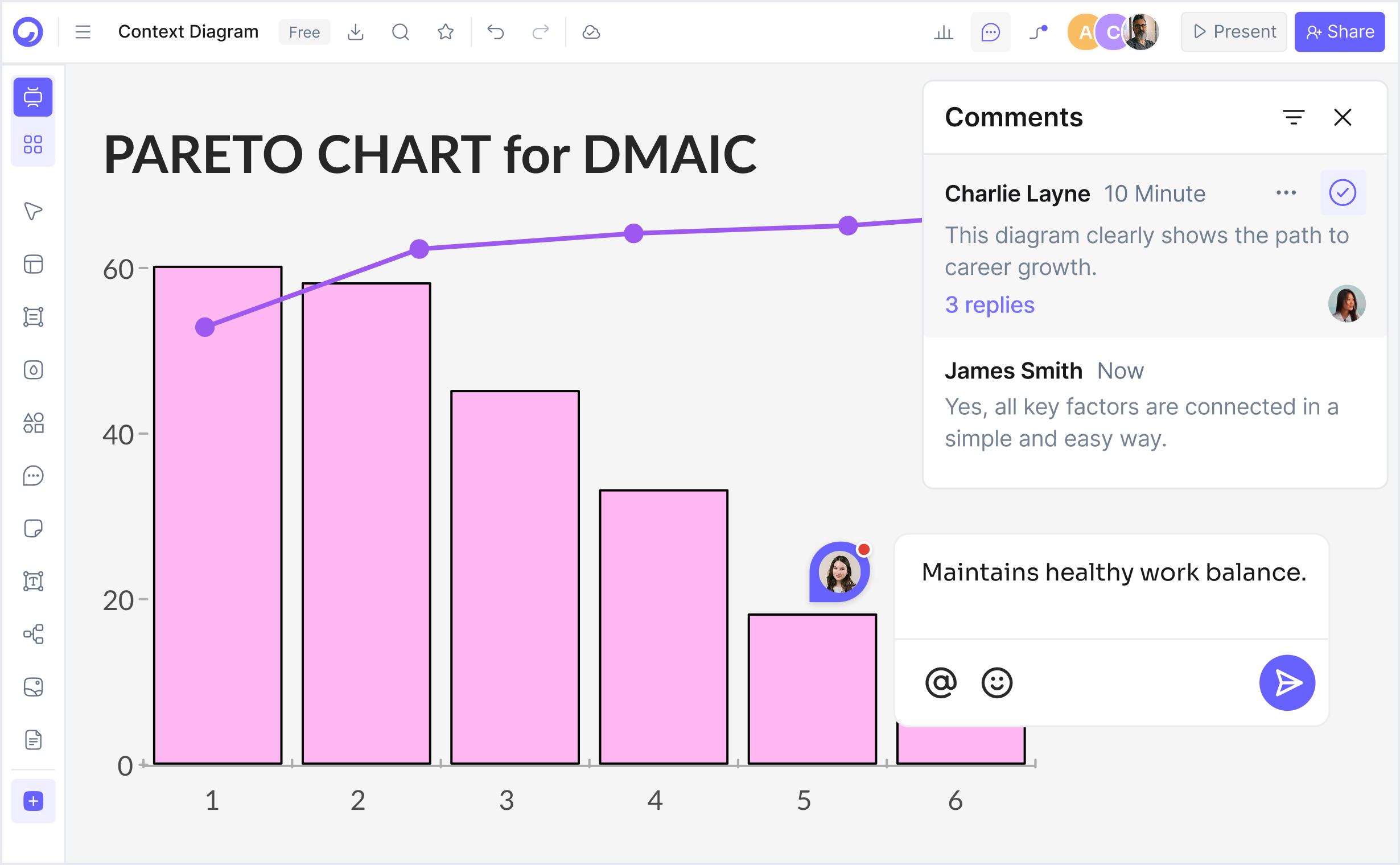
Invite team members by email and set permissions (view-only, edit, comment). See live updates as team members modify data, adjust thresholds, or refine analysis. Comments and @mentions enable collaborative problem-solving. Perfect for cross-functional quality improvement and Six Sigma project teams.

Cloudairy vs Competitors — Pareto Chart Tools Compared

See how Cloudairy's AI Pareto chart maker compares to Excel add-ins, generic charting tools, and specialized quality management platforms.

Feature Cloudairy QI Macros Think-Cell Visual Paradigm Numiqo ChatDiagram
AI Generator (text-to-Pareto) Yes No No No No No
80/20 Templates & Analysis Yes Limited No No No No
Auto-Calculation (80/20 split) Yes Yes Yes No No No
Free Tier (no signup required) Yes No No Limited Yes Yes
Real-Time Collaboration Yes No No Yes No No
Export PNG/SVG/Visio/PowerPoint Yes Excel only PPT only Yes Yes Yes
ABC Analysis Templates Yes No No No No No

Who Uses Pareto Charts?

Quality Engineers & Six Sigma Black Belts

Analyze manufacturing defects and identify vital few root causes. Generate Pareto charts for DMAIC phases, prioritize process improvements, and create control charts for quality documentation. Export for steering committee presentations.

Operations & Process Improvement Managers

Identify process bottlenecks and prioritize cycle time reduction. Analyze operational metrics, complaint frequencies, and error sources with 80/20 analysis. Focus team effort on high-impact improvements.

Supply Chain & Logistics Managers

Conduct ABC inventory analysis and identify high-value SKUs. Analyze supplier performance and defect sources. Use Pareto charts for inventory optimization and vendor quality negotiations.

Customer Service & Support Leaders

Analyze complaint reasons and identify most common customer issues. Use Pareto analysis to prioritize support improvements and training focus areas. Track complaint resolution effectiveness.

Data Analysts & Business Intelligence Teams

Visualize data distributions and identify concentration patterns. Use Pareto analysis for exploratory data analysis and insight discovery. Export charts for dashboards, reports, and stakeholder presentations.

Project & Product Managers

Prioritize product features and improvement initiatives using Pareto analysis. Identify high-impact enhancements from the vital few customer pain points. Use charts for roadmap planning and stakeholder communication.

MBA & Quality Certification Students

Learn Pareto analysis, Six Sigma, and quality management concepts hands-on. Generate charts for case studies, projects, and certification exam preparation. Practice with real-world templates and export for coursework and portfolios.

Continuous Improvement & Lean Teams

Apply Lean principles with Pareto analysis to eliminate waste and optimize workflows. Identify the vital few bottlenecks causing process delays. Use charts for kaizen events, value stream mapping, and continuous improvement documentation.

Quality engineers, operations managers, and data analysts using Cloudairy for Pareto charts

Frequently Asked Questions

The Pareto principle, discovered by economist Vilfredo Pareto, states that 80% of effects typically come from 20% of causes. In business, 80% of revenue often comes from 20% of customers, 80% of defects from 20% of causes, and 80% of problems from 20% of sources. Pareto charts visualize this concentration to identify vital few issues.

Pareto charts display bars (sorted by frequency) and a cumulative line (percentage). Read the chart left to right — taller bars = more frequent problems. The cumulative line shows what percentage of total effect each category contributes. The steep rise on the left indicates vital few problems; the flat section on the right indicates trivial many.

Describe your problem data in the AI prompt (e.g., defect frequencies, complaint categories, cost sources). Cloudairy generates a Pareto chart sorted by frequency with 80/20 split highlighted. Edit using the drag-and-drop editor, adjust thresholds, add labels, and export to PNG, SVG, Visio, or PowerPoint.

ABC analysis (or ABC inventory classification) applies the Pareto principle to inventory. Items are categorized as: A items (vital few, high value, 80% of cost), B items (medium importance), C items (trivial many, low cost). Pareto charts visually show the ABC distribution, helping managers optimize inventory investment and control strategies.

In Six Sigma, Pareto charts are used in the Analyze phase to identify the vital few root causes of problems. Teams brainstorm potential causes, data is collected, and Pareto charts visualize which causes have greatest impact. This focuses improvement efforts on high-impact items, following the 80/20 principle.

No. Cloudairy's free tier lets you generate, edit, and export unlimited Pareto charts without creating an account. Sign up only if you want to save charts, collaborate with team members, or access advanced templates and analysis features.

Yes. Cloudairy supports real-time collaboration. Invite team members by email, set permissions (view-only, edit, comment), and work together on Pareto analysis live. Changes sync instantly. Perfect for cross-functional quality improvement, Six Sigma project teams, and operational improvement initiatives.

Cloudairy exports Pareto charts as PNG (for reports/presentations), SVG (for further editing in design tools), Visio (for enterprise integration with process documentation), and PowerPoint (for direct slide insertion). All formats preserve the bar chart, cumulative line, 80% threshold, colors, and labels.

Success Stories from Our Community

See how cloud architects, solutions engineers, and DevOps teams use Cloudairy to create Azure architecture diagrams faster and with better results.

As a cloud architect, I need precision and speed. Cloudairy helps me design complex Azure architectures in minutes without losing detail or accuracy. The official Azure icons save me hours every week.

Cloudairy makes Azure solution design so simple. I can create client-ready architecture diagrams instantly and focus on delivering value instead of spending hours formatting Visio files.

I'm studying for AZ-305 and Cloudairy helps me visualize Azure reference architectures instantly. I can generate a landing zone diagram from a single sentence and use it as a study aid.

I use Cloudairy to teach Azure architecture in my courses. The AI generator lets students produce real-world diagrams on the first day instead of spending weeks learning Visio.

Our team uses Cloudairy to document every Azure deployment. The Visio export means our diagrams drop straight into client deliverables without any reformatting. Huge time saver.

Secure, compliant, and enterprise-ready

Cloudairy safeguards your work with enterprise-grade security, compliance, and access controls — so your teams can create, collaborate, and scale with confidence.

SOC 2 Type II
SOC 2 Type Ⅱ

Cloudairy is SOC 2 Type Ⅱ certified and penetration tested annually, ensuring your architecture diagrams and data meet the highest standards for security and reliability.

GDPR
GDPR

We comply with the European Union General Data Protection Regulation (GDPR) and extend it to all our customers even those outside of the EU.

ISO 27001
ISO 27001

Our Information Security Management System is ISO 27001 certified — the leading global standard for information security.

Flexible Pricing for Every Team

Free

Discover what Cloudairy can do for you. Start for free

$0

for unlimited members
Try for free

Upgrade now

Show key features

up-arrow

Includes:

Starter

Unlock unlimited and private boards with important features

$4

per member / month

billed annually

monthly

Show key features

up-arrow

Includes everything in Free, plus:

money-back

Business

MOST POPULAR

Ideal for agencies or growing businesses managing multiple projects.

$5

per member / month
billed annually

Show key features

up-arrow

Includes everything in starter, plus:

Enterprise Plan

For large organizations needing scalability, control, and security.

contact-pricing
Contact for pricing
Contact us

Upgrade now

Show key features

up-arrow

Includes everything in Business, plus: