50,000 + Trusted Users with
star star star star star

Trusted by Professionals at Leading Companies

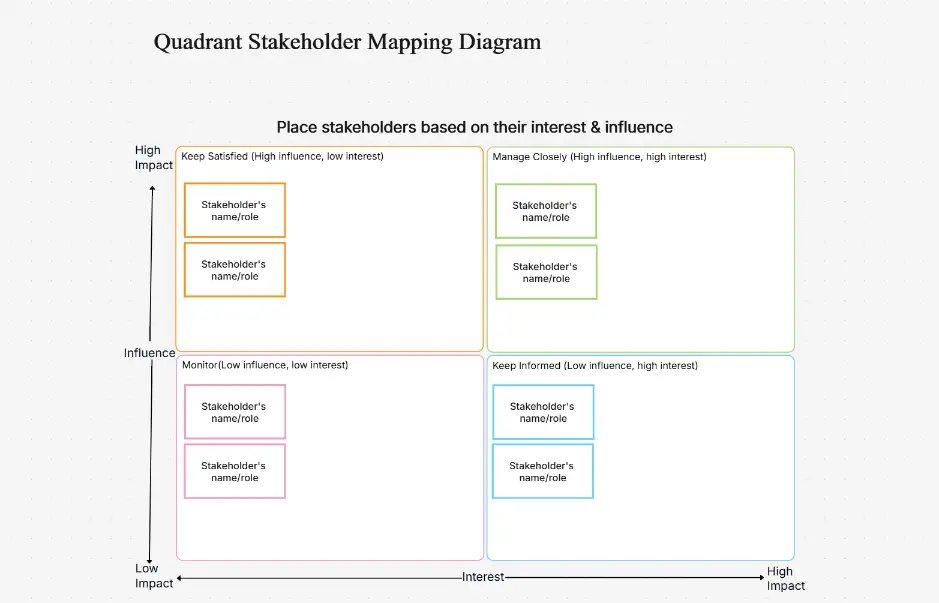
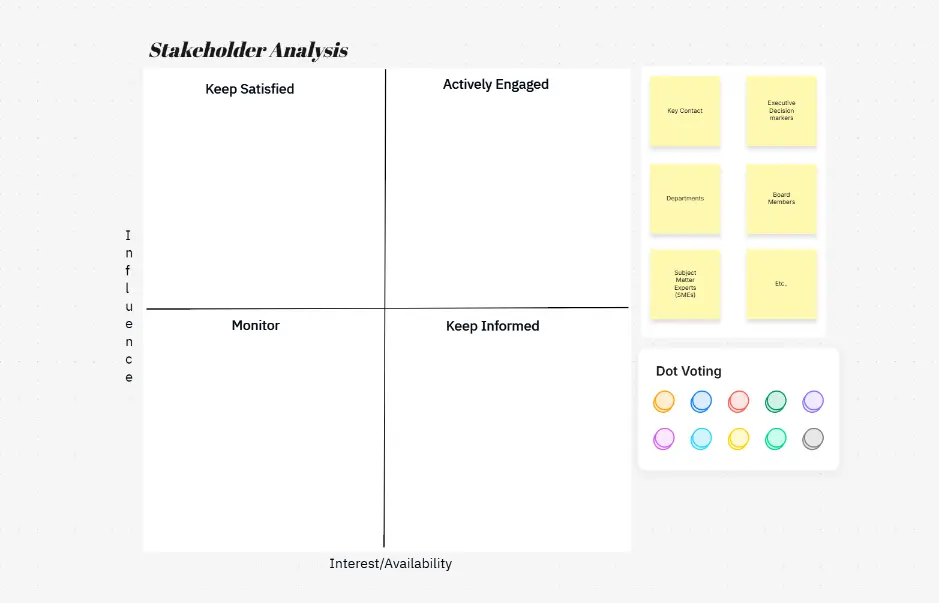
What is a stakeholder map — example showing power-interest grid with stakeholders positioned by influence and engagement level

What Is a Stakeholder Map?

A stakeholder map is a visual diagram that identifies and analyzes key stakeholders, their influence, and engagement level. Power-interest grids position stakeholders by power (influence) and interest (impact). Stakeholder mapping is standard in project management, organizational change, product development, and business analysis to align teams, plan communication strategies, and anticipate resistance.

The power-interest framework divides stakeholders into two dimensions: power (their ability to influence the project or initiative) and interest (their level of concern or involvement). This two-axis model creates four distinct quadrants, each requiring a different engagement strategy. Understanding where each stakeholder falls helps you prioritize communication efforts, allocate resources effectively, and build coalitions of support.

The four quadrants of a stakeholder map are: Manage Closely (high power, high interest) — these are your key stakeholders requiring frequent communication and active involvement; Keep Satisfied (high power, low interest) — influential players who need regular updates but don't require constant engagement; Monitor (low power, high interest) — passionate stakeholders with limited influence who should be kept informed; and Low Priority (low power, low interest) — peripheral stakeholders requiring minimal attention. This segmentation enables you to develop tailored engagement plans for each group.

Creating a stakeholder map early in a project or initiative prevents misalignment, reduces unexpected resistance, and ensures critical voices are heard. By visualizing power dynamics and interest levels, teams can anticipate conflicts, identify champions for change, and design communication strategies that resonate with different stakeholder groups.

How to Create a Stakeholder Map with Cloudairy (4 Steps)

Go from stakeholder list to power-interest grid in four steps — no design skills, no manual mapping, no learning curve required.

1

List stakeholders

Enter key stakeholders, their roles, and project context in the prompt. For example: "Enterprise ERP implementation stakeholders" or "Product launch stakeholder grid". Or choose from example prompt chips — Enterprise ERP implementation, Product launch, Healthcare reform, Construction project, Organizational change, Consulting engagement, Agile transformation.

2

AI generates grid

AI creates power-interest grid, automatically classifying stakeholders by influence and interest level. Stakeholders are positioned across four quadrants: Manage (high power, high interest), Keep Satisfied (high power, low interest), Monitor (low power, high interest), and Low Priority (low power, low interest).

3

Review influence

Analyze stakeholder positions, engagement scores, and communication priorities. Use influence-impact matrix or salience model for deeper analysis. Identify key influencers, resistors, and supporters. Plan engagement strategies for each stakeholder group.

4

Export & share

Download PNG/SVG for presentations, export to Visio for enterprise teams, or share draw.io link with team for alignment. Real-time collaboration lets team members comment and refine stakeholder analysis together.

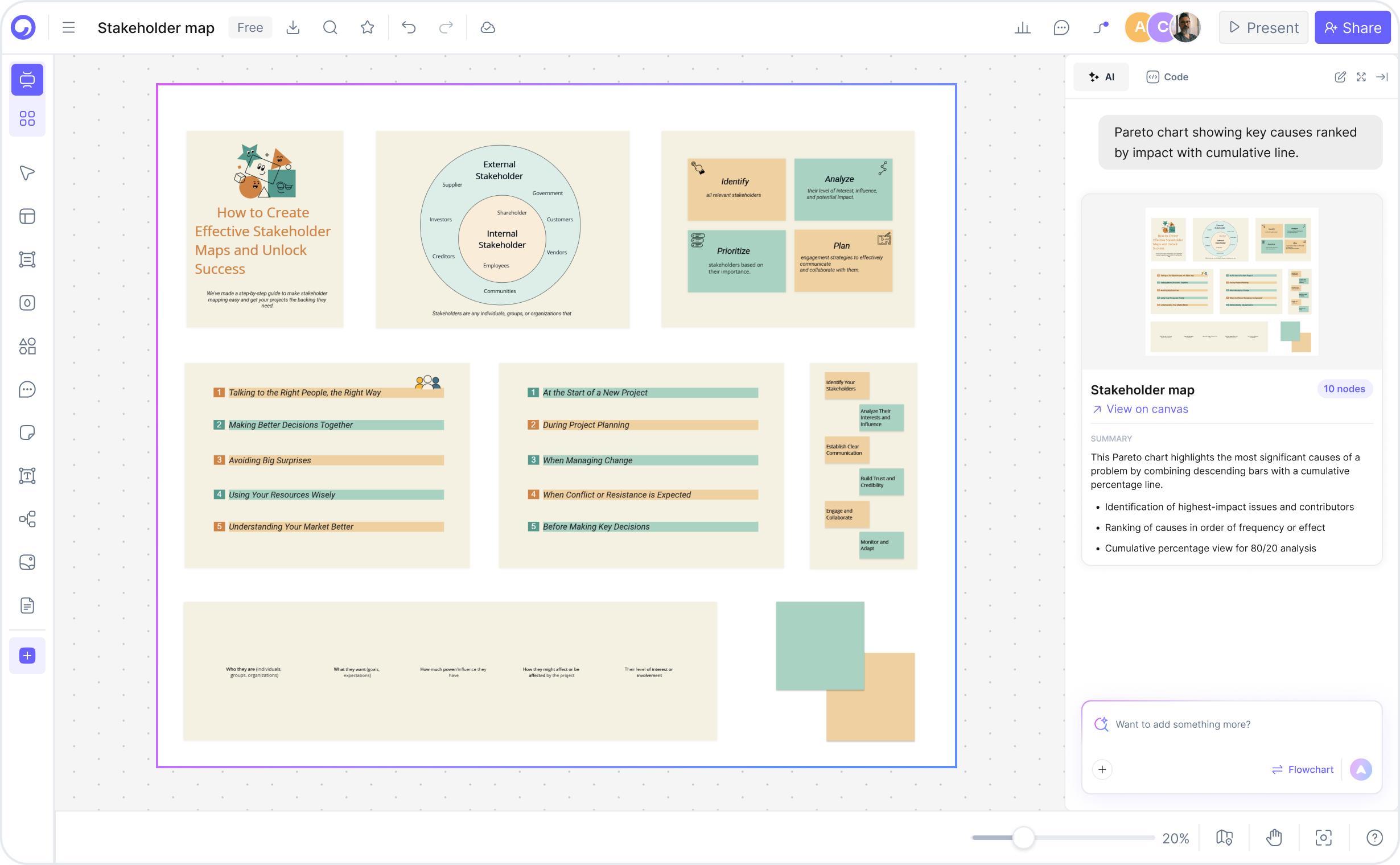
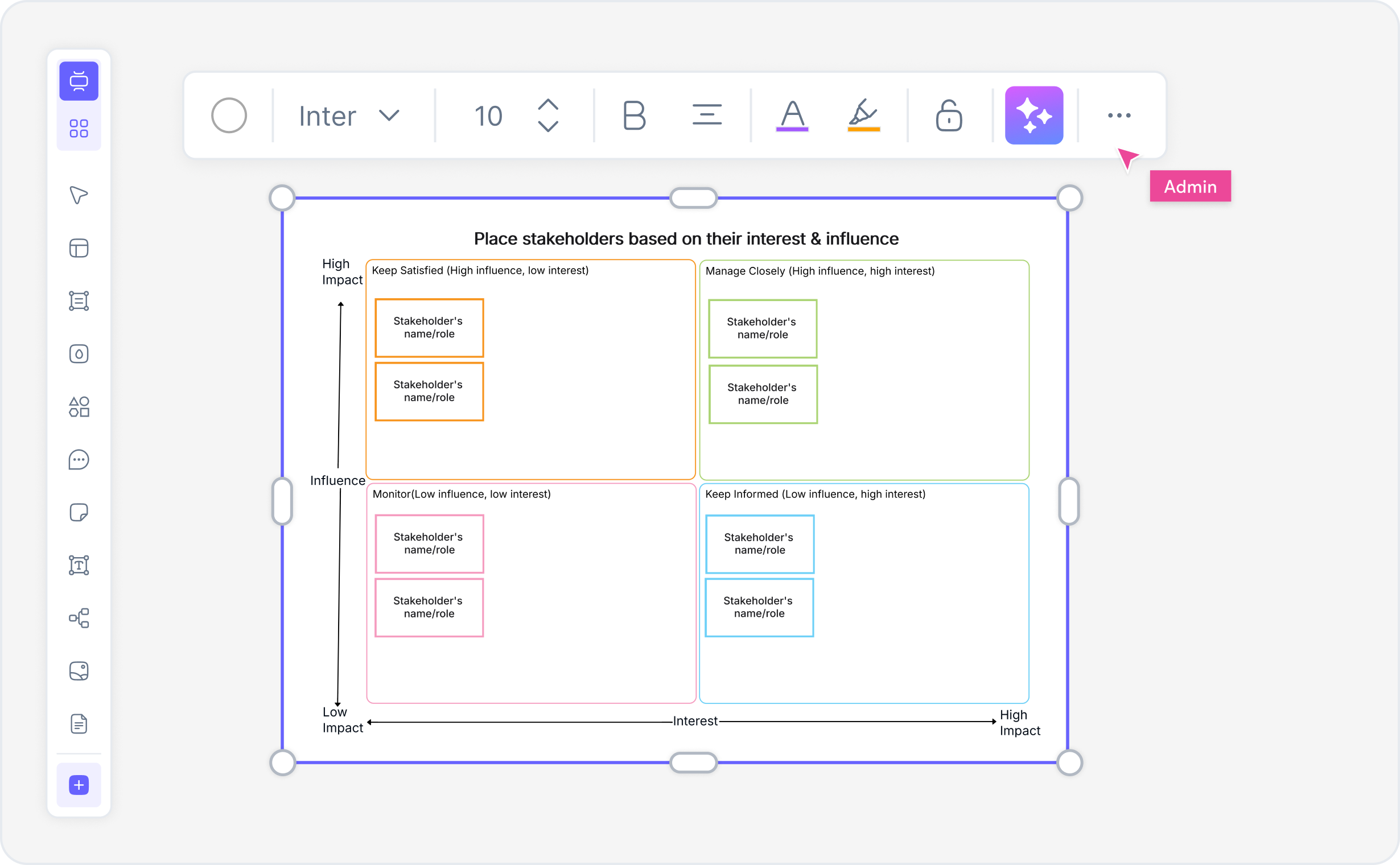
How to create a stakeholder map with Cloudairy — four steps from prompt to export

Start Creating Your Stakeholder Map Free

Join project managers, business analysts, and consultants worldwide who use Cloudairy to create power-interest grids in seconds. AI generation. Auto-classification. Engagement scoring. Visio export.

No credit card required • Start creating in seconds

Why Use Cloudairy as Your Stakeholder Map Maker

Cloudairy is the only AI stakeholder map maker that combines AI prompt-to-grid generation with power-interest classification, engagement scoring, real-time collaboration, and multi-format export — all on a single platform.

AI Prompt-to-Map Generation

AI Prompt-to-Map Generation

Describe your project stakeholders and context. AI generates a professional power-interest grid in 10 seconds. No design skills required.

Power-Interest Grid

Power-Interest Grid

Automatically position stakeholders by power (high/low) and interest (high/low). Standard PM framework for stakeholder engagement planning.

Stakeholder Engagement Scoring

Stakeholder Engagement Scoring

AI calculates influence score, impact level, engagement urgency. Integrated metrics guide communication and alignment strategies.

Influence/Impact Matrix

Influence/Impact Matrix

Toggle between power-interest grid, influence-impact matrix, and salience model. Multiple analytical frameworks in one tool.

Real-Time Collaboration

Real-Time Collaboration

Invite team members, assign roles (PM, analyst, sponsor), edit live. Comments and annotations. Team alignment without meetings.

Export to Multiple Formats

Export to Multiple Formats

PNG, SVG, PDF for presentations. Visio import/export for enterprise teams. draw.io integration for technical documentation. Cloud hosting included.

Stakeholder Map Templates — Real-World Examples

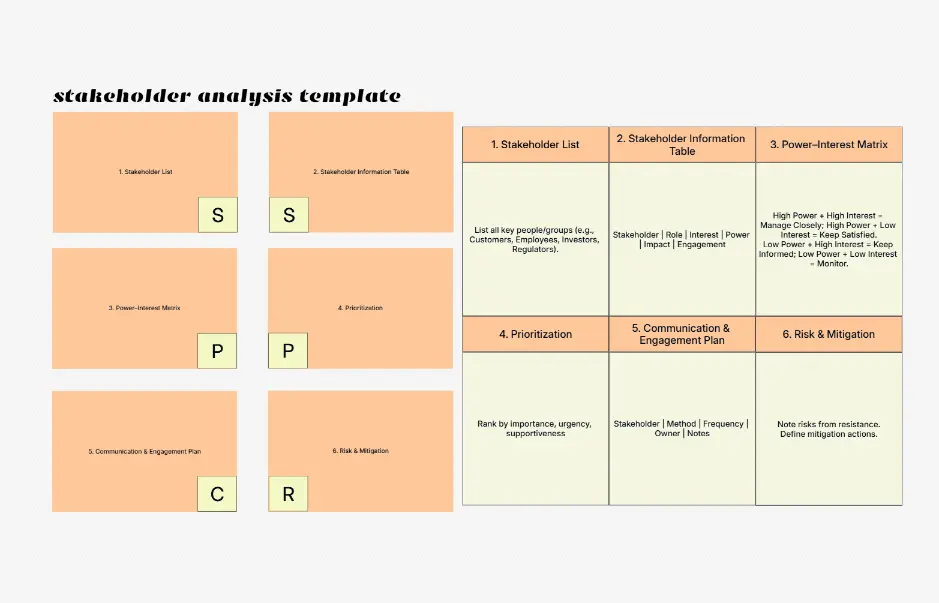
Explore professionally designed stakeholder map examples across industries. Each template is fully editable, AI-extendable, and ready to adapt for your project.

Cloudairy vs Competitors — Stakeholder Mapping Tools Compared

See how Cloudairy's AI stakeholder map maker compares to design tools, collaboration platforms, and business analysis software.

Feature Cloudairy Canva Miro Creately SmartDraw Simply Stakeholders
AI Map Generation Yes No No No No No
Power-Interest Grid Yes Limited No Limited Limited Yes
Auto-Classification Yes No No No No No
Engagement Scoring Yes No No No No No
Real-Time Collaboration Yes Limited Yes Yes Limited No
Free Tier Unlimited Limited Free-$8/mo Limited trial $11.99/mo No
Export to Visio Yes No Limited Limited Limited No
Cloud-Based Yes Yes Yes Yes Yes Limited
Starting Price Free $11.99/mo Free-$8/mo $5/mo $11.99/mo Template only
PM Specialization HIGH None None None Generic MEDIUM

Who Uses Stakeholder Mapping?

Project Managers

Create stakeholder maps for project kickoff, identify influence networks, plan engagement strategies. AI mapping accelerates stakeholder analysis across multiple initiatives.

Business Analysts

Conduct stakeholder analysis for business process improvement, organizational change, digital transformation. Integrate power-interest grids into business case documentation.

Change Management Professionals

Map organizational stakeholders during transformation, identify resistance points, plan communication strategy. Engagement scoring guides targeted change initiatives.

Product Managers

Analyze product stakeholder ecosystems, prioritize feature requests by stakeholder influence, plan go-to-market strategies. Export stakeholder maps for executive alignment.

Consultants & Advisors

Conduct client stakeholder analysis for strategy projects, organizational assessments, transformation programs. Professional export for executive presentations.

MBA & Business Students

Learn stakeholder analysis frameworks, practice project management concepts, analyze real organizational contexts. Free tier + no sign-up barrier = classroom adoption.

Project managers, business analysts, and change management professionals using Cloudairy for stakeholder mapping

Frequently Asked Questions

A stakeholder map is a visual diagram that identifies and analyzes key stakeholders, their power/influence, and interest/impact level. Power-interest grids are the most common format, positioning stakeholders in quadrants to guide engagement strategies.

A power-interest grid (or power-interest matrix) is a 2x2 framework that positions stakeholders by power (high/low) and interest (high/low). This guides communication: Manage (high power, high interest), Keep Satisfied (high power, low interest), Monitor (low power, low interest), Keep Informed (low power, high interest).

List your stakeholders and project context in the AI prompt. Cloudairy generates a power-interest grid in seconds, auto-classifying stakeholders and calculating engagement scores. Edit, analyze, and export for team alignment.

Yes. Cloudairy exports stakeholder maps as Visio files (.vsdx format). You can open them in Visio, edit, and integrate into enterprise documentation. PNG and SVG export also available for presentations.

Power (or influence) is the stakeholder's ability to impact the project or initiative. Interest is their level of concern about the outcome. High-power/high-interest stakeholders require active management. Low-power/high-interest stakeholders should be kept informed.

No. Cloudairy's free tier lets you generate, edit, and export unlimited stakeholder maps without creating an account. Sign up only if you want to save diagrams, collaborate with team members, or access advanced features.

Yes. Cloudairy supports real-time collaboration. Invite team members by email, set permissions (view/edit), and work together on stakeholder maps live. Changes sync instantly.

Best practices include: (1) map all stakeholders early, (2) assess power and interest accurately, (3) tailor communication by quadrant (manage, keep satisfied, keep informed, monitor), (4) engage sponsors early, (5) anticipate resistance, (6) review and update stakeholder map regularly as project progresses.

Success Stories from Our Community

See how cloud architects, solutions engineers, and DevOps teams use Cloudairy to create Azure architecture diagrams faster and with better results.

As a cloud architect, I need precision and speed. Cloudairy helps me design complex Azure architectures in minutes without losing detail or accuracy. The official Azure icons save me hours every week.

Cloudairy makes Azure solution design so simple. I can create client-ready architecture diagrams instantly and focus on delivering value instead of spending hours formatting Visio files.

I'm studying for AZ-305 and Cloudairy helps me visualize Azure reference architectures instantly. I can generate a landing zone diagram from a single sentence and use it as a study aid.

I use Cloudairy to teach Azure architecture in my courses. The AI generator lets students produce real-world diagrams on the first day instead of spending weeks learning Visio.

Our team uses Cloudairy to document every Azure deployment. The Visio export means our diagrams drop straight into client deliverables without any reformatting. Huge time saver.

Secure, compliant, and enterprise-ready

Cloudairy safeguards your work with enterprise-grade security, compliance, and access controls — so your teams can create, collaborate, and scale with confidence.

SOC 2 Type II
SOC 2 Type Ⅱ

Cloudairy is SOC 2 Type Ⅱ certified and penetration tested annually, ensuring your architecture diagrams and data meet the highest standards for security and reliability.

GDPR
GDPR

We comply with the European Union General Data Protection Regulation (GDPR) and extend it to all our customers even those outside of the EU.

ISO 27001
ISO 27001

Our Information Security Management System is ISO 27001 certified — the leading global standard for information security.

Flexible Pricing for Every Team

Free

Discover what Cloudairy can do for you. Start for free

$0

for unlimited members
Try for free

Upgrade now

Show key features

up-arrow

Includes:

Starter

Unlock unlimited and private boards with important features

$4

per member / month

billed annually

monthly

Show key features

up-arrow

Includes everything in Free, plus:

money-back

Business

MOST POPULAR

Ideal for agencies or growing businesses managing multiple projects.

$5

per member / month
billed annually

Show key features

up-arrow

Includes everything in starter, plus:

Enterprise Plan

For large organizations needing scalability, control, and security.

contact-pricing
Contact for pricing
Contact us

Upgrade now

Show key features

up-arrow

Includes everything in Business, plus: