50,000 + Trusted Users with
star star star star star

Trusted by Professionals at Leading Companies

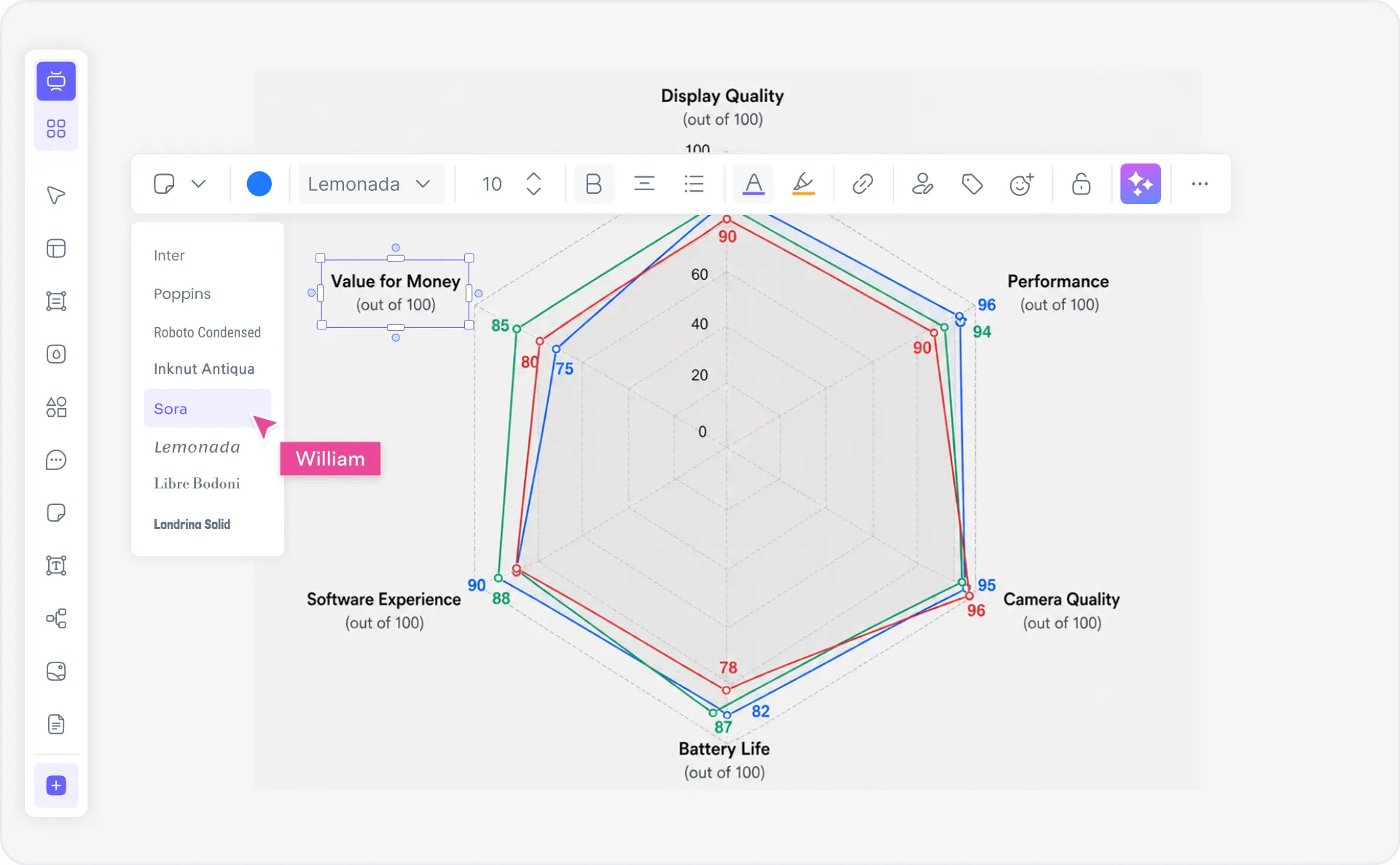
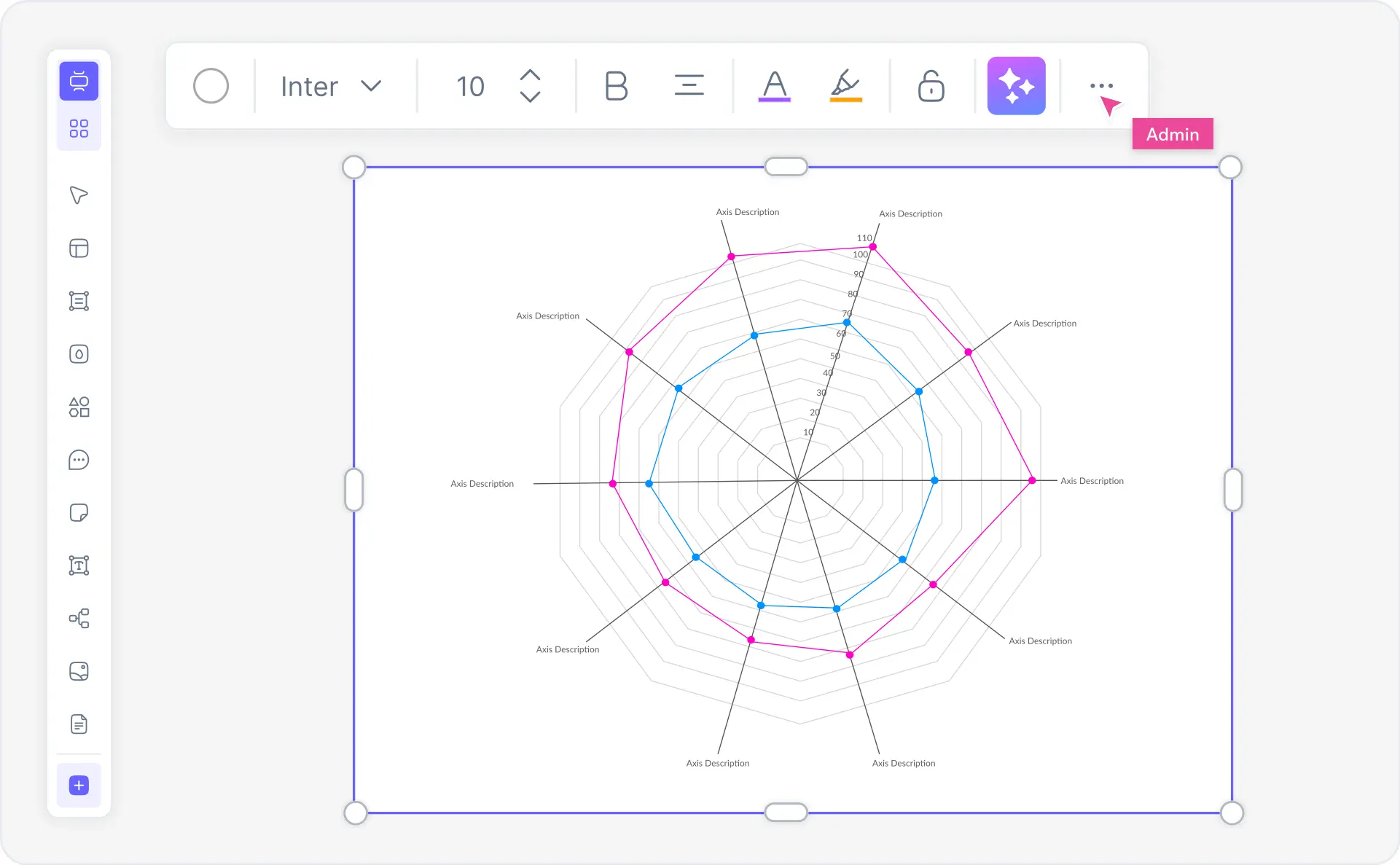
What is a radar chart — spider chart example showing multivariate data across multiple axes radiating from center

What Is a Radar Chart? (Spider Chart Explained)

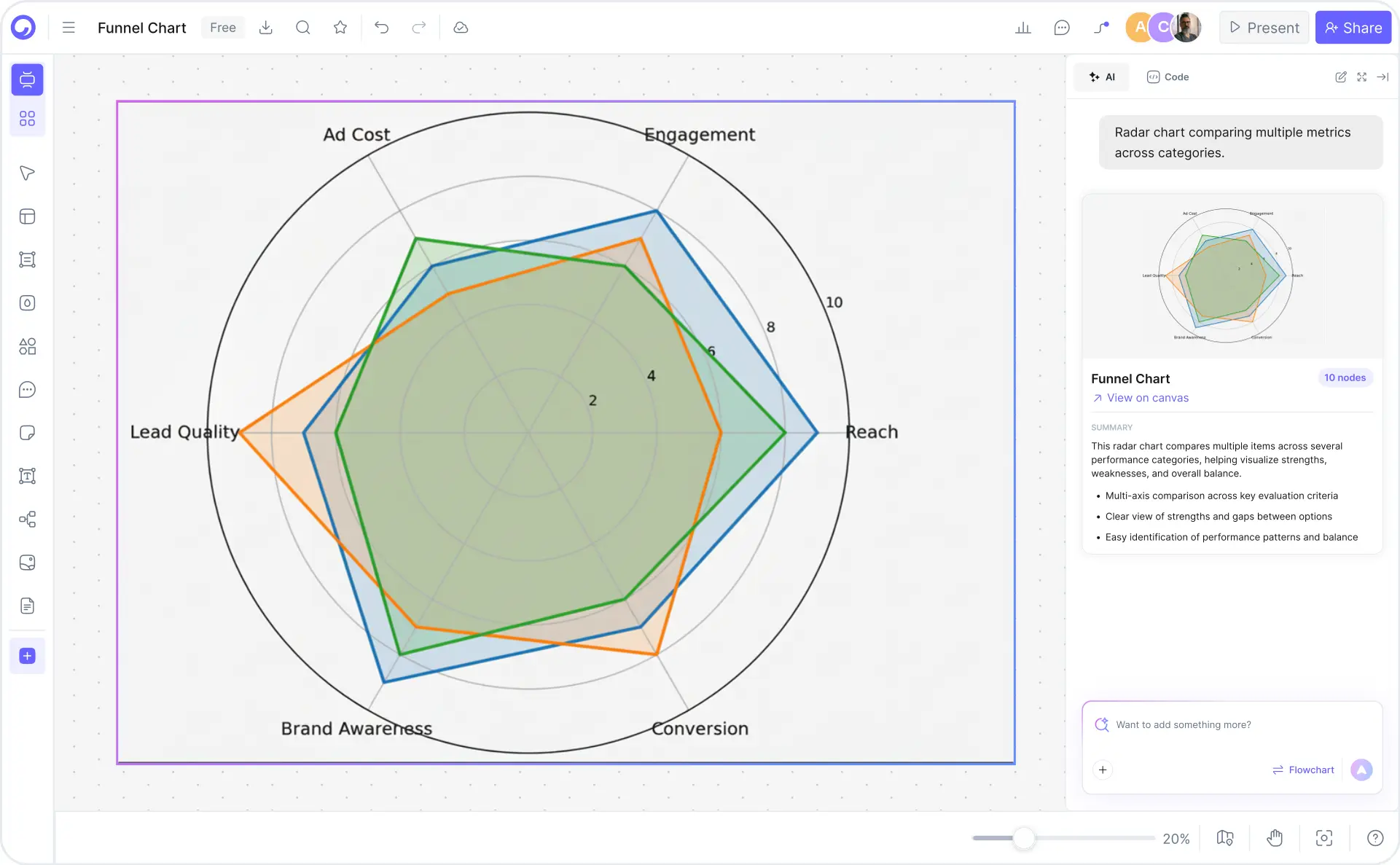
A radar chart (also called a spider chart, web chart, or polar chart) is a data visualization that displays multivariate data across multiple axes radiating from a central point. Each axis represents a different variable — such as performance, cost, design, reliability, or support — and data points are plotted as vertices on these axes. The vertices are then connected to form a polygon shape, making it instantly easy to compare multiple attributes or dimensions at a glance.

Radar charts and spider charts are complete synonyms. Both names describe identical chart structures — the difference is only visual emphasis: "radar" highlights the radiating axes, while "spider" highlights the web-like polygon. In search behavior, roughly 80% of users conflate the two terms. Whether you call it a radar chart, spider chart, spider diagram, radar plot, or polar chart, the underlying visualization is the same. Cloudairy's AI radar chart maker handles all these terms and chart types natively.

Cloudairy's AI Radar Chart Maker eliminates manual data formatting and chart configuration. Describe your variables in plain English — "Compare product features: performance, price, design, reliability, support" — and the AI generates a publication-ready radar chart instantly. Choose from 5+ radar layouts, customize axes, labels, and colors, then export to PNG, SVG, or PDF. Perfect for product managers, athletes, educators, HR teams, and business analysts who need fast, professional multi-variable charts.

How to Make a Radar Chart with AI (5 Steps)

Go from data description to a publication-ready radar chart or spider diagram in five steps — no spreadsheet formatting, no manual axis setup, no design experience required.

1

Describe your variables

Type a natural-language description of your radar chart. For example: "Compare product features: performance, price, design, reliability, and support" or "Employee skills assessment: communication, leadership, technical, creativity, teamwork." Or choose from example prompt chips — Product comparison, Skills matrix, Sports performance, Employee evaluation, Competitive analysis, Marketing metrics.

2

Enter or import your data

Manually enter values, paste a data table, or upload a CSV/Excel file. The tool automatically maps your columns to axes and rows to data series. No reformatting required — the AI handles the data structure.

3

Choose your radar chart layout

Select from basic (clean multi-axis), filled (shaded area), overlapping (multiple datasets), comparative (side-by-side), or 3D spider (visual depth). Each layout is optimized for different comparison and presentation contexts.

4

Customize colors, labels, and legend

Rename axes, adjust axis ranges and scaling, choose color schemes (single color, gradient, or multi-color), position legend (top, right, bottom, left). Smart auto-scaling ensures clean proportions automatically. All changes apply in real-time — no code required.

5

Export or share

Export to PNG for presentations, SVG for scalable documents, or PDF for formal reports. Or share an embed link for interactive viewing in your website, Confluence, or Notion. Your radar chart retains full formatting across all export formats.

How to make a radar chart with Cloudairy — five steps from AI prompt to export

Start Creating Your Radar Chart Free

Join product managers, educators, analysts, and sports coaches worldwide who use Cloudairy to create professional radar charts and spider diagrams in seconds. AI generation. 5+ radar chart types. Real-time collaboration. Export PNG, SVG, PDF.

No credit card required • Start creating in seconds

Why Use Cloudairy as Your Radar Chart Maker

Cloudairy is the only AI radar chart maker that combines AI prompt-to-chart generation with 5+ radar layouts, custom axes and labels, CSV/Excel import, real-time collaboration, and one-click export — all on a single platform. No competitor offers this combination.

AI Prompt-to-Radar Chart

AI Prompt-to-Radar Chart

Describe your data and variables in natural language — "Compare product features: performance, price, design, reliability, support" — and get a publication-ready radar chart in seconds. No spreadsheet manipulation, no manual axis setup, no design experience needed.

Multiple Radar Chart Types

5+ Radar Chart Types

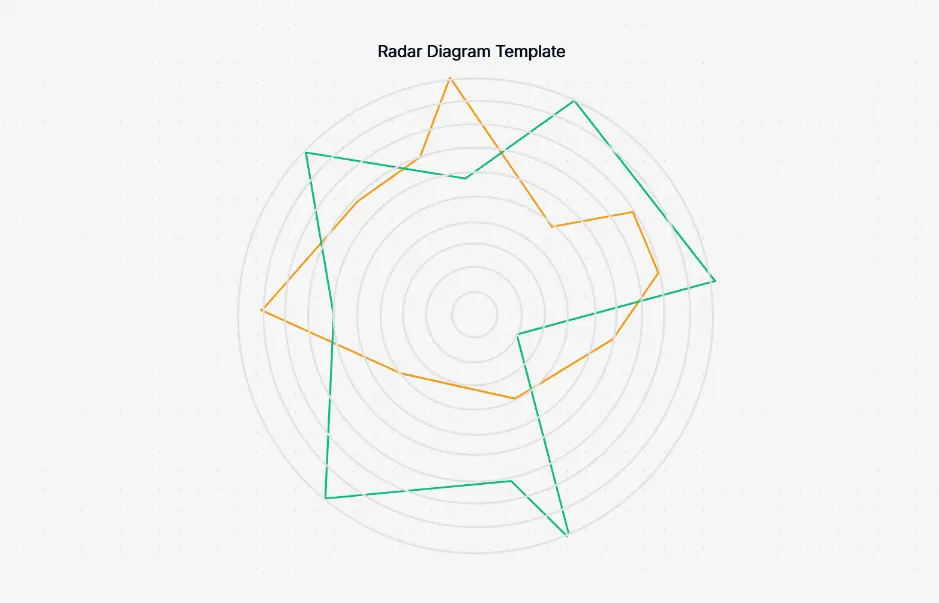
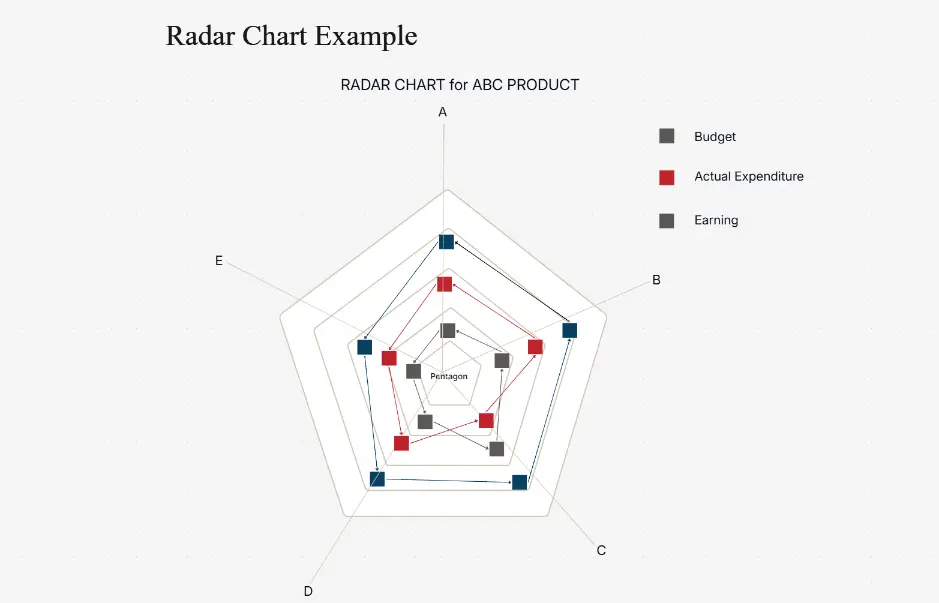
Choose from Basic (clean multi-axis), Filled (shaded area emphasis), Overlapping (multiple datasets on same axes), Comparative (side-by-side), and 3D Spider (isometric depth for presentations). No competitor offers this range of radar layouts.

Custom Axes Labels Colors

Custom Axes, Labels & Colors

Rename axes, adjust axis ranges and scaling, choose color schemes (single color, gradient, or multi-color), and position legend (top, right, bottom, left). Smart auto-scaling reduces manual formatting from 10–15 minutes to seconds.

CSV Excel Data Import

CSV & Excel Data Import

Import data directly from CSV or Excel files. The tool maps columns to axes and rows to data series automatically. Paste a table or upload a file — the radar chart generates from your existing data without reformatting.

Real-Time Collaboration

Real-Time Collaboration

Multiple team members can edit the same radar chart simultaneously, see cursor positions, leave comments, and track version history. Assign edit, view, or comment permissions. Ideal for design reviews, data validation, and stakeholder feedback.

Export PNG SVG PDF

Export PNG, SVG, PDF & Embed

Export to PNG for presentations, SVG for scalable documents, or PDF for formal reports. Share an embed link for interactive viewing in websites, Confluence, or Notion. All exports retain formatting, colors, and labels exactly as designed.

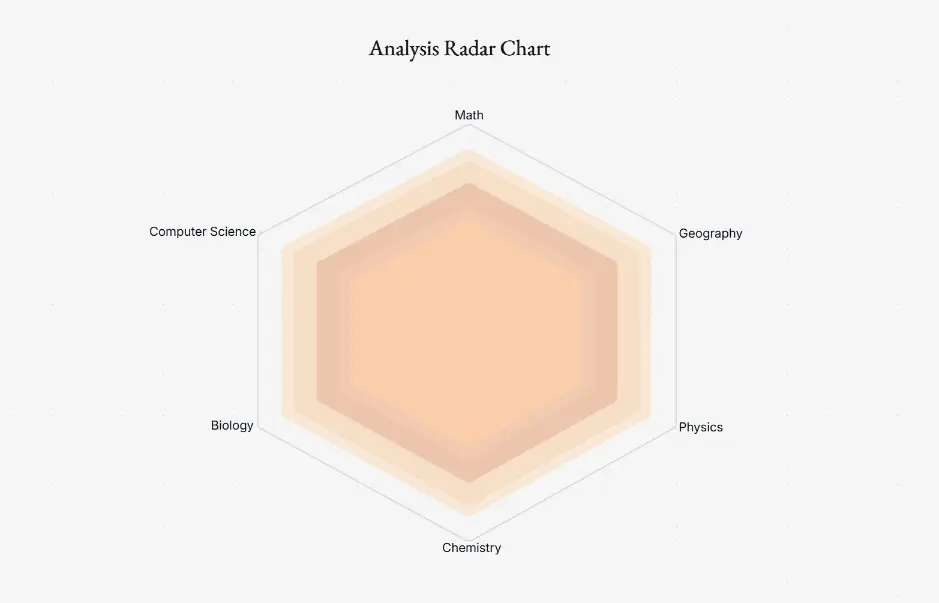
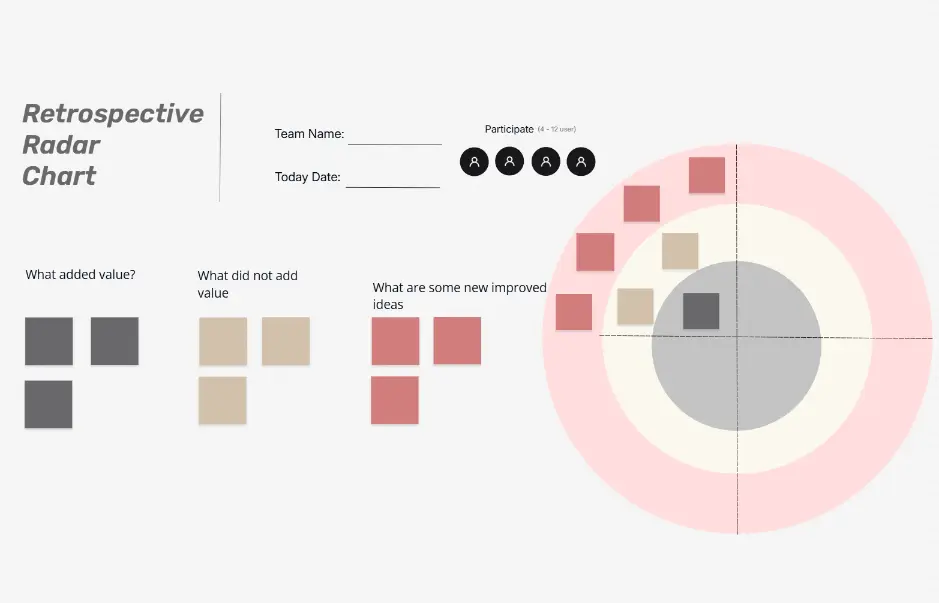
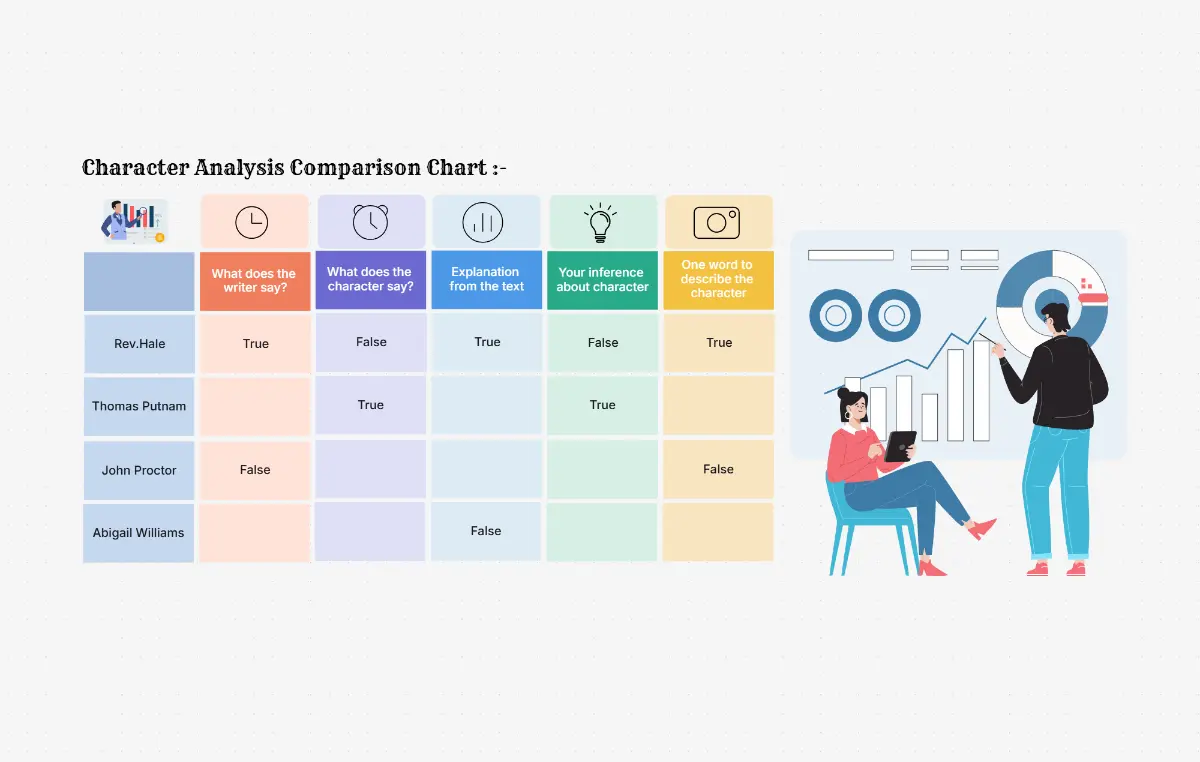
Radar Chart Examples & Templates

Explore professionally designed radar chart templates for common use cases. Each template is fully editable, AI-extendable, and ready to customize with your own data — no design experience required.

Cloudairy vs Competitors — Radar Chart Tools Compared

See how Cloudairy's AI radar chart maker compares to Canva, ChartGo, Visme, Datawrapper, and Lucidchart across AI generation, chart types, collaboration, export, and free tier.

Feature Cloudairy Canva ChartGo Visme Datawrapper Lucidchart
AI Prompt-to-Chart Yes No No No No No
Multiple Radar Layouts 5+ types 3 types 1 type 2 types 2 types 3 types
Custom Axes/Labels/Colors Yes (full) Limited Yes Yes Yes Yes
Real-Time Collaboration Yes Enterprise only No Yes Yes Enterprise only
Export PNG/SVG/PDF Yes (all 3) Yes Yes Yes Yes Yes
Data Import (CSV/Excel) Yes No Yes Yes Yes Yes
Free Tier Unlimited 5 designs/mo Unlimited basic 3 projects Limited 5 diagrams/mo
Embed/Share Link Yes Limited No Yes Yes Yes

Who Uses Radar Charts?

Product Managers

Compare product features across competitors using overlapping radar charts. Visualize performance, price, design, reliability, and support on a single chart to identify gaps and positioning opportunities.

Athletes & Sports Coaches

Profile athlete performance metrics — strength, speed, agility, endurance, accuracy — using spider charts. Track progress across seasons, compare team members, and identify areas for improvement.

Educators & Trainers

Assess student or employee competency across skills dimensions — communication, technical knowledge, leadership, creativity, teamwork. Create instant skills assessment radar charts from evaluation data.

HR & People Teams

Evaluate employee performance across multiple dimensions for reviews, development plans, and promotion decisions. Generate consistent, visually clear spider charts directly from performance data.

Business Analysts & Consultants

Visualize multi-variable datasets for competitive analysis, market positioning, and project evaluation. Create publication-ready radar plots for client presentations, reports, and strategic planning documents.

Product managers, athletes, educators, and analysts using Cloudairy's AI radar chart maker

Frequently Asked Questions

A radar chart (also called a spider chart, web chart, or polar chart) is a data visualization that displays multivariate data across multiple axes radiating from a central point. Each axis represents a different variable, and data points are plotted as vertices on these axes. The vertices are connected to form a polygon shape, making it easy to compare multiple data points across dimensions at a glance. Radar charts are especially useful for comparing performance, features, or attributes across different categories or time periods.

Radar chart and spider chart are synonyms — they refer to the same visualization type. The terms are used interchangeably across the data visualization industry. Some practitioners prefer "radar" (emphasizing the radiating axes), while others use "spider" (emphasizing the web-like appearance). Both names describe identical chart structures: multiple axes radiating from a center, with data points connected to form a polygon.

With Cloudairy's AI generation feature, describe your radar chart in natural language. For example: "Compare iPhone, Android, and Windows phones across features: camera quality, battery life, processor speed, display quality, and price." The AI interprets your description, suggests relevant axis labels, and generates a publication-ready radar chart in seconds. You can then customize colors, labels, legend position, and layout type (basic, filled, overlapping, etc.). Export as PNG, SVG, PDF, or embed directly in presentations.

Use a radar chart when you need to compare multiple variables across different entities simultaneously (e.g., product features, employee skills, athlete performance metrics). Radar charts excel at pattern recognition — viewers can quickly identify strengths and weaknesses across dimensions. Bar charts are better for comparing single variables across many categories. Radar charts work best with 4–8 variables; beyond 10 axes, the chart becomes visually cluttered.

Yes. Cloudairy offers full customization: rename axes (e.g., "Performance", "Cost", "Usability"), adjust axis ranges and scaling, choose color schemes (single color, gradient, or multi-color), position legend (top, right, bottom, left), and select chart type (basic, filled, overlapping, comparative, 3D). All customizations are accessible via the UI — no code required. Changes apply in real-time, so you see the effect immediately as you adjust.

Yes. Cloudairy offers a completely free radar chart maker with unlimited diagram creation, full feature access, and export to PNG, SVG, and PDF. No signup required to start — visit the tool, describe your chart, and create immediately. The free tier includes unlimited diagrams, all chart types, templates, and exports.

Yes. Cloudairy supports CSV and Excel data import. Paste your data table or upload a file, and the tool maps columns to axes and rows to data series. For example, if your Excel has columns for each variable (Performance, Cost, Design, etc.) and rows for each product, the chart is generated automatically. You can also manually enter data via the UI or use the AI prompt-to-chart feature.

Cloudairy's main advantages: (1) AI generation — describe your chart and get it automatically (Canva and ChartGo require template selection or manual input); (2) Multiple radar types — basic, filled, overlapping, comparative, 3D spider (ChartGo is limited to one type); (3) Real-time collaboration with comments and presence (Canva requires enterprise plan); (4) Unlimited free tier (Canva is 5 designs/month). For template browsing and design polish, Canva leads; for speed and AI-first workflow, Cloudairy excels.

Yes. Cloudairy supports real-time collaboration — multiple team members can edit the same chart simultaneously, see cursor positions, leave comments directly on the chart, and track version history. You can assign different permission levels (edit, view, comment) to different team members, ensuring secure collaborative workflows.

Yes. Cloudairy supports multiple export options: PNG (raster image), SVG (scalable vector), PDF (formatted document), and embed link (share as interactive HTML embed). PNG and SVG are ideal for presentations, documents, and reports. PDF export is useful for formal documentation. Embed links allow you to share an interactive version that viewers can hover over for values. All exports retain formatting, colors, and labels exactly as designed in Cloudairy.

Success Stories from Our Community

See how cloud architects, solutions engineers, and DevOps teams use Cloudairy to create Azure architecture diagrams faster and with better results.

As a cloud architect, I need precision and speed. Cloudairy helps me design complex Azure architectures in minutes without losing detail or accuracy. The official Azure icons save me hours every week.

Cloudairy makes Azure solution design so simple. I can create client-ready architecture diagrams instantly and focus on delivering value instead of spending hours formatting Visio files.

I'm studying for AZ-305 and Cloudairy helps me visualize Azure reference architectures instantly. I can generate a landing zone diagram from a single sentence and use it as a study aid.

I use Cloudairy to teach Azure architecture in my courses. The AI generator lets students produce real-world diagrams on the first day instead of spending weeks learning Visio.

Our team uses Cloudairy to document every Azure deployment. The Visio export means our diagrams drop straight into client deliverables without any reformatting. Huge time saver.

Secure, compliant, and enterprise-ready

Cloudairy safeguards your work with enterprise-grade security, compliance, and access controls — so your teams can create, collaborate, and scale with confidence.

SOC 2 Type II
SOC 2 Type Ⅱ

Cloudairy is SOC 2 Type Ⅱ certified and penetration tested annually, ensuring your architecture diagrams and data meet the highest standards for security and reliability.

GDPR
GDPR

We comply with the European Union General Data Protection Regulation (GDPR) and extend it to all our customers even those outside of the EU.

ISO 27001
ISO 27001

Our Information Security Management System is ISO 27001 certified — the leading global standard for information security.

Flexible Pricing for Every Team

Free

Discover what Cloudairy can do for you. Start for free

$0

for unlimited members
Try for free

Upgrade now

Show key features

up-arrow

Includes:

Starter

Unlock unlimited and private boards with important features

$4

per member / month

billed annually

monthly

Show key features

up-arrow

Includes everything in Free, plus:

money-back

Business

MOST POPULAR

Ideal for agencies or growing businesses managing multiple projects.

$5

per member / month
billed annually

Show key features

up-arrow

Includes everything in starter, plus:

Enterprise Plan

For large organizations needing scalability, control, and security.

contact-pricing
Contact for pricing
Contact us

Upgrade now

Show key features

up-arrow

Includes everything in Business, plus: