50,000 + Trusted Users with
star star star star star

Trusted by Professionals at Leading Companies

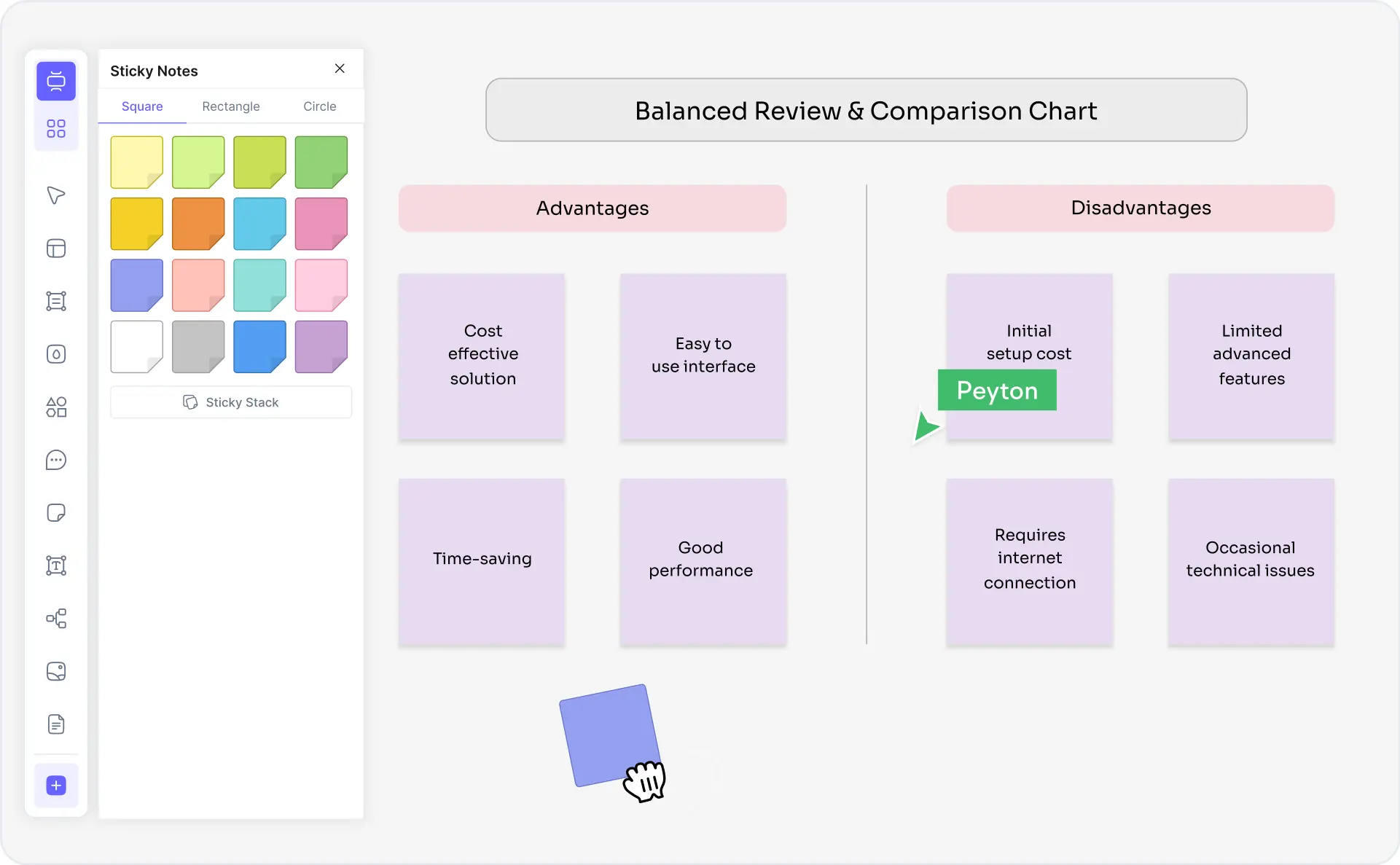
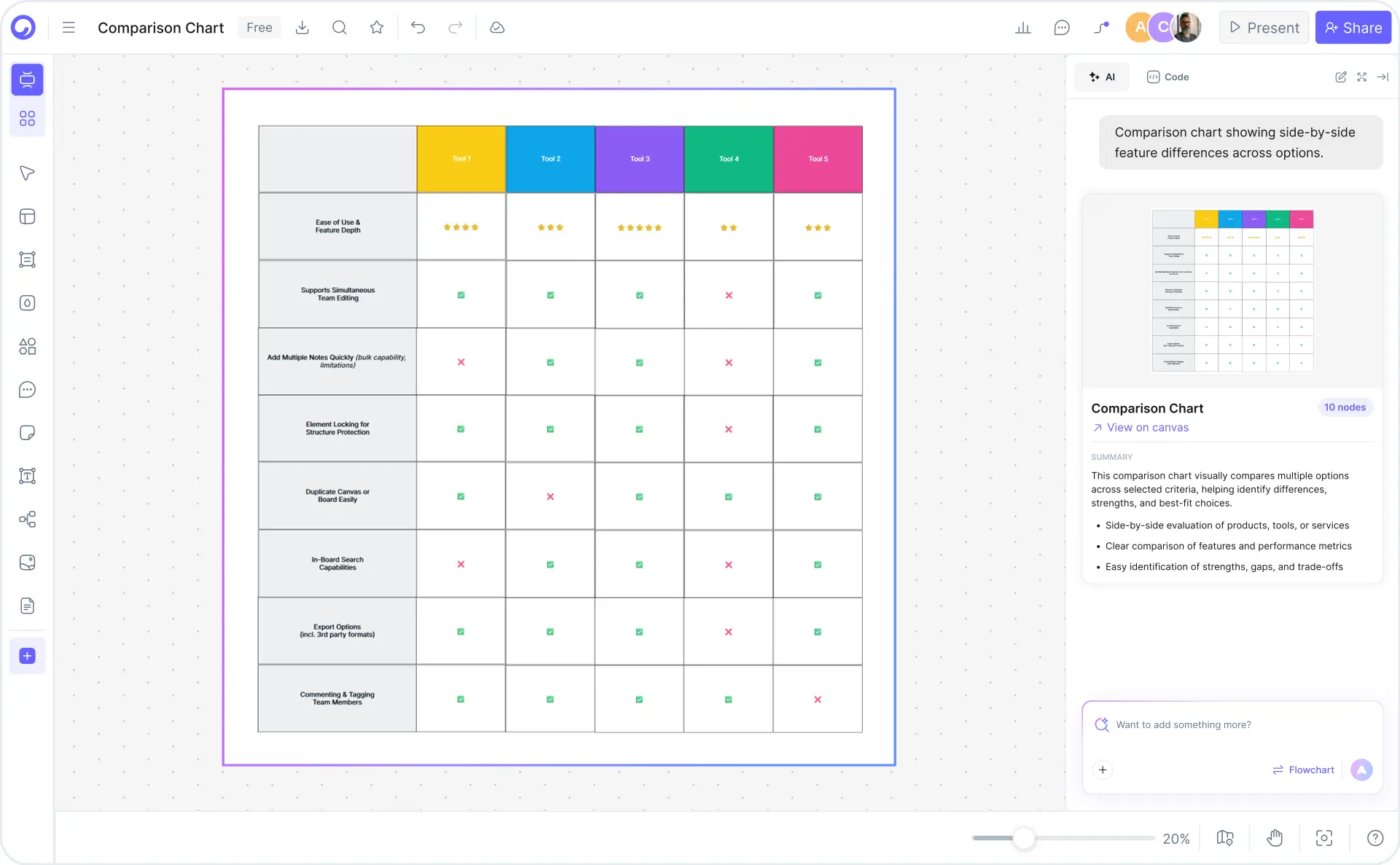
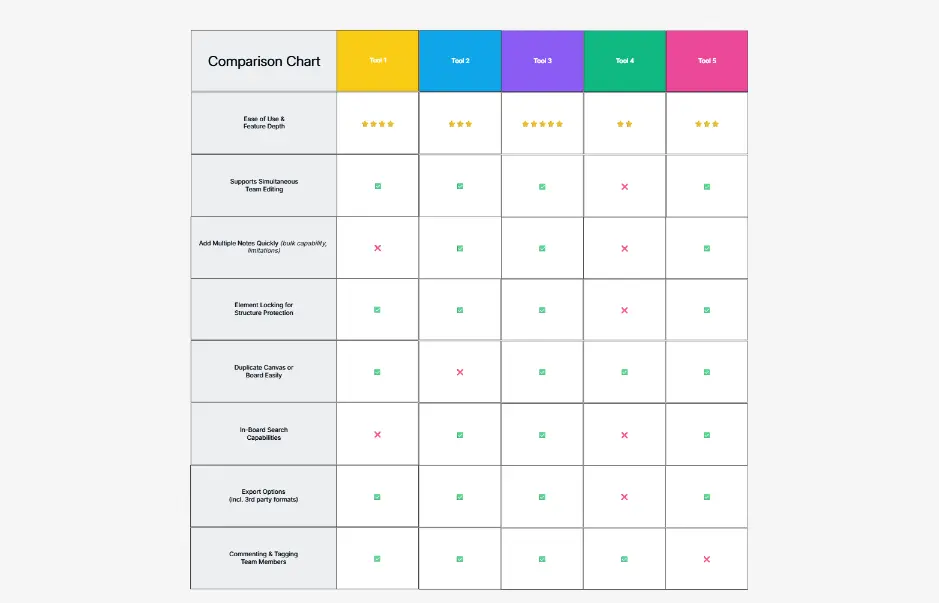
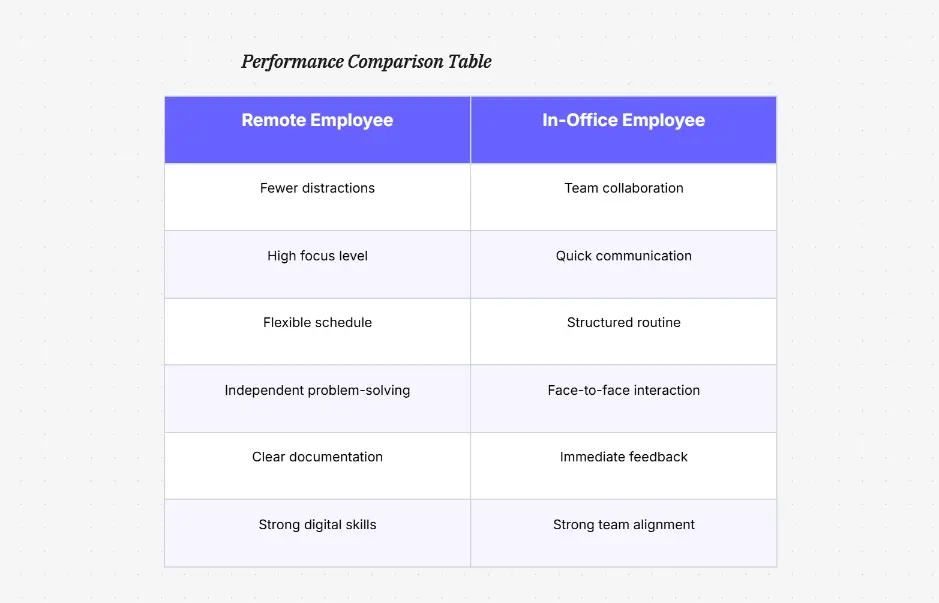
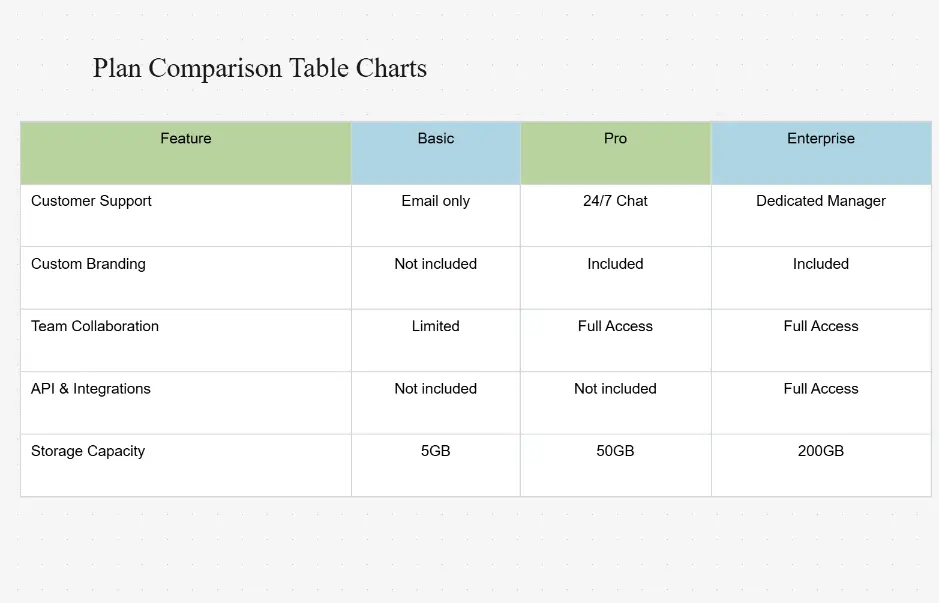
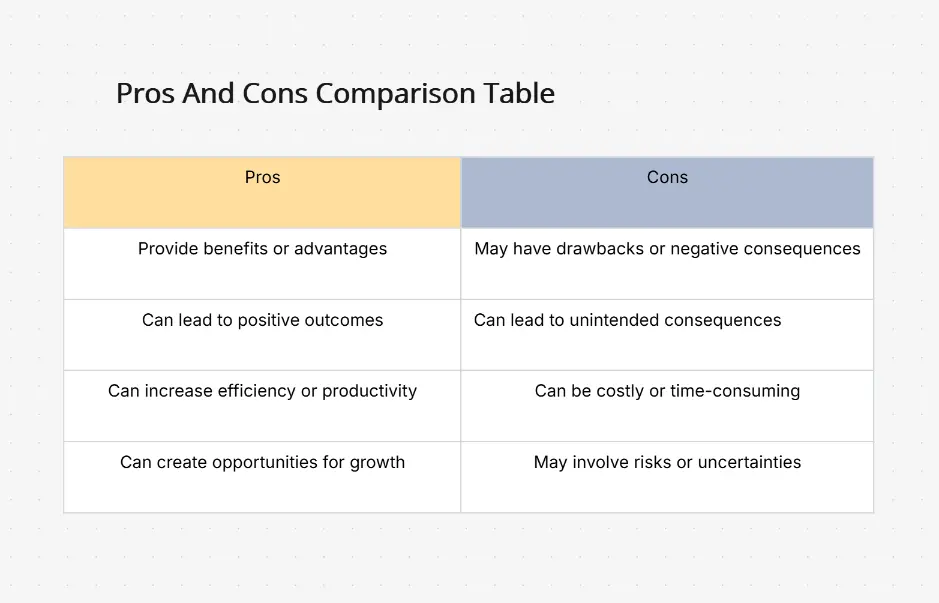
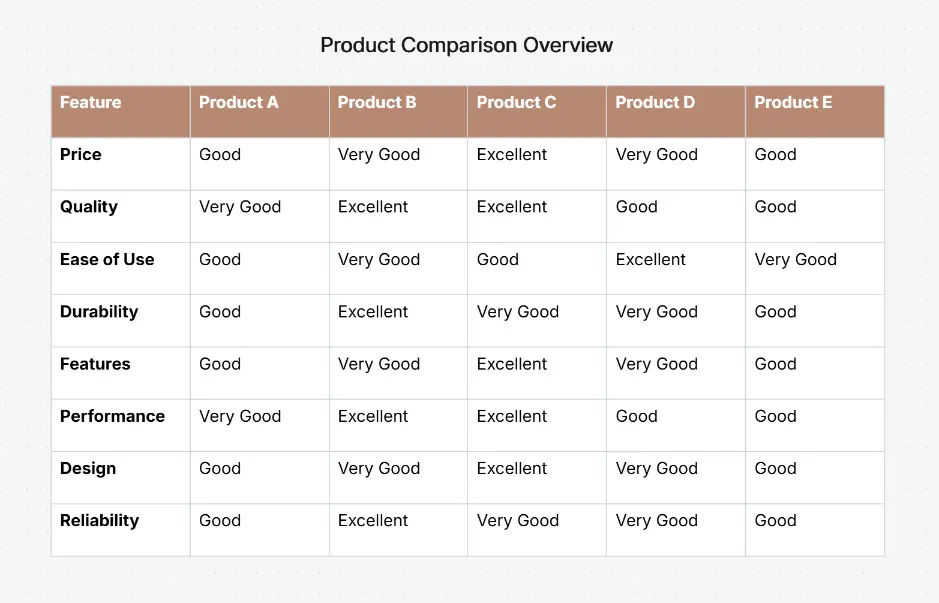
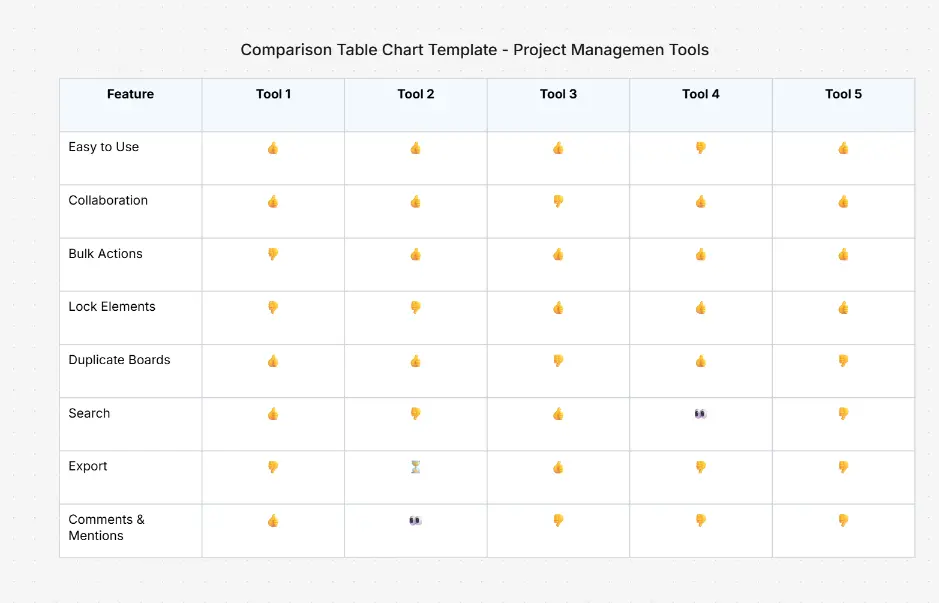
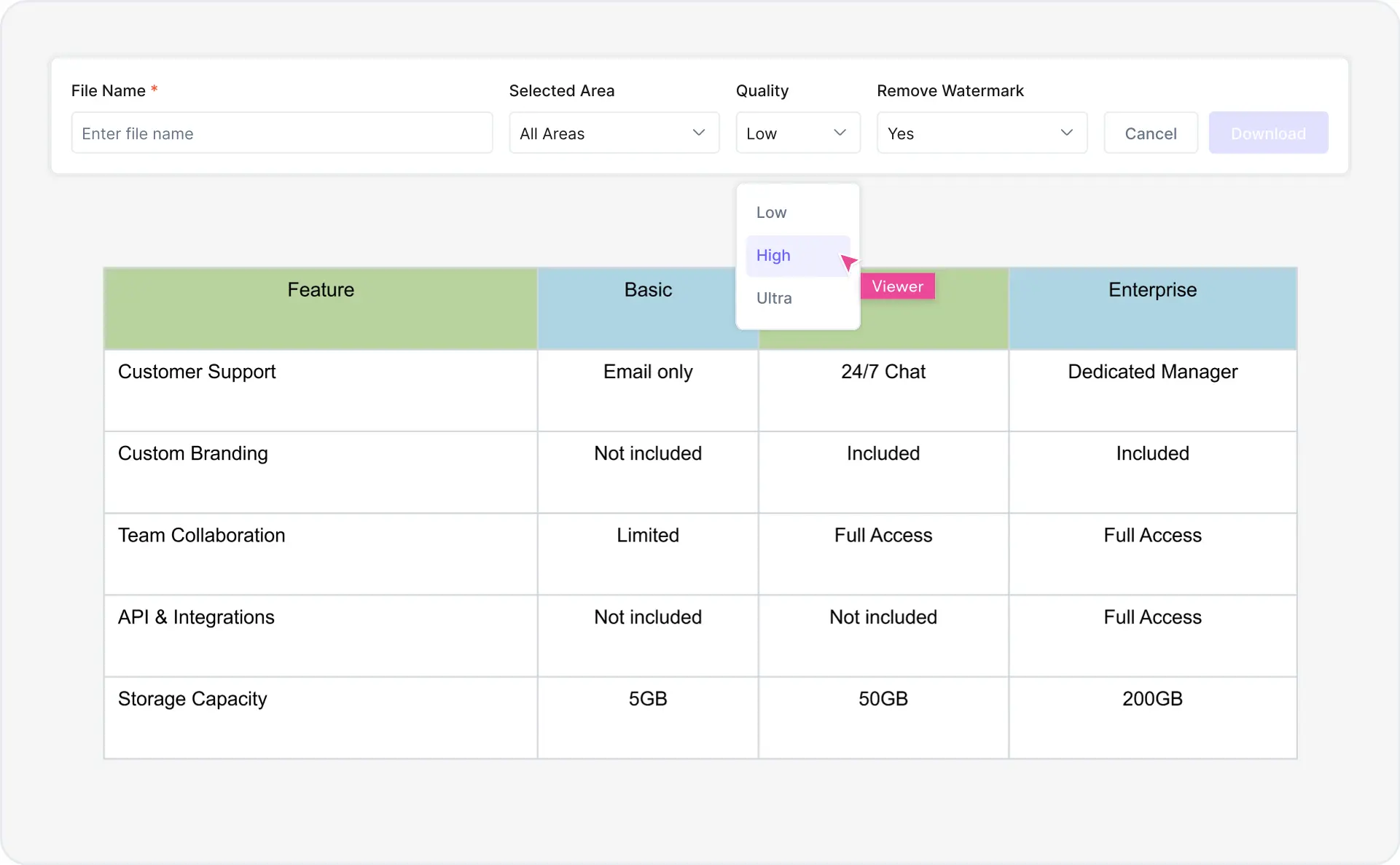
What is a comparison chart — example showing side-by-side product, feature, and pricing comparison chart

What Is a Comparison Chart?

A comparison chart is a visual representation that displays side-by-side or matrix-style information about multiple items, products, or options to highlight similarities, differences, and key attributes. Comparison charts help audiences quickly understand relative strengths and weaknesses of competing products, features, pricing models, or solutions. They are commonly used in product reviews, vendor evaluation, competitive analysis, feature positioning, and educational content.

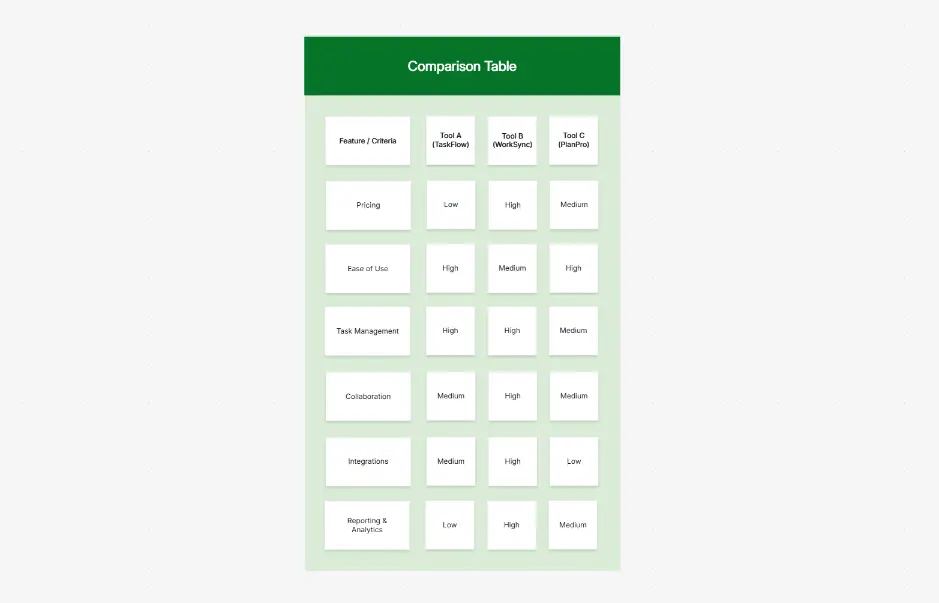
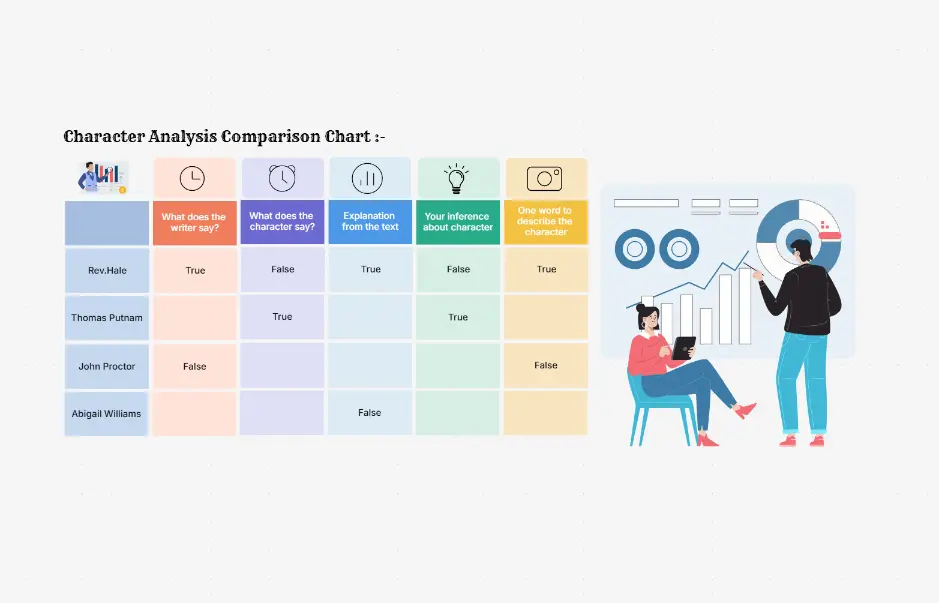
Comparison charts answer the question: "How do these options compare?" in a format that's faster to scan than written text. Common types include side-by-side product comparisons, feature grids with checkmarks and ratings, pros/cons breakdowns, pricing comparison matrices, vendor evaluation tables, and radar charts for multi-dimensional attribute comparison. They are widely used by product managers, content creators, marketers, analysts, procurement teams, and consultants.

Cloudairy's AI Comparison Chart Maker eliminates manual work in spreadsheets and slow template-based design. Describe what you want to compare in plain English — "Compare Product A and Product B on features like speed, price, support, and ease of use" — and the AI generates a publication-ready comparison chart instantly. Use it alongside Cloudairy's broader diagramming tool for complete workflow documentation. Export to PNG, SVG, or PDF. Perfect for product managers, content teams, sales, and procurement.

How to Make a Comparison Chart with AI (5 Steps)

Go from product idea to professional comparison chart in five steps — no design skills, no manual spreadsheet work, no templates required.

1

Describe your products or features

Type a plain-English description of what you want to compare. For example: "Compare Product A and Product B on features like speed, price, support, and ease of use" or "Create a feature grid for our SaaS pricing tiers." Or choose from example prompt chips — Product comparison, Feature matrix, Pricing comparison, Vendor evaluation, Pros/cons breakdown.

2

Choose your layout type

Select from side-by-side, matrix/grid, feature grid, pros/cons, or radar chart. Cloudairy AI recommends the best layout based on your comparison context — side-by-side for product reviews, pros/cons for decision-making content, matrices for detailed feature comparisons, and radar for multi-criteria evaluation.

3

Add your data

Populate the chart with your product data, feature ratings, pricing information, or attribute values. Import from CSV/Excel for large datasets or enter data manually. For multi-set comparison or overlapping attributes, Cloudairy's AI automatically suggests the most readable layout.

4

Customize branding and colors

Adjust colors, typography, logos, and layout to match your brand guidelines. Apply color-coded ratings (red/yellow/green), add checkmarks or scores, and customize fonts and spacing. For data visualization context, see how Cloudairy's AI Pareto Chart Maker can complement your comparison analysis.

5

Export or share

Export to PNG, SVG, PDF, or PowerPoint for presentations. Or share a live view-only or edit link with your team for real-time collaboration. For process comparison workflows, pair with Cloudairy's AI Swimlane Diagram Maker to map the full decision flow.

How to create a comparison chart with Cloudairy — five steps from prompt to export

Start Creating Your Comparison Chart Free

Join product managers, content creators, marketers, and analysts worldwide who use Cloudairy to create professional comparison charts in seconds. AI generation. Multiple layout types. CSV/Excel import. Multi-format export.

No credit card required • Start creating in seconds

Why Use Cloudairy as Your Comparison Chart Tool

Cloudairy is the only AI comparison chart maker that combines AI text-to-chart generation with multiple layout types, color-coded scoring, CSV/Excel import, real-time team collaboration, and multi-format export — all on a single platform. Use it alongside Cloudairy's full diagramming tool suite for comprehensive visual communication.

AI Prompt-to-Chart

AI Auto-Layout Generation

Describe what you want to compare in plain English and get a complete, publication-ready comparison chart in seconds. The AI selects the best layout type — side-by-side, matrix, feature grid, pros/cons, or radar — based on your comparison context. No design skills required.

Multiple Chart Layouts

Multiple Chart Layout Types

Create side-by-side product comparisons, feature grids with checkmarks and ratings, pros/cons breakdowns, pricing comparison matrices, vendor evaluation tables, and radar charts for multi-dimensional attribute comparison. More layout types than any competitor. For process visualization, combine with Cloudairy's flowchart tools.

Color-Coded Scoring

Color-Coded Scoring & Custom Branding

Apply color-coded ratings (red/yellow/green), checkmarks, scores, and custom branding automatically. Adjust colors, typography, logos, and layout to match your brand guidelines. Add custom headers and footers for client-ready deliverables.

Data Import

CSV & Excel Data Import

Import product data, feature ratings, and pricing information directly from CSV or Excel spreadsheets. Especially useful for large product catalogs, vendor evaluations, and feature matrices where manual entry would be time-consuming. Data is instantly populated and formatted.

Real-Time Collaboration

Real-Time Team Collaboration

Collaborate on comparison charts with your team in real time. Multiple members can edit simultaneously, leave comments directly on the chart, see presence indicators, and track version history. Ideal for product teams, marketing teams, and procurement teams. Pair with AI Stakeholder Map Maker for team planning.

Multi-Format Export

Multi-Format Export

Export to PNG (raster image), SVG (scalable vector), PDF, or PowerPoint (.pptx) for presentations. Share live view-only or edit links with your team. Your comparison charts stay portable across documents, presentations, websites, and reports.

Cloudairy vs Competitors — Comparison Chart Software Compared

See how Cloudairy's AI comparison chart maker compares to leading design platforms, enterprise diagramming tools, and template-based chart builders. For enterprise architecture comparison, see also Cloudairy's Architecture Diagram tool.

Feature Cloudairy Canva Venngage Visme Lucidchart SmartDraw
AI Prompt-to-Chart Yes No No No No No
Multiple Chart Layouts Yes (6+ types) Templates only Templates only Templates only Yes (limited) Yes (limited)
Custom Branding & Colors Yes (full) Yes (limited) Yes (full) Yes (full) Yes (full) Yes (limited)
Real-time Collaboration Yes (comments, presence) Yes (limited) Yes (team) Yes (team) Yes (enterprise) Yes (limited)
Export PNG/SVG/PDF Yes (all) Yes (PNG/PDF) Yes (all) Yes (all) Yes (PNG/PDF/Visio) Yes (multiple)
Data Import CSV/Excel Yes No Yes (freemium) Yes Yes (enterprise) Yes (limited)
Free Tier Unlimited 5 templates/mo 5 designs/mo 3 designs/mo 3 diagrams Limited trial

Who Uses Comparison Charts?

Product Managers

Create feature comparison charts and competitive positioning matrices for stakeholders. Generate complete feature grids with proper formatting in minutes. Pair with AI User Journey Map Maker for user experience comparison workflows.

Content Creators & Marketers

Build product roundup reviews, buyer guides, and competitive battlecards. Generate side-by-side comparison charts and pros/cons breakdowns for blog posts, landing pages, and social content. Use AI Mind Map Generator for brainstorming and organizing ideas before creating comparison content.

Analysts & Consultants

Compare software solutions, vendors, and strategic options for clients. Generate vendor evaluation matrices and multi-criteria comparison charts instantly. Combine with AI Empathy Map Maker for use case analysis and stakeholder perspective comparison.

Procurement Teams

Evaluate vendors and suppliers with structured comparison tables and scoring matrices. Import evaluation data from CSV/Excel spreadsheets for rapid procurement decision support. Use AI Value Stream Mapping Tool for process flow comparison in procurement workflows.

Technical Teams & Architects

Compare technology options, architecture patterns, and system design alternatives. Generate technical comparison charts from product specifications. Use AI Class Diagram Generator for technical comparison of software structures, and AI System Design Diagram Maker for architecture comparison.

Product managers, content creators, marketers, and analysts using Cloudairy for comparison charts

Frequently Asked Questions

A comparison chart is a visual representation that displays side-by-side or matrix-style information about multiple items, products, or options to highlight similarities, differences, and key attributes. Comparison charts help audiences quickly understand relative strengths and weaknesses of competing products, features, pricing models, or solutions. They are commonly used in product reviews, vendor evaluation, competitive analysis, feature positioning, and educational content. Comparison charts answer the question: "How do these options compare?" in a format that's faster to scan than written text.

Common types include: Side-by-Side (columns for each product/option), Matrix/Grid (rows and columns with attributes in cells), Feature Grid (checkmarks or ratings for each feature), Pros/Cons (advantages and disadvantages for each option), and Radar Charts (multi-dimensional comparison of attributes). Each type serves different purposes: side-by-side for product reviews, pros/cons for decision-making content, matrices for detailed feature comparisons, and radar for multi-criteria evaluation.

With Cloudairy's AI comparison chart maker, describe what you want to compare in natural language: "Compare Product A and Product B on features like speed, price, support, and ease of use." The AI instantly generates a publication-ready comparison chart with appropriate layout (side-by-side, matrix, or pros/cons), populated with standard attributes and ready for your custom data. You can then edit content, adjust colors, add ratings/scores, and export. No design skills required.

Yes. Cloudairy supports full customization: choose from multiple layout types (side-by-side, matrix, grid, pros/cons, radar), adjust colors and typography to match your brand guidelines, add logos and custom headers, apply color-coded ratings (red/yellow/green), add checkmarks or scores, and customize fonts and spacing. You can also import CSV/Excel data to populate charts with large datasets quickly.

Yes. Cloudairy offers unlimited free access to the comparison chart maker with no credit card required. The free tier includes unlimited chart creation, all layout types, export to PNG/SVG/PDF, templates, and team collaboration. Some competitors charge for design/month or limit free diagrams to 3-5; Cloudairy's unlimited free tier supports unlimited creation for individuals and teams.
Yes. Cloudairy supports CSV and Excel import, allowing you to populate comparison charts with data from spreadsheets. This is especially useful for large product catalogs, vendor evaluations, or feature matrices where manual entry would be time-consuming. Upload your file, map columns to chart attributes, and the data is instantly populated and formatted.

Cloudairy's AI comparison chart maker offers unique advantages: AI natural language generation (describe your comparison and AI creates it — unique to Cloudairy), multiple layout types beyond templates, unlimited free tier, and advanced collaboration with comments and presence. Canva and Venngage are template-first platforms with large design libraries but lack AI generation and charge for free tiers. For comparison charts specifically, Cloudairy is faster (AI-generated), more flexible (multiple layouts), and more affordable (unlimited free).

Yes. Cloudairy supports real-time team collaboration on comparison charts. Multiple team members can edit simultaneously, leave comments directly on the chart, see presence indicators showing who is working, and track version history. This is ideal for product teams, marketing teams, and procurement teams evaluating and comparing options together.

Yes. Cloudairy supports export to PNG (raster image), SVG (scalable vector), and PDF formats. You can also export to Microsoft PowerPoint (.pptx) for presentations, or to Visio for further editing. This flexibility allows you to use comparison charts in documents, presentations, websites, reports, and print materials.

Comparison charts are widely used across industries: SaaS/Software (product comparisons, pricing pages), E-commerce (product reviews, buyer guides), Consulting (vendor evaluation, vendor comparison), Manufacturing (supplier comparison, feature matrices), Telecommunications (plan comparison, service features), Education (learning resource comparison, program evaluation), Finance (product/service comparison), Healthcare (treatment/provider comparison), Recruitment (job benefit comparison), and Technology (architecture decision matrices). Any industry where buyers evaluate multiple options benefits from comparison charts.

Success Stories from Our Community

See how product managers, content creators, marketers, and analysts use Cloudairy to create comparison charts faster and with better results.

The best comparison chart tool I've used. I describe my products in plain English and get a professional comparison chart instantly. No more manual work in spreadsheets.

As a product manager, I need to create feature comparison charts quickly for stakeholders. Cloudairy lets me generate complete feature matrices with proper formatting in minutes.

I use Cloudairy to build competitive battlecards and vendor comparison charts for our sales team. The AI generates a complete comparison matrix from a text description in seconds. Saves hours every week.

Our procurement team uses Cloudairy to evaluate vendors and create supplier comparison matrices. The CSV import saves us hours of manual data entry, and the export to PDF is perfect for board presentations.

Cloudairy's comparison chart maker is perfect for writing product reviews and buyer guides. I describe the products and AI builds the feature grid instantly. The unlimited free tier is a huge advantage over Canva or Venngage.
Secure, compliant, and enterprise-ready

Cloudairy safeguards your work with enterprise-grade security, compliance, and access controls — so your teams can create, collaborate, and scale with confidence.

SOC 2 Type II
SOC 2 Type Ⅱ

Cloudairy is SOC 2 Type Ⅱ certified and penetration tested annually, ensuring your architecture diagrams and data meet the highest standards for security and reliability.

GDPR
GDPR

We comply with the European Union General Data Protection Regulation (GDPR) and extend it to all our customers even those outside of the EU.

ISO 27001
ISO 27001

Our Information Security Management System is ISO 27001 certified — the leading global standard for information security.

Flexible Pricing for Every Team

Free

Discover what Cloudairy can do for you. Start for free

$0

for unlimited members
Try for free

Upgrade now

Show key features

up-arrow

Includes:

Starter

Unlock unlimited and private boards with important features

$4

per member / month

billed annually

monthly

Show key features

up-arrow

Includes everything in Free, plus:

money-back

Business

MOST POPULAR

Ideal for agencies or growing businesses managing multiple projects.

$5

per member / month
billed annually

Show key features

up-arrow

Includes everything in starter, plus:

Enterprise Plan

For large organizations needing scalability, control, and security.

contact-pricing
Contact for pricing
Contact us

Upgrade now

Show key features

up-arrow

Includes everything in Business, plus: