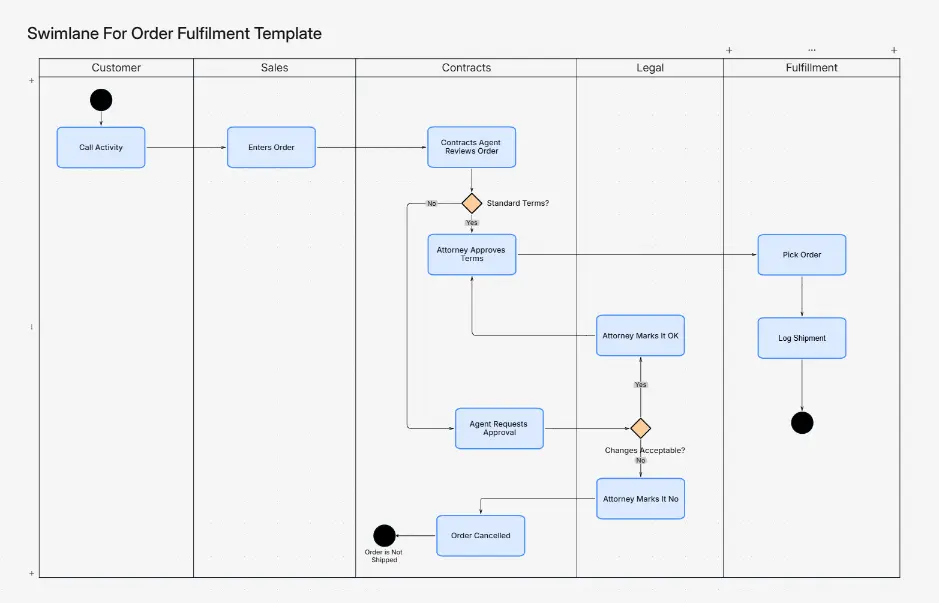
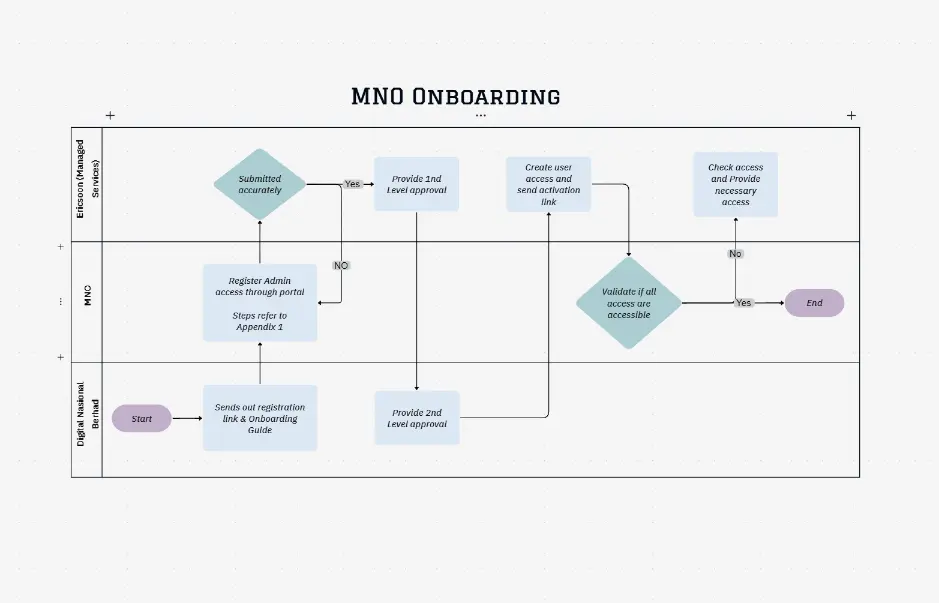
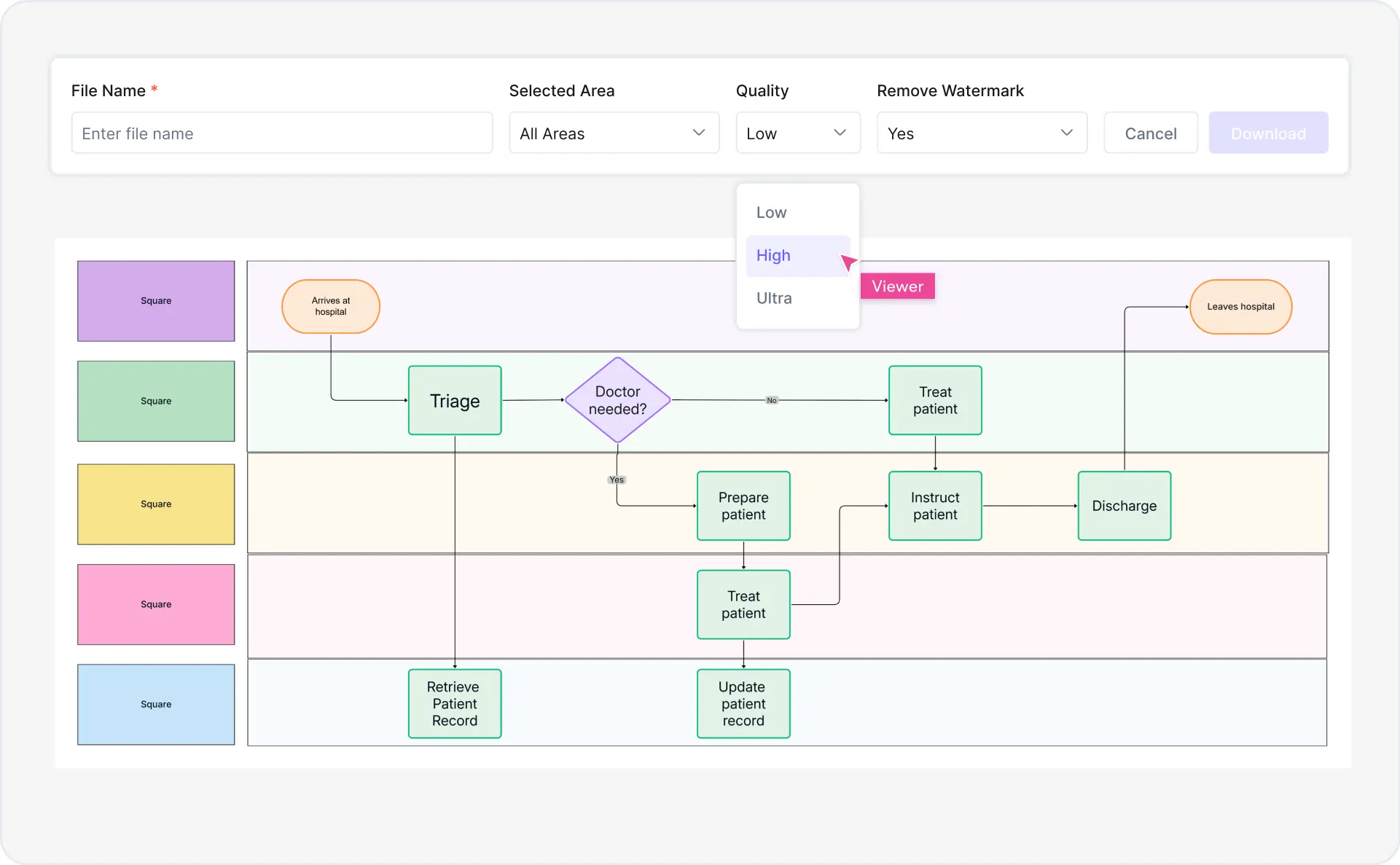
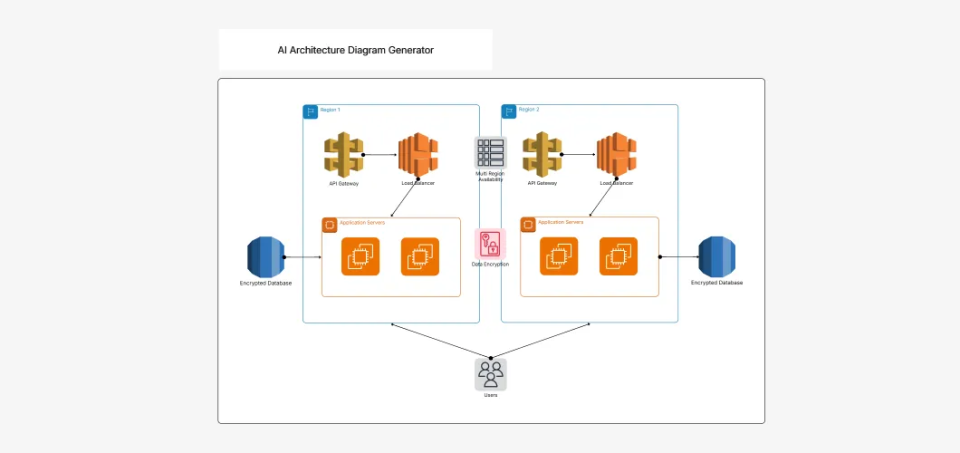
50,000 + Trusted Users with
star star star star star

Trusted by Professionals at Leading Companies

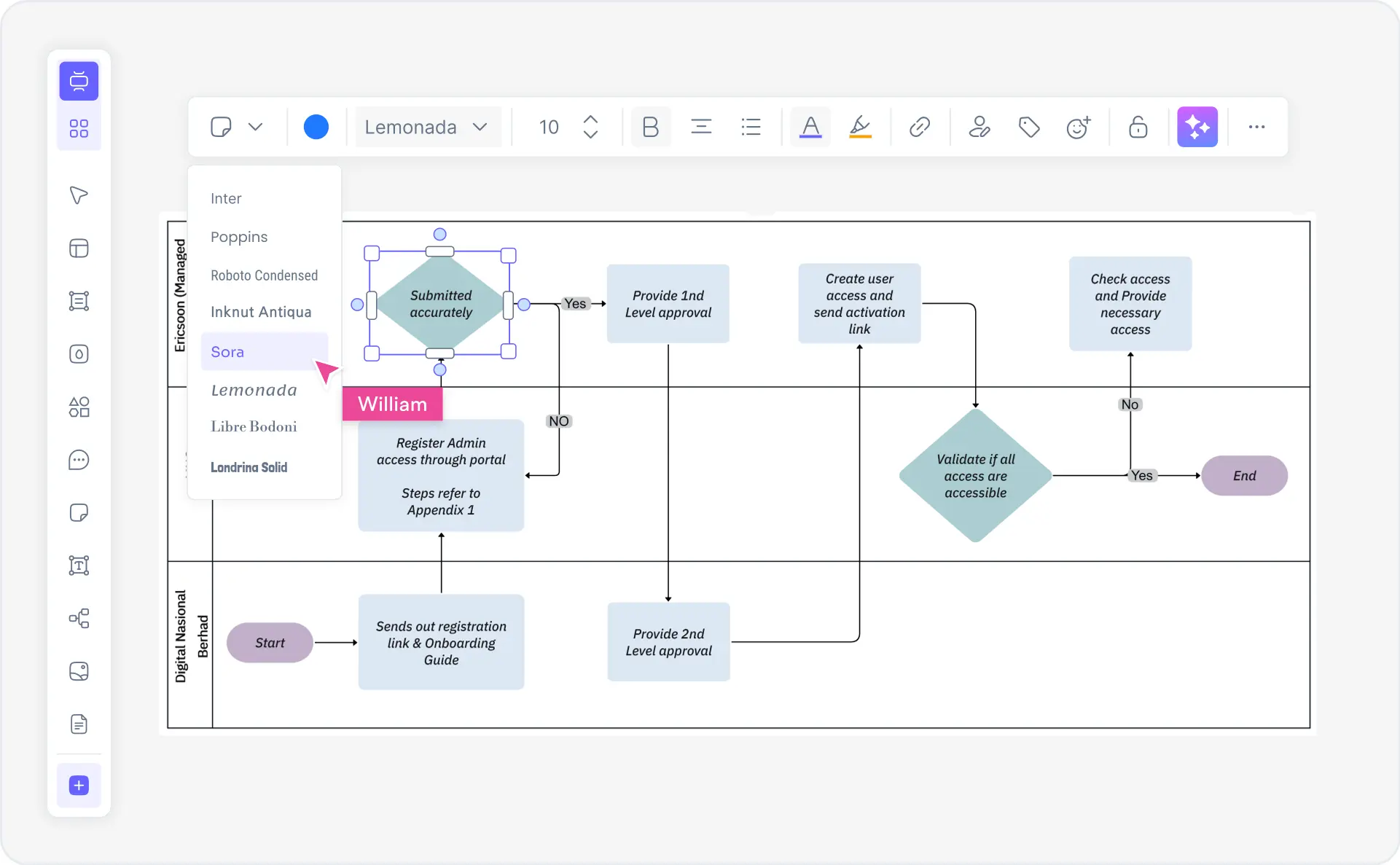
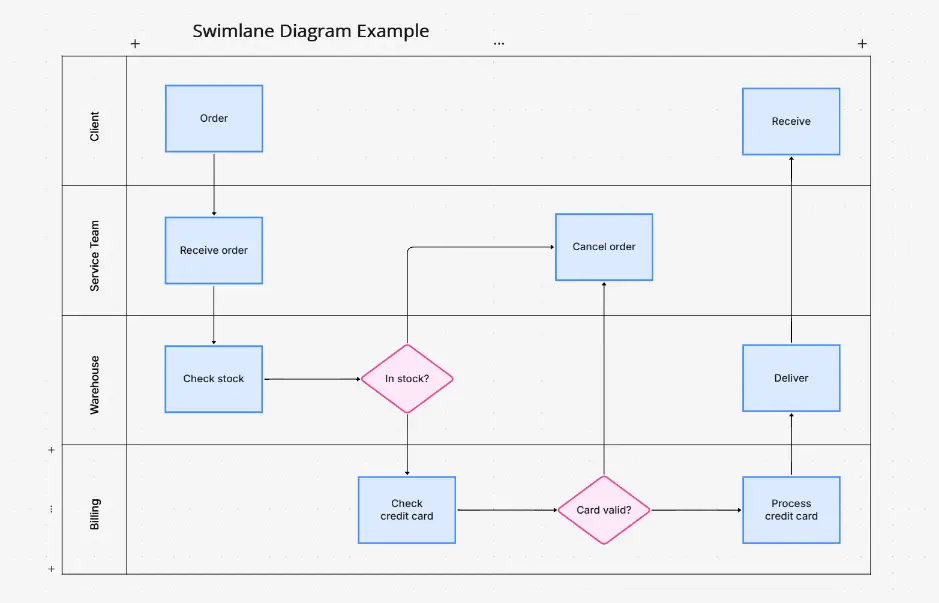
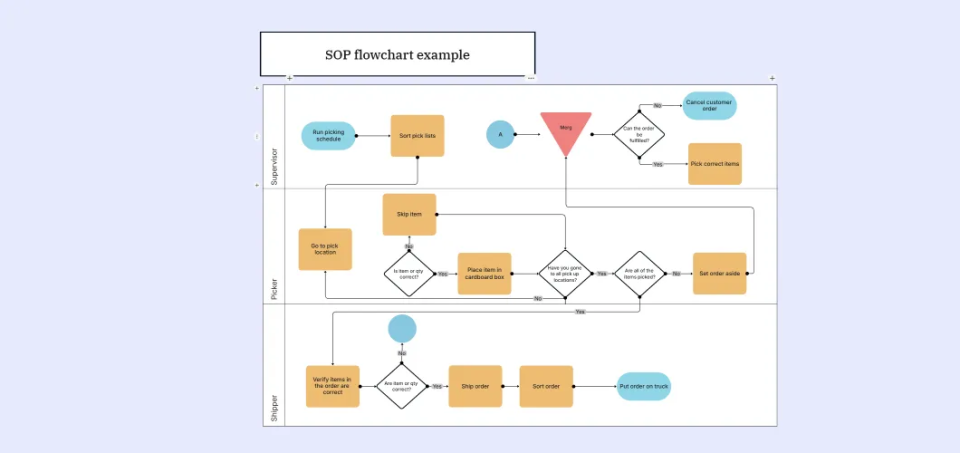
What is a swimlane diagram — example showing cross-functional process flow with role-based lanes, handoffs, and process steps

What Is a Swimlane Diagram?

A swimlane diagram is a visual process mapping tool used in business process management to represent workflows that span multiple roles, departments, or teams. Also called swim lane diagram, cross-functional flowchart, or cross-functional process map, it displays process steps arranged horizontally (or vertically) across lanes, where each lane represents a specific role, department, or team member. Swimlanes clearly show which person or department is responsible for each step, making handoffs between teams explicit and visible.

Swimlane diagrams are essential for visualizing cross-functional workflows, identifying process bottlenecks, clarifying role boundaries, and documenting who does what in multi-department processes. They are used extensively in business process optimization, change management, operations improvement, lean and Six Sigma initiatives, project planning, and workflow automation. Swimlanes excel at showing handoff points between departments, dependencies, parallel activities, and the complete customer/product flow across an organization.

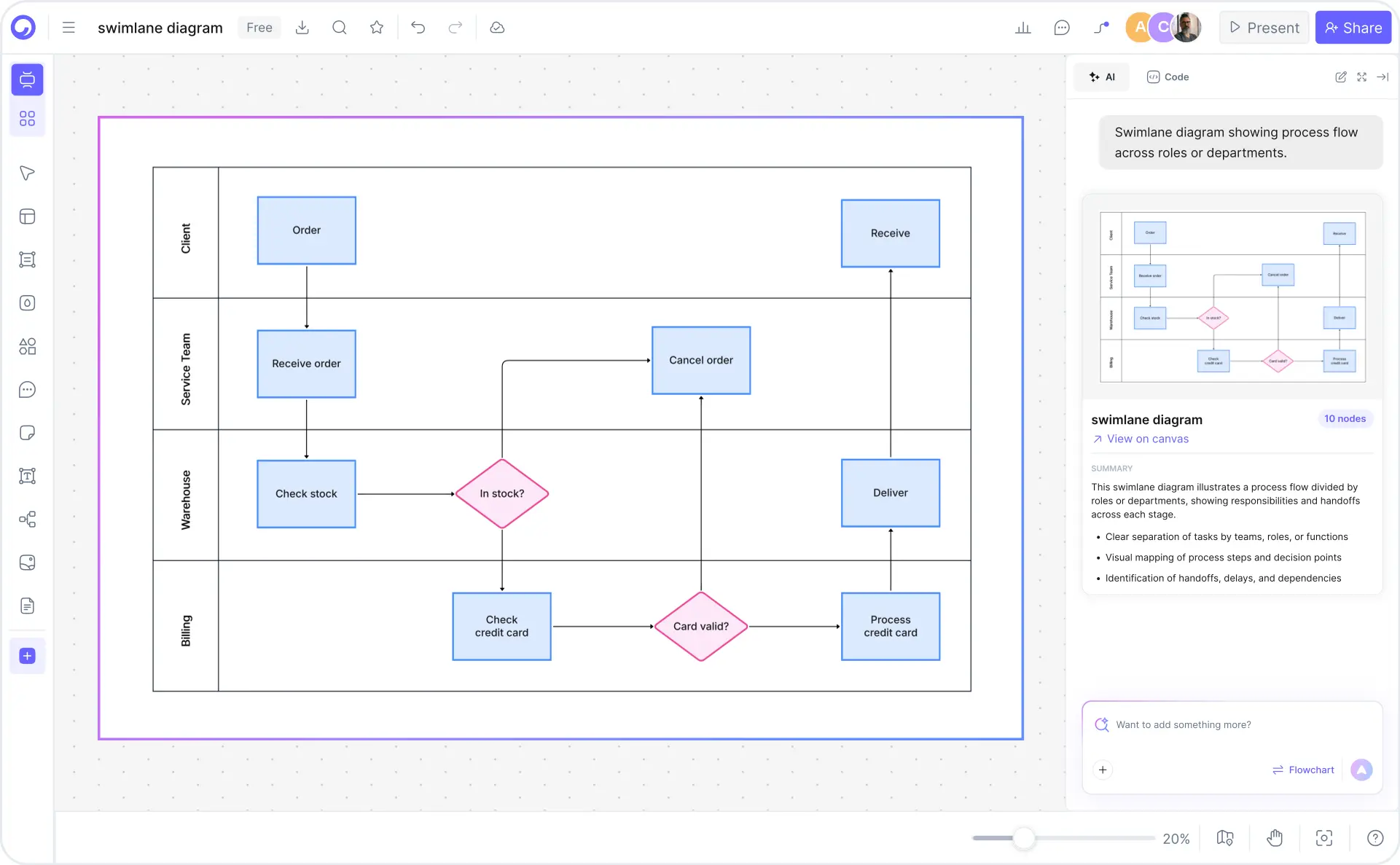
Cloudairy's AI Swimlane Diagram Maker eliminates manual drawing and complex process mapping. Describe your cross-functional process in plain English — "Sales pipeline from lead generation through customer onboarding" — and the AI generates a complete swimlane diagram with role assignments, handoff points, and decision gates instantly. Export to Visio VSD for enterprise documentation, draw.io XML for team collaboration, PDF for stakeholder presentations, or PowerPoint for executive briefings. Perfect for business analysts, operations directors, process improvement managers, project managers, and change management specialists.

How to Create a Swimlane Diagram with AI (5 Steps)

Go from process description to professional cross-functional swimlane diagram in five steps — no manual drawing, no expensive Visio license, no design skills required.

1

Define your process and identify roles

Describe your business process in plain English. Include all departments, teams, or stakeholders involved. For example: "Sales pipeline from lead qualification through contract signature involving Sales, Legal, and Finance" or "New hire onboarding coordinated by HR, IT, and Department Managers". Specify which roles or departments are involved.

2

AI generates swimlane structure

Cloudairy's AI instantly generates a complete swimlane diagram. Each role/department gets its own lane, process flows are mapped horizontally, decision points are identified, and handoff boundaries are clearly marked — all automatically aligned with industry best practices.

3

Populate process steps and activities

Review and refine the AI-generated lanes. Add specific process steps, activities, and tasks for each role. Adjust swim lane assignments, add parallel paths, insert approval gates, and clarify process dependencies — all with drag-and-drop simplicity.

4

Add decision points and handoffs

Mark critical decision gates, conditional branches, and role handoffs. Highlight where one department hands responsibility to another. Add timing information, SLAs, and process bottlenecks. Color-code by department or priority for visual clarity.

5

Export to your preferred format

Export to Visio for enterprise documentation, draw.io for open collaboration, PowerPoint for stakeholder presentations, PDF for printing and distribution, or PNG/SVG for web and reports. Share read-only versions or collaborate with edit access in real time.

How to create a swimlane diagram with Cloudairy — five steps from process description to export

Start Creating Your Swimlane Diagram Free

Join business analysts, operations directors, and process improvement managers worldwide who use Cloudairy to create professional swimlane diagrams in minutes. AI generation. Cross-functional clarity. Role-based responsibility mapping. Multi-format export.

No credit card required • Start creating in seconds

Why Use Cloudairy as Your Swimlane Diagram Tool

Cloudairy is the only AI swimlane diagram maker that combines AI text-to-diagram generation with cross-functional role mapping, real-time collaboration, multi-format export, and integration with Visio, draw.io, PowerPoint, and PDF workflows — all on a single platform.

AI Prompt-to-Diagram

AI Prompt-to-Diagram

Describe your business process in plain English and get a complete, professional swimlane diagram in seconds. No manual drawing, no Visio license required, no design skills needed. The AI understands sales pipelines, HR workflows, manufacturing processes, and service delivery flows.

Cross-Functional Templates

Cross-Functional Process Templates

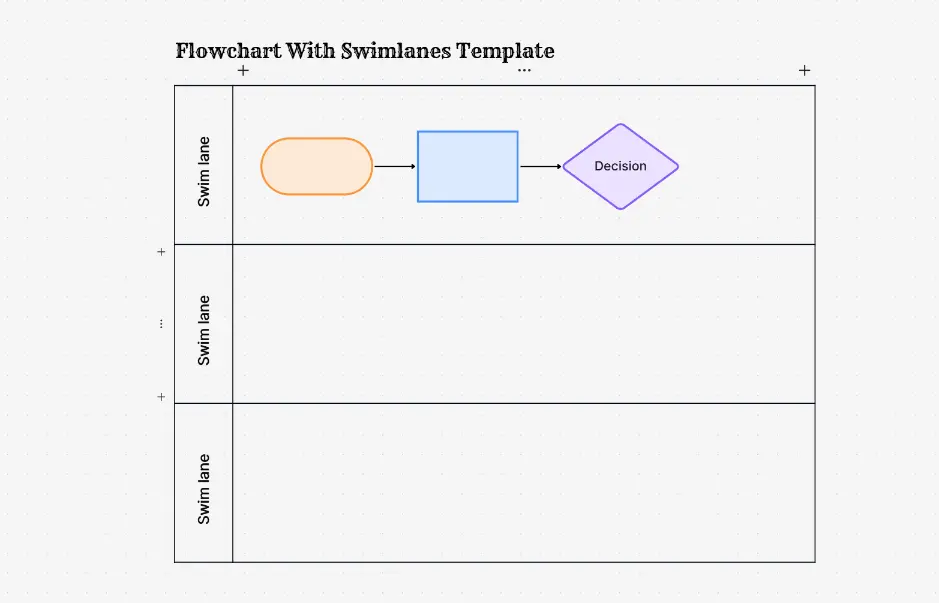
Choose from pre-built swimlane templates for common business processes: sales workflows, customer onboarding, order fulfillment, complaint resolution, product development, and HR operations. Each template maps roles, decision points, and handoffs. Fully customizable for your organization.

Role-Based Ownership

Role-Based Ownership Mapping

Automatically assign process steps to the right department or role. Color-code by team, add responsibility labels, identify handoff points, and highlight bottlenecks where work transfers between lanes. Built-in best practices for process clarity and accountability.

Multi-Format Export

Multi-Format Export

Export to Visio for enterprise documentation, draw.io for open-source collaboration, PowerPoint for stakeholder presentations, PDF for distribution, or PNG/SVG for web and reports. Your swimlane diagrams stay portable across all major business tools.

Real-Time Collaboration

Real-Time Collaboration

Work together seamlessly with your team. Collaborate on swimlane diagrams in real-time or asynchronously with inline comments and suggestions. Assign tasks, tag team members, and track feedback. Perfect for cross-functional process design and continuous improvement.

Process Optimization Insights

Process Optimization & Insights

Visualize bottlenecks, cycle times, and handoff delays across your process. Identify opportunities to streamline workflows, reduce wait times, and improve efficiency. AI-powered suggestions for process improvement based on industry best practices and lean methodology.

Swimlane Diagram Examples — Real Business Process Workflows

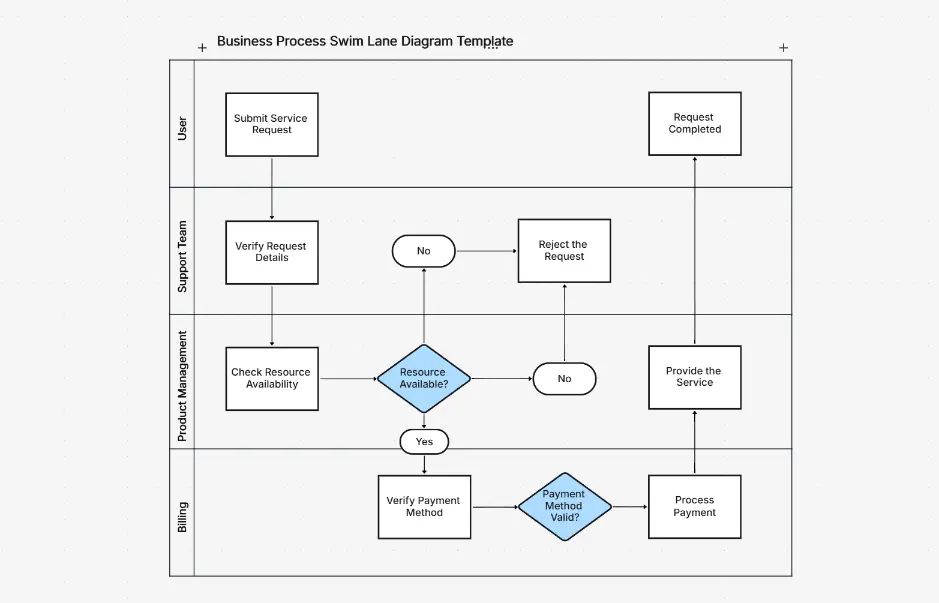
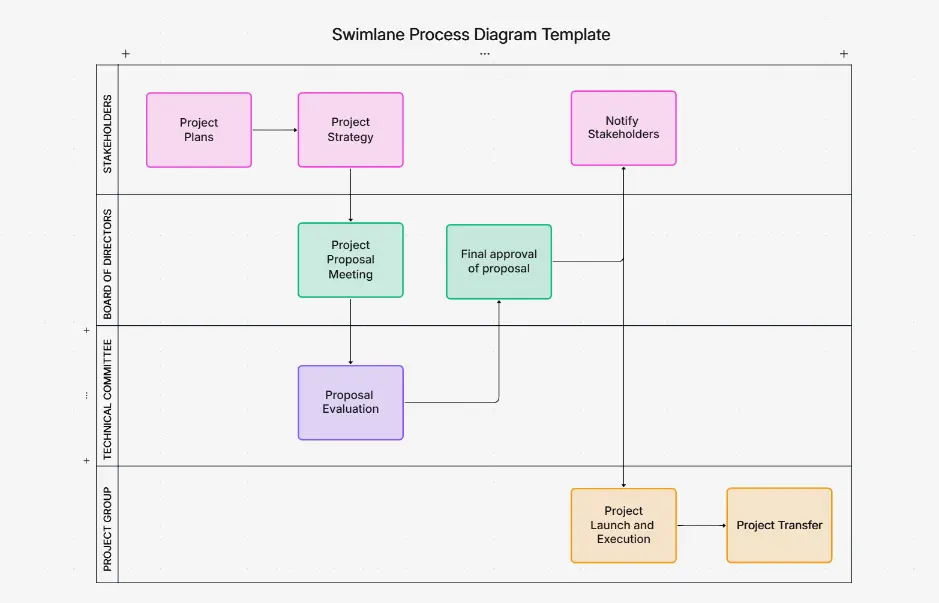
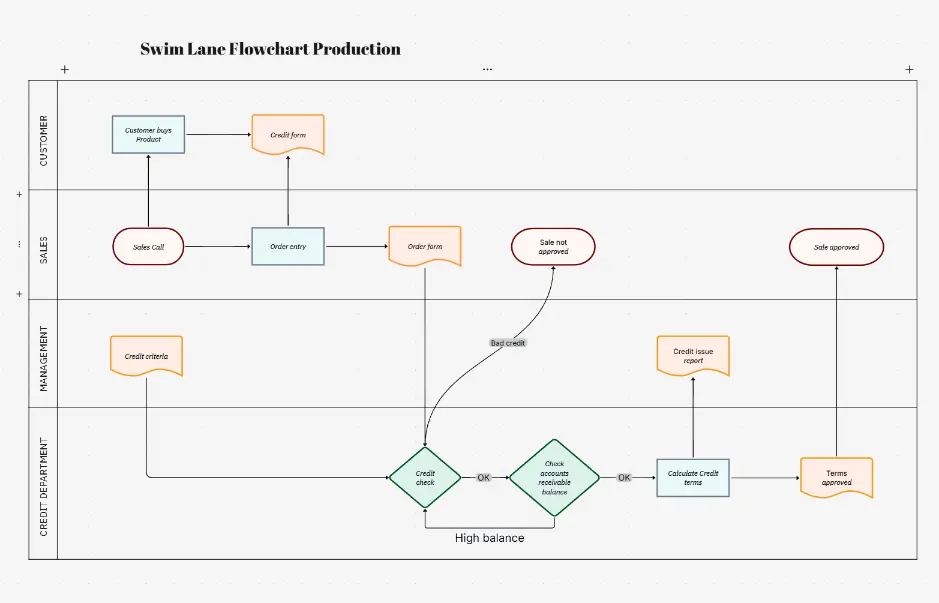
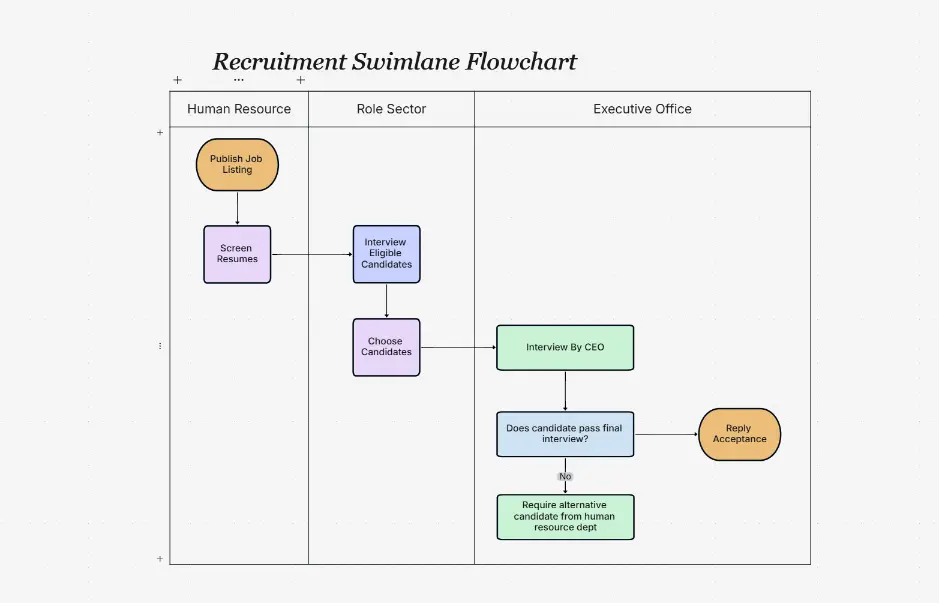
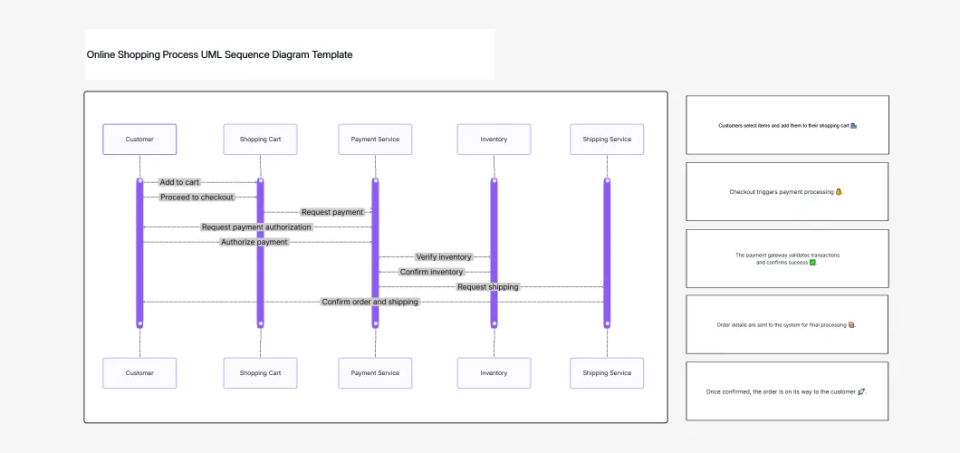
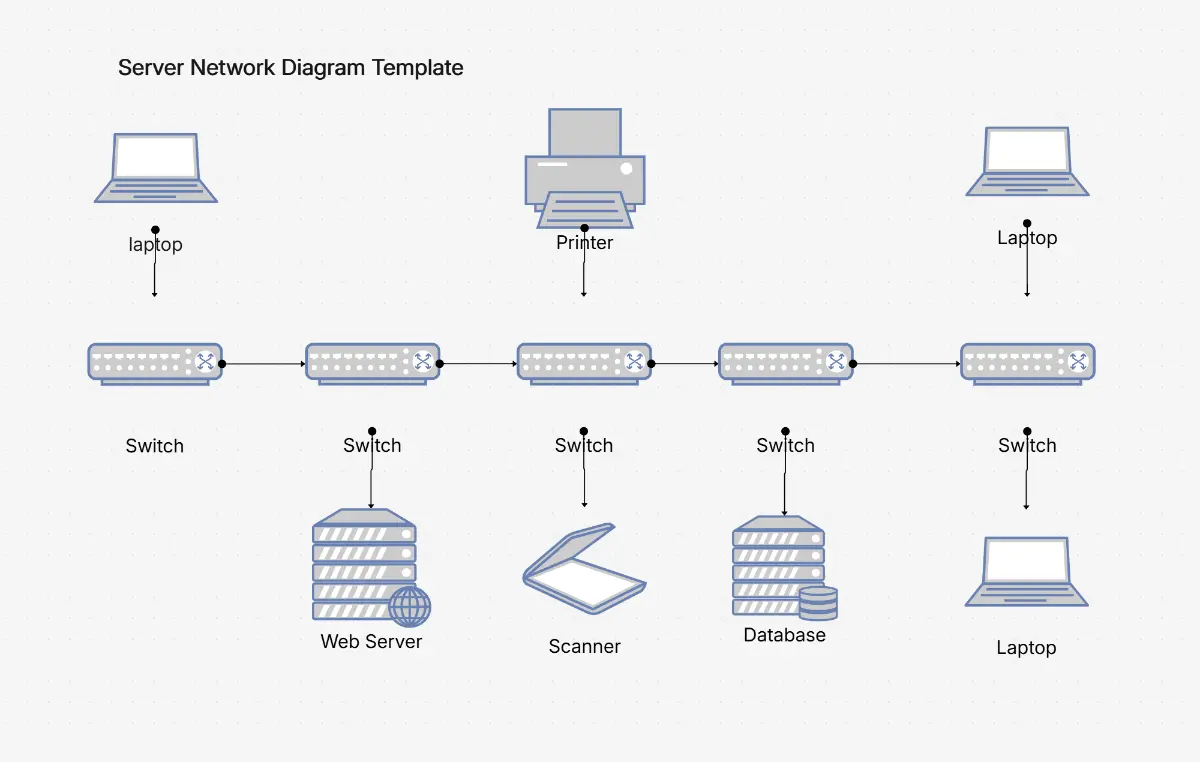
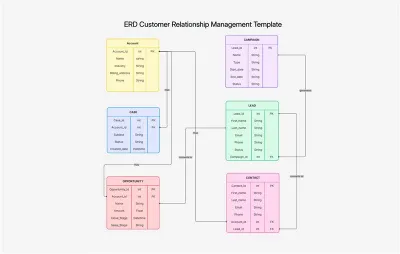
Explore professionally designed swimlane diagram examples for common business workflows. Each example clearly maps responsibilities across teams or departments, is fully editable, AI-extendable, and ready to adapt to your process.

Cloudairy vs Competitors — Swimlane Diagram Tools Compared

See how Cloudairy's AI swimlane diagram maker compares to manual diagramming tools, process mapping platforms, and enterprise business process software.

Feature Cloudairy Microsoft Visio Lucidchart draw.io Miro SmartDraw
AI Text-to-Swimlane Generation Yes No Limited No Limited No
Cross-Functional Role Mapping Yes Yes Yes Yes Yes Yes
Real-Time Collaboration Yes Limited (OneDrive/SharePoint) Yes Yes Yes Limited
Multi-Format Export (Visio, draw.io, PowerPoint, PDF) Yes Limited (only .vsdx) Yes Yes Limited Yes
Built-In Business Process Templates Yes Limited Yes Limited Yes Yes
Free Tier Yes No (subscription only) Yes Yes Yes (limited) No (7-day trial only)

Who Uses Swimlane Diagrams?

Business Analysts

Map cross-functional processes, identify role responsibilities, and document handoffs between departments. Generate swimlane diagrams from process descriptions to uncover inefficiencies and communicate workflows to stakeholders.

Operations Directors

Oversee end-to-end business processes and team performance. Create swimlane diagrams to visualize dependencies between teams, identify bottlenecks, and optimize workflow efficiency across departments.

Process Improvement Managers

Lead Lean, Six Sigma, and process optimization initiatives. Generate swimlane diagrams to highlight waste, reduce cycle time, and streamline workflows. Export to PowerPoint for board presentations and change initiatives.

Project Managers

Align stakeholders across projects and manage cross-team dependencies. Use swimlane diagrams to visualize project workflows, clarify ownership, and track handoffs. Share with teams via Visio, draw.io, or PDF exports.

Change Management Specialists

Guide teams through process transformations and organizational change. Create swimlane diagrams to compare as-is and to-be processes, illustrate new workflows, and document role changes during system implementations.

Business analysts, operations directors, process improvement managers, and project managers using Cloudairy for swimlane diagrams

Frequently Asked Questions

A swimlane diagram is a visual flowchart that shows how tasks and responsibilities are distributed across different people, departments, or systems in a process. Each horizontal lane represents an actor (person, department, or system), and tasks flow across swimlanes to show collaboration and handoffs. It's also called a cross-functional flowchart or process swimlane diagram.

Cross-functional processes are workflows that require coordination between multiple departments or teams. Examples include order fulfillment (sales, warehouse, shipping), hiring (HR, hiring manager, finance), and product launches (marketing, engineering, sales). Swimlane diagrams excel at visualizing these processes because they show where handoffs occur between departments.

With Cloudairy's AI Swimlane Diagram Maker, describe your process in plain English. The AI instantly creates a professional swimlane diagram with properly formatted lanes for each actor, sequence flows, decision points, and handoffs. You can then refine it using the visual editor.

Use swimlane diagrams to map cross-functional processes, identify process bottlenecks, document workflow responsibilities, improve team communication, support process improvement initiatives, and clarify who does what in complex workflows. They're essential for business process mapping and process optimization.

Yes. Cloudairy supports importing swimlane diagrams from Visio, draw.io, Lucidchart, and PDF files. You can also upload an image or describe an existing process and have the AI recreate it as a properly formatted swimlane diagram for editing and refinement.

Cloudairy exports swimlane diagrams to Visio (.vsdx), draw.io (.drawio), PDF, PNG, SVG, and PowerPoint. This ensures compatibility with your existing tools and makes it easy to share diagrams with stakeholders who may not have Cloudairy installed.

Yes. Cloudairy's free tier includes unlimited swimlane diagram creation with AI assistance, the visual editor, and PDF export. Premium plans unlock advanced features like Visio and draw.io export, team collaboration, and version history.

Swimlane diagrams are used across all industries: healthcare (patient care workflows), finance (loan approval processes), manufacturing (order-to-delivery), retail (customer service), software (development and deployment), and government. Any organization with cross-functional processes benefits from swimlane visualization.

Cloudairy's AI analyzes your process description and automatically identifies swimlanes, decision points, parallel activities, and handoffs. It suggests optimizations, detects bottlenecks, and ensures your diagram follows best practices for process mapping and clarity.

Yes. Cloudairy supports real-time collaboration with shared editing, comments, version history, and permission controls. Teams can work together on swimlane diagrams, provide feedback, and track changes throughout the design process.

Flowcharts show task sequence and logic flow, while swimlane diagrams add responsibility visualization—showing which person or department owns each task. Swimlanes are better for cross-functional processes; flowcharts are better for technical logic and simple linear processes.

Yes. Cloudairy provides pre-built swimlane templates for common processes like order fulfillment, customer support, hiring, software development, loan approval, and insurance claims. Start with a template and customize it for your specific workflow.

Success Stories from Our Community

See how cloud architects, solutions engineers, and DevOps teams use Cloudairy to create Azure architecture diagrams faster and with better results.

As a cloud architect, I need precision and speed. Cloudairy helps me design complex Azure architectures in minutes without losing detail or accuracy. The official Azure icons save me hours every week.

Cloudairy makes Azure solution design so simple. I can create client-ready architecture diagrams instantly and focus on delivering value instead of spending hours formatting Visio files.

I'm studying for AZ-305 and Cloudairy helps me visualize Azure reference architectures instantly. I can generate a landing zone diagram from a single sentence and use it as a study aid.

I use Cloudairy to teach Azure architecture in my courses. The AI generator lets students produce real-world diagrams on the first day instead of spending weeks learning Visio.

Our team uses Cloudairy to document every Azure deployment. The Visio export means our diagrams drop straight into client deliverables without any reformatting. Huge time saver.

Secure, compliant, and enterprise-ready

Cloudairy safeguards your work with enterprise-grade security, compliance, and access controls — so your teams can create, collaborate, and scale with confidence.

SOC 2 Type II
SOC 2 Type Ⅱ

Cloudairy is SOC 2 Type Ⅱ certified and penetration tested annually, ensuring your architecture diagrams and data meet the highest standards for security and reliability.

GDPR
GDPR

We comply with the European Union General Data Protection Regulation (GDPR) and extend it to all our customers even those outside of the EU.

ISO 27001
ISO 27001

Our Information Security Management System is ISO 27001 certified — the leading global standard for information security.

Flexible Pricing for Every Team

Free

Discover what Cloudairy can do for you. Start for free

$0

for unlimited members
Try for free

Upgrade now

Show key features

up-arrow

Includes:

Starter

Unlock unlimited and private boards with important features

$4

per member / month

billed annually

monthly

Show key features

up-arrow

Includes everything in Free, plus:

money-back

Business

MOST POPULAR

Ideal for agencies or growing businesses managing multiple projects.

$5

per member / month
billed annually

Show key features

up-arrow

Includes everything in starter, plus:

Enterprise Plan

For large organizations needing scalability, control, and security.

contact-pricing
Contact for pricing
Contact us

Upgrade now

Show key features

up-arrow

Includes everything in Business, plus: