50,000 + Trusted Users with
star star star star star

Trusted by Professionals at Leading Companies

What is a ladder diagram — example showing PLC contacts, coils, timers, and counters in IEC 61131-3 notation

What Is an Empathy Map?

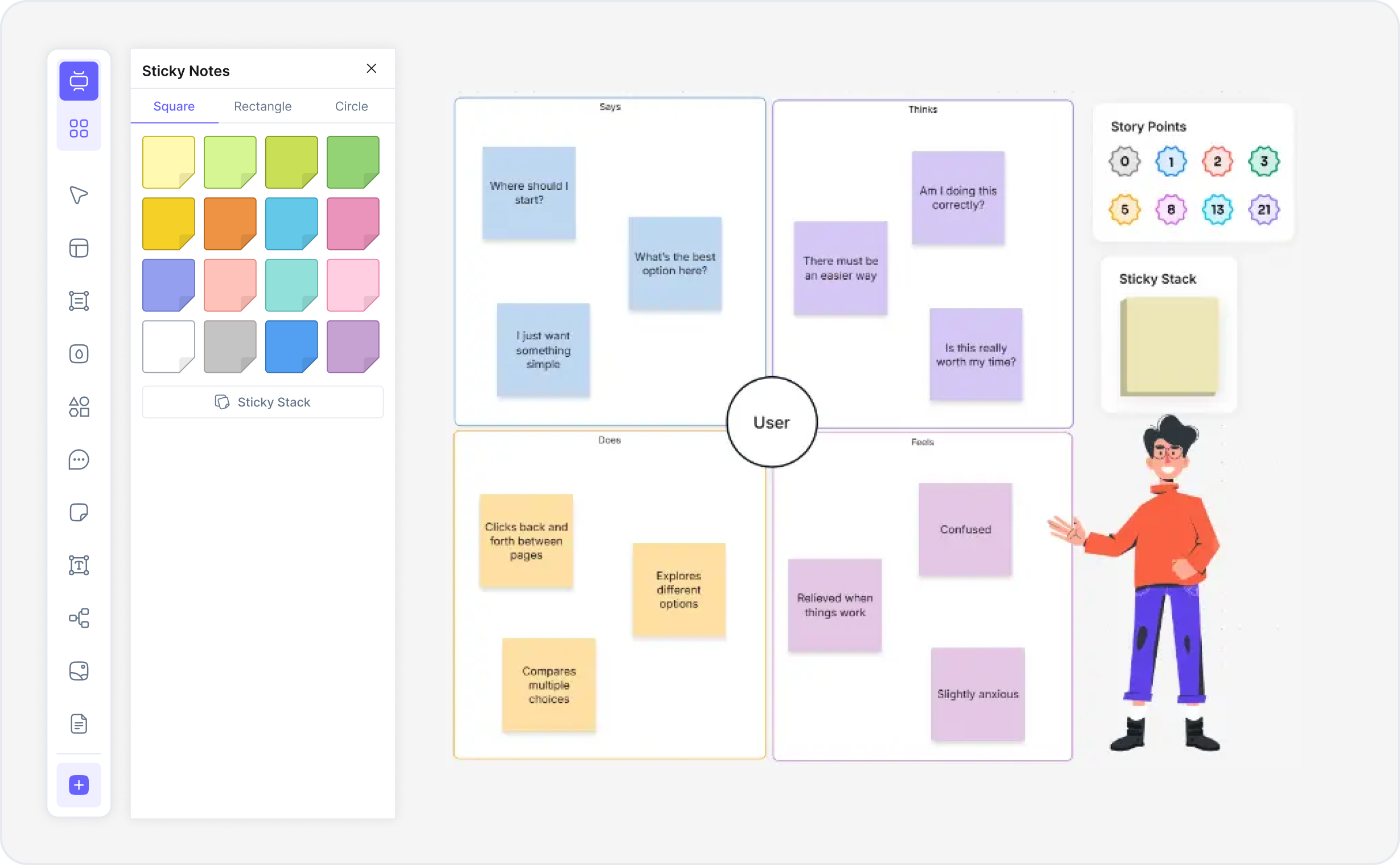
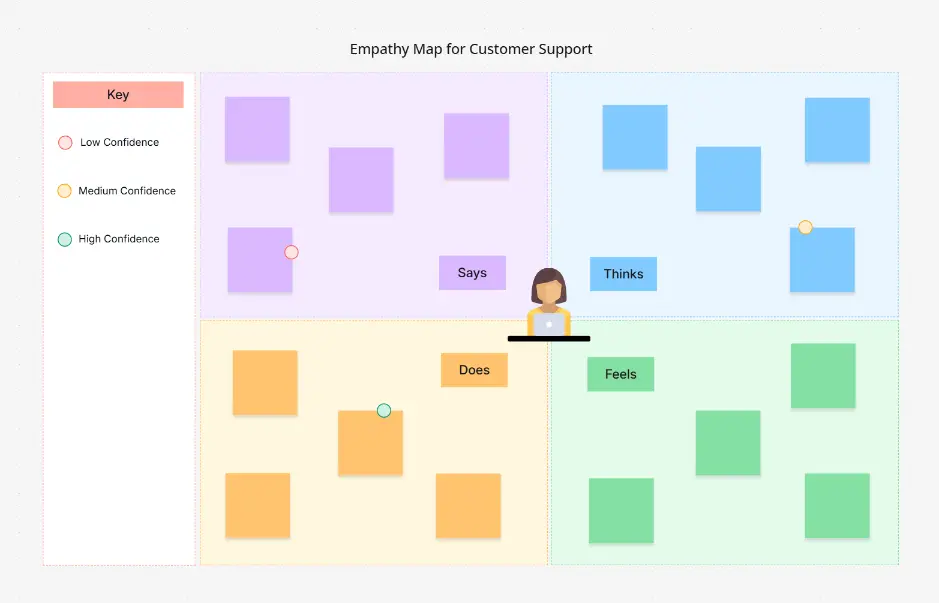
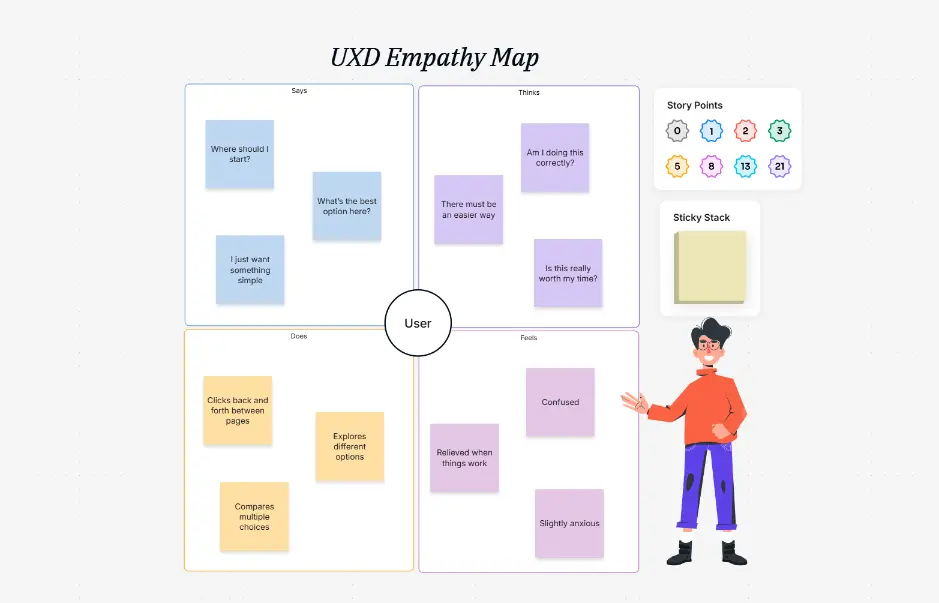
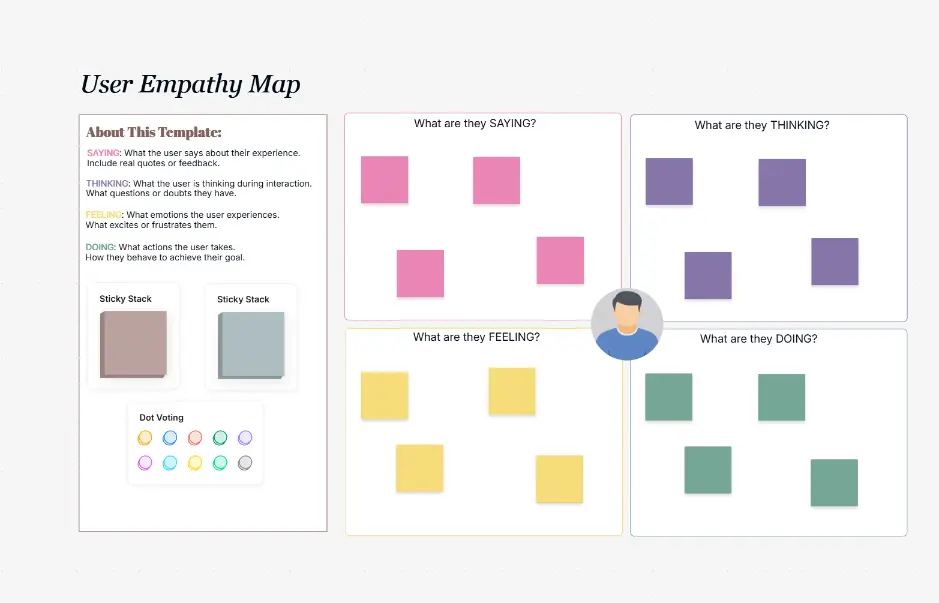
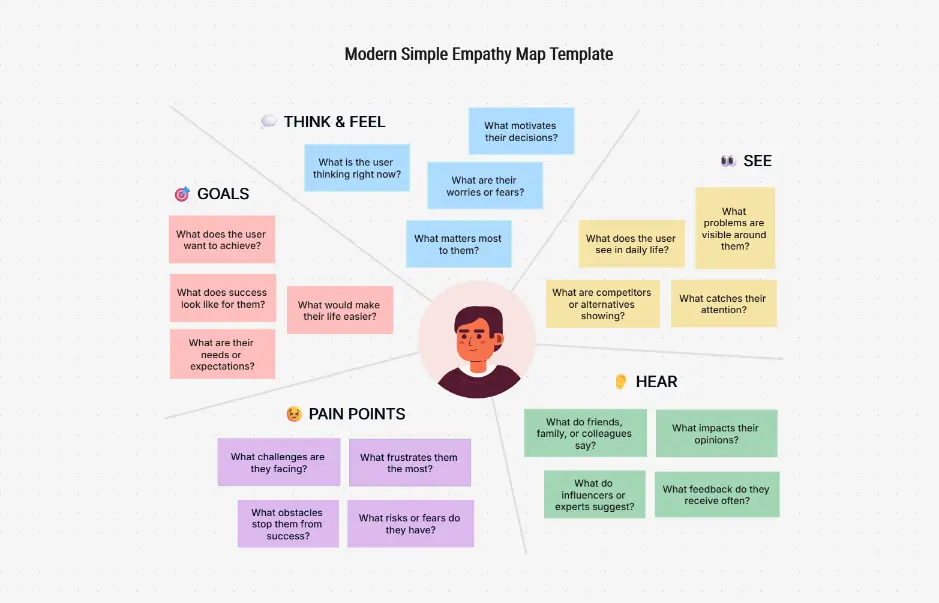
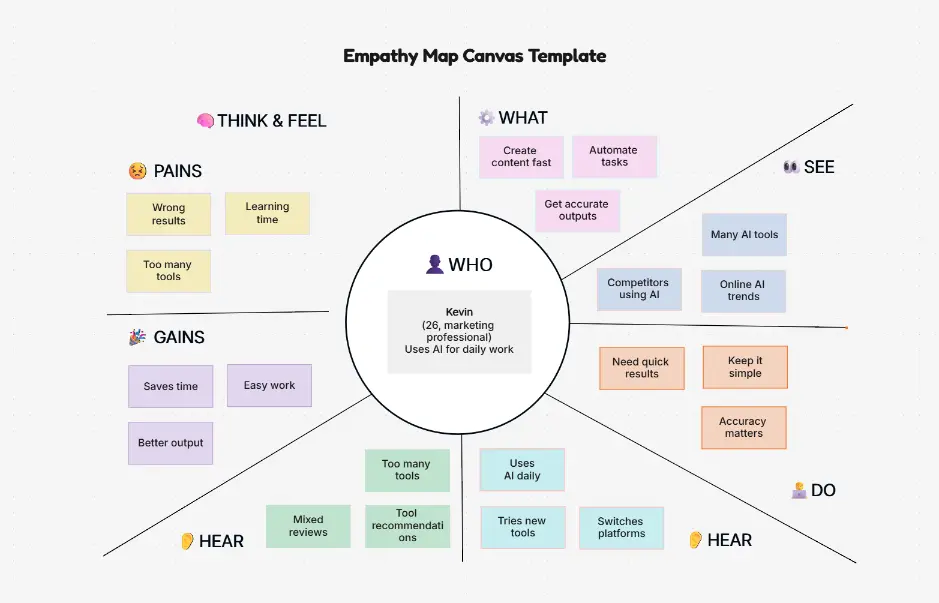
An empathy map is a collaborative visual framework used in design thinking and UX research to deeply understand user perspectives, emotional triggers, and behavioral patterns. Structured around four quadrants — Says (what users communicate), Thinks (internal thoughts and beliefs), Feels (emotional states), and Does (observable behaviors) — empathy mapping transforms isolated data points into actionable user insights that inform product decisions and drive human-centered innovation.

Empathy maps are essential for product teams, UX researchers, designers, and anyone committed to understanding customer needs beyond surface-level feedback. The framework bridges quantitative metrics and qualitative insights, revealing unspoken motivations, hidden anxieties, and emotional drivers that shape user behavior. Empathy mapping is a core design thinking practice recognized across tech companies like Google, Apple, and Amazon, as well as enterprises across healthcare, finance, e-commerce, and SaaS industries.

Cloudairy's AI Empathy Map Maker eliminates the manual research-to-insight gap. Describe your user or persona — "Mobile app user frustrated with payment options" or "Enterprise buyer concerned about vendor lock-in" — and the AI generates a complete empathy map with Says/Thinks/Feels/Does content instantly. Export to Visio for enterprise documentation, draw.io for team collaboration, PDF for presentations, or PowerPoint for stakeholder communication. Perfect for UX researchers, product managers, designers, and agile teams practicing design thinking.

How to Create an Empathy Map with AI (4 Steps)

Go from research questions to a complete empathy map in four steps — no design experience required, no expensive design tools, no sketching skills needed.

1

Define your user or persona

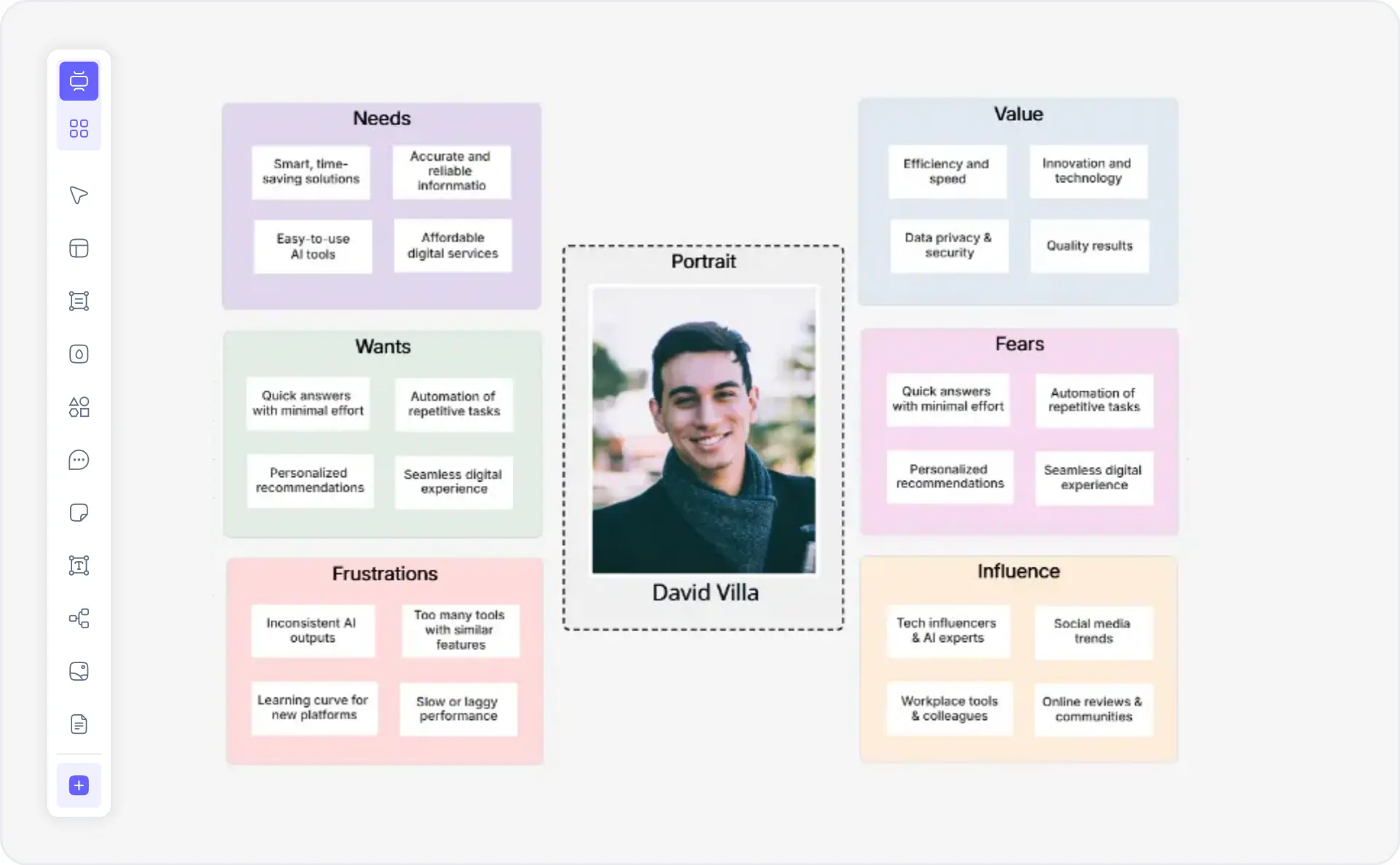
Describe the person you're researching. For example: "E-commerce mobile shopper aged 25-35" or "B2B SaaS procurement manager" or "Healthcare patient with chronic illness". Or choose from example personas — Small business owner, Enterprise buyer, Student user, New parent, Healthcare professional, Customer support agent, Product manager.

2

AI generates empathy map canvas

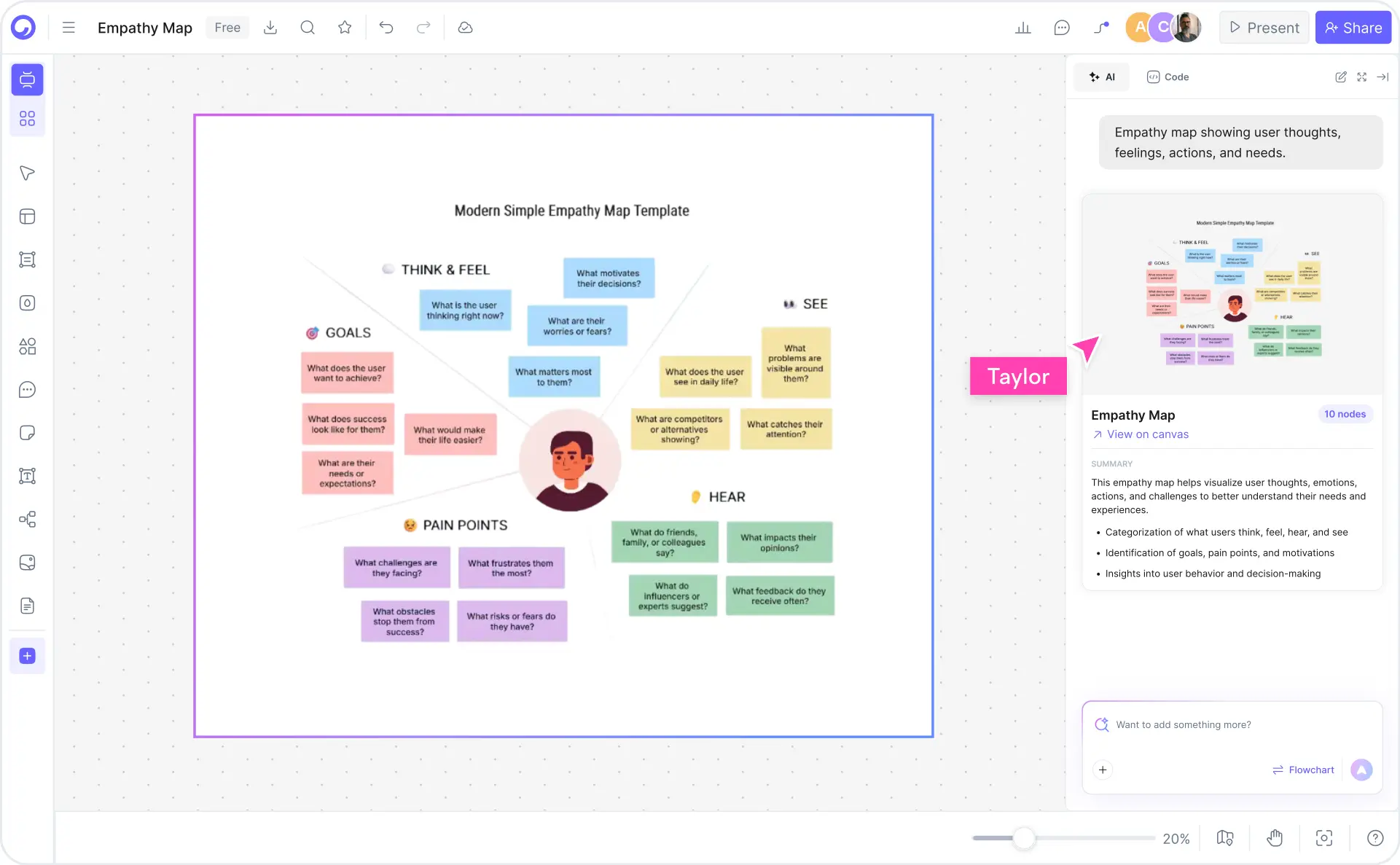
Cloudairy's AI instantly generates a complete empathy map with all four quadrants populated. Says, Thinks, Feels, and Does sections are filled with realistic insights. Pain points, goals, and motivations are automatically identified based on your user description.

3

Refine with research and data

Update the empathy map with real interview data, user testing notes, surveys, and analytics. Cloudairy's editor lets you adjust Says/Thinks/Feels/Does, add pain points and gains, and incorporate quotes from user research. Iterate based on actual user feedback.

4

Export and share with stakeholders

Export to Visio for cross-team presentations, PowerPoint for stakeholder briefings, draw.io for open collaboration, or PDF for documentation. Share via edit links for team collaboration or view-only links for client presentations and design reviews.

How to create an empathy map with Cloudairy — four steps from persona to export

Start Creating Your Empathy Map Free

Join UX researchers, product managers, and design thinking practitioners worldwide who use Cloudairy to create empathy maps in minutes. AI-powered insights. Research-backed framework. Multi-stakeholder collaboration. Professional export formats.

No credit card required • Start creating in seconds

Why Use Cloudairy as Your Empathy Map Maker

Cloudairy is the only AI empathy map maker that combines AI-powered insight generation with the Says/Thinks/Feels/Does framework, research data integration, multi-stakeholder collaboration, and professional export formats — all on a single platform.

AI User Insight Generation

AI User Insight Generation

Describe your user persona and Cloudairy instantly populates Says, Thinks, Feels, and Does insights backed by design thinking principles. No expert interviews required, no spreadsheet analysis, no guesswork. The AI understands user psychology, motivations, pain points, and desired outcomes.

Says/Thinks/Feels/Does Framework

Says/Thinks/Feels/Does Framework

Generate empathy maps with the proven Says/Thinks/Feels/Does canvas structure. Fully customizable quadrants capture what users express, their internal thoughts, emotional drivers, and actual behaviors. Based on established UX research methodology and design thinking practices.

Multi-Stakeholder Collaboration

Multi-Stakeholder Collaboration

Build empathy maps with your entire team — designers, researchers, product managers, and developers. Real-time collaboration lets teams refine insights simultaneously. Share via edit links for active collaboration or view-only links for stakeholder briefings and executive reviews.

Multi-Format Export

Professional Export Formats

Export empathy maps to Visio for cross-team presentations, PowerPoint for executive presentations, draw.io for team collaboration, or PDF for documentation. Your empathy maps stay portable across platforms. Share directly from Cloudairy or use standard office tools.

Research Data Integration

Research Data Integration

Enrich AI-generated insights with real user research data. Add quotes from interviews, findings from surveys, behavioral data from analytics, or observations from user testing. Blend AI-powered starter insights with grounded research evidence for validated empathy maps.

Version History and Iteration

Version History & Iteration

Track every iteration of your empathy maps with full version history. See how insights evolved as you gathered more research. Revert to previous versions, compare changes, and maintain multiple empathy maps for different personas. Perfect for agile research workflows and stakeholder reviews.

Empathy Map Examples — Real User Research Scenarios

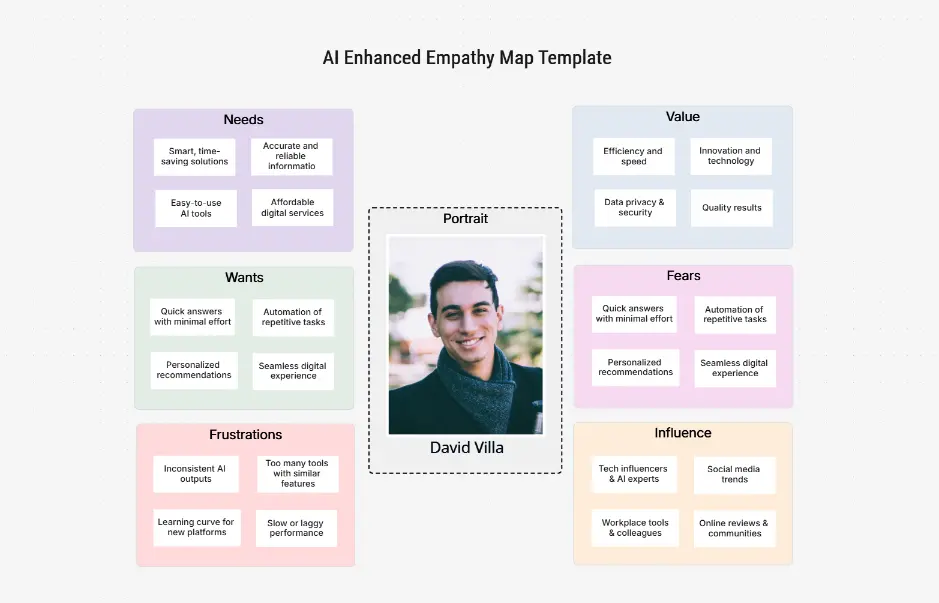
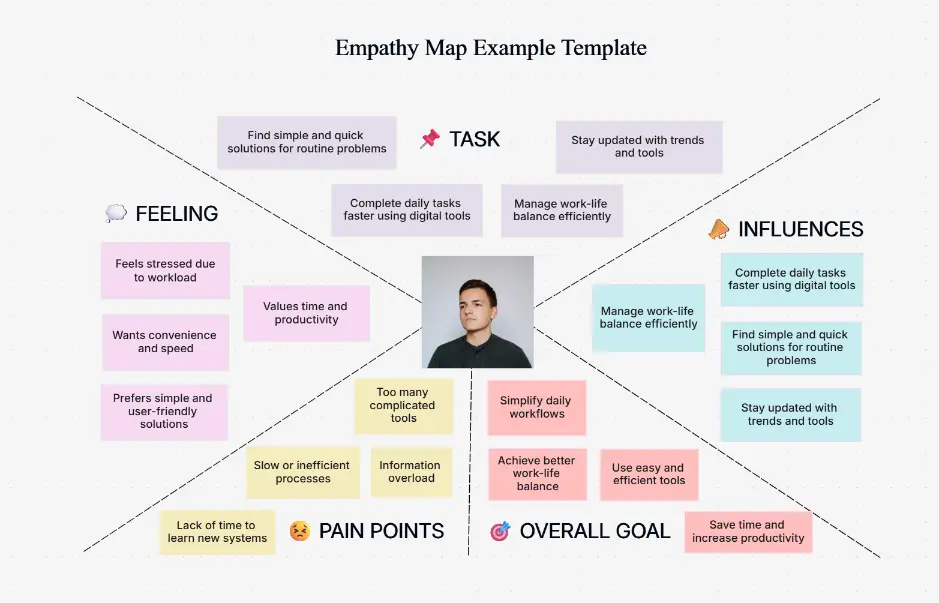
Explore professionally designed empathy map examples for common user personas and research scenarios. Each example uses the proven Says/Thinks/Feels/Does framework, is fully editable, AI-extendable, and ready to adapt for your research.

Cloudairy vs Competitors — Empathy Mapping Tools Compared

See how Cloudairy's AI empathy map maker compares to traditional design tools, whiteboarding platforms, and enterprise UX research software.

Feature Cloudairy Miro FigJam Mural MIRO Lite Whiteboard
AI User Insight Generation Yes Limited Limited No No No
Says/Thinks/Feels/Does Framework Yes Yes Yes Yes Yes Limited
Research Data Integration Yes Limited Limited No No No
Multi-Stakeholder Collaboration Yes Yes Yes Yes Yes Limited
Professional Export Formats Yes Yes Yes Yes Yes Limited
Free Tier Yes Yes (education) Yes Limited Limited No
Learning Curve Low Medium Medium Medium High Very High

Who Uses Empathy Maps?

UX Researchers

Synthesize qualitative research into actionable empathy maps. Capture user interviews, observation notes, and survey insights into a structured Says/Thinks/Feels/Does framework that reveals hidden customer needs and pain points.

Product Managers

Align teams on user understanding and product direction. Generate empathy maps from user feedback, support tickets, and analytics to guide feature prioritization and ensure products address genuine user needs and emotions.

Design Thinking Practitioners

Facilitate design sprints and innovation workshops using empathy maps as a core tool. Quickly generate persona-based empathy maps from brainstorming sessions to keep teams focused on user-centric problem solving.

User Experience Specialists

Build comprehensive user personas and journey maps. Convert research data into empathy maps that document user context, motivations, and behaviors—shareable artifacts for design teams and stakeholders.

Innovation & Strategy Teams

Understand market opportunities and customer segments. Create empathy maps for target personas to inform market research, new product development, and strategic positioning based on real user insights.

UX researchers, product managers, and design thinking practitioners using Cloudairy for empathy maps

Frequently Asked Questions

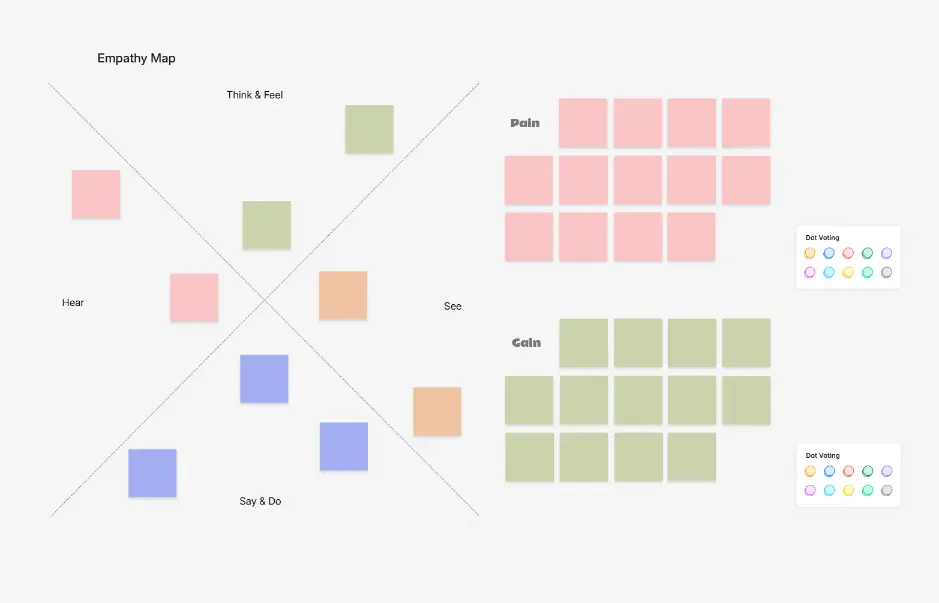
An empathy map is a visual framework used in UX research and design thinking to understand user behavior, emotions, and motivations. It captures what a user says, thinks, feels, and does in a structured canvas, along with their pains and gains. Empathy maps help teams move beyond demographics to understand the emotional and psychological drivers behind user decisions.

Personas are demographic archetypes describing who users are; empathy maps are emotional and behavioral snapshots revealing why they act as they do. Personas are static profiles created during discovery; empathy maps evolve with ongoing research. Best practice is to create a persona first, then develop empathy maps for deeper insight into their motivations and pain points.

Start with your target user or persona. Fill each quadrant based on research insights: (1) Says - quotes and statements from interviews, (2) Thinks - goals and worries they don't express, (3) Feels - emotional responses and concerns, (4) Does - actions and behaviors. Add pains (frustrations, obstacles) and gains (motivations, desired outcomes). Use direct quotes and behavioral observations from user research.

The pains section should capture obstacles, frustrations, and pain points users experience: financial barriers, time constraints, emotional frustrations, usability issues, lack of features, poor support, or unmet needs. Include both functional pains (difficulty using a tool) and emotional pains (anxiety, shame, frustration). These insights drive product improvements and competitive advantages.

Yes. Create multiple empathy maps for different user segments, personas, or journey stages. Advanced use cases include mapping different personas for a single product, creating empathy maps for different stages of the customer journey (awareness, purchase, retention), and competitive user empathy mapping. This multi-perspective approach reveals gaps and opportunities across your entire user ecosystem.

Cloudairy supports exporting to multiple formats: Visio VSD for enterprise documentation and CAD workflows, draw.io XML for team collaboration and open-source editing, PDF for presentation and printing, and PowerPoint for stakeholder briefings and presentations. All exports maintain editable formatting and can be further customized in their native applications.

Design thinking is a human-centered problem-solving framework that prioritizes understanding user needs through empathy. The process follows the Double Diamond: Discover (empathize, research), Define (synthesize insights), Develop (ideate, prototype), and Deliver (test, launch). Empathy maps are a core design thinking tool, used during the discovery and define phases to build deep user understanding before solution development.

Empathy maps synthesize qualitative research (interviews, observations) into actionable insights. In UX research workflows, empathy maps help teams identify user motivations beyond stated needs, spot emotional drivers of behavior, discover unmet needs and pain points, align cross-functional teams on user understanding, and create a foundation for design solutions. They're especially powerful after user interviews and testing sessions.

Yes. Cloudairy empathy maps support real-time team collaboration. Multiple team members can build and refine maps together, adding insights from different perspectives. This collaborative approach ensures researchers, designers, product managers, and stakeholders all contribute to a shared understanding of user needs, leading to more comprehensive and aligned empathy maps.

Yes. Cloudairy's free tier includes unlimited empathy map generation with AI-powered insights, access to design thinking templates, basic collaboration features, and PDF export. Premium plans unlock advanced features like Visio and PowerPoint export, priority support, and team workspace management.

Cloudairy supports four export formats: Visio VSD for enterprise workflows and documentation, draw.io XML for open-source editing and team collaboration, PDF for presentations and printing, and PowerPoint for stakeholder briefings with speaker notes. All formats maintain the empathy map structure and are fully editable in their native applications.

Success Stories from Our Community

See how cloud architects, solutions engineers, and DevOps teams use Cloudairy to create Azure architecture diagrams faster and with better results.

As a cloud architect, I need precision and speed. Cloudairy helps me design complex Azure architectures in minutes without losing detail or accuracy. The official Azure icons save me hours every week.

Cloudairy makes Azure solution design so simple. I can create client-ready architecture diagrams instantly and focus on delivering value instead of spending hours formatting Visio files.

I'm studying for AZ-305 and Cloudairy helps me visualize Azure reference architectures instantly. I can generate a landing zone diagram from a single sentence and use it as a study aid.

I use Cloudairy to teach Azure architecture in my courses. The AI generator lets students produce real-world diagrams on the first day instead of spending weeks learning Visio.

Our team uses Cloudairy to document every Azure deployment. The Visio export means our diagrams drop straight into client deliverables without any reformatting. Huge time saver.

Secure, compliant, and enterprise-ready

Cloudairy safeguards your work with enterprise-grade security, compliance, and access controls — so your teams can create, collaborate, and scale with confidence.

SOC 2 Type II
SOC 2 Type Ⅱ

Cloudairy is SOC 2 Type Ⅱ certified and penetration tested annually, ensuring your architecture diagrams and data meet the highest standards for security and reliability.

GDPR
GDPR

We comply with the European Union General Data Protection Regulation (GDPR) and extend it to all our customers even those outside of the EU.

ISO 27001
ISO 27001

Our Information Security Management System is ISO 27001 certified — the leading global standard for information security.

Flexible Pricing for Every Team

Free

Discover what Cloudairy can do for you. Start for free

$0

for unlimited members
Try for free

Upgrade now

Show key features

up-arrow

Includes:

Starter

Unlock unlimited and private boards with important features

$4

per member / month

billed annually

monthly

Show key features

up-arrow

Includes everything in Free, plus:

money-back

Business

MOST POPULAR

Ideal for agencies or growing businesses managing multiple projects.

$5

per member / month
billed annually

Show key features

up-arrow

Includes everything in starter, plus:

Enterprise Plan

For large organizations needing scalability, control, and security.

contact-pricing
Contact for pricing
Contact us

Upgrade now

Show key features

up-arrow

Includes everything in Business, plus: