50,000 + Trusted Users with
star star star star star

Trusted by Professionals at Leading Companies

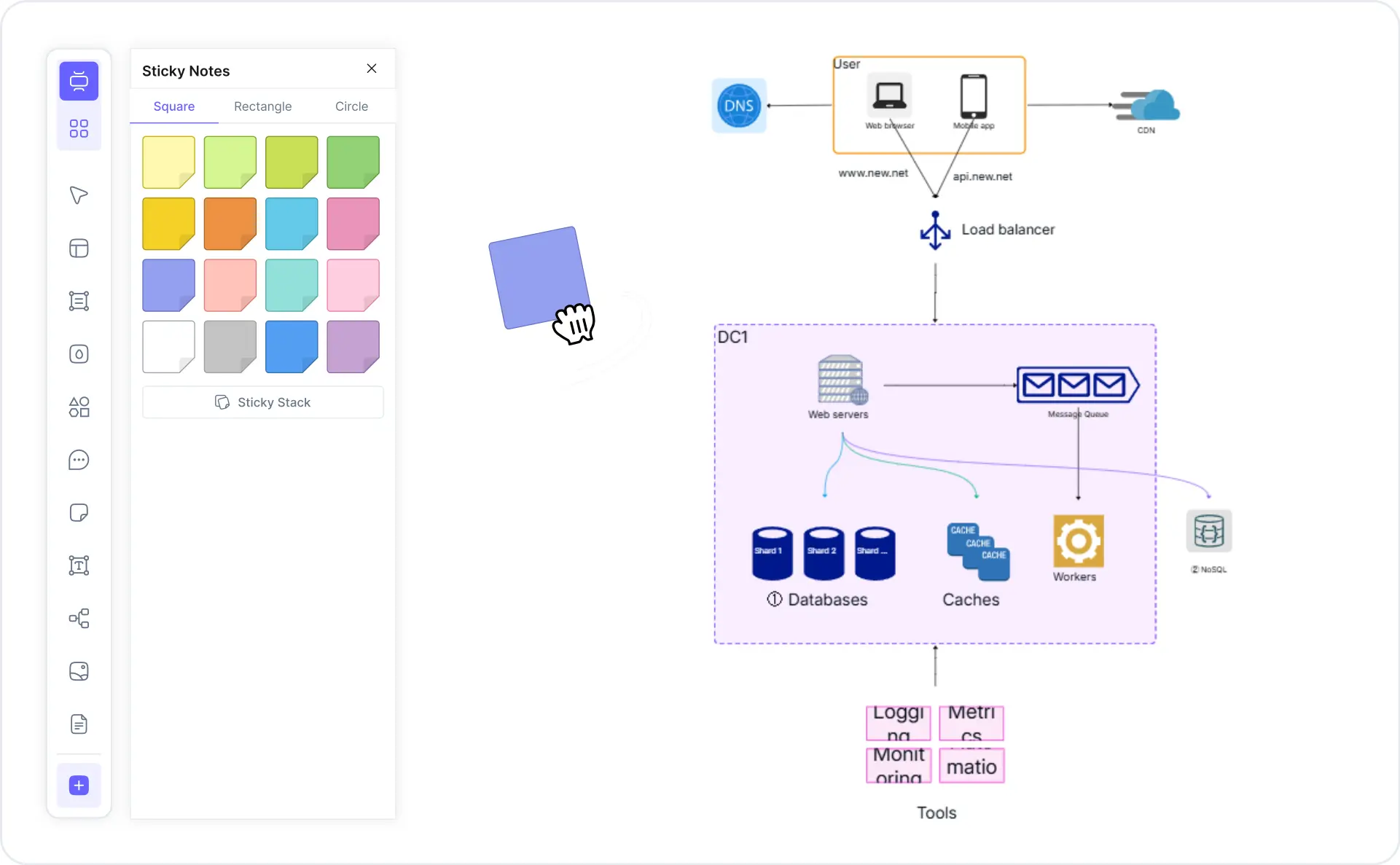
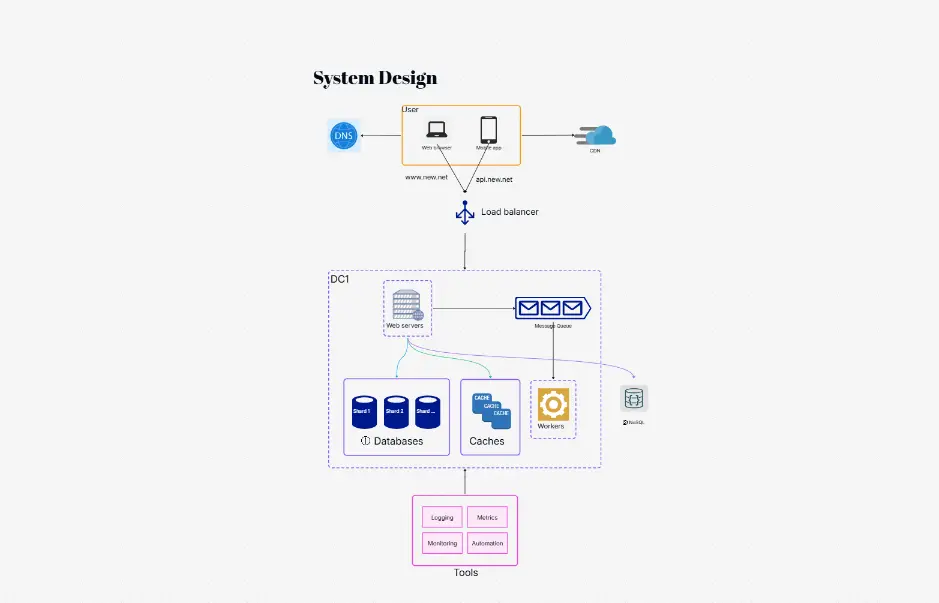
What is a system design diagram — example showing a Twitter-like system with load balancer, app servers, cache, and database

What Is a System Design Diagram?

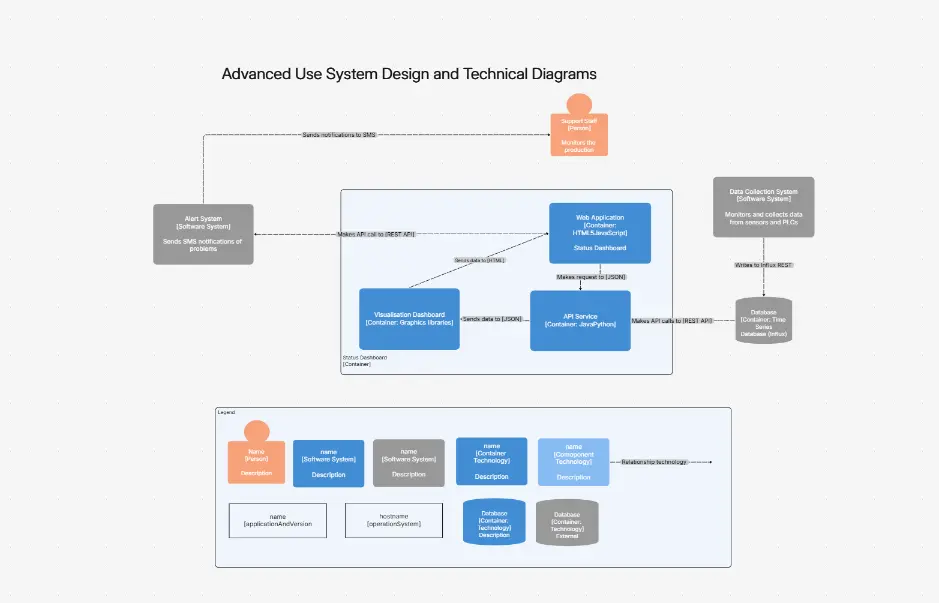
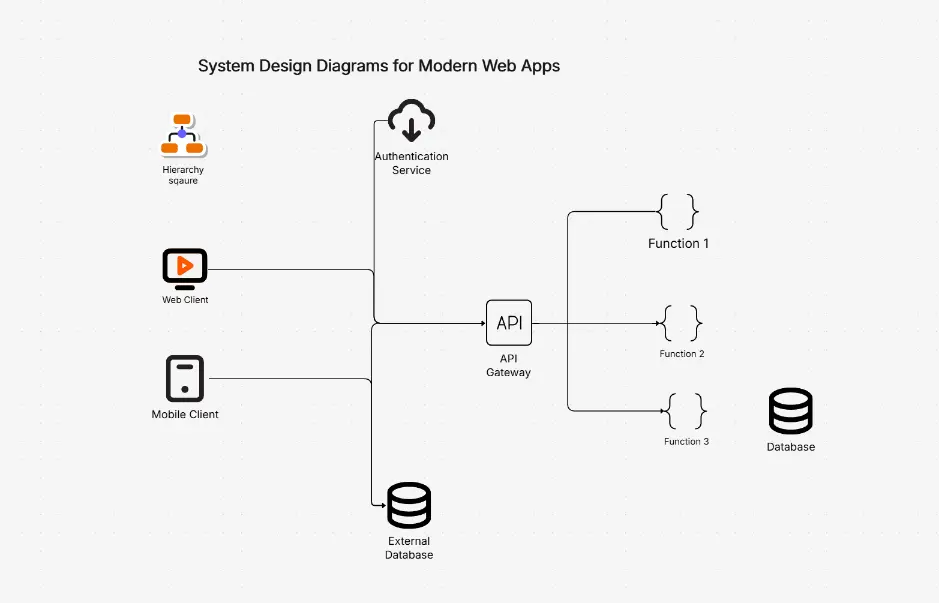
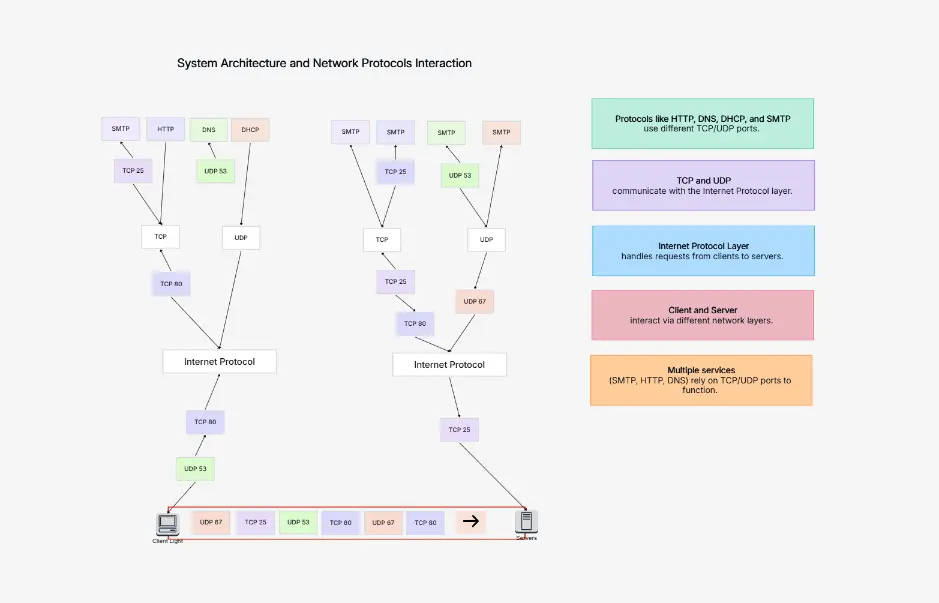
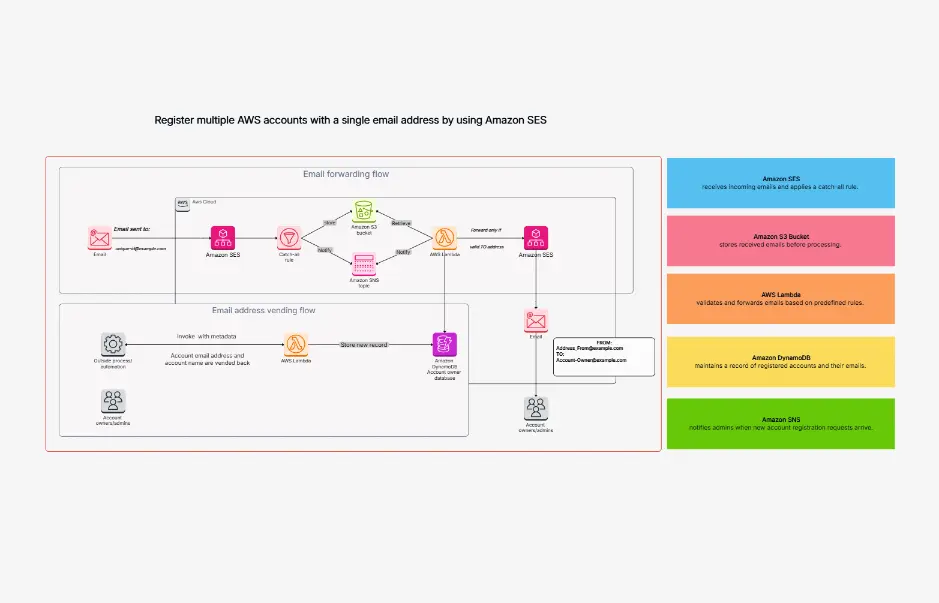
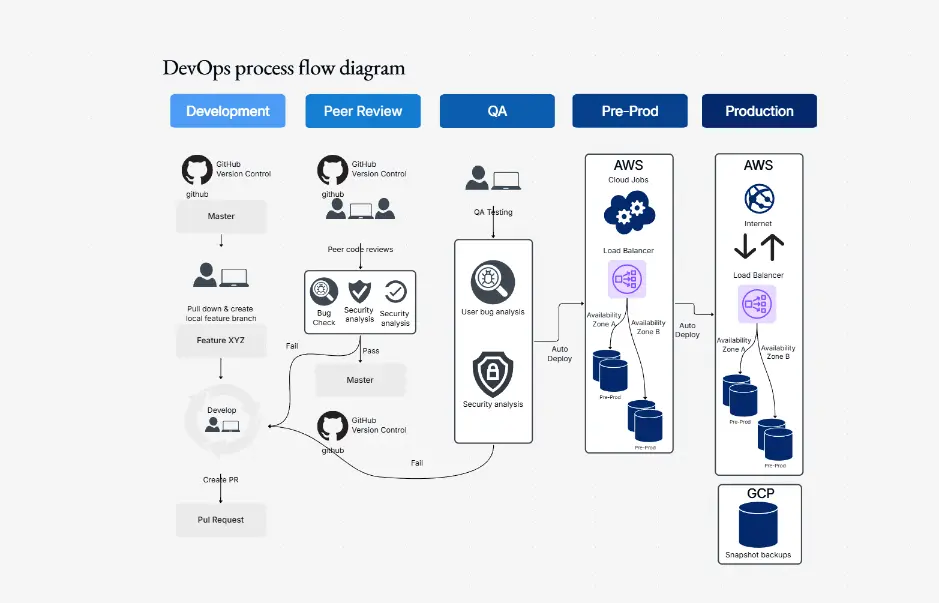
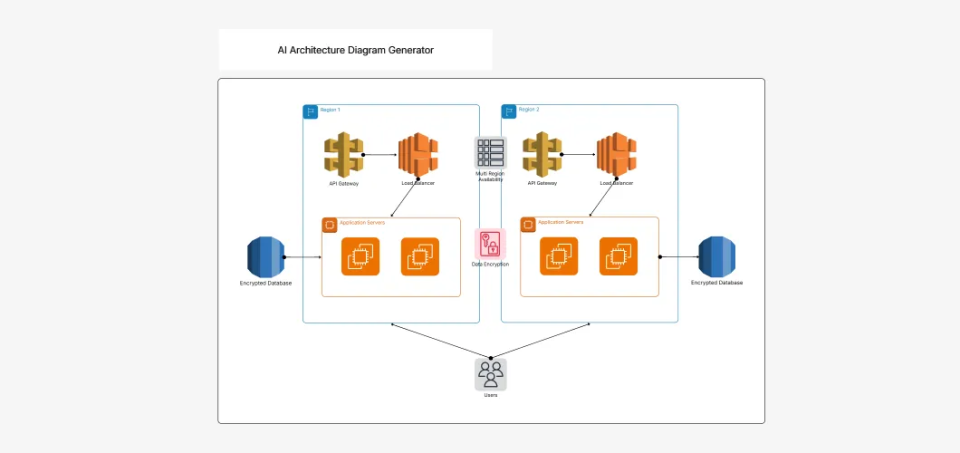
A system design diagram is a visual map of how the components of a software system fit together — services, databases, caches, message queues, load balancers, APIs, and the data flows between them. It shows how a system handles scale, reliability, and real-world traffic at a high level.

System design diagrams, software architecture diagrams, and high-level architecture diagrams largely overlap in practice. All three describe the big-picture structure of a system rather than individual lines of code. Engineers use them to communicate architecture decisions, prepare for system design interviews, document distributed systems, and onboard new team members.

Cloudairy's AI System Design Diagram Maker goes beyond static templates. Describe your system in plain English — "Design Twitter's timeline with a feed ranking service, Redis cache, and CDN" — and the AI generates a ready-to-edit diagram in seconds. You can then customize components, add data flow annotations, and export to any format. Pair your diagrams with the AI cloud architecture generator for cloud-specific views, or the AI UML diagram generator for component-level design.

How to Make a System Design Diagram with Cloudairy

Go from idea to professional system design diagram in four steps — no blank canvas, no manual component hunting, and no signup wall to try the AI generator.

1

Describe your system in plain English

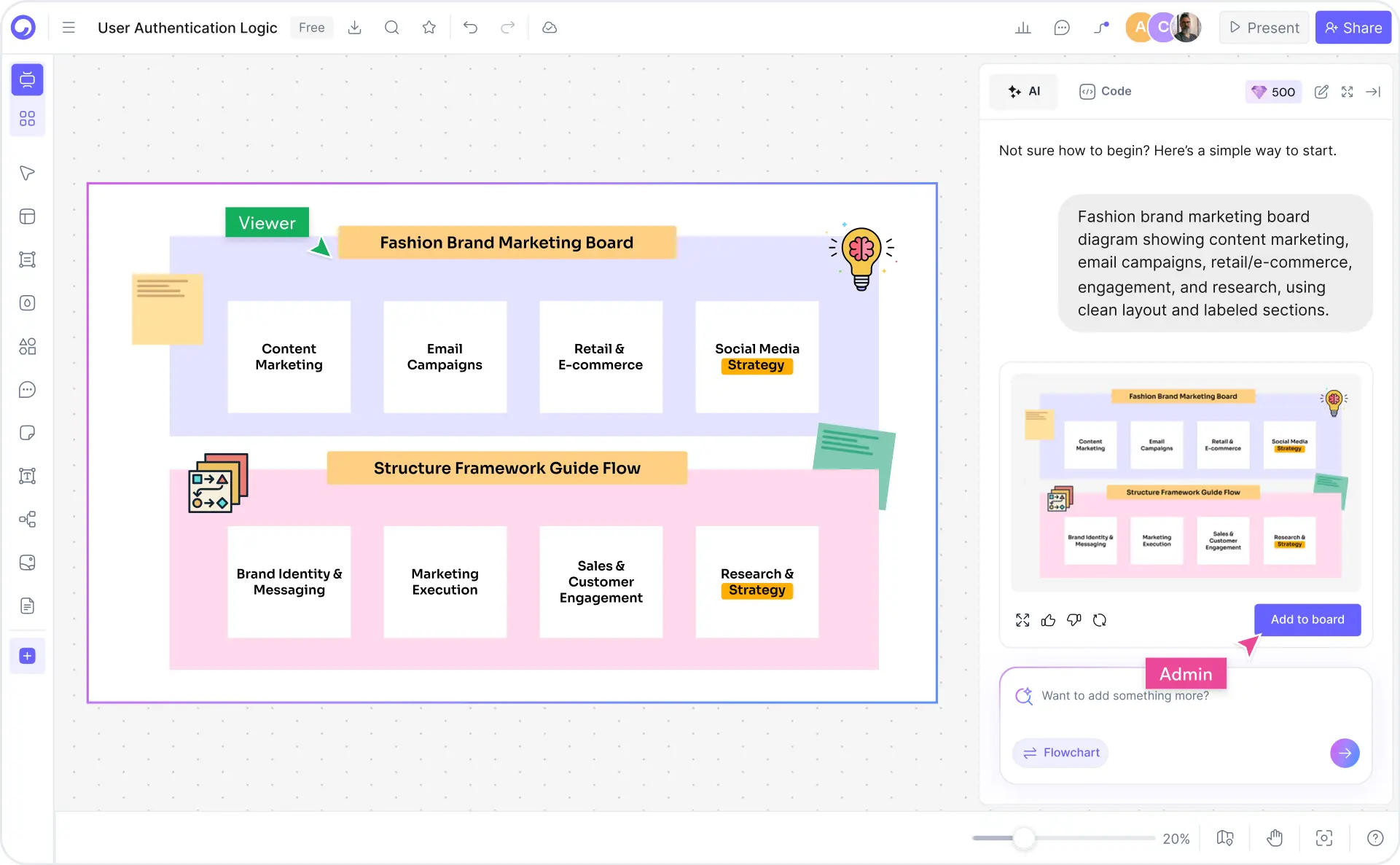
Type your system description in the AI prompt box — anything from "Design a URL shortener like Bitly" to "Design Uber's backend with driver matching, trip service, and payment service." Or pick one of the six example chips to get started instantly.

2

Click Generate

Cloudairy's AI builds the diagram with the right shapes, connectors, and labels. It understands system design patterns — load balancers, microservices, CDNs, message queues, databases, caches — and places them in the right relationships automatically.

3

Customize — drag, drop, and annotate

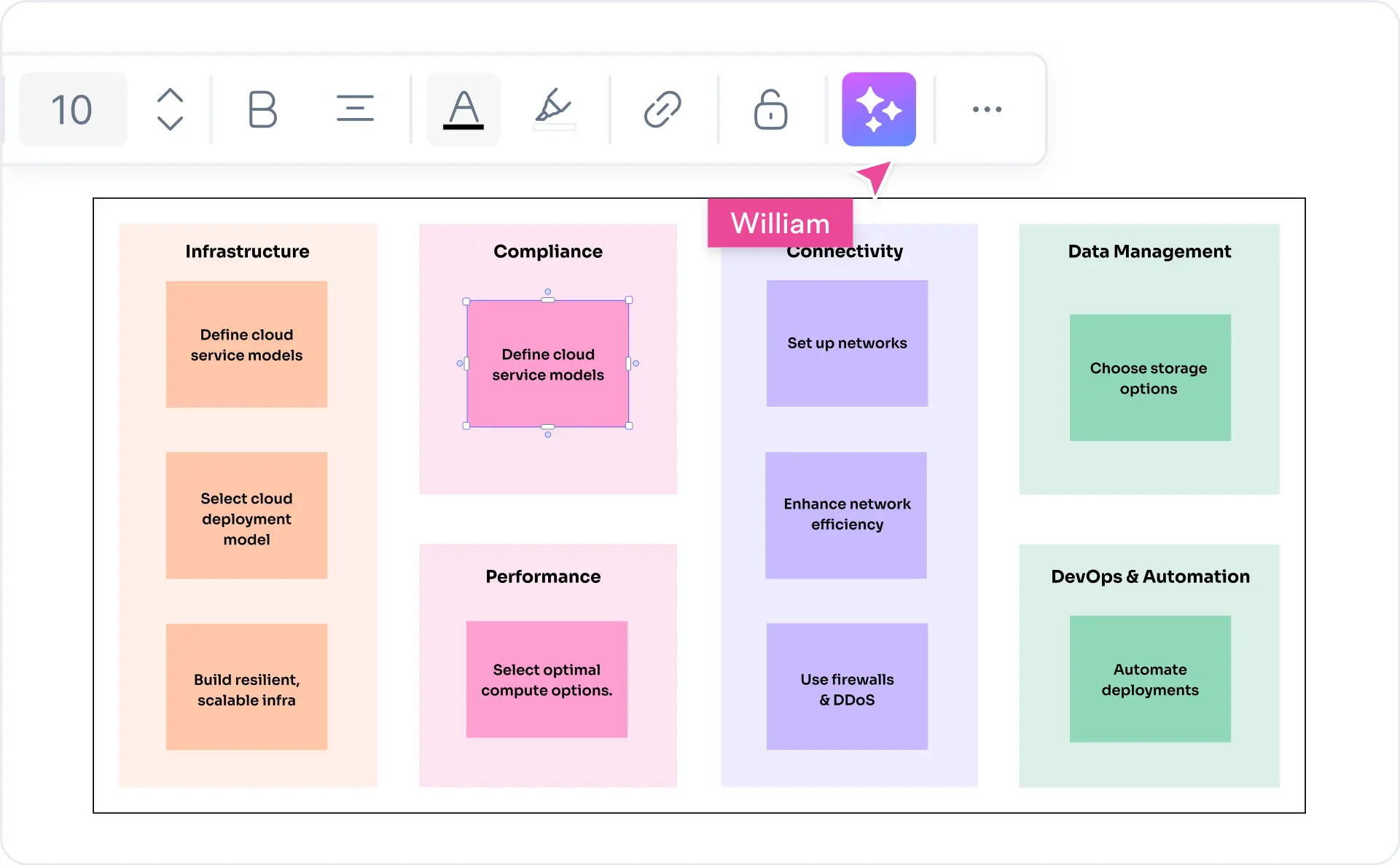
Refine the AI-generated diagram in Cloudairy's editor. Drag components to rearrange layout, recolor service boundaries, add data flow labels, insert scaling annotations, or add detailed notes for architecture reviews and interview walk-throughs.

4

Export or share

Export to Visio (.vsdx), draw.io (.drawio), Excalidraw, PNG, SVG, or PDF. Or copy a shareable live link for view-only or collaborative editing with your team or interviewer — no account required for viewers.

How to make a system design diagram with Cloudairy — four steps from prompt to export

Start Designing Your System Free

Join thousands of engineers, architects, and interview candidates who use Cloudairy to create system design and software architecture diagrams in seconds. AI generation. 30+ templates. Real-time collaboration.

No credit card required • Start creating in seconds

Why Use Cloudairy as Your System Design Diagram Tool

Cloudairy is the only tool that combines an AI prompt-to-diagram experience built for system design with 30+ interview-prep templates, real-time collaboration, and frictionless Visio export — all in one free product.

AI Prompt-to-Diagram for System Design

AI Prompt-to-Diagram

Describe your system in natural language and get a complete, properly structured diagram in seconds. The AI understands distributed system patterns — microservices, event-driven architectures, CDNs, message queues, load balancers — and builds the right diagram automatically.

System Design Template Library

System Design Template Library

Start from 30+ professionally designed templates covering the most common FAANG interview questions and real-world architectures — URL shortener, Twitter, Uber, WhatsApp, Netflix, Instagram, payment systems, ERP, banking, microservices, and more.

Real-Time Collaboration

Real-Time Collaboration

Work on the same system design diagram simultaneously with your team. Live cursor presence, inline comments, and @mentions keep architects, engineers, and stakeholders aligned. Share view-only or edit links with no account required for viewers.

Code-to-Diagram

Code-to-Diagram

Paste a code snippet and Cloudairy generates an architecture diagram from it. Also supports Mermaid and PlantUML for engineers who prefer text-first diagramming. None of the top-10 competitors offer this alongside a full AI generator and template library.

Two-Way Import and Export

Two-Way Import & Export

Import existing diagrams from draw.io or Excalidraw. Export finished diagrams to Visio (.vsdx), draw.io (.drawio), Excalidraw, PNG, SVG, or PDF. No lock-in — your diagrams stay portable across the tools your team already uses.

Version History and Sharing

Version History & Sharing

Track every change with full version history and branching. Share specific diagram versions for architecture reviews. Shareable view-only links require no login from recipients — perfect for sharing with interviewers or stakeholders.

Cloudairy vs. Other System Design Diagram Tools

See how Cloudairy compares to the tools currently ranking for system design and software architecture diagrams.

Capability Cloudairy Eraser Excalidraw draw.io Lucidchart Miro
AI prompt → diagram Yes Yes No No Limited Limited
System design templates (30+) 30+ Some No Few Some Few
Real-time collaboration Yes Yes Yes Limited Yes Yes
Export to Visio (.vsdx) Yes No No Yes Yes Yes
Code-to-diagram Yes Yes No No No No
Free tier (no AI gate) Yes Limited Yes Yes Limited Limited
Version history & branching Yes No No No Limited No

Who Uses Cloudairy for System Design Diagrams?

Engineers Preparing for System Design Interviews

Generate complete system design diagrams for FAANG interview questions in seconds. Use the 30+ templates to practice URL shortener, Twitter, Uber, WhatsApp, and Netflix designs — then walk through them in the interview.

Senior Engineers & Tech Leads

Document architecture decisions (ADRs) and system designs for planning and reviews. The AI generates a first draft from a plain-English description — then refine in the editor and share with your team instantly.

Solutions Architects

Build client-facing system design and software architecture proposals quickly. The AI generates a complete architecture diagram from a brief description so you focus on the proposal, not the drawing.

Bootcamp & CS Students

Learn system design fundamentals by visualizing real-world architectures. Generate study diagrams from system design topics in seconds — no prior diagramming experience required.

DevOps & Platform Teams

Document infrastructure, CI/CD pipelines, and platform services. Keep diagrams in sync with code using shareable live links, version history, and Mermaid / PlantUML support.

Engineers, architects, and interview candidates using Cloudairy for system design diagrams

Frequently Asked Questions

Cloudairy is the best free AI-powered system design diagram maker. It combines an AI prompt-to-diagram experience built specifically for system design with 30+ interview-prep templates, real-time collaboration, and frictionless export to Visio and draw.io — capabilities no other top-ranked tool offers together in a single free product.

With Cloudairy: (1) Type your system description into the AI prompt box — e.g., "Design a URL shortener like Bitly." (2) Click Generate — Cloudairy builds the diagram with the right components and connectors. (3) Customize using drag-and-drop. (4) Export to Visio, draw.io, PNG, SVG, or PDF, or share a live link with your team or interviewer.

Yes. Cloudairy's free tier includes access to the AI system design diagram maker with PNG export. You can try the AI generator without a credit card. Premium plans unlock Visio export (.vsdx), unlimited boards, and full team collaboration features.

Yes. Cloudairy is ideal for system design interview prep. Use the AI generator or the 30+ pre-built templates to create diagrams for the most common FAANG interview questions — URL shortener, Twitter timeline, Uber, WhatsApp, Netflix, Instagram, payment systems, and more. Each diagram is fully editable so you can walk through your design decisions during the interview.

System design diagrams and software architecture diagrams largely overlap in practice. System design diagrams typically focus on the high-level components of a distributed system — services, databases, caches, queues, and their interactions. Software architecture diagrams may also include internal component structure, code-level organization, and deployment topology. Cloudairy supports both styles with the same AI generator and template library.

Yes. Cloudairy supports two-way export to Visio (.vsdx) and draw.io (.drawio), plus Excalidraw, PNG, SVG, and PDF. You can also import existing draw.io and Excalidraw files into Cloudairy for editing. This provides a frictionless migration path for teams already using those tools.

Yes. Cloudairy supports code-to-diagram: paste a code snippet and the AI generates an architecture diagram from it. It also supports Mermaid and PlantUML for engineers who prefer text-first diagramming. This is a key differentiator — only Cloudairy and Eraser offer this feature among the top-10 system design diagram tools.

Common system design diagram examples include: URL shortener (Bitly clone), Twitter / X timeline, Uber ride-sharing backend, WhatsApp chat application, Netflix video streaming, Instagram news feed, payment processing system, ERP system architecture, banking system architecture, and microservices reference architecture. Cloudairy has pre-built, AI-editable templates for all of these in the Templates Gallery above.

Success Stories from Our Community

See how engineers, architects, and interview candidates use Cloudairy to create system design diagrams faster and with better results.

I used Cloudairy to prep for my Google L5 system design interviews. I typed "design Twitter timeline" and got a complete architecture diagram in seconds. Saved me hours of drawing and let me focus on explaining trade-offs.

As a tech lead, I document architecture decisions constantly. Cloudairy's AI generates a first draft from my description in seconds — I refine it in the editor and share it with the team. No more blank-canvas dread.

I teach system design at a bootcamp and Cloudairy changed my curriculum. Students can generate a real-world distributed system diagram on day one. The templates for URL shortener, Uber, and WhatsApp are exactly what they need.

As a solutions architect, I need system design diagrams for client proposals fast. Cloudairy generates a complete architecture from my description and I export to Visio for the formal deliverable. Saves me 3+ hours per proposal.

I was preparing for FAANG interviews and Cloudairy's system design templates were a game changer. I could visualize every major design pattern and practice explaining them. Got my dream offer at Meta.

Secure, Compliant, and Enterprise-Ready

Cloudairy safeguards your system design diagrams with enterprise-grade security, compliance, and access controls — so your teams can create, collaborate, and scale with confidence.

SOC 2 Type II
SOC 2 Type Ⅱ

Cloudairy is SOC 2 Type Ⅱ certified and penetration tested annually, ensuring your architecture diagrams and data meet the highest standards for security and reliability.

GDPR
GDPR

We comply with the European Union General Data Protection Regulation (GDPR) and extend it to all our customers even those outside of the EU.

ISO 27001
ISO 27001

Our Information Security Management System is ISO 27001 certified — the leading global standard for information security.

Flexible Pricing for Every Team

Free

Discover what Cloudairy can do for you. Start for free

$0

for unlimited members
Try for free

Upgrade now

Show key features

up-arrow

Includes:

Starter

Unlock unlimited and private boards with important features

$4

per member / month

billed annually

monthly

Show key features

up-arrow

Includes everything in Free, plus:

money-back

Business

MOST POPULAR

Ideal for agencies or growing businesses managing multiple projects.

$5

per member / month
billed annually

Show key features

up-arrow

Includes everything in starter, plus:

Enterprise Plan

For large organizations needing scalability, control, and security.

contact-pricing
Contact for pricing
Contact us

Upgrade now

Show key features

up-arrow

Includes everything in Business, plus: