50,000 + Trusted Users with
star star star star star

Trusted by Professionals at Leading Companies

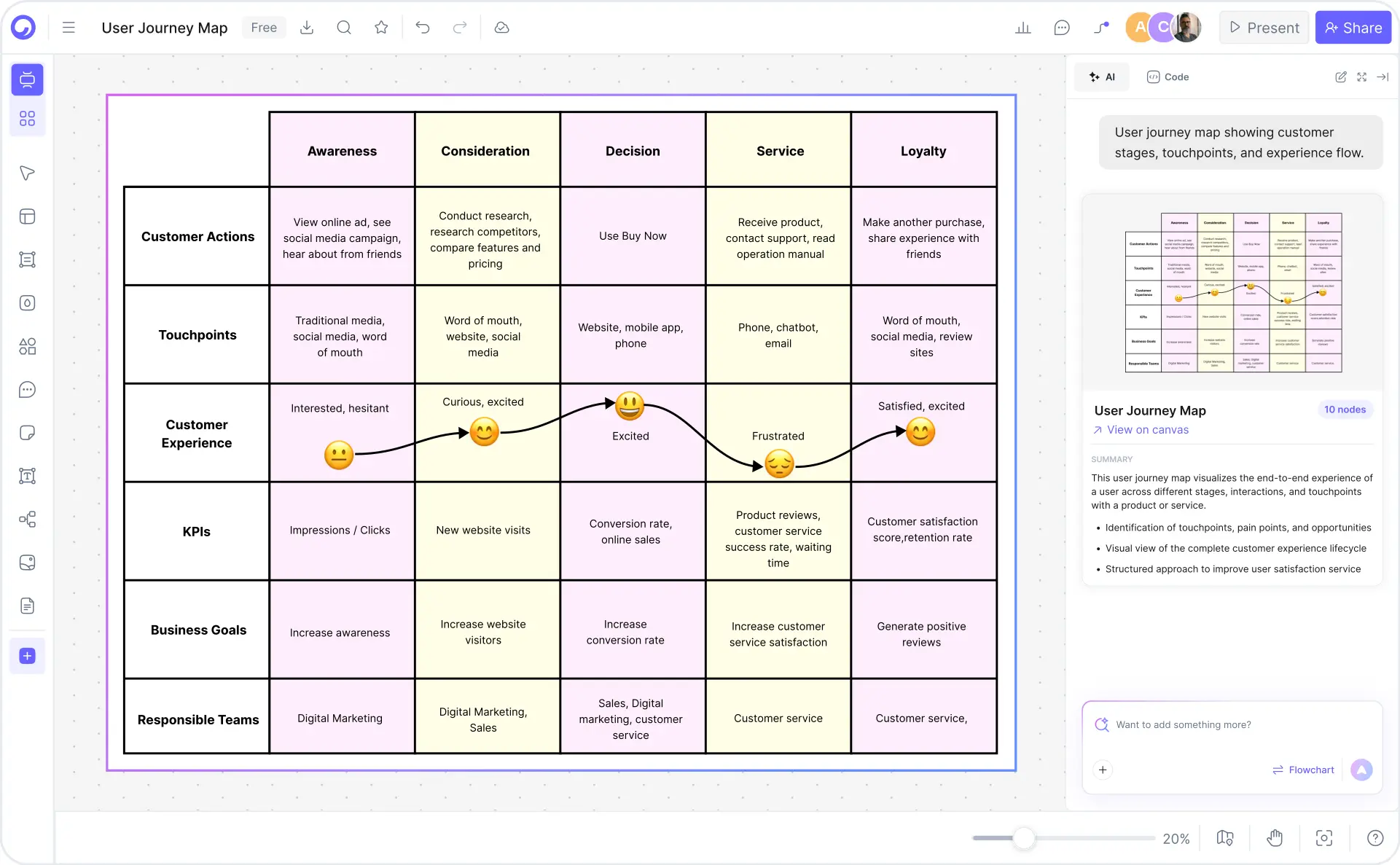
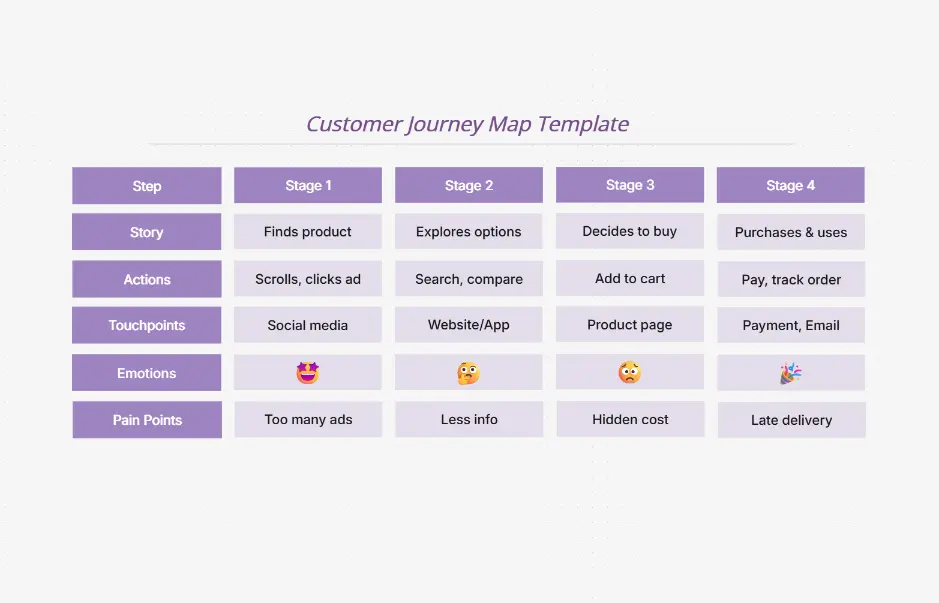
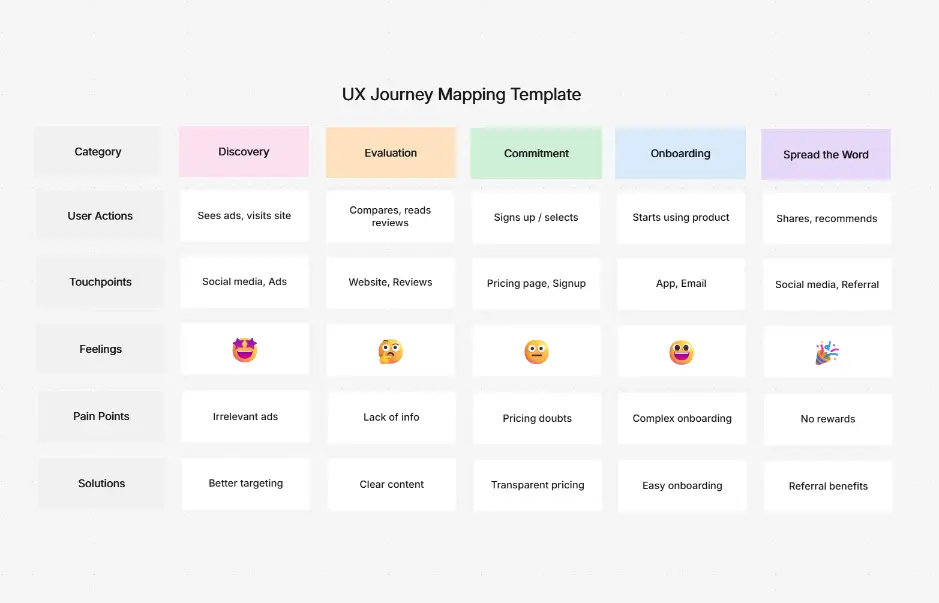
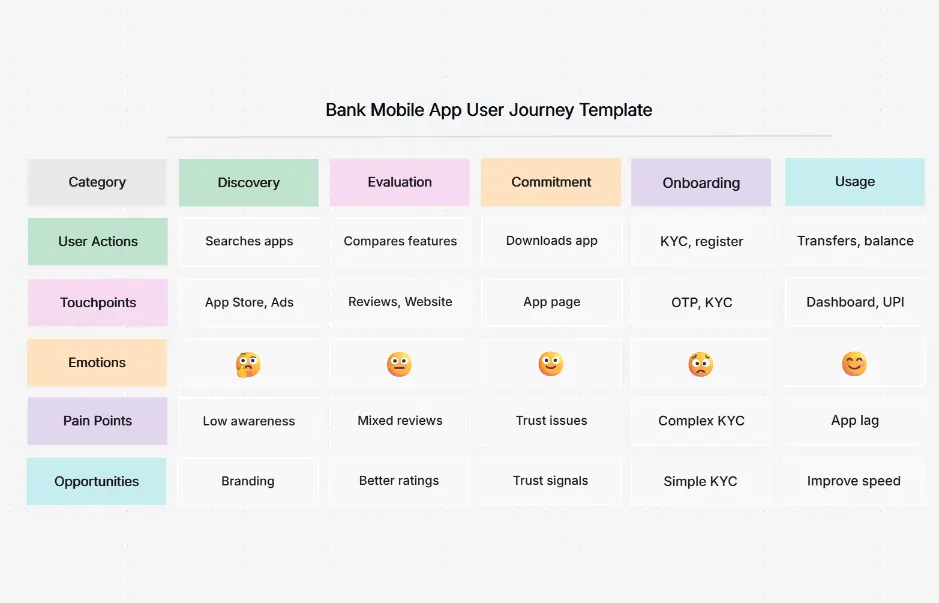
What is a user journey map — example showing customer touchpoints, emotions, pain points, and opportunities across channels

What Is a User Journey Map?

A user journey map is a visual representation of a customer's complete experience with a product or service across every touchpoint. It illustrates the customer's path from initial awareness through decision-making, purchase, and ongoing engagement — capturing emotions, pain points, opportunities, and interactions across channels like web, mobile, email, support, and in-person. User journey maps reveal the emotional highs and lows, identify friction points, and highlight moments of delight that drive customer loyalty.

Journey mapping is essential for customer experience strategy, product development, service design, and business transformation. It connects customer perspectives with business objectives by visualizing persona lanes, touchpoint channels, emotional arcs, and cross-functional responsibilities. Journey maps inform decisions about product features, marketing messaging, support processes, and operational improvements — all grounded in real customer behavior and sentiment.

Cloudairy's AI User Journey Map Maker eliminates the complexity of manual mapping. Describe a customer's goal — "A user signing up for a SaaS product" — and the AI generates a complete journey map with identified touchpoints, emotional journey, pain points, and opportunities in seconds. Customize with persona lanes, add channels, and export to PNG, SVG, Visio, draw.io, PDF, or PowerPoint. Perfect for UX designers, product managers, CX strategists, marketing teams, and business consultants.

How to Create a User Journey Map with AI (6 Steps)

Go from a customer insight to a professional, detailed user journey map in six steps — no manual mapping, no design expertise, no lengthy workshops required.

1

Describe the customer and their goal

Type a plain-English description of who your customer is and what they're trying to accomplish. For example: "A manager evaluating project management software to improve team collaboration" or "A healthcare patient scheduling a routine appointment online". Or choose from example prompt chips — SaaS signup, E-commerce purchase, Healthcare booking, Banking onboarding, Mobile app first-use.

2

AI identifies touchpoints and emotions

Cloudairy's AI instantly generates a complete user journey map. It identifies all key touchpoints across channels (web, mobile, email, support, in-person), maps the emotional journey (highs and lows), highlights pain points, and pinpoints improvement opportunities — all automatically based on real customer behavior patterns.

3

Review the AI-generated map

Examine the generated journey map for accuracy. Verify touchpoints align with your actual customer experience, check that emotional sentiment matches real user feedback, and validate that pain points reflect known friction areas. The AI provides a solid baseline that you can refine.

4

Customize and add elements

Refine the map in Cloudairy's visual editor. Adjust touchpoint sequence, add channels, modify emotion states, update pain points and opportunities, include stakeholder actions, or add metrics and KPIs specific to your business goals.

5

Apply persona lanes

Organize the journey by customer segments or user roles. Create separate lanes for different personas (e.g., decision maker vs. end-user) to visualize how different customer types experience the same journey differently across touchpoints and emotions.

6

Export or share the map

Export to PNG for embedding in presentations, SVG for scaling in design tools, Visio for enterprise alignment, draw.io for open collaboration, PDF for printing and documentation, or PowerPoint for stakeholder presentations. Share via edit links for team feedback or view-only links for stakeholder review.

How to create a user journey map with Cloudairy — six steps from customer goal to export

Start Mapping Customer Journeys with AI

Join UX designers, product managers, and CX strategists worldwide who use Cloudairy to create professional user journey maps in minutes. AI generation. Emotion tracking. Persona lanes. Multi-format export.

No credit card required • Start creating in seconds

Why Use Cloudairy as Your User Journey Map Tool

Cloudairy is the only AI user journey map maker that combines AI text-to-map generation with emotion tracking, pain point identification, persona lane support, real-time collaboration, and multi-format export — all on a single platform.

AI Prompt-to-Map

AI Prompt-to-Map Generation

Describe a customer goal in plain English and get a complete user journey map with touchpoints, emotions, and pain points in seconds. No manual mapping, no design expertise, no lengthy workshops. The AI understands customer behavior across industries and channels.

Emotion & Sentiment Tracking

Emotion & Sentiment Tracking

Visualize the emotional highs and lows throughout the customer journey. AI identifies moments of delight, frustration, confusion, and trust. Track sentiment across touchpoints to understand where customers feel most positive or most at-risk of churn.

Pain Point Identification

Pain Point & Opportunity Mapping

AI automatically identifies friction points, bottlenecks, and missed opportunities across the entire journey. Visualize moments of inefficiency, unclear messaging, or service gaps. Turn insights into action with concrete improvement recommendations.

Persona Lanes

Persona Lane Support

Organize journeys by customer segments or user roles to visualize how different personas experience the same touchpoints differently. Compare emotional arcs, pain points, and motivations across decision makers, end-users, and other stakeholders side-by-side.

Real-Time Collaboration

Real-Time Team Collaboration

Build maps together with your team in real-time. Comment on touchpoints, annotate pain points, discuss opportunities, and iterate instantly. Share via edit links for feedback or view-only links for stakeholder review. Track change history across all versions.

Multi-Format Export

Multi-Format Export & Sharing

Export to PNG for presentations, SVG for design tools, Visio for enterprise alignment, draw.io for open collaboration, PDF for documentation, or PowerPoint for stakeholder meetings. Keep your journey maps portable and shareable across all platforms.

Customer Journey Map Templates — Real-World Examples

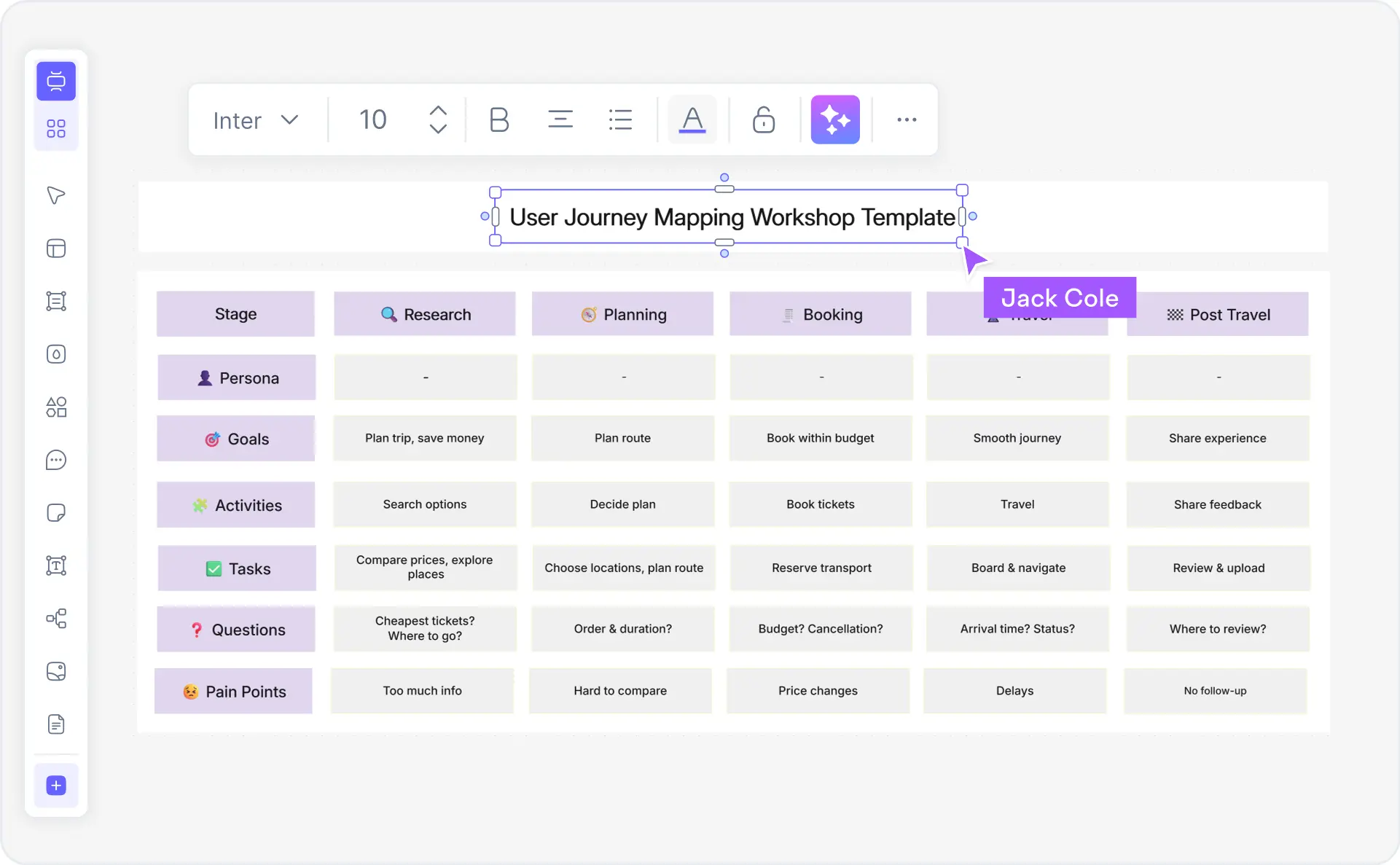
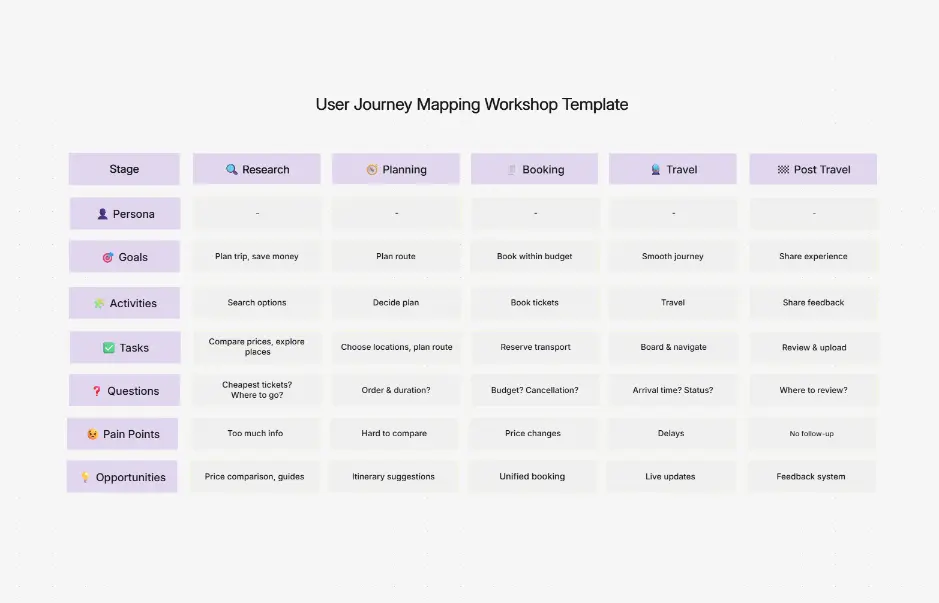
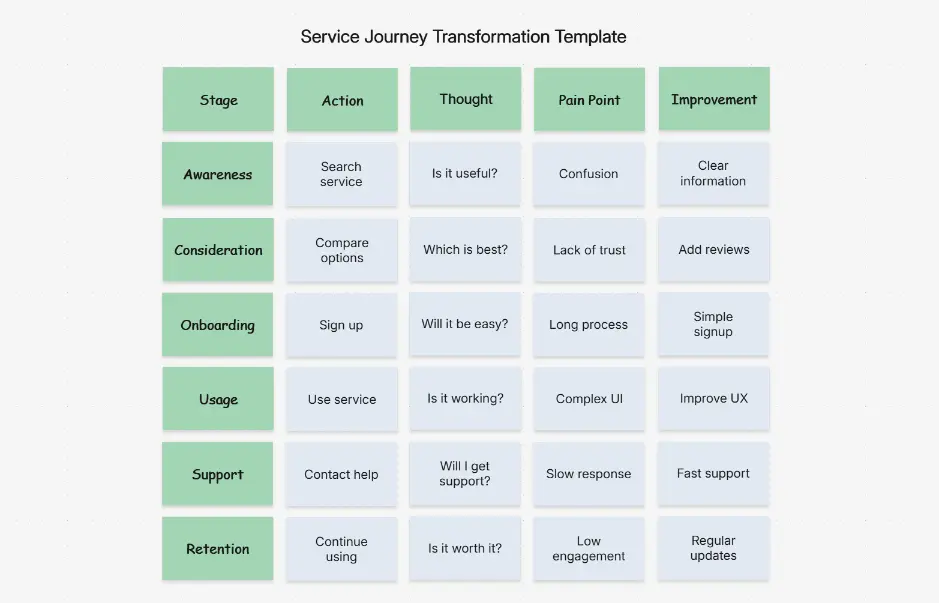
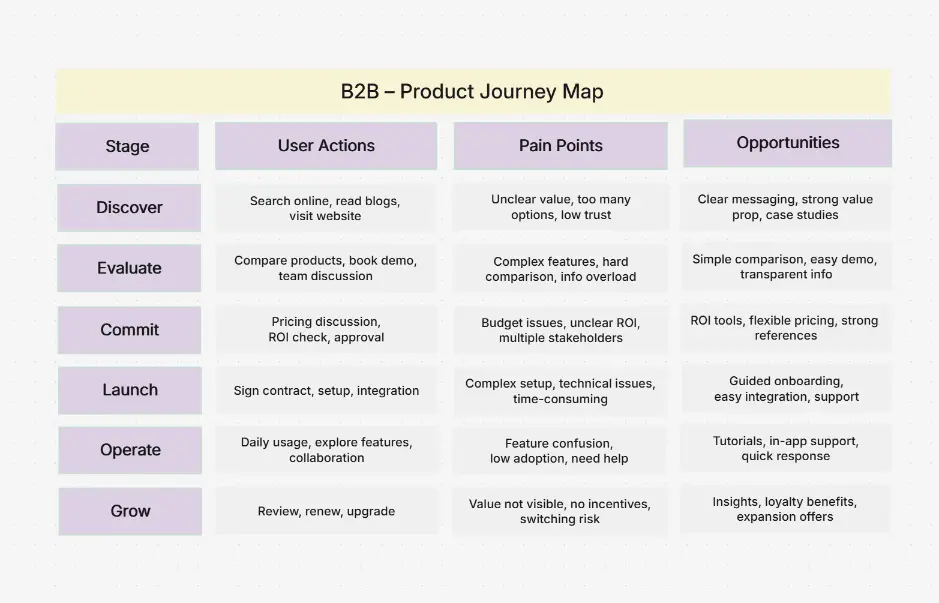
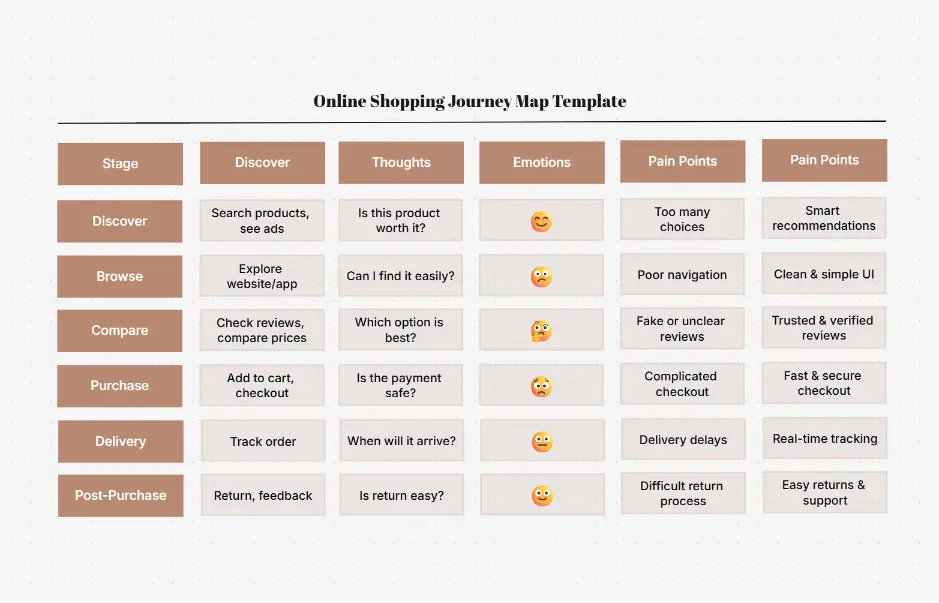
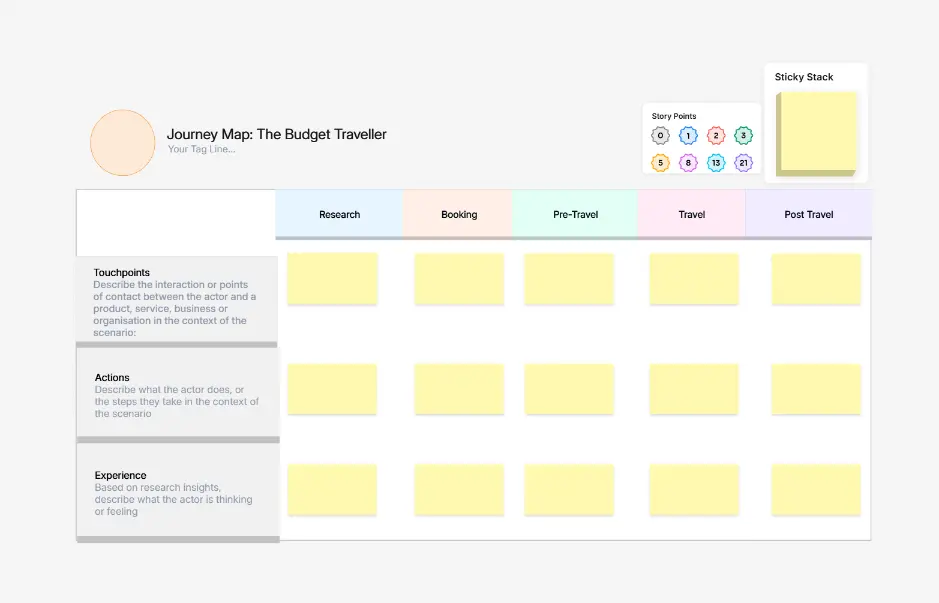
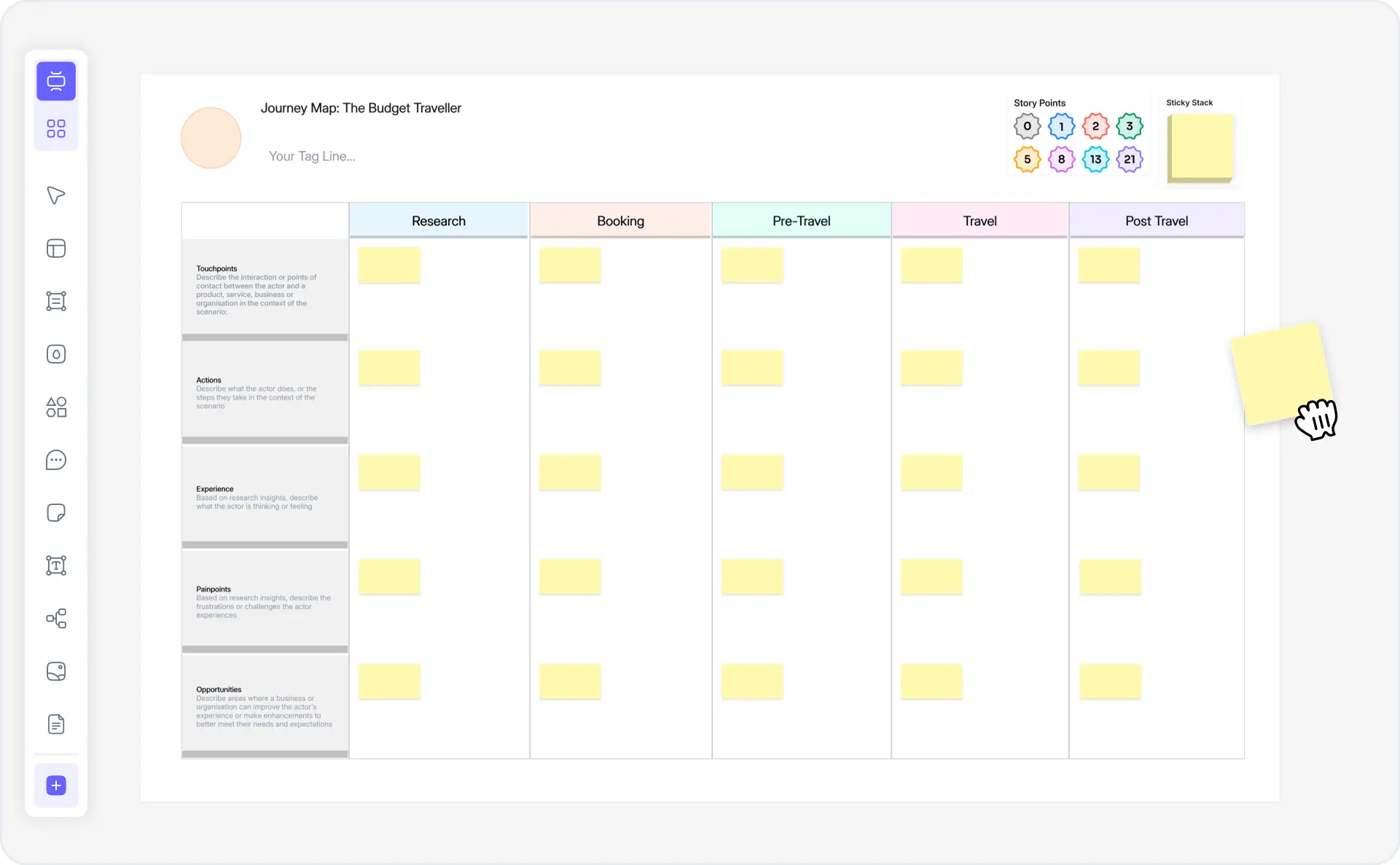
Explore pre-built customer journey map templates for common business scenarios. Each template includes pre-populated touchpoints, customer personas, emotional journey arcs, pain points, and opportunities—ready to customize for your use case.

Cloudairy vs Competitors — User Journey Map Tools Compared

See how Cloudairy's AI user journey map maker compares to industry-leading CX diagramming platforms for emotion tracking, pain point identification, and persona-based analysis.

Feature Cloudairy Miro Smaply Figma Canva Lucidchart
AI-Powered Journey Generation from Text Yes No No No No No
Emotion & Sentiment Tracking Yes Limited Yes Limited No Limited
Pain Point & Opportunity Mapping Yes Limited Yes Limited No Limited
Persona Lane Support Yes Limited Yes No No Limited
Multi-Format Export (PNG, SVG, Visio, draw.io, PDF, PowerPoint) Yes Limited Yes Yes Yes Yes
Free Tier Yes Yes Limited Yes Yes Yes
Learning Curve Low Medium Low Medium Low Medium

Who Benefits from User Journey Mapping?

UX Designers

Map user interactions across digital touchpoints. Visualize emotional journey arcs, identify pain points in the interface, and validate design decisions with AI-generated journey maps from natural language descriptions.

Product Managers

Understand the complete customer lifecycle and cross-channel experience. Align teams on user goals, priorities, and emotion tracking across purchase, onboarding, and retention phases.

CX Strategists

Design omnichannel customer experiences with emotion mapping and pain point visualization. Identify friction across web, mobile, support, and in-person touchpoints for holistic CX improvement.

Marketing Teams

Map customer awareness, consideration, and decision journeys. Understand buyer sentiment through each campaign touchpoint and optimize marketing messaging for conversion.

Consultants & Agencies

Deliver CX and digital transformation projects with professional, client-ready journey maps. Generate insights from natural language briefs and compare personas with shared AI-powered mapping.

Students & Researchers

Learn CX design and human-centered research methods. Create journey maps from case studies, practice emotion tracking, and build portfolios with real-world customer experience examples.

UX designers, product managers, and CX strategists using Cloudairy for user journey maps

Frequently Asked Questions

A user journey map is a visual representation of a customer's experience with a product or service. It shows the steps a user takes from initial discovery through purchase and beyond, including their emotions, pain points, touchpoints, and interactions across different channels. Journey maps help teams understand customer needs and identify opportunities for improvement.

Touchpoints are any interaction or moment when a customer comes into contact with your brand. These can include website visits, social media interactions, customer service calls, in-store experiences, email communications, and product usage. Mapping touchpoints helps identify where customers may have positive or negative experiences.

With Cloudairy's User Journey Map Maker, simply describe your customer and their goal in natural language. The AI automatically generates a complete journey map including touchpoints, emotional highs and lows, pain points, and opportunities. You can then customize the map using our visual editor and add persona lanes for different customer segments.

Cloudairy supports exporting journey maps to PNG (for sharing), SVG (for editing), Visio (.vsdx), draw.io (.drawio), PDF (for documentation), and PowerPoint (for presentations). You can also share interactive view-only or edit links directly with your team.

Yes. Cloudairy supports real-time collaboration, allowing team members to work simultaneously on the same journey map. Share edit links with colleagues, and all changes sync in real-time. Perfect for cross-functional workshops with UX, product, marketing, and customer service teams.

Persona lanes are separate horizontal sections within a journey map, each representing a different customer segment or user type. This allows you to map how different personas experience the same journey differently—for example, 'New Customer' vs. 'Loyal Customer' or 'Mobile User' vs. 'Desktop User.'

Yes. Cloudairy's free tier includes unlimited journey map generation, the AI prompt-to-map builder, emotional journey tracking, pain point visualization, and PDF/PNG export. Premium plans unlock advanced features like Visio and PowerPoint export, real-time team collaboration, and premium templates.

User journey maps are used across industries including SaaS, e-commerce, fintech, healthcare, retail, hospitality, and B2B services. Any organization focused on customer experience improvement uses journey maps to understand user behavior, identify friction points, and optimize their product or service.

Success Stories from Our Community

See how cloud architects, solutions engineers, and DevOps teams use Cloudairy to create Azure architecture diagrams faster and with better results.

As a cloud architect, I need precision and speed. Cloudairy helps me design complex Azure architectures in minutes without losing detail or accuracy. The official Azure icons save me hours every week.

Cloudairy makes Azure solution design so simple. I can create client-ready architecture diagrams instantly and focus on delivering value instead of spending hours formatting Visio files.

I'm studying for AZ-305 and Cloudairy helps me visualize Azure reference architectures instantly. I can generate a landing zone diagram from a single sentence and use it as a study aid.

I use Cloudairy to teach Azure architecture in my courses. The AI generator lets students produce real-world diagrams on the first day instead of spending weeks learning Visio.

Our team uses Cloudairy to document every Azure deployment. The Visio export means our diagrams drop straight into client deliverables without any reformatting. Huge time saver.

Secure, compliant, and enterprise-ready

Cloudairy safeguards your work with enterprise-grade security, compliance, and access controls — so your teams can create, collaborate, and scale with confidence.

SOC 2 Type II
SOC 2 Type Ⅱ

Cloudairy is SOC 2 Type Ⅱ certified and penetration tested annually, ensuring your architecture diagrams and data meet the highest standards for security and reliability.

GDPR
GDPR

We comply with the European Union General Data Protection Regulation (GDPR) and extend it to all our customers even those outside of the EU.

ISO 27001
ISO 27001

Our Information Security Management System is ISO 27001 certified — the leading global standard for information security.

Flexible Pricing for Every Team

Free

Discover what Cloudairy can do for you. Start for free

$0

for unlimited members
Try for free

Upgrade now

Show key features

up-arrow

Includes:

Starter

Unlock unlimited and private boards with important features

$4

per member / month

billed annually

monthly

Show key features

up-arrow

Includes everything in Free, plus:

money-back

Business

MOST POPULAR

Ideal for agencies or growing businesses managing multiple projects.

$5

per member / month
billed annually

Show key features

up-arrow

Includes everything in starter, plus:

Enterprise Plan

For large organizations needing scalability, control, and security.

contact-pricing
Contact for pricing
Contact us

Upgrade now

Show key features

up-arrow

Includes everything in Business, plus: