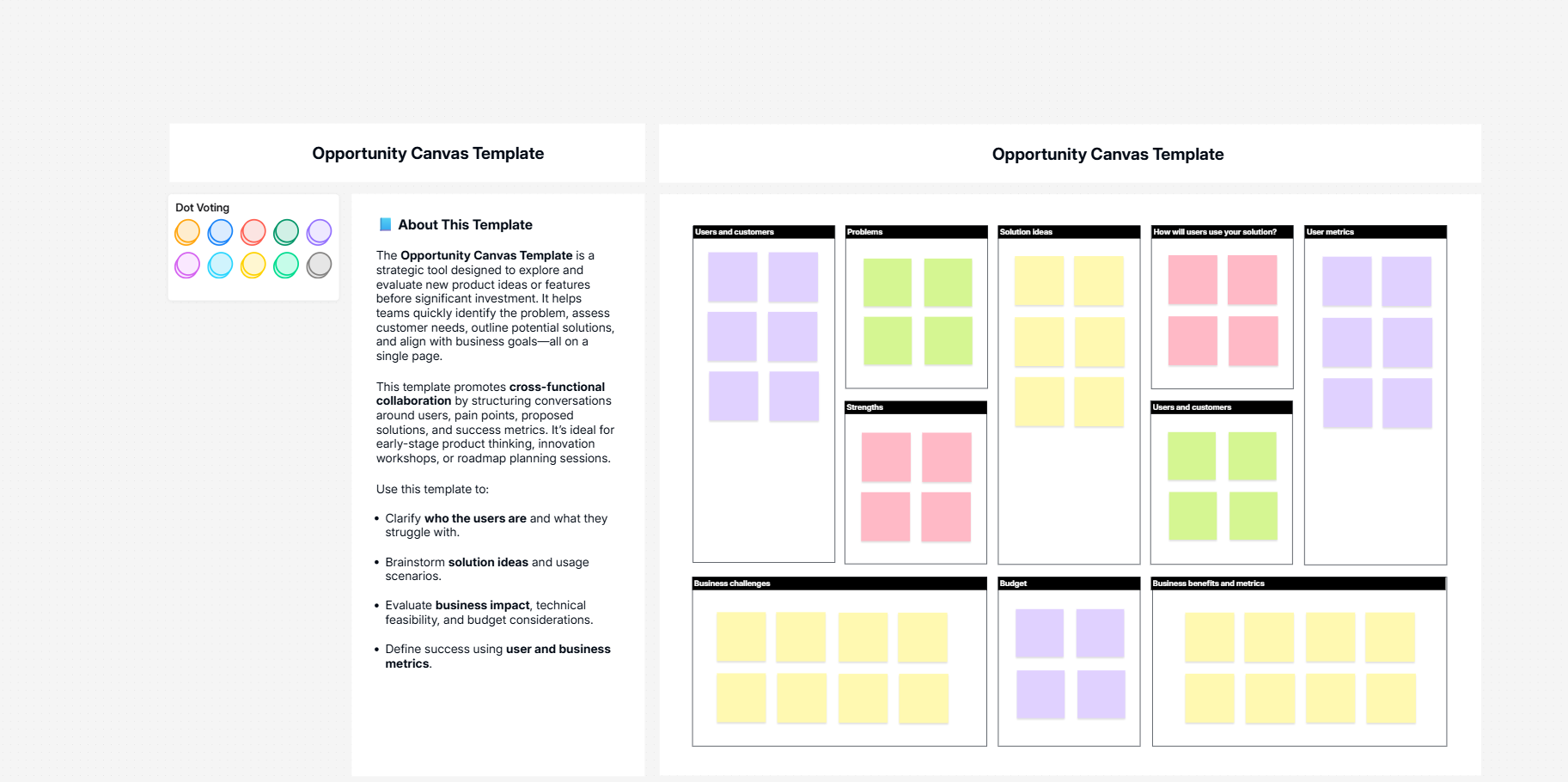
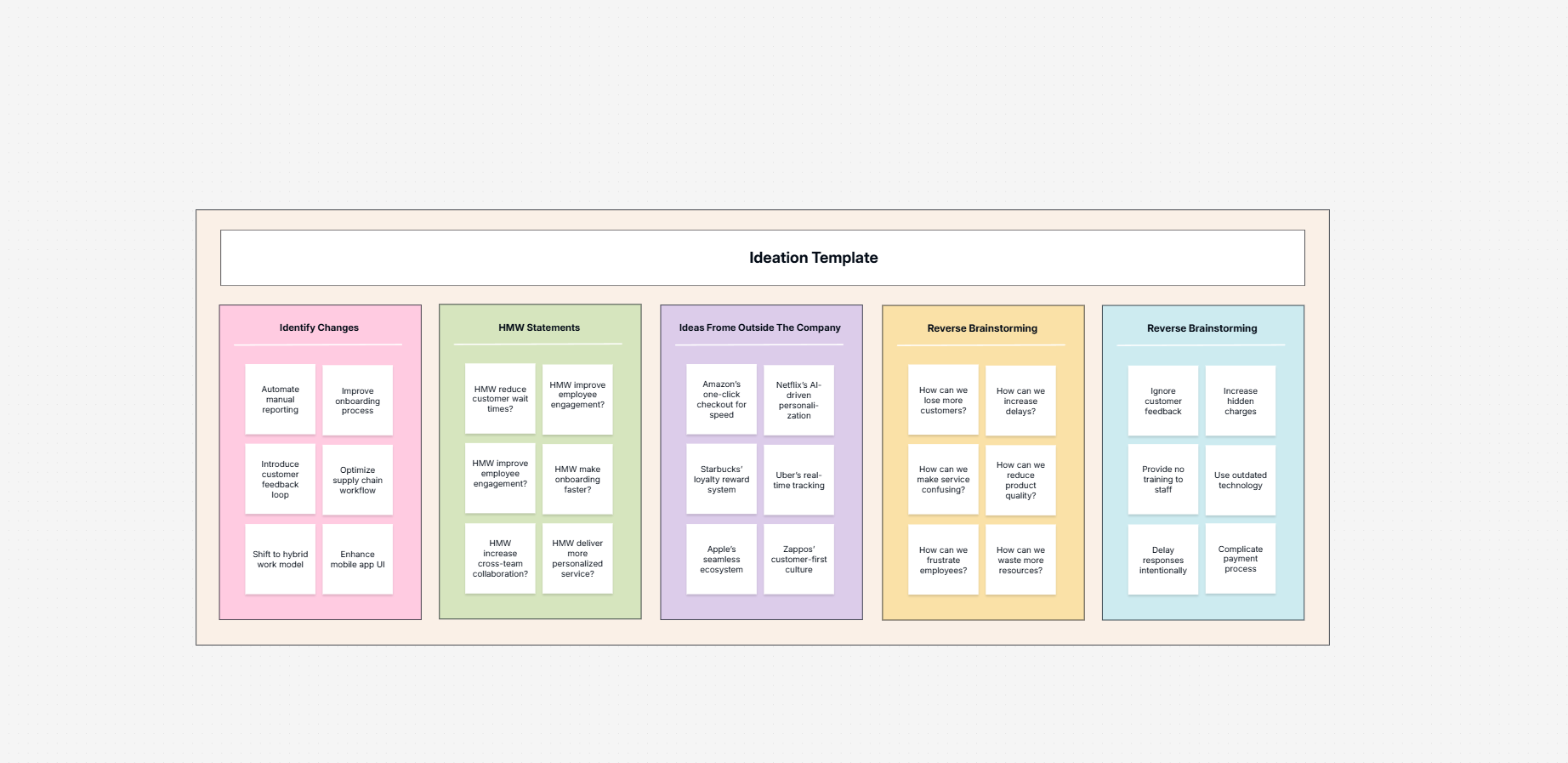
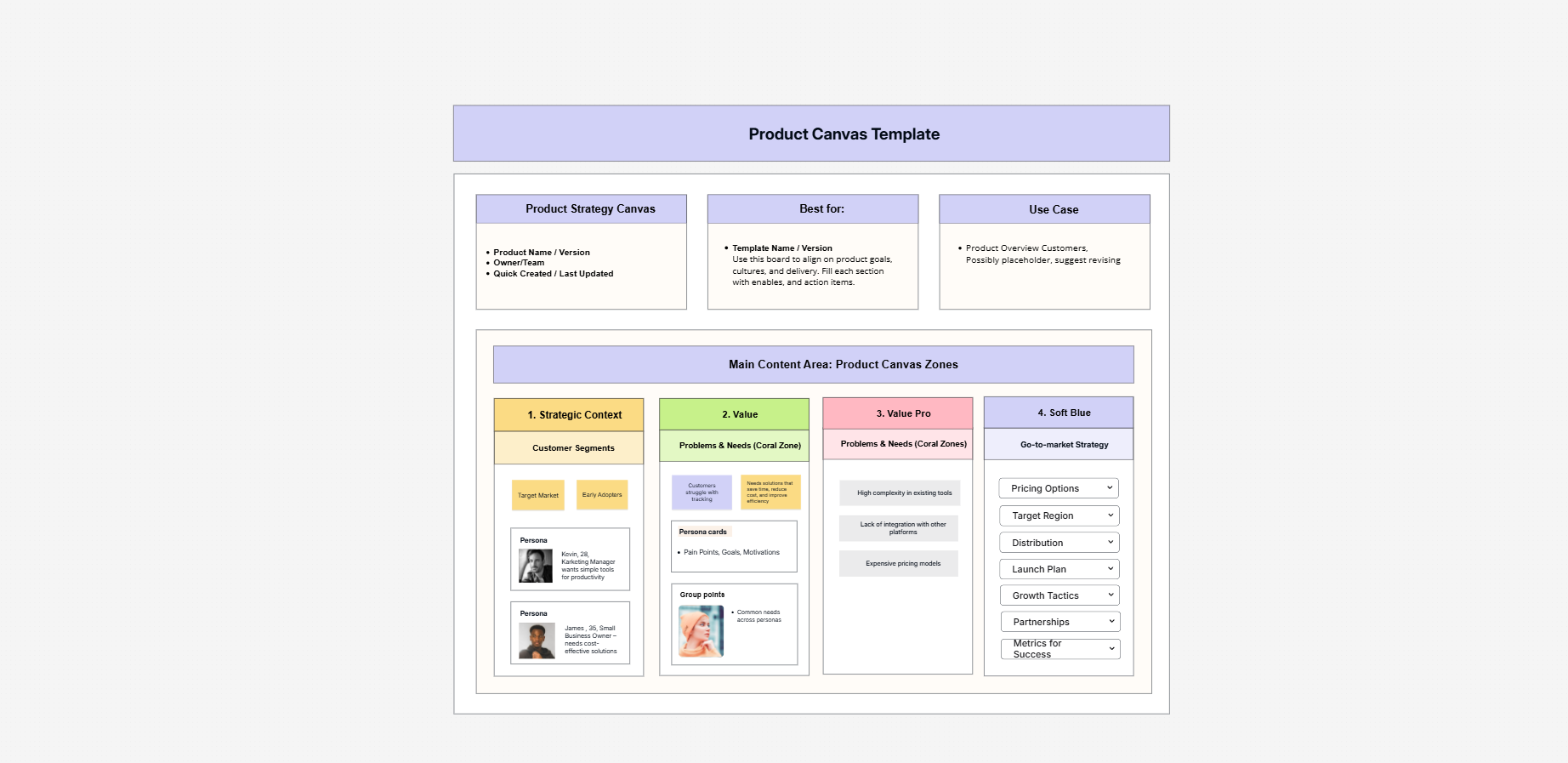
Cloudairy is an AI-powered workspace that combines an online whiteboard - sticky notes, voting, timers - with real technical diagramming: flowcharts, UML, ER diagrams, and cloud architecture, all on one canvas. Describe what you need in plain English and the AI generates an editable version in seconds.

Unlike a whiteboard-first canvas that leans on add-on apps for technical diagrams, Cloudairy builds both into one tool. It is a free Canva alternative to start - 3 editable items, 30 monthly AI credits, and unlimited members on the free plan - then Starter at $8/member and Business at $16/member as you grow.

Cloudairy AI workspace generating an editable diagram from a text prompt

Cloudairy vs Canva: Feature Comparison at a Glance

Verdict: Choose Canva for graphic and marketing design - social posts, presentations, and brand assets. Choose Cloudairy if you need an online whiteboard that also does real diagrams - flowcharts, UML, and cloud architecture - with AI, for team visual collaboration. They solve different problems; Cloudairy is the stronger choice for diagramming and collaborative work.

See Cloudairy in Action

AI Diagram Generation

AI Diagram Generation

Describe your diagram in plain text. AI generates it instantly.

Visual Drag-and-Drop Editor

Visual Drag-and-Drop Editor

Edit any diagram visually. No code syntax required.

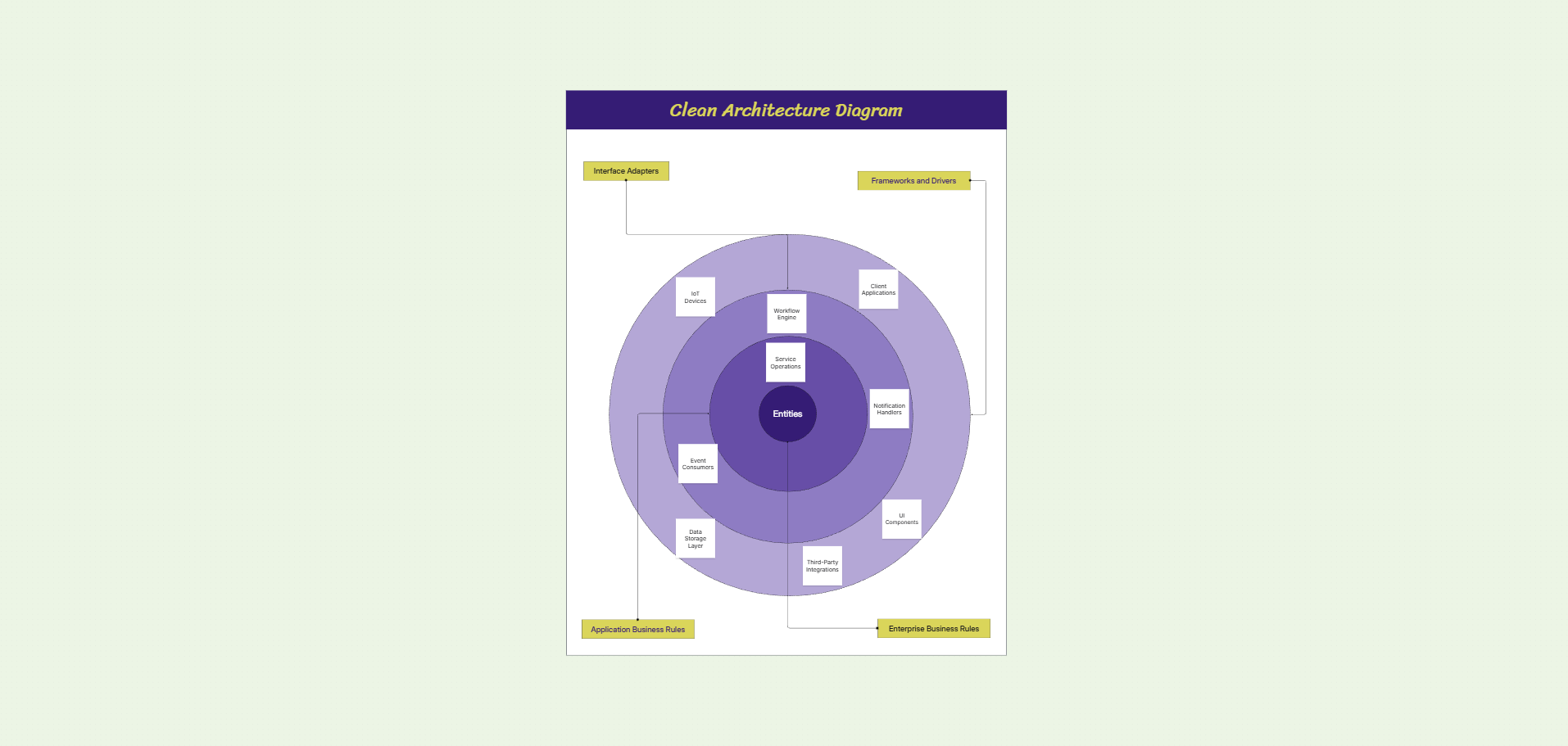
Cloud Architecture Diagrams

Cloud Architecture Diagrams

12,000+ icons including AWS, Azure, GCP, and Kubernetes.

Why choose Cloudairy over Canva?

Why choose Cloudairy over Canva?

Choose Cloudairy when your team needs to diagram and collaborate, not design graphics. Where Canva is built for social posts and presentations, Cloudairy is built for flowcharts, UML, and cloud architecture on an infinite whiteboard. The free tier includes 30 AI credits per month, 3 editable items, and unlimited members, so the whole team can work together before anyone pays for a seat.

Everything lives in one workspace: sticky-note brainstorms, diagrams, docs, and tasks on the same canvas, so a whiteboard session flows straight into build-ready diagrams and plans. Cloudairy Starter is $8/member/month and Business is $16 - or start free, with the founding offer taking Starter to $3.20.

And the AI does real diagramming work: type "AWS architecture for a three-tier web app" and Cloudairy generates an editable diagram with the right icons in seconds - the kind of technical output a design tool like Canva is not built to produce.

Is Cloudairy better than Canva for technical diagrams?

Yes - by a wide margin. Canva is built for graphic design, not technical diagrams. In Cloudairy, UML, ER, network, and cloud architecture diagrams - with 12,000+ up-to-date AWS, Azure, GCP, and Kubernetes icons - are native, living on the same canvas as your whiteboard.

Solutions architects and DevOps engineers describe AWS VPC diagrams, Azure deployment architectures, GCP infrastructure layouts, or Kubernetes cluster topologies in plain text, and Cloudairy's AI generates a professional diagram with the correct, up-to-date cloud provider icons - fully editable and ready for review.

The result: one canvas for the workshop and the architecture review. Brainstorm with sticky notes, then turn decisions into precise technical diagrams on the same board - no app-switching and no extra add-on licenses.

Is Cloudairy better than Canva for technical diagrams?
How do I move from Canva to Cloudairy?

How do I move from Canva to Cloudairy?

Moving over is quick: import your boards, or recreate any of them in seconds by describing what you need to Cloudairy's AI in plain English. Because Cloudairy runs in the browser, there is nothing to install and your team can start the same day.

You keep working the way you like: run brainstorms with sticky notes, voting, and timers, then build flowcharts, UML, ER, and architecture diagrams on the same canvas - all with real-time collaboration built in.

Cloudairy also imports from Miro, Lucidchart, Mermaid, and other tools, making it a central hub for teams consolidating their whiteboards and diagrams in one place.

Can Cloudairy replace Canva for whiteboards and brainstorming?

Yes - Cloudairy covers the full workshop toolkit: an online whiteboard with sticky notes, voting, timers, comments, reactions, and live cursors. Multiple people edit the same board simultaneously on every plan, including Free.

Retrospectives, sprint planning, brainstorming sessions, and design reviews all run in the browser with unlimited members - and when the workshop ends, the same board carries the follow-up diagrams, docs, and tasks, so nothing gets lost between tools.

Can Cloudairy replace Canva for whiteboards and brainstorming?

Pro tip: Many teams run both - keep Canva for marketing graphics, and use Cloudairy for whiteboards, diagrams, and collaborative work. The free plan's 30 monthly AI credits handle the rebuilding as you go, so the whole team can contribute from day one.

Switch from Canva to Cloudairy in 3 Steps

1

Sign up for Cloudairy (free)

Create a free Cloudairy account at cloudairy.com. No credit card required. The free tier includes 3 editable items, 30 AI credits per month, and unlimited members - enough to rebuild your key boards and try it with your whole team.

rotate arrow

Import or AI-recreate your boards

Import your Canva boards into Cloudairy, or open a new board and describe what you need in plain English - the AI produces a fully editable version in seconds: whiteboards, flowcharts, UML, architecture diagrams, and more.

2
rotate-arrow
3

Collaborate with your whole team

Invite unlimited members on the free plan and work together in real time - sticky notes, voting, timers, comments, and live cursors, plus docs and tasks in the same workspace. Everything runs in the browser, so there is nothing to install.

Cloudairy imports your existing boards and diagrams, and everything runs in the browser - so you are never locked in and your whole team can contribute.

A Free Canva Alternative Built for Diagrams

Cloudairy is a free Canva alternative that runs entirely online - no download, nothing to install. Sign up, open your browser, and start whiteboarding and diagramming on Windows, Mac, Linux, or Chromebook. The free plan includes 3 editable items, 30 monthly AI credits, and unlimited team members; paid plans are $8/member (Starter) or $16/member (Business) per month.

More Comparisons

Frequently Asked Questions

Yes. Cloudairy offers a free-forever tier with 3 editable items, 30 AI credits per month, and unlimited team members - no credit card required. Paid plans start at $8/month per member, and you can import your existing boards to get started.

Canva is a graphic-design platform - social posts, presentations, and marketing assets - with a basic whiteboard added on. Cloudairy is built the other way round: an infinite whiteboard with real technical diagramming and AI at its core, for teams that collaborate visually rather than design graphics.

Yes - especially for teams that need diagrams, whiteboards, and docs together rather than marketing graphics. Cloudairy Starter is $8/member/month on annual billing - and Cloudairy’s founding offer cuts that to $3.20. At the Business tier Cloudairy is cheaper: $16/member/month against $20 (annual) - a 20% saving on every member, every month.

Yes - Cloudairy supports importing from Canva and other tools, and anything that doesn't transfer cleanly can be recreated with AI in seconds: describe the board in plain English and get a fully editable version. Most teams move their key boards over in an afternoon.

Yes. Cloudairy includes an online whiteboard with sticky notes, voting, timers, comments, and live cursors, and everyone edits the same board in real time on every plan, including Free. Retrospectives, sprint planning, and brainstorming sessions run in the browser with unlimited members.

Yes - technical diagramming is native in Cloudairy, not an add-on. You get UML, ER, network, and cloud architecture diagrams with 12,000+ shapes and icons, including AWS, Azure, GCP, and Kubernetes, on the same canvas as your whiteboard - no add-on apps needed for real diagrams.

Yes. Cloudairy runs entirely in the browser on Windows, Mac, Linux, and ChromeOS - there is nothing to install. The full editor, AI generation, and real-time collaboration work in Safari, Chrome, Edge, or any modern browser.

Yes. Cloudairy is certified for SOC 2 Type II, ISO 27001, GDPR, and PCI DSS. Enterprise features include SAML SSO (via Okta, OneLogin, Auth0), SCIM provisioning, audit logs, custom data residency (US or EU), and a 99.9% uptime SLA.

Yes. Cloudairy generates complete diagrams from a plain-English prompt - flowcharts, UML, and cloud architecture - and can create AI images and docs on the same canvas. The free plan includes 30 AI credits every month, with more on Starter and Business plans.

Ready to Switch from Canva?

Skip the add-on apps: brainstorm on the whiteboard, generate real diagrams from a prompt, and edit them visually with your team on Cloudairy.

No credit card required · Free plan: 3 editable items + 30 AI credits/month · SOC 2 Type II & GDPR compliant