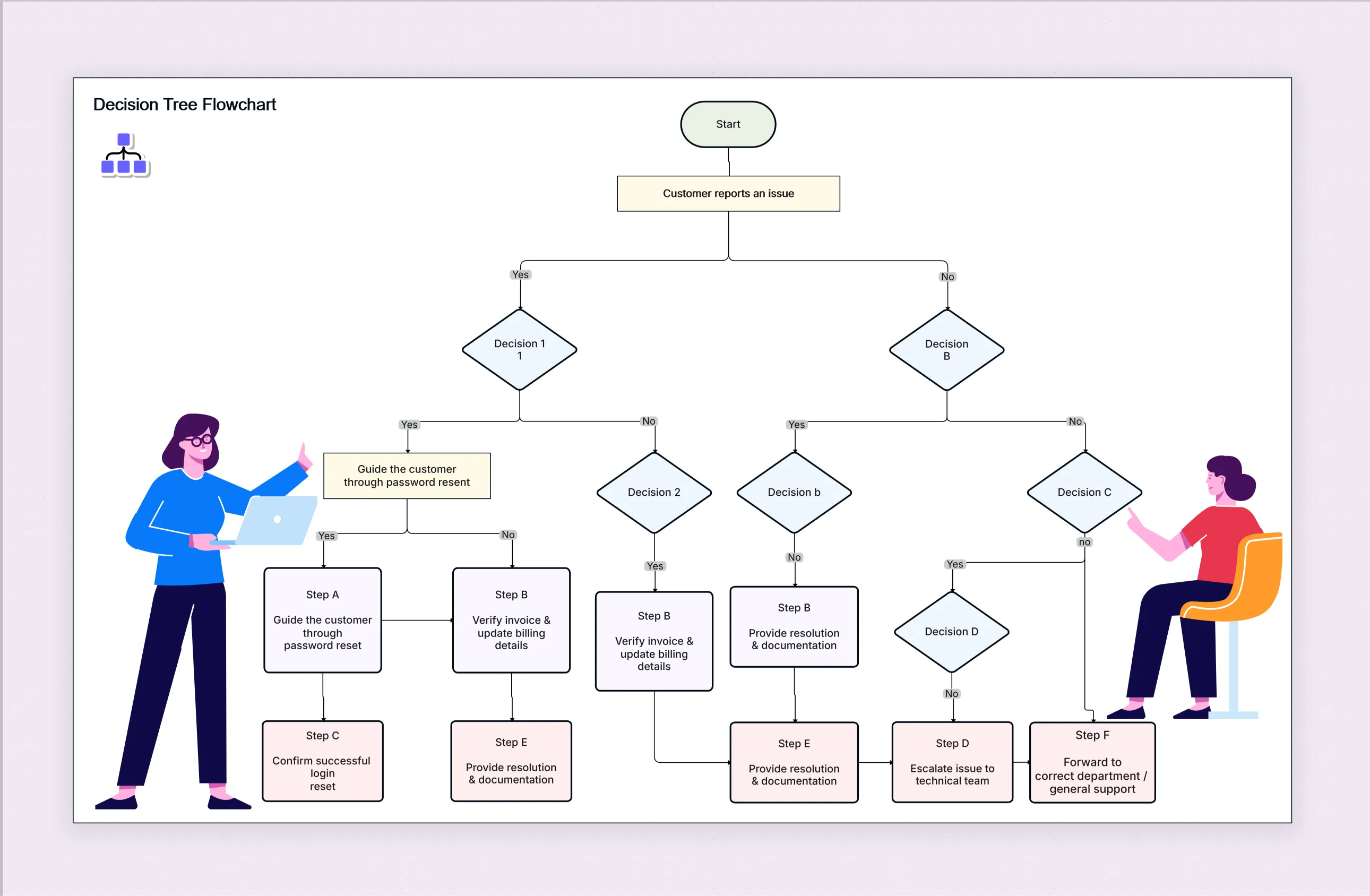
Decision Tree Flowchart Template

Cloudairy
 Copy link

Get your team started in minutes
Sign up with your work email for seamless collaboration.
Whiteboard
Copy link

he Decision Tree Flowchart Template helps teams visualize choices, compare outcomes, and make smarter decisions fast. Easily map scenarios, evaluate risks, and organize complex decision paths with a ready-to-use, fully editable template designed for clarity and efficiency.
he Decision Tree Flowchart Template helps teams visualize choices, compare outcomes, and make smarter decisions fast. Easily map scenarios, evaluate risks, and organize complex decision paths with a ready-to-use, fully editable template designed for clarity and efficiency.
A decision tree flowchart template is used to show choices, outcomes, and paths in a clear and simple way. It takes big, confusing decisions and breaks them into small, easy steps. With its tree-like shape, each choice shows what can happen next. This helps people compare options, understand possible outcomes, and make smarter decisions with confidence.
This template works well in many places. It helps teams check risks, plan work, and fix problems. Many people use a decision tree template free download or an editable flowchart template free because it saves time and keeps everything neat and the same.
Cloudairy’s decision tree flowchart template makes this even easier. It has simple editing, drag-and-drop blocks, and AI help. You don’t need to draw everything by hand. You can quickly build clean decision trees that match your team’s plans and goals. Whether you make a small decision tree flowchart example or a big multi-layer model, this template helps you start with clear, correct steps.
A decision tree flowchart template helps teams understand hard decisions, see all choices, and move in the same direction. It helps everyone think clearly, compare options, and choose results based on facts, not guesses.
A decision tree flowchart template free gives you a ready shape so you don’t have to start from zero. With Cloudairy tools, you can add nodes, branches, colors, and paths that match your work.
Steps to follow:
A decision tree flowchart works best when your team needs help choosing between different paths, checking risks, or understanding what could happen next.
Use it for choosing strategies, finding root causes, fixing issues, checking project paths, risk analysis, business planning, or studying customer behavior. It also works well in finance, machine learning, HR policies, product development, and operations. When your team wants a simple and strong visual tool to make smart choices, a decision tree is perfect.
Using a decision tree template download or a decision tree template free download saves time and gives ready-made branches to fill in.
A good decision tree is simple, clean, and easy to read. A free decision tree flowchart template helps you make a nice-looking chart quickly.
Tips:
Using a decision tree maker or template gives teams many powerful benefits. It brings clarity, fairness, and better understanding to decision-making.
A decision tree flowchart template prepares tough decisions to feel much easier. It breaks everything down into clear, clean steps so your team can see every preference and choose the best path with certainty. With Cloudairy’s simple editing tools and AI support, you can make clean and organized decision trees without any effort. Whether you are planning a project, solving a problem, or checking risks, a decision tree guides everyone to stay on the same page and make smarter choices. In the end, it saves time, reduces mistakes, and brings certainty to every decision your team makes. Explore how Opportunity Solution Tree helps teams validate ideas and outcomes.
You can also explore our Defect Bug Life Cycle Flowchart Template to visualize the complete bug tracking and resolution process clearly.
Loading subcategories...
 Manage all your work in one place
Collaborate with your team
Use Cloudairy for FREE—forever
Explore More