Flow Diagram Template

Cloudairy
 Copy link

Get your team started in minutes
Sign up with your work email for seamless collaboration.
Whiteboard
Copy link

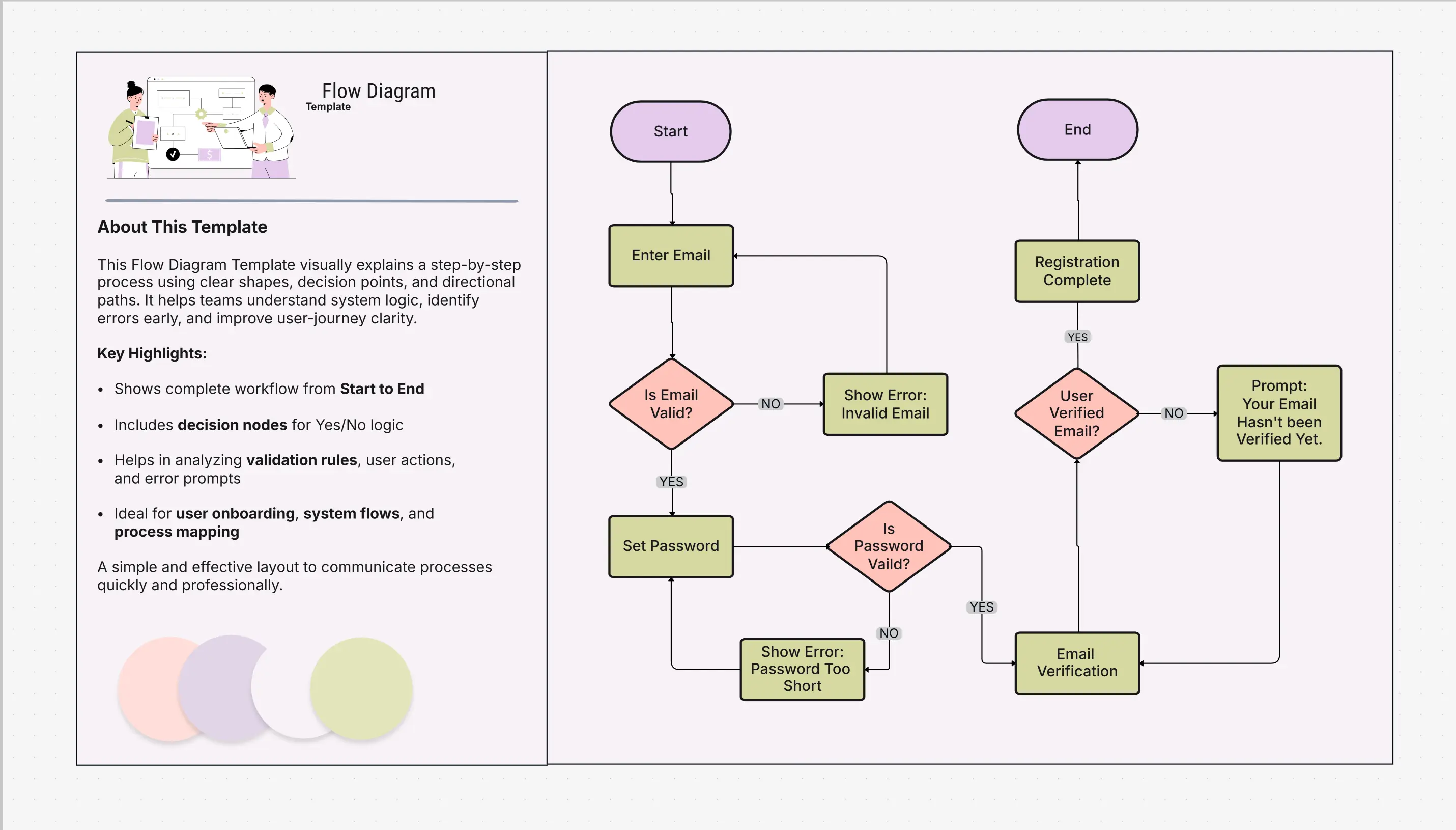
A Flow Diagram Template helps you clearly visualize processes, workflows, and decision paths. It makes complex steps easy to understand, improves communication, and supports better planning, analysis, and optimization for business, technical, or educational use cases.
A Flow Diagram Template helps you clearly visualize processes, workflows, and decision paths. It makes complex steps easy to understand, improves communication, and supports better planning, analysis, and optimization for business, technical, or educational use cases.
The Flow Diagram Template helps guidance teams see complicated growth and choice in a clear way. It shows how each step is associated from start to finish, so everyone on the team figures it out and works together.
This visual guide is amazing for project planning, automating workflows, and designing systems. It supports everyone understanding each decision and step, making processes easier to improve.
This template gives you an easy way to write down, plan, and improve workflows for any business or technical project.
Use this template when your team wants to make a complicated process easier to understand, show decisions, or see how work flows. It’s great for Agile teams planning sprints, analysts explaining business work, and developers showing logic steps. Flow diagrams can be used in any industry—from showing customer journeys to mapping backend systems or support processes.
Switch the flow diagram template to match how your organization’s growth or system works so it stays accurate and easy to understand.
Flow diagrams are highly versatile, supporting visual communication for every stage of a project or workflow.
Start designing smarter processes with the Workflow & Process Diagram Maker. Create detailed flow diagrams for projects, teams, and systems in minutes using pre-built components and intuitive controls. Explore the complete user journey clearly with a structured User Flow Diagram.
Explore related resources:
You can also explore our Circuit Diagram Template to design and visualize electrical circuits clearly and accurately.
1 What’s the difference between a flow diagram and a workflow diagram?
A flow diagram focuses on the decision logic and sequence of actions, while a workflow diagram emphasizes roles, ownership, and task execution flow. Both complement each other in process planning.
2 Can I use flow diagrams in Agile project management?
Yes. Flow diagrams are often used in Agile environments to map sprint tasks, automation logic, and feedback loops, ensuring clarity before execution.
Loading subcategories...
 Manage all your work in one place
Collaborate with your team
Use Cloudairy for FREE—forever
Explore More