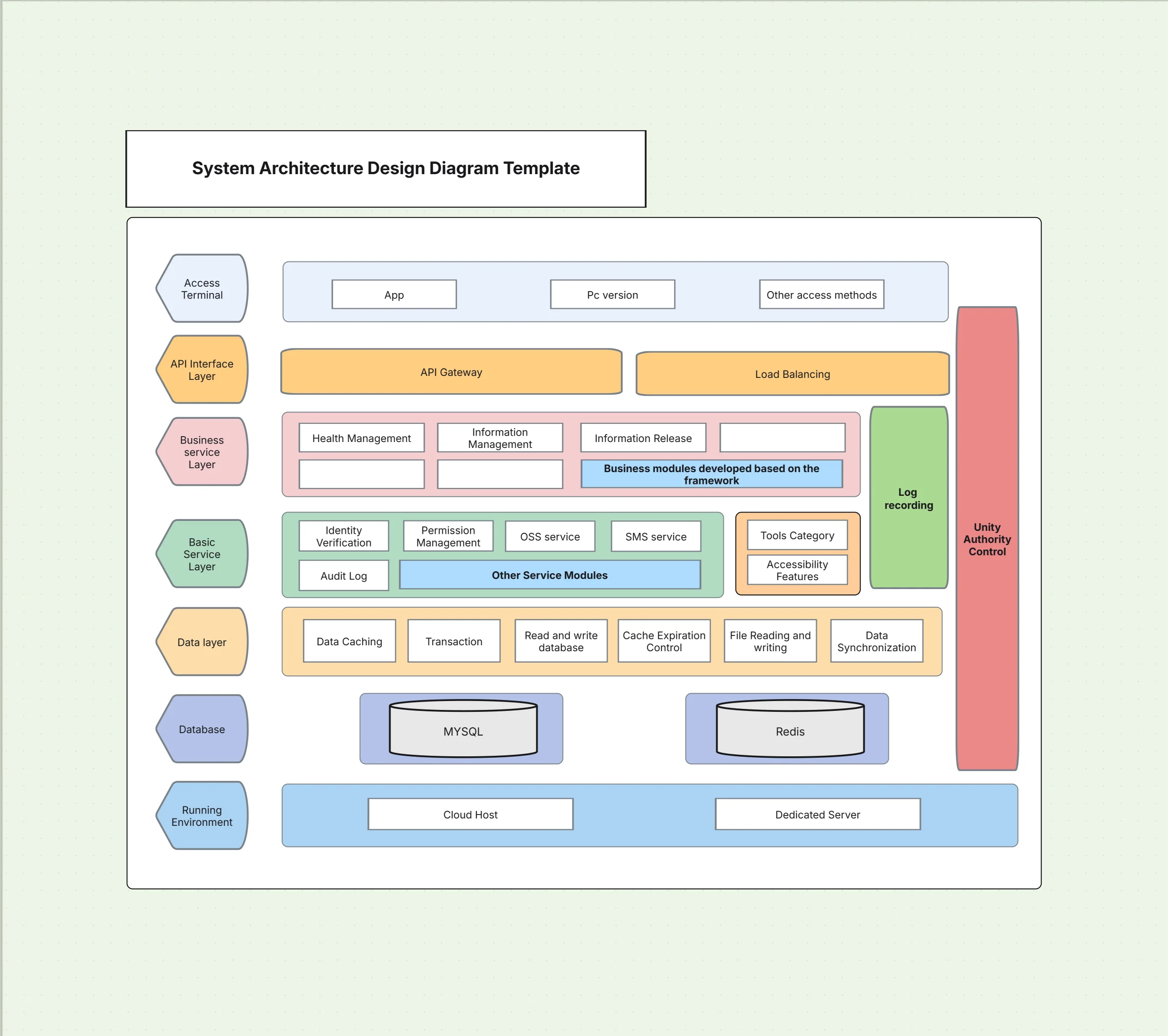
System Architecture Design Diagram Template

Cloudairy
 Copy link

Get your team started in minutes
Sign up with your work email for seamless collaboration.
Whiteboard
Copy link

Create a system architecture design diagram to map applications, services, and infrastructure. Use this editable template to plan and communicate system design with Cloudchart.
Create a system architecture design diagram to map applications, services, and infrastructure. Use this editable template to plan and communicate system design with Cloudchart.
The system architecture design diagram Template presents a systematic and understandable picture of how elements of applications, services, and infrastructure assemble and operate within an entire enterprise system. It captures necessary logical and physical design elements, giving stakeholders clarity on dependencies, data movements, and services' interaction. With this template, one can achieve more convergence in architecture decisions, encourage clearer communication, and reduce likely risks during implementation phases.
The following provides an in-depth summary of what’s included in this system architecture design diagram template.
A system architecture design diagram combines high-level organization with technical detail to represent system functionality. This template includes essential elements to model both software and infrastructure.
See below for the main elements included in this system architecture design diagram template.
This template is best applied when designing or documenting complex systems that require collaboration across teams. It provides the detail needed for engineers while remaining understandable for non-technical audiences.
See below, when to use this system architecture design diagram template.
Cloudchart makes it easy to tailor system architecture diagrams to your project needs, offering drag-and-drop design and real-time collaboration.
Here are the steps to customize this system architecture design diagram template.
System architecture design diagrams are highly versatile and useful across industries. They help teams align, reduce risk, and deliver more reliable systems.
See below the examples of how this system architecture design diagram template can be used.
1. What Exactly Is a System Architecture Design Diagram?
It is basically a visual snapshot showing how different applications, infrastructure pieces, services, and data streams all work together to build up the entire system.
2. How Does It Differ From a High-Level Architecture Diagram?
While the high-level diagram gives you a bird’s eye view for the big picture, the system architecture design diagram dives into more detailed bits about components and the tech behind the scenes.
3. Is This Template Good for Cloud as Well as On-Premise Setups?
Absolutely! This template flexibly covers everything from cloud to on-premise to hybrid systems, just by tweaking icons and connections as needed.
4. What Makes Cloudchart a Good Choice for System Architecture Diagrams?
Cloudchart offers ready-made templates, clever AI design help, and collaborative tools that speed up diagram creation while keeping accuracy high.
Loading subcategories...
 Manage all your work in one place
Collaborate with your team
Use Cloudairy for FREE—forever
Explore More