
The Trello alternative that grows with the project.
Trello starts simple and stays simple. Cloudairy keeps the board you like — then adds Timeline, Gantt, Calendar and Table views, task dependencies, story points and logged hours, with diagrams and docs in the same workspace.

Loved by teams at Amazon · Google · IBM · Oracle · Adobe
Trusted by Professionals at Leading Companies
One board. Eight ways to see it.
Trello gives you a board. Cloudairy gives you the same board plus seven other views of the same tasks — and the planning depth that usually means bolting on Power-Ups.
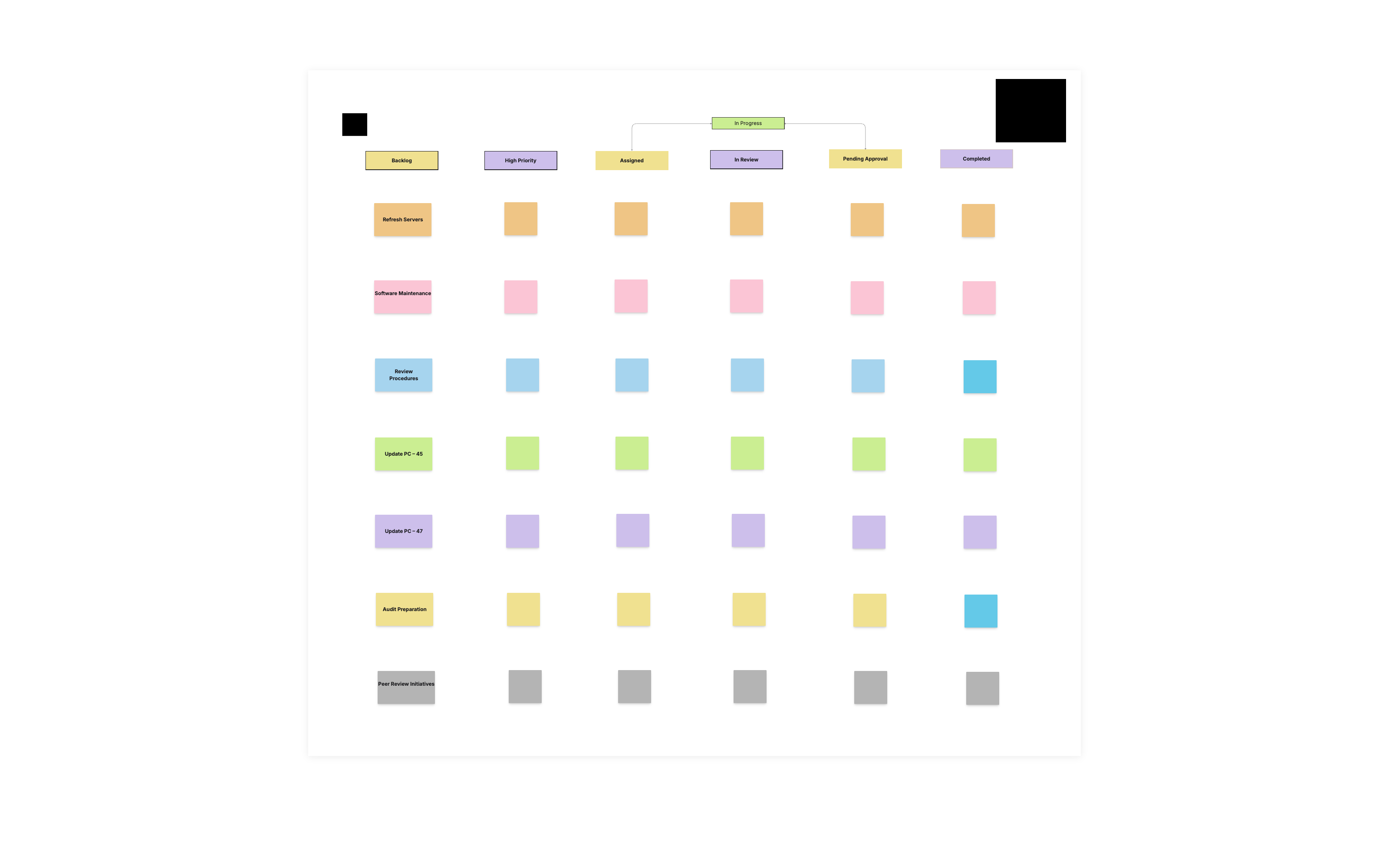
The board you already know
Columns, cards, drag-and-drop, assignees, due dates and labels — the kanban board works the way Trello taught everyone to expect. Nothing to relearn on day one.
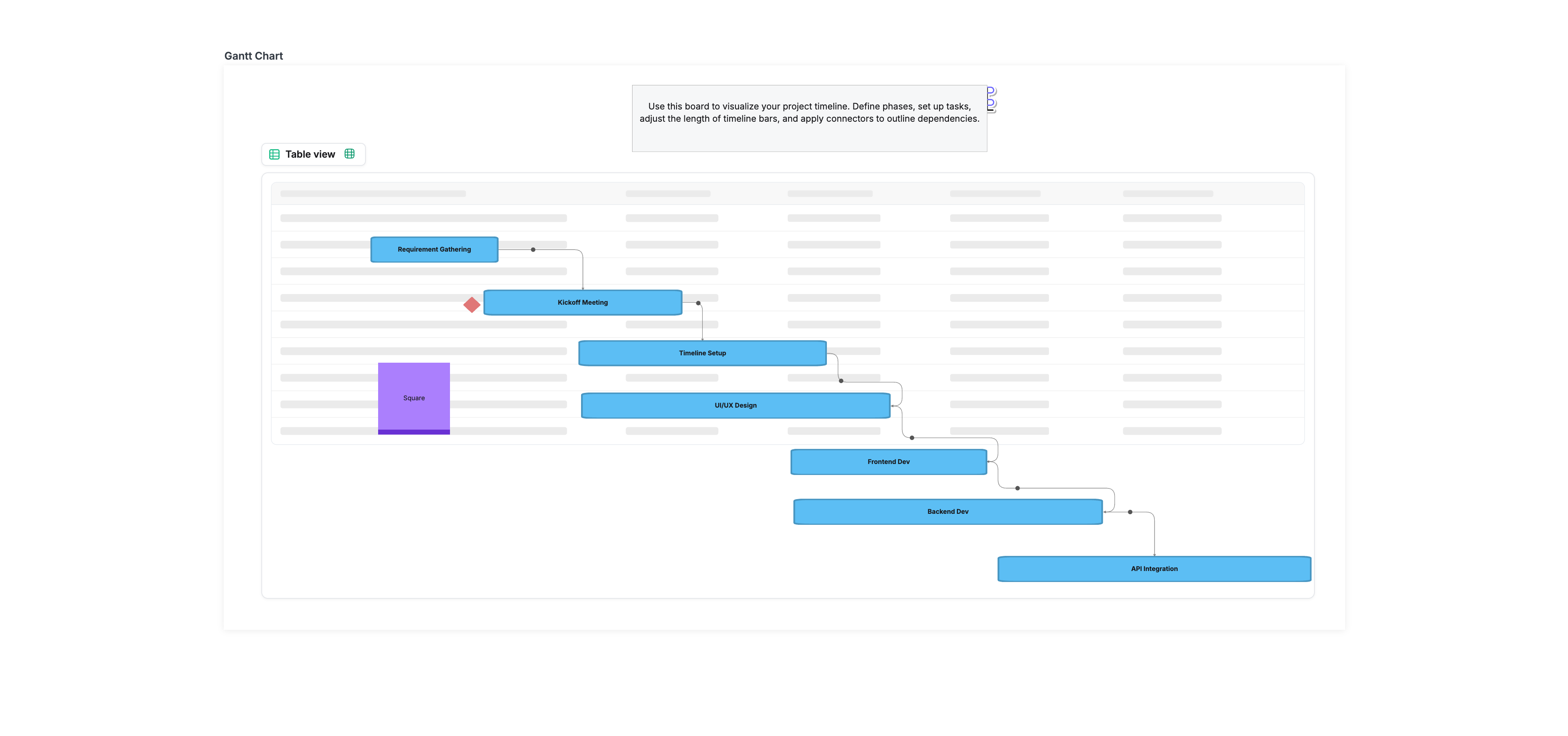
Seven more views on the same tasks
Switch the same board to Timeline, Calendar, Table, Gallery, List or Gantt. Dependencies and auto-calculated durations come with it — no Power-Up, no second tool.
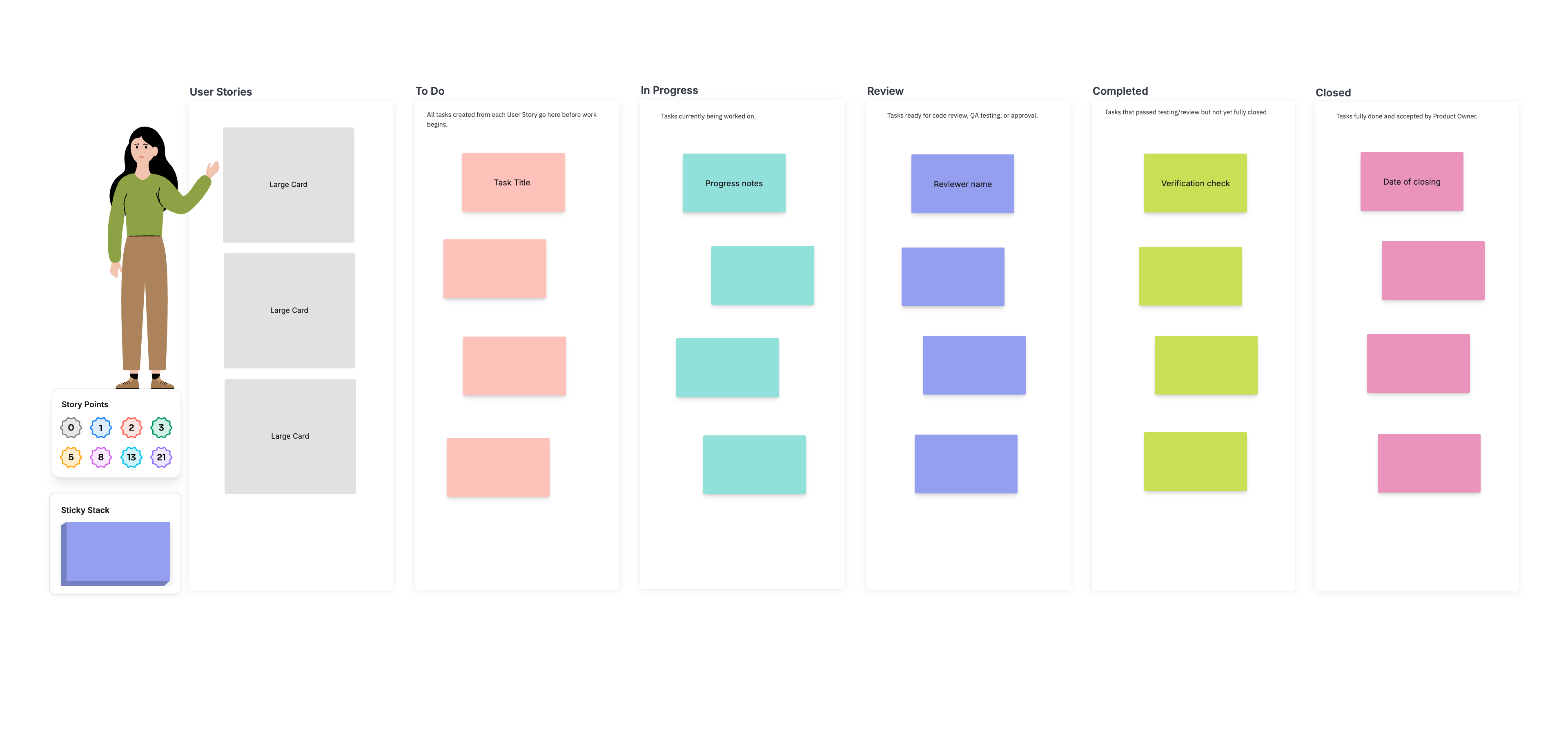
Sprints, story points and logged hours
Run sprints and backlog properly: story points, components and an issues tab per task, plus a built-in timer, logged hours and billable tracking for client work.
Cloudairy vs Trello at a glance
| Feature | Cloudairy | Trello |
|---|---|---|
| AI-powered creation | ✓ | — |
| Free forever plan | ✓ | Limited |
| Real-time collaboration | ✓ | ✓ |
| All-in-one workspace | ✓ | — |
| Starting price | Free, then $8/mo | Higher |
Everything you'd expect from a screen recorder
Cloudairy Clips covers the full recording workflow — capture, share, transcribe and measure — then turns any recording into work.
And the part a recorder can't do: every recording can become a knowledge-base doc, a diagram on a board, or project action items — without leaving Cloudairy.
From screen to shipped — in three steps.
Record your screen
Hit record on any tab or your whole screen, with webcam and voice. No download to get started.
Turn it into work
The same recording becomes a knowledge-base doc, a diagram, and action items — inside your Cloudairy workspace.
Share & assign
Send an instant link, see who watched with per-viewer analytics, and assign the tasks — all in one place.
Keep the board. Add everything Trello makes you bolt on.
| Feature | Cloudairy | Trello |
|---|---|---|
| Kanban board view | ✓ Yes | ✓ Yes |
| List view | ✓ Yes | ✓ Yes |
| Real-time collaboration | ✓ Yes | ✓ Yes |
| Free forever plan | ✓ Yes | ✓ Yes |
| Timeline, Calendar & Table views | ✓ Starter | Premium plan |
| Gantt view | ✓ Starter | — No |
| Task dependencies | ✓ Starter | Power-Up |
| AI builds the board from a prompt | ✓ Yes | — No |
| AI per task — description, acceptance criteria, checklist | ✓ Yes | — No |
| Story points, components & issues | ✓ Yes | Power-Up |
| Built-in timer, logged hours & timesheets | ✓ Business | Power-Up |
| Billable / non-billable task tracking | ✓ Business | — No |
| Workload across the team | ✓ Business | — No |
| Cross-project dashboards | ✓ Business | — No |
| Diagrams & whiteboard built in | ✓ Yes | — No |
| Documents built in | ✓ Yes | — No |
| Screen recording built in | ✓ Yes | — No |
| Starting paid price | $8/member/mo | See Trello pricing |
The verdict: Trello is excellent at the thing it does — a fast, simple kanban board. Cloudairy matches that board, then keeps going: Timeline, Calendar, Table and Gantt views on the same tasks, dependencies and story points, a timer and timesheets, and diagrams, docs and screen recording in the same workspace — so the project outgrows the board without outgrowing the tool.
One recording, many jobs done.
Trust is the foundation
Secure, compliant, and enterprise-ready.
Cloudairy safeguards your work with enterprise-grade security, compliance, and access controls — so your teams can create, collaborate, and scale with confidence.
Visit the Trust CenterEncryption at rest and in transit
Every board, doc and file is encrypted with AES-256 at rest and TLS 1.2+ in transit.
Role-based access control
Workspace, team and guest roles so the right people see the right work, with SSO and SCIM on Enterprise.
Your data, your control
Export or delete your content whenever you want — your work is never used to train models.
SOC 2 Type II · GDPR · ISO 27001 · Penetration tested annually
Good to know
Is Cloudairy a good Trello alternative?
Yes. You get the same fast kanban board — columns, cards, drag-and-drop, assignees, due dates and labels — plus seven more view types on the same tasks, including Timeline, Calendar, Table and Gantt. Where Trello asks you to add Power-Ups, Cloudairy has dependencies, story points, a built-in timer and logged hours in the product itself.
What does Cloudairy do that Trello can't?
Three things. Describe a project in a sentence and AI builds the whole board. Inside any task, AI drafts the description, the acceptance criteria and a smart checklist. And the workspace also holds diagrams, documents and screen recording — so a project doesn't live in four different subscriptions.
How do I move from Trello to Cloudairy?
Start from a board that matches how you already work — Project Task Board, Sprint Board, Bug Tracker, Recruitment Pipeline, Sales Pipeline or Weekly Planner — or describe your project and let AI build it. Columns, assignees, due dates, priorities and labels all map across, so the board feels familiar on day one.
Is there a free plan?
Yes, free forever with no credit card: three editable items across boards, docs and projects, Kanban and List views, unlimited team members, real-time collaboration, monthly AI credits and the template library. Paid plans start at $8 per member a month.
Which plan do I need for Gantt and timesheets?
Starter adds the Timeline, Calendar and Gantt views, plus sprints, backlog, retrospectives and task dependencies. Business adds workload across the team, cross-project dashboards, goals, timesheets and logged hours, and roles, permissions and guest access.
More Cloudairy comparisons
Ready to switch from Trello?
Record once, then turn it into a doc, a diagram, and action items — all in the workspace your team already uses.
No credit card required · Free plan available · SOC 2 Type II & GDPR compliant