50,000 + Trusted Users with
star star star star star

Trusted by Professionals at Leading Companies

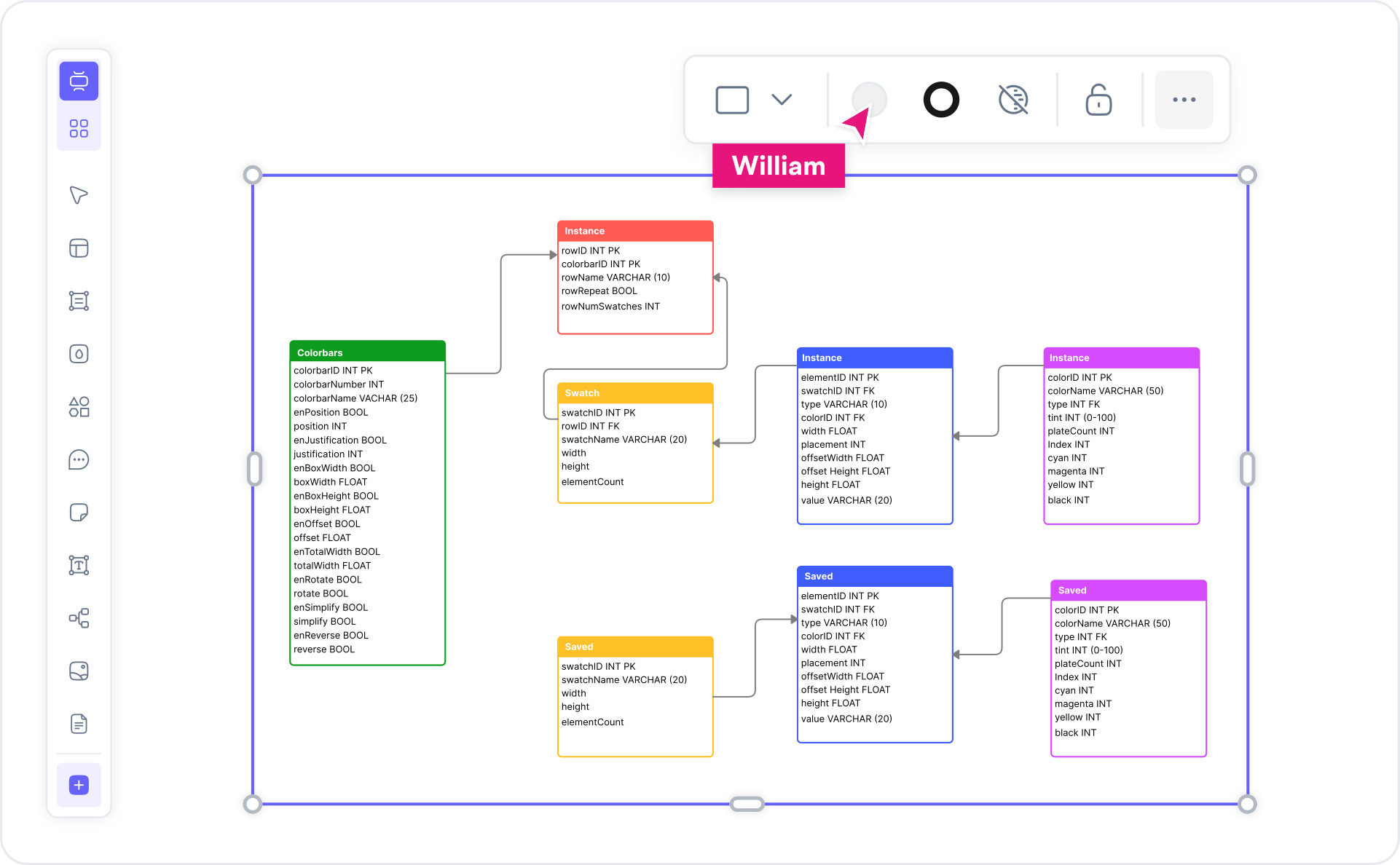
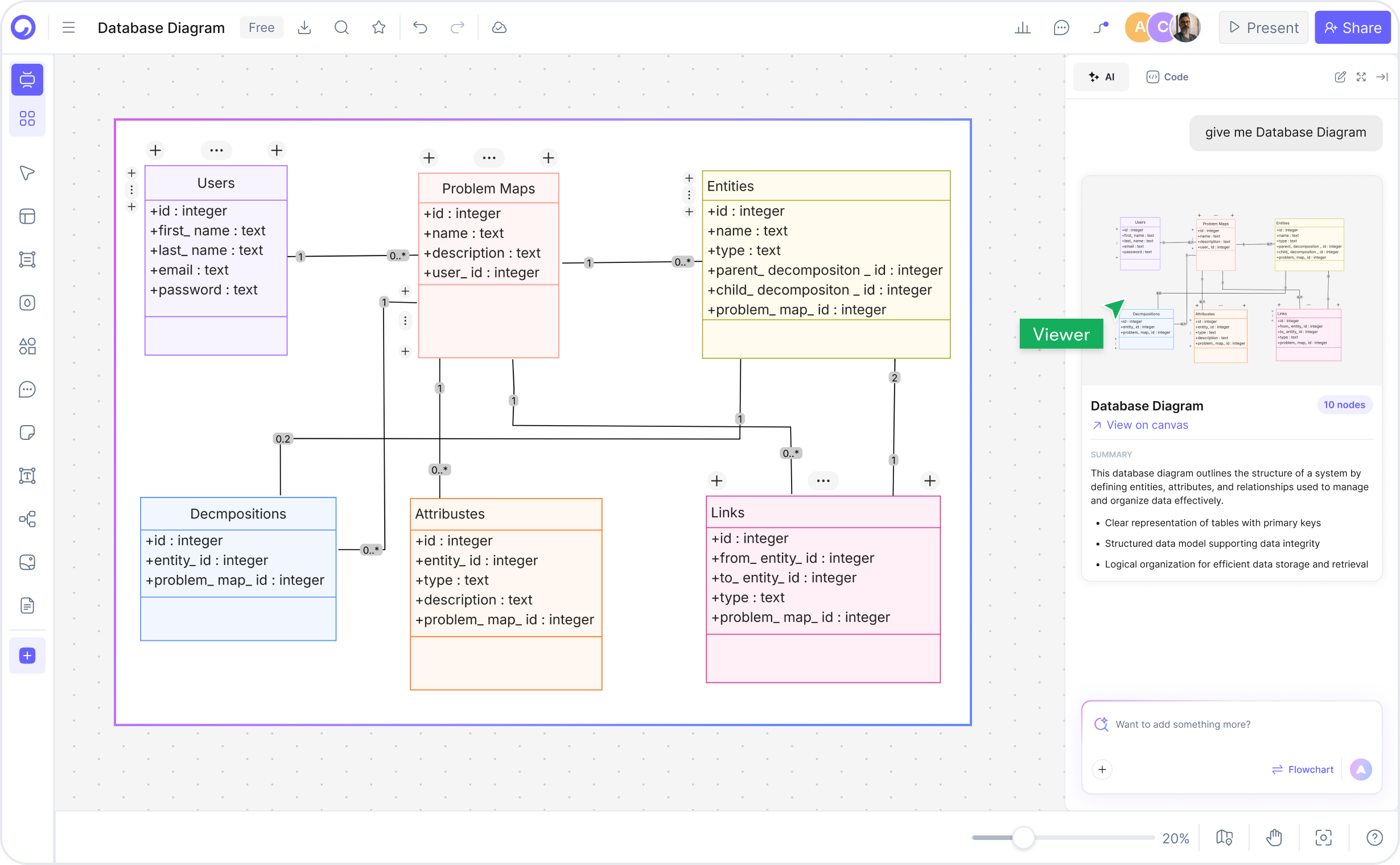
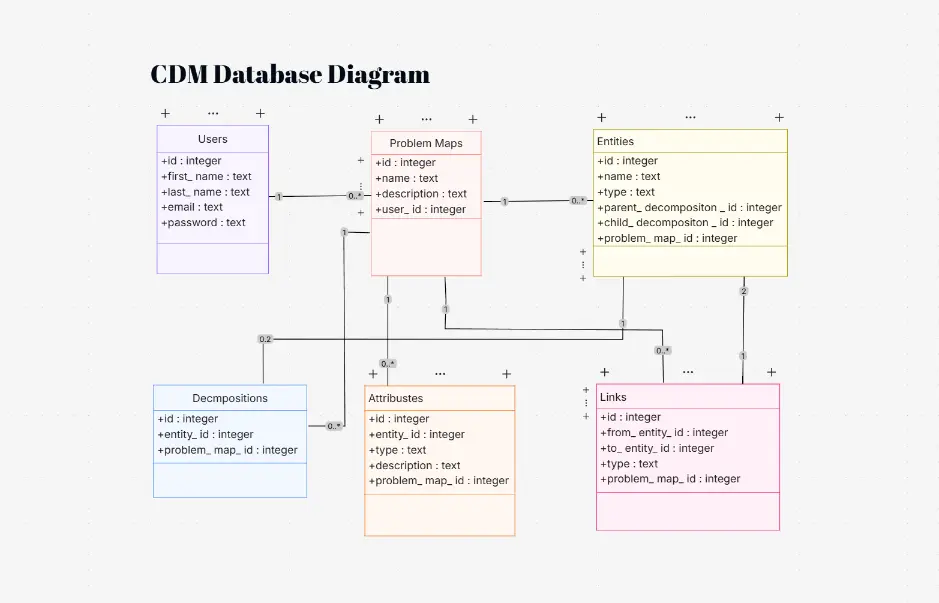
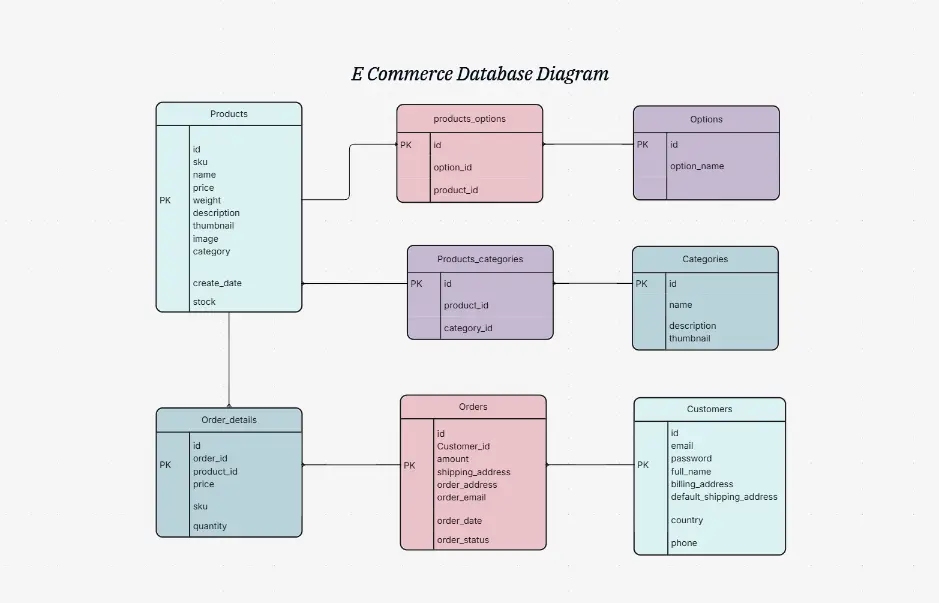
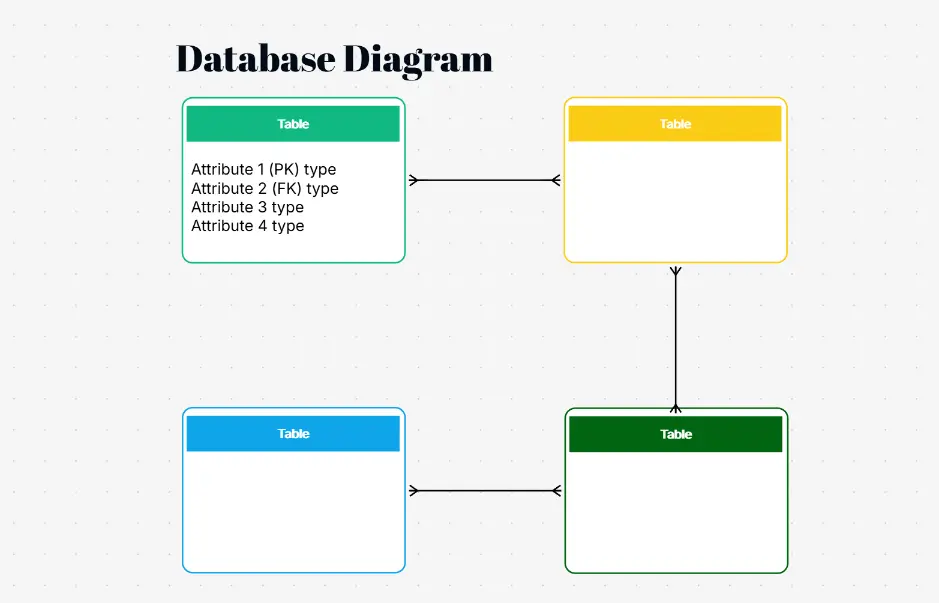
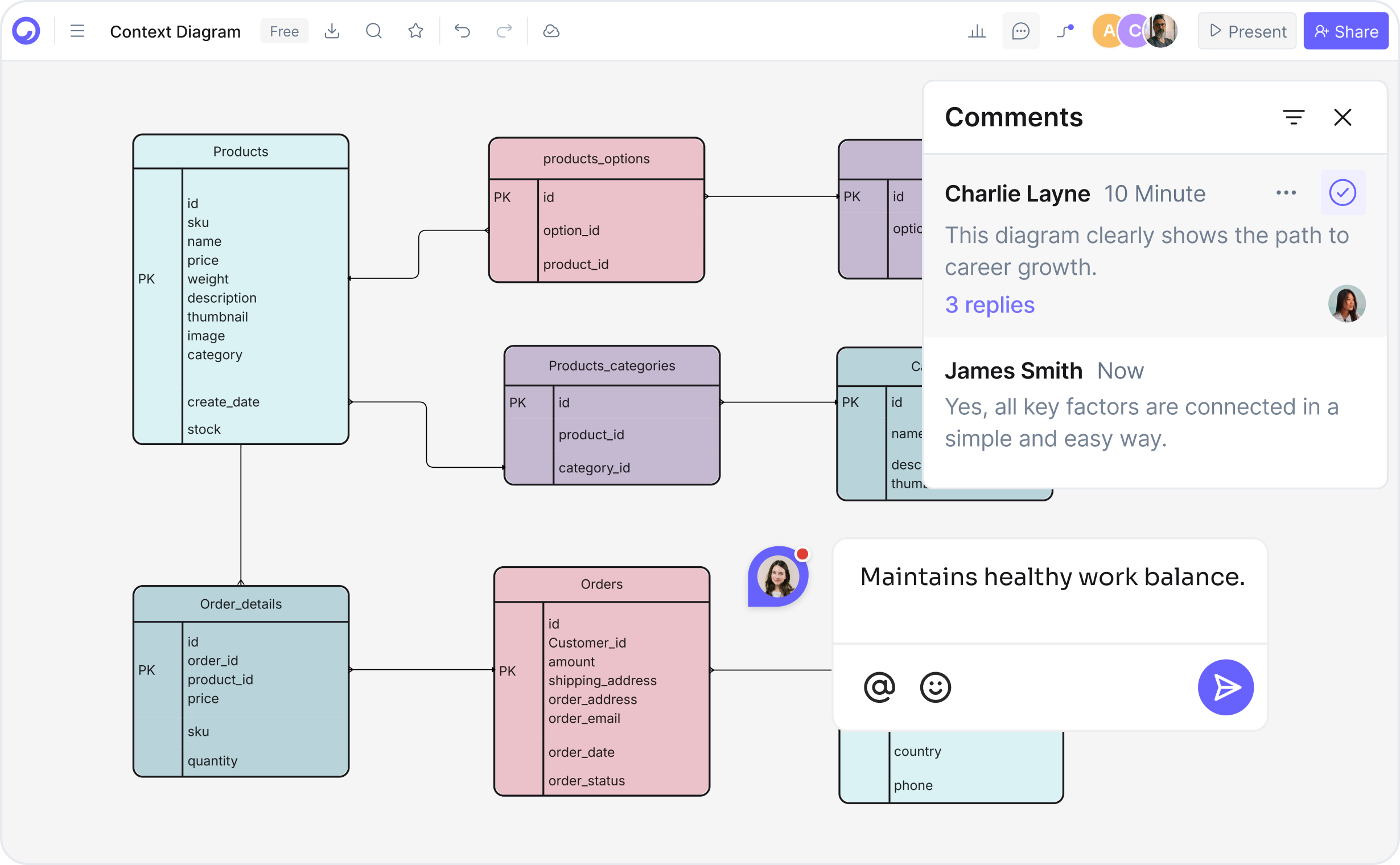
What is a database diagram — example showing tables connected with primary and foreign key relationships in an ER diagram

What Is a Database Diagram?

A database diagram — also called an entity-relationship diagram (ERD) or schema diagram — is a visual representation of a database structure. It maps the tables in your database, the columns in each table, the data types, primary keys, foreign keys, and the relationships (one-to-one, one-to-many, many-to-many) between tables, so that developers, architects, and stakeholders can understand how your data is organized and connected.

Well-designed database diagrams use standardized notation such as Crow's Foot or Chen notation, clearly show cardinality, and serve as the source of truth for schema design reviews, onboarding new developers, API design, and database migrations. They are equally useful for relational databases (MySQL, PostgreSQL, MSSQL, SQLite) and for documenting NoSQL data models.

Cloudairy's AI Database Diagram Maker goes beyond static templates. Describe your schema in plain English — for example, "an e-commerce database with users, products, orders, and order items" — and the AI produces a ready-to-edit ER diagram instantly, complete with tables, columns, data types, and foreign-key relationships. You can also paste existing SQL DDL or DBML to reverse-engineer a diagram from your live schema. Pair your database diagrams with an AI ER diagram generator for conceptual modeling, or use the data flow diagram maker to visualize how data moves through your system.

How to Make a Database Diagram with Cloudairy

Go from idea to professional database schema diagram in four steps — no database connection required, no SQL expertise needed to get started.

1

Describe your database schema

Type a plain-English description in the AI prompt box. For example: "An e-commerce database with users, products, categories, orders, order items, and reviews." Or paste existing SQL DDL or DBML to reverse-engineer your current schema into a visual diagram.

2

Click Generate

Cloudairy's AI instantly builds the ER diagram with correctly typed columns, primary keys, foreign keys, and relationship cardinality arrows. Tables are auto-arranged for readability.

3

Customize — drag, drop, and annotate

Refine the AI-generated diagram in Cloudairy's editor. Add or remove columns, change data types, edit relationship cardinality, recolor table groups by domain (auth, commerce, analytics), and add schema notes or documentation comments.

4

Export or share

Export SQL DDL for MySQL, PostgreSQL, or MSSQL. Export to DBML, Prisma schema, PNG, SVG, or PDF. Or copy a shareable live link for view-only or collaborative editing — no account required for viewers.

How to make a database diagram with Cloudairy — four steps from prompt to SQL export

Start Building Your Database Diagram Free

Join thousands of backend developers, data engineers, and database architects who use Cloudairy to create database schema diagrams in seconds. AI generation. SQL DDL export. Real-time collaboration.

No credit card required • Start creating in seconds

Why Use Cloudairy as Your Database Diagram Tool

Cloudairy is the only tool that combines an AI prompt-to-schema experience with multi-dialect SQL DDL export, DBML import/export, Prisma schema generation, and real-time collaboration — all on a single free platform.

AI Prompt-to-Schema

AI Prompt-to-Schema

Describe your database in natural language and get a complete, properly structured ER diagram in seconds. The AI understands table relationships, cardinality, foreign keys, and domain-specific naming conventions for e-commerce, SaaS, fintech, and more.

Multi-Dialect SQL DDL Export

Multi-Dialect SQL DDL

Export your database diagram as production-ready SQL DDL for MySQL, PostgreSQL, and MSSQL. Column types, constraints, primary keys, and foreign key references are all correctly generated — ready to run against your database.

DBML Import and Export

DBML Import & Export

Import existing DBML files to generate visual diagrams instantly, or export your Cloudairy diagram as DBML for use in other tools. Fully compatible with the DBML specification used by dbdiagram.io and DrawSQL.

Reverse Engineer from SQL

Reverse Engineer from SQL

Paste your existing SQL DDL or connect your database and Cloudairy will automatically generate a visual ER diagram from your live schema. Ideal for documenting legacy databases, onboarding new developers, or auditing your data model.

Prisma and ORM Export

Prisma & ORM Export

Export your database diagram as a Prisma schema file for Node.js/TypeScript projects. Cloudairy understands ORM conventions and generates correctly typed models with relation decorators — cutting hours from your backend setup.

Real-Time Collaboration

Real-Time Collaboration

Work on the same database diagram simultaneously with your team. Live cursor presence, inline comments, and @mentions keep backend developers, data engineers, and product managers aligned. Share view-only or edit links — no account required for viewers.

Database Diagram Templates

Start with a professionally designed database schema template and customize it for your project. Each template includes tables, columns, data types, and relationships — fully editable and AI-extendable.

Cloudairy vs. Other Database Diagram Tools

See how Cloudairy compares to the tools currently ranking for database diagram maker.

Capability Cloudairy dbdiagram.io DrawSQL ChartDB Lucidchart
AI prompt → schema Yes No No Limited Limited
SQL DDL export (multi-dialect) Yes Yes Yes Yes Limited
DBML import & export Yes Yes Partial No No
Reverse engineer from SQL Yes Yes Yes Yes Limited
Prisma / ORM schema export Yes No No No No
Real-time collaboration Yes Limited Limited No Yes
Export to Visio (.vsdx) Yes No No No Yes
Free tier available Yes Yes Limited Yes Limited

Who Uses Cloudairy for Database Diagrams?

Backend Developers

Design and document database schemas before writing a single line of code. Generate SQL DDL or Prisma schemas from your diagram and use them directly in your project. Reverse-engineer existing databases to understand legacy schemas.

Data Engineers

Document data warehouse schemas, data lake structures, and ETL pipeline data models. Visualize star and snowflake schemas for analytics databases, and share diagrams with data analysts and BI teams without requiring tool access.

Database Architects & DBAs

Design normalized schemas, document indexing strategies, and produce architecture review diagrams for client presentations. Export to Visio for formal documentation or share live Cloudairy links for collaborative schema reviews.

Product Managers & Founders

Communicate data model requirements to engineering teams using clear visual schemas. The AI generates a diagram from a product description so non-technical stakeholders can participate in data model design without reading SQL.

Students & Bootcamp Grads

Learn database design principles by generating and editing ER diagrams for course projects. Cloudairy makes it easy to visualize normalization, understand foreign key relationships, and produce professional-looking diagrams for portfolio submissions.

Backend developers, data engineers, and database architects using Cloudairy for database schema diagrams

Frequently Asked Questions

A database diagram — also called an ER diagram or schema diagram — is a visual representation of a database structure. It shows tables, columns, data types, primary keys, foreign keys, and the relationships between tables. Database diagrams are used to design, document, review, and communicate data models across development teams.

Cloudairy is the best free AI-powered database diagram maker. It combines an AI prompt-to-schema experience with multi-dialect SQL DDL export (MySQL, PostgreSQL, MSSQL), DBML import/export, Prisma schema generation, and real-time collaboration — capabilities no other top-ranked tool currently offers together on a single free platform.

With Cloudairy: (1) Describe your database schema in plain English in the AI prompt box — or paste existing SQL DDL or DBML. (2) Click Generate — Cloudairy builds an ER diagram with tables, columns, data types, primary keys, foreign keys, and relationship cardinality. (3) Customize using drag-and-drop. (4) Export SQL DDL, DBML, Prisma schema, PNG, or PDF.

Yes. Cloudairy can export your database diagram as production-ready SQL DDL for MySQL, PostgreSQL, and MSSQL. Column types, constraints, primary keys, and foreign key references are all correctly generated — ready to run against your database. You can also export to DBML or generate a Prisma schema file for Node.js projects.

Yes. Paste your existing SQL DDL or DBML into Cloudairy and it will automatically generate a visual ER diagram showing all tables, columns, data types, and relationships. This is ideal for documenting legacy databases, onboarding new developers, or auditing an existing data model before a migration.

Yes. Cloudairy supports two-way DBML import and export. Import an existing DBML file to generate a visual ER diagram instantly, or export your Cloudairy diagram as DBML for use in tools like dbdiagram.io. Cloudairy is fully compatible with the DBML specification.

An ER (Entity-Relationship) diagram shows entities and relationships at a conceptual or logical level, often used in the early design phase before a database engine is chosen. A database schema diagram shows the actual implemented structure — tables, columns, data types, primary keys, and foreign keys at the physical level. Cloudairy supports both styles and can convert between them.

Yes. Cloudairy includes real-time collaboration with live cursor presence, inline comments, and @mentions. Share view-only or editable links with teammates — no account required for viewers. Ideal for backend teams doing schema reviews, data engineers documenting pipelines, and product managers participating in data model discussions.

Success Stories from Our Community

See how backend developers, data engineers, and database architects use Cloudairy to create database schema diagrams faster and with better results.

As a backend engineer, I need to design and document database schemas quickly. Cloudairy lets me describe a schema in plain English and get a complete ER diagram with SQL DDL in seconds. It has completely replaced dbdiagram.io for me.

Cloudairy makes database schema design so fast. I can generate a complete schema for a new feature, export it as PostgreSQL DDL, and hand it off to the team in minutes. The Prisma export is a huge bonus for our Node.js stack.

I use Cloudairy to document our data warehouse schemas and share them with the analytics team. The AI reverse-engineers our existing SQL into clean diagrams instantly. Real-time collaboration means my team can review and annotate together.

I use Cloudairy to teach database design in my courses. The AI generator lets students produce professional ER diagrams on the first day instead of spending weeks learning specialized tools. It makes normalization concepts click visually.

Our team uses Cloudairy to document every database schema change. The DBML export keeps us in sync with the rest of the toolchain, and the shareable live links mean stakeholders can always see the latest schema without needing a Cloudairy account.

Secure, compliant, and enterprise-ready

Cloudairy safeguards your work with enterprise-grade security, compliance, and access controls — so your teams can create, collaborate, and scale with confidence.

SOC 2 Type II
SOC 2 Type Ⅱ

Cloudairy is SOC 2 Type Ⅱ certified and penetration tested annually, ensuring your architecture diagrams and data meet the highest standards for security and reliability.

GDPR
GDPR

We comply with the European Union General Data Protection Regulation (GDPR) and extend it to all our customers even those outside of the EU.

ISO 27001
ISO 27001

Our Information Security Management System is ISO 27001 certified — the leading global standard for information security.

Flexible Pricing for Every Team

Free

Discover what Cloudairy can do for you. Start for free

$0

for unlimited members
Try for free

Upgrade now

Show key features

up-arrow

Includes:

Starter

Unlock unlimited and private boards with important features

$4

per member / month

billed annually

monthly

Show key features

up-arrow

Includes everything in Free, plus:

money-back

Business

MOST POPULAR

Ideal for agencies or growing businesses managing multiple projects.

$5

per member / month
billed annually

Show key features

up-arrow

Includes everything in starter, plus:

Enterprise Plan

For large organizations needing scalability, control, and security.

contact-pricing
Contact for pricing
Contact us

Upgrade now

Show key features

up-arrow

Includes everything in Business, plus: