50,000 + Trusted Users with
star star star star star

Trusted by Professionals at Leading Companies

What is an object diagram — example showing UML instances, attributes, and relationships

What Is an Object Diagram?

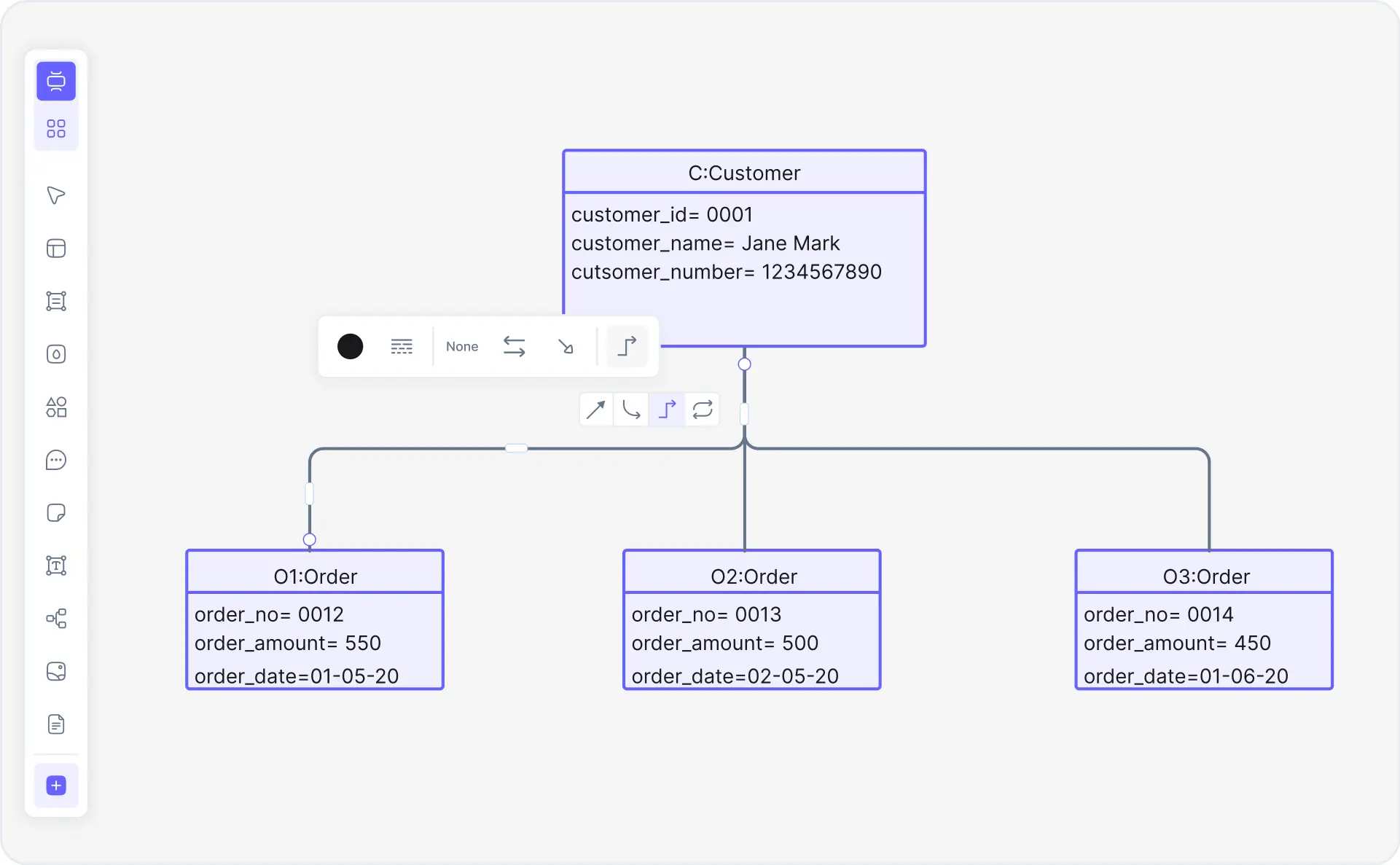
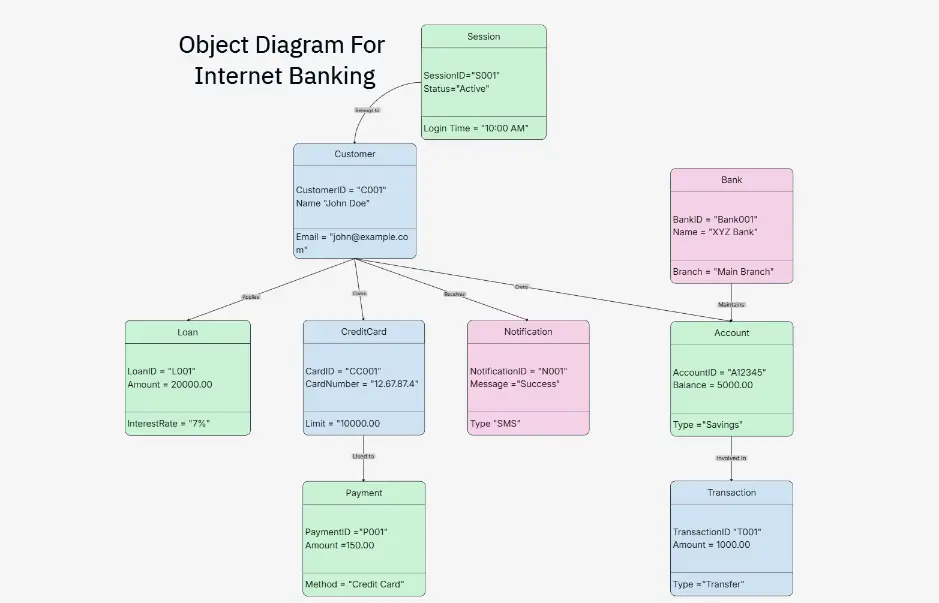
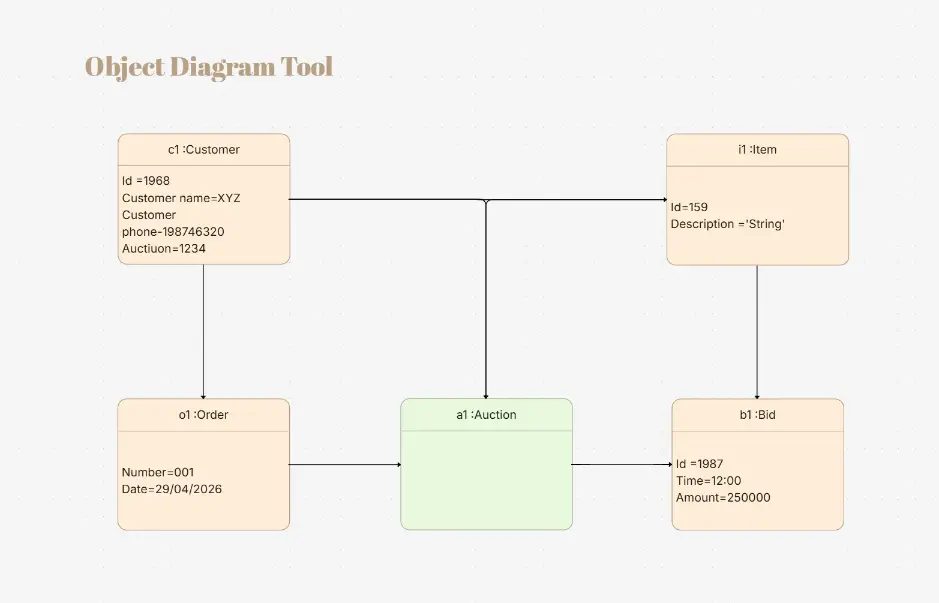
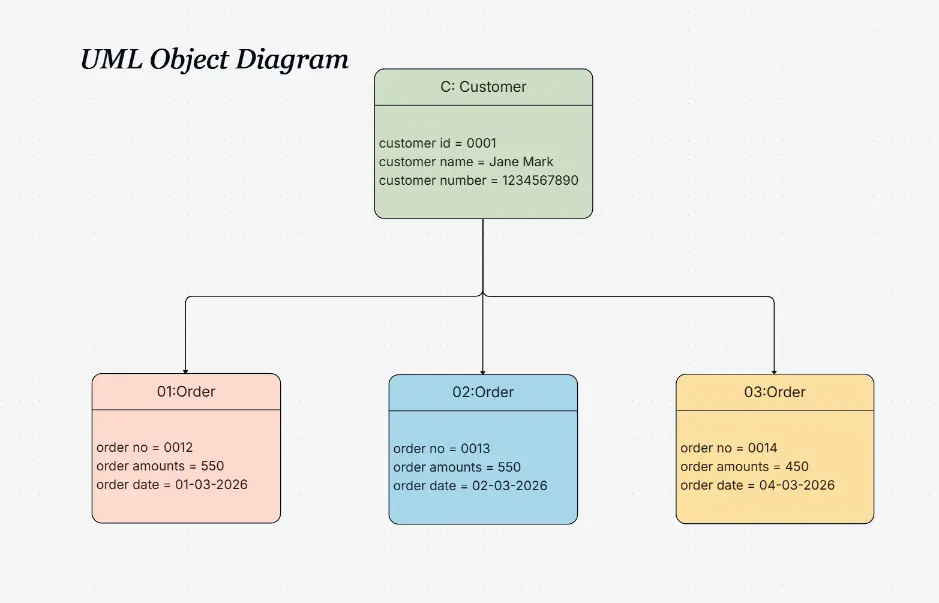
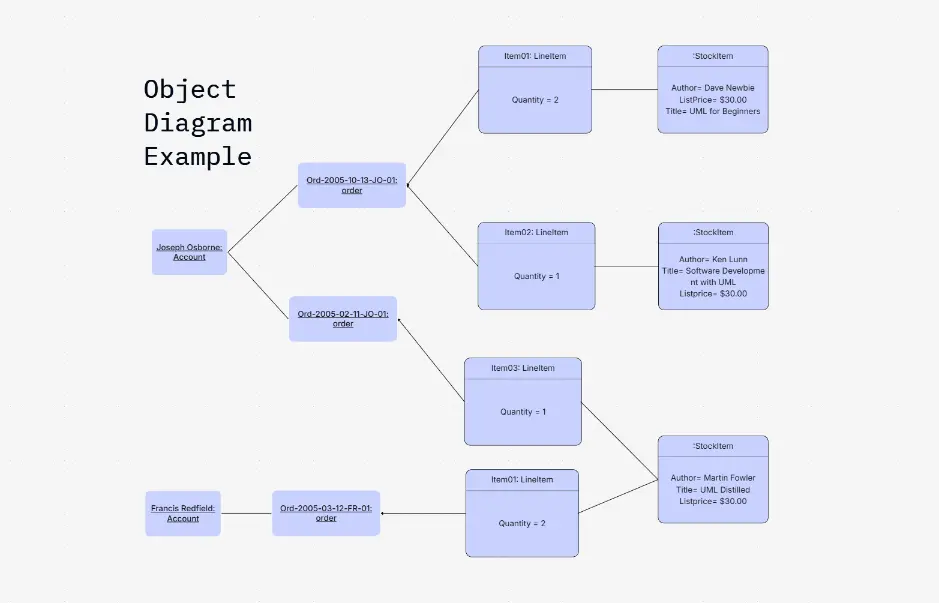
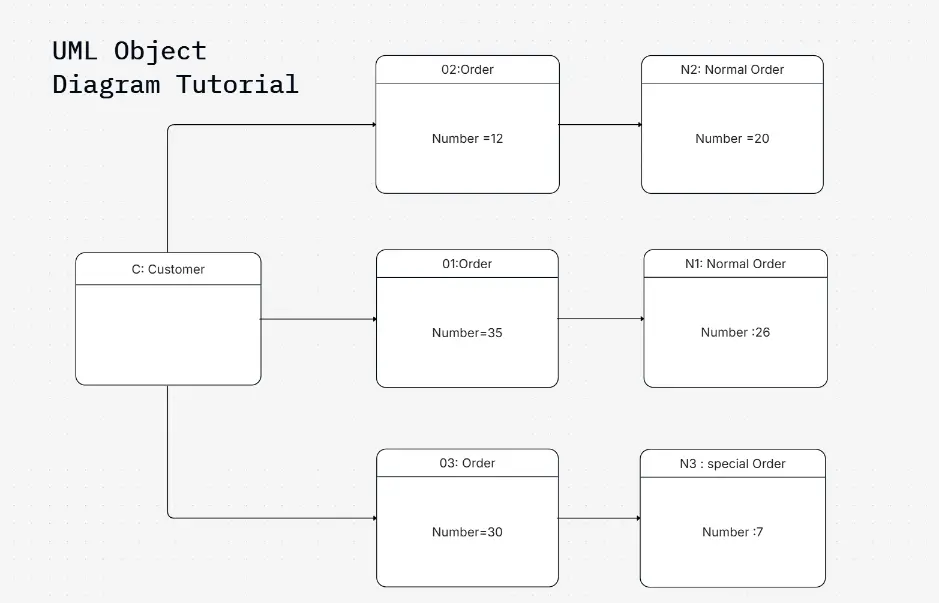
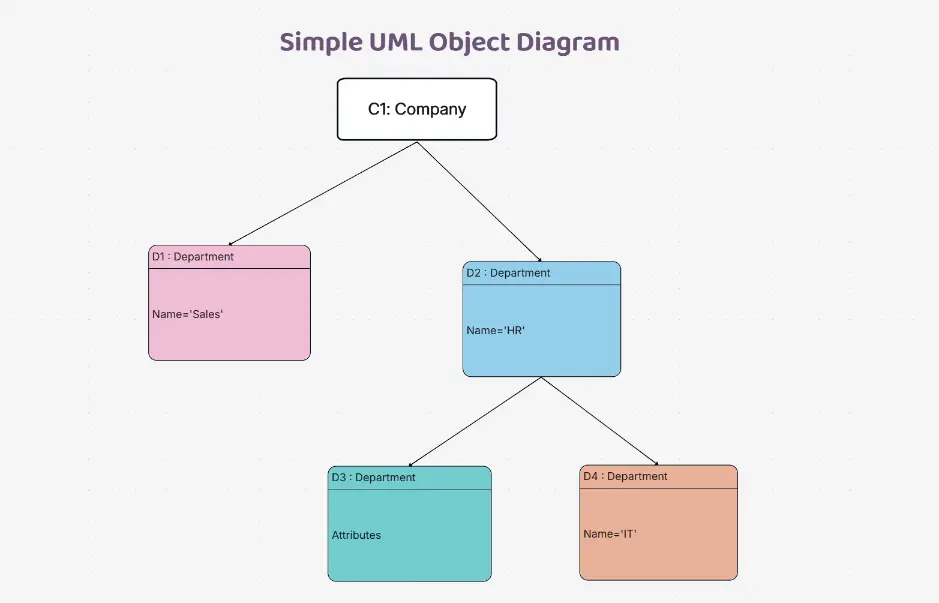
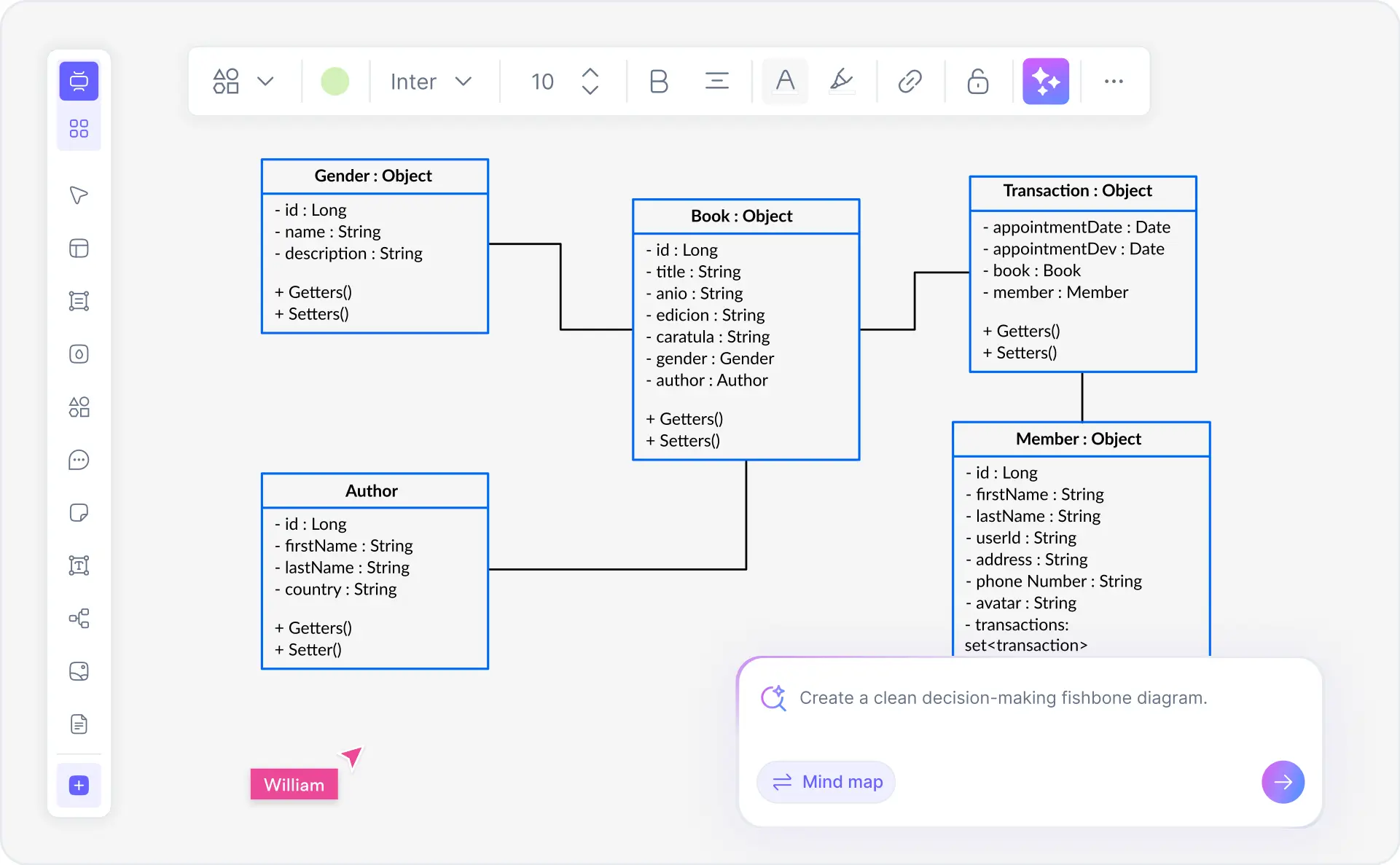
An object diagram is a UML diagram that shows instances of classes at a specific point in time. Also called an instance diagram, it visualizes the runtime state of a system with actual object instances, their attribute values, and links showing relationships between objects. While class diagrams describe the structure and types, object diagrams show specific instances — providing a snapshot of the system at a particular moment. Object diagrams are essential in software architecture, system design documentation, and test case design.

Object diagrams follow UML 2.5 notation — the Object Management Group standard for instance specifications and object relationships. They display instances using the notation instanceName:ClassName with attribute values shown as attribute1=value1. Object diagrams capture runtime state, validate class design with realistic data, document example scenarios, and communicate system behavior to stakeholders. They complement class diagrams perfectly in software architecture, test documentation, and detailed design specifications.

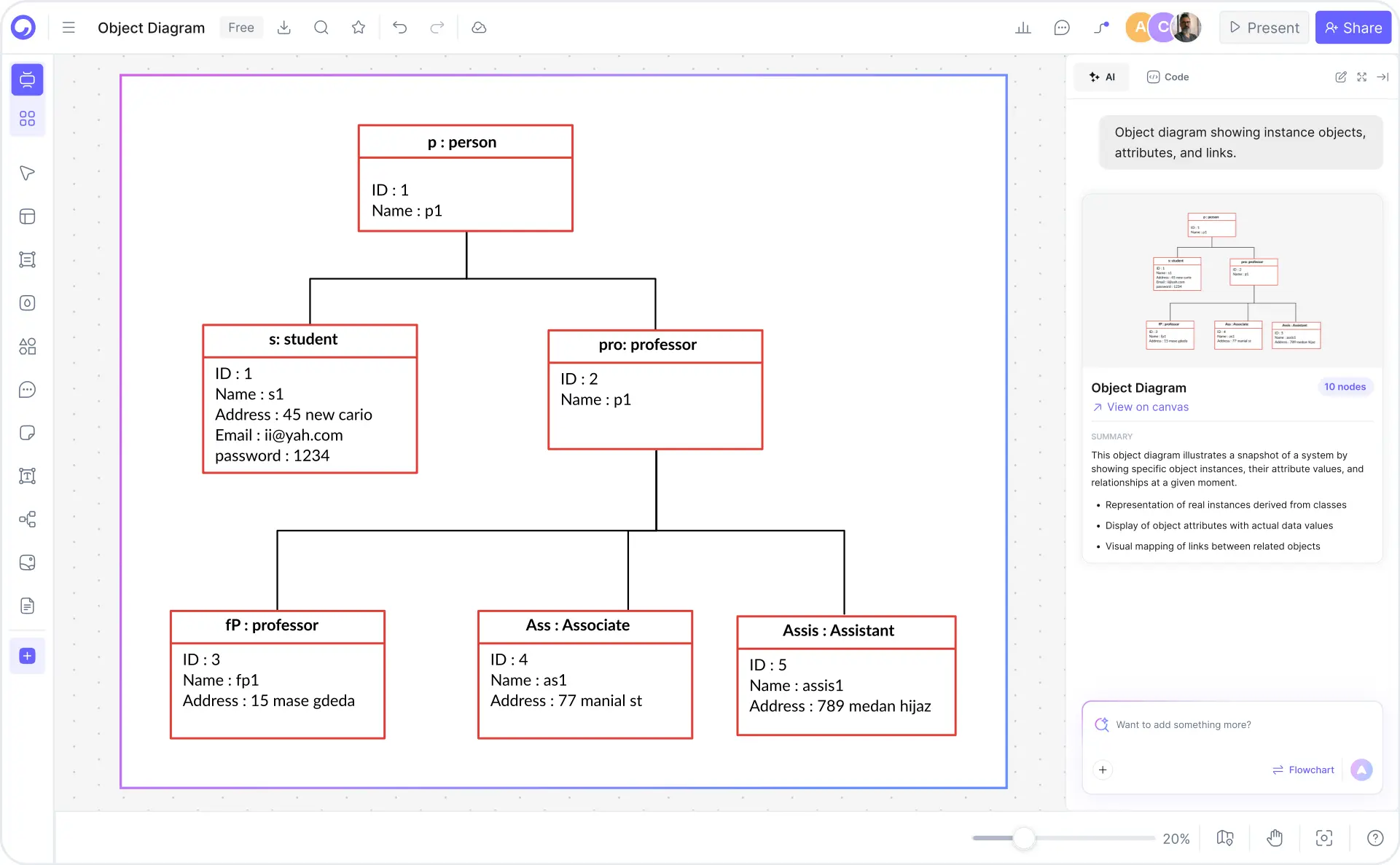
Cloudairy's AI Object Diagram Maker eliminates manual drawing and deep UML learning curves. Describe your class structure or instance data in plain English — "Bank account system with checking and savings instances" — and the AI generates a complete, UML 2.5 compliant object diagram instantly. Export to PNG for reports, SVG for editing, Visio for enterprise workflows, or PowerPoint for presentations. Perfect for software architects, system designers, and development teams.

How to Create an Object Diagram with Cloudairy (4 Steps)

Go from class design to professional UML 2.5 object diagram in four steps — no manual drawing, no complex notation learning, no coding required.

1

Describe your class structure or instance data

Type a plain-English description of your classes and instances. For example: "Bank account system: Class Account with accountId, balance, owner. Instance checking1: accountId=CHK-001, balance=$5,000, owner=Alice. Instance savings1: accountId=SAV-001, balance=$25,000, owner=Alice. Link: checking1 and savings1 owned by Alice." Or choose from example chips — Bank Account System, E-commerce Order Processing, Library Management System, Flight Reservation System.

2

AI generates object diagram

Cloudairy's AI instantly generates a complete UML 2.5 compliant object diagram. Instances are created with attributes and values, relationships and links are properly connected, and notation follows OMG standards — all automatically.

3

Review and refine

Refine the diagram in Cloudairy's drag-and-drop editor. Adjust object positions, modify attribute values, add or remove links, change styling, add notes, and collaborate with team members in real-time.

4

Export and share

Download as PNG for reports, SVG for editing, Visio for enterprise workflows, or PowerPoint for presentations. Share via link for team collaboration and stakeholder review.

How to create an object diagram with Cloudairy — four steps from prompt to export

Start Creating Your Object Diagram Free

Join software architects, UML practitioners, and system designers worldwide who use Cloudairy to create professional object diagrams in seconds. AI generation. UML 2.5 notation. Instance visualization. Multi-format export.

No credit card required • Start creating in seconds

Why Use Cloudairy as Your Object Diagram Tool

Cloudairy is the only AI object diagram maker that combines AI text-to-diagram generation with UML 2.5 notation, instance visualization, real-time collaboration, and multi-format export — all on a single platform for system design and architecture documentation.

AI Class-to-Object Diagram Generation

AI Class-to-Object Diagram Generation

Describe your classes or provide instance data in plain language. Cloudairy's AI understands UML semantics, instantiates classes with attribute values, generates properly formatted object diagrams with links and relationships in seconds. No manual drawing or template selection required.

Instance Specification & Attribute Assignment

Instance Specification & Attribute Assignment

Create object instances with specific attribute values. Cloudairy displays each instance with its class, attributes, and values in UML notation (e.g., objectName:ClassName, attribute1=value1). Supports complex attributes, nested objects, and composite relationships.

Link Visualization & Relationships

Link Visualization & Relationships

Visualize relationships between object instances. Links show associations, aggregation, composition, and dependency relationships. Labels show multiplicity and role names. Full UML 2.5 notation support for complex object interactions.

UML 2.5 Compliant Notation

UML 2.5 Compliant Notation

Cloudairy generates diagrams that conform to OMG UML 2.5 specification. Proper notation for instances, attributes, values, links, stereotypes, and constraints. Enterprise-ready for documentation, architecture, and design specifications.

Real-Time Collaboration

Real-Time Collaboration

Invite team members, set permissions, work together on object diagrams live. Comment on instances, discuss relationships, iterate on design. Perfect for architecture reviews, design documentation, and team-based system modeling.

Export to PNG, SVG, Visio, PowerPoint

Export to PNG, SVG, Visio, PowerPoint

Download diagrams in multiple formats. PNG for reports and presentations, SVG for further editing in design tools, Visio for enterprise integration, PowerPoint for direct slide insertion. All formats preserve UML notation, colors, and labels.

Object Diagram Examples — Real-World System Modeling

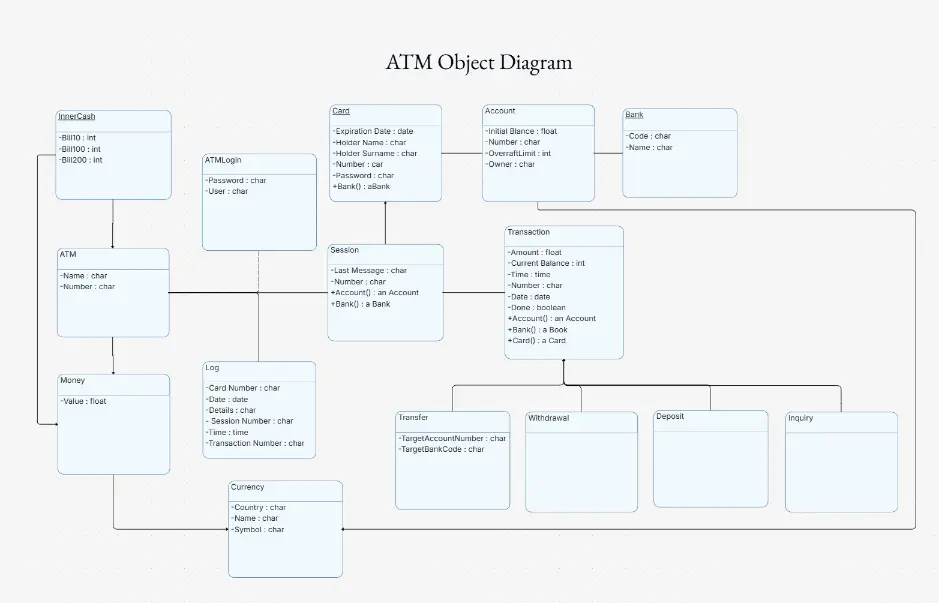
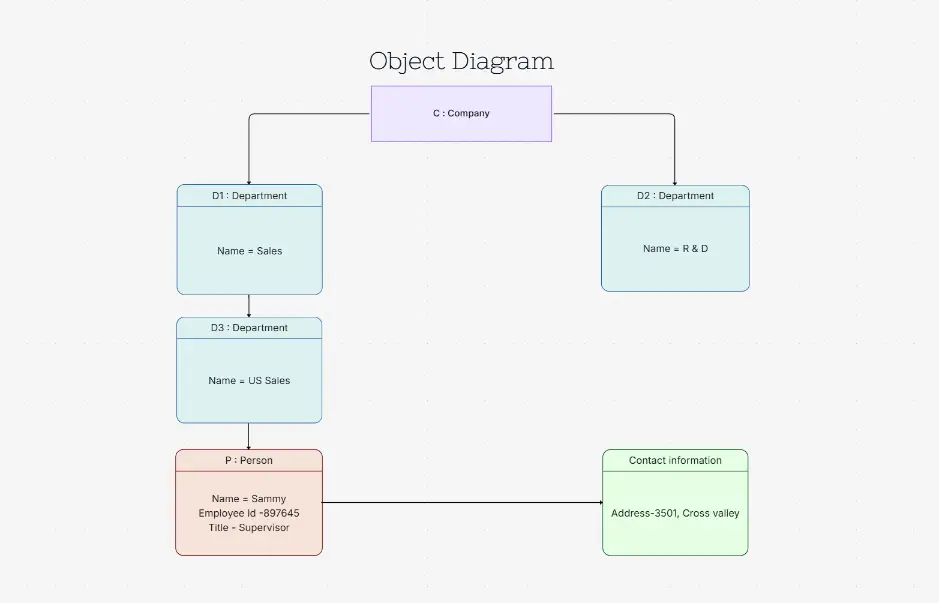
Explore professionally designed object diagram examples for common domains. Each example uses proper UML 2.5 notation, is fully editable, AI-extendable, and ready to adapt for your system architecture.

Cloudairy vs Competitors — Object Diagram Tools Compared

See how Cloudairy's AI object diagram maker compares to popular UML tools, including Lucidchart, Creately, Visual Paradigm, SmartDraw, and draw.io.

Feature Cloudairy Lucidchart Creately Visual Paradigm SmartDraw draw.io
AI Generator (class-to-object-diagram) Unique No No No No No
Instance & Attribute Templates Unique Limited No No No No
UML 2.5 Compliant Object Notation Full Yes Limited Yes Yes Yes
Free Tier (no signup wall) Free Limited Limited No No Yes
Real-Time Collaboration Yes Yes Yes Yes Yes Yes
Export PNG/SVG/Visio All Yes Yes Yes Yes Yes
Class-to-Instance Relationship Full Basic Basic Yes Yes Basic

Who Uses Object Diagrams?

Software Architects & System Design Leads

Visualize system object states, instance relationships, and attribute values at a specific point in time. Generate UML 2.5-compliant object diagrams from class definitions to document system behavior, validate design decisions, and communicate architecture with stakeholders.

Computer Science & Engineering Students

Learn UML 2.5 notation and object-oriented design principles through interactive object diagram creation. Generate diagrams from class definitions to understand instance specification, attribute value assignment, and object relationships in software systems.

QA & Testing Engineers

Test object relationships, instance states, and attribute values across system workflows. Create object diagrams to validate object interactions, trace state transitions, and document test scenarios with proper UML instance notation.

Technical Documentation Teams

Document system object configurations, instance relationships, and state snapshots for technical guides and training materials. Export object diagrams in PNG, SVG, and Visio formats for seamless integration into documentation and knowledge bases.

UML Methodology Practitioners

Leverage UML 2.5 standard object diagram notation for formal system modeling and specification. Create instance diagrams that complement class diagrams, document link specifications, and represent real-world object configurations with proper UML semantics.

Enterprise Architecture Teams

Design enterprise systems by visualizing object states and instance configurations across complex architectures. Generate object relationship diagrams with AI assistance to accelerate enterprise modeling, validate system design, and support enterprise documentation requirements.

PLC programmers, electrical engineers, and automation technicians using Cloudairy for ladder diagrams

Frequently Asked Questions

Class diagrams describe the structure and types of classes in a system — they show what classes exist, their attributes, operations, and relationships. Object diagrams show specific instances of those classes at a particular moment in time — they show actual objects with concrete attribute values and snapshot relationships. Class diagrams are blueprints; object diagrams are snapshots of runtime state.

An instance is a specific object created from a class. In UML notation, an instance is shown as: instanceName:ClassName. For example, checking1:BankAccount represents a specific bank account object (instance) of the BankAccount class. Each instance has its own attribute values.

Describe your class structure and instance data in the AI prompt. Provide class names, attributes, and instance values. Cloudairy's AI generates a UML 2.5 compliant object diagram. Use the editor to refine, add labels, adjust relationships, and export to PNG, SVG, Visio, or PowerPoint.

UML 2.5 is the current Object Management Group standard. Object diagram notation includes: instance notation (instanceName:ClassName), attribute values (attribute1=value1), slots showing instance state, links showing associations between instances, multiplicity indicators, and role names. Cloudairy generates fully compliant UML 2.5 diagrams.

Use object diagrams when you need to show specific system states: documenting example instances of classes, validating class design with realistic data, showing object interactions at a point in time, testing complex relationships, creating test case scenarios, designing state-dependent behavior, and communicating design intent to stakeholders.

Links represent relationships between object instances in object diagrams, similar to associations in class diagrams. Links can be associations, aggregations, compositions, or dependencies. Each link shows how two instances are connected. Links may have role names, multiplicity, and stereotypes.

No. Cloudairy's free tier lets you generate, edit, and export unlimited object diagrams without creating an account. Sign up only if you want to save diagrams, collaborate with team members, or access advanced templates and features.

Yes. Cloudairy supports real-time collaboration. Invite team members by email, set permissions (view-only, edit, comment), and work together on object diagrams live. Perfect for architecture reviews, design documentation, and team-based system modeling.

Success Stories from Our Community

See how cloud architects, solutions engineers, and DevOps teams use Cloudairy to create Azure architecture diagrams faster and with better results.

As a cloud architect, I need precision and speed. Cloudairy helps me design complex Azure architectures in minutes without losing detail or accuracy. The official Azure icons save me hours every week.

Cloudairy makes Azure solution design so simple. I can create client-ready architecture diagrams instantly and focus on delivering value instead of spending hours formatting Visio files.

I'm studying for AZ-305 and Cloudairy helps me visualize Azure reference architectures instantly. I can generate a landing zone diagram from a single sentence and use it as a study aid.

I use Cloudairy to teach Azure architecture in my courses. The AI generator lets students produce real-world diagrams on the first day instead of spending weeks learning Visio.

Our team uses Cloudairy to document every Azure deployment. The Visio export means our diagrams drop straight into client deliverables without any reformatting. Huge time saver.

Secure, compliant, and enterprise-ready

Cloudairy safeguards your work with enterprise-grade security, compliance, and access controls — so your teams can create, collaborate, and scale with confidence.

SOC 2 Type II
SOC 2 Type Ⅱ

Cloudairy is SOC 2 Type Ⅱ certified and penetration tested annually, ensuring your architecture diagrams and data meet the highest standards for security and reliability.

GDPR
GDPR

We comply with the European Union General Data Protection Regulation (GDPR) and extend it to all our customers even those outside of the EU.

ISO 27001
ISO 27001

Our Information Security Management System is ISO 27001 certified — the leading global standard for information security.

Flexible Pricing for Every Team

Free

Discover what Cloudairy can do for you. Start for free

$0

for unlimited members
Try for free

Upgrade now

Show key features

up-arrow

Includes:

Starter

Unlock unlimited and private boards with important features

$4

per member / month

billed annually

monthly

Show key features

up-arrow

Includes everything in Free, plus:

money-back

Business

MOST POPULAR

Ideal for agencies or growing businesses managing multiple projects.

$5

per member / month
billed annually

Show key features

up-arrow

Includes everything in starter, plus:

Enterprise Plan

For large organizations needing scalability, control, and security.

contact-pricing
Contact for pricing
Contact us

Upgrade now

Show key features

up-arrow

Includes everything in Business, plus: