AI Architecture Diagram Generator

Cloudairy
 Copy link

Get your team started in minutes
Sign up with your work email for seamless collaboration.
Whiteboard
Copy link

Design, customize, and share AI architecture diagrams easily using our editable AI architecture diagram generator with smart automation, drag-and-drop tools, collaboration, and export-ready visuals.
Design, customize, and share AI architecture diagrams easily using our editable AI architecture diagram generator with smart automation, drag-and-drop tools, collaboration, and export-ready visuals.
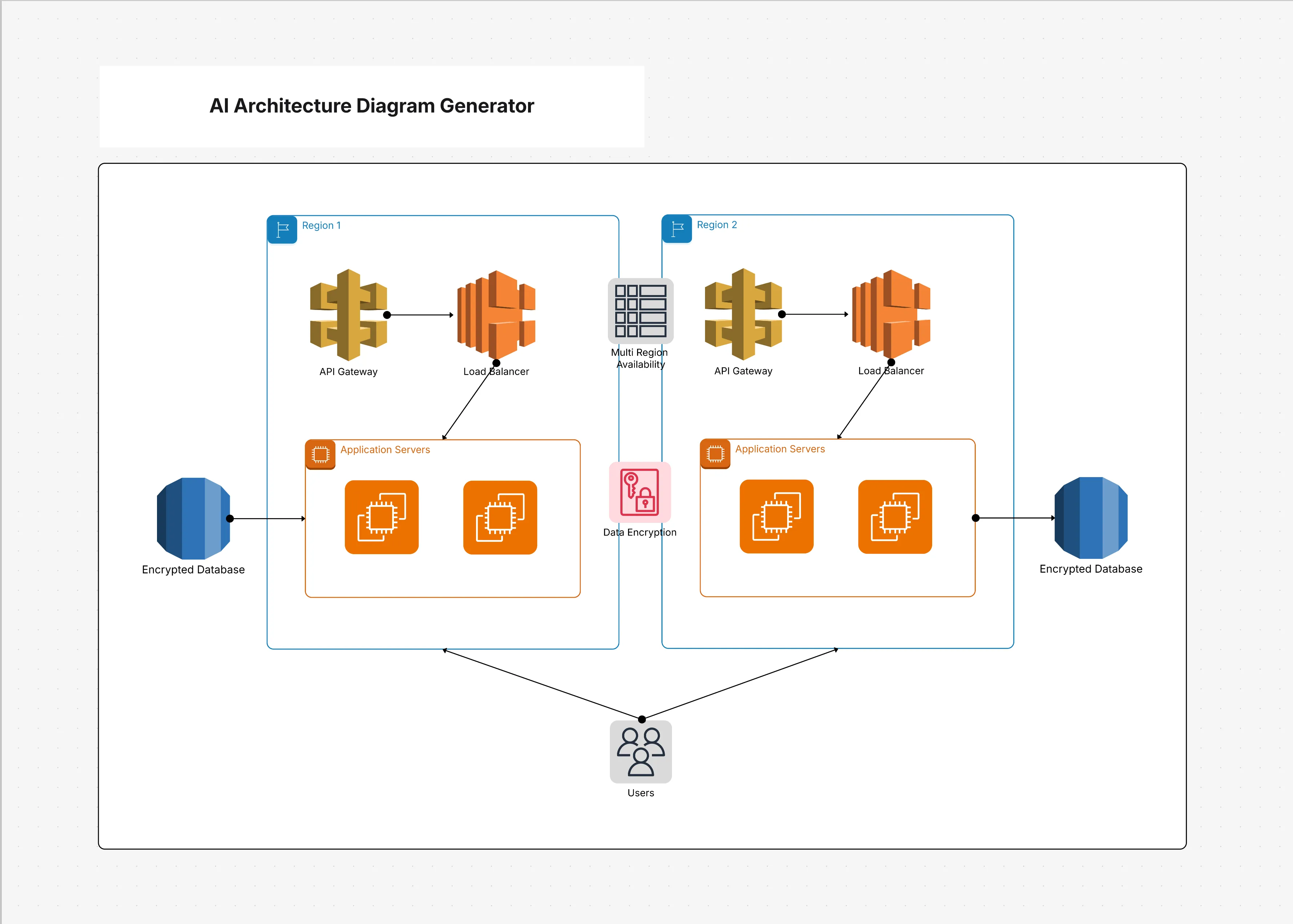
With the AI architecture diagram generator, users can create professional-grade system architecture diagrams swiftly and automatically through AI. Rather than manually arranging every service or connector, the generator allows you to describe your particular system naturally, enabling the AI to instantly produce a coherent diagram. This reduces design time noticeably, cuts down manual labor, and maintains consistent quality across various projects. Teams benefit greatly from time saved, while keeping the freedom to fully edit and customize diagrams to fit evolving needs.
Check out below for what’s included in this AI architecture diagram generator.
The AI-powered generator I have been exploring combines thoughtful automation with practical customization to make architecture design much faster and incredibly easier. This clever template also includes essential features and elements thoughtfully designed for both creative speed and visual clarity.
See below for the main elements included in this AI architecture diagram generator.
This generator is best used when speed and automation are priorities. It is especially useful for brainstorming, workshops, or when teams need diagrams quickly for decision-making.
See below, when to use this AI architecture diagram generator.
Cloudchart ensures AI-generated diagrams remain editable and adaptable. You can refine layouts, add details, and export diagrams seamlessly.
Here are the steps to customize this AI architecture diagram generator.
AI-powered architecture diagram generators can be applied across industries and project types. They are most effective when teams need quick, consistent, and editable visuals.
See below the examples of how this AI architecture diagram generator can be used.
What Is an AI Architecture Diagram Generator Exactly?
It is essentially a powerful tool that proudly uses AI technology to automatically generate system architecture diagrams directly from text descriptions, making the overall design process much faster and significantly easier.
Can I Freely Edit Ai-Generated Diagrams?
Yes, indeed! All diagrams generated within Cloudchart are completely editable, allowing you to adjust layouts freely, add new services, and carefully refine every detail as needed.
Does It Support Cloud Icons Like AWS or Azure?
Yes, the generator includes AWS, Azure, and GCP icon libraries to make diagrams technically accurate.
Why Use Cloudchart’s AI Generator?
Cloudchart combines AI automation with flexible editing and collaboration, giving teams both speed and control.
Loading subcategories...
 Manage all your work in one place
Collaborate with your team
Use Cloudairy for FREE—forever
Explore More