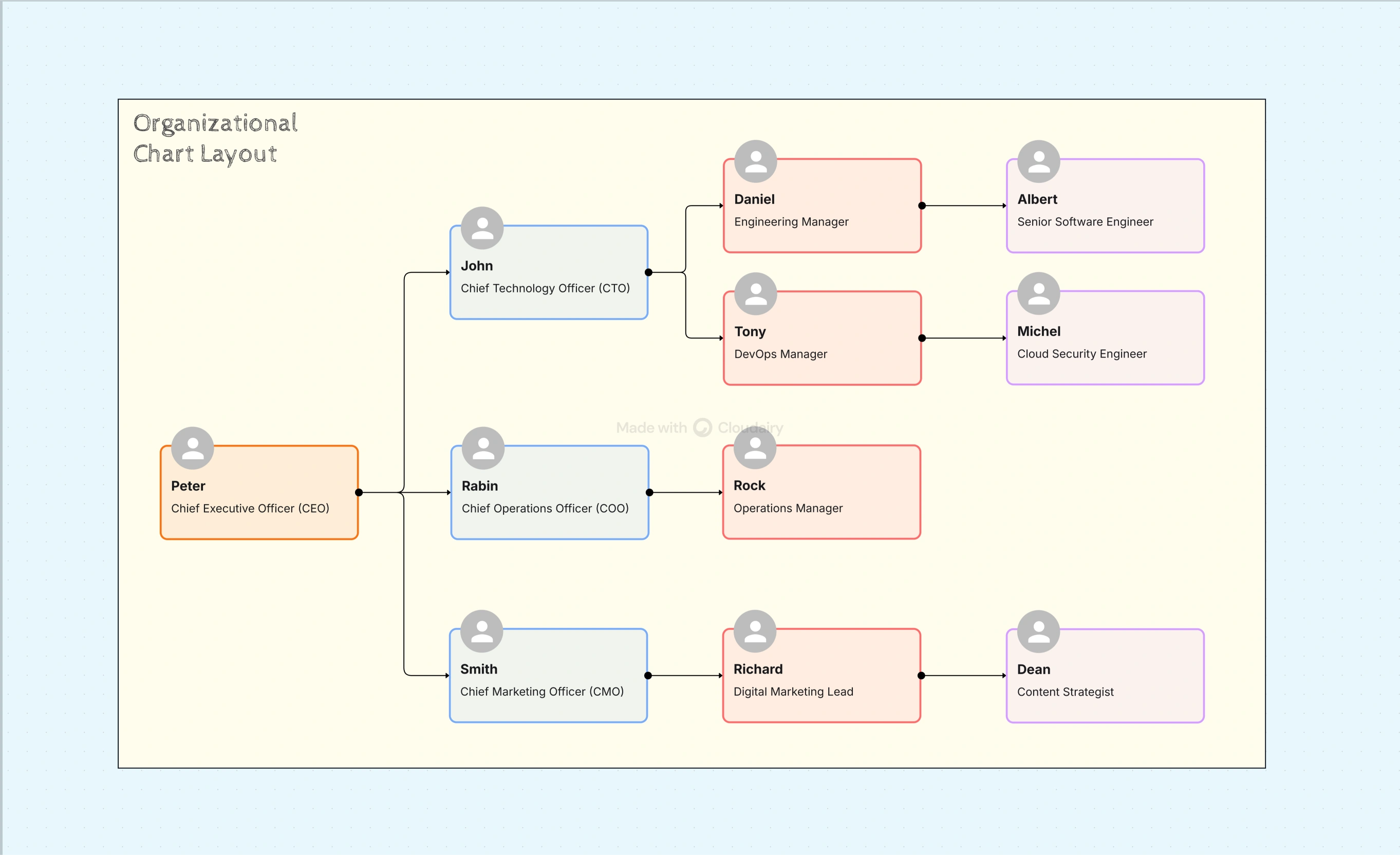
Organizational Chart Layout Template
The Organizational Chart Layout Template by Cloudairy helps your company visualize how teams connect, communicate, and operate day to day. It transforms your structure into a clear, readable chart that makes both hierarchy and collaboration visible at a glance.
A strong layout ensures every employee understands roles, relationships, and reporting lines. Whether you’re setting up a growing startup or reworking a large corporate structure, this template gives you the flexibility to design with accuracy and purpose. It turns complex data into a simple, practical team map.
Why Layout Matters in Every Organizational Chart
The right layout forms the backbone of an effective organizational chart. It guides communication, clarifies leadership, and helps avoid overlap between departments. When the layout is unclear, even minor changes can create confusion or inefficiency.
Cloudairy’s layout template helps maintain order as your structure evolves. You can view updates instantly, visualize reporting adjustments, and reorganize roles without losing consistency or alignment. It keeps clarity intact while allowing flexibility.
Key Features of Organizational Chart Layout Template
- Multiple Layout Styles:
Choose from several layout types that adapt to different business models and team designs.
- Hierarchical Layout: Best for organizations that rely on defined authority and reporting paths.
- Matrix Layout: Displays cross-functional cooperation, showing how projects bridge departments.
- Flat Layout: Perfect for smaller or innovative teams where communication flows freely.
- Functional Layout: Groups employees by skill or department, strengthening specialization.
- Hybrid Layout: Combines multiple structures for multifaceted or global organizations.
- Auto-Alignment and Scaling: As your team grows or reorganizes, the chart automatically adjusts spacing, keeping layouts visually even and clean. This ensures your design remains balanced no matter how much information is added.
- Collaboration and Feedback: Work together with HR professionals, managers, or executive teams by inviting them into the chart workspace. Feedback and updates appear in real time, ensuring everyone stays aligned with current organizational changes.
- Branding and Visual Clarity: Color-code departments, assign icons, or incorporate custom visuals to reflect brand identity. Visual separation helps users quickly understand team structures and relationships.
- Easy Export Options: Once complete, export your chart as a PDF, image, or live interactive embed. It’s ready for onboarding materials, presentations, internal communication, or executive summaries in just a few clicks.
Key Aspects Covered
- Multiple structure formats, including hierarchical, flat, matrix, and hybrid designs.
- Drag-and-drop editing for quick structural updates without design expertise.
- Auto-spacing for smooth, professional alignment across growing departments.
- Real-time collaboration with version tracking and comments.
- Full-color customization and branding flexibility for visual consistency.
How to Use the Organizational Chart Layout Template
- Select the structure that reflects your organization’s design and management style.
- Use the drag-and-drop interface to add departments, positions, and reporting lines.
- Personalize the visuals using brand colors, photos, and icons for better recognition.
- Collaborate with your team to review, adjust, and confirm the final structure.
- Export the chart for reports, presentations, or onboarding documentation.
Every adjustment you make automatically aligns with the overall design, keeping your chart neat, consistent, and ready for sharing anytime.
Use Cases for Organizational Chart Layout Template
- Startups defining their first team structure and leadership paths.
- HR teams preparing clear reporting systems across multiple departments.
- Consultants creating visual charts for client presentations and restructuring plans.
- Project managers mapping cross-functional connections for large-scale initiatives.
- Agencies representing diverse team roles in creative or operational divisions.
Why This Template Works So Well
- Includes multiple layout options adaptable to various industries and team structures.
- Keeps your data organized through intelligent auto-formatting and design logic.
- Eliminates the need for manual spacing or layout correction during updates.
- Supports teamwork with cloud-based collaboration and instant synchronization.
- Produces visually consistent org charts that fit both internal and external use cases.
Benefits for Modern Teams
A clear chart layout helps everyone from leadership to new hires understand structure and accountability. It reinforces trust, transparency, and direction across departments.
- Encourages transparency, so employees know where they fit within the company.
- Simplifies new hire onboarding by showing direct reporting relationships.
- Improves leadership communication and cross-department alignment.
- Makes future restructuring easier with flexible, scalable templates.
The Cloudairy platform supports ongoing updates, ensuring your org chart stays accurate as your business grows.
Related Templates and Tools
Pair this layout template with other Cloudairy design tools for a cohesive system:
- Org Chart Design Template - Refine your chart’s look and visual presentation.
- Organizational Flow Chart Template - Show both team structure and workflow planning.
- Org Chart Design Tool - Build dynamic, interactive org charts online.
Conclusion
An organized layout is what makes an org chart easy to read and practical to maintain. The Organizational Chart Layout Template from Cloudairy brings structure, flexibility, and professional design together in one place.
It enables teams to showcase connections, roles, and leadership flow clearly while allowing simple collaboration and adjustment over time.
Start designing your organizational structure today with Cloudairy and create clarity that grows as your company does. Try Cloudairy free and make smart structure decisions with confidence. also you can use Best Organizational Chart Template at cloudairy.

 Copy link


 Manage all your work in one place