Technical Drawing Examples

Cloudairy
 Copy link

Get your team started in minutes
Sign up with your work email for seamless collaboration.
Whiteboard
Copy link
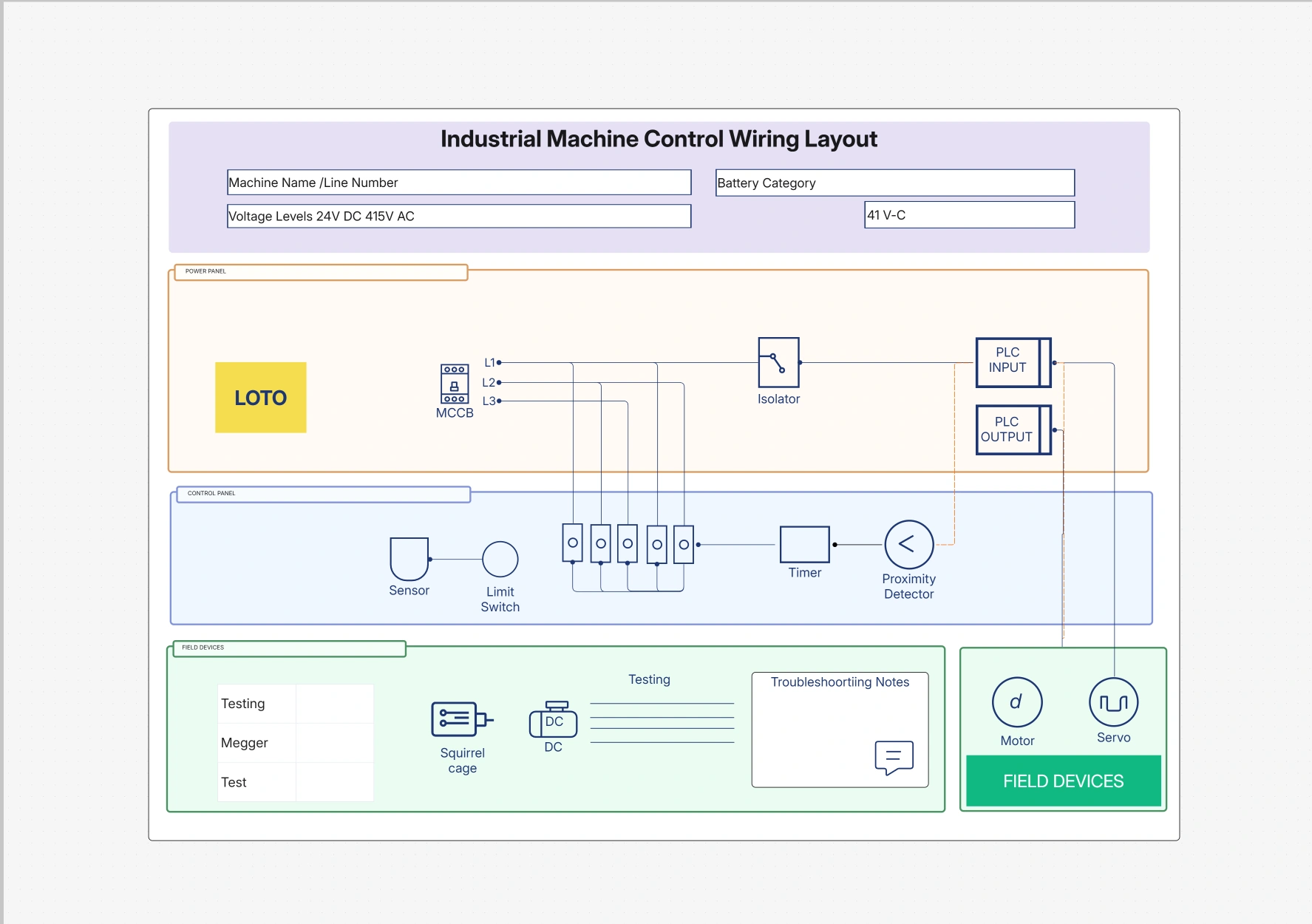
The Typical Technical Drawing Examples template gives you visuals that are prepared for editing to illustrate mechanical, electrical, or structural systems. Diagrams like these allow not only engineers who are designing or working on a project but also architects and students, to depict very concise and complex designs accurately with the help of standard views and dimensions.
Technical drawings, by means of system layouts, component structures, and assembly configurations, make documentation and collaboration easier, thus ensuring precision from imagination to realization.
This template includes the key drafting components needed to create accurate, professional technical visuals.
Use this template whenever you need to create, present, or document technical designs across disciplines like engineering, construction, or manufacturing. It’s ideal for drafting design blueprints, visualizing system layouts, or developing CAD-based documentation.
The diagrams are helpful in making sure that all the people involved in the project, ranging from engineers to contractors, have a common and clear understanding of the physical and functional aspects of the project.
Easily tailor the technical drawings to match your project requirements or organizational drafting standards.
These technical drawing examples can support a wide variety of industries and academic applications.
1. What is the difference between a technical drawing and a schematic diagram?
A technical drawing provides the actual dimensions and the arrangement of a system or object while a schematic is mainly about the relationships of the components in terms of function or logic.
2. Can I convert these examples into CAD-compatible formats?
Certainly. You are able to export the diagrams to formats that are compatible with AutoCAD, SolidWorks, or Revit for professional use in drafting and modeling.
3. Are the drawings scalable for print and digital use?
Without a doubt. The template is capable of high-resolution scaling which will guarantee that your drawings will be clear even when printed or shared digitally.
4. Can I use this for architectural floor plans?
Absolutely. With its support of architectural elements such as walls, sections, windows, and annotation of elevations, the template is suitable for both engineering and design visualizations.
5. Does this template follow standard drawing conventions?
Indeed. It is ISO and ANSI compliant and guarantees the correct application of line weights, symbols, and notation that are acceptable for technical compliance.
Loading subcategories...
 Manage all your work in one place
Collaborate with your team
Use Cloudairy for FREE—forever
Explore More