50,000 + Trusted Users with
star-img star-img star-img star-img star-img

Trusted by Professionals at Leading Companies

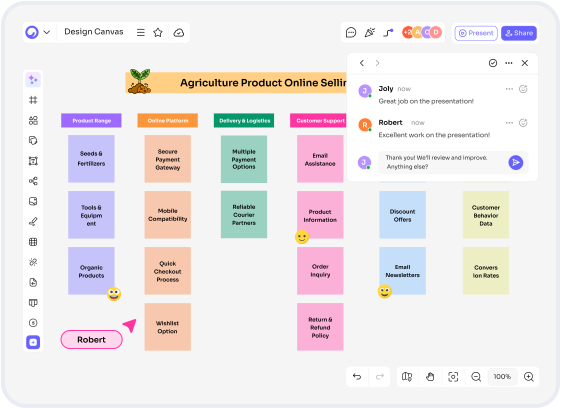
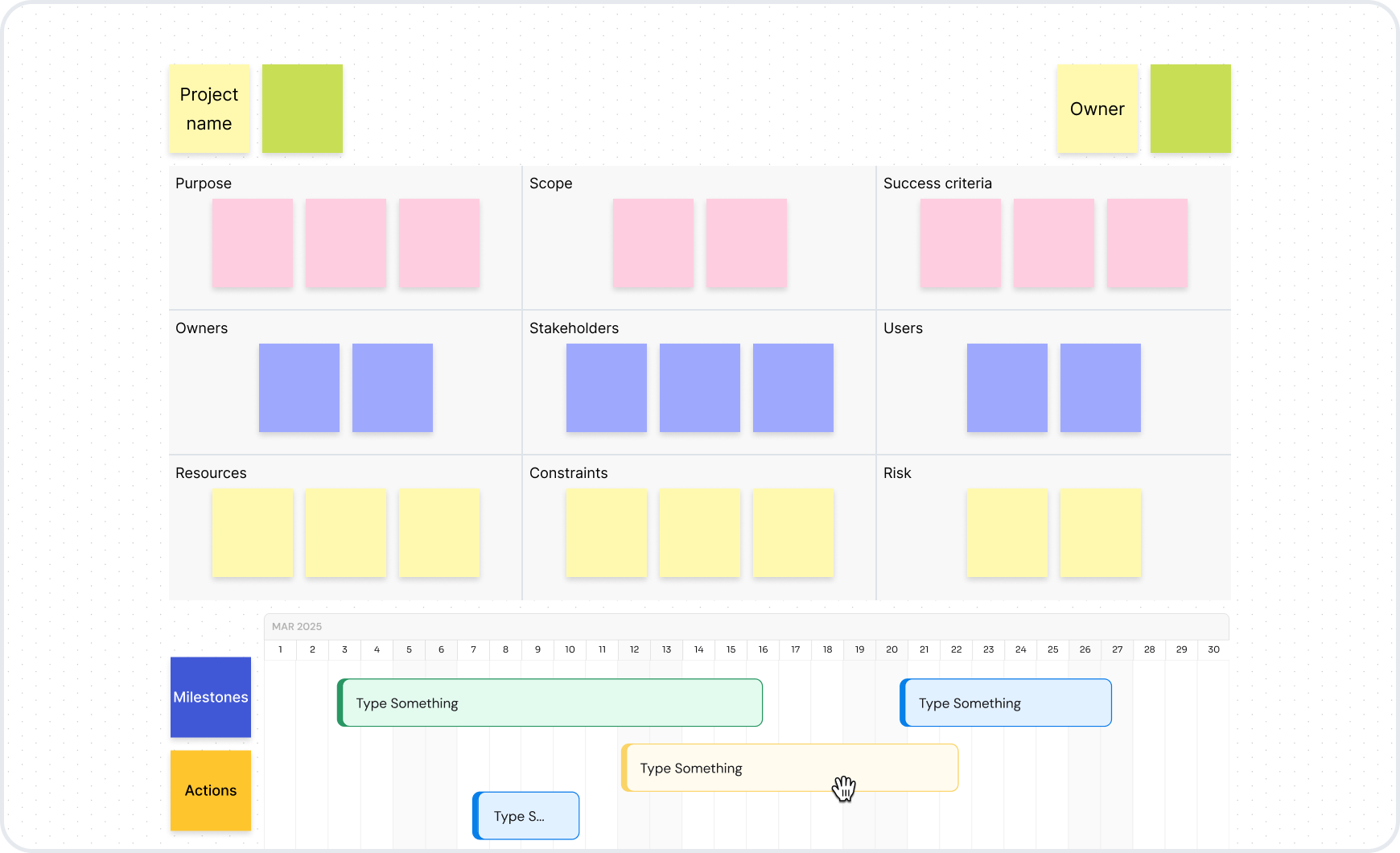
Visual collaboration platform - a Cloudairy whiteboard with sticky notes and live collaboration

What Is a Visual Collaboration Platform?

A visual collaboration platform is a shared online canvas where distributed teams work visually together in real time - whiteboarding, diagramming, mapping ideas, and running workshops in one place instead of five tools. Cloudairy is one: whiteboards, technical diagrams, docs, and task boards in a single AI workspace, free to start.

Visual collaboration tools fall into two camps. Whiteboard-first platforms - Miro, Mural, FigJam - are built around the infinite canvas and the workshop: sticky notes, voting, timers, and an enormous template supply. All-in-one visual workspaces - Cloudairy, and to a degree the Lucid suite - add the structured deliverables: real AWS and UML diagrams, documents, and task tracking beside the board.

If your team mostly runs workshops and ideation sessions, a whiteboard-first tool is plenty. If the same board has to carry the sketch and what it becomes - an architecture diagram, a project doc, a task list - an all-in-one workspace saves the copy-paste between tools. This page compares the four platforms buyers shortlist most; if you just need the canvas, start with the online whiteboard.

Cloudairy vs Miro vs Mural vs Lucidchart + Lucidspark

Four visual collaboration tools end up on most shortlists. Here's how they differ on the things evaluators actually ask about - free tiers, workshop features, diagramming depth, and what the Business tier really costs.

Verdict: Miro is the category leader for a reason - no other visual collaboration platform matches its template library and community ecosystem, and its workshop tools are excellent. Cloudairy is the pick when the sketch has to become something technical: AWS, Azure, GCP, and UML diagrams are native rather than add-on apps, AI is included on the free plan, docs and task boards live beside the whiteboard, and Business costs $16 per member against Miro's $20. Mural stays a facilitator favorite for workshops; Lucidchart plus Lucidspark deliver real depth but split it across two products and two prices.

Why Teams Pick Cloudairy Over Other Visual Collaboration Software

Most visual collaboration tools stop at sticky notes. These are the four differences evaluators notice in the first week on the board.

Real technical diagrams on the whiteboard

Real Technical Diagrams on the Whiteboard

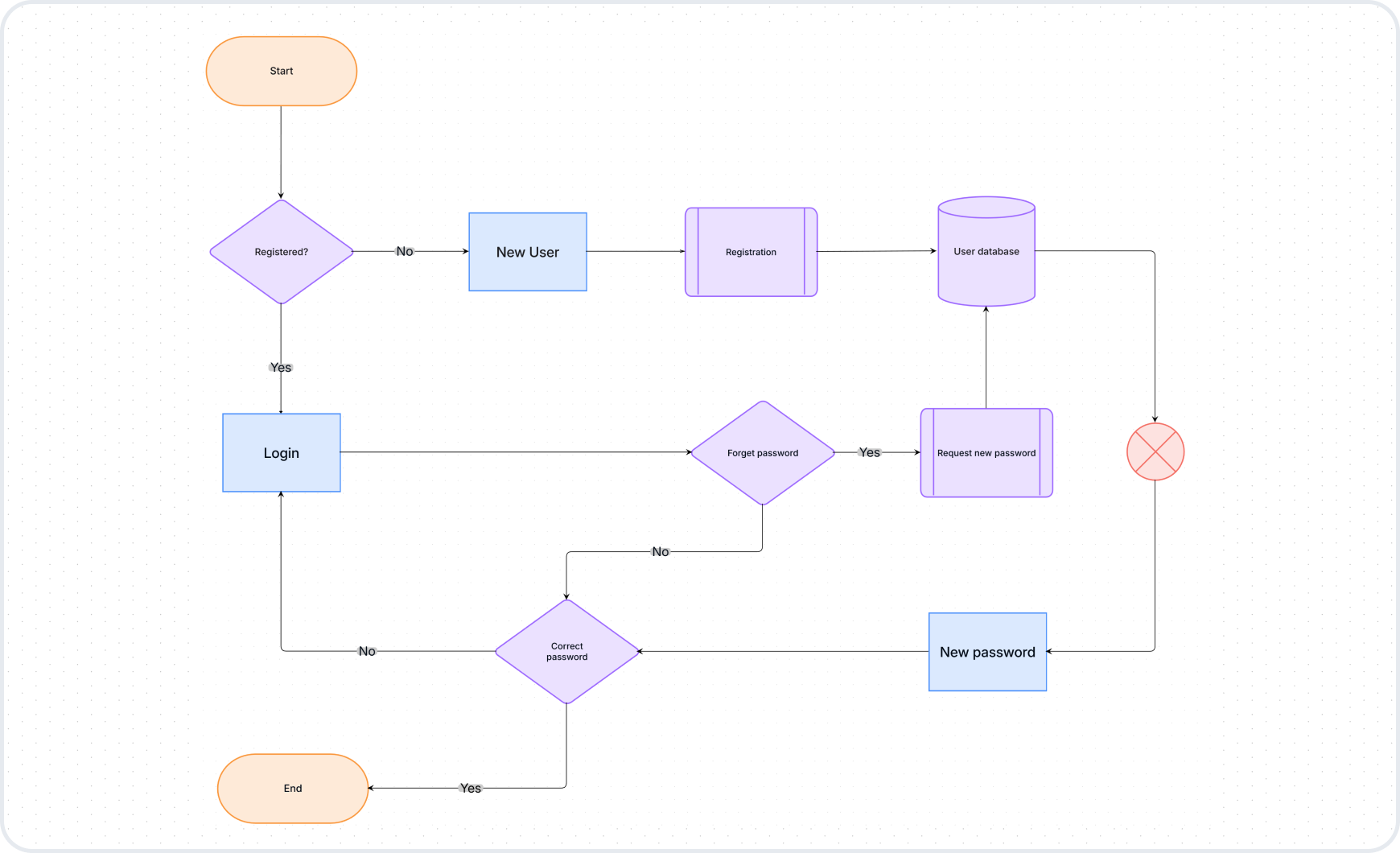
Sketch the idea, then build it properly: AWS, Azure, GCP, and Kubernetes icon sets plus UML and ER shapes live on the same canvas - 12,000+ shapes, no marketplace apps. The diagramming tool has the full shape libraries.

AI included on the free plan

AI Included on the Free Plan

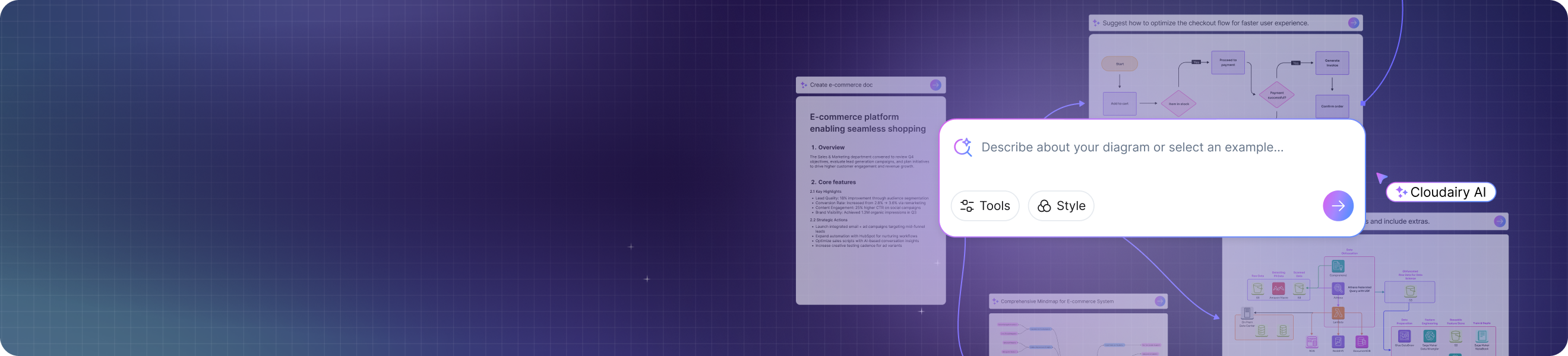
Describe a checkout flow in one sentence and get an editable diagram; ask the AI to tidy a messy brainstorm into clusters. Free accounts get 25 AI credits every month - Miro's free tier gives 10.

Docs and task boards in the same workspace

Docs and Task Boards in the Same Workspace

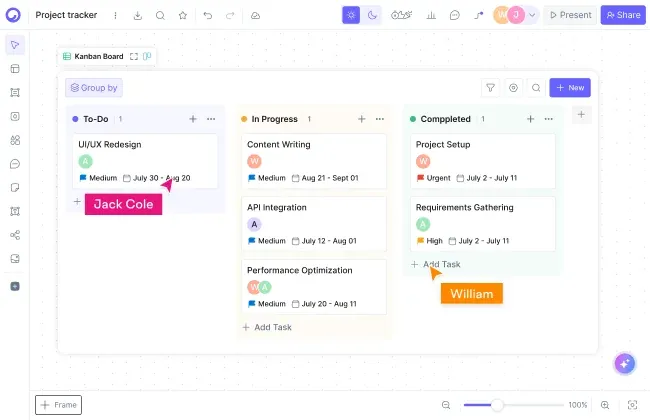
The workshop output doesn't die on the board: write the decision doc and assign the follow-ups on a kanban board without leaving the workspace. One link holds the sketch, the plan, and the work.

Real-time collaboration on every plan

Collaboration on Every Plan - Including Free

Live cursors, comments, and unlimited members are never paywalled. Run workshops with voting and timers, capture feedback on sticky notes, and present straight from the board.

Whiteboards, Canvases & Templates to Start From

Skip the blank board. These are the fastest ways into the workspace - open one, then put your whole team on it with a single link.

Start Collaborating in 3 Steps

From a blank board to the whole team working on it - in less time than writing the meeting invite.

Step 1 - Start a board: Create a board on the free plan - 3 boards, no credit card. Begin with a blank canvas or open a ready-made layout from the template library.

Step 2 - Sketch or AI-generate: Whiteboard freely with sticky notes and drawing tools, or describe what you need and let the AI draft the first version - a flowchart, an architecture diagram, a mind map - then edit every element by hand.

Step 3 - Invite unlimited teammates: Share one link. Everyone edits live with cursors and comments - the free plan has no member cap - and the board stays the single current version through the whole project.

Coming from another tool? Cloudairy imports from Visio, Lucidchart, Miro, and Mermaid, so your existing diagrams and boards move with you.

Start collaborating in 3 steps - AI-generated diagram on a Cloudairy board

Who Uses a Visual Collaboration Platform?

The canvas is the same; the jobs are different. These are the four teams that get value from visual collaboration tools fastest - and what each one actually does on the board:

Remote product trios running discovery

A PM, a designer, and an engineer map the user journey on one board, cluster the research notes, vote on the riskiest assumption, and leave with the flow diagram - one session, no deck to write afterwards.

Engineering teams designing architecture together

Whiteboard the rough system in the design review, then rebuild it with real AWS or Kubernetes icons on the same canvas. The sketch and the reviewed architecture diagram live in one place, next to the decision doc.

Agencies running client workshops

Run the kickoff with timers and voting, capture every idea on sticky notes, and share the board with the client afterwards - unlimited members on the free plan means guests are never a licensing question.

Ops leads building the team wiki of processes

Map each process once - onboarding, incident response, procurement - and keep the diagrams, the how-to docs, and the owner tasks in one workspace the whole company can open from the handbook.

Who uses visual collaboration tools - product, engineering, agency, and ops teams

Visual Collaboration Platform FAQs

A visual collaboration platform is a shared online canvas where teams think together in real time - sketching on whiteboards, building diagrams, mapping ideas, and voting on decisions from anywhere. Cloudairy extends that canvas with technical diagramming, docs, and task boards in the same workspace, so the discussion and the deliverable stay in one place.

An online whiteboard is one surface: freeform sketching, sticky notes, quick maps. A visual collaboration platform wraps that whiteboard in the rest of the work - structured diagrams, documents, task tracking, and workshop tools like voting and timers. If your team only brainstorms, a whiteboard is enough; if the sketch has to become an architecture diagram or a plan, the platform saves the hand-off.

Miro is the category leader with a far larger template and community ecosystem - if you want thousands of ready-made community boards, it is the safer pick. Cloudairy counters with native technical diagramming (AWS, Azure, GCP, UML - no add-on apps), 25 AI credits on the free plan versus Miro's 10, docs and task boards in the same workspace, and a $16 Business tier against Miro's $20.

Yes. AWS, Azure, GCP, and Kubernetes icon sets plus UML and ER shape libraries are built into the same canvas you whiteboard on, so architecture diagrams are first-class work, not an embedded app. You can also describe the system in plain English and let the AI draft the diagram, then refine every element by hand.

Yes. Paid plans add interactive meeting tools - a timer, voting, private mode, and video recording - on top of sticky notes and the infinite canvas, so retros and design sprints run inside the board. Miro and Mural are genuinely strong here too; Mural in particular is built around facilitation. Cloudairy covers the workshop and the work that follows it.

The free plan includes 3 editable boards, 25 AI credits per month, and unlimited members - real-time collaboration is never paywalled. Free boards hold up to 25 shapes each, which covers a workshop board or a small diagram. For comparison, Miro's free tier also allows 3 boards but only 10 AI credits.

Yes. Cloudairy imports from Visio, Lucidchart, Miro, and Mermaid, so switching doesn't mean rebuilding. Bring your .vsdx files, Lucidchart documents, and Miro boards, or paste Mermaid code, and keep editing on the same canvas your team uses for whiteboarding, docs, and tasks.

Yes. Cloudairy is certified for SOC 2 Type II, ISO 27001, GDPR, and PCI DSS. Enterprise features include SAML SSO (via Okta, OneLogin, Auth0), SCIM provisioning, audit logs, custom data residency (US or EU), and a 99.9% uptime SLA.

Cloudairy is free for 3 boards, 25 monthly AI credits, and unlimited members; Pro is $8 per member per month and Business is $16. Miro's Starter is also $8 per member on annual billing, with Business at $20. Mural is paid per member from around $10. Lucidchart plus Lucidspark are two products - bundled, roughly $13.50 to $15 per user.

Success Stories from Our Community

See how professionals and learners across industries use Cloudairy to transform ideas into results. From students and educators to architects and managers, our users achieve more with the power of AI-driven creativity.

As a cloud architect, I need precision and speed. Cloudairy helps me design complex multi-cloud architectures in minutes without losing detail or accuracy.

Cloudairy makes solution design so simple. I can create client-ready diagrams instantly and focus on delivering value instead of spending time on formatting.

As a student, Cloudairy makes my assignments so much easier. I can generate flowcharts and mind maps instantly, which helps me study smarter.

I use Cloudairy in my classes to teach system design. It's intuitive for students and powerful enough for real-world projects.

Cloudairy has completely changed how I manage projects. The AI-driven diagrams save me hours every week, and my team collaborates more efficiently than ever.

Secure, compliant, and enterprise-ready

Cloudairy safeguards your work with enterprise-grade security, compliance, and access controls -so your teams can create, collaborate, and scale with confidence.

SOC 2 Type
SOC 2 Type Ⅲ

Cloudairy is SOC 2 Type Ⅲ and penetration tested annually, ensuring your data meets the highest standards for security and reliability.

SSO Image
GDPR

We comply with the European Union General Data Protection Regulation (GDPR) and extend it to all our customers even those outside of the EU

Access Controls
ISO 27001

Our Information Security Management System is ISO 27001 certified the leading global standard for information security.

Flexible Pricing for Every Team

Free

Discover what Cloudairy can do for you. Start for free

$0

for unlimited members
Try for free

Upgrade now

Show key features

up-arrow

Includes:

Starter

Unlock unlimited and private boards with important features

$4

per member / month

billed annually

monthly

Show key features

up-arrow

Includes everything in Free, plus:

money-back

Business

MOST POPULAR

Ideal for agencies or growing businesses managing multiple projects.

$5

per member / month
billed annually

Show key features

up-arrow

Includes everything in starter, plus:

Enterprise Plan

For large organizations needing scalability, control, and security.

contect-pricing
Contact for pricing
Contact us

Upgrade now

Show key features

up-arrow

Includes everything in Business, plus:

The short version of visual collaboration software pricing: Free is $0 - 3 boards, 25 AI credits a month, unlimited members. Paid plans run $8 per member/month and $16 per member/month for Business, billed annually. Enterprise is custom.

More Visual Collaboration Resources

Ready to Put Your Team on One Canvas?

Whiteboard the idea, diagram the system, write the doc, and assign the work - in one workspace your whole team can open free.

No credit card required · Free plan: 3 boards + 25 AI credits/month · SOC 2 Type II & GDPR compliant