50,000 + Trusted Users with
star star star star star

Trusted by Professionals at Leading Companies

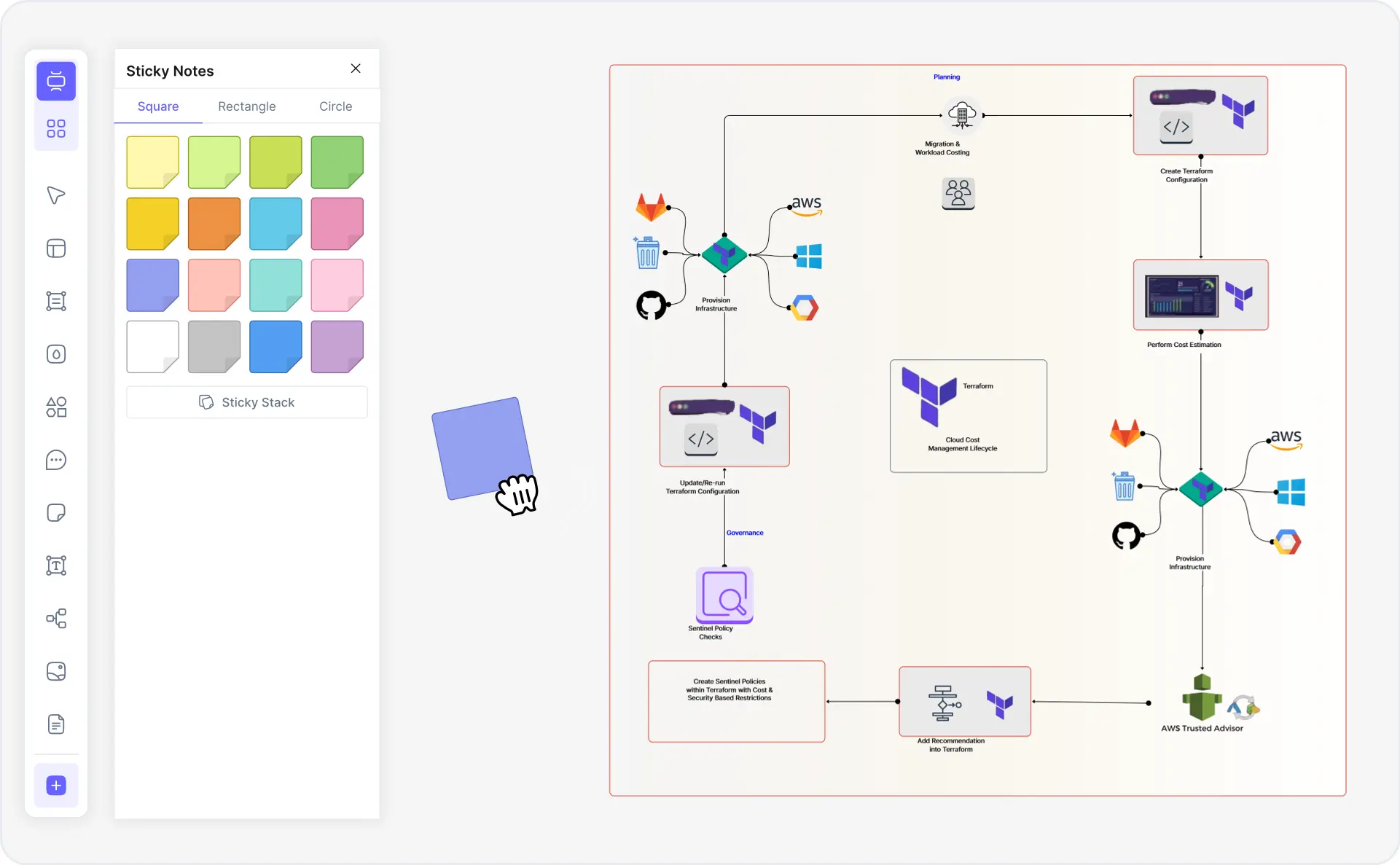
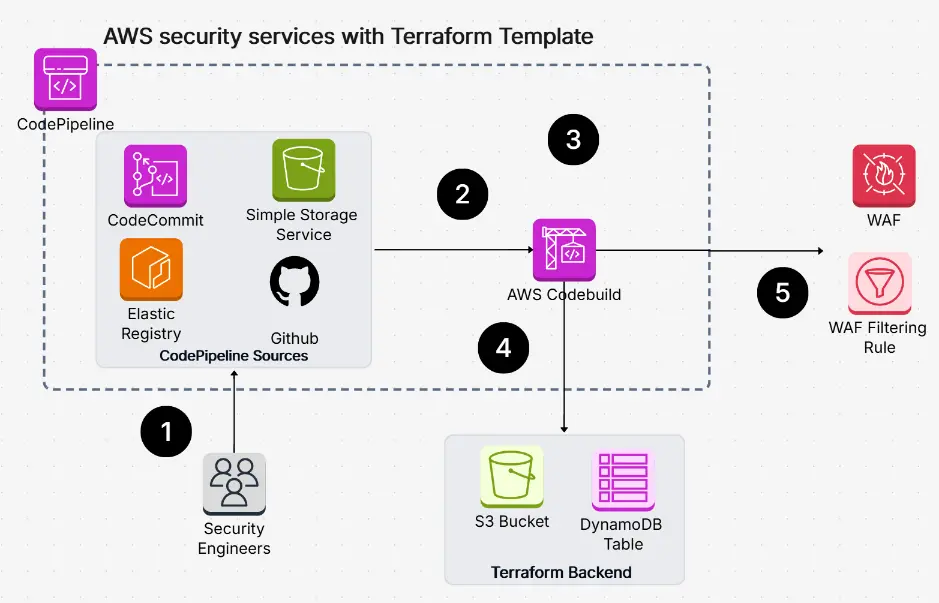
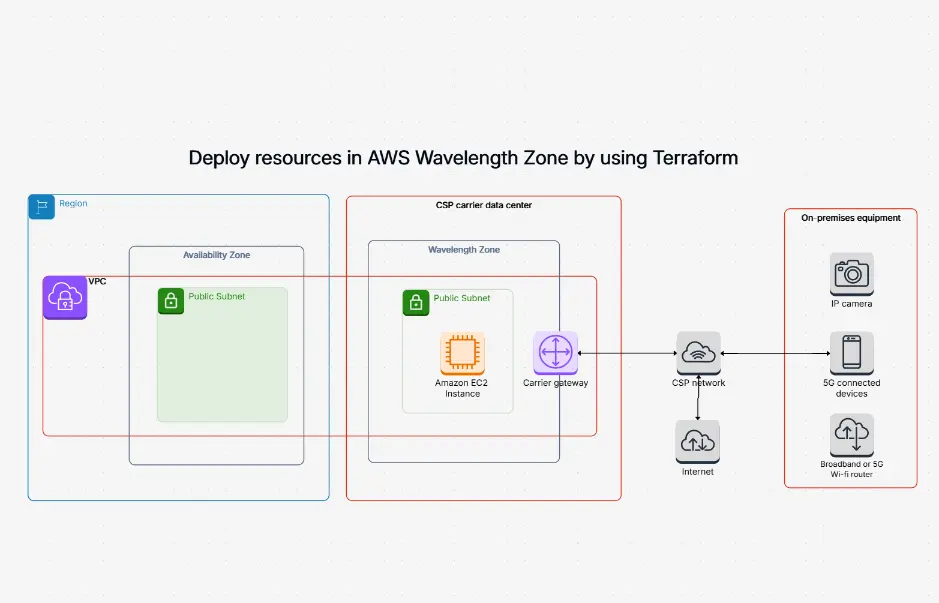
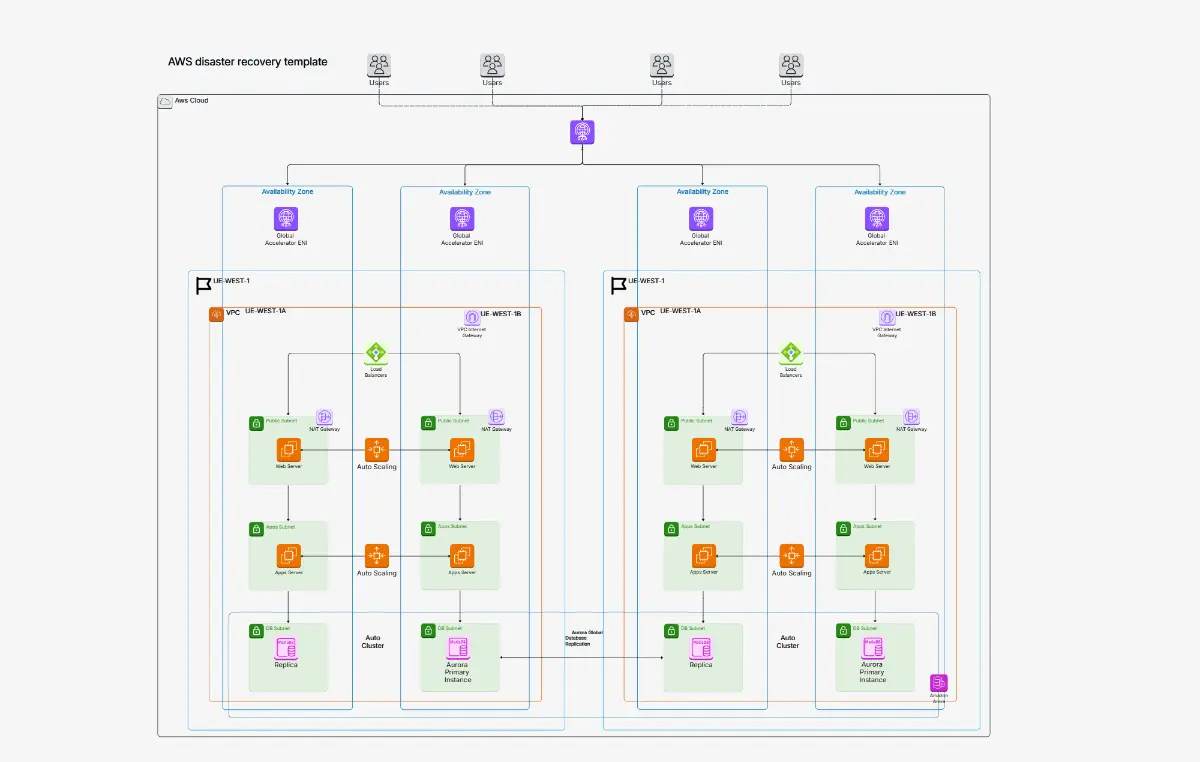
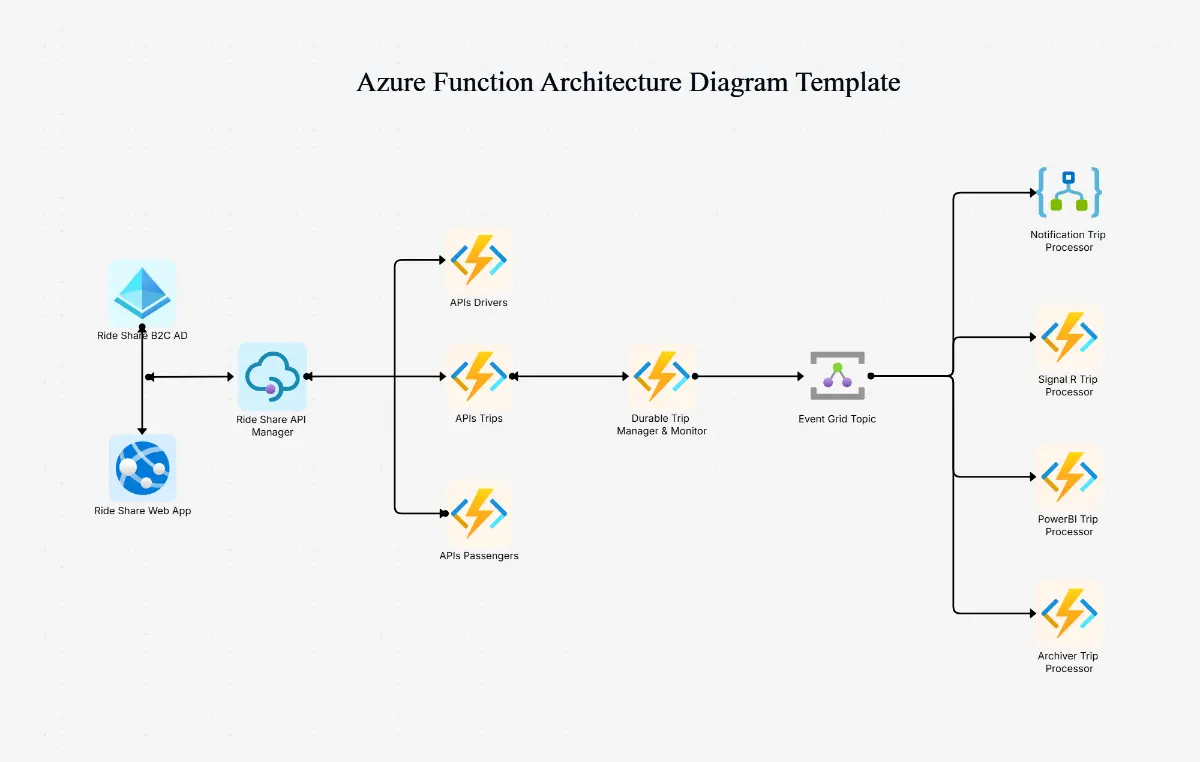
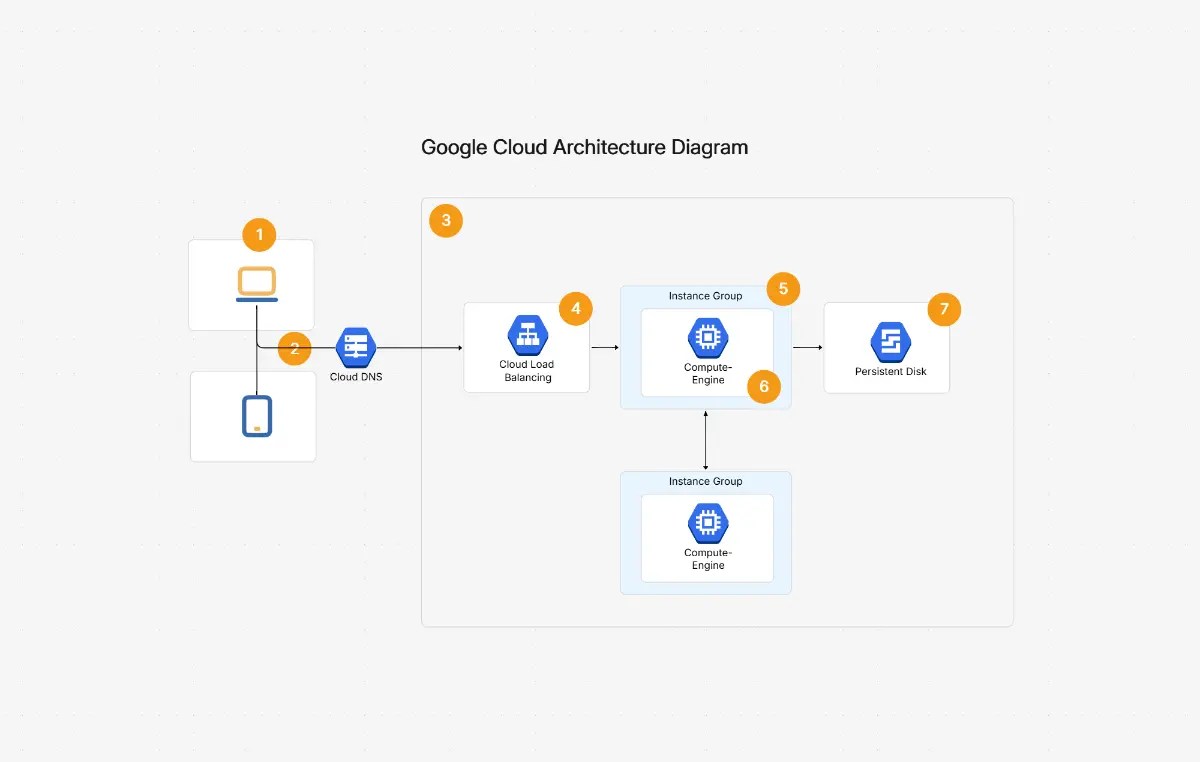
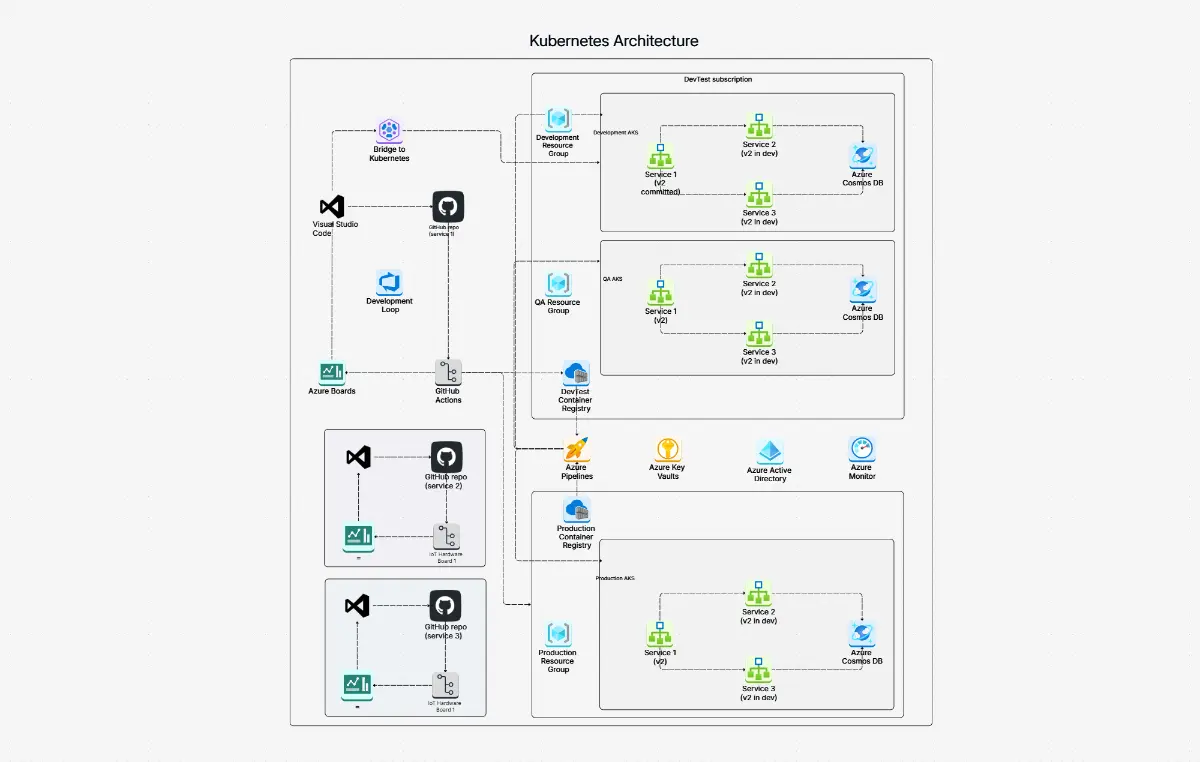
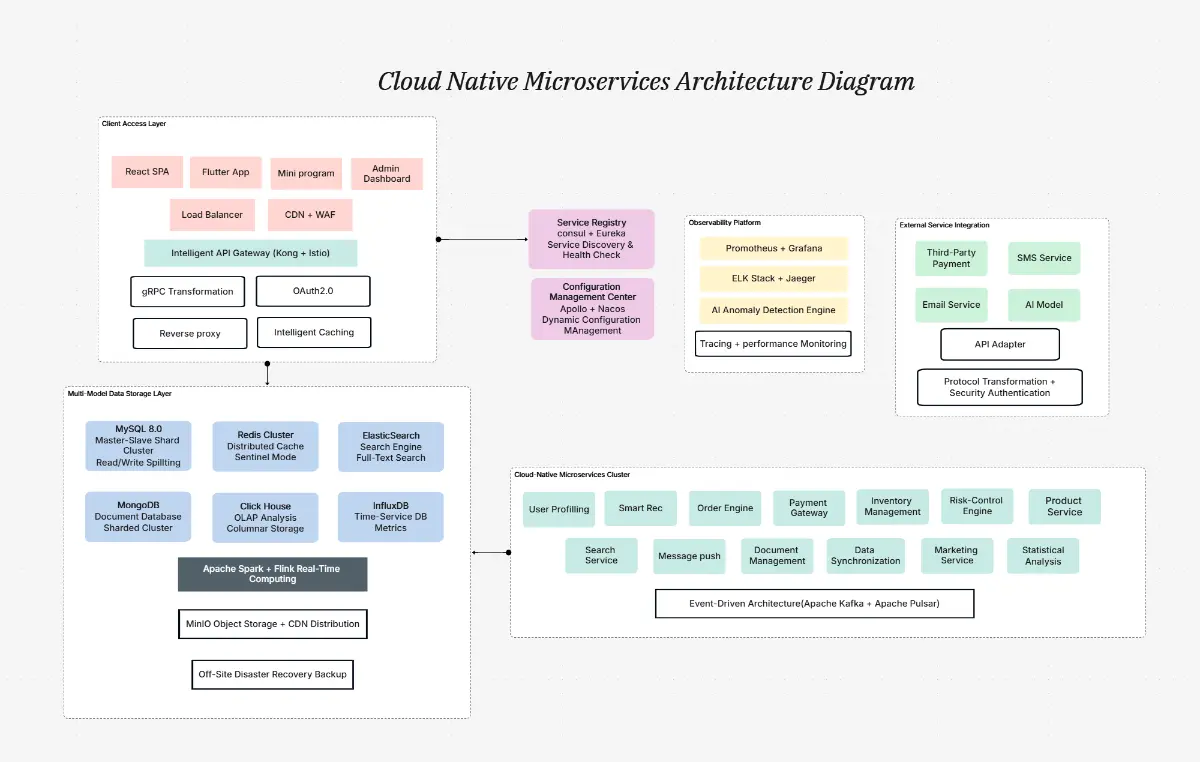
What is a Terraform diagram — example showing AWS VPC, EC2, RDS, and ALB resources with IaC module topology

What Is a Terraform Diagram?

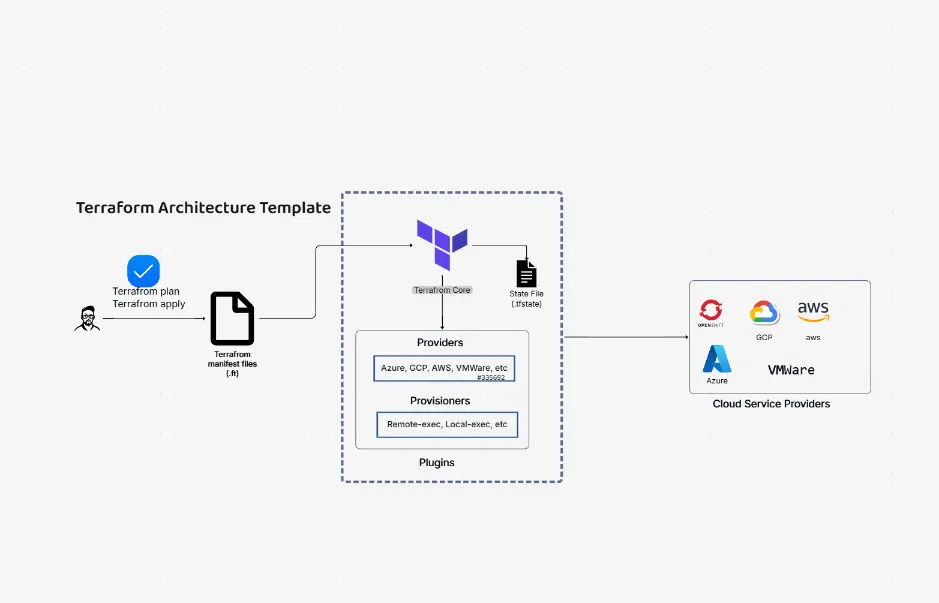
A Terraform diagram is a visual representation of infrastructure-as-code (IaC) architecture that shows how Terraform resources interact, depend on each other, and form a complete cloud deployment. Terraform diagrams illustrate cloud providers (AWS, Azure, GCP, OCI), compute resources (EC2, VMs, Cloud Run), networking (VPCs, subnets, security groups), databases (RDS, Cloud SQL, Azure DB), load balancers (ALB, Application Gateway), and the module, variable, and output structures that define reusable IaC components.

Terraform diagrams are the standard communication tool for DevOps engineers, platform engineers, cloud architects, and CTOs documenting infrastructure deployments, multi-cloud strategies, and IaC topology. Unlike terraform graph output — which produces raw DOT-format dependency graphs — Cloudairy generates publication-ready architecture diagrams with official AWS, Azure, GCP, and OCI icons, proper groupings, and readable layouts. They are essential for architecture reviews, compliance audits, onboarding new infrastructure engineers, and multi-cloud migration planning.

Cloudairy's AI Terraform Diagram Maker eliminates manual drawing and terraform graph wrangling. Describe your infrastructure in plain English — "AWS VPC with 3 subnets, 2 EC2 instances, RDS MySQL, ALB, auto-scaling group" — or paste your HCL and tfstate directly, and the AI generates a complete AWS architecture diagram or Azure architecture diagram in under 5 minutes. Export to PNG, SVG, PDF, or Visio. Perfect for DevOps teams, platform engineers, cloud architects, and CTOs.

How to Create a Terraform Architecture Diagram with AI (6 Steps)

Go from Terraform infrastructure idea to a publication-ready IaC architecture diagram in six steps — no CLI required, no manual shape drawing, no Lucidchart license needed.

1

Define your cloud providers

Describe your Terraform provider configuration — for example: "AWS us-east-1 with VPC, 3 subnets, and security groups" — or paste your provider block from a .tf file directly. Cloudairy supports AWS, Azure, GCP, OCI, and Kubernetes multi-cloud deployments.

2

Map your resources

List or paste your Terraform resources: EC2 instances, RDS databases, ALBs, VPCs, S3 buckets, or equivalent Azure/GCP resources. Cloudairy's AI recognizes HCL resource types and generates proper icons, labels, and dependency arrows automatically.

3

Design your networking

Specify subnets, routing tables, and security groups (AWS), NSGs (Azure), or firewall rules (GCP). The AI arranges network topology with correct dependency connections and zone boundaries.

4

Add variables and modules

Include module references, variable inputs, and output blocks. Cloudairy renders module boundaries and data flow between modules and root configuration — ideal for complex modular IaC codebases.

5

AI generates the diagram

Cloudairy's AI instantly builds a complete Terraform architecture diagram with proper cloud provider icons, resource labels, dependency arrows, and module groupings. What takes 60–120 minutes in Lucidchart or Visio takes under 5 minutes in Cloudairy.

6

Export or share with your team

Export to PNG, SVG, PDF, Visio (.vsdx), PowerPoint (.pptx), or draw.io. Share a live view-only or edit link with your DevOps, platform engineering, or cloud architecture team for architecture design reviews.

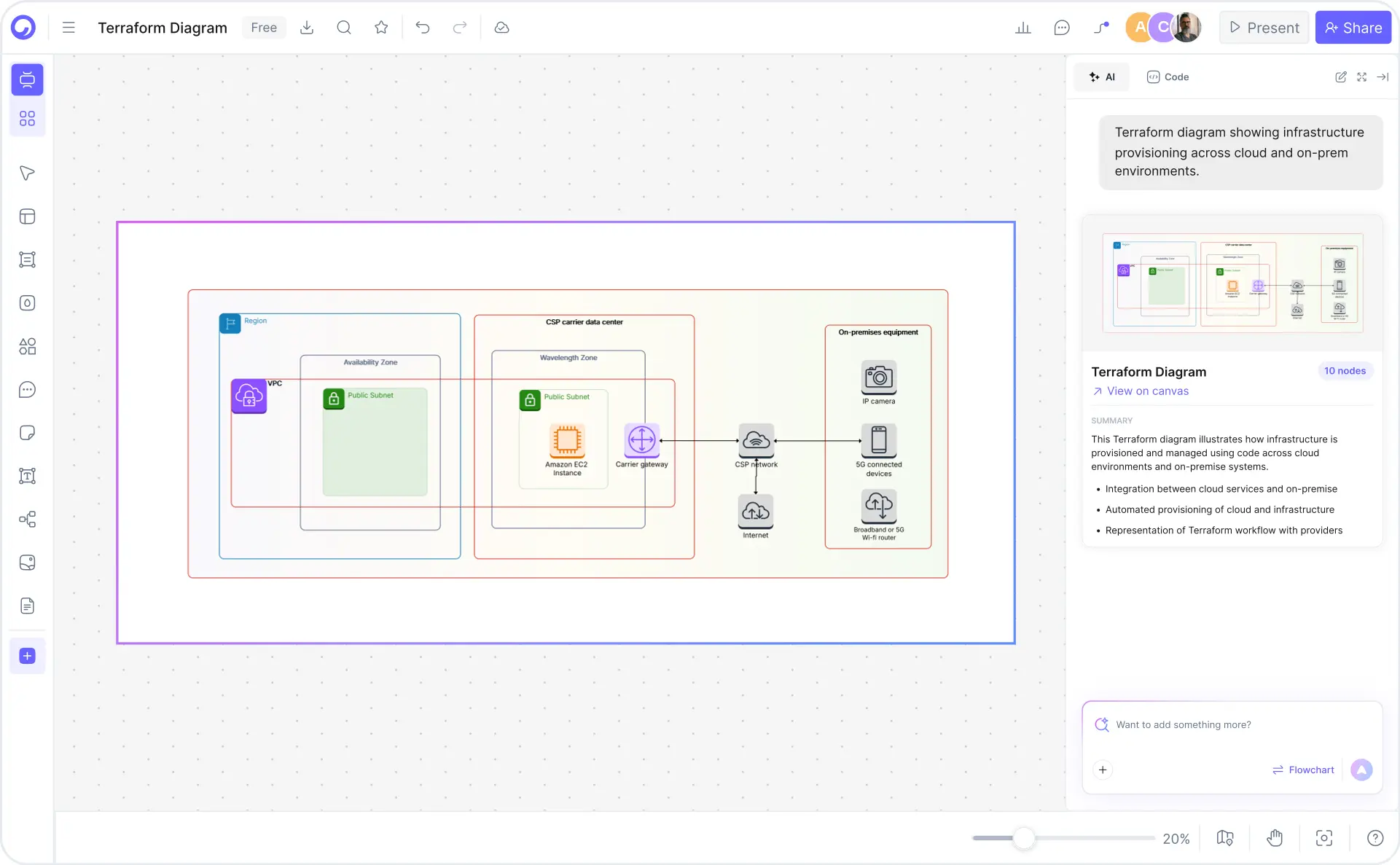
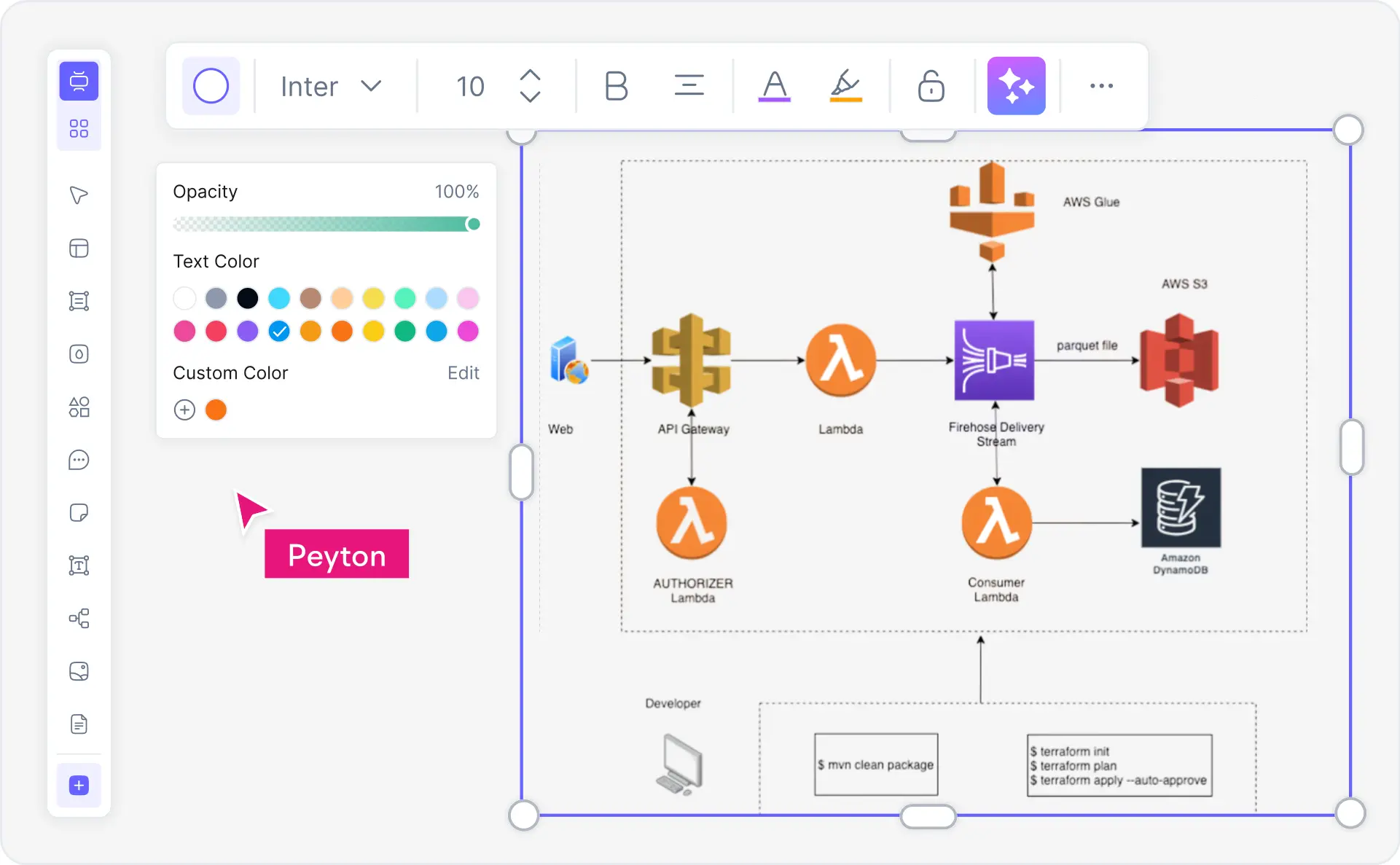
How to create a Terraform architecture diagram with Cloudairy — six steps from HCL prompt to export

Start Creating Your Terraform Diagram Free

Join DevOps engineers, platform engineers, and cloud architects worldwide who use Cloudairy to create professional Terraform architecture diagrams in minutes. AI generation. HCL & tfstate parsing. Multi-cloud icons. Real-time collaboration.

No credit card required • Start creating in seconds

Why Use Cloudairy as Your Terraform Diagram Tool

Cloudairy is the only AI terraform diagram maker that combines AI prompt-to-diagram generation with HCL/tfstate parsing, multi-cloud icon libraries (AWS, Azure, GCP, OCI), real-time collaboration, and Visio/draw.io import — all on a single platform. No CLI required.

AI Prompt-to-Terraform-Diagram

AI Natural Language Generation

Describe your Terraform infrastructure in plain English and get a complete architecture diagram in under 5 minutes. No competitor offers this Terraform-specific AI feature. Reduces design time from 60–120 minutes in Lucidchart or Visio to under 5 minutes in Cloudairy.

HCL and tfstate Parsing

HCL & tfstate Parsing

Parse .tf files or terraform.tfstate JSON directly — Cloudairy extracts resources, variables, outputs, and modules to auto-generate topology diagrams. No terraform graph CLI wrangling required. Competitors require manual entry.

Multi-cloud Icon Library

Multi-Cloud Icon Library

Native AWS, Azure, GCP, OCI, and Kubernetes icons in one tool. Design once, visualize across all platforms. Brainboard focuses AWS only; Pluralith is K8s-only. Cloudairy covers every major cloud provider.

Multi-Format Export

Multi-Format Export

Export to PNG, SVG, PDF, Visio (.vsdx), PowerPoint (.pptx), and draw.io formats. Embed terraform diagrams in infrastructure documentation, compliance presentations, cloud migration RFCs, and architecture design review documents.

Real-Time Collaboration

Real-Time Collaboration

Multiple team members edit the same Terraform diagram simultaneously with live cursor positions, comment threads, and permission controls (edit/view/comment). Ideal for distributed DevOps design reviews, infrastructure workshops, and collaborative capacity planning.

Two-way Visio and draw.io Import

Two-Way Visio & draw.io Import

Enterprise architecture workflow integration — import existing Visio or draw.io diagrams, edit in Cloudairy, and export back. Pre-built templates for AWS, Azure, GCP, multi-cloud, module, and workspace architectures accelerate design for DevOps and platform teams.

Cloudairy vs Competitors — Terraform Diagram Tools Compared

See how Cloudairy's AI Terraform diagram maker compares to Brainboard, Lucidchart, Pluralith, draw.io, and Inframap on the features DevOps and platform engineering teams need most.

Feature Cloudairy Brainboard Lucidchart Pluralith draw.io Inframap
AI Prompt-to-Terraform-Diagram Yes No No No No No
HCL / tfstate Parsing Yes (direct parse) Manual entry Manual entry Live cluster only Manual entry CLI-based
Multi-cloud Icon Library AWS/Azure/GCP/OCI AWS-focused Basic K8s-focused Limited Cloud-agnostic
Real-time Collaboration Yes (comments, presence) Yes (limited) Yes (enterprise) Yes (basic) Yes (beta) No
Export: PNG/SVG/PDF Yes (all 3) PNG, PDF, SVG PDF, PNG, Visio, PPT PNG, SVG PNG, SVG, PDF PNG, SVG
Templates: AWS/Azure/GCP Yes (all 3 + multi-cloud) AWS-heavy Limited K8s only Community Generic
Free Tier Unlimited diagrams + exports Limited 5 diagrams Freemium Unlimited Open source
Two-way Visio/draw.io Import Yes Limited Limited Visio No Yes No

Who Uses Terraform Diagrams?

DevOps & SRE Teams

Document IaC deployments, visualize infrastructure topology, and review Terraform changes before apply. Generate deployment diagrams from HCL descriptions for CI/CD pipeline documentation and runbook references.

Platform Engineers

Design internal developer platforms, golden path templates, and workspace isolation strategies. Diagram module structures, remote state backends, and environment management patterns for engineering orgs.

Cloud Architects

Create multi-cloud architecture diagrams for AWS, Azure, and GCP deployments. Document microservices infrastructure, landing zone designs, and cross-cloud connectivity patterns for stakeholder presentations and RFC reviews.

CTOs & Engineering Leads

Communicate infrastructure strategy to executive stakeholders, boards, and investors. Generate high-level system design diagrams from Terraform code for cloud migration roadmaps, compliance reports, and multi-cloud strategy documents.

Cloud Migration Teams

Visualize current-state and target-state infrastructure during cloud migrations. Map on-premises resources to Terraform-managed cloud equivalents, document migration phases, and track IaC adoption across network topology and application tiers.

DevOps engineers, platform engineers, and cloud architects using Cloudairy for Terraform architecture diagrams

Frequently Asked Questions

A Terraform diagram is a visual representation of infrastructure-as-code (IaC) architecture, showing how Terraform resources (AWS EC2, Azure VMs, GCP Compute, RDS, VPCs, networks) interact and depend on each other. Diagrams typically illustrate providers, resources, modules, variables, and state management. They are essential for documentation, architecture reviews, multi-cloud planning, compliance audits, and onboarding new infrastructure engineers.

With Cloudairy, paste your .tf files or terraform.tfstate into the AI generator and describe your infrastructure — for example, "AWS VPC with 3 subnets, 2 EC2 instances, RDS MySQL, ALB, auto-scaling group" — and the AI generates a complete AWS architecture diagram with proper Terraform resource icons, dependencies, and labels. What takes 120+ minutes in Lucidchart takes under 5 minutes in Cloudairy.

Yes. Cloudairy parses both .tf (HCL) files and terraform.tfstate JSON state files. You can paste HCL code directly, and Cloudairy extracts resources, variables, outputs, and modules to auto-generate topology diagrams. For state files, upload your tfstate to visualize current infrastructure state — without running terraform graph CLI commands.

Yes. Cloudairy includes pre-built templates and AI understanding of AWS (EC2, RDS, VPC, ALB), Azure (VMs, databases, VNets, firewalls), and Google Cloud (Compute, Cloud SQL, VPCs) architectures. Multi-cloud diagrams show resources across all providers in one unified topology.

No. Unlike tools like Pluralith that require live cluster or CLI access, Cloudairy does NOT require a cluster connection or installed Terraform CLI. You can design and visualize Terraform architectures directly in Cloudairy without touching your running infrastructure — ideal for planning before implementation, pre-deployment reviews, and multi-cloud strategy documentation.

Yes. Cloudairy supports one-click export to PNG, SVG, PDF, Visio (.vsdx), PowerPoint (.pptx), and draw.io formats. This allows you to embed diagrams in infrastructure documentation, compliance presentations, cloud migration RFCs, design reviews, and technical architecture documents. Exported files are fully editable in their native applications.

Yes. Cloudairy offers a completely free tier with unlimited Terraform diagram creation, export, and storage. No signup required to start. The free tier includes all core features: AI generation, Terraform templates, multi-format export, real-time collaboration comments, and access to the official Terraform icon library. Premium tiers add enterprise features like advanced analytics and priority support.

Cloudairy's three key differentiators: (1) AI Prompt-to-Diagram — describe your Terraform infrastructure in English and AI generates the diagram instantly (Brainboard has no Terraform AI; Pluralith requires live cluster); (2) HCL/tfstate Parsing — paste .tf files or state JSON directly for auto-generated topology (competitors require manual entry); (3) Multi-cloud Icons — AWS, Azure, GCP, OCI in one tool (Brainboard focuses AWS; Pluralith is K8s-only). Cloudairy also offers unlimited free tier and no CLI requirement.

Yes. Cloudairy supports real-time collaboration — multiple team members can edit the same Terraform diagram simultaneously with live cursor positions, typed-text synchronization, and comment threads. You can assign permissions (edit/view/comment), mention teammates, and track version history. Ideal for distributed design reviews, infrastructure workshops, and collaborative capacity planning across DevOps and platform engineering teams.

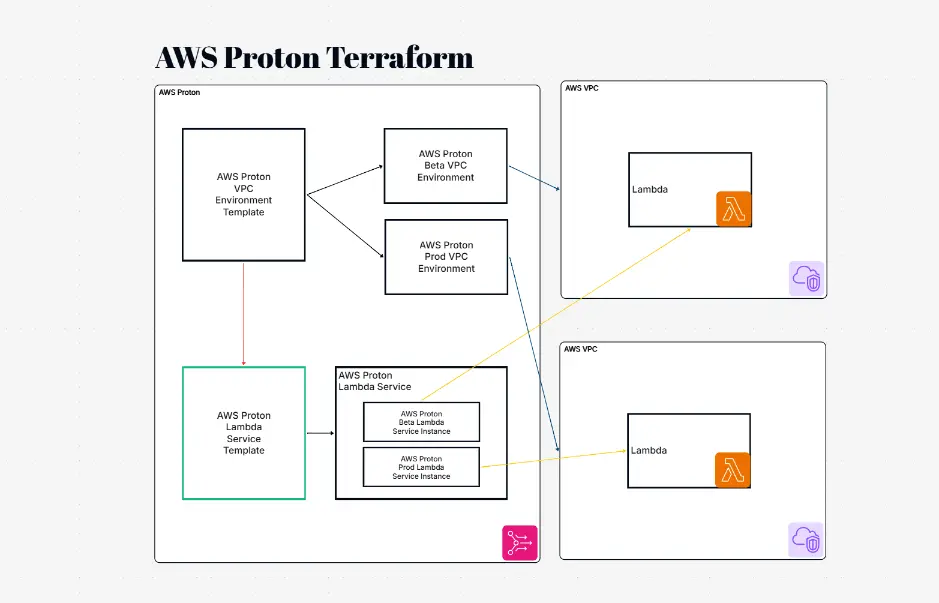
Terraform modules are reusable code packages that encapsulate resources, variables, and outputs. A module diagram shows inputs (variables), outputs, and contained resources (EC2, RDS, VPC, etc.). Cloudairy includes templates for modular architectures showing how modules reference each other and pass data through variables and outputs. Module diagrams are critical for understanding complex IaC codebases, reusability patterns, and dependency management in large infrastructure deployments.

Success Stories from Our Community

See how cloud architects, solutions engineers, and DevOps teams use Cloudairy to create Azure architecture diagrams faster and with better results.

As a cloud architect, I need precision and speed. Cloudairy helps me design complex Azure architectures in minutes without losing detail or accuracy. The official Azure icons save me hours every week.

Cloudairy makes Azure solution design so simple. I can create client-ready architecture diagrams instantly and focus on delivering value instead of spending hours formatting Visio files.

I'm studying for AZ-305 and Cloudairy helps me visualize Azure reference architectures instantly. I can generate a landing zone diagram from a single sentence and use it as a study aid.

I use Cloudairy to teach Azure architecture in my courses. The AI generator lets students produce real-world diagrams on the first day instead of spending weeks learning Visio.

Our team uses Cloudairy to document every Azure deployment. The Visio export means our diagrams drop straight into client deliverables without any reformatting. Huge time saver.

Secure, compliant, and enterprise-ready

Cloudairy safeguards your work with enterprise-grade security, compliance, and access controls — so your teams can create, collaborate, and scale with confidence.

SOC 2 Type II
SOC 2 Type Ⅱ

Cloudairy is SOC 2 Type Ⅱ certified and penetration tested annually, ensuring your architecture diagrams and data meet the highest standards for security and reliability.

GDPR
GDPR

We comply with the European Union General Data Protection Regulation (GDPR) and extend it to all our customers even those outside of the EU.

ISO 27001
ISO 27001

Our Information Security Management System is ISO 27001 certified — the leading global standard for information security.

Flexible Pricing for Every Team

Free

Discover what Cloudairy can do for you. Start for free

$0

for unlimited members
Try for free

Upgrade now

Show key features

up-arrow

Includes:

Starter

Unlock unlimited and private boards with important features

$4

per member / month

billed annually

monthly

Show key features

up-arrow

Includes everything in Free, plus:

money-back

Business

MOST POPULAR

Ideal for agencies or growing businesses managing multiple projects.

$5

per member / month
billed annually

Show key features

up-arrow

Includes everything in starter, plus:

Enterprise Plan

For large organizations needing scalability, control, and security.

contact-pricing
Contact for pricing
Contact us

Upgrade now

Show key features

up-arrow

Includes everything in Business, plus: