

A state diagram — also called a UML state machine diagram — shows the states an object or system can be in and how it moves between them in response to events. States are drawn as rounded rectangles and transitions as labelled arrows, with markers for the initial and final states. It captures behaviour that depends on status, which makes it ideal for object lifecycles, workflows, and reactive or embedded systems.
With Cloudairy you can build one in minutes: start from a state machine template, add states, connect them with event-labelled transitions, mark the start and end, then share a live board with your team.
Model behaviour fast with ready-made state machine templates, AI drafting, real-time collaboration, and an infinite canvas built for clear, shareable state diagrams.
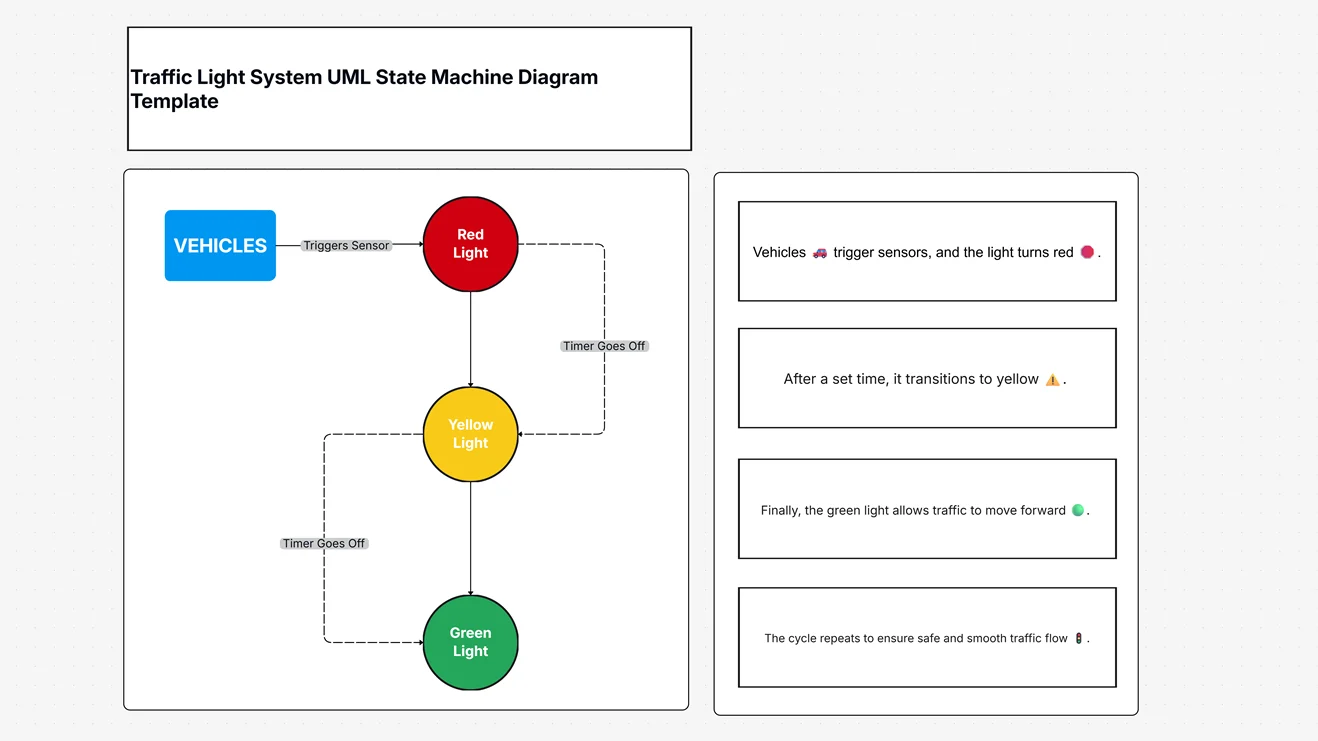
Create a clear state diagram in four steps.
Place the initial-state marker (a filled circle) where the object's life begins on the canvas.
Add each state the object can be in as a rounded rectangle, and name it clearly.
Draw arrows between states and label each with the event that triggers it, plus any guard condition.
Mark where the lifecycle ends, then share the live board or export as an image or PDF.
A state diagram, also called a UML state machine diagram, shows the states an object or system can be in and how it moves between them in response to events. States are rounded rectangles and transitions are labelled arrows, which makes it ideal for modelling object lifecycles and reactive systems.
A state is a condition an object is in at a point in time, drawn as a rounded rectangle. A transition is a move from one state to another, drawn as an arrow labelled with the event that triggers it (and any guard condition). A filled circle marks the initial state and a ringed circle marks the final state.
A state diagram shows the states of one object and the events that move it between them. An activity diagram shows the flow of actions and decisions in a process. State diagrams model status; activity diagrams model workflow.
Use one to model an object or system whose behaviour depends on its current state — order status, a device lifecycle, a UI screen, or an embedded controller — so every state and transition is accounted for before you build.
Start from a state machine template or a blank canvas, add the initial state, add each state as a rounded rectangle, connect them with event-labelled transitions, add the final state, then share the board with your team.
Yes, you can create state diagrams free — no credit card required — with AI drafting, ready-made UML templates, and real-time collaboration.
Start fast with Cloudairy's ready-made UML templates — state machine, class, sequence, activity, use case, and deployment. Customize any of them in minutes.
Cloudairy makes every kind of diagram — here are a few teams reach for most.
Welcome offer
Get Cloudairy Starter at 60% off — everything, without the cap. Welcome-offer pricing for your first 72 hours.