

A use case diagram is a UML behavioral diagram that shows how users interact with a system to reach their goals. Actors — the people or external systems that use it — sit outside a system boundary and connect to use cases (the goals they accomplish), drawn as ovals inside it. It captures what a system does from the user's point of view, which makes it a staple of requirements analysis and early software design.
With Cloudairy you can build one in minutes: start from a use case template, add actors and use cases, draw the system boundary, connect them with include and extend relationships, then share a live board with your team.
Map requirements fast with ready-made UML templates, AI drafting, real-time collaboration, and an infinite canvas built for clear, shareable use case diagrams.
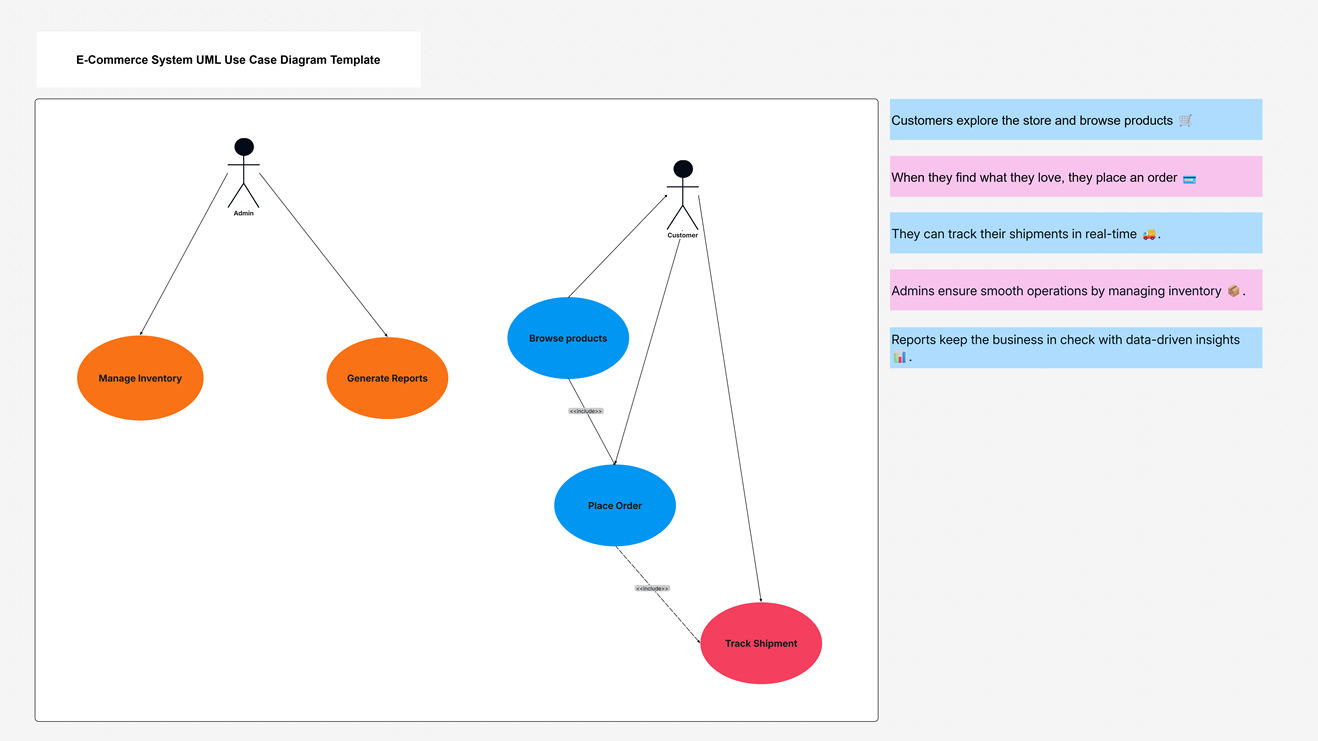
Create a clear use case diagram in four steps.
Place the actors — the users or external systems — as stick figures outside the system boundary.
Add a rectangle for the system and place the use cases (the goals users accomplish) as ovals inside it.
Draw association lines from actors to use cases, then add include, extend, and generalization relationships.
Confirm the scope with your team, then share the live board or export as an image or PDF.
A use case diagram is a UML behavioral diagram that shows how users interact with a system. Actors sit outside a system boundary and connect to use cases (the goals they accomplish), giving a clear picture of what a system does from the user's point of view.
Actors are the roles that interact with the system — a customer, an admin, or another system — drawn as stick figures. Use cases are the actions they perform, drawn as ovals inside the system boundary.
Include means one use case always uses the behavior of another (a shared sub-step). Extend means a use case optionally adds behavior under certain conditions. Both are dashed arrows labelled <
Use one during requirements gathering and early design to agree on what a system must do and who uses it — before writing code.
Start from a use case template or a blank canvas, drag in actors and use cases, draw the system boundary, connect them, add include/extend relationships, then share.
Yes, you can create use case diagrams free — no credit card required — with AI drafting, ready-made UML templates, and real-time collaboration.
Start fast with Cloudairy's ready-made UML templates — use case, class, sequence, activity, state, and deployment. Customize any of them in minutes.
Cloudairy makes every kind of diagram — here are a few teams reach for most.
Welcome offer
Get Cloudairy Starter at 60% off — everything, without the cap. Welcome-offer pricing for your first 72 hours.